
Google Play External Links: 2026 Fees and What to Ship
Google Play external links are here, and the rules finally have enough shape to plan against. In the U.S., Google has rolled out programs for external content links (to your web checkout or an external app download) and alternative billing inside your app. There’s a compliance date in January 2026, new Play Billing Library releases with explicit methods for external links and payments, and a fee framework you must model now—even if Google’s wording says it “intends to apply” certain charges later. If you ship mobile at scale, this isn’t optional; it’s roadmap work plus finance work.
What actually changed—and why January matters
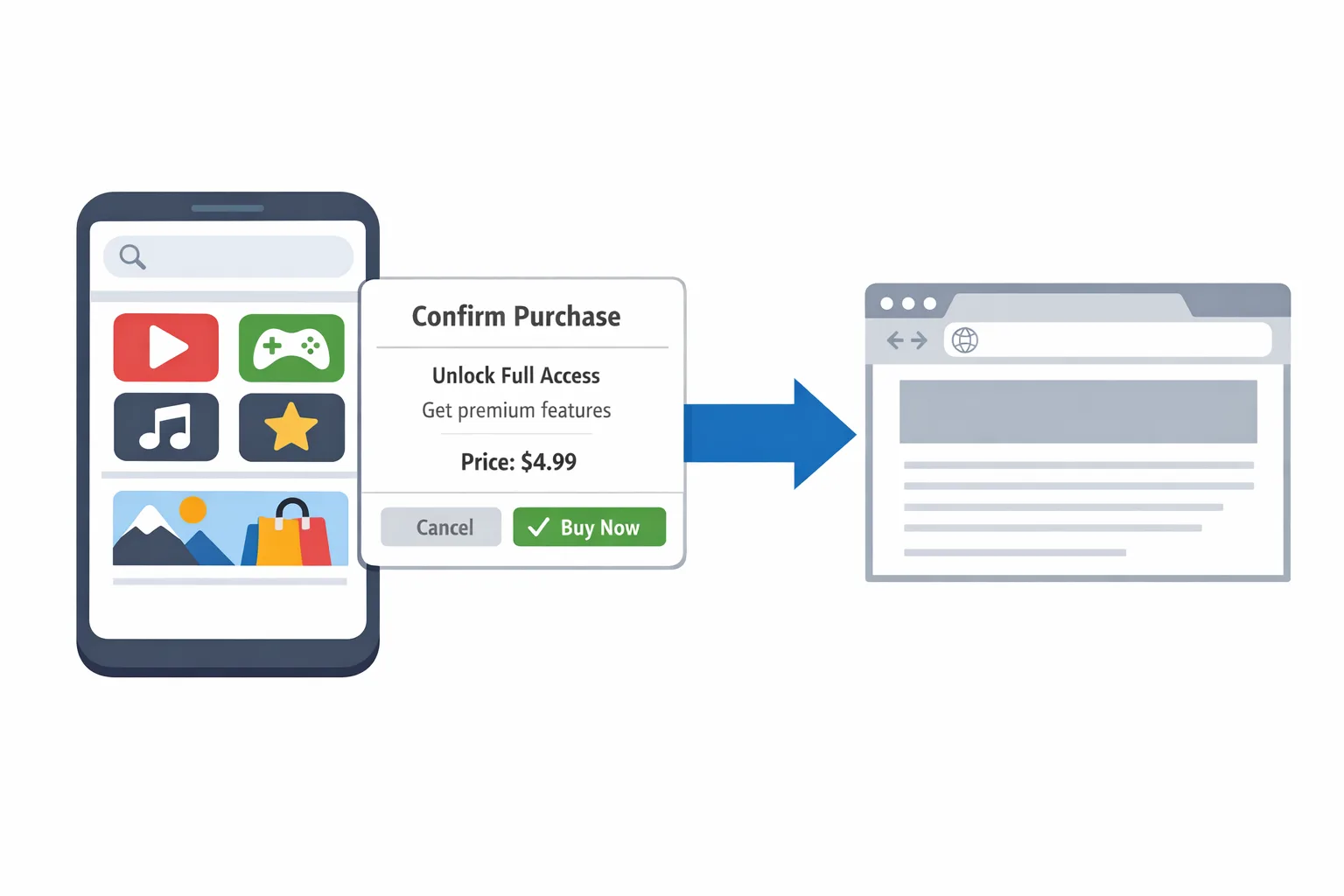
Two things landed that affect your build and your P&L. First, the policy programs: external content links let you steer users in the U.S. to make digital purchases on the web or download apps outside Play. Second, the tooling: Play Billing Library 8.2.x added explicit APIs for external offers and links, and 8.3.0 (released December 23, 2025) added classes to drive external payments flows. That means a real client‑side contract, a token you must generate and pass back to Google, and eligibility checks you need to gate UX.
There’s also a date on the calendar. As of mid‑January 2026, Google’s U.S. program expects developers using external links or alternative billing to be enrolled and integrated by late January. Treat January 28, 2026 as your operational cutoff for being in the program with compliant UX and server reporting, even as the courts continue to shape enforcement details. Waiting for perfect clarity will push you out of policy.
The Google Play external links fee model, decoded
The phrase “service fee” is doing a lot of work in Google’s pages this winter. Here’s the shape you should use for financial modeling in the U.S., anchored to the program language and widely reported numbers:
• For links to web purchases (external content links): plan on 20% service fee on most one‑time digital items and 10% on auto‑renewing subscriptions. Google has described these as fees it intends to apply on successful external transactions while your app still benefits from Play services, plus an “initial acquisition” fee of 3% on qualifying transactions within six months of a Play‑managed install. After six months, that acquisition fee drops to 0%.
• For alternative billing inside your app (User Choice Billing in the U.S. flavor): plan on 25% for most non‑subscription digital purchases and 10% for subscriptions, with the existing small‑developer program’s 10% rate on the first $1M in annual revenue where applicable.
• For links to app downloads (external app installs): model a fixed, per‑install fee when a user installs within a short window after tapping your in‑app link. Industry reporting pegs those U.S. rates at roughly $2.85 per non‑game app install and $3.65 per game install when the install occurs within 24 hours of the link. Google publicly lists fixed per‑install rate cards by country in the EEA; in the U.S., expect a similar structure with the exact dollar amounts finalized through the legal process. Build your plan using those figures, then feature‑flag the economics.
Quick math to sanity‑check your P&L
Assume you link a user to buy a $50 one‑time digital item on the web during the first six months after their Play install. Model 3% initial acquisition ($1.50) + 20% service fee ($10.00) = $11.50 to Google on that off‑Play transaction while you still rely on Play services. If you run a subscription at $10/month via an external link, expect 10% ($1.00) per renewal in that same period (plus 3% on the first qualifying transaction within six months of Play install). For external app installs, layer on the fixed per‑install fee for the subset of users who click your link and install within the attribution window.
Notice the implication: external linking isn’t “free.” It’s a different tradeoff—more checkout control and user relationship, offset by programmatic fees and mandatory UX steps (the in‑app information screen and API handshakes). Don’t greenlight a rollout without a scenario plan.
Deadlines, versions, and required integrations
Mark these specifics on your whiteboard:
• Play Billing Library: ship 8.2.1+ for external content links APIs; target 8.3.0 if you plan to support external payments flows and future reporting methods. New calls include eligibility checks, creation of reporting details (the external transaction token), and the method to launch the external link. Several older external offer APIs were deprecated in 8.2.0, so update your client and server mocks accordingly.
• Program enrollment: you must enroll in Play Console for the external offers/links program and declare each destination domain and specific app download targets. Links to app downloads—and apps available on the landing page—need to be registered and approved before use.
• UX gate: the Play‑provided information screen is mandatory before handing off to your browser or installer flow. It warns users they’re leaving Play and clarifies who will handle billing and support.
• Reporting: after a successful external transaction or a qualified external install, you’re responsible for using the provided token to report back to Google. Even where Google’s pages say it is not yet assessing certain fees, you should wire full reporting now so you’re not re‑architecting under pressure later.
Implementation checklist you can run this week
Here’s the pragmatic checklist we use with teams to ship without surprises:
1) Upgrade billing client: bump to Play Billing Library 8.3.0 if you plan external payments; 8.2.1+ for external links. Audit for deprecated methods.
2) Feature flag by market: enable external links only for the U.S. while policies, rate cards, and legal oversight finalize.
3) Build the information screen flow: integrate the Play‑mandated interstitial and confirm copy works for web purchases and app downloads.
4) Implement eligibility checks: gate the flow behind is‑program‑available calls; fall back cleanly to Play Billing when not eligible.
5) Wire external transaction tokens: create and persist tokens server‑side; report success via the new reporting endpoint after purchase/install.
6) Register destinations: list all web purchase URLs and any external apps served on the landing page; get Play Console approval before launch.
7) Model fees in code: add service‑side calculators that output per‑transaction service fees and per‑install charges for dashboards, with flags for “assessed vs modeled.”
8) Kill switch: add a server‑controlled toggle to disable external links by geography, campaign, or SKU without a client release.
9) Refund and support: document who handles refunds and customer care for external purchases; train support with new macros.
10) Child accounts and enterprise profiles: test friction and policy in Family Link and managed‑device contexts; don’t ship blind here.
11) Analytics and abandonment: log impressions and exits on the information screen and at first paint of your web checkout; set alarms when abandonment spikes.
12) QA matrix: run real devices across OS versions, browsers, and network throttles. Capture video and HAR files for policy submission notes.
People also ask: do I owe fees now—or only later?
In program language, Google says it intends to apply fees for external transactions and downloads; some help pages have explicitly said certain fees aren’t being assessed yet. That doesn’t mean “ignore it.” If you’ll rely on external links, act as if the fee model will be enforced and bake it into your pricing and offers now. It’s much easier to dial down a discount later than to explain a sudden margin hit to your CFO.
People also ask: which Play Billing Library version do I need?
If you’re only linking out to the web or an external app, 8.2.1+ unlocks the key external link methods and deprecates the older external offers APIs. If you also want to support alternative billing inside your app (external payments), 8.3.0 adds the new classes and program enablement you’ll need. Align your server contracts to the reporting objects introduced in those releases.
People also ask: how does the per‑install fee really work?
The per‑install fee only applies when the user installs an app outside Play within the attribution window after tapping your in‑app link (industry reporting cites 24 hours). Installs that happen days later, or not tied to your link click, don’t count. Expect Google to use its APIs and identifiers to attribute link→install and to bill monthly. You should mirror the attribution logic in your own logs for reconciliation.
Risks, limitations, and the fine print
• Friction is real: the information screen is a speed bump by design. Expect a conversion dip vs. native Play Billing or a direct deep link to a cart. Treat copy, timing, and incentive design as A/B surfaces, not static text.
• Tokens and mismatches: treat external transaction tokens like money. If your client and server get out of sync, you’ll drop reports and risk non‑compliance. Instrument retries and dead‑letter queues.
• Subscription edge cases: trial conversions, grace periods, and pauses can happen outside Play when you link to web checkout. Make sure your entitlement service tolerates out‑of‑order events and race conditions.
• Families and managed devices: some account types will be ineligible or will show different interstitial behavior. Write eligible/ineligible UX that makes sense and avoids dead ends.
• Legal churn: a late‑January court milestone means fee timing can shift. Keep the economics behind a feature flag and document your assumptions in release notes.
Security and platform hygiene you shouldn’t skip
January’s Android Security Bulletin shipped on January 5, 2026. If you’re adding new link surfaces and server endpoints, this is a good time to patch, rotate secrets, and re‑run mobile app security checks. If you manage your own installer or serve an APK from the web, your update discipline matters even more because Play Protect isn’t watching your server. Treat this quarter like a mini security hardening sprint.
For a focused breakdown of the January bulletin and what to fix first, read our practical guide Android Security Bulletin Jan 2026: The Fix Plan. If your roadmap leans heavily into Android this year, also see our take on cadence changes in Android’s AOSP Cadence Goes Biannual: What to Do.
A simple framework to decide where to send users
Here’s a no‑drama decision tree we’ve used with growth and product teams:
• If the user is eligible for external links and the SKU has margin to absorb a 20% service fee (plus 3% when inside the six‑month window), test sending them to web checkout with a targeted incentive at first purchase (for example, loyalty points or a bundle).
• If the SKU is price‑sensitive, or if subscription retention is your KPI, compare external links (10% ongoing on subs) to alternative billing inside the app (also 10% on subs) and to standard Play Billing. Optimize for lifetime margin minus friction.
• If you’re promoting a companion app download, model the per‑install fee against expected LTV of the second app. If LTV minus $2.85/$3.65 is negative, don’t link. If it’s positive but thin, gate the link behind high‑intent events.
• If your UA is heavy on Play Store keywords, expect more users inside the six‑month window; your initial acquisition fee exposure will be higher. If traffic is organic via web content, the six‑month exposure will be lower.
For finance leads: a pocket modeling guide
Build three scenarios—conservative, base, aggressive—across these inputs:
• Share of purchases routed to web vs. Play Billing; expected lift from better bundles or price testing on web.
• Share of external link clicks that convert on web; abandonment delta caused by the information screen.
• Share of link clicks that result in an external app install within the attribution window; install‑to‑payer conversion for the second app.
• Mix of users inside vs. outside six months from Play install; % of one‑time items vs. subscriptions.
Then instrument your app to emit “modeled fee” events alongside real revenue. In your BI tool, surface gross, program fees by bucket (acquisition, ongoing services, per‑install), processor costs, and net contribution per channel. Add a switch to recalc fees with 0% to see sensitivity if courts defer or reduce fee assessments for a period.
Let’s get practical: shipping pitfalls we keep seeing
• You forgot to register every destination URL and every app download target. Play will catch it. Maintain a registry with owners, last reviewed date, and rollout status.
• You launched with stale billing libraries. Your eligibility call fails, the link never shows, and your A/B test data is junk. Bake the library upgrade into your sprint definition of done.
• No server‑side toggle. If fees go live mid‑campaign, you need the option to reroute to Play Billing within minutes, not weeks.
• Messaging mismatch. Your in‑app copy promises PayPal but your web page defaults to credit card only. Users bounce at the worst possible time. QA the copy chain end‑to‑end.
Want a deeper playbook? See our field notes in Google Play External Links 2026: Fees & Plan and our technical flow guide Ship the Flow, Model Fees. If you’re aiming for late‑January readiness, our earlier timelines in Ship for Jan 28 still hold up.
What about cookies, attribution, and marketing ops?
Your web checkout will sit under modern privacy constraints. If you’re measuring cohorts off the back of external links, plan for privacy‑preserving attribution, server‑side events, and fewer third‑party cookies than you’d like. Build durable measurement now—your UA team will thank you when budgets tighten later this quarter.
What to do next (developers)
• Update to Play Billing Library 8.3.0 if you’ll support external payments; 8.2.1+ at minimum for external links.
• Implement eligibility checks, the information screen, token creation, and success reporting.
• Add analytics at the interstitial and first paint of your web checkout; set alerts on abandonment.
• Build a server‑controlled switch to route users between Play Billing, external billing, and external links.
• Register all URLs and external app targets in Play Console and run a policy‑style QA pass.
What to do next (business owners)
• Model fees for external links and alternative billing across your SKU mix; include initial acquisition and ongoing service buckets.
• Pressure‑test your CAC:LTV with per‑install charges for any companion app strategy.
• Decide where you want pricing power: inside the app, on the web, or both—and build promos that fit the new friction profile.
• Publish a one‑pager for support and legal with who owns refunds, risk checks, and chargeback handling for off‑Play sales.
If you want help moving from theory to a shipping build, talk to our team via Mobile app services or Contact us. We’ve stood up these flows, run the experiments, and built the toggles that save releases when policies shift mid‑quarter.





Comments
Be the first to comment.