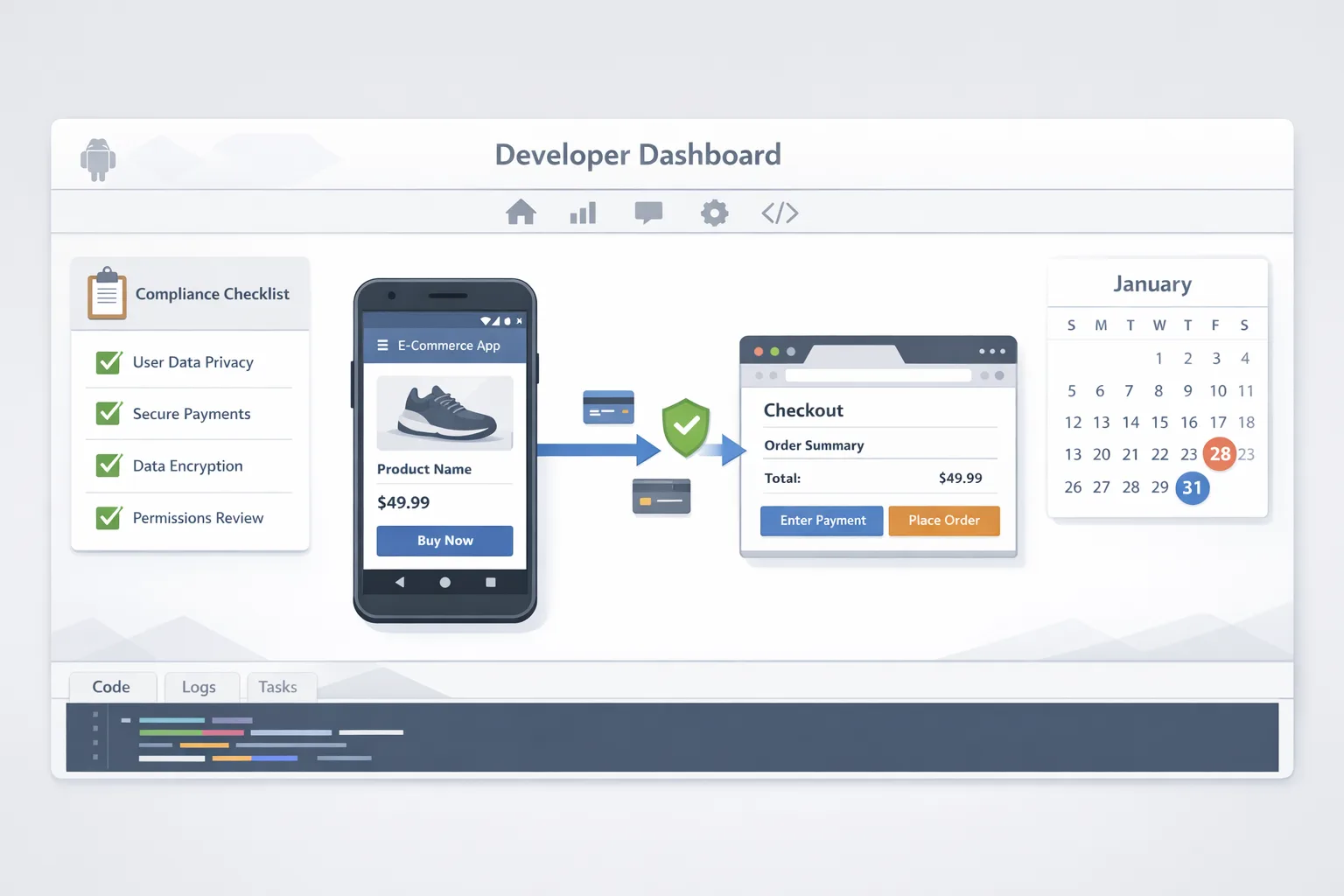
Google Play External Links: Ship for Jan 28
If your roadmap includes Google Play external links to web checkout or an outside‑Play download, the clock is real: January 28, 2026. Google’s U.S. programs—External Content Links and Alternative Billing—aren’t just policy text. They require enrollment, information screens, tokenized links, and transaction reporting. Three days later, on January 31, Apple’s updated App Store age rating questionnaire becomes mandatory to keep submitting updates. This piece gives you a shipping‑grade plan that product, engineering, and legal can action this sprint.
What actually changed—and the dates that matter
Let’s anchor on dates before we talk plumbing. On December 9, 2025, Google formally announced U.S. programs governing outbound commerce and downloads from Play‑distributed apps: External Content Links (ECL) and Alternative Billing (AB). If you use either, you must comply by January 28, 2026—that means enroll, implement required UX, and integrate reporting. Google has also outlined intent to charge program fees on external transactions and installs attributed to Play‑origin links; a court hearing in January may refine the final numbers, so build fee logic behind feature flags.
On the Apple side, all apps must complete the updated age rating questionnaire in App Store Connect by January 31, 2026. Apple auto‑reassigned ratings in late 2025 and added new tiers (13+, 16+, 18+). If you don’t answer the new questions by Jan 31, new updates are blocked until you do.
If you only remember two milestones: Jan 28 for Play external links/alt billing, Jan 31 for App Store age ratings.
How the Google Play External Content Links program works
ECL is not a free‑for‑all “open in browser” button. Your app needs to register outbound links in Play Console, show Google’s information screen, pass a token, and then report outcomes. Here’s the lifecycle:
- Enroll in ECL in Play Console for your app and U.S. distribution. You’ll declare whether you’re linking to a web purchase flow, an outside‑Play download, or both.
- Register link patterns (domains and paths). Google validates that the link is under your control and checks it for required disclosures.
- Show the information screen before leaving the app. This clarifies that the transaction or download won’t be through Google Play, covering support and payment differences.
- Append a token to the outbound URL so conversions and installs can be attributed to the Play‑origin click.
- Report transactions back to Google (including zero‑dollar trials where applicable). For external downloads, attribute and report installs that occur within the attribution window.
- Respect parental controls and play‑protect checks. If a user is under restricted settings, your link flow must defer appropriately.
Alternative Billing is a sibling track: payment happens inside your app via your processor, still with information screens and reporting. Many non‑gaming apps will A/B dual‑presenting Play Billing and AB; most games will favor ECL to keep web storefront control. Your mileage will vary depending on SKU mix and support costs.
Fees and unit economics—what to model now
Google has stated it intends to apply fees to external flows and alternative payments. The exact U.S. structure is subject to the court process, but the proposed contours developers are modeling include:
- For external links to web purchases: a service fee on transactions attributed to a Play‑origin click (for many categories the commonly cited figure is 20%; subscriptions often see 10%).
- For alternative billing inside the app: a service fee that, in prior geographies, has been slightly higher for non‑subscriptions.
- For external link downloads: a per‑install fee when the install completes within a short window (widely discussed figures fall in the low‑single‑dollar range and differ for apps vs. games). Keep this as a parameter in your model.
Here’s the thing: the legal language is still being finalized, but the engineering work isn’t. You can ship the flows now and keep pricing, discounts, and fee passthrough behind remote config. If the final schedule lands in late January, you flip toggles—not ship a hotfix.
Practical modeling tips:
- Build three scenarios: Conservative (fees at the higher rumored range), Base (mid), and Aggressive (lower). Use your own conversion and support assumptions, not generic blog numbers.
- Separate first purchase economics from renewal economics. Subscriptions behave differently across Play Billing vs. external flows.
- Model support load and chargeback rates by processor; AB often shifts fraud handling to you.
If you want a deeper ROI breakdown with fee sensitivity, our explainer on fees, flows, and ROI scenarios walks through spreadsheets teams are using right now.
Engineering checklist: ship‑ready in two sprints
Use this LINKS framework to stay honest about scope:
L — Legal and labeling
Enroll in the right program (ECL or AB) and update in‑app disclosures. The information screen copy must be presented before handoff. If you dual‑present Play Billing, label buttons clearly to avoid dark‑pattern risk.
I — Integration of tokens and telemetry
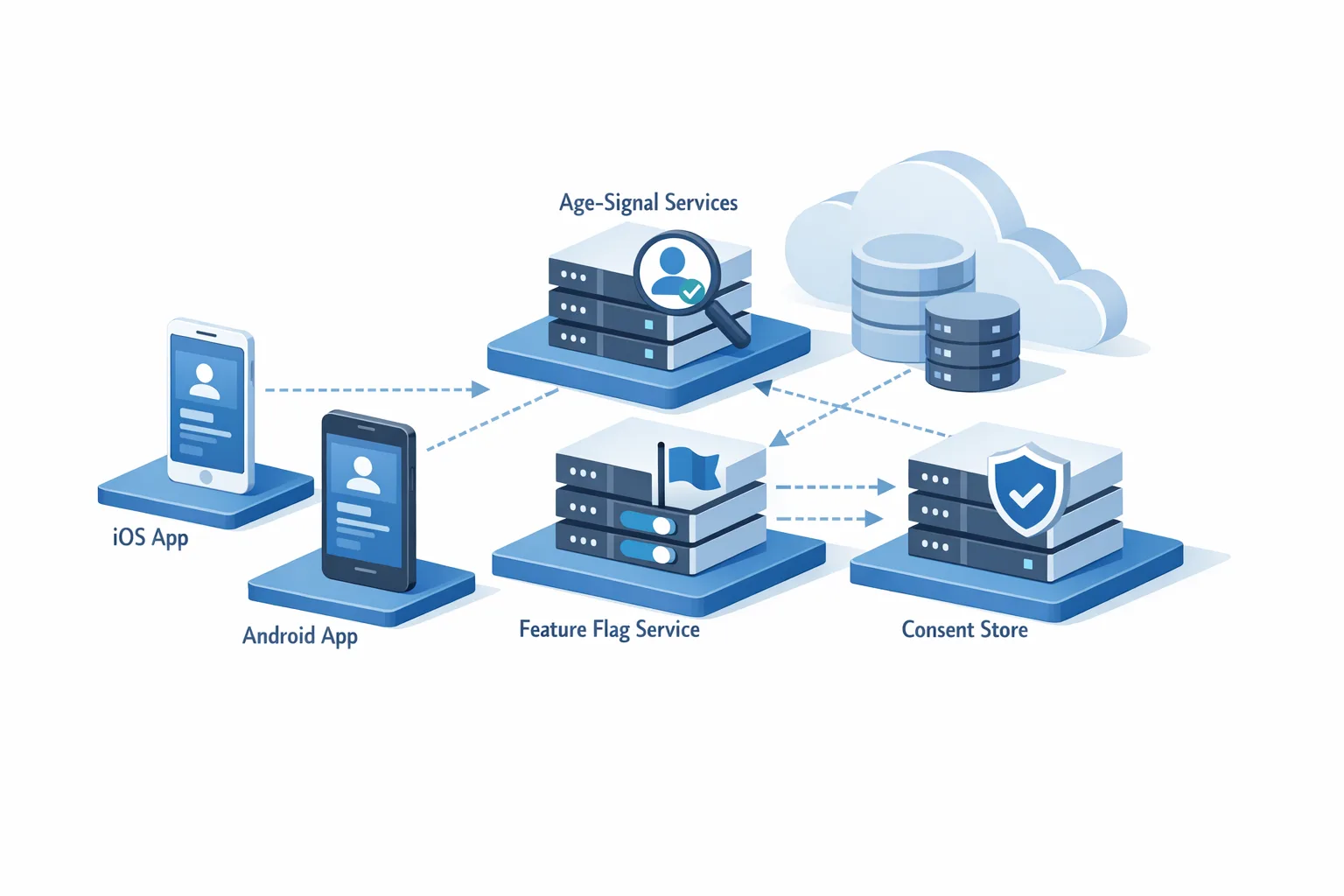
Every outbound link needs a signed token; your web checkout must parse and persist it. Log the link click, arrival, and purchase with consistent identifiers. For external downloads, instrument attribution from the installer back to the originating token.
N — Native UX rails
Respect the device back stack and parental controls. If the user cancels on the information screen, return gracefully to the exact app surface. Add a warm‑return on successful purchase to acknowledge entitlements without forcing the user to re‑authenticate.
K — KYC, refunds, and risk
Alternative billing and web checkout push more compliance onto you. Confirm your processor’s KYC, dispute handling, tax, and refunds flows. Provide an obvious support path and keep receipts consistent with what your accounting expects.
S — Sandbox first, staged rollout next
Test in internal and closed tracks with test cards and fake storefront SKUs. Record video of every branch—success, cancel, parental block—to attach in review notes. Staged rollout 5% → 20% → 50% over a week, and watch crash‑free rate, checkout latency, and support tickets per thousand MAU.
If you want a line‑by‑line implementation plan, our engineering plan for external links includes link schemas, example interstitials, and test cases.
Edge cases teams keep tripping on
Price parity surprises. If your app shows any price, be ready to justify differences across payment options. Regulators dislike coercive framing. Keep your copy factual: where each payment is processed and by whom, with support contact paths.
Lifetime unlocks and bundles. If you sell lifetime access, confirm how entitlements sync back to the app after a web checkout. For bundles, return a structured receipt that your entitlement service can hydrate without an extra user tap.
Kids and teen accounts. The outbound link must respect parental controls; don’t rely on your web layer to enforce age. If the OS or Play blocks the link for a restricted profile, show a helpful explainer instead of a generic error.
Attribution window. For external downloads, installs within a short post‑click window can trigger per‑install fees. If you host the APK, be precise with click and install timestamps to avoid double‑counting or missed attribution.
How this intersects with Apple’s Jan 31 age rating update
Even if your monetization work is Android‑first, don’t get locked out of iOS updates. Apple’s updated rating tiers (13+, 16+, 18+) come with new required questions around controls, capabilities, wellness, violent themes, and more. The cleanest way to handle this is to audit your app features through the same lens you use for content safety.
Three moves to stay compliant and flexible:
- Claim your rating early. Complete the questionnaire now and choose a stricter rating if you’re near the line. It’s easier to loosen later than to explain a mismatch after user complaints.
- Map platform controls. Ensure your iOS parental controls, content filters, and chat permissions match what you’ve declared. If your app exposes UGC uploads, document the moderation workflow.
- Align copy. Keep your App Store and in‑app disclosures consistent with what you filed. If you mention AI assistants or chatbots, reflect how they can surface sensitive content.
We published a ship‑ready walkthrough for Apple’s update if you need screenshots and phrasing examples: how to ship the Jan 31 age rating update. If you want broader context and rationale, see the deeper age‑rating playbook.

Security: keep your house in order while you ship
Q1 is not a great time to carry security debt. January Android bulletins set patch strings at 2026‑01‑01; OEMs are already pushing updates. If you ship external links or AB, you’ll be handling more payments and personal data; treat OS and library patching as a first‑class dependency.
A fast hardening pass you can do this week:
- Target SDK and libraries. Make sure your target SDK and Play Billing/AB libraries are current for your integration. Pin transitive deps, then run a Gradle dependency report to surface unpatched versions.
- Web checkout headers. Force HTTPS, HSTS, and a CSP tuned to your web checkout domain. For tokens, sign and validate with expiry and single‑use semantics.
- Entitlement sync. Reconcile web receipts every 15 minutes and on app launch for 48 hours post‑purchase. Don’t strand users behind cache misses.
Our January 2026 Android security playbook has a checklist you can lift into your sprint board.
People also ask
Do I have to use Google Play external links?
No. If you keep Google Play Billing as your sole purchase path, you don’t need to enroll in ECL or AB. But if you link out to web purchases or downloads—or accept non‑Play payments inside the app—you must enroll and meet the Jan 28 requirements.
Can I show my web price inside the app?
Yes, with care. If you mention or link to an external price, present it factually and avoid coercive language. Expect to show Google’s information screen and to attribute the transaction properly.
What if the fee schedule changes after I ship?
Build feature‑flagged pricing and fee passthrough. Store your fee parameters server‑side so you can pivot without a client update. That’s the difference between a 30‑minute change window and a rejected hotfix.
Is Alternative Billing better than External Content Links?
It depends. AB keeps users in‑app but can increase support and fraud overhead; ECL gives you web storefront control but may add per‑install fees for outside‑Play downloads and requires a crisp entitlement return path. Test both with a subset of SKUs and make a decision from conversion and support data.
A two‑week delivery plan you can copy
Week 1
- Enroll in ECL/AB and register link patterns.
- Implement information screens and tokenized URLs in a feature branch.
- Integrate reporting endpoints; stub processors in sandbox.
- Draft support pages covering refunds, chargebacks, and contact paths.
- Complete Apple’s age rating questionnaire; align iOS settings.
Week 2
- Run closed‑track tests with full telemetry: click → info screen → checkout → return.
- Verify entitlement sync and warm‑return UX; record evidence for review notes.
- Stage rollout 5% → 20% → 50%; watch crash‑free rate, checkout latency, and support tickets.
- Feed conversion and support metrics into your ROI model; set fee parameters behind remote config.
Common review blockers—and how to avoid them
Unregistered domains. If your link goes to a domain or path not declared in Play Console, expect a rejection. Register variants (www, non‑www, regional subpaths) and verify ownership.
Missing user education. The information screen isn’t optional, and it must precede the handoff. Add analytics to confirm it renders and isn’t bypassed by deep links.
Broken entitlement return. After a web purchase, users should see the entitlement within seconds. Add a manual “Restore” action and automatic polling on resume for belt‑and‑suspenders reliability.
Zooming out: strategy beats tactics
The platform shift isn’t just about compliance—it’s a chance to take real ownership of your customer relationship. If you’re moving high‑value or multi‑product subscriptions, owning the web storefront and renewal messaging can pay back quickly, even after program fees. If your catalog skews to impulse buys with low AOV, the simplicity of Play Billing may still win. Test, measure, and iterate with a finance partner at the table.
For deeper builds and fee modeling templates, our builder’s guide to Google Play external links goes step‑by‑step.

What to do next
- Decide your path: Play Billing only, Alternative Billing, External Links, or a hybrid. Write it down.
- Book time: two sprints for implementation and staged rollout before Jan 28.
- Finish Apple’s questionnaire before Jan 31 and align parental controls and content filters.
- Patch and pin: update OS targets and libraries, and lock fee parameters behind remote config.
- Get a second set of eyes: if you want help with flows, fees, and review prep, our team ships this for clients weekly—see our services and reach out.
You don’t need perfect clarity on fees to ship compliant flows. You need a clean UX, token plumbing, reporting, and feature‑flagged economics. Nail those, and Jan 28 is just a date on the calendar—not an outage.

Comments
Be the first to comment.