Google Play External Links 2026: Fees, Flow, and When It Actually Pays
Google Play external links can be a win in 2026—if you model the fees correctly and ship a clean, compliant flow. As of January 12, 2026, Google’s programs combine a fixed per‑install charge for external downloads with ongoing service fees on off‑Play transactions, plus a short‑window “initial acquisition” percent. The details matter. Below I’ll show you the real‑world cost model, the engineering blueprint I’d ship this week, and a decision framework for when Google Play external links make financial sense.
What changed—and when
Here’s the timeline every Android lead and PM should have on their whiteboard:
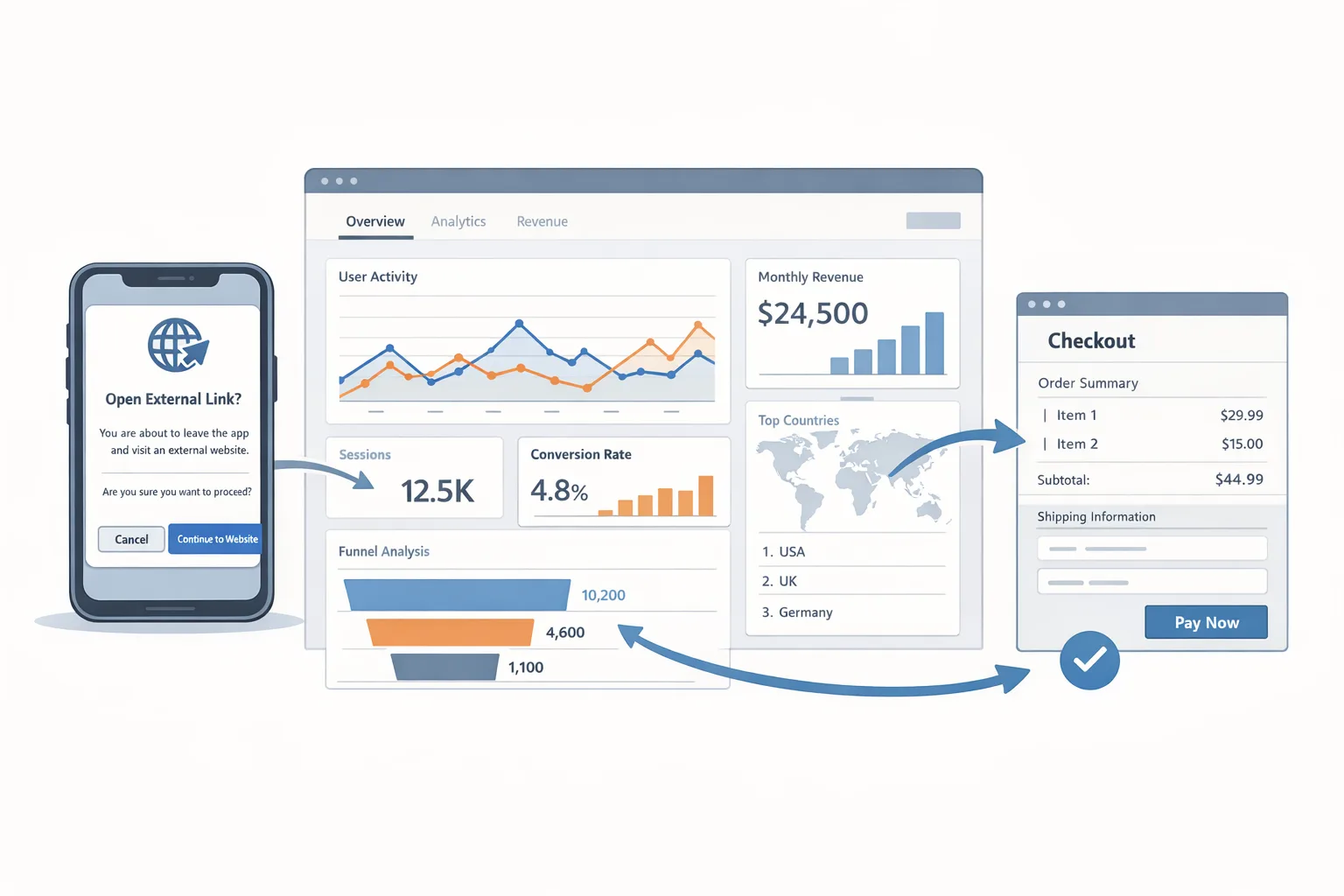
• External offers and linking: Google’s documentation (last updated mid‑December 2025) describes three fee components you must budget for in 2026: an initial acquisition fee during the first six months after a Play‑managed install, an ongoing service fee on off‑Play transactions, and a fixed per‑install charge when users download an app after tapping an external link in your Play‑distributed app. Enrollment, link registration, and the in‑app info screen are required.
• Proposed U.S. rate card for external downloads: Public reporting indicates a fixed per‑install fee on U.S. traffic in the ballpark of $2.85 for apps and $3.65 for games when the install happens within a short window after the click. Treat those as planning numbers until final U.S. rate cards are confirmed; they’re close enough to stress‑test your CAC and LTV.
• Off‑Play transaction fees: Expect roughly 20% on one‑time digital purchases and 10% on auto‑renewing subscriptions completed outside Play, while you continue benefiting from Play services (security scanning, parental controls, fraud protections). There’s also a 3% initial acquisition charge for qualifying transactions during the first six months after a user’s Play install.
• Dates that matter right now: Teams linking externally or trialing alternative payments should be production‑ready in January. If your roadmap includes teen audiences, remember Apple’s updated age‑rating questionnaire deadline on January 31, 2026—more on that below.
How Google will meter and bill external links
The policy language is dense, but the operating model is simple once you translate it into a ledger.
1) Initial acquisition fee (the six‑month window)
If a user installed your app from Play and, within the first six months, completes an external purchase that originated from an in‑app link to your site, Google takes 3% of that transaction. After month six, the initial acquisition piece goes to 0% for that user.
2) Ongoing service fee (required)
On top of that, while your listing benefits from Play services, Google charges an ongoing service fee on the value of external digital transactions driven by your app’s links. Plan for 10% on subscriptions (per renewal) and about 20% on other digital purchases made off‑Play. This is the part that trips up teams that only modeled the payment processor’s 2.9%–3.5%. You owe both.
3) Fixed per‑install fee for external downloads
If your app links to an external APK or another app download page and the install happens within the defined window after the click, budget a fixed amount per install. For U.S. planning, use ~$2.85 per app install and ~$3.65 per game install until the official U.S. tables are finalized. Your finance sheet should treat this like paid acquisition—because it is.
Common questions developers ask
Do I still owe fees if I process payments on the web? Yes. Initial acquisition (3% for six months) plus ongoing service (10% subs, ~20% other digital purchases) while your Play presence provides services. Your payment provider’s cut is in addition, not instead.
What if I only link to a webshop, not external downloads? Then you skip the per‑install fee, but the transaction fees still apply. Many games and consumer apps find this is the sweet spot.
What if the court changes the numbers? Plan conservatively now. Model ±20% on the fixed install fee and ±3% on the transaction rates. Your implementation work (registration, info screen, click/transaction reporting) will still be required.
Build it right: the engineering blueprint
Here’s the flow I’ve implemented on client apps to stay compliant and avoid revenue leakage.
Step 1: Register links and render Play’s info screen
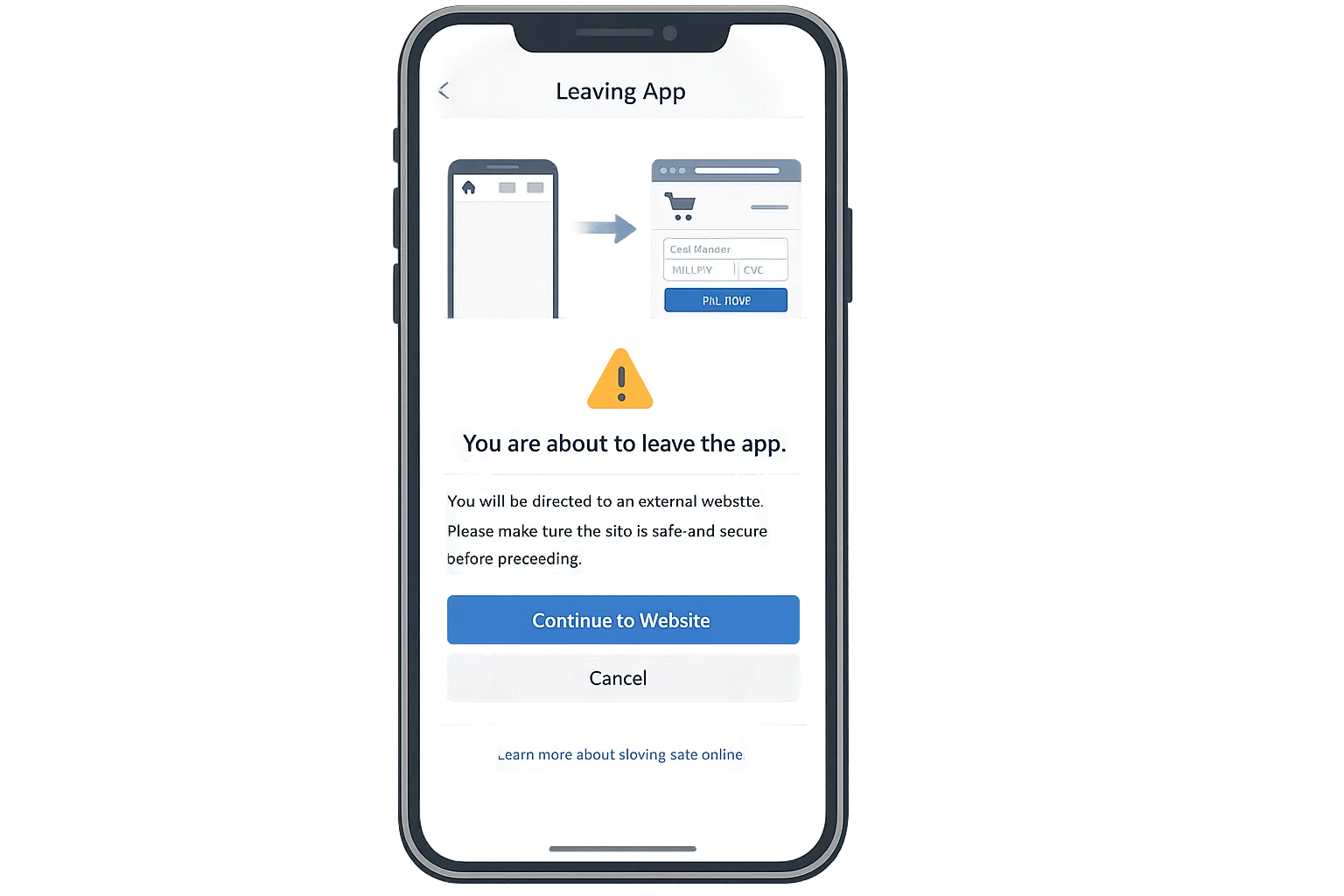
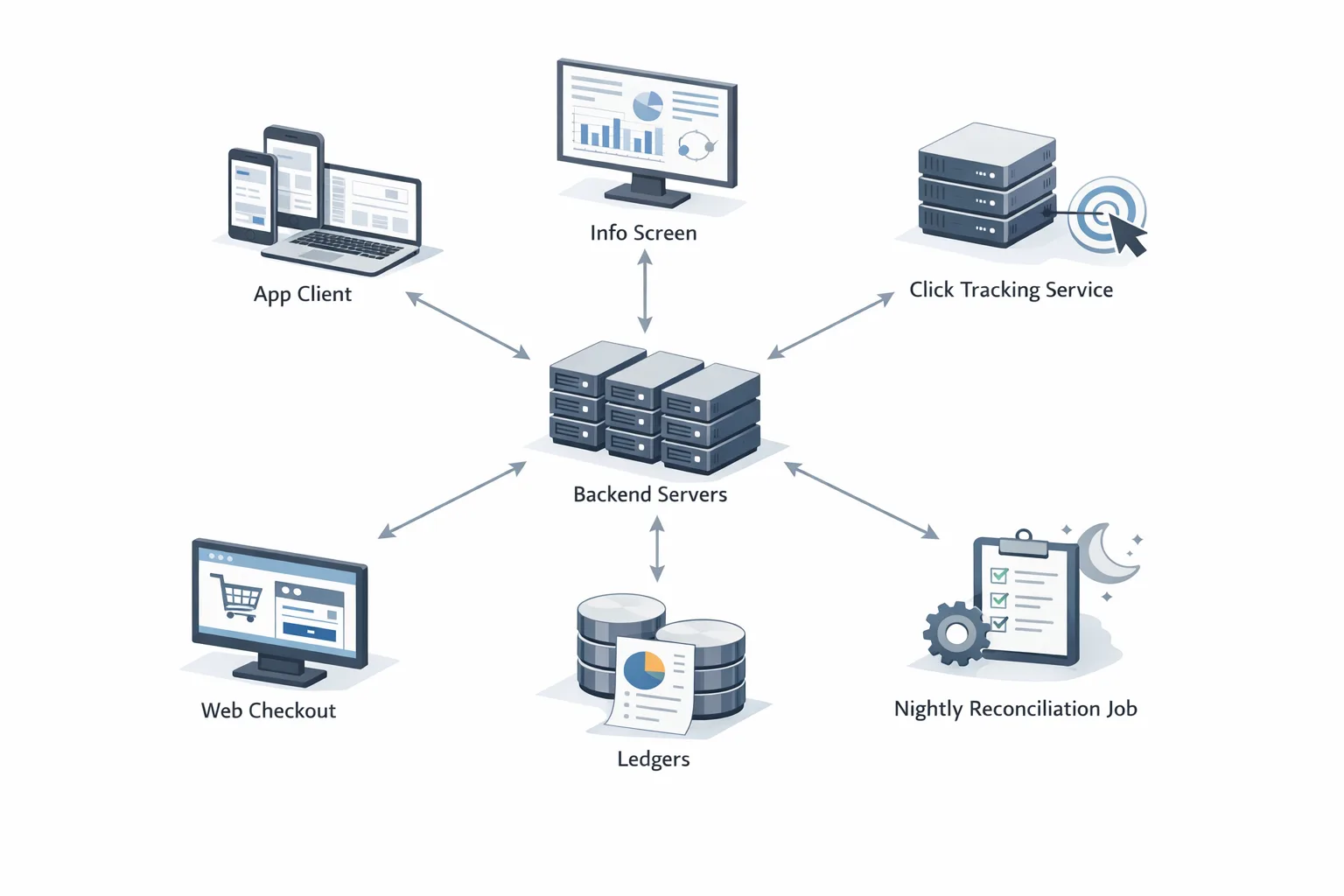
All outbound links to external offers or downloads must be registered in Play Console. In‑app, you must present Google’s info screen before leaving the app. Keep your link surfaces server‑driven so you can add or pause campaigns without a client release.
Step 2: Server‑side click ledger
When a user taps “Continue to website,” fire a server‑side event with user/device pseudonymous IDs, link ID, timestamp, and campaign metadata. Issue a short‑lived signed token appended to the destination URL. Store rows idempotently—de‑dupe by (user, link, timestamp bucket) to avoid double billing if the user retries.
Step 3: Web checkout tagging
At checkout, read the token and call your backend to attribute the order. Don’t trust client JavaScript alone. Write a ledger row: (order_id, amount, currency, item_type, is_subscription, renewal_number, token_id). Keep raw logs for 400 days to survive billing disputes.
Step 4: Install attribution for external downloads
For APK flows, land the user on a signed download URL that maps back to the click token. On first run, your app should post a signed “first open” to your backend including the token payload so you can reconcile per‑install fees.
Step 5: Reconciliation and reporting
Nightly, produce a report by user country: clicks, installs in window, attributed orders, refunds/chargebacks, and calculated fees by bucket (initial acquisition, ongoing service, per‑install). Export a CSV in the exact column order your finance team will use. Make this job idempotent; re‑run safely for any date range.
Step 6: Guardrails
• Block external offers for users under your minimum age. If you operate in teen markets, gate with on‑device checks and your own age screen.
• Respect platform policies on prohibited items. Don’t try to move restricted SKUs to the web to dodge rules—those rules follow you.
• For subscriptions, send lifecycle pings (start, renew, cancel, refund) to your ledger. Most teams forget renewals; that’s where reconciliation breaks.
Model the unit economics before you ship
Let’s get practical. You run a free‑to‑play game and add two links to your Play build: a button to your webshop and a link to download a separate “lite” companion app hosted on your site.
Traffic: 100,000 monthly link clicks (U.S.). Of those, 20,000 complete the external app install within the window and 8,000 make a webshop purchase. A further 2,000 of the 8,000 start a $9.99/month subscription; the rest buy $9.99 one‑time digital goods.
• Per‑install fees: 20,000 × $3.65 ≈ $73,000.
• One‑time external purchases: 6,000 × $9.99 ≈ $59,940 gross. Ongoing service ≈ 20% → $11,988; initial acquisition 3% if within six months → up to $1,798 (assume all qualify for a conservative upper bound).
• Subscriptions: 2,000 × $9.99 first month ≈ $19,980. Ongoing service ≈ 10% → $1,998; initial acquisition 3% → $599. For renewals, budget 10% each month (no 3% after month six from initial install).
Processor fees: assume 3.25% average on web payments plus $0.30. For simplicity, call it ~$0.62 per $9.99 transaction. On 8,000 purchases, processor cost is roughly $4,960.
Now stack it: $73,000 (installs) + ~$11,988 + ~$1,798 + ~$1,998 + ~$599 + ~$4,960 ≈ $94,343 in platform + processor costs in month one. If your combined gross from those users is ~$79,920, you’re underwater unless that external app cohort monetizes elsewhere or renewals pull you into the black. That’s the reality: external downloads can be great for growth loops, but they behave like paid acquisition. Budget them that way.
Break‑even lenses that keep you honest
• For external downloads, compare the fixed fee to your blended CPI. If your paid CPI is $3.00 and the external‑link CPI is $3.65, you need better retention or ARPU to justify it.
• For webshop linking, look at net take rate versus Play Billing. At 20% platform + ~3% processor, you’ll match or exceed 23%. The value then comes from price experimentation, bundling, and owning the customer relationship—not raw margin.
• Subscriptions are closer: 10% platform + ~3% processor can beat the 15%–30% store take depending on your tier. But you carry more engineering and compliance overhead.
Edge cases, traps, and policy gotchas
• Attribution windows: your per‑install fee depends on an install happening within a defined window post‑click. Late installs shouldn’t be billed, but your reconciliation must prove it.
• Refunds and chargebacks: the platform fee calculus is based on successful conversions. Track refunds to avoid overstating net revenue and overstating fees owed.
• Cross‑promo and deep links: if App A links to App B (both yours), don’t let UTMs contaminate your attribution. Scope tokens to an origin app and destination.
• Kids and teens: if you operate in teen categories, design your outbound linking UX to respect parental controls and regional rules. On iOS, Apple’s expanded age ratings (13+, 16+, 18+) and the January 31, 2026 questionnaire deadline mean you should audit content flags and controls now. Our product‑side walkthrough in Ship Without Drama can save you a release cycle.
When external links are worth it (and when they aren’t)
External linking pays when one of these is true:
• Your web checkout materially increases conversion (discounts, bundles, payment methods) enough to offset the platform + processor take.
• You capture emails and first‑party data that improve LTV through lifecycle marketing.
• You’re moving high‑value, high‑margin SKUs where a 3–7% delta versus Play Billing is meaningful at scale.
• You’re intentionally treating the external‑download path as a paid acquisition channel with better targeting than ad networks.
It’s not worth it when:
• Your CAC math is fragile and the per‑install fee pushes you above break‑even.
• You can’t maintain a bulletproof reconciliation ledger (audits and clawbacks will hurt).
• Your category’s conversion lift off‑Play is marginal versus in‑app purchases.
Implementation checklist you can run this week
• Register every outbound link in Play Console; wire up the info screen.
• Ship a server‑driven experiment flag to turn on/off external links by country and version.
• Add the click ledger, signed tokens, and idempotent writes.
• Tag the web checkout; record renewals, refunds, and chargebacks.
• Build the nightly reconciliation and a finance‑friendly CSV export.
• Run a 50/50 A/B split for two weeks: Play IAP vs external checkout; compare net revenue per user after all fees.
• Document your policy posture: which SKUs, which audiences, which surfaces.
Quick iOS heads‑up before January 31
Apple’s expanded age‑rating system now includes 13+, 16+, and 18+ tiers. Ratings have been auto‑reassigned; you still need to answer new questions in App Store Connect by January 31, 2026 or your next submission gets blocked. If your app has UGC, AI chat, wellness content, or violent themes, book an hour with product and legal to re‑score the app. We published practical playbooks—start with our Ship‑Ready Plan and the Engineer’s Guide to avoid surprise rejections.
Zooming out: platform cadence and planning
Android’s source drops are moving to a twice‑yearly rhythm (Q2 and Q4). For most app teams, that doesn’t change your Play release cadence, but it does reinforce a habit: centralize platform work in two windows per year and leave room for fee and policy adjustments mid‑cycle. If you maintain Android forks or privacy ROM builds internally, plan your merges around those drops.
What to do next
• Make a single source of truth spreadsheet: country, SKU, price, funnel, processor fee, Google fees. Model ±20% on the numbers so you know your sensitivity.
• Implement the click ledger and nightly reconciliation now—this is foundational regardless of where rates land.
• Start with webshop links only; avoid external app downloads until your CAC math proves out.
• For subscriptions, test web‑only intro offers versus in‑app. Measure churn, not just day‑0 conversion.
• On iOS, complete the age‑rating questionnaire by January 31 and align your marketing surfaces with the new 13+/16+/18+ tiers.
Related deep dives
If you want the fee tables, flow diagrams, and a CSV template, start with our breakdown in Google Play External Links 2026: Fees, Flow, Ship. For the cross‑platform view (including Apple’s deadlines), see Google Play External Links, Apple Age Ratings: Jan 2026. And if you’re weighing cloud and runtime upgrades alongside policy work, bookmark our Node.js 20 EOL 2026 Cloud Migration Playbook—many teams bundle that with their Q2 Android platform sprint.
Here’s the thing: external linking is no longer a hack to dodge store economics. It’s a formal lane with clear costs, compliance hooks, and solid reasons to use it—if you treat it like a first‑party growth channel with robust measurement. Ship the plumbing, run the experiment, and let the math call the play.


Comments
Be the first to comment.