
App Store Age Rating 2026: What Now?
Apple’s overhaul of App Store age rating 2026 is no longer a rumor—it’s policy. As of January 31, 2026, developers must answer an expanded ratings questionnaire in App Store Connect or face blocked updates. Apple has also added new tiers (13+, 16+, 18+) and removed the old 12+/17+ split, with ratings now surfacing across devices on iOS 26, iPadOS 26, tvOS 26, watchOS 26, visionOS 26, and macOS (Tahoe) 26. If your build suddenly hit a wall last week, you’re not alone. Here’s how to get unstuck fast—and design a ratings-aware app that won’t tank growth.
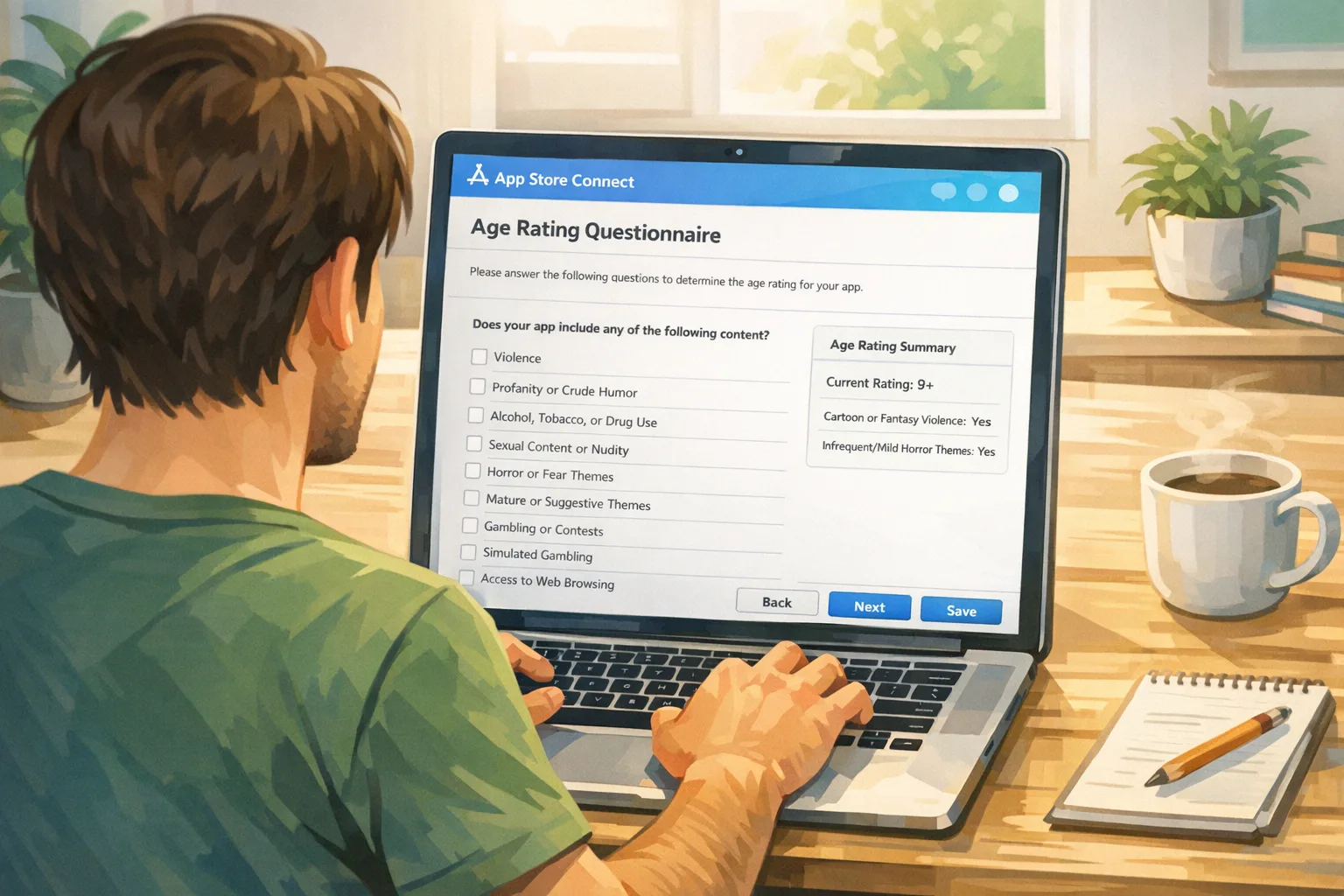
What changed in App Store age rating 2026?
Three big shifts landed at once:
First, Apple recalibrated the scale. You’ll now see 4+, 9+, 13+, 16+, and 18+. The previous 12+ and 17+ labels are gone. That gives parents clearer, age-appropriate guardrails and gives Apple more precision for editorial placement and parental filters.
Second, Apple auto-reassigned ratings for every existing app based on your past questionnaire responses. That reassignment is visible on Apple OS versions at 26 and up. If your app ships to countries with stricter standards, expect variance: Apple maps ratings to regional norms, which can nudge you higher in select markets.
Third, the questionnaire itself got serious. New mandatory questions probe in-app controls, capabilities (messaging, UGC, AI assistants), medical or wellness content, and violent themes. Your answers recalculate the rating, and they must reflect the current product—not just your ideal or default state.
Missed the January 31, 2026 deadline? Here’s the real impact
If you didn’t complete the new questions by January 31, you can still log into App Store Connect—what you can’t do is move updates through review until the questionnaire is done. Translation: hotfixes stall, roadmap slips, and marketing calendars get messy. Ratings are already reflected on OS 26 devices, so users may see a new badge before you’ve tuned the UX to match.
Two scenarios we’ve seen this week: a wellness app stuck because it added AI chat coaching without updating disclosures, and a social game delayed after enabling open DMs (user-to-user messaging adds risk). Both cleared the block the same day by updating answers and adding in-app controls to match.
The 60‑minute unblock: a rapid remediation checklist
Set a timer and do this now:
- Open App Store Connect → App Information → Ratings. Export current answers for audit history (a screenshot + JSON export from your internal config is fine).
- Re-answer the new sections honestly for the product as shipped today. If you have phased rollouts, answer for the broadest capability set accessible to any user cohort.
- Align features to controls. If you enable UGC, chat, AI, or mature themes, add obvious toggles: content filters, report/block, link-blurring, and session-based gating. Document these in your submission notes.
- Publish a short in-app Help article describing your controls. Apple reviewers—and parents—look for this.
- Re-submit. If you changed disclosures materially, include a concise changelog note: “Added UGC reporting and keyword filters; clarified AI assistant scope.”
Most teams can move from stuck to submitted in under an hour if the features already exist. If they don’t, gate risky capabilities behind a server flag and roll the controls first.
The RATER framework: ship ratings-aware by design
Use this compact framework to keep your product and rating in lockstep:
R — Review: Audit features every sprint. Flag any surface that can reveal or generate sensitive content (UGC, links, image uploads, AI generation, external embedding).
A — Answer: Keep a living draft of App Store Connect answers in your repo (YAML/JSON). Update it with every feature flag or capability change.
T — Test: Include rating scenarios in QA (see matrix below). Force-on risky toggles and confirm the experience still aligns with the declared tier.
E — Enforce: Hard-block underage flows if your rating rises. Tie controls to age tiers so the UI adapts when regional ratings differ.
R — Report: Log user reports, moderation actions, and filter hits. Trends inform future questionnaire updates and help if you appeal a rating.
Integrate ratings into CI/CD so you never get blocked again
Here’s the thing: ratings drift when capability flags move faster than compliance. Fix it in the pipeline.
Practical wiring:
- Single source of truth. Store your age-rating posture alongside app config. Example fields: has_ugc, has_open_messaging, ai_output_types, medical_guidance, violent_themes, parental_controls.
- Preflight job. In your CI, run a step that diffs config against last-declared answers. If mismatched, fail the build with a friendly message and link to your internal doc.
- Fastlane (or similar) task. Auto-generate the submission notes from config diffs. Reviewers love crisp, complete context.
- Server-side kill switches. If review feedback raises your rating above plan, disable the risky capability per-region without reshipping binaries.
If you’re light on resources, our team can stand up a compliance preflight in a week. See how we structure “compliance sprints” on the What We Do page, and browse real-world outcomes in our client portfolio.
Design an age-appropriate UX without gutting growth
Developers fear higher ratings will nuke acquisition. Reality is more nuanced. Ratings influence placement and parental filters, but you can preserve growth with smart design:
Gate, don’t amputate. Keep core loops accessible at 13+ and move risky add-ons (open chat, external links, AI image generation) behind progressive disclosure. Elevate safety controls where they’re easy to find.
Set sane defaults by age tier. On OS 26+ devices, families get stronger default protections. Respect those signals. If the account is a teen, start with stricter filters and friction for sharing, then allow parent-approved loosening.
Communicate clearly. A short “Why you’re seeing this” explainer converts better than a silent block. Use plain language and show how to request parent approval where applicable.
People also ask: Do I need age verification if my app is 13+?
Apple’s rating is a content suitability badge, not an age gate by itself. For 13+, you typically don’t need hard identity checks, but if you expose features that could raise the rating (open chat, mature UGC, incentivized contact sharing), implement in-app controls and consider soft age affirmation flows. If you’re evaluating formal age checks, we’ve covered the build decisions in Age Verification 2026: Build It Right.
Will my rating vary by country?
Yes. Apple maps disclosures to regional standards, so some markets can skew stricter. Plan for per-region capability flags and localized disclosures. Document the variance so Support knows what users in each market can or can’t see.
Data points and timelines you can plan around
Here are the anchors product and release managers keep asking for:
- January 31, 2026: Deadline to complete the new questionnaire. Miss it and updates pause until you answer.
- OS visibility: New ratings display on devices running iOS 26, iPadOS 26, tvOS 26, watchOS 26, visionOS 26, and macOS (Tahoe) 26.
- Auto-reassignment: Apple re-rated existing apps based on your previous answers; you can raise an assigned rating if needed, but you can’t claim a lower one without changing capabilities and controls.
If your roadmap includes AI assistants, UGC creation, or wellness claims in 2026, assume those features will influence your tier and plan your launch sequence accordingly.
QA procedure: a focused 30‑minute test plan
Run this after you update answers, before every submission:
- Capabilities sweep (10 min): Enable every risky flag in staging. Try to create, share, and view borderline content. Verify filters and reporting work and are visible in 2 taps or fewer.
- Age-tier simulation (10 min): Use test accounts approximating 13–15, 16–17, and adult. Confirm defaults harden for younger tiers and that parental approval flows are reachable.
- Localization spot check (5 min): Switch your device region. Confirm disclosures and controls are localized and legal copy fits.
- Submission notes (5 min): Regenerate your notes from config diffs. Add one line on controls you improved this release.
What about Google Play?
Different store, similar pressure. Google’s family policies and content ratings (via IARC) also hinge on accurate disclosures, and Play has been tightening enforcement around UGC, messaging, and deceptive behavior. If you publish cross‑platform, treat your App Store Connect config as the canonical source, then map to Play’s fields. For a head‑to‑head breakdown, see our guide on App Store Age Rating 2026 vs. Play Age Signals.
A note on messaging, UGC, and AI features
These are the usual culprits for surprise rating bumps:
- Open messaging: If anyone can DM anyone, add content filters, safety nudges, rate limits, and easy blocking. Consider age-based discoverability (opt-in at 16+, disabled by default for younger teens).
- UGC creation: Add profanity lists, link scrubbing, and report flows. Thumbnails should avoid suggestive frames by default.
- AI assistants and generation: Define scope (what the model can and can’t say or create), add age-tier guardrails, and log interventions. Disclose clearly in the questionnaire.
None of these have to kill your 13+ ambitions, but they demand visible, testable controls. If you can’t ship them yet, gate the feature per-region until you can.
Real-world pitfalls (and how to dodge them)
“We’re 13+, but our invite flow allows direct contact imports.” That can be interpreted as contact sharing and tip you into stricter review. Add an in-app explanation and a parent-approval step for under-16 accounts.
“Our AI coach sometimes suggests adult themes.” Cap topic domains by age tier. For teens, keep guidance neutral and high level; disable risky prompts entirely.
“Moderation is only server-side.” Add obvious client-side affordances—long-press to report, swipe to block—so users can act before server decisions propagate.
Governance: who owns the rating?
Make it someone’s job. The healthiest teams we work with assign a rotating “compliance captain” per release who signs off on the rating posture, CI preflight, and submission notes. That role spans Product, Eng, Design, and Support, with a 30-minute handoff before code freeze.
What to do next
- Today: Complete the new questionnaire and re-submit. Add a basic Help article on your controls.
- This week: Wire a CI preflight that fails on rating-config drift. Implement a per-region capability flag.
- This month: Roll out visible reporting/blocking for any UGC or messaging. Localize disclosures for your top five markets.
- Quarterly: Run a ratings audit in backlog grooming. Track Support tickets about restricted features by market.
If you want a battle-tested template, our Compliance Playbook pairs checklists with reviewer-ready submission notes. Or if you’re under the gun, reach out via Bybowu Contacts and we’ll help unblock your release.
Zooming out
Stricter ratings aren’t going away. Apple’s default protections for teens on OS 26 devices and the more granular tiers mean your product will be judged on the clarity of its controls as much as on its content. Treat the rating like any other functional requirement: codify it, test it, and iterate. Do that, and you’ll keep shipping on time—without surprises on release day.




Comments
Be the first to comment.