
App Store Age Rating 2026: Architecture That Works
If you ship mobile apps, you felt the tremor: Apple’s App Store age rating 2026 update snapped into place with a January 31, 2026 cutoff to complete the new questionnaire in App Store Connect. Miss it and your next submission stalls. Hit it and you still have work to do—your product and data flows need to reflect the new 13+, 16+, and 18+ tiers, plus regional compliance signals and parental controls.
What exactly changed in early 2026?
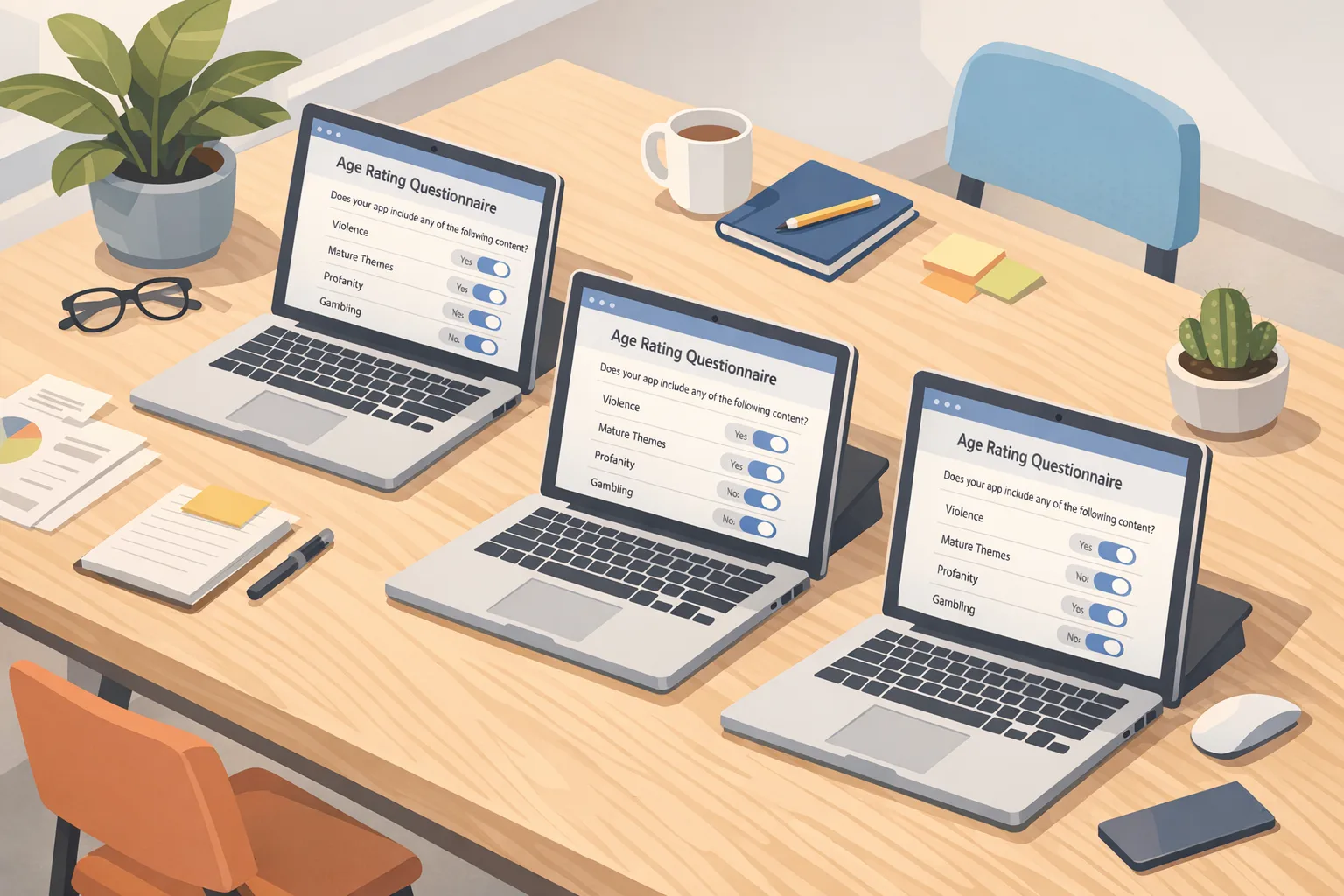
Here’s the thing: the policy shift isn’t just a label tweak. Apple introduced three new teen tiers (13+, 16+, 18+), auto-reassigned many existing apps to the updated system, and required developers to answer a refreshed set of questions covering in‑app controls, user‑generated content, advertising, and sensitive themes. The deadline to update those answers was January 31, 2026. If your answers are incomplete or inconsistent with your app’s behavior, expect friction at review time.
On-device, the new ratings connect to parental controls more tightly. If a parent sets a limit at 13+, your 16+ app should not surface where it’s promoted, and even deep-linking flows may dead‑end. That means your marketing placements, store assets, and referral journeys must account for audience gating. It also means your telemetry should attribute drop‑offs to “age policy” and not just “user abandoned.”
Zooming out: it’s not just Apple
Google is moving too. Play’s Age Signals (currently in beta) gives apps a runtime way to learn whether a user is verified 18+, supervised, or in a specific under‑18 range, and it attaches a parent‑approval cadence for “significant changes.” As of January 2026, Google has begun tightening how and where you can use Age Signals data—keep it in the receiving app, and treat it as policy data rather than a marketing segment. The upshot: if you support both iOS and Android, you need a cross‑platform pattern that consumes Apple’s age range via OS/Account signals and Google’s via the Play SDK, then normalizes outcomes for your own feature flags.
Meanwhile, regulators are heating the surface. The UK’s Online Safety Act enforcement ramped through 2025 with real fines and milestones, and Ofcom has flagged further guidance through 2026 and a statutory report on children’s use of app stores by January 2027. In the U.S., a Texas app‑store age‑assurance law slated for January 1, 2026 was blocked in late December 2025, pausing Apple’s state‑specific rollout—useful context, but not a reason to delay building age‑aware flows. California, for its part, set 2027 as the start of OS‑level age prompts. Translation: the stack you build now should survive moving goalposts.
The primary question: how do we architect an age‑aware app without wrecking UX?
Developers ask us this constantly. Our answer: formalize an Age‑Aware Boundary—a well‑tested layer where you ingest platform signals, determine allowed capabilities, and log decisions for audits. Don’t sprinkle age checks across the codebase; centralize them.
The Age‑Aware Boundary (AAB) pattern
Think of the AAB as a service within your app (and optionally a backing microservice) that standardizes four concerns: source signals, policy rules, capability grants, and user messaging.
- Source signals: From iOS, request the account’s age range (via declared APIs or parental controls context when available). From Android, call the Play Age Signals API. Store only what you’re permitted—typically ranges or statuses, not raw birth dates.
- Policy rules: Map ranges to features. For example, 13+ might unlock chat with limited discovery, 16+ unlocks peer discovery and public profiles with safeguards, 18+ unlocks unrestricted payments or creator monetization.
- Capability grants: Expose a single function like
grantCapabilities(userContext)that toggles features, price points, ad categories, and content intensity in one pass. - User messaging: Provide specific, localized reasons when you block an action: “Your account’s age range doesn’t allow public livestreams.” Offer a path: “Ask a parent in Family settings” or “Complete Play’s verification.”
Wrap the AAB with analytics. Every allow/deny decision should log: source (Apple/Google/manual attest), effective age tier, policy version, and the gated feature. This is pure gold during an appeal, audit, or store review escalation.
People also ask: Do I need ID checks inside my app?
Usually no. On mainstream consumer apps, you should lean on platform‑level signals (Apple account context, Play Age Signals). Building your own ID‑document capture or facial estimation ups your breach risk, adds vendor dependencies, and complicates regional compliance. Unless your domain is inherently age‑restricted (e.g., regulated content, wagering), platform and OS signals plus parental controls are the safer default.
People also ask: What if the platform returns “unknown”?
Design a graceful fallback path. Treat “unknown” as the most restrictive tier for sensitive features, but don’t hard‑fail essential use. Nudge the user toward platform verification with precise copy and a one‑tap deep link. Cache the last known decision with a short TTL (e.g., 24 hours) to avoid excessive prompts.
People also ask: How do I handle cross‑device accounts?
When a single account spans iOS and Android, always apply the stricter effective policy. If Play says 16–17 and Apple is unknown, default to the 16+ capability set until Apple’s side resolves. Sync only policy decisions (allowed capabilities), not the underlying age signal values.
App Store age rating 2026: compliance checklist you can run this week
Let’s get practical. This is the exact checklist we use in engagements to get apps through review quickly:
- Reopen App Store Connect → App Information: Re‑answer every updated age‑rating question. If you adjusted content since your last submission—new chat, UGC, or ads—reflect it now.
- Tag content intensity: In code or CMS, attach intensity flags (none, mild, frequent) to themes like violence, medical content, or sexual references. Your UI should render differently by tier.
- Implement the AAB pattern: Centralize age intake and capability mapping. Add idempotent guards so feature checks are fast and cacheable.
- Instrument analytics: Create an “age_policy_block” event with fields: feature, platform_signal, effective_tier, policy_version. Route to your warehouse with 24‑hour aggregation.
- QA a matrix of cases: Test 13+, 16+, 18+, and unknown across fresh installs, upgrades, and restored purchases. Verify store deep links that would otherwise surface restricted content.
- Parent workflows: Provide clear copy for guardians. If you’re on Android, honor Play’s “significant change” approvals; if on iOS, respect Family controls and don’t bypass with webviews.
- Ad mediation rules: Filter creatives and categories by effective tier. Document the mappings for your ad partners.
- Support playbook: Draft macros for common tickets: “Why can’t I go live?”, “Why is my profile private?”, “How do I verify age on Play?”
- Privacy review: Store ranges/statuses, not birthdays. Scope retention to your incident‑response SLA. Update your privacy notice accordingly.
- Release hygiene: Bundle these changes with a version that updates store screenshots and copy where relevant to set expectations.
If you want a deeper, soup‑to‑nuts launch flow, we’ve written a hands‑on compliance playbook for 2026, plus a contrast against Google’s model in our Apple vs. Play Age Signals guide.
Data points and dates to anchor your roadmap
Anchor your planning to the milestones that actually move review outcomes and legal risk:
- January 31, 2026: Apple’s deadline to complete the updated age‑rating questionnaire in App Store Connect for uninterrupted submissions.
- December 23, 2025: A federal court blocked Texas’s app‑store age‑assurance law set for Jan 1, 2026, prompting Apple to pause Texas‑specific changes. Useful context; build for portability anyway.
- 2025–2026 (UK): The Online Safety Act enforcement ramped with guidance, penalties, and a forward roadmap. Expect continued scrutiny of age‑assurance effectiveness in 2026.
- January 1, 2027 (California): State law begins requiring OS/app stores to collect an age signal at device setup, with follow‑ups mid‑year for existing devices.
These dates explain why “wait and see” is a bad plan. If you’re building new network features or creator tools in H1 2026, you should assume tighter age gates, not looser ones.
Designing the policy map: an opinionated baseline
Policy mapping is where teams either create clarity or chaos. Here’s a pragmatic, conservative baseline that’s served consumer social, live audio/video, and casual gaming products:
- 13+ (minimum teen): Private profile by default. One‑to‑one chat with safety filters. No public livestreaming. Ads limited to family‑safe verticals. No third‑party links in UGC.
- 16+: Opt‑in discoverability with rate‑limited outreach. Public comments with stricter moderation thresholds. Livestreaming allowed with delay + profanity filters. Ads expand to general interest, excluding age‑restricted categories.
- 18+: Full discoverability, creator monetization, and tips. Access to age‑restricted communities and events where legal.
- Unknown: Treat like 13+ for sensitive features; offer an inline path to resolve with platform verification.
Notice what’s missing: birthdays, IDs, and high‑friction selfie flows. Unless you’re in a regulated vertical or a region that mandates in‑app checks, stay platform‑first.
Performance and edge cases you’ll hit
Cold start on Android: First‑run calls to Age Signals may return late. Gate the minimum necessary UI, then lazy‑enable features when the signal arrives. Cache with a short TTL.
Account linking drift: A supervised teen verifies to 18+ on one platform but not the other. Your server should store the stricter effective tier and re‑evaluate on every login.
Deferred deep links: A 16+ user taps a campaign link to a public room; the AAB denies entry. Log the deny, show helpful copy, and surface an eligible alternative to avoid rage‑quits.
Ad SDK leakage: Some mediation chains don’t respect your tier unless you explicitly pass it. Audit creatives during soft‑launch and kill partners that ignore your flags.
Implementation sketch: cross‑platform AAB
Below is a high‑level flow we’ve implemented across native stacks and React Native/Flutter:
- On app open: Request platform age signal (Apple account context when available; Play Age Signals on Android). Timeout at 800–1200ms.
- Normalize: Convert results into {unknown, 13+, 16+, 18+} or your local tiers.
- Decide: Run through policy map to generate a
grantsobject (features, ad categories, price points). - Apply: Feature flag your UI. Hide gated nav. Adjust copy. Filter feed content intensity.
- Log: Send a structured event to analytics and to a compliance log stream.
- Reconcile: If the user resolves verification mid‑session, recompute and hot‑apply grants.
Review friction: what App Review actually flags
From recent cycles, these are the top snags:
- Mismatched claims: Your questionnaire says “no UGC,” but reviewers find comment threads or stickers with public galleries.
- Unsafe defaults: You claim 13+, but a brand‑new teen account is public and discoverable with unrestricted DMs.
- Opaque copy: Block screens that say “Not available” without why or next steps.
- Ad inconsistency: Your content is 13+ but ad creatives push dating or alcohol.
Pre‑empt these with a one‑page reviewer note: summarize your AAB, list default settings by tier, and link to an internal help article that mirrors the user messaging. Keep it boring and precise.
What about business impact?
Short‑term, expect a drop in teen conversion where your feature set was previously all‑on by default. Long‑term, products that actually respect tiers tend to see fewer chargebacks, fewer safety escalations, and higher ad eligibility with brand buyers. Also, your growth experiments get cleaner—if you separate “policy‑blocked” from “disinterested,” your A/Bs stop lying.
If you need a partner to harden flows and accelerate review, our team can help. Start with our mobile app compliance services, then browse the portfolio of shipped apps for examples of safe‑by‑design onboarding. For tactical shipping advice, our piece on release discipline—Ship Safe—pairs well with age‑aware rollouts.
What to do next (this month)
- Confirm the new App Store Connect age‑rating answers are complete and consistent with your app.
- Implement the AAB pattern and log every allow/deny decision with policy and tier.
- Integrate Play Age Signals on Android; verify you’re using the data only in the receiving app.
- QA a 4×3 matrix: tiers × flows (onboarding, discovery, DM, payments).
- Ship a help center article mirroring your block‑screen copy and parental steps.
- Schedule a policy review each quarter; regulators aren’t done iterating.
FAQ quick hits
Will tighter age tiers hurt engagement?
Yes—in places where you were previously permissive. But clean segmentation often improves retention among the users you can safely serve. Treat it like product‑market fit for distinct age cohorts.
Do I need different SKUs by tier?
Usually no. Use a single binary, then flag entitlements by tier. Payment experiences (tips, subs) can be enabled at 18+ only.
How do I explain this to marketing?
Give them a map of promotable surfaces by tier and region, plus a list of off‑limits ad categories for 13+ and 16+. That prevents doomed campaigns.
The bottom line
Platforms aren’t waiting for us to catch up, and neither are regulators. Treat the App Store age rating 2026 changes as your forcing function to build an Age‑Aware Boundary once, map capabilities to tiers, and log your decisions. You’ll ship faster, survive review, and—crucially—give younger users safer defaults without turning your app into a maze of prompts.
Need a second set of eyes before you submit? Tap our contact page and we’ll run your build through a by‑the‑book review checklist.





Comments
Be the first to comment.