
App Store Age Rating 2026: The Enforcement Phase
As of February 7, 2026, the App Store age rating 2026 overhaul is no longer theory—it’s the environment you’re shipping into. Apple’s automatic re-rating landed in late January and the updated questionnaire deadline hit on January 31. If you haven’t answered the new questions in App Store Connect, you’ll learn the hard way that updates can be blocked. Meanwhile, state rules and Google Play’s Age Signals policy are pushing everyone toward verifiable, age‑aware experiences. Let’s get practical about what changed, what to fix first, and how to move fast without rewriting your app.
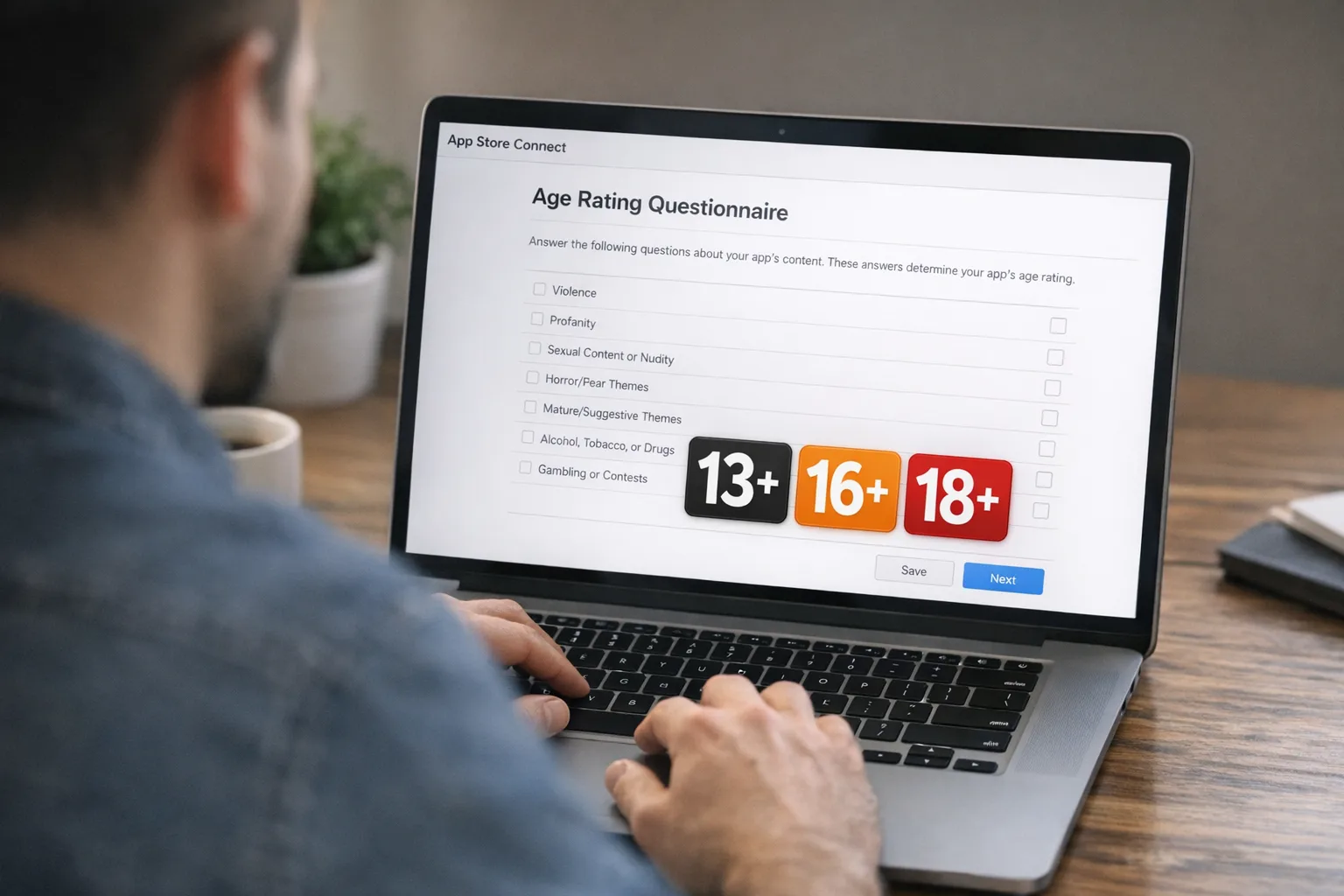
What actually changed on January 31, 2026?
Apple replaced the old 12+/17+ split with more granular teen tiers—13+, 16+, and 18+—alongside 4+ and 9+. Ratings for existing apps were auto‑updated based on your prior answers, but Apple also introduced new mandatory questions that affect the displayed rating and your ability to ship updates. If you didn’t complete them by January 31, App Store Connect can block submissions until you do. The new ratings show system‑wide on devices running iOS 26, iPadOS 26, macOS Tahoe 26, tvOS 26, visionOS 26, and watchOS 26.
Here’s the thing: the age label isn’t just a storefront badge anymore. It’s now a routing signal for parental controls, editorial placement, and Screen Time restrictions. If your declared rating exceeds a child’s allowed content level, your app may simply not appear in curated placements for that user cohort. Marketing funnels built on those surfaces will need a revised plan.
Primary keyword Q&A: What does “App Store age rating 2026” mean for my app?
Developers keep asking three variations of the same question. Let’s answer them directly, then we’ll go deeper.
Do I need an age gate if my app is 4+ or 9+?
Generally, no. But if any part of your experience allows user‑generated content, public interactions, live audio/video, or links out to age‑restricted services, you still need governance. Apple’s questionnaire now probes for these capabilities. If you’re 9+ and allow public chat, expect scrutiny and moderation expectations that match teen tiers.
We’re 13+. Is a simple “Are you over 13?” checkbox enough?
For first‑run UX, a passive checkbox is weak. Apple expects apps to honor parental settings and—where available—use age signals that don’t force unnecessary personal data collection. On Apple platforms, the Declared Age Range API helps you adapt experiences without asking for birthdates. If you ship in regions with additional requirements, you may need stronger age assurance or parental consent flows.
How do Google Play’s rules intersect?
On January 1, 2026, Google limited the use of data from its Age Signals API to the receiving app’s age‑appropriate experience. In practice: don’t pool or repurpose it for analytics or ads outside the age‑adjustment purpose. Teams shipping cross‑platform need parallel but not identical implementations.
Timeline and impact: what to tell your stakeholders this week
Use these dates and what they imply for product, marketing, and engineering:
- January 1, 2026: State‑level age‑assurance mandates began applying to app ecosystems in select U.S. states. Apple adjusted account flows and is updating developer‑facing APIs to honor local rules without over‑collecting sensitive data.
- January 31, 2026: Apple’s new age rating system and questionnaire moved into the enforcement phase. Updates can be blocked until your responses are complete.
- February–March 2026: Expect editorial and discovery shifts to reflect the new tiers and parental settings. Apps with clean disclosures and obvious content controls will fare better.
Translate that into risk: if your update velocity depends on weekly or biweekly submissions, questionnaire non‑compliance is now a process blocker. And if your monetization relies on teen audiences, expect distribution variance as the ecosystem calibrates the new tiers.
Designing an age‑aware product without killing velocity
Age‑aware doesn’t mean complicated. It means the app responds to who’s likely using it, while minimizing data collection. On Apple platforms, start with system signals and only escalate to verification when required by policy or local law.
The minimal viable age‑aware stack (Apple)
Think in three rings:
- System signals: Use the Declared Age Range API when available to adapt the default experience—content filters, social visibility, and toggle states—without asking for birthdate. Respect Screen Time and Ask to Buy states automatically.
- In‑app controls: Provide obvious, parent‑reviewable toggles: DM request gates, content filters, report/block tools, and a clear “Reset Safety Settings” path. These are now questionnaire items that influence your rating.
- Escalation: Only if required regionally, add an age‑assurance checkpoint. Minimize friction and never retain documents unless local law requires it. Offer a parent‑mediated path where feasible.
The minimal viable age‑aware stack (Android)
Mirror the intent: honor the Play Age Signals guidance, scope age data usage to UX adaptation only, and document exactly where and how the signal flips features. Keep your Safety Label and Data Safety declarations synchronized with these controls.
The RATED framework: ship fast, stay compliant
Use this five‑step loop with every new feature touching content, communication, or payments:
- Review capability: Does the feature enable UGC, chat, following, streaming, or links to outside content? If yes, it’s in scope.
- Assign a default: Define the under‑13, 13–15, 16–17, and 18+ defaults. Start restrictive; allow opt‑ups where policy permits.
- Toggle exposure: Map which toggles appear for which age ranges. Make parent‑approved escalations explicit. Log every toggle flip server‑side for auditability.
- Explain context: Inline copy that explains why a control is locked or hidden for younger users. Avoid dead‑end UI.
- Document in App Store Connect and Play Console: Keep your questionnaire answers perfectly in sync with shipped behavior. Screenshots help reviewers and speed approvals.
People also ask: What about AI chat, ads, and links?
Our AI assistant sometimes generates mature topics. How do we rate?
Rate for the outcomes users can encounter, not just your intent. If your AI can surface mature themes without strict filters, you’re squarely in teen or adult territory. The safer pattern: dynamic guardrails tied to age range, plus an escalation path that requires parent approval to unlock higher‑risk topics for teens.
We run programmatic ads. Does that change our rating?
It can. Ads are now an explicit question in Apple’s flow. If you’re 13+ or 16+ and using third‑party networks, you need to ensure creatives adhere to the appropriate policies for minors, and that profiling isn’t applied to users whose age range prohibits it. Expect reviewers to check complaint volume and store listing clarity.
We link to creator storefronts and external social profiles. Problem?
External links can pierce your in‑app controls. For younger users, gate or strip them. For older teens, wrap links with a “Leaving the app” dialog that restates expectations and offers a one‑time parent approval where applicable.
Implementation blueprint for the next 10 days
Assuming you’re mid‑sprint, here’s how to land this without derailing your roadmap.
Day 1–2: Lock down declarations
- Complete Apple’s updated questionnaire. Don’t guess—inventory every feature, including AI chat, livestreams, and invite flows.
- In Play Console, verify your Data Safety, target audience, and Age Signals integration notes are accurate.
Day 3–5: Ship the guardrails
- Add an age‑aware policy layer: centralize predicates like isTeen16Plus and isChild so product teams don’t implement ad‑hoc checks.
- Enforce sensible defaults: private profiles and restricted DMs for younger users; content filters on by default for 13–15; visible moderation tools everywhere.
- Instrument analytics to track feature availability by age band—without logging birthdates.
Day 6–8: Finish the UX and comms
- Write plain‑English explainer copy for locked features. Reduce support tickets by telling users what to do next.
- Prepare a store listing update that clearly states controls, moderation approach, and contact methods.
Day 9–10: Review and submit
- Run a reviewer’s tour: a script that demonstrates your controls for each age band.
- Submit with annotated screenshots and concise reviewer notes. This shortens time‑to‑approve when policies are shifting.
The subtle pitfalls teams keep missing
Edge case 1: “Hidden” UGC. Sticker galleries, avatar names, and leaderboard messages are UGC. If teens can see public handles, your moderation story matters.
Edge case 2: Onboarding vs. steady state. It’s not enough to filter the feed after sign‑in. First‑run experiences and share sheets need the same controls.
Edge case 3: Third‑party SDKs. Ad or analytics SDKs that infer age through device signals can undermine your declarations. Scope their behavior or swap providers.
Edge case 4: Regional variance. Some states and countries expect stronger parental involvement. Build your policy layer so you can flip on stricter flows per locale without rearchitecting the app.
How to talk about this with marketing and legal
Marketing wants reach; legal wants guardrails. Both are right. The workable position is transparency plus control: publicly state your age‑aware defaults and give parents clear levers. Document your content classification policy and keep a short change log tied to app versions. When editorial teams see that level of care, your odds of favorable placement improve—even at 16+.
Benchmark checklist: are you actually ready?
Use this quick list before you hit submit:
- Questionnaire completed in App Store Connect with screenshots that match the shipped build.
- Play Console target audience and Data Safety reflect your actual toggles and age handling.
- Age‑aware predicates centralized in a shared module; no inline ad‑hoc checks.
- Default settings mapped by age band and verified in QA scripts.
- Moderation tooling visible in‑app; report and block available on every piece of UGC.
- Explainer copy localized for your top five markets.
- Support macros and reviewer notes prepared.
Zooming out: why this shift will stick
Two forces make this durable. First, platform‑level controls are finally robust enough that developers can adapt experiences without invasive data collection. Second, state‑level laws are converging on the same expectation: minors should encounter age‑appropriate defaults, not optional afterthoughts. As the ecosystem standardizes on signals like Declared Age Range and Play’s Age Signals, duplicative, high‑friction verification should become the exception, not the rule.
What to do next
- Finish your App Store Connect questionnaire today. If you’re blocked, everything else is moot.
- Implement a centralized age policy layer and refactor two high‑risk screens to use it.
- Audit ad and analytics SDKs for age‑scoped behavior; replace any that can’t comply.
- Update store listings to highlight your controls and moderation stance.
- Run a cross‑platform “teen tour” QA pass before the next submission.
Further reading and hands‑on playbooks
If you need a deeper dive on flows, screenshots, and reviewer notes, we’ve published focused guides you can act on right away. Start with our fast‑track shipping checklist for App Store age ratings. If you missed the deadline, our post‑deadline playbook shows how to unblock submissions in a single sprint. Building flows from scratch? See Build It Right: App Store age verification. And if you’re shipping Android too, compare approaches in App Store vs. Play Age Signals.
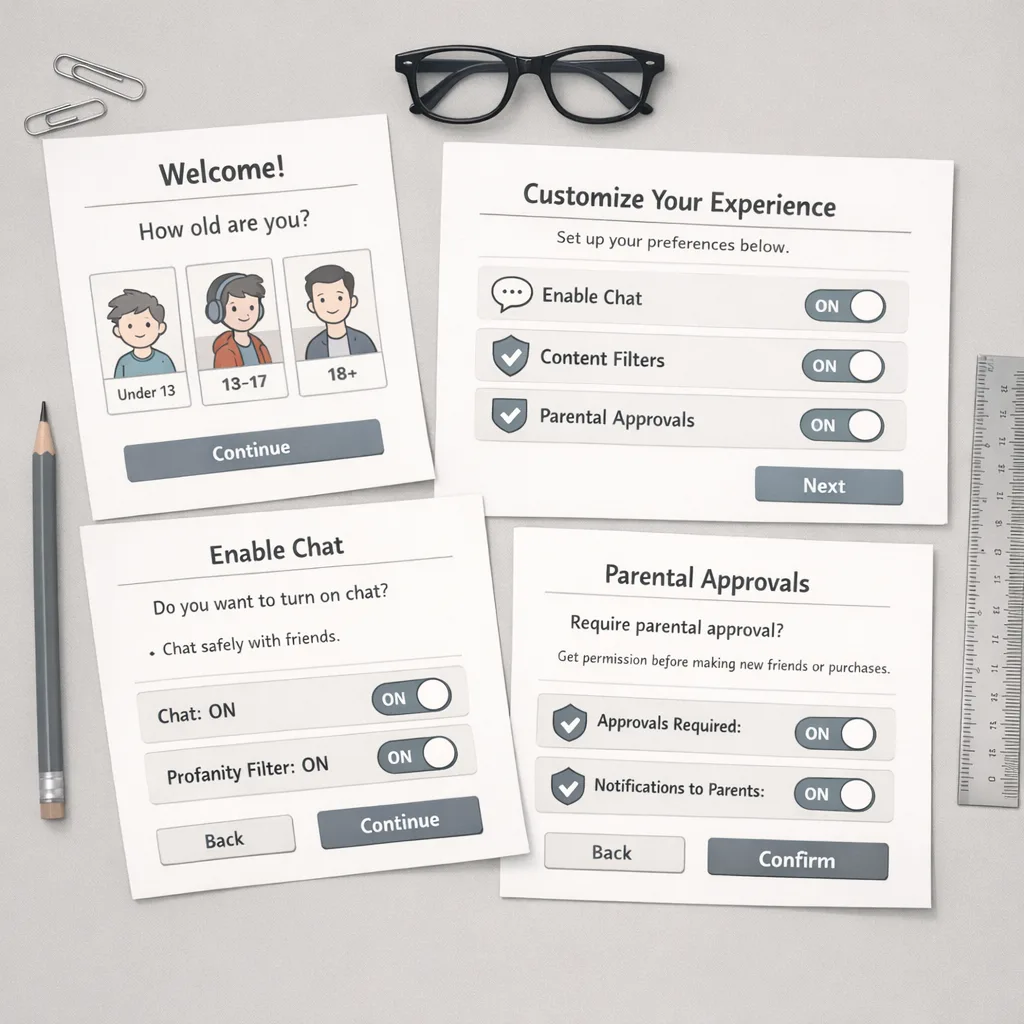
Developer worksheet: map your feature exposure by age band
Open a doc and map your top 12 features across four bands—Under‑13, 13–15, 16–17, 18+. For each cell, mark one of three states: Off, On‑with‑approval, or On‑by‑default. Add a column for “Reviewer Notes.” This becomes your single source of truth for App Store Connect answers, QA scripts, and support macros. Revisit it every release.
FAQ for product managers under deadline
Can we keep a single global experience and rely on parents?
You can, but you’ll pay a distribution and conversion tax. Platform‑aligned defaults convert better for families and reduce review friction. A tiny amount of conditional UI usually beats a thousand support tickets.
Will stricter defaults hurt engagement?
Short term, you may see lower DM attempts and fewer public posts from younger cohorts. Long term, safer defaults grow trust and retention in teen‑heavy products. The trade most teams regret is deferring controls until “after growth.”
Do we need legal review for every toggle?
No. Define a policy once, encode it in your age policy layer, and run changes through a light legal review only when you alter defaults or add capabilities like livestreaming or external links.
Final word: ship with confidence
This isn’t busywork—it’s a product quality upgrade that also happens to unlock distribution. Treat age awareness like localization or accessibility: a first‑class capability you design into every feature. If you align your declarations with your behavior, use system signals before personal data, and document your intent for reviewers, you’ll keep shipping smoothly in this new reality of App Store age rating 2026 and beyond.






Comments
Be the first to comment.