
Android Security Bulletin Jan 2026: The Fix Plan
The Android Security Bulletin is your monthly reality check. The January 2026 Android Security Bulletin landed on January 5 with a 2026-01-05 patch level, and Google’s Pixel Update Bulletin followed on January 12 with builds for all supported Pixels at that same level. If you own a mobile app, operate a fleet of corporate phones, or ship a customized Android build, this is the window where teams either move fast—or take avoidable risk. Here’s a field-tested plan to act on the Android Security Bulletin without breaking production.
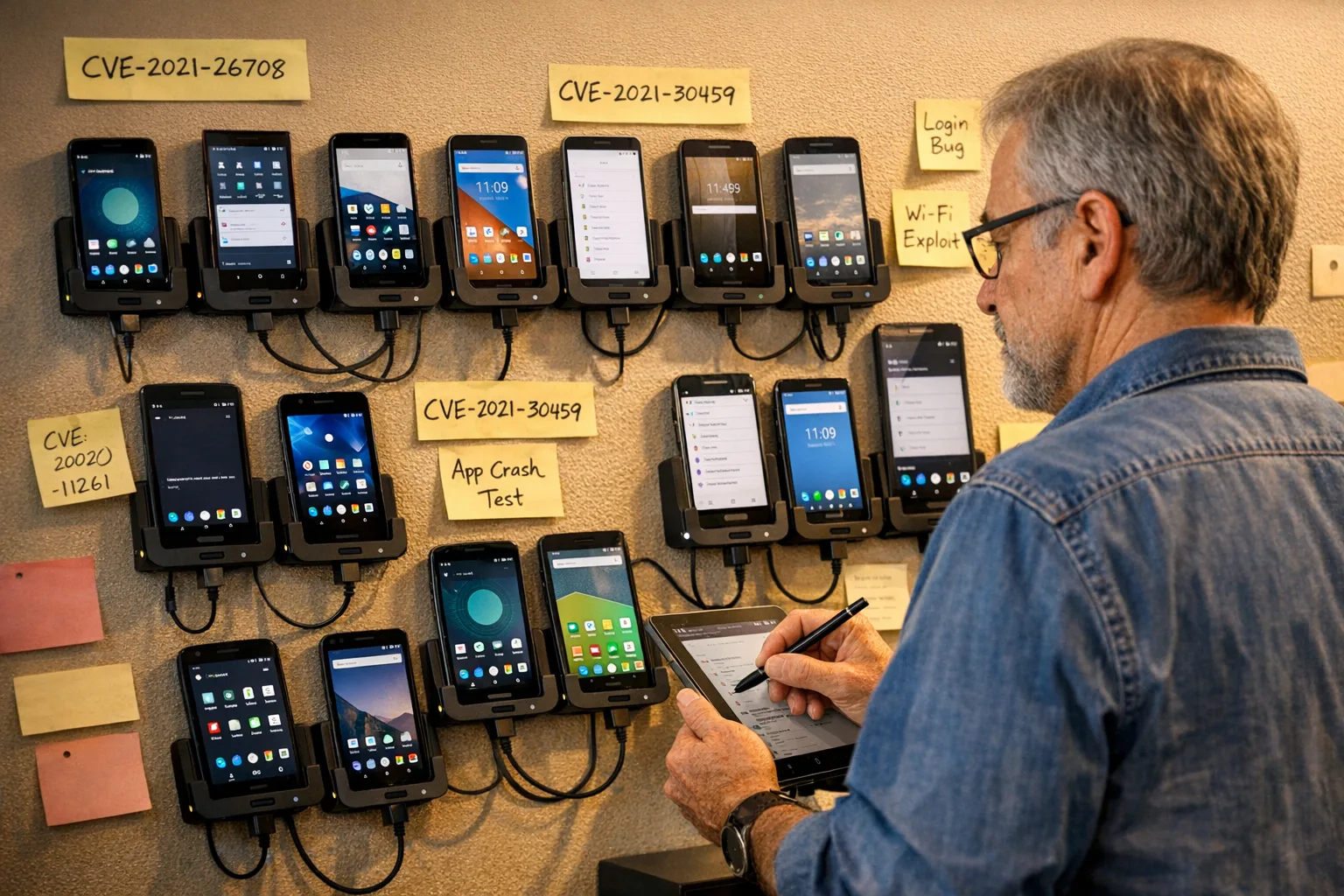
What changed in the January 2026 Android Security Bulletin?
Two milestones anchor this cycle. First, the Android Security Bulletin published January 5, 2026, with the 2026-01-05 patch level that vendors can declare once they’ve integrated fixes. Second, the Pixel Update Bulletin on January 12 moved supported Pixels to that same level, which means your users will start updating this week. Expect OEMs and carriers to follow with staged rollouts as their own builds pass qualification.
Here’s the thing: you don’t need to memorize every CVE to lead a correct response. You need an execution framework that maps the bulletin to your app’s permissions, your SDKs, and the device models you actually see in production.
Primary signal, not noise: the Android Security Bulletin
Your goal is to translate the Android Security Bulletin into an actionable test matrix. Focus on components that intersect your app’s behavior and your device fleet: media codecs if you handle video, Bluetooth or NFC if you do device‑to‑device features, kernel/driver areas if you ship on dedicated hardware, and WebView/Chromium if you render web content. Pair that with the Pixel Update Bulletin to identify behavior changes in Google’s reference devices, which often forecast how other vendors’ builds behave.
Why the AOSP release cadence matters now
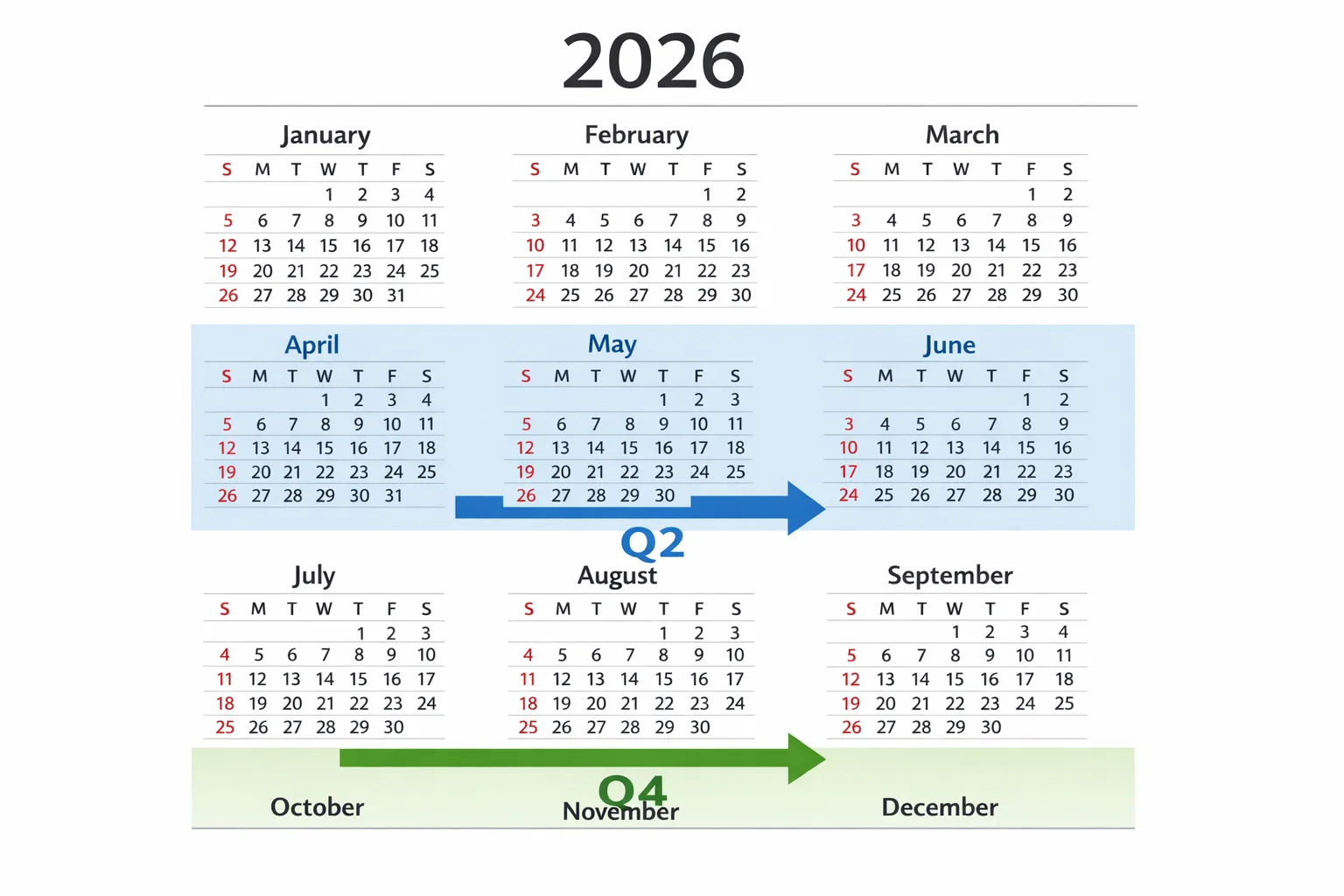
Starting 2026, Google is publishing AOSP source code twice per year (Q2 for a larger drop; Q4 for a smaller one) to align with its trunk‑stable model. Patches still flow on security-only branches between those drops, but the big, public code pushes are less frequent. If you build on AOSP or maintain a fork, move your workflows to android-latest-release—and remember that aosp-main has been read‑only since March 27, 2025. We’ve unpacked the implications in our analysis of AOSP releases cut to twice‑yearly and the tactical follow‑up, what to ship now.
Practically, this means fewer large code rebase moments and more emphasis on feature flags and incremental hardening between drops. If you’re an OEM or you run a custom build for kiosks, point your CI to android-latest-release and audit any scripts that still assume quarterly source pushes.
Android Security Bulletin: a 72‑hour execution plan
If you’ve ever watched exploits arrive a day after patches drop, you know speed beats perfection. Here’s a 3‑day plan we run with clients when the Android Security Bulletin hits. Calibrate it to your risk tolerance and blast radius.
Hour 0–6: Intake and scoping
Pull the January 2026 Android Security Bulletin and the Pixel Update Bulletin. Build a one‑page digest for your team: patch level (2026‑01‑05), affected subsystems relevant to your app, and any vendor‑specific notes you rely on (Pixel for reference, your top two OEMs by device share). Flag anything touching:
- Media server, codecs (AVC/HEVC/VP9)
- WebView/Chromium and intents opened by your app
- Bluetooth, NFC, Wi‑Fi stack if you pair or cast
- Kernel/driver areas for dedicated hardware or kiosk builds
Meanwhile, check your crash analytics and security telemetry for regressions that correlate with the earliest Pixel rollouts.
Hour 6–24: Build a minimal test matrix
Start with your last two Android major versions that account for at least 80% of your MAU, plus your top three OEMs. Add one rooted/emulator device for security‑focused tests. Define five must‑pass journeys for your app: sign‑in, primary conversion (e.g., checkout), push notification open, critical deep link, and any device‑to‑device pairing. Create one negative test for each journey (e.g., revoked permission, spotty network, intent spoof attempt).
Hour 24–48: Ship guarded updates if needed
If a patch affects a component your app depends on and your tests show behavior changes, prepare a hotfix behind a remote config flag. For example, if WebView strictness increases and breaks a legacy OAuth redirect, ship a small update that adjusts the redirect handling while a longer‑term fix bakes. Keep the flag default‑off, then stage to 5%, 25%, 50%, 100% over 24–48 hours.
Hour 48–72: Fleet rollout and monitoring
For managed fleets, approve the 2026‑01‑05 patch in your MDM for a canary cohort first, then progressively roll to the rest. Watch for spikes in ANRs, battery drain, Bluetooth pairing failures, or background task cancellations. If you run a kiosk or dedicated device, lock the update window to low‑traffic hours and keep a rollback image ready.
People also ask
Do app teams need to ship an update for every Android Security Bulletin?
No. Many bulletins harden the platform without breaking API contracts. But you should always test your critical journeys on devices at the new patch level and verify SDKs you bundle (analytics, ads, media, identity) don’t misbehave. If tests are clean, you can skip a release and simply fast‑track your next routine update.
How fast should enterprises roll out the January patches?
Consumer fleets can aim for 1–2 weeks. Regulated or high‑risk environments should target staged deployment within 72 hours to critical users, then the rest in 7 days. The risk isn’t theoretical—once details are public, opportunistic probes follow quickly. Waiting a month leaves you exposed.
Will fewer AOSP drops slow vendors?
Counterintuitively, fewer large source drops can help vendors stabilize faster because there’s less rebasing churn. Security fixes still arrive, and the trunk‑stable process encourages feature flags over risky long‑lived branches. Your job is to keep your fork aligned with android-latest-release and maintain a clean separation between feature work and hardening.
A practical checklist for January 2026
Use this as a cut‑paste runbook for your team’s chat channel:
- Confirm patch level: devices should read 2026‑01‑05 before you call it done.
- Test on Pixels first, then your top OEMs by MAU; cover last two Android versions.
- Exercise five must‑pass journeys and one negative test per journey.
- Audit WebView/ChromeClient flows, deep links, and custom tabs.
- Retest any Bluetooth/NFC features (pairing, tap‑to‑pay, casting).
- Scan third‑party SDK changelogs for security‑related fixes; update if available.
- Stage fleet rollouts with MDM; keep rollback and comms templates ready.
SDKs and dependencies: the quiet risk
The most frequent breakages we’ve seen after security updates come from SDKs your team doesn’t own. Typical culprits include ad SDKs assuming relaxed WebView behavior, media libraries that trigger stricter sandboxing, and identity flows that rely on brittle redirects. Keep a living SBOM for your mobile app, subscribe to vendor release notes, and pin versions so a “minor” update doesn’t slip into production unexpectedly during a hotfix.
OEMs, AOSP forks, and kiosk builds: what’s new for 2026
If you ship a fork or maintain a dedicated build, 2026’s twice‑yearly AOSP source drops plus ongoing security branches change your integrations schedule. Treat Q2 as your major rebase window and Q4 as your stabilization pass. Between those, cherry‑pick security patches and avoid risky feature merges. Use feature launch flags liberally and gate new capabilities behind server‑controlled toggles. If you need a deeper walkthrough of cadence and tooling, our team outlined a ship‑ready plan in AOSP Release Schedule: What to Ship Now.
Test matrix: devices and Android versions that actually matter
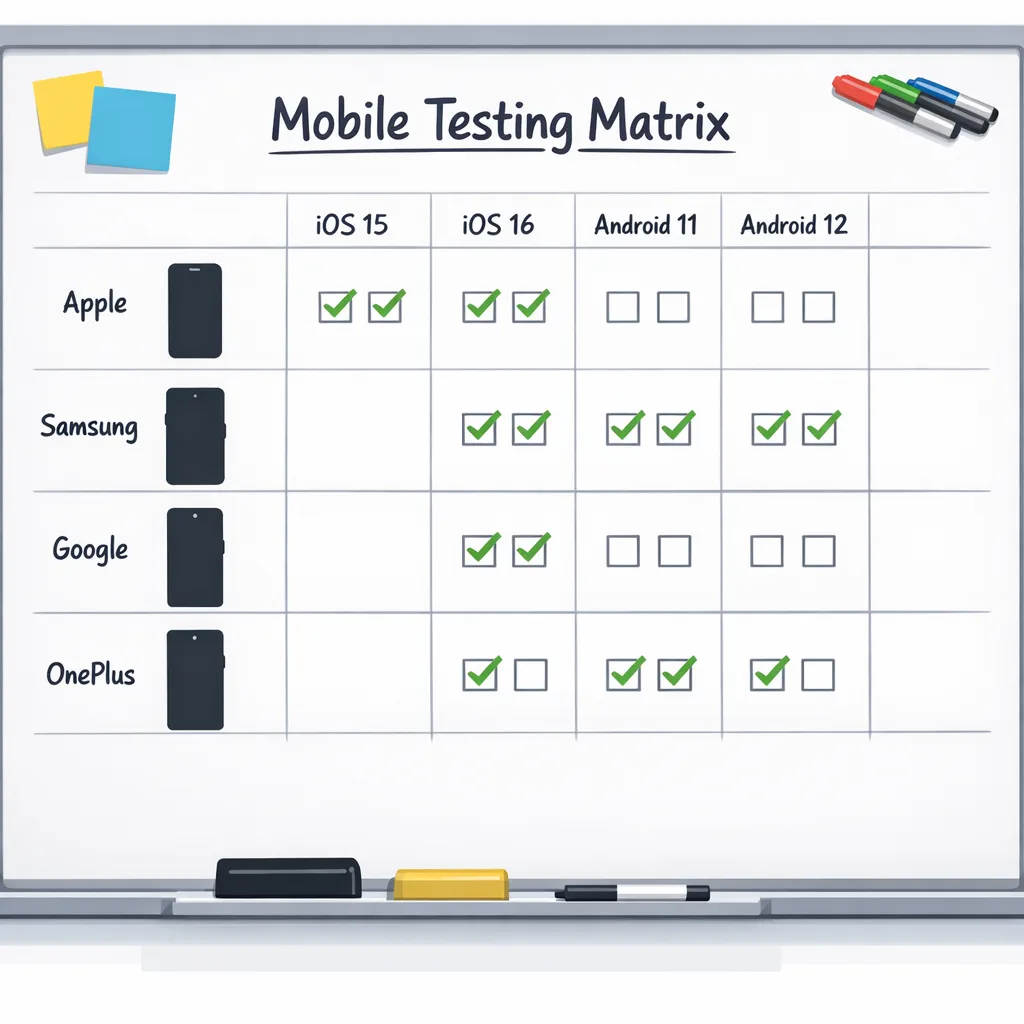
Don’t chase every device. Optimize for coverage and velocity:
- Pixels: one small‑screen (e.g., Pixel 6/7) and one recent flagship (e.g., Pixel 8/9) on the new patch.
- Top OEM by your MAU: pick two models across price tiers.
- One foldable if your app supports tablet/foldable layouts.
- Last two major Android versions you actively support.
- One rooted/emulator device for targeted security probes and network inspection.
Keep the matrix stable across cycles so trend comparisons are meaningful. Add or rotate one slot each quarter based on analytics.
Release engineering: avoid risky merges during patch week
Separate security validation from feature trains. Freeze mainline feature merges for 48 hours after the bulletin while your tests run. If a fix is needed, branch from the last known‑good tag, cherry‑pick the minimal change, and ship behind a remote flag. This is where trunk‑based development and a clean CI strategy pay off: fast, reversible changes with low blast radius.
Monitoring: what to watch after users update
Set alerts on your observability stack for:
- Crash spikes in activities hosting WebView, media playback, or Bluetooth flows.
- ANR increases on background services, WorkManager jobs, and geofencing.
- Battery anomalies tied to location or Bluetooth scanning.
- Payment/auth failures on custom tabs or deep links.
Pair numeric alerts with synthetic scripts that execute your five must‑pass journeys hourly on devices enrolled in your internal update ring. If you see regressions, pause staged rollout before the problem spreads.
Security program hygiene that compounds
Bulletin week is smoother when fundamentals are boring and consistent:
- Maintain a mobile SBOM and review it monthly.
- Rotate signing keys and enforce Play Integrity/API key scoping.
- Automate Play pre‑launch report runs on canary tracks.
- Keep emergency comms templates for the store listings and status page.
If you want a partner to stand up this muscle with you, our mobile release and security services plug into your pipeline and toolchain—not the other way around.
Field notes: two quick scenarios
Scenario A: Your app opens external links that bounce through an in‑house auth proxy. After the January patch, WebView tightens intent handling and the proxy’s deep link loses state. You ship a 40‑line patch that normalizes the redirect URI, roll to 25% with a server flag, then lift to 100% in 48 hours. No weekend heroics.
Scenario B: A kiosk fleet depends on Bluetooth for peripheral pairing. After devices take 2026‑01‑05, pairing succeeds but reconnects silently fail on reboot. Your canary cohort catches it. You delay the fleet rollout, apply a config that retries pairing with exponential backoff, and push a firmware hotfix the next night.
The strategic view for 2026
Zooming out, 2026 is the year Android’s platform team doubles down on trunk‑stable and fewer big source drops. For app teams, that’s a nudge to tighten test automation, keep flags ready, and treat the Android Security Bulletin as a predictable monthly exercise—not an emergency. For OEMs and kiosk operators, it’s an opportunity to formalize a Q2/Q4 rebase rhythm while cherry‑picking security fixes in between.
What to do next
Here’s your short list for this month:
- Validate on 2026‑01‑05 devices this week; prioritize Pixels and your top OEM.
- Run the five‑journey test matrix and fix any WebView or media regressions.
- Stage a guarded hotfix only if tests fail; otherwise save your release slot.
- For AOSP forks, confirm CI tracks
android-latest-releaseand schedule your Q2 rebase work now. - If your team’s stretched, we can help. See what we do for mobile teams and reach out via contacts.
Security updates are a drumbeat. Treat them like a sport: consistent practice, small adjustments, and a clean playbook. When January 2026 is behind you, the next bulletin will feel routine—and that’s the point.



Comments
Be the first to comment.