
Xcode 26 Requirement: Ship Confident by April 28
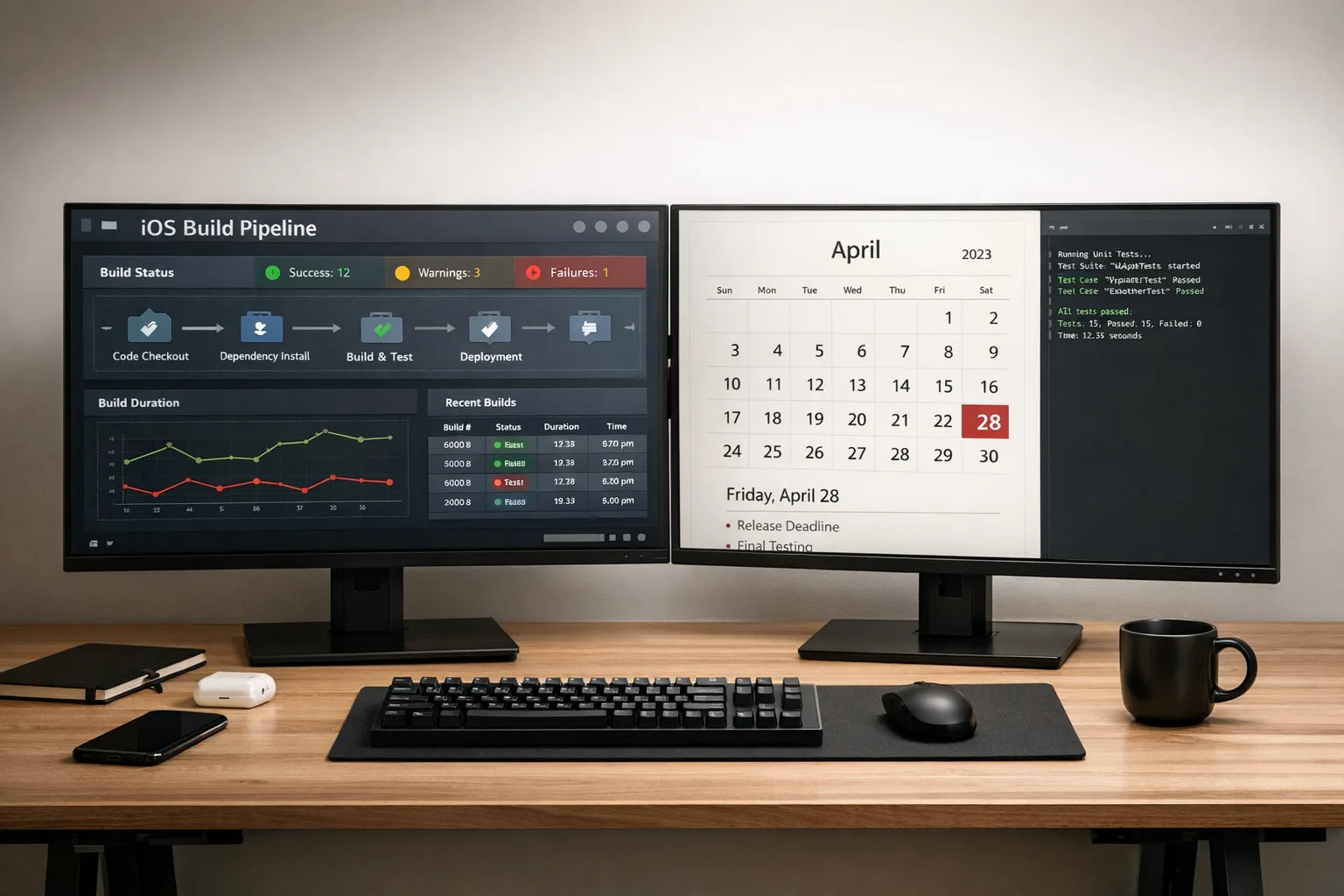
The Xcode 26 requirement isn’t a rumor anymore—it’s the rule. Beginning April 28, 2026, any app or game uploaded to App Store Connect must be built with Xcode 26 or later using the 26‑series SDKs across iOS, iPadOS, tvOS, visionOS, and watchOS. Miss that, and your submission is blocked at the gate. (developer.apple.com)

What exactly changed—and why it matters now
Apple has staged these SDK minimums for years, but this cycle lands on a busy spring. The headline: uploads after April 28 must use the 26‑series SDKs and Xcode 26+. Apple’s own page spells it out clearly and places this change alongside other policy and infrastructure updates that affect your release plan. (developer.apple.com)
Two more dates to keep in view when planning your cutover windows: Apple previously required Xcode 16+ and the iOS 18 SDK for uploads starting April 24, 2025, which gives a sense of how strictly these gates are enforced; and age ratings were auto‑updated on January 31, 2026, with updated questions that can block submissions if unanswered. Build and compliance both matter this season. (developer.apple.com)
The Xcode 26 requirement, unpacked: what breaks and what’s new
Let’s talk mechanics. Xcode 26.0–26.3 packages the 26‑series SDKs, Swift 6.x compilers, and updated simulators. The public system‑requirements matrix shows deployment targets remain broad—iOS 15 and up—so this is a build‑time mandate, not a forced deprecation of older runtime OS support. That’s good news if you still carry a long tail of iOS 15–17 users. (developer.apple.com)
One timely twist: Xcode 26.3 deepens the IDE’s AI assistance with agent‑style integrations from OpenAI and Anthropic, plus support for the Model Context Protocol. Whether you use them or not, these tools can speed migration chores like refactors, test repairs, and doc lookups during the crunch. (theverge.com)
Do I have to drop older iOS versions to comply?
No. The requirement targets the SDK and toolchain you compile with, not your minimum supported OS at runtime. Teams can keep older deployment targets while adopting the 26 SDKs and Xcode 26. The official matrix confirms wide deployment‑target support in Xcode 26.x. (developer.apple.com)
Will TestFlight accept my builds while I upgrade?
Historically, Apple opens TestFlight and even App Store submissions for new Xcode RCs before hard deadlines to smooth the transition, and Apple’s release‑notes cadence around prior cutovers shows that pattern. Use that window to dry‑run pipelines and smoke‑test before the store gate flips in late April. (developer.apple.com)
Let’s get practical: a 14‑day migration sprint that actually works
I’ve run this playbook on apps with millions of MAUs and thorny dependency graphs. It assumes your team can sprint for two focused weeks while normal feature work slows.
Day 1–2: Inventory and risk triage
Pull a dependency bill: ad networks, analytics, sign‑in, maps, payments (StoreKit), push, crash reporting, in‑house frameworks. Flag any SDK pinned to pre‑26 toolchains and contact vendors for 26‑compatible releases. Create a short risk register with owners and dates. If your CI runners or Xcode Cloud images don’t explicitly pin 26.x, treat that as a P0.
Day 3–5: Toolchain flip in CI
Upgrade one CI lane end‑to‑end: Xcode image 26.x, Swift 6 language mode as configured, new simulators, new caches. Expect longer first‑build times. Lock versions and make the lane the default for release branches. Keep a canary lane on your prior toolchain for 72 hours to confirm parity in unit tests and core UI flows.
Day 6–8: SDK‑level refactors
This is where teams bleed hours. Hunt compiler errors, updated privacy prompts, and subtle UI diffs. Replace deprecated symbols and eliminate private API shims that were “working” by luck. If you use Swift concurrency or macro features, check generated code size and build times. Fold in small targeted refactors rather than mega‑diffs; you need signal, not churn.
Day 9–10: Third‑party updates and feature flags
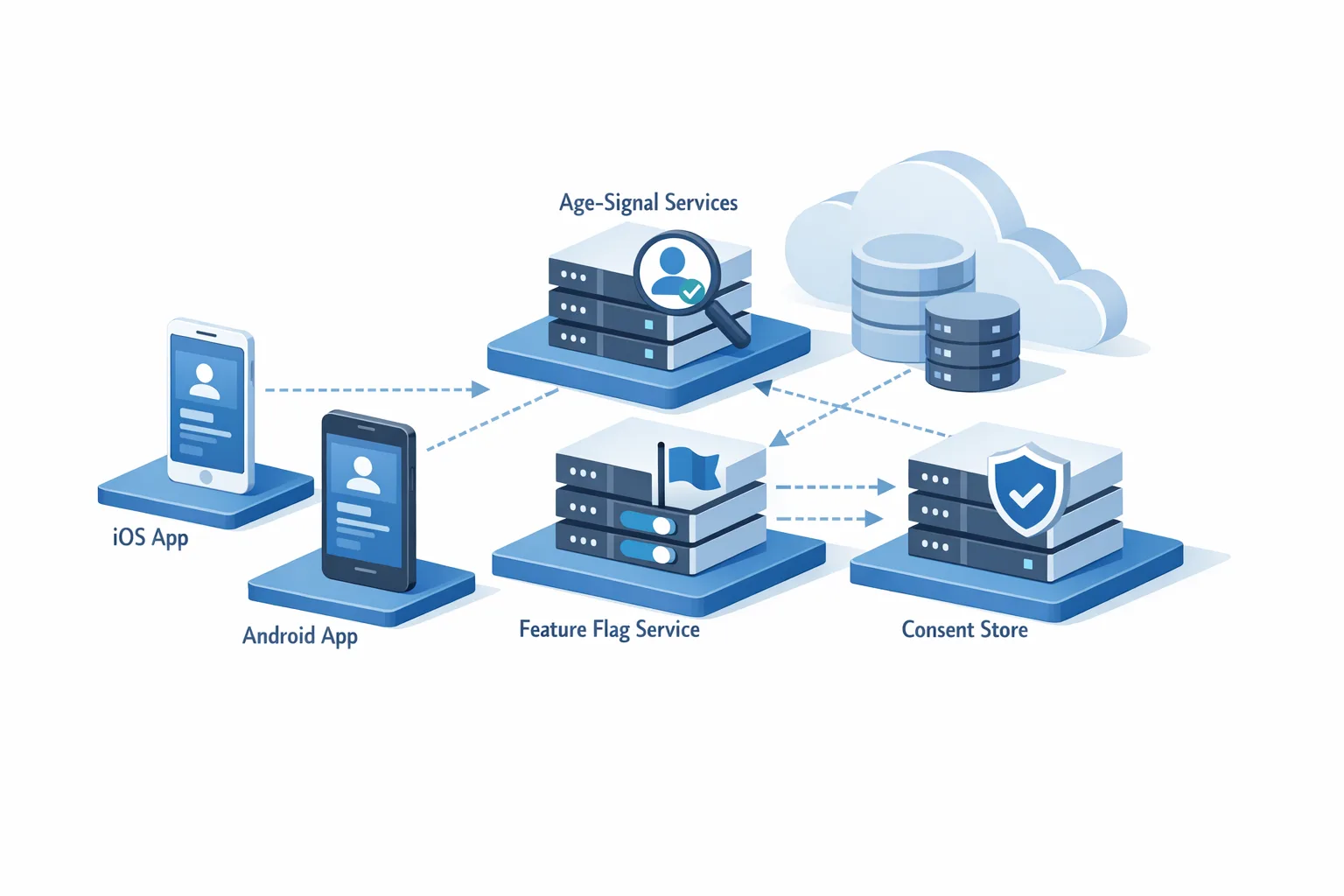
Bump ad/analytics SDKs early—these often hide old link flags or background‑mode assumptions that break under new SDKs. Wrap risky changes behind runtime feature flags so you can isolate regressions post‑release. If you ship server‑controlled flags, stage rollouts at 5% → 25% → 100% with monitoring. For a deeper dive on safe launches, see our take on feature flags and safer egress defaults.
Day 11–12: QA sweeps, accessibility, and perf
Run tap‑target and contrast checks; new component defaults can nudge spacing. Validate push auth flows, background tasks, and payment sheets. Re‑baseline cold‑start and frame‑time metrics on mid‑range hardware. Verify that your crash‑symbolication pipeline understands dSYMs from Xcode 26.
Day 13–14: Release rehearsal
Create a dry‑run build with full production signing, then submit to TestFlight. Exercise upgrade paths from your last live build. Draft App Store notes that call out any permission‑dialog copy changes or new behavior users will see. Decide your go/no‑go criteria for flipping the main release lane permanently to Xcode 26.
CI/CD guardrails so this doesn’t break again
Here’s the thing: teams “finish” a migration, keep building, then get paged a month later when someone fires a legacy CI job that still points at the old image. Don’t let entropy steal your weekend.
- Pin your CI image to a specific Xcode 26.x build, don’t float on “latest.”
- Make the Xcode version a required variable in pipeline config and fail fast if it’s missing.
- Cache the toolchain and SPM artifacts per Xcode version; bust caches on upgrades.
- Add a preflight job that runs xcodebuild -showsdks and asserts the expected SDK versions.
- Lock Fastlane actions to versions tested with 26.x and audit code‑signing settings.
If you want a prescriptive template, we published a short companion: the April 28 ship checklist—it’s a tight set of pass/fail checks for release managers.
Vendor and SDK audit: where time actually disappears
Every cycle, the same categories explode late in the game. Don’t wait:
- Sign‑in and identity: Apple‑centric auth (Sign in with Apple) usually sails through; mixed providers often need SDK bumps and redirect‑URI tweaks.
- Ads and attribution: Expect stricter build settings and privacy prompts. Validate SKAdNetwork postbacks and ad‑SDK background behavior under the 26 SDK defaults.
- Analytics and crash: Ensure symbol upload and privacy manifests are current. Old manifests can trigger review questions.
- Maps, payments, and media: Minor enum additions and capability flags can generate warnings that mask real errors. Zero‑warning builds are your friend this month.
If a vendor still ships binaries compiled against pre‑26 toolchains by mid‑March, time‑box your wait. Either isolate their code behind feature flags or plan a temporary removal to meet the deadline.
Swift 6 realities: language modes and migration posture
Swift 6 brings stricter concurrency checks and language‑mode toggles. Most consumer apps can keep language mode at Swift 5 initially while compiling with the Swift 6 compiler, then opt into Swift 6 module by module as tests stabilize. Watch for async sequence regressions and actor isolation mismatches when flipping modes. The official Xcode matrix calls out compiler and language‑mode support combinations—use it when you decide how aggressively to adopt the new defaults. (developer.apple.com)
Design and UX diffs you’ll actually notice
SDK 26 refreshes some default paddings, fonts, and control states. Usually, it’s subtle—until a tap target shrinks by a few points on a 5.8‑inch device and your support queue lights up. Run visual diffs on sign‑up, paywalls, and any high‑revenue screen. Re‑record guided‑accessibility tests. Validate permission dialog copy and sequencing, especially if you modified your onboarding flows recently.
People also ask: straight answers
Will Apple reject apps built with older toolchains before April 28?
Apple historically allows uploads using the prior toolchain up to the posted cutover. The line gets hard on the date itself; that’s when the store’s automated checks stop you. The current page lists April 28, 2026 as the enforcement date. Plan your final switch well before that week. (developer.apple.com)
Does this affect beta distribution only, or production too?
Both. The minimum SDK requirement applies to any upload to App Store Connect once enforcement begins, which covers TestFlight and App Store releases. Use the pre‑deadline period to test in TestFlight and stabilize pipelines before submissions are mandatory on 26.x. (developer.apple.com)
Do I need to change my privacy answers or age rating now?
If you haven’t answered the updated age‑rating questions introduced in January, do it this week; teams that ignore them can be blocked even with a perfect build. The requirement is separate from Xcode but hits the same release window. (developer.apple.com)
Battle‑tested release framework: R²A² for platform cutovers
Use this four‑step loop to keep your team focused under deadline pressure:
- Rationalize: Trim scope to essentials; postpone non‑critical refactors until after the switch.
- Rehearse: Dry‑run the exact pipeline you’ll use on release day—including notarization, screenshots, and metadata.
- Automate: Add preflight checks for Xcode version, SDK, and privacy manifests; fail fast.
- Accelerate: Use Xcode’s agent features to draft tests and fix low‑risk issues quickly; reserve human review for high‑risk surfaces. (theverge.com)
Common edge cases (learned the hard way)
Three gotchas surface in almost every migration:
- Bitcode remains gone, but remnants linger: Old build settings referencing it can cause warnings that hide real errors. Clean them out.
- Localizations and screenshots: New SDK defaults can push text wraps. Re‑export screenshots for your top five locales to avoid review delays.
- Entitlements drift: Teams sometimes carry stale capabilities (like background modes) no longer needed. Remove them; fewer entitlements mean fewer review questions.
What to do next (developers)
- Flip a branch to Xcode 26 today; aim to make it the default within a week.
- Audit third‑party SDKs and set vendor ETAs; feature‑flag anything risky.
- Run a TestFlight submission rehearsal under 26.x to verify signing, symbolication, and store checks.
- Schedule a two‑hour UX diff pass on your money screens: paywalls, onboarding, search, and checkout.
What to do next (product and founders)
- Freeze non‑essential scope the week of April 14 so engineering can stabilize.
- Approve time for accessibility and performance re‑baselining—it reduces support tickets post‑switch.
- Coordinate release notes and help‑center updates to explain any prompt or UI changes users will notice.
- Ask for a one‑page go/no‑go with hard metrics: crash‑free sessions, cold‑start deltas, and top‑task pass rates.
Where to go deeper with our playbooks
For a shorter, tactical checklist, see our April 28 ship checklist. If you’re behind schedule, run the 30‑day migration plan and time‑box vendor waits. Want a steadier path for multi‑app portfolios? Our no‑drama 60‑day plan spreads risk across sprints so you’re never blocked on one dependency. And if you’re hardening your rollout with config gates and egress rules, this primer on safer feature flags pairs nicely with the switch to Xcode 26.
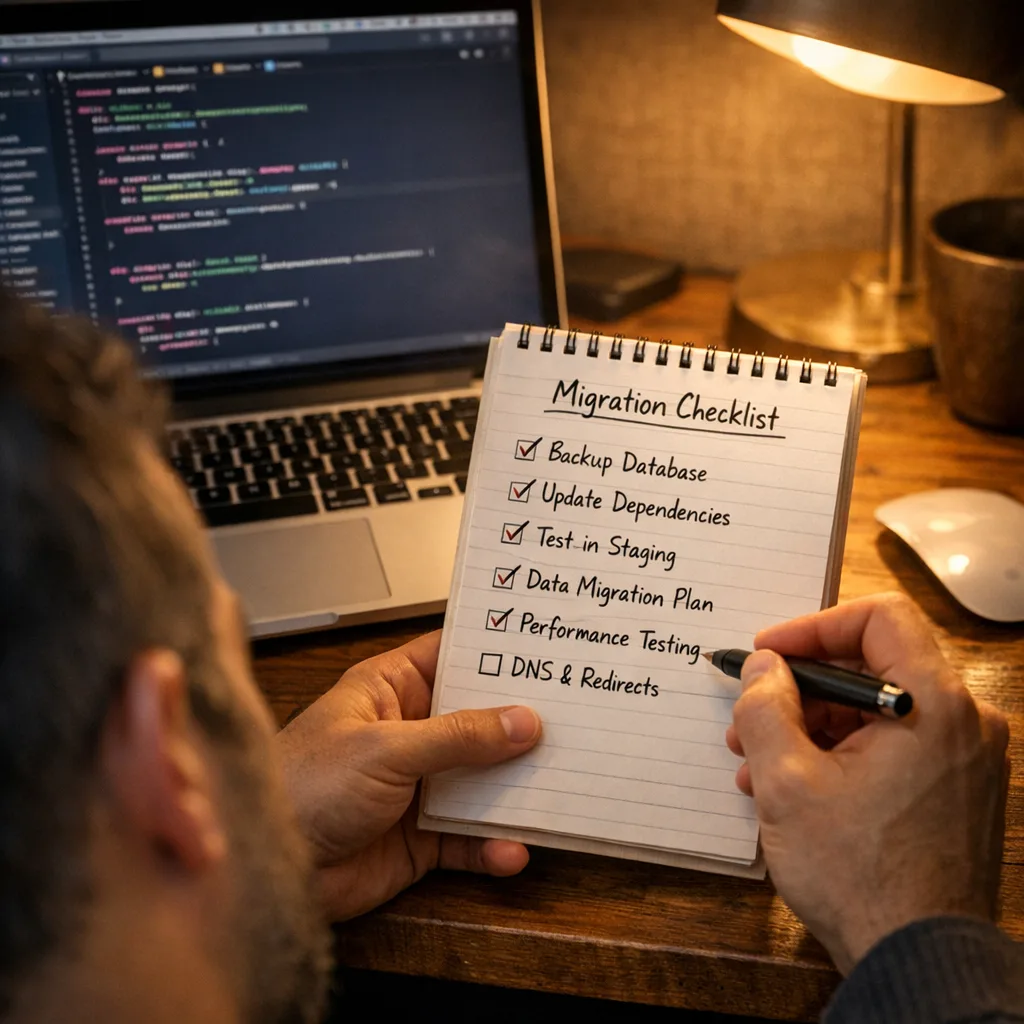
Zooming out
This isn’t about chasing shiny tools. It’s about keeping your shipping discipline sharp when the platform moves under your feet. The Xcode 26 requirement forces a decision: either drag technical debt through another year—or use the cutover to raise your team’s bar on tests, CI hygiene, and release reliability.
Make the switch early, measure the right things, and keep humans focused where judgment matters. Do that, and April 28 becomes just another date on the calendar—not a 2 a.m. fire drill. We’ve helped teams through plenty of these; if you want a second set of eyes on your plan, our door’s open.


Comments
Be the first to comment.