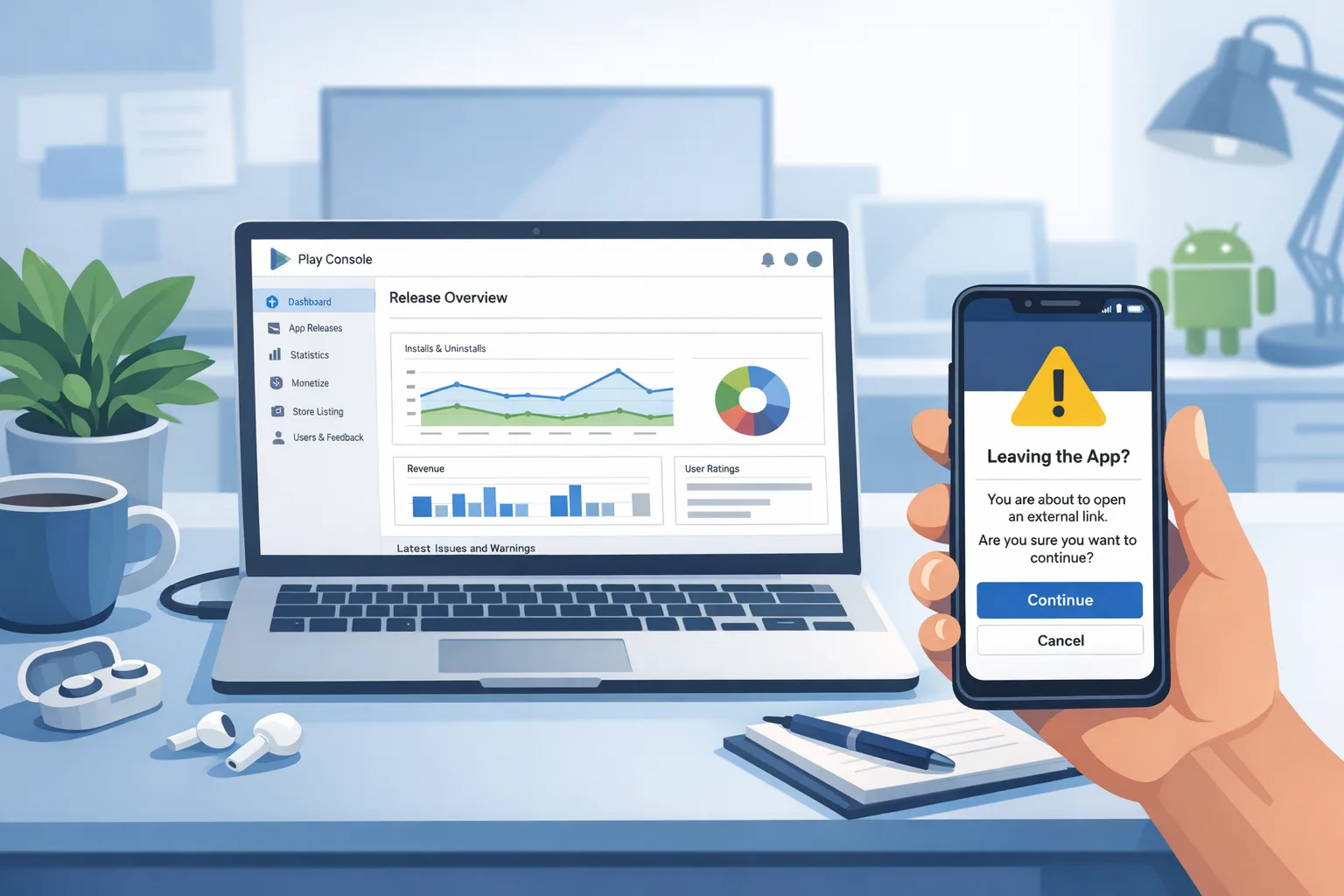
Google Play External Links 2026: Ship It Right
Google Play external links are no longer a thought experiment—they’re a 2026 reality with specific API requirements, enrollment steps, and new fees that materially change your funnel math. If you run Android revenue at scale, your job this month is to ship a compliant flow, model the true costs, and avoid gotchas that can quietly erase the savings you expected from “going off‑Play.” Here’s the thing: you can win here, but only if you treat Google Play external links like paid acquisition, not a loophole.
What changed—and when it matters
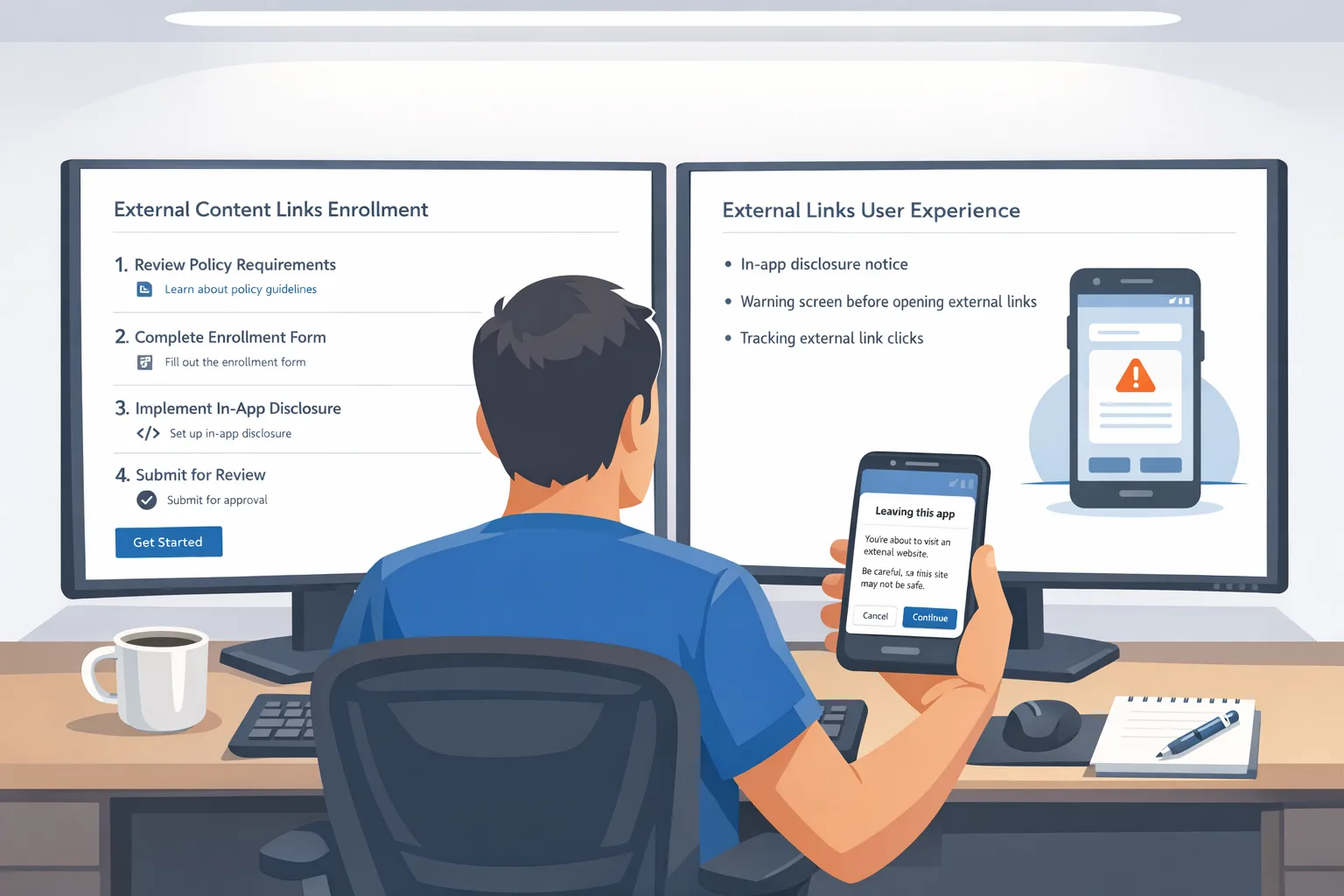
In mid‑December 2025, Google updated developer documentation to formalize programs that let apps in the U.S. link outside of Play: External Content Links (covering links to digital content offers and to app downloads) and Alternative Billing (processing payments inside your Play‑distributed app with your own provider). Those docs require Play Billing Library 8.2.1 or higher and an information screen that appears before every external jump. Links to external app downloads must be registered and approved in Play Console. In plain English: this is a gated, API‑driven program—ship the integration correctly or expect review rejections.
Two near‑term dates matter. First, Google has communicated a January onboarding target for developers who intend to participate, with multiple outlets and filings calling out January 28, 2026 as the practical enrollment deadline for U.S. apps planning to link out or use alternative billing. Second, the U.S. court overseeing the Google‑Epic case scheduled an evidentiary hearing for January 22, 2026 that could shape how certain fees are finalized. Build as if the current program stands, but keep finance and legal looped in for any post‑hearing adjustments.
Google Play external links: how they actually work
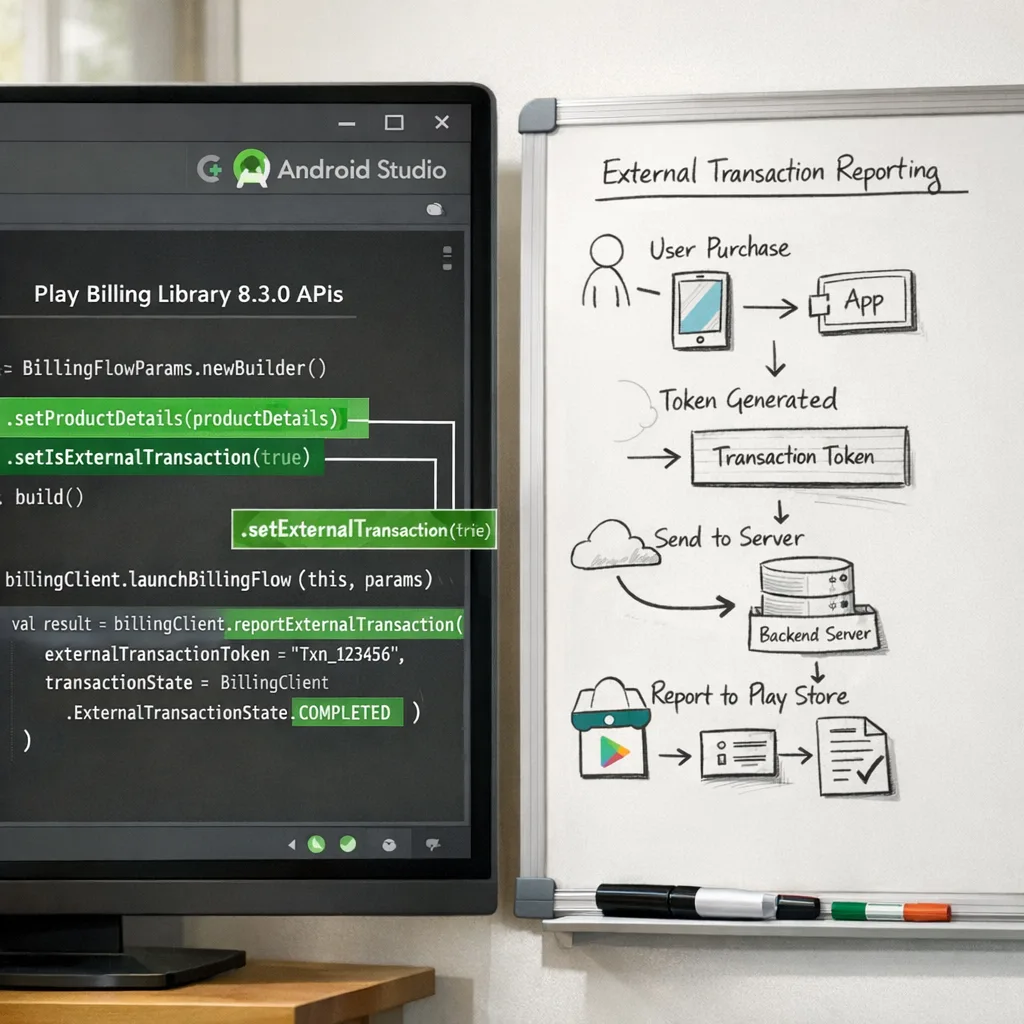
Let’s get practical. The External Content Links APIs are part of the Billing Library. Your app must opt into the program, check user eligibility, present Google’s information screen, and then launch the external link. Each outbound flow generates a token you’ll use to report the resulting transaction (or app install) back to Google. You’ll also implement a server component to postback external purchases and link downstream events—like a subscription renewal in an externally installed companion app—back to the original click.
Key constraints that trip teams up:
- Versioning: you need Play Billing Library 8.2.1+ for the external links APIs. Don’t leave this as an afterthought; dependency upgrades can surface other changes in your build.
- Pre‑link information screen: you don’t design this; Google does. It must show before every external redirect.
- Link registration: app‑download URLs must be registered and approved in Play Console. If you’re A/B testing domains or deep link structures, plan your reviews ahead of time.
- Token discipline: generate a fresh external transaction token immediately before each outbound jump and never cache it across sessions.
Do I still pay Google if I charge on the web?
Yes—if the customer originated via your Play app and you’re in the program, expect two buckets of ongoing fees on eligible transactions: an initial acquisition component for the first six months after a user’s Play install, and a continuing service rate while your app benefits from Play services (security scanning, parental controls, fraud protections). Treat these as the cost of leveraging Play’s reach.
Fees: the part finance will underline
Here’s the current shape of the U.S. economics, as communicated publicly and in court‑context materials heading into late January 2026. Treat the specific dollar amounts as proposed until final tables are locked, but they’re close enough for planning.
External Content Links
- Per‑install fee for external app downloads: if a user clicks your in‑app link and installs an external app within a short attribution window (reported as ~24 hours), expect a fixed fee in the ballpark of $2.85 per app and $3.65 per game.
- Ongoing service fee on off‑Play transactions: model roughly 20% on one‑time digital purchases and 10% on auto‑renewing subscriptions completed outside Play.
- Initial acquisition fee: plan for an additional 3% on qualifying transactions during the first six months after the user’s original Play install.
Alternative Billing (inside your Play app)
- For most non‑subscription purchases, plan around 25% effective service (i.e., five percentage points lower than the standard 30%).
- For subscriptions, assume 10% (generally five points below Play’s typical 15% subscription rate).
Reality check: when you combine the service rates with processor fees (often ~3% + $0.30), “going off‑Play” isn’t free. It’s a different cost curve—and one that can still make sense if your average order value is high, your churn is low, or you can bundle value on the web (e.g., annual prepay, tax‑optimized tiers, or cross‑product packs).
Engineering blueprint you can hand to your Android lead
Below is the end‑to‑end flow we’ve implemented for clients who need to be production‑ready in January.
- Upgrade dependencies: bump to Play Billing Library 8.2.1+ and clear any transitive conflicts early. Run instrumentation tests that exercise all purchase flows—not just the new paths.
- Gate by geography and eligibility: external links are U.S. programmatically; call the availability API at runtime and feature‑flag by market.
- Initialize the BillingClient with program intent: enable the external‑offers program during client initialization and validate the connection lifecycle under real network conditions.
- Generate a fresh external transaction token per click: on every outbound link tap, request new reporting details and associate them with the user/session server‑side.
- Show the information screen: use the official API to present Google’s pre‑redirect screen. Don’t wrap or customize it; reviewers will reject workarounds.
- Launch the link in an external browser: follow the required launch mode for app‑download links. For web checkouts, harden your deep links and fallback routing.
- Server reporting: on successful external purchases or installs, post results to Google with the token and your external transaction ID. Link downstream events (like a sub renewal in the externally installed app) back to the original app‑download event.
- Fraud and retries: implement idempotent postbacks and alerting for missing reports within your SLA window; monitor for token reuse and suspicious sequences.
- Analytics parity: store channel and cohort metadata alongside the token so finance can attribute fees correctly and marketing can adjust traffic sources.
ROI model you can copy
Let’s run a concrete scenario. You add two buttons to your Play build: a “Shop on the Web” CTA and a “Download Companion App” link that points to your site.
Traffic: 120,000 monthly link taps from U.S. users. Of those, 24,000 complete the external app install within the attribution window and 10,000 complete a web purchase. Of the 10,000 purchasers, 3,000 start a $12.99/month subscription; 7,000 buy a $14.99 one‑time item.
Costs with External Content Links assumptions (proposed U.S. values):
- Per‑install fees: 24,000 × $3.65 (game) ≈ $87,600.
- One‑time service: 7,000 × $14.99 ≈ $104,930 gross; 20% to Google ≈ $20,986; add 3% initial acquisition if within six months ≈ up to $3,148 (conservative upper bound).
- Subscriptions month 1: 3,000 × $12.99 ≈ $38,970 gross; 10% service ≈ $3,897; 3% initial acquisition ≈ $1,169. Month 2+ renewals model at 10% only.
- Processor fees (web): assume 3.25% + $0.30 per txn; that’s ≈ $6,940 across the above volumes.
When does it pencil? If your LTV per externally installed user exceeds your CAC by >$4 (for games) or >$3 (for apps) after accounting for the fixed install fee, the external app path stays viable. For web purchases, the break‑even against in‑Play billing often appears around month 3–4 for subscriptions if churn is low and your pricing ladders on the web capture higher ARPU.
Compliance and policy edge cases teams miss
Free trials: zero‑dollar trials still count as transactions for reporting. Treat them like any other purchase in your postbacks.
PCI‑DSS and receipts: if you touch card data, you’re on the hook for PCI and for customer support handling disputes. Your webhook reliability is now a revenue function, not just an analytics nice‑to‑have.
Attribution window bleed: per‑install fees apply when the install lands within the attribution window after a Play‑origin link. Don’t accidentally push a high‑intent user into the “install now” CTA if your LTV math can’t carry a $3.65 fee—consider deferring that install prompt into email or a web session when appropriate.
Subscriptions vs. one‑time items: alternative billing inside the app often looks worse than Play Billing for one‑time digital items because the effective rate can hover around 25% plus processor costs. But for subscriptions with healthy retention, external links to web checkout plus renewal handling can beat in‑app rates after a few cycles.
Review sequencing: register links and ship a compliance‑only build first. Once approved, layer on experiments (pricing tests, landing page variants). Trying to do both in one submission can add weeks.
People ask us…
“Can I avoid the per‑install fee by linking only to my webshop?”
Yes. If you don’t link to an external app download, there’s no per‑install fee. You’ll still owe ongoing service on qualifying off‑Play transactions and, for recent Play installs, the initial acquisition component.
“Is this only for the United States?”
The external links program as described here applies to U.S. distribution. Other regions (like the EEA) already have similar constructs with published rate cards. Treat U.S. mechanics as distinct and watch for updates after the January 22 hearing.
“Which Android versions and tools do we need?”
Target Play Billing Library 8.2.1 or higher to access the external links APIs. That’s a library requirement, not an OS minimum, but you should still test across your supported Android versions because Billing integration touches UI flows and browser handoff behavior.
“Will this replace Google Play Billing?”
No. For many SKUs—especially low‑AOV one‑time items—Play Billing still wins on simplicity and total cost. External links and alternative billing are additional tools; use them where the unit economics and UX actually improve outcomes.
A simple decision framework for PMs
Use this three‑question filter before you scope dev time:
- Economics: Is your expected margin after Google’s service, per‑install fees (if any), and processor costs at least 5–10 percentage points better than Play Billing over a six‑month horizon?
- UX: Can you make the external web checkout feel trustworthy and fast on mobile, including SSO, saved payment methods, and clear return to app?
- Compliance: Do you have the engineering discipline to implement tokens, postbacks, and link approvals without leaks? If not, start with web checkout links only, defer external app downloads until your reporting pipeline is bulletproof.
What to do this week
- Ship the minimum compliant flow: upgrade to Billing Library 8.2.1+, implement the information screen, register your links, and wire token‑based reporting. If you want a deeper blueprint, see our breakdown in Google Play External Links 2026: Fees & Plan.
- Model two paths: a web‑checkout‑only variant (no per‑install fee) and a version that also promotes external app installs. Use ±20% sensitivity on the proposed fees and share the sheet with finance.
- Stage a review‑safe build: submit a compliance‑only update first; once approved, iterate on landing pages. We detail the flow in Ship the flow, model the fees.
- Mind other January deadlines: if you ship on iOS, Apple’s updated age‑rating questionnaire has a January 31, 2026 cutoff. Use our App Store Age Rating 2026 checklist so your update isn’t blocked.
- Harden your reporting: create alerts for missing or late postbacks; reconcile against your own receipts daily until the pipeline is stable.
Common pitfalls and how to avoid them
Forgetting initial acquisition: teams model the ongoing service rate but ignore the extra 3% for six months after a Play install. That makes early cohort economics look rosier than they are.
Not separating app‑download and web‑checkout links: keep them as distinct CTAs with separate analytics tags. If you blur them, you won’t know which lever moved the margin.
Underestimating review time: plan for at least one rejection cycle while you dial in link registration and the information screen trigger points.
Leaving tax logic to the webshop: if your web catalog differs from in‑app SKUs, make sure you’re consistent on tax inclusion and refund rules or you’ll train users to exploit price differences.
Zooming out: strategy for the next two quarters
If the January 22 hearing tweaks fee mechanics, your implementation work doesn’t go to waste. The token, reporting, and link‑registration foundation is the same. What changes is pricing, placement, and how aggressively you push external app installs versus web checkout. Think of this like any channel shift: test gradually, report daily, and keep parity with in‑app offers to avoid platform policy friction.
On the security and platform side, keep your Android patch hygiene tight. January’s Android Security Bulletin shipped on the 5th; teams that treat monthly patch windows as a release drumbeat rarely get surprised by OEM‑specific quirks later. If you need a playbook for staying current, we share one here: Android Security Bulletin Jan 2026: The Fix Plan.
Bottom line
External links are powerful, but they’re not a magic discount. The winners will be the teams that ship a clean, review‑proof implementation, run their numbers like a DTC business, and iterate on copy, placement, and pricing weekly. Handle the compliance pieces first, treat the proposed fees as real in your models, and you’ll be ready—whatever the court’s January decisions nudge next.
If you want a partner to accelerate the build or sanity‑check your numbers, our team has shipped this flow for consumer apps and games. Start a conversation via contact or see how we work on what we do.





Comments
Be the first to comment.