February 2026 App Store Connect Update: Ship Smarter
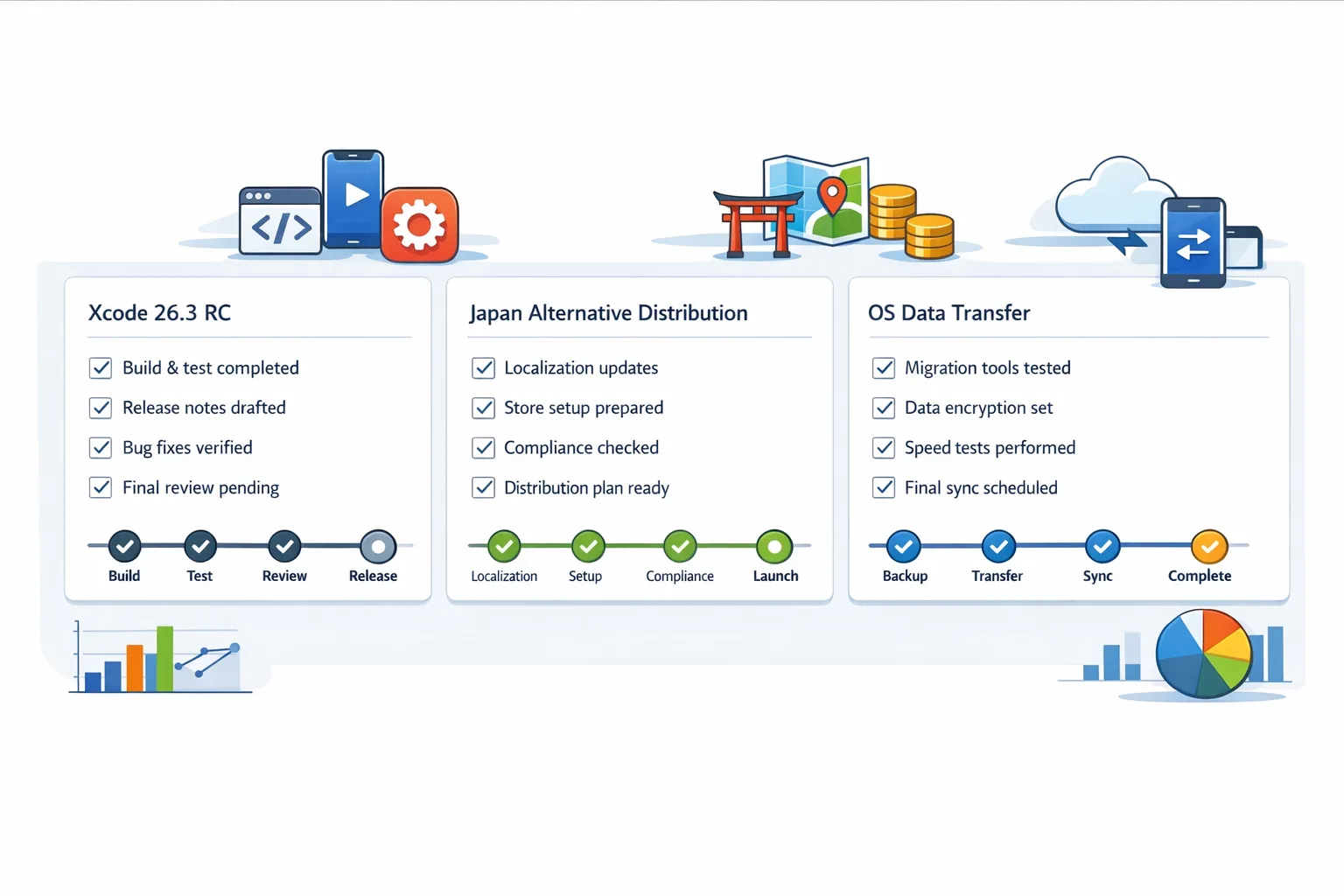
The February 2026 App Store Connect update isn’t a headline grabber—but it’s the kind of release that quietly shifts how you plan, package, and ship. As of February 3, 2026 you can upload with Xcode 26.3 Release Candidate (build 17C519) targeting the 26.2 SDKs, Japan’s new paths for alternative distribution are settling into operational reality, and OS data transfer is now a first‑class workflow rather than a rumor in release notes. If you manage mobile delivery, this is the week to align CI, compliance, and business terms.

What’s in the February 2026 App Store Connect update
Here’s the thing: updates like this look small in the UI but big in the pipeline. Three changes matter right now.
First, uploads built with Xcode 26.3 RC are accepted for App Store submission and TestFlight. That means you can validate toolchain changes without waiting for the final cut. Treat RC as production‑adjacent: run smoke tests, ship to internal rings, and soak test on a canary market.
Second, Japan’s regulatory framework (MSCA) is now reflected throughout App Store Connect documentation and workflows. If you plan to offer apps via alternative marketplaces or use alternative payment options in Japan, operational details—Notarization, marketplace tokens, entitlements, and new business terms—are concrete, not theoretical.
Third, OS data transfer lets you map your Android app identity to your iOS app so a user switching devices gets your app (and optionally their data) set up with less friction. It’s simple on paper—one iOS app maps to one Android package, up to five mappings per app—but you’ll want to stage and test it, especially if you run multiple brands or country‑specific SKUs.
Should you adopt Xcode 26.3 RC today?
I’m a fan of RCs for real‑world validation, not blanket adoption. The right move is a dual‑track pipeline:
- Keep the current stable Xcode for production hotfixes.
- Introduce Xcode 26.3 RC for nightly builds, internal TestFlight, and canary cohorts.
Why? Two reasons. First, SDK shifts (even minor) can surface subtle layout or rendering differences across iOS 26.2 and 26.3 betas. Second, build setting defaults occasionally change between point releases, and you want telemetry before you flip the switch for 100% of users.
Practical tip: pin your CI images by build number (17C519) and capture a weekly diff of warnings, symbols size, and cold start times. If your performance or crash curves are flat for two weeks, green‑light broader rollout.
Japan’s alternative distribution: what actually changes
Let’s get practical. Under Japan’s MSCA, Apple now supports alternative app marketplaces and alternative payment options for digital goods and services in that region. For developers, that translates to a set of extra steps and new business terms rather than a free‑for‑all.
How it works operationally:
- Agree to updated terms by March 17, 2026. The Account Holder must accept the latest Developer Program License Agreement to unlock the new options for Japan.
- Choose your path. You can distribute on the App Store (status quo), distribute on an approved alternative marketplace, operate your own marketplace (authorization required), and/or use alternative payment options within your App Store app in Japan.
- Plan for Notarization. Apps distributed via alternative marketplaces go through Notarization review (a subset of App Review). Expect checks for accuracy, basic functionality, and compatibility with current iOS.
- Handle marketplace logistics. Alternative distribution uses App Store Connect and its API to register the marketplace, add the marketplace token, mark eligible apps, and send update notifications to the marketplace.
- Budget for the Core Technology Commission. Sales of digital goods or services outside Apple’s in‑app purchase within these flows are subject to a Core Technology Commission (CTC). Model this before you pick a pricing or channel strategy.
Two gotchas we’ve already seen on teams piloting Japan readiness: first, entitlement and token management belongs in your secrets rotation plan—treat marketplace tokens like payment keys. Second, QA your purchase flows and disclosure screens in Japanese from day one; localized compliance language isn’t a post‑string‑freeze task.
OS data transfer: the migration you can finally plan around
Cross‑platform acquisition is expensive when “download friction” meets “data loss anxiety.” OS data transfer reduces both. During device setup, Android shares a list of installed app IDs; iOS matches those IDs to your mappings in App Store Connect and can pre‑stage the right iOS app to install. If you also implement migration using Apple’s AppMigrationKit, you can carry user data over with predictable guardrails.
What the engineering checklist looks like:
- Collect identifiers. Android package name and SHA‑256 certificate fingerprint of your signing key. Store these in a source‑controlled config file used to seed App Store Connect and your telemetry.
- Decide mappings. Each iOS app can map to one Android app; you can set up to five mappings per app. Use this headroom for historical package renames or region‑specific Android variants.
- Stage on iOS 26.3. End‑to‑end testing requires iOS 26.3 or later and an Android version that supports OS data transfer. Build a small internal lab matrix and rehearse the setup flow.
- Implement AppMigrationKit if you move data. Validate data selectors and opt‑ins. Keep PII out of the transfer unless it’s absolutely necessary, and align with your privacy disclosures.
Measurement tip: tag installs that arrive via OS data transfer so you can compare 1‑, 7‑, and 30‑day retention against organic App Store installs. We’ve seen materially higher day‑1 activation when the first‑run experience recognizes a returning user.
App Store Connect update: a shipping checklist you can use
Use this 30‑minute, three‑part checklist to fold the February App Store Connect update into your week without derailing sprint goals.
1) Pipeline hardening
- Pin CI to Xcode 26.3 RC (17C519) for nightly builds; keep the current stable Xcode for production hotfixes.
- Run targeted UI tests on iOS 26.2 and 26.3 RC to catch layout regressions.
- Track build size deltas and app launch times; flag >3% movement for review.
2) Japan decision memo
- Align product, finance, and legal on whether to use alternative distribution, alternative payments, or both in Japan.
- Estimate CTC impact across your top five SKUs; model retention and LTV under each channel.
- Prepare Notarization artifacts (accurate app description, screenshots, and marketplace metadata) and draft a localization schedule.
3) OS data transfer enablement
- Gather Android identifiers and add up to five historical mappings per iOS app where needed.
- Implement a migration experiment with AppMigrationKit behind a server‑toggled flag.
- Add analytics dimensions to attribute OS data transfer installs and migrations.
People also ask
Do I have to move my whole team to Xcode 26.3 RC?
No. Keep a stable track for production, and run RC on canary builds. The goal is to surface regressions early while keeping your hotfix path predictable.
What is alternative distribution in Japan, in plain English?
You can ship notarized iOS apps through approved marketplaces outside the App Store. You’ll use App Store Connect and its API for registration and updates, comply with Notarization, and accept new business terms (including the CTC on digital goods sold outside Apple’s billing).
Will OS data transfer move all of my user’s data?
Only what you explicitly support. Mapping ensures the right app gets queued on iOS. Data migration is opt‑in and requires you to implement migration with clear privacy posture. Treat it as a retention tool, not a dump‑everything pipe.
A pragmatic framework: the 3×3 Release Grid
When platform rules move, I use a simple grid—three workstreams, three horizons—to keep teams sane.
Workstreams
- Engineering: Toolchains, CI images, SDK/API changes, telemetry.
- Product/Design: First‑run UX for migrated users, marketplace disclosure screens, pricing tiers.
- Compliance/Finance: Notarization readiness, age ratings, payments, CTC modeling.
Horizons
- This sprint (1–2 weeks): Dual‑track Xcode builds, accept updated Japan terms (if applicable), create OS data transfer mappings.
- Next release (4–6 weeks): Localize marketplace disclosures, enable AppMigrationKit for 10% of eligible migrations, validate billing and refunds in Japan flows.
- Quarter (8–12 weeks): Decide long‑term Japan channel mix, optimize paid UA against OS data transfer cohorts, standardize secrets rotation for marketplace tokens.
Compliance you shouldn’t ignore
Any time you touch distribution or payments, re‑check the rest of your compliance stack. Age gates and verification are top‑of‑stack for both Apple and regulators. If you’ve been sprinting toward feature delivery and need a hardening pass, start here:
Use our practical guidance on shipping an age‑appropriate UX for 2026 and the deep dive on building age verification workflows that actually convert. If you’re staring down a deadline, the deadline playbook will help you triage the last mile.
Separate but related: your release hygiene matters when RCs enter the chat. Our security release playbook outlines a repeatable pattern for staged rollouts, regression gates, and post‑deploy audits—use the same discipline here.
Risks, caveats, and edge cases
Marketplace tokens and entitlements should live under the same protection you give to production API keys. Rotate on a schedule, limit scope, and keep blast radius small. Build an on‑call runbook that includes marketplace failure modes (token revoked, Notarization status mismatches, marketplace update lag) and how your app recovers.
For OS data transfer, confirm how you’ll handle users with multiple Android variants that all map to a single iOS app. Decide a deterministic priority (e.g., same‑region SKU wins) and document it. If you migrate data, treat failures like cold starts: don’t strand users in a half‑migrated state.
On the RC front, remember that build tools and SDKs can differ subtly from final releases. If an RC‑only regression appears, keep the fix behind a build‑flag so you don’t fork behavior when 26.3 GM drops.
What to do next
- Today (February 6, 2026): Pin an RC lane in CI (17C519), kick off a 48‑hour compatibility run across your smoke tests.
- This week: Draft a Japan channel memo. If you won’t use alternative distribution or payments this year, write that down—and why—so you don’t relitigate it every sprint.
- Next two weeks: Configure OS data transfer mappings, run a 10% migration experiment with AppMigrationKit, and measure activation/retention deltas.
- Before March 17, 2026: If Japan is in scope, accept the updated terms and finalize Notarization readiness.
Need a seasoned partner?
If you want help modeling Japan’s economics, setting up marketplace workflows, or turning OS data transfer into a retention lift, our team can step in for the messy middle. Start with what we do, browse relevant results in our portfolio, or reach out via a quick note to our engineers. We ship with you, not at you.
Zooming out, the February App Store Connect update is less about splashy features and more about dependable shipping: earlier signal from Xcode 26.3 RC, a clear lane for Japan’s new rules, and a realistic, testable path for cross‑platform onboarding. Use it to tighten your release train and remove excuses for churn during device switches. Your future self—and your retention chart—will thank you.





Comments
Be the first to comment.