
App Store Age Rating 2026: Ship a Compliant UX Now
The App Store age rating 2026 update is officially in effect. Apple reassigned ratings for every app and rolled out more granular categories—13+, 16+, and 18+—alongside new questions in App Store Connect. If you haven’t answered those questions and aligned your UX, your next submission can stall. This piece is the practical guide we’re sending clients this week: what changed, what to implement, and how to avoid review landmines while protecting activation and retention.
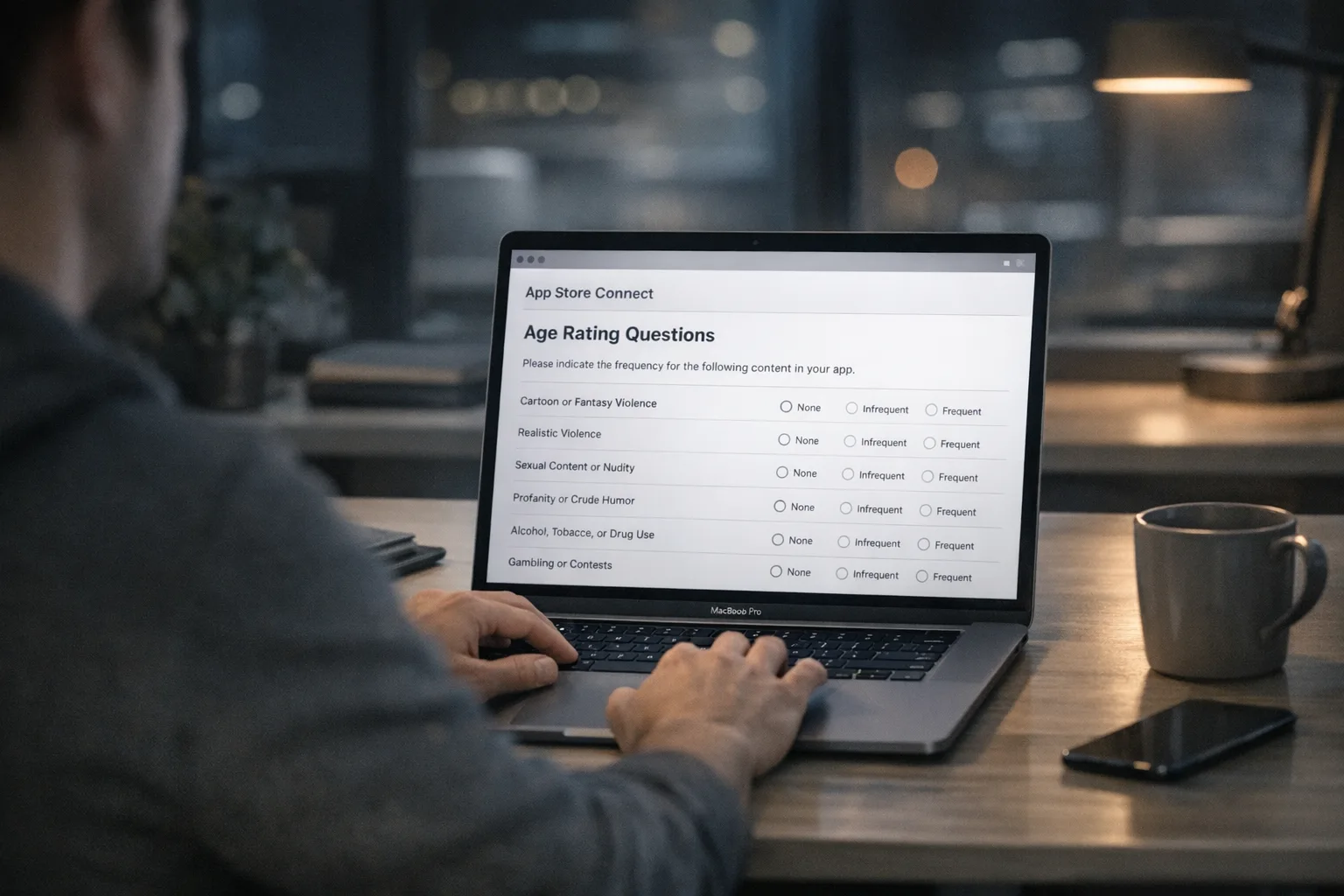
What changed on January 31, 2026
Three things matter to teams shipping updates right now:
First, ratings were automatically updated across your catalog. Your apps now display the new age tiers on devices running the latest OS versions (iOS 26, iPadOS 26, macOS 26, tvOS 26, visionOS 26, and watchOS 26). You’ll see the new rating in App Information inside App Store Connect.
Second, Apple added and revised age rating questions. You must answer the updated questionnaire before you can smoothly submit updates. Expect prompts about user-generated content (UGC), messaging, advertising exposure, in-app content controls, and whether you implement features like parental controls or age assurance.
Third, parental tooling is tighter. Screen Time, Ask to Buy, and communication safety hooks rely on your declared rating and on whether you signal specific capabilities (UGC, chat, live content). The rating you choose now has real distribution consequences for family accounts and minors’ devices.
Why this matters to acquisition and product strategy
Age ratings are no longer a quiet formality. They influence whether your product is discoverable for teen accounts, whether it can be downloaded at all under family restrictions, and whether your App Store page communicates enough safety context to convert cautious parents. A mismatched rating or an incomplete questionnaire can block installs for a slice of your audience and penalize visibility in curated placements.
There’s also a privacy balance. Apple’s model emphasizes “declared age + parental controls,” not heavy-handed ID checks by default. That’s good for onboarding speed, but it puts more responsibility on your product to articulate content controls and to implement an age-appropriate UX where needed. Done right, you reduce friction while meeting the new expectations.
Primary keyword: how to handle the App Store age rating 2026 questionnaires
Let’s get practical. Before you touch code, run a content and capability inventory. Map every feature that could affect your rating or your disclosure answers: UGC types, in-app messaging, livestreams, user search and discovery, payment or tipping, ad placements (including third-party networks), and any maturity filters or controls you provide.
Then answer the new questions consistently across your binary and marketing assets. If you declare UGC and messaging, your screenshots, copy, and first-time user experience should reflect appropriate moderation and controls. If you say you have in-app content controls, surface them prominently—hidden toggles buried in Settings aren’t enough.
Age assurance patterns that pass review (without killing activation)
Apple’s current approach doesn’t force developers to run ID checks for most use cases. That doesn’t mean you can skip gating. For apps with UGC, chat, dating, or sensitive themes, reviewers expect age-appropriate friction. Based on recent approvals across social, productivity, and community apps, these patterns are working well:
1) Declare-and-gate with progressive disclosure
Ask for age upfront only when risk is high (e.g., chat, public posting, or rooms with mature content). Otherwise, collect self-declared age during profile setup but delay hard gating until a protected capability is invoked. This keeps first-session time-to-value low while still preventing underage access to sensitive features.
2) Capability-based controls, not app-wide walls
Gate specific features—not the whole product—unless the entire app’s core value is adult-only. For example, let teens read public content but require 16+ (or 18+) for DM invites or voice rooms, with clear tooltips explaining why. Capability-based gating preserves organic discovery and reduces churn for users who mis-tap age prompts.
3) Parental consent handoff when justified
For apps that legitimately need higher-risk features for minors—think mentorship chat or community Q&A—implement a parental consent path. Use an email or iMessage-based handoff tied to Family Sharing where possible. Make the ask contextual, after the user has seen value, and offer a “continue in restricted mode” fallback.
4) Content labeling and default-on filters
If your community has mature topics, label them and default to a safe subset for users under 18. Allow adults to opt into broader content. Keep the toggle easy to find and explain its effect in plain language. Reviewers look for defaults that err on the side of caution, not a maze of hidden switches.
Do I need to verify IDs now?
Usually, no. The platform relies on declared age and family controls for general cases. However, certain jurisdictions are introducing state-level rules that push for stronger age checks in specific app categories. If you operate in regulated verticals (adult content, gambling, restricted marketplaces), consult counsel and be prepared to layer optional identity proof only where legally necessary. For most mainstream apps, a well-implemented self-declare + controls model is sufficient for review.
Does this apply to older iOS versions?
Your declared rating travels with your binary, and parents on older OS versions still benefit from Screen Time and Ask to Buy. The more granular 13+/16+/18+ badges appear on the latest OS releases, but your disclosures and gating approach should be consistent across supported versions. If a feature is risky on iOS 26, it’s risky on iOS 25—don’t fragment your safeguards.
How the new tiers affect distribution
Here’s the thing: many teen users discover apps through shared links, Creator content, and search. If your app tips into 18+ because of avoidable defaults (for example, unrestricted public chat or mature content surfaced on the home feed), you will quietly lose that distribution. In our client work, simply making sensitive features opt-in for first use—and reducing how often the home feed surfaces mature content to new accounts—has preserved a 13+ or 16+ rating without harming adult engagement.
On the flip side, under-rating your app invites rejections or forced reclassification. Align your declared capabilities with what users can actually do in the first five minutes. Reviewers judge what’s in front of them, not your roadmap or moderation policy doc.
Implementation playbook: an age assurance UX that scales
Here’s a reference flow we’ve shipped across multiple apps that balances compliance and conversion:
Step A — First run
Collect declared age during onboarding as part of profile basics. Keep it a simple month/year, with an info line explaining why you ask (“to show age‑appropriate features”). Don’t require full birth date visible in the profile; store birth year and a derived age flag server-side.
Step B — Assign capability flags
Map age to capability flags server-side (e.g., can_dm, can_join_live_audio, can_view_mature_topics). Keep the mapping configurable so product can tune it without a client update. Persist the mapping per session and return it with auth so feature guards are consistent across platforms.
Step C — Default-on safety
Enable content filters for under-18 by default. Gate risky interactions such as sending DMs, joining rooms with mature tags, or uploading public media. Use inline copy to explain what’s blocked and why. Provide a clear path for adults to adjust settings—and for minors to request parent approval if that’s appropriate for your product.
Step D — Progressive prompts
Ask for parental consent only when the user reaches a blocked action. Offer a “continue in restricted mode” option so people aren’t forced to abandon the session. For apps with workplace or school contexts, allow organization admins to pre-approve capabilities via a managed enrollment flow.
Step E — Signals and audits
Log capability checks and parental approvals as discrete events. Build a lightweight audit trail per user so you can respond to App Review questions and user reports. Also log rating‑relevant toggles (e.g., mature content filter on/off). Instrument funnels to quantify any friction introduced by gating.
Data-backed checkpoints: dates, versions, and submission hygiene
Anchor your release planning to three concrete facts: the new ratings began surfacing on January 31, 2026; the age rating questionnaire in App Store Connect must be completed before smooth submissions; and apps uploaded since April 24, 2025 must target the current SDKs with modern Xcode. If your project is still on older toolchains or depending on unstable entitlements, every compliance fix will take longer than it should. Plan a hardening sprint before you bump your rating or turn on new gating.
Review pitfalls we’re seeing right now
These are the fastest ways to earn a rejection or a reclassification request:
— Declaring UGC or messaging without visible moderation tools in the first session. Add report/block in-context, plus clear links to your content policy.
— Labeling parental controls in the questionnaire but burying the setting three screens deep. Surface them in onboarding or first-run tips.
— Confusing copy at the moment of gating (“This feature is not available”). Tell users exactly why and what to do next (“DMs are 16+. You can still follow creators.”).
— Using a single global switch for “mature content” while your feed or discovery still surfaces borderline items to new accounts. Treat mature topics as an opt‑in per category, not a blanket toggle.
— Inconsistent server and client checks. If the client hides a feature but the API still allows it, reviewers can trigger edge cases with test accounts. Enforce capability flags on the backend.
Minimal viable update you can ship this week
If you’re late, prioritize this seven‑step plan. It’s the shortest path to safety while preserving growth levers:
1) Complete the new App Store Connect age rating questionnaire for each app and locale. Align screenshots and copy to your answers.
2) Add a simple age declare screen to onboarding, storing only what you need (birth year or an 18+/16+/13+ Boolean set). Avoid collecting sensitive data you won’t use.
3) Implement capability flags on the backend (e.g., can_dm, can_post_public). Return them with the session token; enforce on both server and client.
4) Default under-18 accounts into safer mode: filtered feeds, restricted messaging, and clear labels on restricted features.
5) Add a parental consent path if your app truly needs a restricted capability for minors. Otherwise, let under-18 users continue with a great read/browse experience.
6) Instrument analytics around the gating moments to measure drop-off. Set target thresholds so product and marketing can react fast.
7) Prepare a one‑pager for App Review describing your gating logic, moderation, and reporting tools. Keep it in your app’s support site and point to it in your review notes.
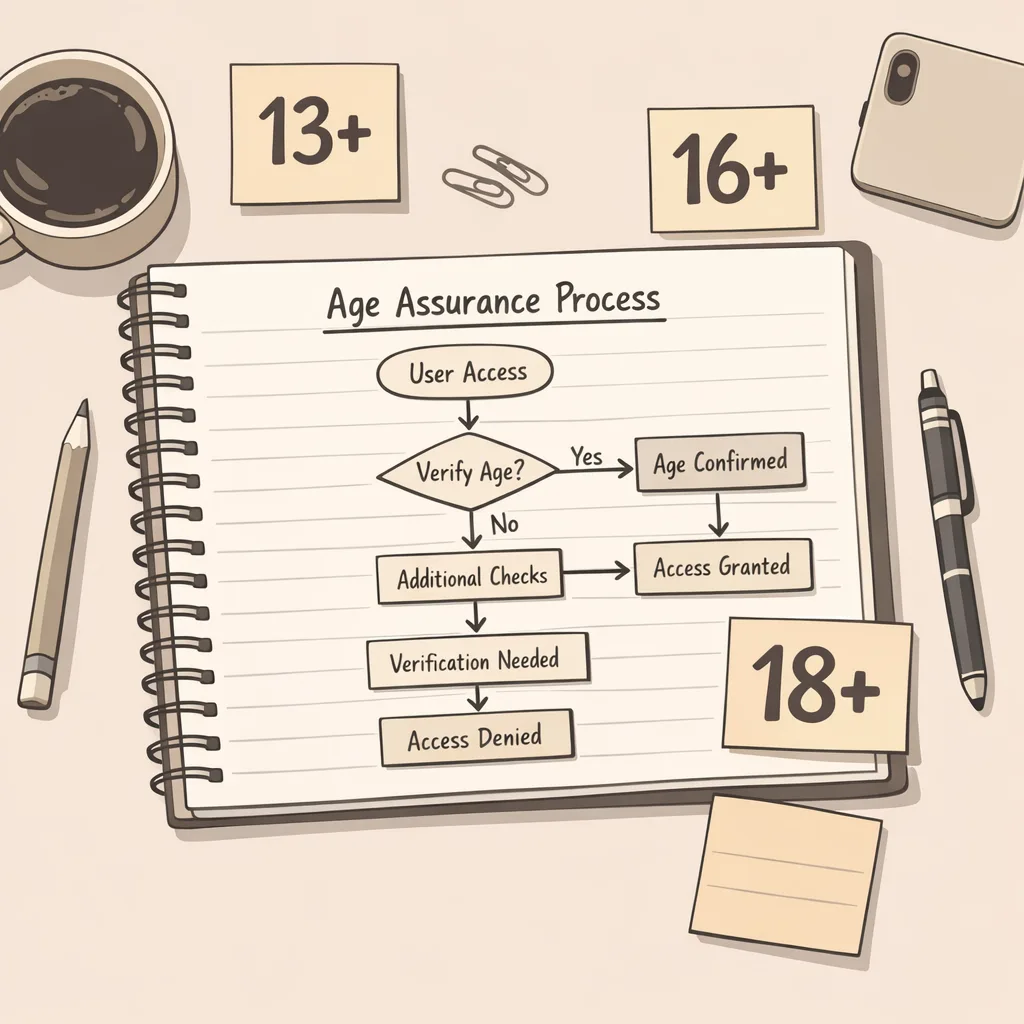
How state laws and platform policy collide
Several U.S. states have advanced or implemented new requirements around online protections for minors. Platforms are responding with account-level controls, APIs, and stronger defaults, and Apple’s more granular rating tiers are part of that response. Your job is to design for two truths: platform policy is what gets your app approved, and regional laws may require additional steps for specific categories. Architect your age assurance so you can turn on stricter flows per region without forcing every user through a heavyweight check.
Security, privacy, and data minimization
Keep declared age and capability flags as the minimal data you store. For parental consent, prefer a cryptographic token or platform-provided mechanism tied to a family account rather than holding IDs or documents on your servers. If you add third‑party age or ID vendors, sandbox their SDKs, isolate permissions, and document data flows in your privacy policy. Test import/export and deletion paths so you can honor requests quickly.
Operationalizing compliance: owners, runbooks, and SLAs
Treat the new rating regime like any other compliance control: assign an owner, document the mapping from rating to capability flags, and set SLAs for fixing regressions. Run quarterly reviews of feature launches against the rating and re‑answer the questionnaire if needed. Add staging accounts that simulate teen and family scenarios so QA can validate content exposure and gated capabilities before you ship.
Real-world patterns from teams shipping this month
We’re seeing three repeatable patterns that preserve growth:
— “Safe-first feed” for new users. The first five sessions show only labeled, moderated content. As trust signals accumulate (age, behavior, moderation quality), adults can broaden their feed.
— “Request to DM” instead of open messaging. Users under 16 send a follow or request; adults accept before the conversation opens. This alone can keep a community app in the 13+ or 16+ tier.
— “Contextual consent” for minors. Rather than a jarring parental email during signup, the request appears when a teen taps “Join Live Chat,” with a preview of read‑only mode available immediately.
What to do next
— Update your App Store Connect answers and app copy to match your real capabilities.
— Implement capability flags and server‑enforced checks this sprint.
— Ship a minimal declare‑and‑gate flow; add parental consent only where it unlocks clear value.
— Review analytics daily for activation and retention impact; tune gating thresholds.
— Prepare a short review note explaining your safeguards to speed approval.
If you want hands-on help standing this up fast, our team ships these flows for consumer, creator, and marketplace apps weekly. See how we work on our product and engineering services page, browse relevant case studies, and read our deeper dive in App Store Age Rating Updates 2026: Ship Now. For more tactical checklists, we also cover 2026 App Store age verification requirements with implementation details.
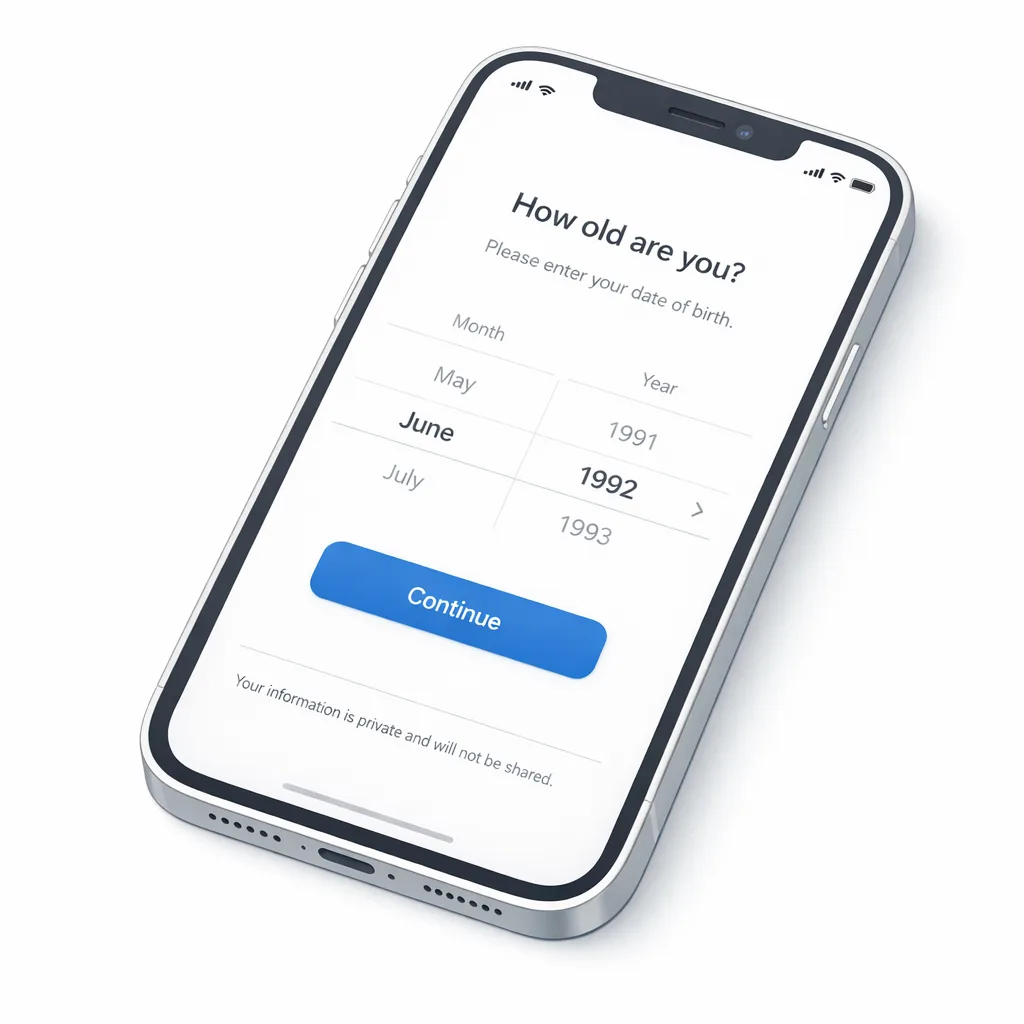
Zooming out, this new rating system is a durable shift, not a one-off deadline. Bake age assurance into your product thinking the way you did with privacy labels and ATT: principled defaults, minimal data, and observable outcomes. Ship the smallest compliant change today, keep your foot on the growth pedal, and iterate with evidence.





Comments
Be the first to comment.