
App Store Connect Update: The April 28 SDK Cutover
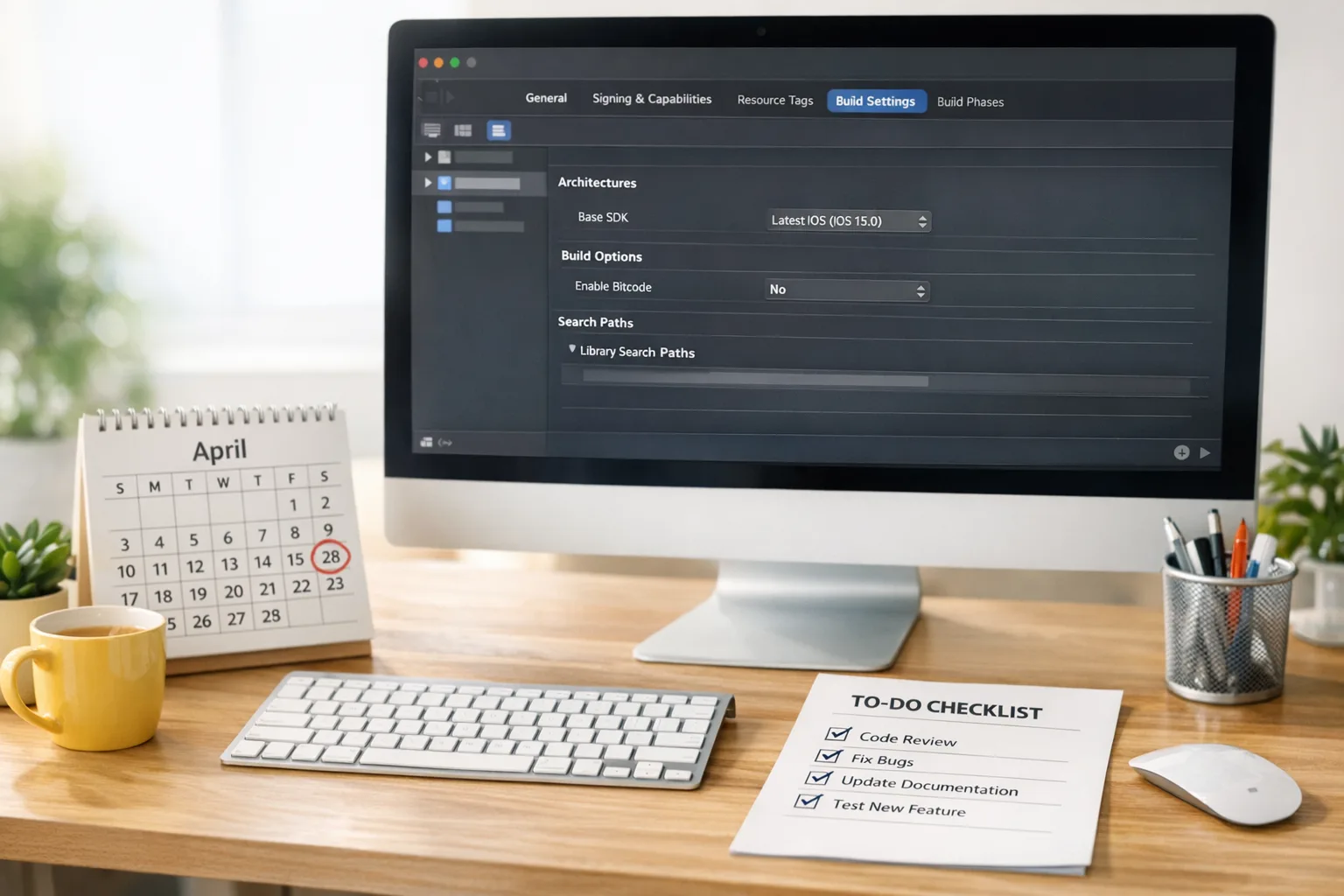
The latest App Store Connect update sets a hard deadline: beginning April 28, 2026, all uploads must be built with Xcode 26 or later using current platform SDKs. If you lead iOS, visionOS, tvOS, or watchOS releases, this App Store Connect update isn’t optional housekeeping—it’s a build-chain decision with product, QA, and launch‑timing implications. (developer.apple.com)
What changed on February 3—and what’s coming April 28?
On February 3, Apple enabled uploads built with Xcode 26.3 Release Candidate (SDKs at 26.2) and reiterated the upcoming minimums. If you’ve been holding on Xcode upgrades to avoid compiler churn, that runway is now short. (developer.apple.com)
Apple’s “Submitting” page spells out the April 28 requirement: apps uploaded to App Store Connect must be built with Xcode 26+ using SDKs for iOS/iPadOS 26, tvOS 26, visionOS 26, or watchOS 26. In practical terms, your build machine images, CI runners, and Fastlane/Xcode Cloud configs must be updated ahead of that date—or submissions will be blocked by the store’s minimum checks. (developer.apple.com)
Platform minimums you’ll actually feel
Here’s what teams typically underestimate during a cutover:
- New SDK symbols and deprecations can flip previously “green” modules red, especially for private API shims and legacy UI code.
- Third‑party SDKs compiled against older toolchains can trigger linker surprises; update ad/analytics, sign‑in, and payments SDKs early.
- Build time and cache busting: changing Xcode versions invalidates caches across CI; plan longer pipelines the first week you switch.
Also worth noting: Apple’s release cadence shows the store is comfortable accepting 26.2 SDK builds right now via Xcode 26.3 RC—use that to dry‑run your pipeline before the final switch. (developer.apple.com)
Do I have to raise my minimum iOS version to 26?
No. Building with the latest SDK doesn’t mean you must drop older devices. Xcode 26.3 supports deployment targets well below iOS/iPadOS 26, so you can keep serving users on older OS versions while compiling against the newest SDK. Keep your minimums where your users are; just migrate the toolchain. (developer.apple.com)
Here’s the thing: compatibility gaps still sneak in. New SDKs can change default behaviors (e.g., navigation, scene lifecycles, background task thresholds). Run smoke tests on real devices across your bottom‑two supported OS versions before you trust simulators.
Age ratings 2026: your metadata probably changed
Since January 31, 2026, Apple has rolled out an updated age rating system and auto‑mapped existing ratings. If you skipped the new questionnaire, you risk friction on your next update. Make sure your PM or release manager reviews the updated questions in App Information and verifies the reflected ratings across platforms on iOS 26 and newer. (developer.apple.com)
If you’re wrestling with the nuances (e.g., how user‑generated content or simulated gambling affects your rating and geo‑availability), bookmark our practical breakdown in App Store Age Ratings 2026: What to Ship Now and the deeper architecture notes in Architecture That Works. We also maintain a live tactics list in What Changed and What to Ship—share that with whoever handles your store listings.
UK developers: watch the CMA commitments starting April 1
On February 10, the UK’s Competition and Markets Authority published proposed commitments from Apple and Google aimed at fairer app store processes and better iOS interoperability, with monitoring slated to start April 1, 2026, after a short consultation window. If you ship in the UK, budget engineering time to evaluate new hooks—especially around digital wallets and system integrations—once Apple documents what “greater interoperability” means in practice. (gov.uk)
Zooming out: these are voluntary commitments under the UK’s digital markets regime, not fee reforms. Don’t plan revenue models around a lower commission just yet; use this window to prioritize feature‑level access (e.g., payments UX, wallet passes, or secure handoffs) that could improve conversion in the UK without forking your whole app. (gov.uk)
Engineering plan: a 30–14–7–1 day SDK cutover checklist
Let’s get practical. Here’s the rollout plan we use with client teams to de‑risk store cutovers.
30 days out
- Pin the toolchain. Lock a branch on Xcode 26.3 RC and the 26.2 SDKs for iOS/iPadOS/macOS/tvOS/visionOS/watchOS. Run full CI with code signing to catch provisioning drift early. (developer.apple.com)
- Update third‑party SDKs. Pull the latest ad, analytics, sign‑in, maps, and payments SDKs to versions explicitly tested on Xcode 26.x in their release notes.
- Audit deployment targets. Keep them user‑led, not engineer‑led. Only raise minimums if you have a clear retention and LTV story to justify it. (developer.apple.com)
- Metadata pass. Complete the new age rating questionnaire and re‑confirm privacy nutrition labels. Assign a DRI for each storefront language. (developer.apple.com)
14 days out
- Run a “can submit?” rehearsal. Submit a TestFlight build from the updated toolchain and ensure App Store Connect accepts the binary with no minimum‑SDK warnings. (developer.apple.com)
- Device matrix. Smoke test on two devices for each of your bottom‑two OS versions. Focus on push, purchases, background tasks, and deep links.
- CI image promotion. Promote the new Xcode image to your default runner and keep the old one as a fallback for hotfix branches (time‑boxed to 14 days).
7 days out
- Crash analytics “cold start” plan. Expect symbol mismatches the first day after toolchain swaps. Pre‑warm dSYM upload automation and test your alerting thresholds.
- Release guardrails. Freeze non‑critical scope. Enforce PR templates that flag use of new APIs gated behind availability checks.
- Store assets. Re‑export screenshots where UI chrome changed under the new SDK; verify locale coverage.
1 day out
- Cut an RC build. Tag, notarize where applicable, and run your full regression suite. Green‑light your app-specific shared secrets and payment test accounts.
- Have a backout story. If you find a showstopper, your rollback should be to a forward‑built patch on the latest SDK, not to the old toolchain (which the store will soon refuse). (developer.apple.com)
CI/CD and store ops: speed without chaos
App Store Connect now lets you submit additional items while another submission is in progress. Translation: you can move faster without playing “queue chicken,” but only if your release procedures are disciplined—separate your marketing metadata change from your binary when you can. (developer.apple.com)
Update your automation stack (Fastlane actions, notary tools, or Xcode Cloud workflows) to target Xcode 26 images. Cache restores will spike build times on day one—plan extra capacity and use concurrent TestFlight tracks to keep QA unblocked while the production build signs. (developer.apple.com)
Privacy gotchas: AI features need explicit consent
Apple’s guidelines now explicitly call out sharing personal data with “third‑party AI.” If you call any external model APIs, you must disclose where data goes and obtain explicit permission before transmitting it. Update your consent UX and purpose strings accordingly, and don’t assume “anonymized” telemetry is safe to reuse for model tuning. (developer.apple.com)
For many teams, the fastest path is to split your model clients behind a feature flag, add an in‑app data use explainer, and gate outbound calls on consent. If your foundation‑model features are core to your product, schedule a privacy design review with legal now—before a rejection costs you a launch slot.
People also ask: common cutover questions
What happens if I submit with an old SDK after April 28?
App Store Connect enforces the minimum toolchain. Builds not meeting the Xcode 26+/current‑SDK requirement won’t be accepted for upload or review. Don’t depend on exceptions; update CI images and re‑sign now. (developer.apple.com)
Can I keep my minimum iOS version at, say, 15 or 16?
Yes. Building with the latest SDK is compatible with lower deployment targets. Your decision should follow your user distribution and performance profile, not the store cutover. (developer.apple.com)
Do I need to redo my age rating if nothing changed in‑app?
You should confirm the new questionnaire and ensure auto‑mapped results reflect your content accurately. It’s quick insurance against a release‑day block. (developer.apple.com)
Will the UK’s CMA move change how I ship outside the UK?
Not immediately. The commitments target UK market outcomes and monitoring begins April 1, 2026. Treat them as a signal to design for conditional capabilities (e.g., wallet access) that you can enable per region. (gov.uk)
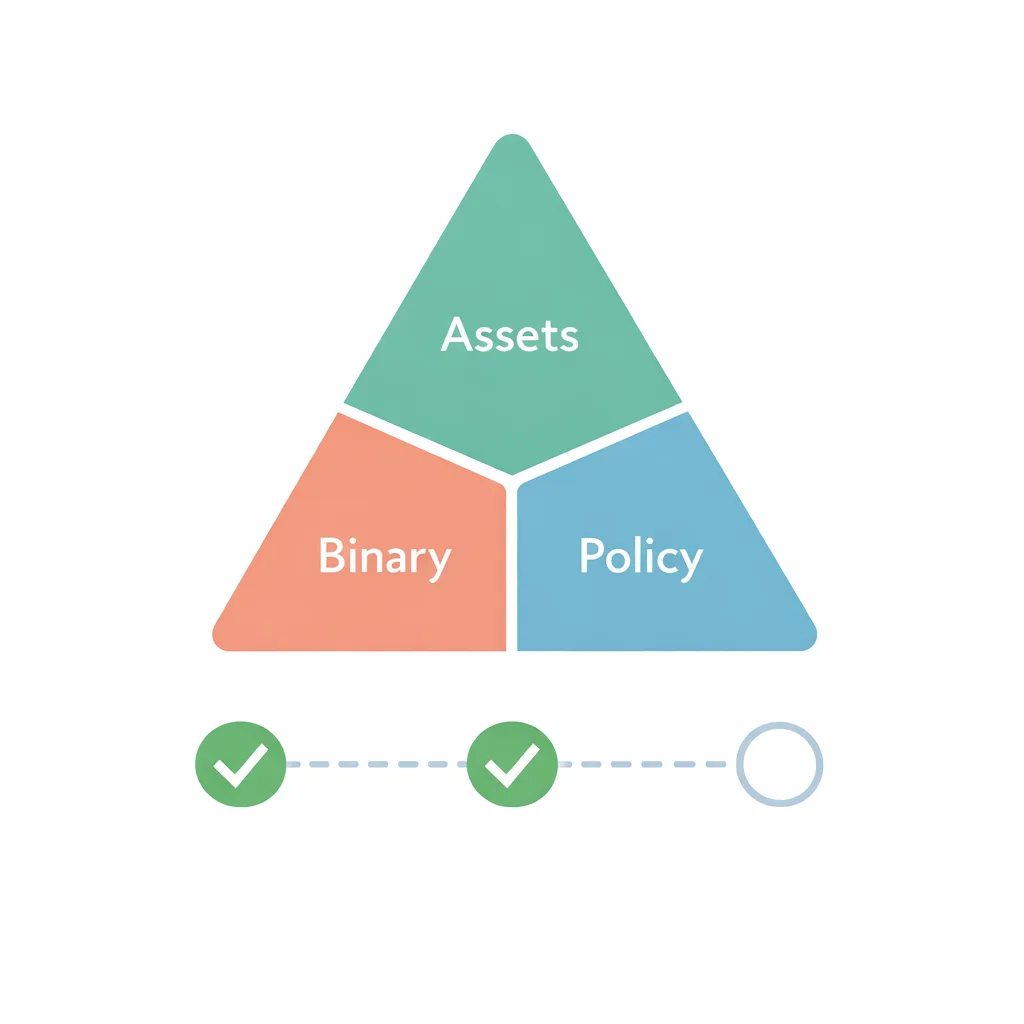
A fast, safe path to compliance: the Asset–Binary–Policy triangle
When we rescue late projects, three things are out of sync: assets (screenshots, rating, privacy labels), binary (SDK, symbols, signing), and policy (age rating answers, consent flows, payments/linking rules). Use this triangle as a weekly stand‑up check until May:
- Assets: re‑export screenshots on devices running 26‑series OSes; confirm age rating and accessibility labels are correct. (developer.apple.com)
- Binary: compile with Xcode 26.3 RC now; validate on physical devices across your bottom‑two OSes. (developer.apple.com)
- Policy: update consent copy to meet 5.1.2(i) for third‑party AI and verify your payment/link‑out flows are within your targeted regions’ rules. (developer.apple.com)
What to do next
If you’ve read this far, you’re already ahead. Lock these actions in this week:
- Upgrade your build nodes to Xcode 26.3 RC; ship a TestFlight build to validate signing and symbolication. (developer.apple.com)
- Complete the new age rating questionnaire and sanity‑check your regional storefronts. (developer.apple.com)
- Plan for UK‑specific capabilities that could open up under CMA monitoring in April. Keep changes behind flags. (gov.uk)
- Review your AI integrations for explicit consent and data sharing disclosures required by 5.1.2(i). (developer.apple.com)
Need a second set of eyes before the cutoff? Our team has already moved multiple pipelines to Xcode 26 this month. If you want a focused, weeklong audit with hands‑on fixes, start here: mobile release readiness services. For a deeper checklist on the store UI and workflow tweaks specific to this month’s drop, read February 2026 App Store Connect Update: Ship Smarter. If your roadmap touches AI or compliance, pair this with our EU AI Act 2026 playbook so privacy reviews don’t derail launch week.
The bottom line
April 28 isn’t just a calendar detail—it’s a tooling mandate. Move your builds and dependencies to Xcode 26 now, rehearse uploads, and lock your store metadata. Do those three things and you’ll glide through the cutover while competitors scramble. Then, keep one eye on the UK’s commitments and Apple’s evolving guidance on third‑party AI data use; both will shape what features you can responsibly—and compliantly—ship this spring. (developer.apple.com)






Comments
Be the first to comment.