
App Store Age Ratings 2026: Ship After the Deadline
If App Store Connect just blocked your release with a cheery “answer the updated age ratings questions” banner, you’ve hit the new reality of App Store age ratings 2026. Apple added teen‑focused tiers (13+, 16+, 18+), removed 12+ and 17+, and made an expanded questionnaire mandatory. The cutoff was January 31, 2026. Since February 1, teams that didn’t update the form can’t submit new builds until they do. The fix isn’t hard—but it’s precise, and the details matter.
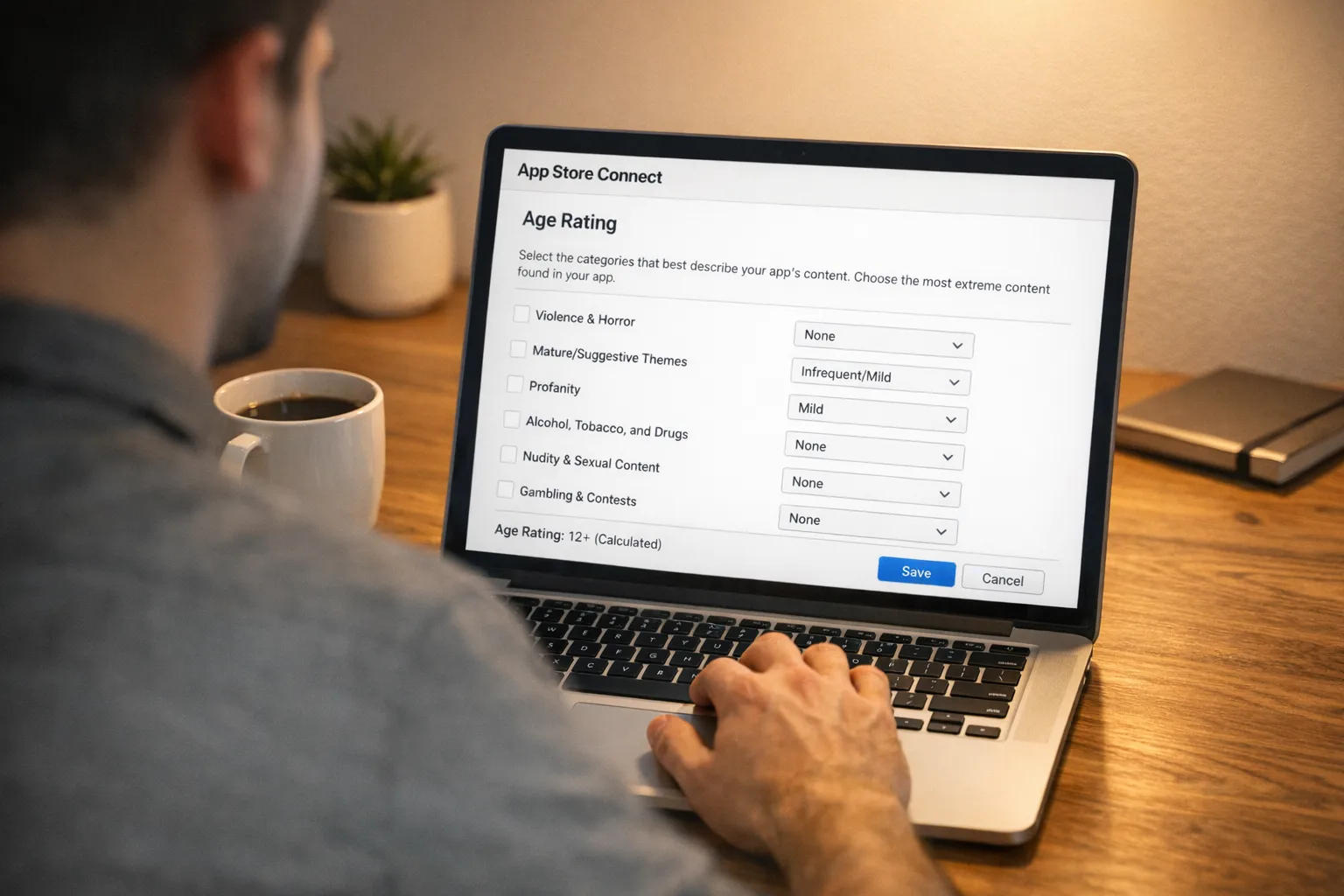
What changed in App Store age ratings 2026
Three shifts now shape how your app is shown, downloaded, and featured across Apple platforms:
First, the rating ladder. The visible options are now 4+, 9+, 13+, 16+, and 18+. If your product was previously 12+ or 17+, Apple mapped you to the nearest tier based on your historic answers. That mapping may be fine—or way off if your feature set evolved and your metadata didn’t.
Second, the questionnaire. Apple added required sections across four buckets: in‑app controls (parental controls and age assurance), capabilities (for example, unrestricted web access), medical or wellness content, and violent themes. Your rating is recalculated from those answers, with some regional variance. You can raise a rating above Apple’s calculation; you can’t lower it below their floor.
Third, distribution behavior. The age rating now gates more than downloads. It shapes what shows up on Today, Games, and Apps tabs for teen accounts; influences editorial featuring; and works hand‑in‑glove with Screen Time and Child/Teen account defaults. In practice, that means the wrong rating can quietly throttle discovery even if your page looks fine.
Why your build is stuck this week
Starting February 1, 2026, App Store Connect blocks submissions for apps that haven’t answered the new questions. You’ll still see analytics, respond to reviews, even configure TestFlight—but “Submit for Review” is disabled until you complete the form in App Information → Age Rating. Many teams missed this because they expected the change to be “cosmetic” or assumed an automatic reassignment covered them. It didn’t.
There’s also a policy ripple in the United States: state age‑assurance laws that kicked in on January 1, 2026 for some jurisdictions (notably Texas) influenced Apple’s platform‑level enforcement. The effect for most teams is indirect—you’re not doing identity checks—but you do need to answer the new age‑assurance and in‑app control questions accurately and implement Apple’s privacy‑preserving age‑range signals where relevant.
The 90‑minute unblock: a step‑by‑step that actually works
I’ve used this sequence across multiple client apps in the past two weeks. It’s fast, thorough, and avoids back‑and‑forth with App Review.
1) Snapshot your current state (10 minutes)
Open App Store Connect → App Information → Age Rating. Export screenshots of your current descriptors and platform settings. Note whether your app includes: UGC (post, comment, upload), messaging or friending, advertising SDKs, webviews with unrestricted browsing, simulated gambling, or health/wellness content. List them plainly—no marketing language.
2) Answer the four new buckets (20–30 minutes)
Be literal and complete. “In‑app controls” means real switches that parents or users can access, not vague policies. “Capabilities” include any embedded browser or off‑domain navigation. “Medical or wellness” covers mental health check‑ins, period tracking, breathwork, or symptom diaries, not just regulated medical advice. “Violent themes” aren’t just gore—cartoon/fantasy fighting and frequent contests count.
When Apple proposes a rating, sanity‑check it against your user promises and markets. If in doubt, round up. We’ve had smoother reviews raising to 16+ for apps with unfiltered webviews than trying to argue for 13+ with a last‑minute whitelist.
3) Wire the platform signals (20 minutes)
If your flows differ by age group, implement Apple’s age‑range signal so you’re not guessing. Use the privacy‑preserving model: request only the range you need (for example, “under 13,” “13–15,” “16–17,” “18+”), and gate features accordingly. Avoid storing exact birthdates. For messaging or friending, apply the new permission patterns so teens can route requests to a parent when required.
4) Update your UX copy and help center (10 minutes)
Translate enforcement into clear UI. For a teen account trying to open a link in an unrestricted webview, show a short explainer and an “Ask a parent” path if your product supports it. In release notes, explain that age‑appropriate defaults are on—this reduces support load.
5) Run the two‑device review test (15 minutes)
Test with a regular adult account and a managed teen/child account. Verify: discovery (does your app appear in search and browse?), acquisition (is the age gate respected?), and critical path (create account, message, post, purchase). Grab a two‑minute screen recording for App Review notes if behavior changes by age range.
6) Submit, then monitor (5 minutes)
In App Review notes, list the features affected by age. Keep it clinical: “Messaging requests use parental approval for under‑16 accounts; unrestricted webviews disabled under 16; UGC posting disabled under 13.” Once live, watch conversion by age bracket in your analytics—discovery changes can move your funnel.
Implementation patterns that won’t get you rejected
If your app has UGC or messaging
Gate creation for under‑13 accounts; let them view but not post unless a parent enables it in your settings. For 13–15, allow posting but require robust reporting and muting. For under‑16, route new contacts through an approval step. Make the spam controls obvious: report, block, mute should be one tap from any content card.
If you include ads or third‑party measurement
Respect “kids” zones even if your app isn’t “Made for Kids.” Disable personalized ads under 18. If you rely on third‑party SDKs, audit that they don’t fingerprint or track minors. Declare advertising in the questionnaire and call it out on your product page—Apple now surfaces this, and clarity beats confusion at review time.
If you embed an unrestricted webview
This usually pushes you to 16+. If you must reach 13+, constrain navigation: open specific URLs, remove the omnibox, block file uploads, and implement a site allowlist. Document it in review notes: “Webview restricted to example.com/* paths.”
If you’re in health, fitness, or wellness
Even breathwork and journaling trigger “medical or wellness” questions. Provide educational disclaimers and a clear “not a medical device” statement. For minors, avoid symptom scoring that implies diagnosis; reframe as general wellbeing. If you ingest sensitive entries, enforce local‑only storage with device encryption and make cloud sync opt‑in for teen accounts.
People also ask: quick answers
Do I need to update even if my rating didn’t change?
Yes. Apple requires your updated answers on file. Automatic reassignment doesn’t unlock submissions. Fill out the questionnaire once per app (and per platform if settings differ) to re‑enable “Submit for Review.”
Can I lower my app’s age rating?
You can request a higher age rating than Apple’s calculation, but you can’t force a lower one. To target a younger tier, adjust product behavior (for example, restrict webviews or disable DMs for minors), then update your responses and resubmit.
What happens if I ignore the questionnaire?
Your live app remains available, but you can’t ship updates. That means no bug fixes, no price changes tied to new binaries, and a growing security risk if you’re sitting on SDK patches. Prioritize compliance to restore your release cadence.
Timeline you can show your execs
June 2025: Apple announced expanded parental tools, a new age‑range signal for developers, and more granular App Store ratings. July 2025: developer emails and documentation detailed the 13+/16+/18+ tiers and the required questionnaire updates. January 1, 2026: U.S. state‑level age‑assurance rules began affecting platform behavior in some regions, pushing Apple to tighten how age is handled across accounts and APIs. January 31, 2026: developer deadline—apps without updated age‑rating answers lost the ability to submit new updates. February 2026: enforcement in full swing; teams that missed the deadline are experiencing blocked submissions until they complete the form.
A practical framework for rating decisions
Use this three‑step rubric when choosing your target tier:
1) Access: Can a minor reach content beyond your direct control? Unrestricted browsing, open DMs, or external creator links usually mean 16+ at minimum.
2) Agency: Does your app enable minors to publish, transact, or form relationships? If yes, implement approvals and moderation for under‑16 and disable publication under‑13 unless a parent explicitly enables it.
3) Affect: Do you present guidance that could influence health or finances? Treat anything that feels like assessment or recommendation with extra caution for minors. Keep language educational, add links to crisis and support resources, and avoid pushy streaks or challenges for kids.
Engineering checklist for release
Before you tap Submit, walk this list:
- Answer all new questionnaire items; attach a one‑paragraph note summarizing age‑specific behaviors.
- Request age‑range only when needed; don’t store birthdates; degrade gracefully if parents decline sharing.
- Disable personalized ads and trackers for under‑18 accounts; verify SDK defaults.
- Constrain any webview or remove it for minors; document restrictions.
- Surface report/block/mute and content filters prominently; ensure logged‑out flows don’t bypass them.
- Run two test passes: adult and teen/child accounts; capture short review videos.
What changed on your product page
Apple now highlights whether your app includes UGC, messaging, ads, and any in‑app parental controls or age‑assurance features. If you declared these, expect them to appear on your App Store page. Treat that as user‑facing contract: your app should behave exactly as described by age group. If it doesn’t, you’ll invite reviews and rejections.
Zooming out: discovery and monetization effects
Ratings aren’t just a compliance box—they’re a distribution lever. A stricter rating can reduce teen discovery in browse/editorial, but it can also lift trust and conversion among parents if your messaging is crisp. If teens are your growth engine, build a compliant teen mode rather than trying to force a lower rating: limited DMs, curated feeds, stricter notifications, and opt‑in link outs. You’ll preserve reach without risking takedowns.
Where to get help (and ship faster)
If you need a deeper dive into architecture and policy tradeoffs, we’ve published hands‑on guides covering review‑friendly patterns, from data flows to QA scripts. Start with our breakdown of what changed and what to ship, then read the enforcement phase playbook. For teams revising submission routines, our February App Store Connect rundown highlights small UI tweaks that save time. If you’re juggling broader compliance work, see our last‑mile AI compliance guide.
What to do next
Today: complete the questionnaire and raise the rating if you’re on the fence. This restores your ability to submit.
This week: add age‑aware toggles (DMs, link outs, ads) and request age range only where a feature truly depends on it. Ship a minor release with these changes and clear notes for App Review.
This quarter: if teens are a core audience, invest in a proper teen mode—content curation, fine‑grained muting, pared‑back notifications, and transparent education. Measure conversion and retention by age band.
Final thought
Here’s the thing: the new system rewards teams that take age experience seriously—not just in paperwork, but in product choices. Treat the App Store age ratings 2026 update as a forcing function to simplify risky features for minors, document what you do, and make it obvious in the UI. You’ll unblock your pipeline today and reduce review surprises tomorrow. That’s how you keep shipping—on time, with integrity, and with fewer 2 a.m. hotfixes.





Comments
Be the first to comment.