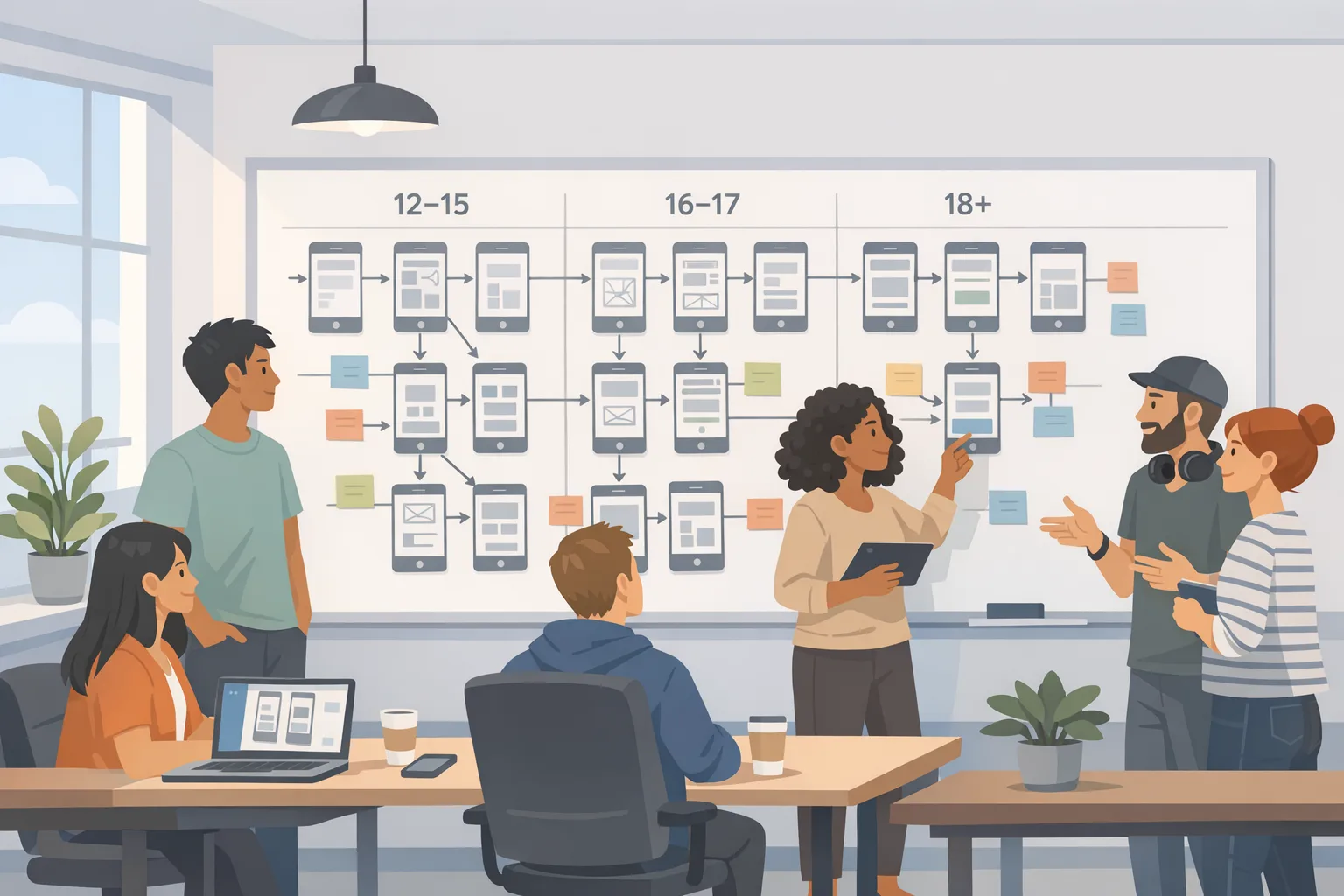
App Store age rating 2026: Build age‑aware apps
Apple flipped the switch on its updated age ratings on January 31, 2026. If you don’t answer the new questions in App Store Connect, you can’t ship updates. Android isn’t a loophole either—Google Play’s Age Signals policy kicked in January 1, 2026. Together, these changes force teams to move beyond a generic onboarding modal and build durable, privacy‑preserving age assurance into product, code, and ops.
Here’s the thing: you can get compliant and still ship quickly—if you design an age‑aware architecture. Below is the playbook we use when clients ask us to turn a fragmented flow into something auditors, app reviewers, and your growth charts will actually like.
Why this is happening now: the timeline that matters
On Apple platforms, all app and game ratings were recalculated under the new system and developers were told to answer updated age‑rating questions by January 31, 2026 or see submissions blocked. The changes surface on devices running the 2026 OS family (iOS 26, iPadOS 26, macOS Tahoe 26, tvOS 26, visionOS 26, watchOS 26). On Android, developers are expected to use Google Play’s Age Signals only to tailor in‑app experiences, starting January 1, 2026.
Zooming out, U.S. state laws intensified the push. Utah’s App Store Accountability Act took effect in May 2025 with phased obligations through May 6, 2026 and a private right of action at year‑end 2026. Texas passed a similar law slated for January 1, 2026, but it’s currently blocked by injunction. Fresh legislation is advancing elsewhere (for example, an Alabama bill cleared a Senate committee on January 29, 2026). Whether or not each state’s law survives court scrutiny, the direction of travel is obvious: platforms want you to depend on their age signals, not roll your own dossiers.
App Store age rating 2026: what actually changes in your code
Apple’s updated ratings aren’t just a label—they guide parental controls, purchase flow friction, and visibility. Meanwhile, Apple’s age‑assurance approach emphasizes privacy: give developers a range (child, young teen, older teen, adult) rather than exact birthdates. Practically, you should design as if you’ll get a yes/no or age‑band signal, not PII. On Android, Play’s Age Signals API gives you an age category you can use in the receiving app to tune UX, with strict limits on reuse.
So your code path needs to:
- Request and cache a platform‑provided age category (not a birthdate).
- Gate features that require parental consent or adult status (e.g., UGC discovery, DMs, purchase options).
- Log audited decisions (“feature X disabled because user is 13–15”).
- Avoid persisting more than necessary—store the minimal boolean/enum you need.
iOS patterns that work
Design for Apple’s model where your app receives an age range or a yes/no gate. Don’t prompt for a birthdate unless your domain truly requires it (and if you do, expect additional obligations). Use configuration toggles to shape experience by band:
- Child (under 13): disable external link‑outs, disable UGC posting, require parental approval before purchases (respecting StoreKit family rules).
- Young teen (13–15): allow curated content, disable 1:1 messaging by default, rate‑limit in‑app social features.
- Older teen (16–17): permit more features but keep content filtering on and surface safety controls up front.
- Adult (18+): unlock the full experience, but keep safety tooling discoverable.
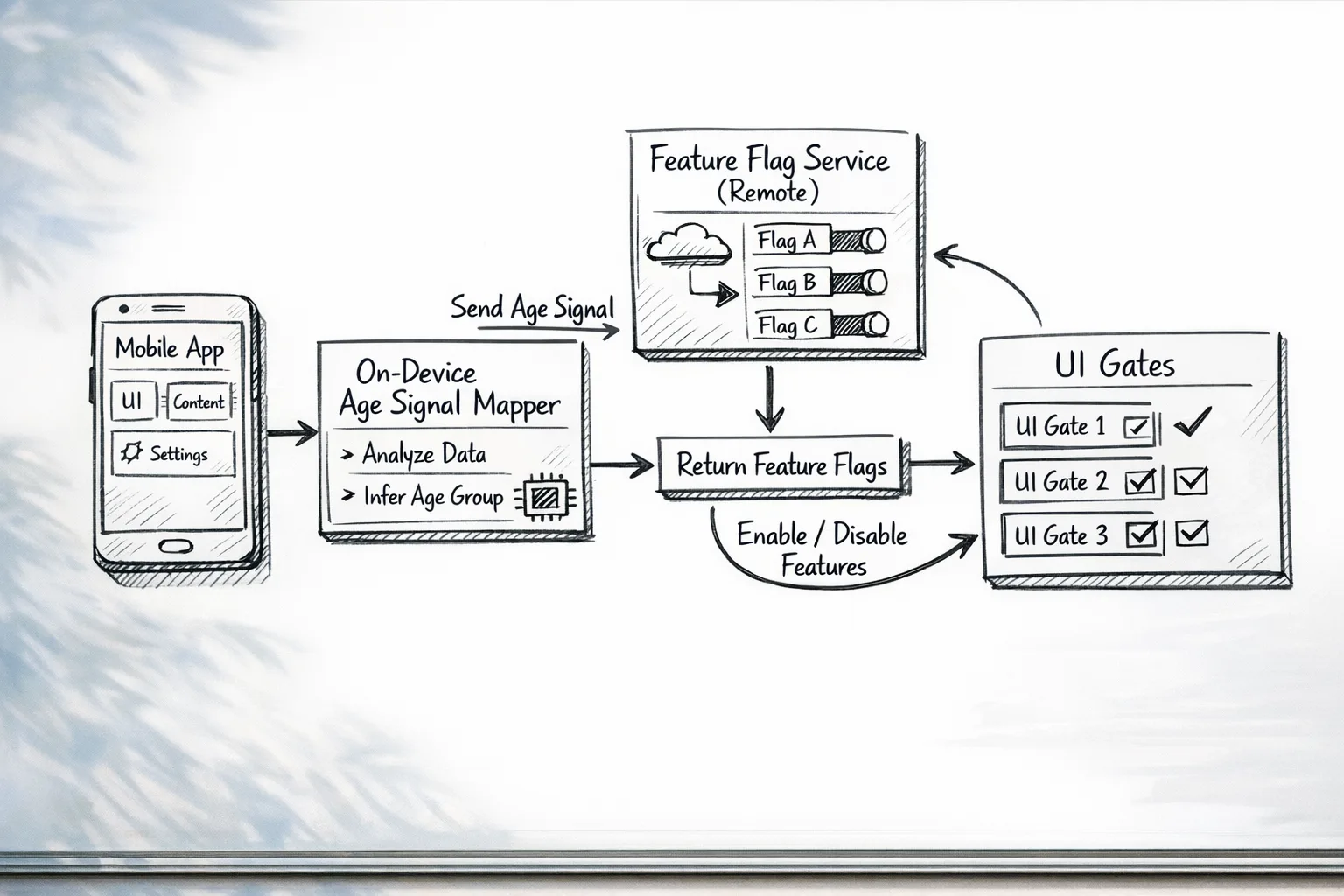
Implementation detail: treat age as an input to feature flags, not a user attribute you synchronize across services. Your iOS app can retrieve the platform’s declared age band at launch, pass a signed, short‑lived token to your backend to resolve server‑side flags, then discard the token. The server stores only the resolved flags and an audit reason code.
Android patterns that hold up
On Android, integrate the Play Age Signals SDK and wire a small adapter layer so your app never leaks the raw signal beyond the process boundary. The adapter should map the API response to your internal enum and immediately feed your feature‑flag service. Don’t export the value to analytics outside what’s allowed; Play’s policy explicitly limits use to age‑appropriate experiences in the receiving app.
Hardening tips:
- Expect the signal to be unavailable (device offline, user declined, remote errors). In that case, fall back to the most restrictive configuration until you can re‑check.
- Design for per‑state behavior if you operate in regulated jurisdictions; use remote config to tighten defaults without a binary update.
A minimal, durable age‑aware architecture
Keep it boring and auditable. Below is a blueprint we deploy on client projects.
- Edge signal intake: The native app requests the platform age signal during session start. Time out quickly; do not block the entire app on that network call.
- Privacy mapper (on device): Map the signal to a coarse enum (CHILD, TEEN_YOUNG, TEEN_OLD, ADULT, UNKNOWN). Never persist beyond the session.
- Policy engine (server): Given the enum and the app version, compute feature flags and safety defaults. Store only flags and a reason code (e.g., "AGE_BAND_TEEN_YOUNG").
- UI gates: Wrap sensitive components in a small guard (FeatureGate) that reads flags and disables UI, not just server endpoints.
- Auditing: Emit structured logs when a gate blocks or allows actions. Keep PII out; include device region, app version, and reason codes.
Let’s get practical: the week‑one checklist
If you need to move fast, start here. We use this with teams who have a release queued this week.
- Account for Apple’s questionnaire: log into App Store Connect and complete the updated questions for every app and platform target. If you ship for iOS, iPadOS, and visionOS, do them all.
- Add an age‑signal adapter: small module on iOS and Android that normalizes the platform’s response into your enum.
- Flag gating: wrap risky features (messaging, public posting, account discovery, purchases, external links, profile search visibility) behind server‑driven flags.
- Safe defaults: if the age signal is unknown, select the strictest profile and prompt later rather than interrupt first‑run.
- Consent flows: hook the purchase journey to parental approval where applicable; avoid DIY consent capture.
- Analytics: redact all age data. Track only which flags were active and which guard fired.
- Review playbook: create a one‑page reviewer guide explaining gates and test accounts for child/teen/adult.
Need a deeper guide? See our take on deadlines and submission gotchas in this ship‑now checklist and the hands‑on walkthrough in our developer playbook.
What about consent, IDs, and asking for birthdays?
Short answer: default to the platform’s mechanism and avoid collecting government IDs or exact birthdates unless you absolutely must. If your domain (say, a regulated fintech product) requires age attestation beyond the store signals, isolate that flow: use a third‑party verifier with tokenized results and purge artifacts immediately after decisioning. For mainstream consumer apps, the platform signals plus feature gating are sufficient—and safer.
People also ask: Do we need a parental consent API?
Use the platform’s purchase and family systems where possible. If your app has its own internal premium features, gate the paywall for minors and defer to the store for payment authorization. Don’t build a homegrown parental consent database unless your legal team insists and you’ve budgeted for ongoing audits.
Is a simple "Are you 18+?" checkbox enough?
No. Silent self‑attestation is weak, and it won’t satisfy stores or state‑level expectations. If you can’t retrieve a platform age signal, fall back to the strict profile and try again later; don’t ask for sensitive data to paper over a temporary outage.
Edge cases we see in audits (and how to handle them)
Offline startup: assume UNKNOWN. Gate sensitive UI, then re‑evaluate when the device comes online. Make the recheck quick and silent; don’t bounce the user through a wizard.
WebViews and deep links: if you open web content inside the app, ensure those surfaces honor the same flags (e.g., hide comment forms). For deferred deep links, compute flags on the first open and cache them until the session ends.
Cross‑device sync: don’t replicate age categories across devices. Let each device fetch signals independently and resolve flags server‑side. The resulting experience may differ per device; that’s acceptable and safer.
UGC moderation: if you reduce posting abilities for teens, also ratchet up safety filters on what they can receive. Tie moderation thresholds to the same enum so product and trust‑and‑safety move in lockstep.
Data minimization: keep only what you need
You don’t want to store birthdays—or worse, ID documents—if you can avoid it. Design your telemetry around decisions, not identity. A practical pattern is the "decision ledger": for each sensitive action, store the timestamp, app version, feature flag snapshot, and reason codes. That’s typically enough for audits and incident reviews.
In code reviews, ban primitives like dateOfBirth and ageInYears from your domain models unless a compliance ticket explicitly authorizes them. Prefer a tiny sealed type like AgeBand with five values, and keep it out of your persistence layer.
Product KPIs won’t crater if you design the funnel right
Age‑aware apps can still grow. Three tactics we’ve seen work:
- Early, honest value: for teens, highlight safe‑to‑use features (creation tools, learning paths) instead of a blocked paywall.
- Deferred unlocks: let teens explore, then request parental approval contextually at the point of real value (e.g., saving a project), not on first run.
- Safety‑forward marketing: use screenshots and descriptions that show safety controls. Reviewers often approve faster when safety is obvious in the first two screens.
Ship notes for iOS and Android engineers
iOS
Build a single AgeAssurance service in Swift that:
- Fetches the platform’s declared age band once per session.
- Maps to
AgeBandenum and hands it to your feature‑flag bootstrap. - Expires the mapping on app backgrounding and major version update.
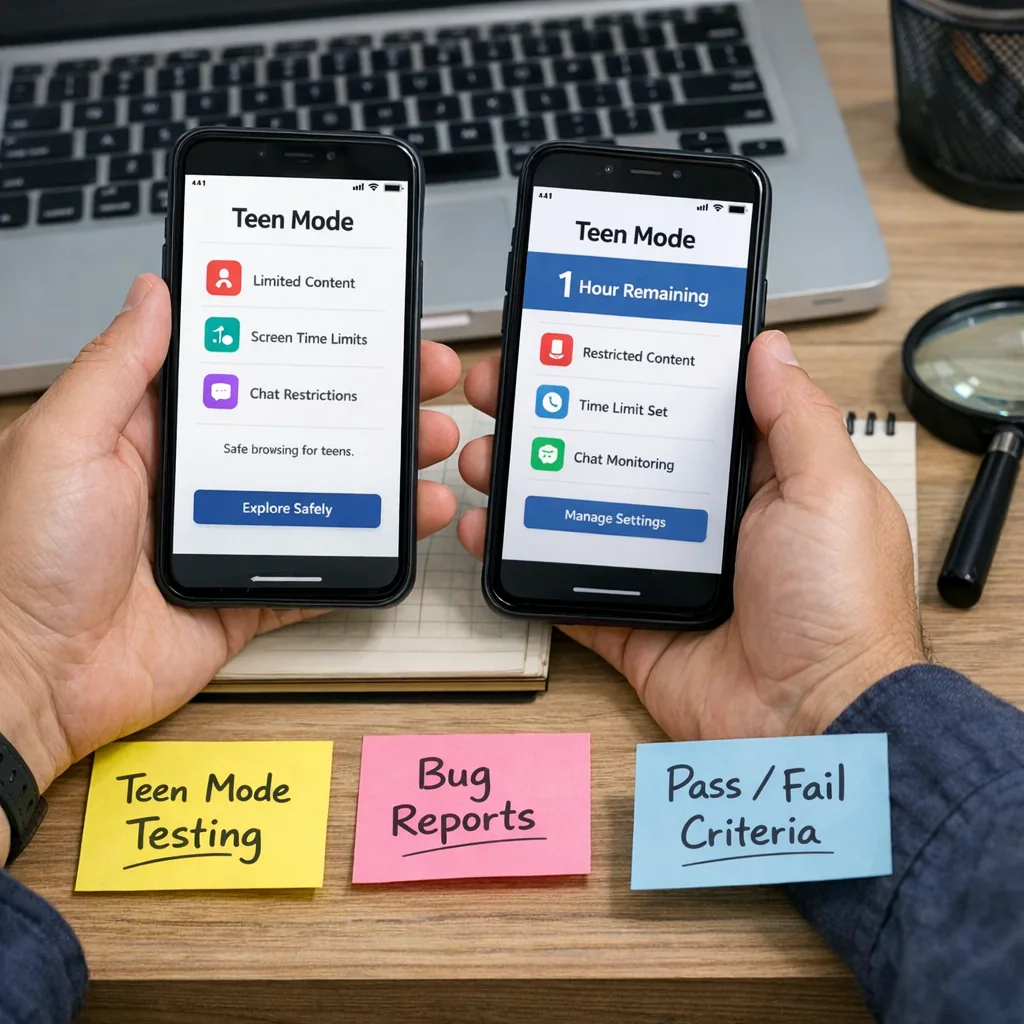
- Surfaces a test hook (Debug menu) to simulate each band for reviewers.
UI: wrap critical UI components (e.g., share sheet, external link buttons) in a FeatureGate view modifier so you can enforce decisions consistently across screens.
Android
Create a thin Kotlin wrapper over the Play Age Signals SDK that emits a sealed class: AgeBand or Unknown. Keep the signal in memory only. Tie your DI graph so the wrapper is loaded early but non‑blocking. Emit structured logs whenever the wrapper returns Unknown and fall back to strict flags.
Testing: provide QA build flavors with a developer menu to set the band locally. Remember to demonstrate your review flows in your Play Store app content declaration notes; reviewers increasingly expect a clear testing path.
Security and abuse: where age gates go wrong
Attackers target the edges: device emulators, rooted devices, manipulated intents. Treat age decisions like fraud decisions—add signals such as SafetyNet/Play Integrity or Apple’s device trust into your risk model for sensitive actions. Don’t block the entire app on a high trust score, but do escalate friction (e.g., hide social posting or require additional review) when integrity signals are weak.
Internally, lock down who can flip feature flags tied to age. Use change approvals, and mirror changes to a read‑only channel so legal and trust teams have visibility. If your org handles incident response, fold "mis‑gated minor" into your severity rubric with a clear playbook.
What about global rollouts?
Your safest default is a single global design anchored to platform signals, then regional overrides via remote config. For example, you may tighten defaults for certain U.S. states while keeping the same flows in the EU. Document which jurisdictions use stricter defaults and keep the mapping in your config repo, not in code. When laws change, you update config and push a cache bust—no emergency client release.
What to do next
- Today: finish Apple’s updated questionnaire and verify you can still submit builds. If helpful, our concise reminders are in this deadline explainer.
- This week: add the age‑signal adapter, guard the five riskiest features, and publish a one‑page reviewer guide.
- Next two weeks: wire server‑driven flags by age band and ship QA build flavors that simulate bands.
- This quarter: implement a decision ledger, align trust‑and‑safety thresholds with age bands, and rehearse an incident drill.
- When you’re ready for help: see our services for mobile teams or contact us to plan a safe rollout.
If you want a deeper cut at the technical and submission angles, we’ve written more here: what devs must ship for 2026. We can help you tailor these patterns to your domain without slowing down releases.





Comments
Be the first to comment.