
Xcode 26 Requirement: A No‑Drama April 28 Plan
The Xcode 26 requirement is now official and enforceable on April 28, 2026. That means new apps and updates uploaded to App Store Connect must be built with Xcode 26 or later and link against the SDK 26 family. If you own a release train between now and April 28, treat this as an operational deadline, not a “nice to have.” The teams that win are the ones that turn this change into routine engineering work, not a fire drill.

What the Xcode 26 requirement actually enforces
Let’s get the facts straight. Starting April 28, 2026, Apple will block submissions that aren’t built with Xcode 26+ and the corresponding SDKs. Specifically: iOS and iPadOS must use the iOS/iPadOS 26 SDK, tvOS must use the tvOS 26 SDK, visionOS must use the visionOS 26 SDK, and watchOS must use the watchOS 26 SDK. Apple also refreshed age ratings on January 31, 2026, so your app’s questionnaire answers should already be up to date to avoid a submission interruption.
What’s not changing? Your deployment target. You can still support older OS versions—this policy governs the SDK and toolchain you build with, not the minimum OS your app runs on. You’ll need to gate new APIs with availability checks and keep conditional code paths clean, but you don’t have to drop users on older devices just because you migrated your builds.
Do I need to raise my minimum iOS version?
No, not because of this rule. The Xcode 26 requirement is about the build toolchain and linked SDK. Keep your deployment target where your business needs it. Use availability annotations, feature flags, and fallback implementations to maintain behavior on older OS releases.
The 5R migration framework I use on real teams
Here’s the thing: migration work balloons when you don’t name it. Give it a structure. I use this 5R framework to keep teams moving:
1) Rebase
Move the project to Xcode 26 on a short‑lived branch. Resolve build settings, Swift toolchain updates, and signing. Don’t fix all warnings yet—get green builds first.
2) Review
Audit compiler warnings, deprecations, entitlements, and Info.plist changes. Document each item with owner, fix strategy, and whether it’s Required‑for‑Submission (must fix) or Risk‑Tolerant (can ship with mitigation).
3) Replace
Swap deprecated APIs and third‑party SDKs. Prioritize analytics, payments, sign‑in, media, background modes, and deep links—areas that cause review or runtime failures if broken.
4) Retrofit
Add availability guards for SDK 26 APIs, extend your UI tests to cover both “new capabilities” and “legacy paths,” and verify background behaviors (push, background fetch, audio, health, location).
5) Release
Cut a dated release branch. Push a TestFlight build signed with Xcode 26. Lock change scope except for blockers. Aim to submit your first compliant build two weeks before April 28, giving you buffer for App Review dialogue.
People also ask: what breaks most often?
Will third‑party SDKs compiled against older toolchains still work?
Sometimes, but don’t bet your schedule on it. Update your analytics, attribution, payments, and networking SDKs first. Run a clean archive in Xcode 26 and verify bitcode/architecture settings (if applicable), minimum OS, and Swift interfaces.
Do I have to touch my push notifications setup?
If your push pipeline was already modern (token‑based authentication, HTTP/2 or HTTP/3 transport via APNs, current trust store), you’re likely fine. Still, send real production test pushes to devices on iOS 26 and older targets to confirm delivery and action handling.
What about watchOS, tvOS, and visionOS companions?
Build and sign them in the same Xcode 26 environment. Verify background transfers (WCSession), complications/timelines, and app groups. Companion apps tend to fail on entitlements and background mode edge cases—check those first.
A realistic 10‑week schedule from today to April 28
As of February 19, 2026, you’ve got roughly ten weeks. Here’s an execution‑first plan that protects your roadmap and marketing dates.
Week 1: Make it build
Upgrade to Xcode 26 on a feature branch. Archive a release build. Fix signing, Swift toolchain, and build settings. Snapshot current warnings but don’t chase them yet.
Week 2: Unblock CI/CD
Upgrade runners or cloud images to Xcode 26. If you rely on allowlists or proxies, refresh them, then validate full pipeline parity (build, unit/UI tests, artifact sigs). If you use Xcode Cloud and your network has strict egress rules, update allowlists per the most recent IP range guidance—our quick explainer helps teams avoid flaky builds: update Xcode Cloud IP ranges.
Week 3: SDK audit and dependency refresh
Update third‑party SDKs and Swift Packages. Replace deprecated APIs with owner‑assigned tasks. Re‑record brittle UI tests where UI element identifiers changed.
Week 4: Platform behaviors and permissions
Retest camera, microphone, location, Bluetooth, HealthKit, Contacts, Photos, Calendars, and background tasks. Ensure permission strings are explicit and current. Verify deep link routing and universal links across cold, warm, and background states.
Week 5: Age ratings and App Store metadata
Confirm your age rating questionnaire reflects Apple’s January 31, 2026 updates. Clean up screenshots and “What’s New.” Pre‑write your App Review notes for any flagged behaviors (VPN, background audio, account deletion, sign‑in options).
Week 6: TestFlight on SDK 26
Ship your first TestFlight build compiled in Xcode 26 to internal and external testers. Track crash‑free sessions and startup time deltas against your last pre‑migration build. Investigate any entitlement or extension regressions.
Week 7–8: Stabilize and cut scope
Resolve high‑severity issues only. Freeze new features unrelated to compliance. If you have seasonal campaigns, ship them in a pre‑migration build now; keep the migration release clean and focused.
Week 9: Submit once, with buffer
Target submission ~14 days before April 28. If App Review asks questions or requests a demo video, you’ll be glad you didn’t wait until the deadline week.
Week 10: Contingency window
Use this for hotfixes or a second submission if needed. If everything’s quiet, pull forward small, low‑risk improvements (typo fixes, analytics sampling, crash fixes).
A practical checklist you can paste into your tracker
- Xcode 26 installed; project opens, builds, archives; signing validated.
- CI agents updated; cache warmed; notarization and export options confirmed.
- Third‑party SDKs and Swift Packages upgraded; incompatible libs removed or replaced.
- Availability checks in place for SDK 26 APIs; feature flags for risky areas.
- Permissions copy reviewed; privacy labels and data collection disclosures consistent with runtime behavior.
- Background tasks (push, VOIP, background fetch, audio, location) verified on iOS 26 and your minimum supported OS.
- Age rating questionnaire completed; metadata ready; App Review notes drafted.
- TestFlight build shipped; crash analytics and performance baselines compared.
- Submission date scheduled with marketing and support; rollback plan documented.
Engineering deep cuts: where teams burn time
Build settings drift. Long‑lived projects accumulate custom settings that fight Xcode defaults. Export your build settings and diff against a fresh SDK 26 template for your app type—this surfaces obsolete flags quickly.
Entitlements and provisioning. Expect to touch capabilities like App Groups, Background Modes, Sign in with Apple, keychain sharing, and HealthKit. If something breaks only in the App Store build, inspect provisioning profiles attached to the archive, not just the debug profile.
UI tests and identifiers. Minor system UI changes and updated control hierarchies can break brittle tests. Stabilize with accessibility identifiers and fewer implicit waits. Re‑record where it’s faster than debugging.
Extension targets. Widgets, intents, watch extensions, and Share/Photo extensions are common breakpoints. Ensure each target compiles with SDK 26, has the right Info.plist keys, and runs on device.
Cross‑platform teams: coordinate with Android, don’t duplicate pain
If your team ships on both platforms, this is the moment to unify release discipline. Android 17 hit its first beta on February 13, 2026, and many shops will start canary testing. Align on a single cross‑platform exit criteria doc (startup time budget, crash‑free target, P95 scroll jank, cold push receipt delay). Share test devices and performance scenarios so insights translate across stacks.
We published a quick overview of what Android 17 changes for app ergonomics and performance—use it to brief stakeholders while your iOS work continues: Android 17 Beta: new rules and faster apps.
Risk ledger: how to think like an SRE for mobile
Don’t keep risks in your head. Build a lightweight ledger with these columns: Risk, Trigger, Owner, Probability, Impact, Mitigation, Fallback, Review Date.
Examples worth tracking now:
- Submission rejection due to outdated SDK or entitlement mismatch. Mitigation: archive validation + test submission to a throwaway bundle ID this week.
- Third‑party SDK crash when linked against SDK 26. Mitigation: upgrade to the latest version; enable feature flags; keep a kill‑switch config.
- CI capacity crunch near the deadline. Mitigation: scale runners; pre‑warm caches; schedule nightly dry‑runs of archive + notarization.
- Performance regressions on older OS targets. Mitigation: bake P95 startup and scroll budgets into CI; block release if budgets regress by >10%.
Messaging stakeholders without scaring them
Your execs care about dates and risk, not compilers. Share a one‑pager with three bullets: 1) What changes on April 28, 2026. 2) The migration is tracked as a release with explicit exit criteria. 3) Buffer is preserved with an early submission target. Include a simple burn‑down chart for blockers and a single risk table. That’s it.
Gotchas and edges you’ll thank yourself for checking
Dynamic frameworks and XCFrameworks. If they were built with older Swift ABIs or contain private headers, you’ll see link errors or runtime crashes. Prefer vendor‑supplied XCFrameworks built with Xcode 26.
App Clips. Validate invocation URLs, entitlement inheritance from the host app, and size limits. Small regressions here cause outsized friction in review.
On‑device ML models. If you’re shipping Core ML models, re‑export and verify model metadata with SDK 26 tooling. Confirm memory and warm‑start times on older phones.
Privacy and data flow mapping. Make sure your declared data types in App Store Connect still reflect actual runtime behavior after SDK updates. If you added new logging or analytics during the migration, reconcile those in the privacy questionnaire.
When to ship multiple small releases vs. one big one
Two safe patterns work well under a fixed date: (1) Parallel train: finish your current feature release on the old toolchain, then immediately cut a “migration‑only” branch that carries zero new features; (2) Rolling hardening: move main to Xcode 26 now, feature‑freeze in two weeks, and only merge fixes. If you move high‑risk features out of the migration release, both patterns stay boring and predictable.
People also ask: will Apple grant exceptions?
Don’t plan on it. Apple sets hard enforcement dates so users get security, privacy, and compatibility improvements consistently. Your buffer is the early submission target, not a special exception.
What to do next (today, not next week)
- Pick an early submission date and put it on the calendar—for real.
- Stand up an Xcode 26 branch and archive a build by end of week.
- Book owner time for SDK updates, entitlements, and App Review notes.
- Upgrade CI images; run a dry‑run archive nightly.
- Ship a TestFlight in two weeks and start comparing crash/perf deltas.
If you need experienced hands to drive this workstream end‑to‑end—tooling, CI, SDK audits, and App Review—we can help. See what we do and how we work with mobile teams: mobile engineering services. For a broader operational view of what’s changing in App Store Connect this cycle, read our field guide: a ship‑ready App Store Connect playbook.
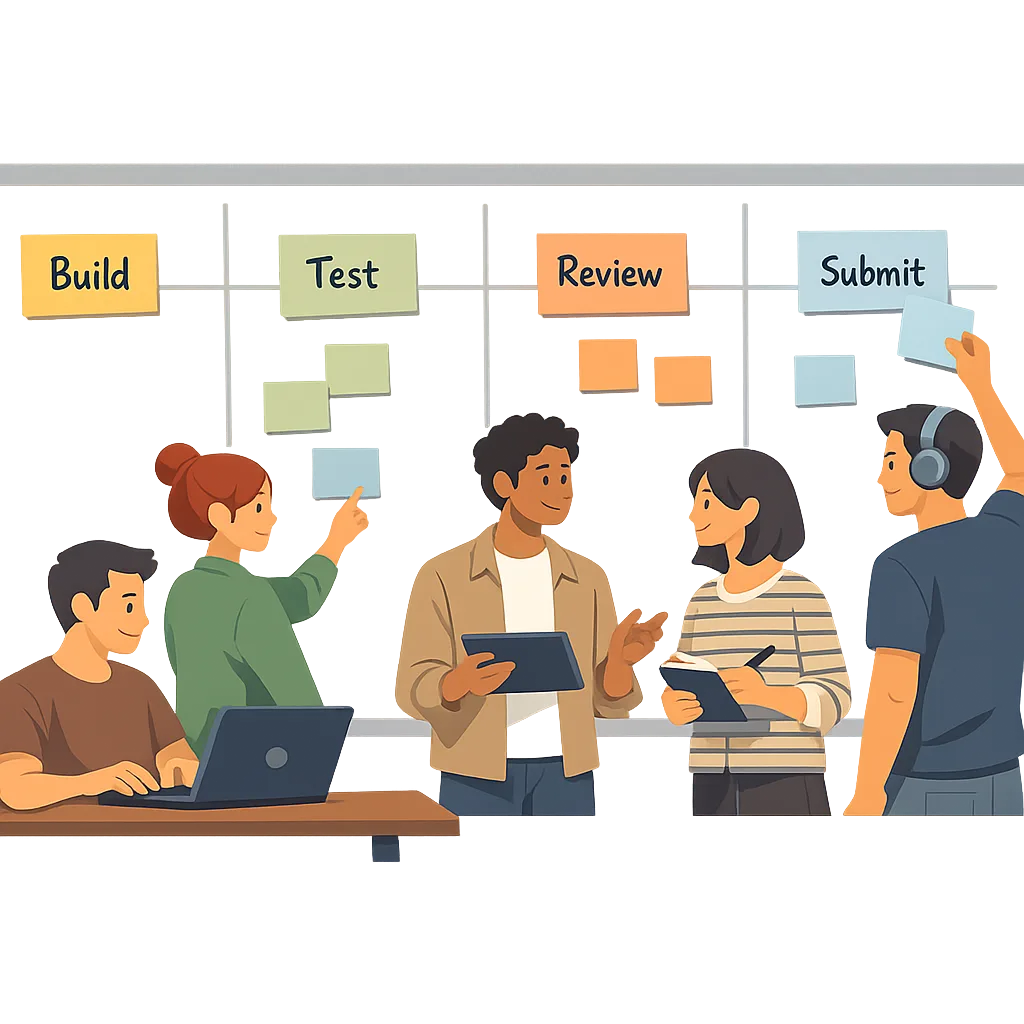
Zooming out: why this migration matters beyond compliance
SDK upgrades aren’t just chores. They’re how you pay down the integration debt that builds up quietly all year. Toolchain parity reduces flaky tests, weird simulator behavior, and CI idiosyncrasies. It also forces a reality check on your third‑party surface area—do you really need all those SDKs, or is now the time to remove two and in‑house one?
Use this deadline to sharpen your release muscle. Standardize your branch strategy, stabilize your test matrix, and set objective performance budgets. If you carry these habits forward, your next platform cycle becomes routine. That’s the difference between teams who ship and teams who scramble.
Have a complex setup—multiple apps, companion experiences, or a tricky payments flow? We’ve helped orgs like yours align product goals to platform policies and ship on time. Reach out if you want a pragmatic second set of eyes on your plan: get in touch.





Comments
Be the first to comment.