Android 17 Beta: New Rules for Large Screens, Faster Apps
Android 17 beta changes the ground rules for modern Android development. If your team has been relying on manifest flags or runtime calls to lock orientation or dodge resizability on tablets and foldables, that era ends when you target API level 37. Pair that with a lock‑free MessageQueue, generational garbage collection in ART, and new camera/media capabilities, and you’ve got a release that demands attention now, not at the end of your sprint.
What’s actually in the Android 17 beta?
Three shifts matter most for teams shipping real apps in 2026. First, Google formalized the Android Canary channel, replacing the old Developer Preview cadence with a continuous stream of pre‑beta builds you can install over‑the‑air. Second, the platform targets Platform Stability in March 2026 with a final release planned for Q2 2026 and a minor SDK refresh in Q4. Third—and this is the big one—apps that target Android 17 (API 37) can no longer opt out of orientation, aspect ratio, or resizability restrictions on large screens (≥ 600dp smallest width). The platform will ignore those restrictions on bigger displays, pushing everyone toward adaptive, window‑aware UIs.
Translation: lock your project plans. There’s enough time to test and fix, but not enough to procrastinate.
The big change: You can’t force orientation on large screens
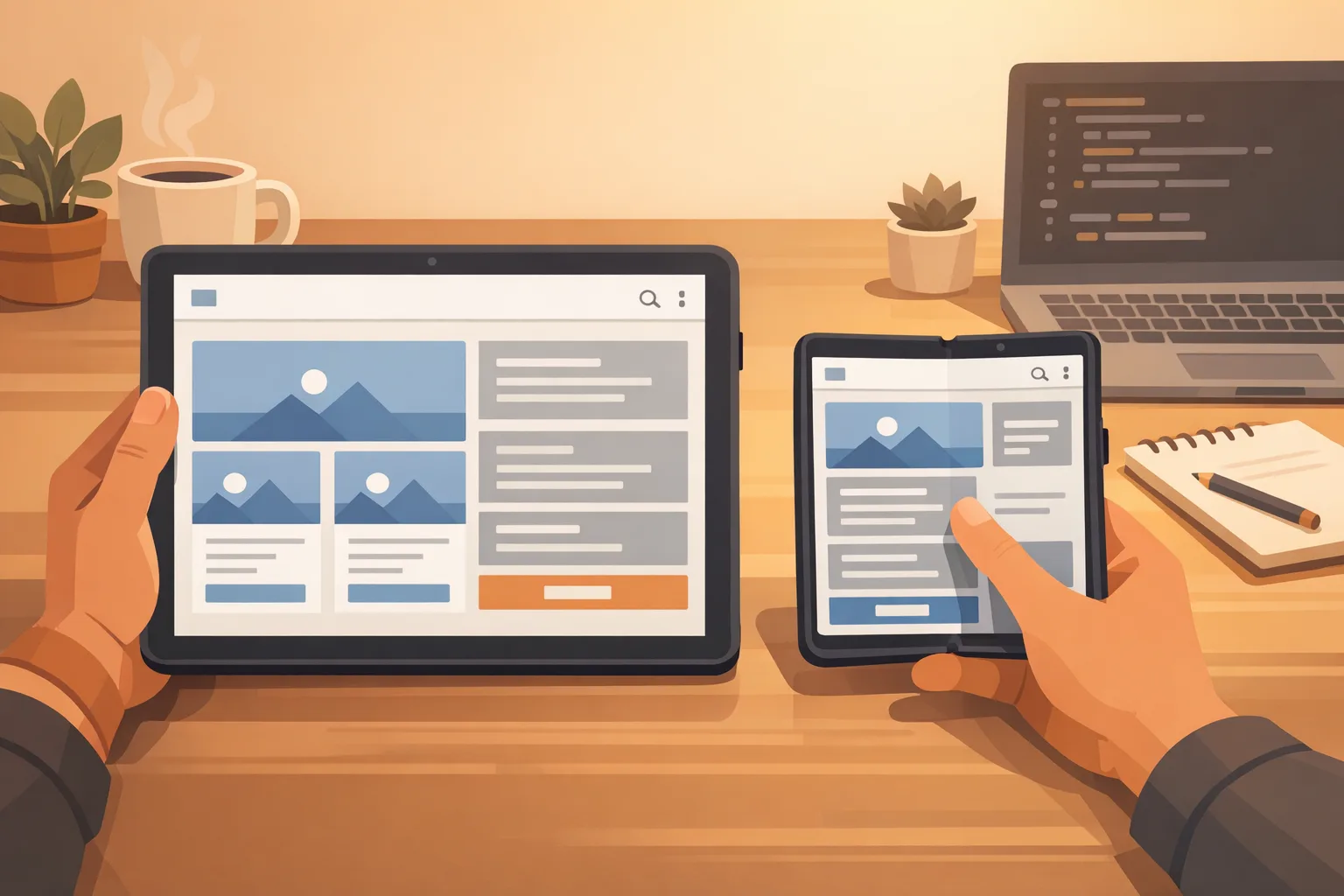
If your app targets API 37, Android will ignore values that once constrained your UI on tablets and foldables: screenOrientation in the manifest, setRequestedOrientation() calls, resizeableActivity toggles, and min/max aspect ratio tricks. On devices with a smallest width of at least 600dp, the system expects your app to adapt—fill the window, handle posture changes, and behave sanely in split‑screen and freeform sizes. Classic phones aren’t affected by this rule, and games (tagged with the appCategory flag) are exempt, but everyone else must be adaptive.
Here’s the thing: many teams still carry historical constraints from a phone‑first era. You’ll see brittle activities that assume portrait, media players that glitch on layout change, and brittle state restoration that fires during rotation. Android 17 pushes all of that to the surface.
Quick audit: are you large‑screen‑ready?
Use this 60‑minute triage to get your bearings before you spin up a full sprint:
- Manifest scan: remove or flag uses of screenOrientation, min/maxAspectRatio, and resizeableActivity. Create tickets for each occurrence.
- Runtime calls: grep for setRequestedOrientation() and any windowing overrides. Replace with responsive layouts that adapt to window size classes.
- Layout inventory: list screens that rely on a single column. Plan two‑pane or responsive variants for ≥ 600dp.
- Navigation check: verify back stack and deep links survive resize, rotation, and multi‑window transitions.
- Media surfaces: confirm camera and video surfaces don’t need full activity recreation during configuration changes.
If you’re on Compose, lean on window size classes and adaptive layouts; if you’re on Views, consider ConstraintLayout and SlidingPaneLayout to carve out larger canvases.
Performance wins you’ll actually feel in production
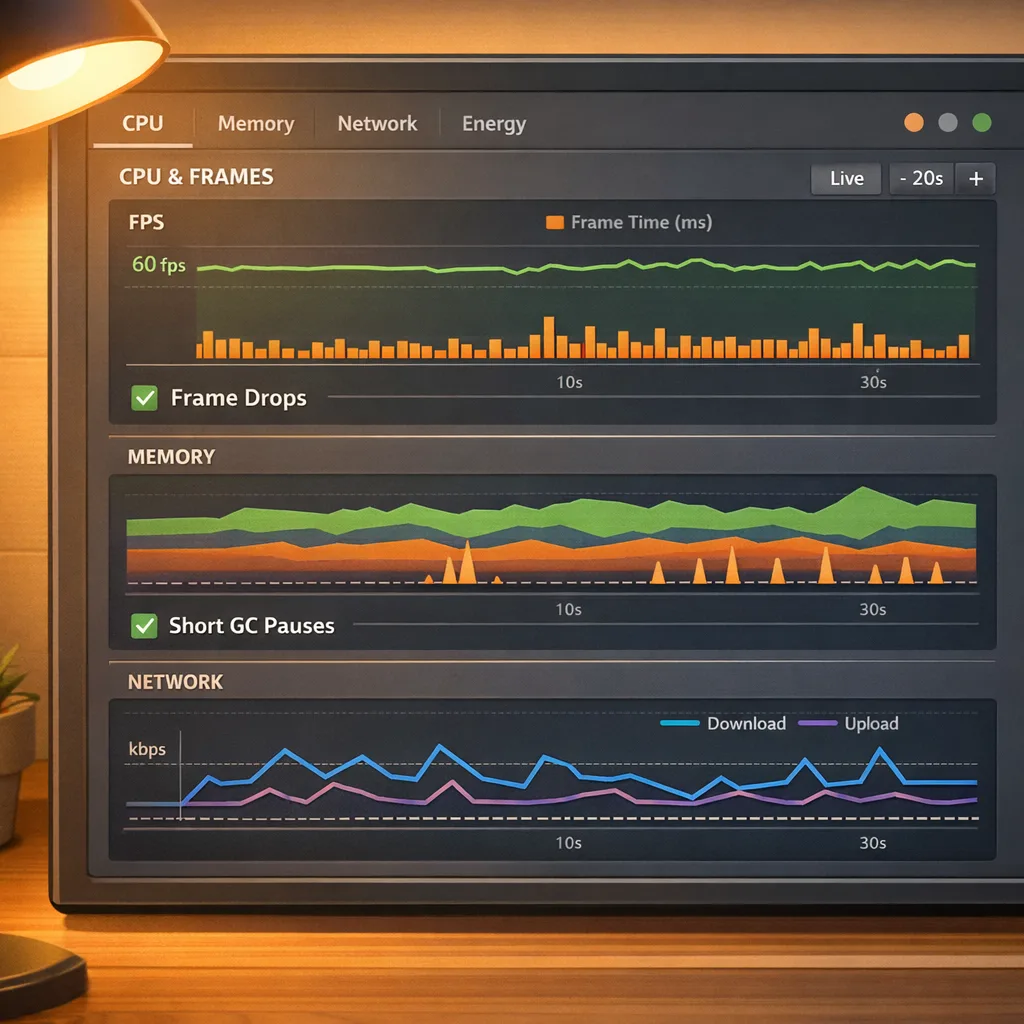
Android 17 introduces a lock‑free MessageQueue for apps targeting API 37. Practically, this reduces scheduler contention and missed frames during main‑thread message dispatch. If you’ve ever chased intermittent jank that defied profiling, you’ll welcome this. There’s a catch: if your code or a library reflects into private MessageQueue APIs (some old animation and logging libs do), expect breakage—test thoroughly and update dependencies.
ART also gets generational garbage collection. Young‑gen collections run more often but with lower CPU cost, reducing long GC pauses that can derail UI smoothness. That’s particularly helpful for chat screens, feeds, or image‑heavy timelines where short‑lived objects dominate. Bonus: many ART improvements land via Google Play System updates on older Android versions, so profiling wins won’t be limited to brand‑new devices.
Another behavior tightening: static final fields are now truly final when you target API 37. Reflection hacks to mutate constants will throw, and JNI attempts will crash. If you’ve been toggling debug gates by twiddling finals in tests—or a vendor SDK did—rip that out now.
Media, camera, and audio changes worth planning for
Camera apps get smoother transitions with dynamic CameraCaptureSession output updates, which removes the need to tear down and rebuild sessions for common mode switches. Video teams gain support for the H.266/ VVC codec on capable hardware, plus constant‑quality controls in MediaRecorder. And background audio hardening reduces surprise audio behavior by enforcing user‑initiated lifecycles; stray playback or volume calls outside a valid state will fail.
Net result: less stutter, more predictable camera UX, and stricter audio discipline. If your app mixes background services, media playback, and UI lifecycle changes, regression test those edges now.
Adaptive UI: a practical path off orientation locks
Let’s get practical. Most mobile backlogs don’t have budget for a full redesign. You don’t need one. You need a disciplined, staged upgrade that gets you over the Android 17 bar while improving UX where it counts.
The 2+1 layout play
Adopt a simple playbook for tablets and foldables: two panes for content and detail, plus an optional utility panel in extra‑wide contexts. Concretely:
- Phones (compact): single list → detail via navigation.
- Tablets/landscape (medium): list + detail split view; persist selection.
- Foldables/desktop (expanded): list + detail + utility (filters, chat, cart, or now‑playing).
Compose makes this tidy with Navigation, Lazy layouts, and window size classes. Views can do the same with SlidingPaneLayout and fragments. The litmus test: resize a window from compact to expanded and back without losing state or snapping weirdly.
Configuration changes without chaos
Android 17 reduces default activity restarts for certain configuration changes and adds a manifest opt‑in (recreateOnConfigChanges) if you truly need full recreation. Many apps no longer require the nuclear option—migrate code that relied on implicit activity restarts to explicit UI state updates, and keep your repositories and ViewModels as the single source of truth.
Timelines you can plan around
Circle these dates: Android 17 Beta 1 was published on February 13, 2026. Google is targeting Platform Stability in March 2026, a final Android 17 release in Q2 2026, and a minor SDK update in Q4 2026. Across the aisle, Apple’s App Store will require Xcode 26+ builds starting April 28, 2026. If you own both Android and iOS roadmaps, that’s a crunch window—allocate QA and release capacity accordingly.
If your backlog is overflowing, align betas early, lock features post‑stability, and keep production release candidates warm. When both ecosystems ship big changes within the same quarter, freeze scope, not schedules.
Related reading for iOS leads on your team: we broke down Apple’s SDK cutover here—read the April 28 App Store SDK cutover guide to avoid surprises on the iOS side.
A shipping framework you can use tomorrow
Here’s a battle‑tested plan we run with product teams navigating platform shifts like this.
Beta → Stability → GA: a 30‑60‑90 plan
Day 0–30 (now through late February): Assessment and guardrails
- Spin CI on Android 17 beta images; add a daily emulator matrix for Pixel Tablet and Pixel Fold.
- Run the five‑point large‑screen audit above. Triage by user impact and dev effort; put resizability blockers at the top.
- Start a “reflection watchlist” for MessageQueue and static finals. Inventory libraries; nudge vendors for compatibility statements.
- Enable strict mode and frame metrics in staging; capture baseline jank (missed frames) and GC pause stats.
Day 31–60 (March): Converge on Platform Stability
- Convert the top five portrait‑only screens to adaptive layouts.
- Replace setRequestedOrientation() calls and remove manifest locks behind flags; add feature toggles to ease rollout.
- Audit background audio and custom notification views for new size limits; fix lifecycle violations.
- Regression test camera transitions and long‑running video sessions under rotation and split‑screen.
Day 61–90 (Q2): Finalize and harden
- Target API 37 in a release branch; resolve last warnings and deprecations.
- Re‑profile on near‑final bits; compare jank and GC metrics to your Day‑0 baseline.
- Run exploratory tests on Chromebooks and desktop windowing environments; close layout gaps.
- Stage phased rollouts; put crash/ANR thresholds in your release checklist.
People also ask
Will my app break the day Android 17 ships?
No—users on older Android versions keep working as they do today. The changes around orientation/resizability and performance behaviors fully apply when you target API 37. But remember: users on large screens already expect better. If you punt on adaptive layouts, your app will feel broken even if it technically runs.
Do I have to target API 37 immediately?
Google’s Play target policy typically lags a bit behind platform release, but partner programs and OEM stores may move faster. If you want Android 17 performance benefits and new APIs, you’ll need to target 37. Start migration during the beta and finish soon after Platform Stability so you’re not scrambling when distribution rules tighten.
How do I test resizability without rewriting everything?
Start with your highest‑traffic screens. In Compose, adopt two breakpoints: compact and medium. Use List + Detail for medium and add a utility panel for expanded. Treat it as additive: you’re not deleting the phone UI; you’re enhancing it for space. Drive testing by resizing emulator windows and flipping device posture.
Does VVC mean I should switch codecs today?
Only on hardware that supports it. Keep your existing paths (AVC/HEVC) and add VVC as a conditional capability. Gate feature use by codec availability at runtime; don’t assume universal decode. Validate encoder/decoder quality and bitrates against your content mix before flipping defaults.
Engineering gotchas (learned the hard way)
Reflection into private framework classes is a time bomb—Android 17 makes some of those hacks impossible. If you’re stuck with a third‑party library that does this, isolate it behind an adapter and add black‑box tests that exercise UI performance paths. On the audio side, confirm every playback and volume change originates from a valid lifecycle state—what worked silently before may now fail without throwing.
For configuration handling, resist the urge to opt back into full restarts unless you’ve measured the UX benefit. Prefer state hoisting and one‑way data flow so UI rebuilds are cheap and predictable.
Operations: align people, sprints, and cash
A cross‑platform quarter like this one can drain teams. Consolidate your platform work: run a shared "big‑screen" stream that serves Android tablets, foldables, and iPad simultaneously. Designers love it, PMs get one roadmap, and engineering saves rework.
If you need help building or de‑risking the plan, our mobile app development services include adaptive UI overhauls, release engineering, and camera/media performance tuning. See how we’ve executed similar upgrades in our portfolio, or contact our team to scope a fast‑track engagement that lines up with March Platform Stability and Q2 releases. For iOS stakeholders facing their own deadline crunch, share our practical guidance on Apple’s side of the house via the April 28 SDK Cutover playbook.
What to do next
- Enable Android 17 beta emulators in CI and add a daily large‑screen test run.
- Remove orientation/aspect locks and migrate top screens to adaptive layouts.
- Profile for jank and GC pauses pre‑ and post‑beta; document deltas.
- Validate media behavior: camera transitions, VVC gating, and background audio lifecycles.
- Target API 37 after March Platform Stability and ship a staged rollout in Q2.
Zooming out: why this release matters
Android 17 forces a long‑overdue reckoning with large screens. It also nudges the ecosystem toward better performance defaults without heroic app‑side hacks. The teams that move early will feel the payoff in lower crash/ANR rates, fewer jank spikes, and happier tablet and foldable users. The teams that wait will rush through risky changes under deadline pressure. You know which side you want to be on.
Ship the adaptive layouts. Embrace the runtime gains. And give your QA team the time they need this month, not the week before launch. That’s how you win Q2 2026 without drama.





Comments
Be the first to comment.