
Xcode 26 Requirement: Your April 28 Cutover Plan
The Xcode 26 requirement isn’t a rumor—it’s a date on your release calendar. Beginning April 28, 2026, new uploads to App Store Connect must be built with Xcode 26 or later using the current iOS 26–era SDKs. Pair that with Apple’s January 31 age‑rating enforcement and February’s acceptance of Xcode 26.3 RC builds, and the window to stabilize pipelines is tight. This is the practical, field‑tested plan to hit the cutover cleanly, keep TestFlight flowing, and avoid “Unsupported SDK or Xcode version” surprises on release day.

What’s changing—and when
Here are the dates that matter for any iOS shipping team in Q1–Q2 2026. Write them on the wall:
- January 31, 2026: The updated App Store age‑rating questionnaire deadline. Miss it, and App Store Connect blocks your updates until you answer the new questions.
- February 3, 2026: App Store Connect begins accepting submissions built with Xcode 26.3 Release Candidate targeting the 26.2 SDK line. In practice, this unblocks CI cutovers and TestFlight with production‑grade signing.
- April 28, 2026: The Xcode 26 requirement cutover. New uploads must be built with Xcode 26 or later using current platform SDKs for iOS/iPadOS/tvOS/visionOS/watchOS.
These aren’t just policy tweaks; they shape your delivery pipeline. Treat them as capacity constraints on your roadmap, not optional chores for “future you.”
Why the Xcode 26 requirement is bigger than a tool upgrade
Upgrading the IDE is the easy part. The hard parts are dependency drift, codegen changes, and policy alignment that ripple through your app and backend:
- Dependency chain volatility: Swift package updates, CocoaPods pods, and binary SDKs may pin to compiler flags or new platform symbols. One transitive package can flip your Swift language mode and break a dozen call sites.
- Build system behavior: Xcode 26 tightened warnings and tweaked default build settings. If your CI treats warnings as errors, expect red builds until you reconcile clang/swiftc diagnostics.
- Runtime and privacy disclosures: New APIs can surface behavior App Review scrutinizes (user‑generated content, messaging, health). That loops directly back to your age‑rating answers and in‑app controls.
- Agentic coding in Xcode 26.3 RC: Coding agents like Claude Agent and Codex can now modify project settings, run tests, and iterate. That’s leverage—if you set guardrails. It’s also risk—if you don’t track agent changes and approvals.
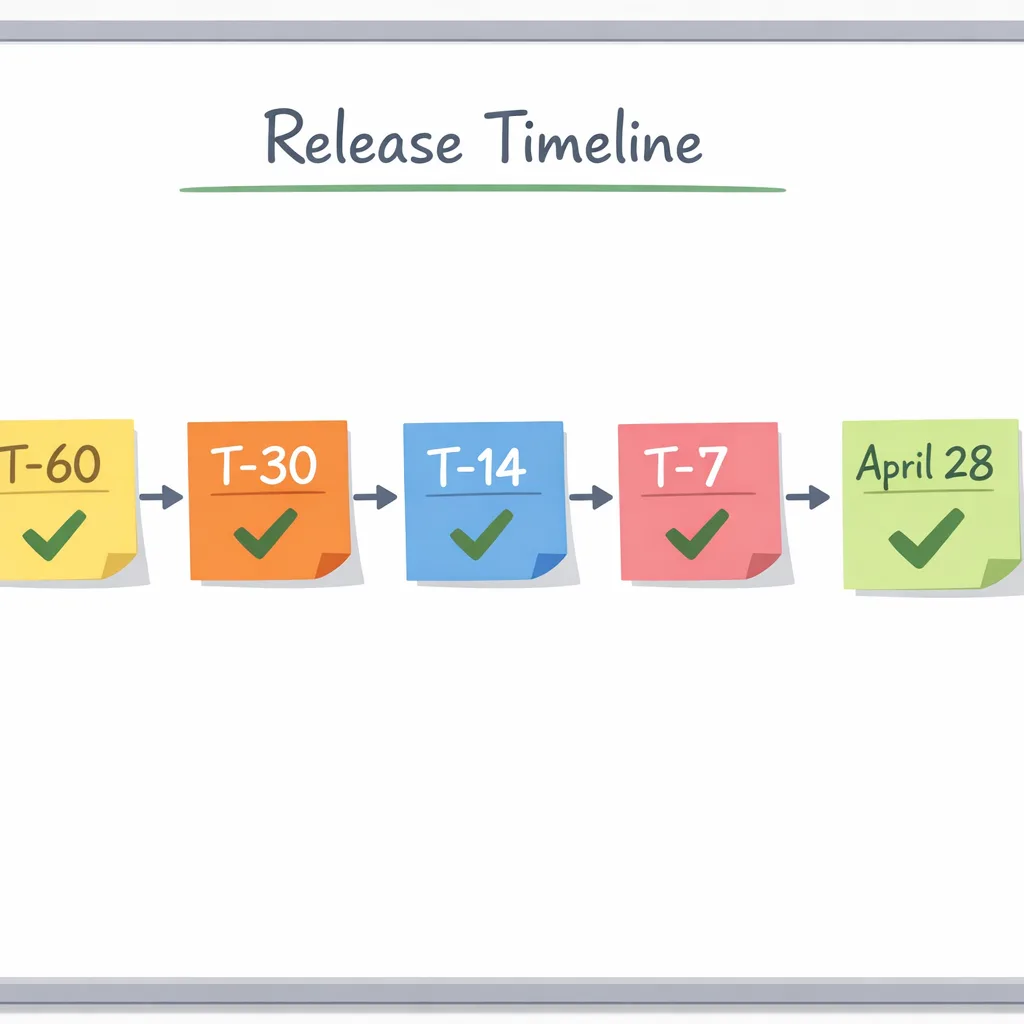
The cutover blueprint: T‑minus timeline you can copy
I’ve used this sequence with teams that ship weekly. Adjust the dates to your release cadence, but keep the order—each step reduces a class of risk.
T‑60 to T‑45 days: Make the build toolchain boring
Goal: every developer and your CI runner can produce a byte‑for‑byte‑equivalent archive with Xcode 26.3 RC.
- Install Xcode 26.3 RC on CI and at least two engineer laptops. Keep the previous stable Xcode one click away for rapid rollback.
- Pin Swift tools and SPM dependencies. Run “swift package update --dry-run,” then intentionally don’t pull everything at once—advance critical packages first (analytics, networking, UI framework) and record versions.
- Archive twice (local and CI) and compare entitlements, Info.plist diffs, and app size. Any delta you can’t explain now will snowball during review.
T‑45 to T‑30 days: Exercise the app in the 26.2 SDKs
Goal: find SDK‑level behavior changes while there’s still time to fix.
- Run smoke tests on devices across your support matrix (at least one A‑series pre‑2021 and one Apple silicon Mac for Catalyst/SwiftUI edge cases).
- Turn on “treat warnings as errors” locally for a day to surface gray‑area issues you’ve been living with.
- Validate push, purchases, Sign in with Apple, and background modes. These are the four categories I see most frequently questioned in reviews around cutovers.
T‑30 to T‑14 days: Policy alignment and age‑rating proof
Goal: your App Store Connect metadata, age‑rating answers, and runtime behavior agree with each other.
- Re‑answer the age‑rating questionnaire with your PM/legal in the room. If content or features vary by region, document where and how.
- Ship a TestFlight build and put “What to Test” notes that map to any sensitive areas (UGC, messaging, wellness claims). Capture screenshots of in‑app controls.
- In‑app parental controls: if you expose toggles (e.g., “Hide public comments”), make sure they’re discoverable and documented in your review notes.
T‑14 to T‑7 days: Finalize CI and release mechanics
Goal: stress your pipeline with production‑like load.
- Run a full dress rehearsal: tag a release candidate, generate release notes, upload to TestFlight, and collect teammate “reviewer” feedback within 48 hours.
- Double‑check code signing & capabilities. I’ve seen entitlement diffs sneak in during RC swaps (App Groups, HealthKit, background fetch).
- Lock package versions. Export a manifest (SPM resolved file, Podfile.lock) into your repo and attach to your release ticket.
T‑7 to T‑0: Flip App Store Connect to Xcode 26
Goal: ship without drama on April 28.
- Cut your first “Xcode 26” production build early in the week. Don’t wait for Friday.
- Keep a rollback cut (previous Xcode) archived and notarized. If hotfixes are needed and a dependency lags behind, you’ll be glad you have it.
- Communicate widely: support, marketing, and sales should know that submissions may queue longer around the deadline week.
Agentic coding in Xcode 26.3 RC: Use it, don’t let it use you
Agents can now explore your project, build, run tests, and modify settings. That’s a genuine speedup for migration chores—think “update deprecated API usages” or “standardize Swift concurrency annotations.” Here’s how to add it safely to your workflow:
- Scope the task: Ask the agent to change a leaf module, not the entire workspace. Migrations are safer when localized.
- Require PRs: Treat agent changes like any other contributor. PR template with a checklist: what changed, why it’s safe, before/after perf if relevant.
- Snapshot before/after: Xcode creates milestones when agents modify files. Make it policy to diff those milestones in code review.
- Cap capabilities in CI: Run agents in a sandboxed script that cannot mutate signing configs or distribution settings.
People also ask
Do I need to drop older iOS versions for the Xcode 26 requirement?
No, the requirement is about the toolchain and SDK used for building, not your minimum deployment target. That said, older OS targets get progressively harder to support as dependencies and store policies move forward. Validate your deployment target against your frameworks and the current Xcode support matrix before you promise anything to stakeholders.
Will TestFlight accept Xcode 26.3 RC builds?
Yes—App Store Connect is already accepting builds produced with Xcode 26.3 RC using the 26.2 SDK line. Many teams have flipped their pipelines early so they can shake out issues well before April 28.
What breaks most often during SDK cutovers?
My top three: entitlement drift (capabilities toggled or missing), analytics/ads SDK regressions (compiler or privacy disclosure mismatches), and background task timing changes. All three are discoverable with a disciplined dress rehearsal and well‑written TestFlight notes.
The Xcode 26 requirement: common dependency traps
Watch for these edge cases—each of them has burned a team I’ve worked with:
- Binary XCFrameworks with old linker flags: If a vendor hasn’t rebuilt with the current symbols, you’ll hit undefined symbol errors or runtime crashes when new OS versions call through.
- Swift macros and build plugins: Some macros rely on compiler internals that shift between point releases. Keep them current and pinned.
- Unsafe compiler flags: A custom “Other Linker Flags” tweak that used to silence a warning may now break LTO or dead‑code stripping under the new toolchain.
- Privacy manifests: If you introduced new capabilities (UGC, messaging, wellness), your in‑app controls and your App Store “nutrition labels” must align with the new age‑rating answers.
Review‑proof your age rating
The updated system now includes 13+, 16+, and 18+ alongside 4+ and 9+. If your answers say “none,” but your app shows comments, avatars, or links out to feeds, expect questions. Here’s a quick rubric I give teams:
- UGC present? Show the control. Surface reporting/blocking in one tap. Screenshot it for reviewers.
- Messaging or friend requests? Document how minors are protected across onboarding and discovery. Call out any parental oversight you support.
- Wellness or medical claims? Tone down the marketing copy, cite disclaimers in the app and the product page, and ensure content matches the claim.
- Region‑specific behavior? If you vary content or features (e.g., age‑assurance in Texas), describe the switch in your review notes.
Cutover QA matrix (lean but effective)
You don’t need a 200‑case spreadsheet to gain confidence. You need the right dozen tests:
- Cold start and critical path (sign in, home, purchase).
- Background fetch or push‑triggered flow (notification open).
- One deep link route that exercises your router.
- UGC create/report (if applicable), including admin escalation.
- Feature flag flip from server during a session.
- Paywall and restore purchases on a low‑end device.
- Privacy surfaces: permission prompts, settings, and in‑app toggles.
- Offline read+write cycle then sync.
- App update in place from your previous public build.
- Crash‑free session with logs verified in your analytics.
- Localization spot check of one long string and one button in non‑English.
- Accessibility pass of one complex screen with VoiceOver.
Communication plan for stakeholders
Executives don’t need compiler flags; they need risk framing and dates. I send a weekly two‑paragraph update with:
- Status: “CI on 26.3 RC is green; first RC build shipped to TestFlight.”
- Risks: “Ads SDK lagging a patch; mitigation is server flag + rollback archive.”
- Dates: “April 28 cutover; code freeze the Thursday prior; reserve reviewer bandwidth.”
What to do next (this week)
- Flip a CI lane to Xcode 26.3 RC and lock dependency versions after the first green run.
- Re‑answer Apple’s age‑rating questions with product/legal and align your in‑app controls.
- Ship a TestFlight build with clear “What to Test” that maps to privacy‑sensitive areas.
- Schedule your dress rehearsal: archive, upload, review notes, and an internal “mock review.”
Need a second set of eyes?
If you want help road‑mapping the cutover or hardening CI for April 28, our team has done this across consumer, fintech, and health apps. Start with our concise overview of how we ship and support releases, browse relevant work in the portfolio, and scan our focused brief on the April 28 SDK cutover. If you’re navigating age tiers, pair this with our hands‑on guide to App Store age verification in 2026.
Risks and mitigations at a glance
- Vendor SDK late to update: Freeze the feature behind a remote flag. If it’s critical (e.g., attribution), negotiate a beta drop or swap vendors temporarily.
- Review delays near deadline: Submit early, provide thorough review notes, and keep a customer‑visible maintenance message ready in case timing slips.
- Unexpected crash on old device: Trim the support matrix or guard heavy UI with availability checks; publish a targeted hotfix swiftly.
- Agent made an unsafe change: Require PR review and milestone diffs, and run a minimal smoke test suite on any agent‑touched module before merge.
How this plays with Android
Even if you’re iOS‑first, sync your Play Console metadata and age bands. Age assurance signals and content gating aren’t Apple‑only, and a mismatch creates support debt. If you run cross‑platform feature flags, lock your definitions in a shared config so parity doesn’t drift during the iOS cutover sprint.
Zooming out
The yearly SDK cutover is part of the cost of being in the app business. Teams that treat it like an engineering season—budgeted, rehearsed, and communicated—won’t scramble on April 28. Use Xcode 26.3 RC now, move dependencies deliberately, and make your age‑rating posture reviewer‑proof. Then you can spend May shipping features instead of post‑mortems.
Want a template repo with CI ready for the switch and a sample TestFlight checklist? Reach out via our contact form and we’ll share the starter kit we use on client engagements.





Comments
Be the first to comment.