
App Store Connect Update 2026: A Ship‑Ready Playbook
App Store Connect update 2026 isn’t just another dashboard refresh—it changes how teams plan releases, evidence compliance, and time SDK migrations. If you run a product with real users and real revenue, you need a repeatable way to adapt quickly without gambling your launch window. This article lays out a practical, opinionated framework we use with clients to move from uncertainty to green‑light submission. We’ll cover policy hotspots, a 60‑day ship plan, and the exact review artifacts that keep rejections to a minimum.
Here’s the thing: the teams that win under pressure don’t “work harder.” They sequence risk, automate the basics, and ship small on purpose. That’s the mindset we’ll bake into your process for the next cycle.
What actually changed—and why it matters now
Policy and platform changes in 2026 cluster around three realities: stricter disclosures (especially around data handling and age suitability), SDK and toolchain cutovers that force rebuilds, and operational shifts inside App Store Connect that surface more metadata and review artifacts. You can ignore none of them. More forms and toggles doesn’t mean more friction if you treat them like code—versioned, reviewed, and testable.
Calendar clarity reduces risk. Whether you’re targeting a seasonal promo, a regulatory milestone, or simply the next feature train, lock dates early and tie them to automation. If an SDK cutover locks after a certain date, don’t debate it—build the buffer. If a new disclosure is required for sensitive capabilities, draft it now, not the week of submission.
For a deeper dive on how we time platform transitions, see our focused piece on the cutover window in the April 28 SDK cutover guide and how we manage risk during mandatory upgrades in Xcode 26 Requirement: Your 60‑Day Ship Plan. Those workflows plug directly into the framework below.
The 60‑day ship framework (battle‑tested)
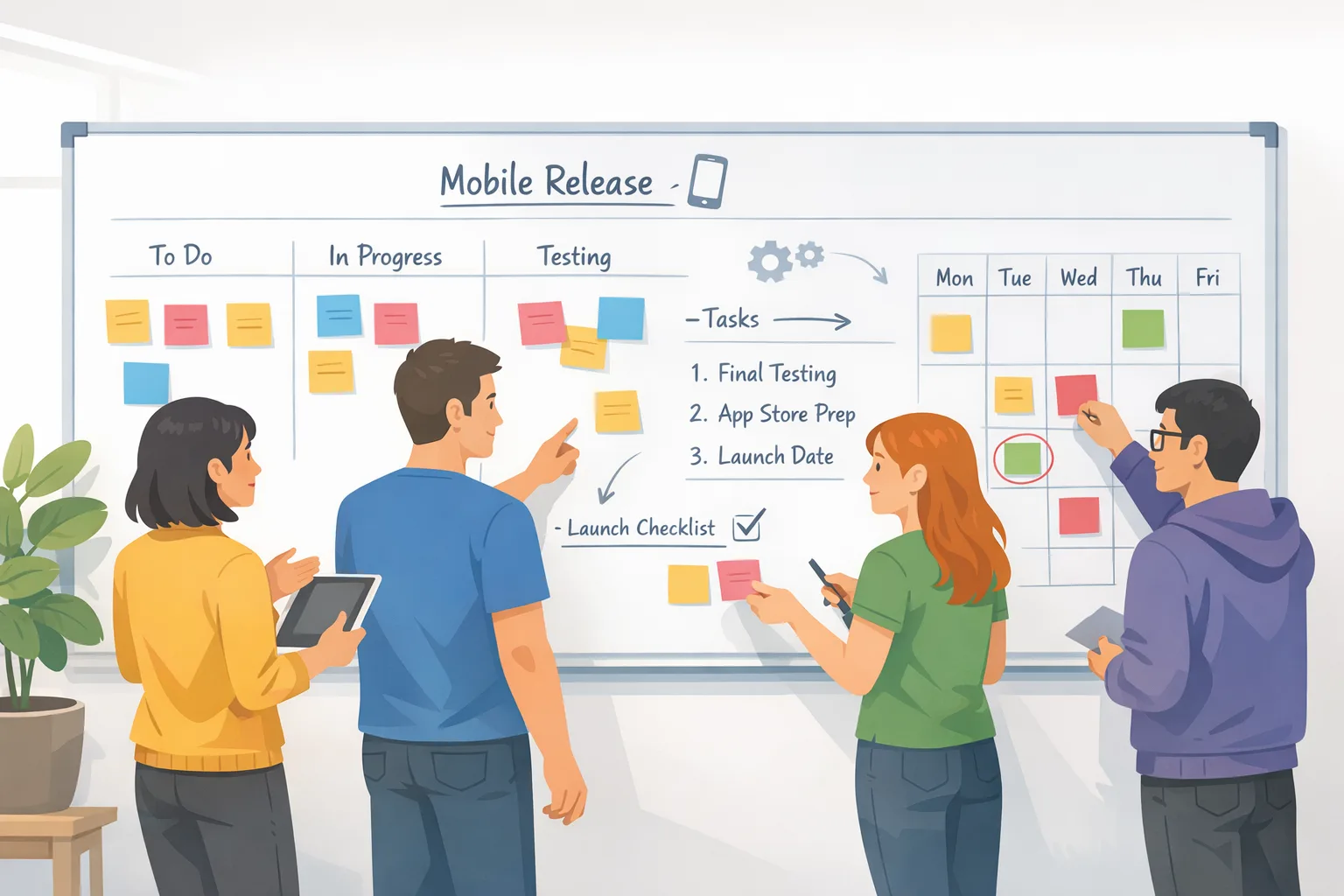
Use this when the clock is loud and the scope is messy. The goal isn’t speed; it’s predictable velocity and a submission that clears on the first pass. Think of it as four tracks running in parallel: Policy, Platform, Product, and Proof.
Weeks 1–2: Audit, branch, and remove ambiguity
Kick off with a one‑hour triage: list all changes touching policy (permissions, data usage, age suitability), platform (SDK/toolchain), product (features and paywalls), and proof (screenshots, review notes, test accounts). Then cut a release branch and freeze non‑essential scope. You’ll buy predictability you can bank later.
Deliverables:
- Policy backlog: every permission rationale, data category, and age‑gating surface mapped to in‑app UI.
- Platform plan: target Xcode and SDK combo, third‑party updates, CI runners, signing assets, and app size deltas.
- Product freeze: small, reversible features only; anything with complex flows moves to server‑flagged rollout.
- Proof kit: review notes template, demo accounts, geo scenarios, and export compliance details if you need them.
Pro tip: build a “review preview” in the app itself—an internal screen that links to policies, toggles on age gates, and shows purchase flows with test data. If a reviewer can’t find it fast, it might as well not exist.
Weeks 3–4: Implement platform and policy work
Platform first, then policy. Migrate to the target SDK and Xcode version on CI, resolve deprecations, and run size/perf checks on common devices. Stabilize crash‑free startup and memory churn—performance regressions are preventable rejections in disguise.
Policy work means updating copy and flows, not just toggles in the console. If your app targets minors or includes user‑generated content, ensure your age gates fail safe, report abuse paths are obvious, and data collection aligns with what you declare in App Store Connect. When in doubt, ship stricter defaults. For patterns that pass review repeatedly, read App Store Age Verification 2026: A Dev Playbook and our practical treatment of rating workflows in Age Ratings: Ship Age Gating That Works.
Weeks 5–6: Beta, pre‑cert, and submission rhythm
Run external beta on the release candidate with analytics wired to catch cold‑start crashes, purchase failures, and sign‑in loops within the first 24 hours. Meanwhile, complete your “pre‑cert” checklist—a dry‑run submission without hitting the final button. You’ll surface screenshot gaps, missing compliance language, and mismatched metadata before the stopwatch starts.
Submission rhythm matters. If you expect any back‑and‑forth, avoid Fridays and holidays. Keep a trained responder on point for review replies with prewritten, plain‑English explanations of the tricky flows. You’re not arguing; you’re establishing that you understand the rules and have controls in place.
App Store Connect update 2026: what devs must configure
Let’s get practical with the parts of App Store Connect update 2026 that reliably trip teams up—and how to set them up once, correctly.
Data collection and usage disclosures
Keep your data disclosure matrix in source control alongside the app. Each entry should map a code path (e.g., analytics screen views) to the declared data type, purpose, and whether it’s linked to identity. If your third‑party SDKs change behavior across versions, note the toggles you rely on and lock them in CI.
Age rating and gating flows
Age gates must reflect real consequences. If content is restricted, the UI should do something different—blur previews, change catalog scope, disable comments—without exposing blocked content for even a moment. Reviewers look for coherent outcomes, not just a birthdate field.
In‑app purchases, offers, and price experiments
Document at least one end‑to‑end path for reviewers to trigger a purchase safely. If your paywalls adapt to eligibility or region, provide a table in review notes that describes which accounts unlock which offers. Price changes? Stage them, and snapshot the expected storefront timing so support can match receipts to rollouts.
Location, camera, microphone, and push permissions
Write permission copy like a human. State the action and the benefit in the first sentence, and anchor it to a visible feature. Avoid weasel words. If a permission is purely optional, prove it by allowing the user to continue with a degraded but usable path.
Sign‑in and account deletion
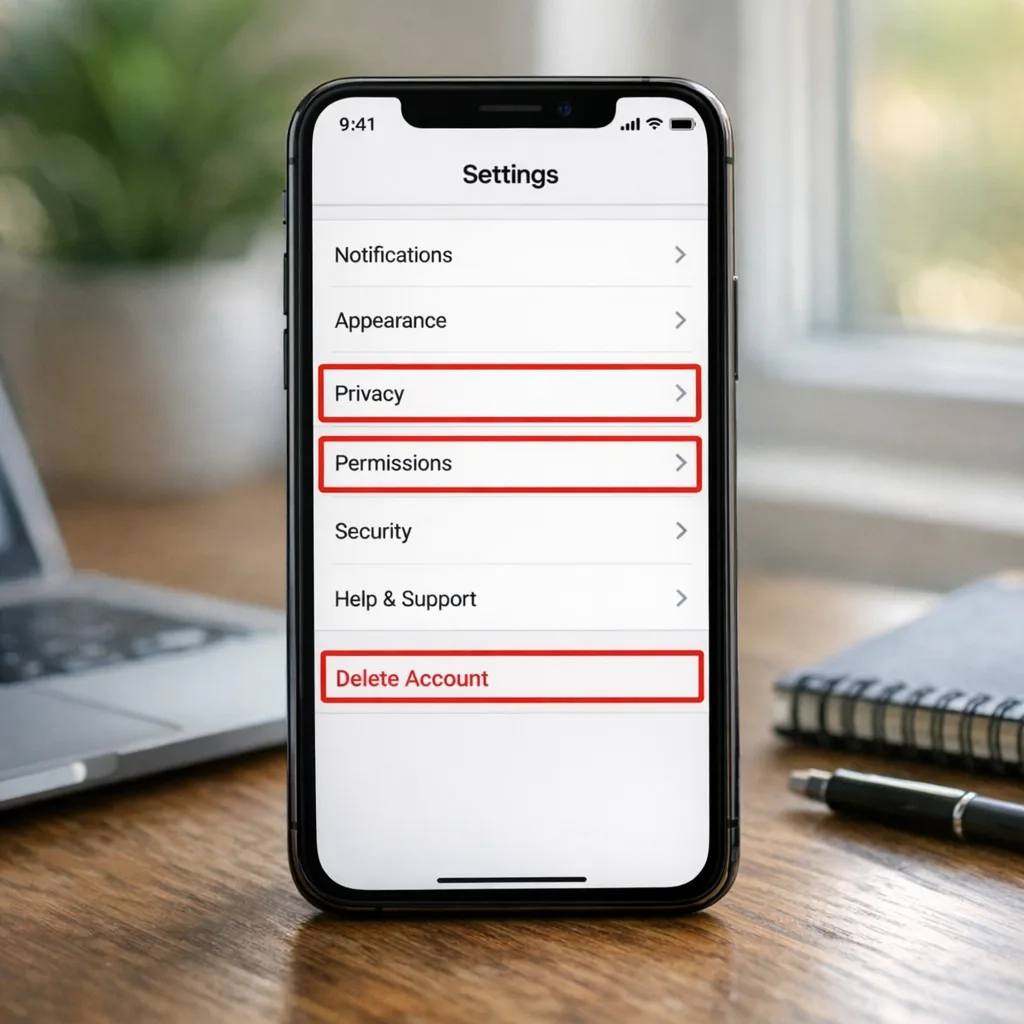
If you support sign‑in with third‑party providers, explain what data you collect and how to disconnect. For account deletion, make it findable from settings in three taps or fewer. Don’t gate deletion behind agent contact or long delays; provide in‑app confirmation and an email receipt of the request.
People also ask
Do I have to force‑upgrade older users?
Not by default. If a policy or backend contract changes, you may need a minimum version to keep users safe or compliant. Start with soft prompts, then enforce server‑side flags for specific features. Blocking the entire app should be a last resort and communicated clearly in‑app and via email if you have consent.
How strict is age verification in practice?
Stricter than last year, and reviewers now expect the UI, copy, and data disclosures to agree. If your experience meaningfully changes based on stated age, prove it in a sandbox scenario and describe it in the review notes. Edge cases—shared devices, parental controls, and content previews—need explicit handling.
Can I ship with an older SDK if everything works?
Sometimes for a short window, but you’re borrowing risk. If there’s a known cutover date, plan to meet it early. Older SDKs often imply older privacy manifests or deprecated APIs that invite rejections or crash risks when OS versions roll forward. Treat the migration as a product task, not a chore, and ship it behind a boring set of tests.
Risk matrix and the rejections we still see
There are a handful of reasons solid apps still bounce in review. They’re fixable with process, not heroics. Map each item to a measurable control so you can prove it’s handled.
- Permission copy doesn’t match behavior: the app requests location “for delivery tracking,” but no delivery map appears. Fix by tying copy to on‑screen flows and testing denial paths.
- Age gate with no consequence: user selects a restricted age, yet the same catalog shows. Fix with feature flags that actually change state.
- Broken sign‑in loops under poor network: reproduce with throttled network profiles and cache hygienically on sign‑out.
- Purchase testers can’t reach a safe paywall: provide dedicated test accounts, region notes, and a “show paywall now” deep link for review.
- Metadata drift: screenshots, descriptions, and privacy labels lag behind the build. Fix with a metadata checklist tied to each RC.
In parallel, create a pre‑submission “red team” ritual: one teammate tries to fail every permission, enter edge‑case data, and quit mid‑flow. The point is not to be clever; it’s to mirror real users and reviewers with 10 minutes and no historical context.
Release cadence that absorbs new rules
You don’t control platform timelines, but you do control how shock‑absorbent your release train is. The best teams ship small increments weekly or biweekly, use phased release at the store level, and wrap risky behavior in server feature flags so they can roll back without resubmitting.
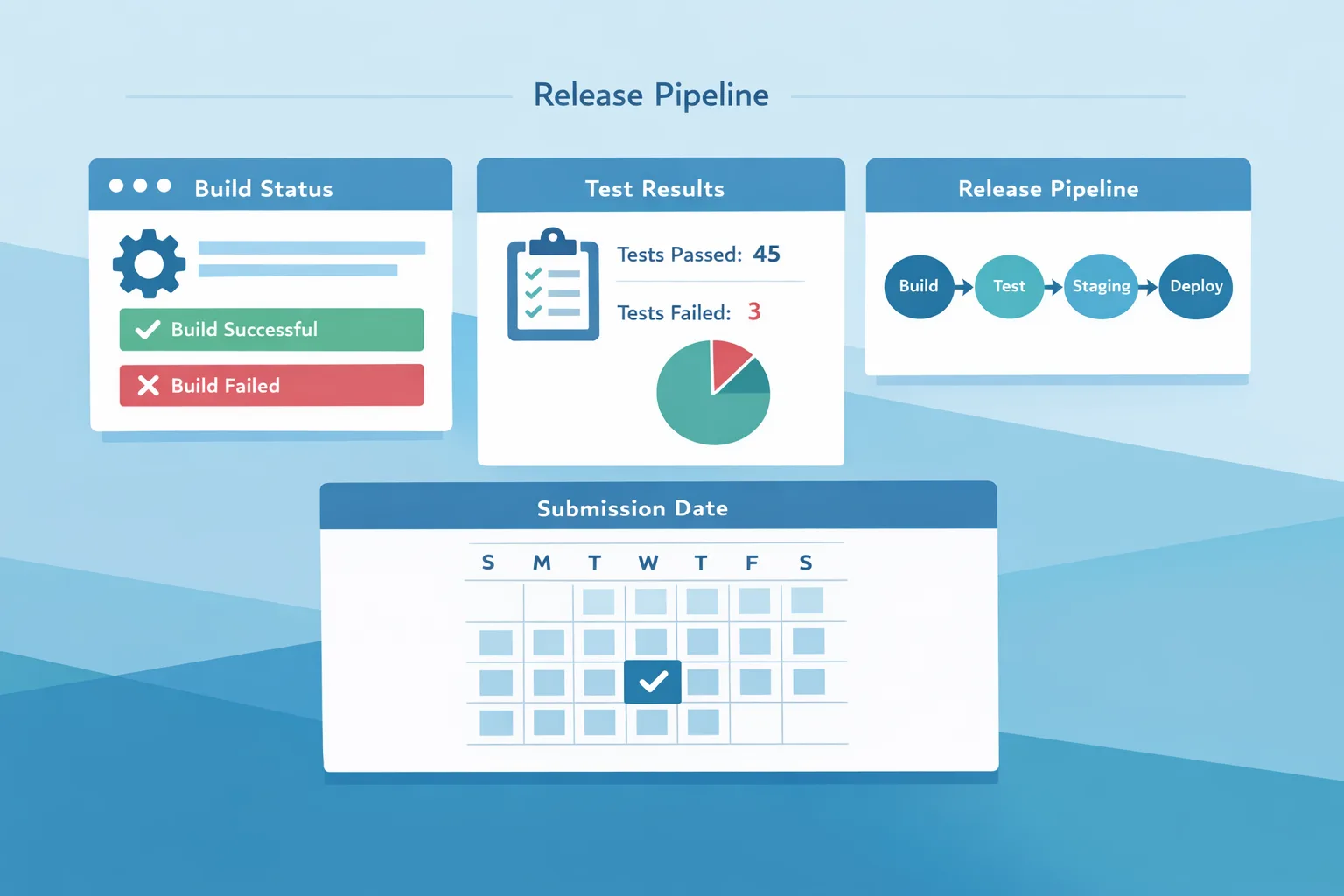
Make your CI audible. If a new Xcode becomes required for submissions, your pipeline should fail loudly on the old image and link to the migration PR. Keep fastlane (or your equivalent) configs versioned with the app and store credentials rotated on a cadence. Boring automation beats frantic late‑night clicks.
The App Store Connect update 2026 checklist
Run this before every submission. It’s short by design; if you hack at it, your future self will pay interest.
- Store metadata snapshot: title, subtitle, keywords, privacy labels, and age rating reviewed by product/legal.
- Permissions dry run: approve and deny each permission, capture screenshots, and verify alternative paths exist.
- Age gating: restricted content truly hides and previews are appropriately blurred or replaced.
- Purchases: at least one safe test path documented with accounts and eligible offers listed in review notes.
- Account deletion: present in settings, completes without support tickets, and sends a confirmation.
- Review notes: plain‑English guide to complex flows, deep links, feature flags, and sandbox accounts.
- Export compliance (if applicable): the statement is correct and consistent with the build’s crypto usage.
- Rollout plan: phased release settings chosen and server flags ready for a quick rollback.
What to do next
Two choices: keep winging it each cycle, or lock in a repeatable path. If you want a blueprint tailored to your app, our team can help plan and execute the next 60 days with you. Start with the high‑level overview in App Store Connect Update 2026: What Matters Now, then grab the migration cadence in The 60‑Day Ship Plan, and slot in the compliance details from our age verification and rating guides. If you’d prefer a partner to own the process end‑to‑end, explore our mobile app services and reach out via a quick message.
A realistic scenario—and how we’d steer it
Let’s say you’re leading a subscription fitness app. You’ve got a spring campaign starting in eight weeks, a new SDK requirement on the horizon, and fresh scrutiny on age suitability because the social feed allows comments. The surface area is large, the time is short, and the business date won’t move.
We’d freeze scope to two reversible features, migrate SDKs in week one, and dedicate a single engineer to permissions, age gates, and privacy labels. Purchases would get a “review mode” inside the app with non‑destructive test paths and a staged storefront change. The review notes would include deep links to the feed and moderation settings, plus a table that maps age selections to visible modules. By week three, you’d have external beta telemetry; by week five, screenshots and copy are final; by week six, you’re submitting with daylight to respond.
Metrics worth watching
Track real outcomes, not vanity. On the Store side: time to first review action, number of clarifications requested, and percent of submissions approved on first pass. In‑app: crash‑free sessions, purchase conversion on eligible cohorts, and friction at permission prompts. Over time, your goal is fewer surprises: stable review outcomes even as rules tighten.
When a rejection happens—and it will—treat it as a learning loop. Update your review notes template, add a test case to your red‑team ritual, and capture any new phrasing or screenshots that resolved the concern. Institutional memory beats tribal anecdotes.
Zooming out: platform respect is a competitive edge
It’s fashionable to complain about shifting platform rules. I get it. But teams that respect the platform—meaning they read it, test it, and plan for it—ship more consistently and with less drama. They also earn trust with reviewers. You won’t win every debate, but you will build a reputation for clarity and control, and that pays off when you need a fast turnaround.
If you’re managing multiple apps or a large catalog, templatize everything: permission copy blocks, age‑gate UX patterns, and review note components. Pair that with CI jobs that validate screenshots exist for each locale and device class required by your listing. It feels like overhead until it saves a weekend.
Final take
App Store Connect update 2026 raised the bar on proof and precision, but it also rewarded disciplined teams. Treat policy like product, ship smaller, and write for reviewers as carefully as you write for users. Do that, and SDK cutovers, age checks, and disclosure changes become routine—not existential.
If you want help making this your new normal, we’re here. Browse how we work on What We Do, see examples in our portfolio, and ping us when you’re ready to put a reliable ship plan on the calendar.





Comments
Be the first to comment.