App Store Age Ratings 2026: Ship Age Gating That Works
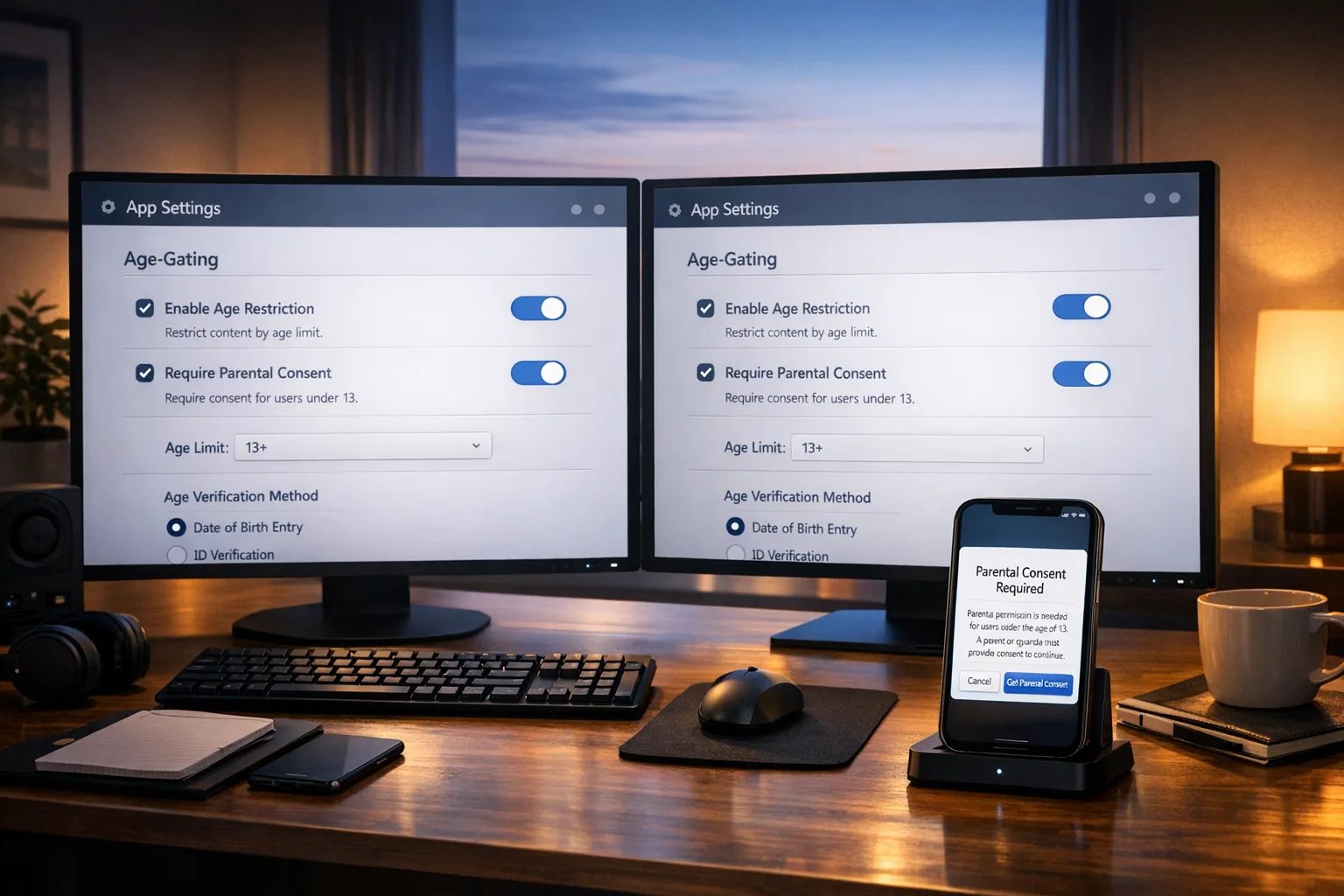
Let’s cut to it: the App Store age ratings 2026 change is real, live, and enforceable—and Google’s Play Age Signals is now part of the operating reality on Android. If you don’t adapt your product and release process, you’ll stall shipments, lose featuring, and risk state‑level headaches. This guide gives you the architecture, dates, and a 30‑day plan to implement age gating that actually works.
What actually changed on Apple’s side in 2026?
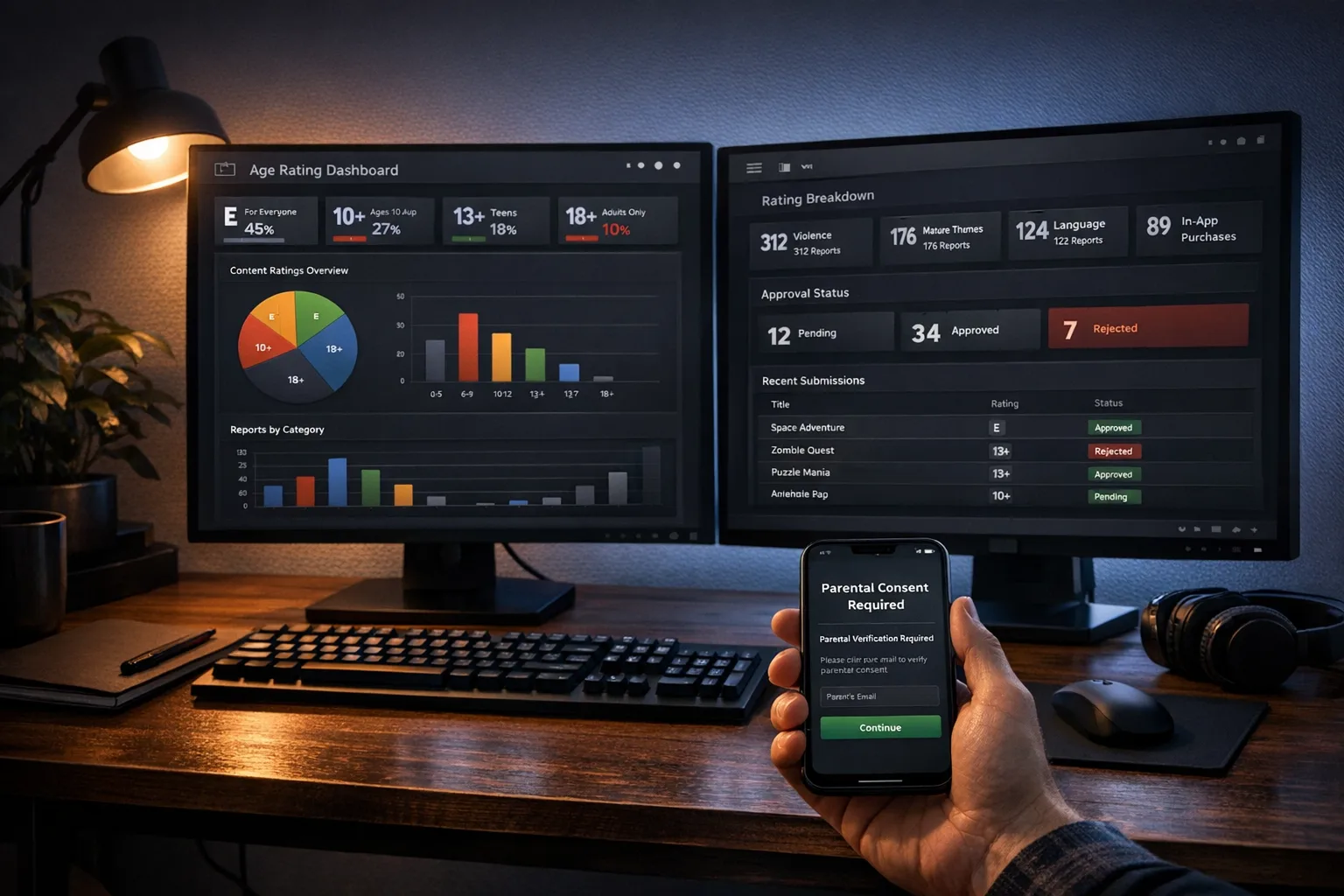
Apple expanded App Store ratings to five tiers—4+, 9+, 13+, 16+, and 18+—and removed 12+ and 17+. Every developer had to complete a new App Store Connect questionnaire by January 31, 2026; failure means you can’t submit updates until you comply. Apple also recalculated many existing apps’ ratings based on prior answers. (macrumors.com)
On February 3, 2026, App Store Connect added support for uploads built with Xcode 26.3 RC (SDKs for iOS/iPadOS 26.2, macOS 26.2, tvOS 26.2, visionOS 26.2, watchOS 26.2). That matters because you’ll be resubmitting builds as you roll out in‑app age controls and metadata changes. Plan for at least one expedited hotfix pass. (developer.apple.com)
Apple also previewed platform‑level child and teen protections that tie into those more granular ratings, including clearer product‑page disclosures for UGC, messaging, ads, and in‑app parental controls. Expect visibility and discovery to reflect these signals—kids and teens won’t even see certain placements if your rating exceeds their restriction. (apple.com)
And what changed on Google Play?
Google introduced the Play Age Signals API (currently labeled beta), which returns a user’s age‑related status: verified adult, supervised account (with an age range), approval pending/denied, or unknown. You’re expected to tailor experiences accordingly—disable restricted flows, require guardian approval, or degrade certain features. (developer.android.com)
Google’s Publisher API also now exposes regional age‑rating tiers, including 13+, 16+, and 18+, letting you map product listings to jurisdictions. If you operate globally—or need to adapt for fast‑moving U.S. state rules—wire your back office to this enum now rather than hard‑coding assumptions. (developers.google.com)
Is Play Age Signals mandatory? Google says the API helps you comply with laws; enforcement typically comes from regulators and platforms, not via a strict “must‑use” switch in Play Console. Still, as state‑level rules arrive, shipping without any age signals looks increasingly risky from both a policy and product‑safety perspective. (developer.android.com)
Key dates, versions, and the regulatory context
- Apple questionnaire deadline: January 31, 2026. Non‑compliant teams can’t submit updates until they complete it. (macrumors.com)
- App Store Connect: Xcode 26.3 RC uploads supported as of February 3, 2026 (SDK 26.2 family). (developer.apple.com)
- Utah SB 142 (App Store Accountability Act): law signed March 26, 2025; obligations on app stores and developers become enforceable May 6, 2026 (with earlier effective date for the act). (insideprivacy.com)
- Texas SB 2420: a federal court blocked enforcement on December 25, 2025 via preliminary injunction—watch ongoing litigation before treating it as active. (jurist.org)
- EU AI Act: most rules (including Annex III high‑risk categories and transparency) start applying August 2, 2026; governance and GPAI duties kicked in during 2025. If your app uses AI for moderation or biometric classification, mapping to these duties now avoids a scramble. (digital-strategy.ec.europa.eu)
Bottom line: Apple’s age ratings are already reshaping distribution and featuring, Google Play has programmatic signals you can wire up today, and state/EU timelines will keep ratcheting up expectations through 2026–2027.
Primary keyword Q&A: What do “App Store age ratings 2026” mean for my roadmap?
They’re not just labels. The new tiers determine who can see or discover your app and how it’s surfaced to families. They also shape which in‑app controls and disclosures you’ll need to provide to avoid review friction and negative trust signals. On iOS, expect editorial and tab visibility to respect a child’s restrictions. On Android, plan for flows that adapt based on Play Age Signals. (apple.com)
The architecture that works across iOS and Android
Here’s the thing: you don’t need two entirely different stacks. You need a single policy engine behind thin client adapters. The pattern we’ve shipped on multiple teams looks like this:
- Client adapters: Wrap Apple’s local controls (e.g., Screen Time interplay, declared age ranges via OS‑level prompts) and Google’s Play Age Signals. Keep the adapters tiny and stateless; treat them as data sources with caching and a short TTL (think 1–24 hours, configurable). (developer.android.com)
- Policy service: A server‑side rules engine that ingests age signals, region, SKU, and feature flags, then returns a capability matrix (e.g., canCreateAccount, canJoinGroupChat, canPurchase, canSeeUGC18). Express results as a compact bitmask or JSON contract.
- Consent orchestration: For supervised/under‑18 users, drive an out‑of‑band parental approval flow. On Android, expect redirects back to Play or your guardian portal; on iOS, use your own UX and keep proof of consent server‑side (timestamp + method). Don’t store raw IDs if you can avoid it—store attestations.
- Telemetry + revocation: Log every gate decision with policy version and inputs; implement revocation listeners (e.g., Play’s installID and approval revocation path) to shut off features when approvals are pulled. (developer.android.com)
- Fail‑safes: If signals are unknown or stale, default safely. For payments, show a locked state with “Ask a parent” CTA; for UGC, restrict posting but allow browsing in a safe mode.
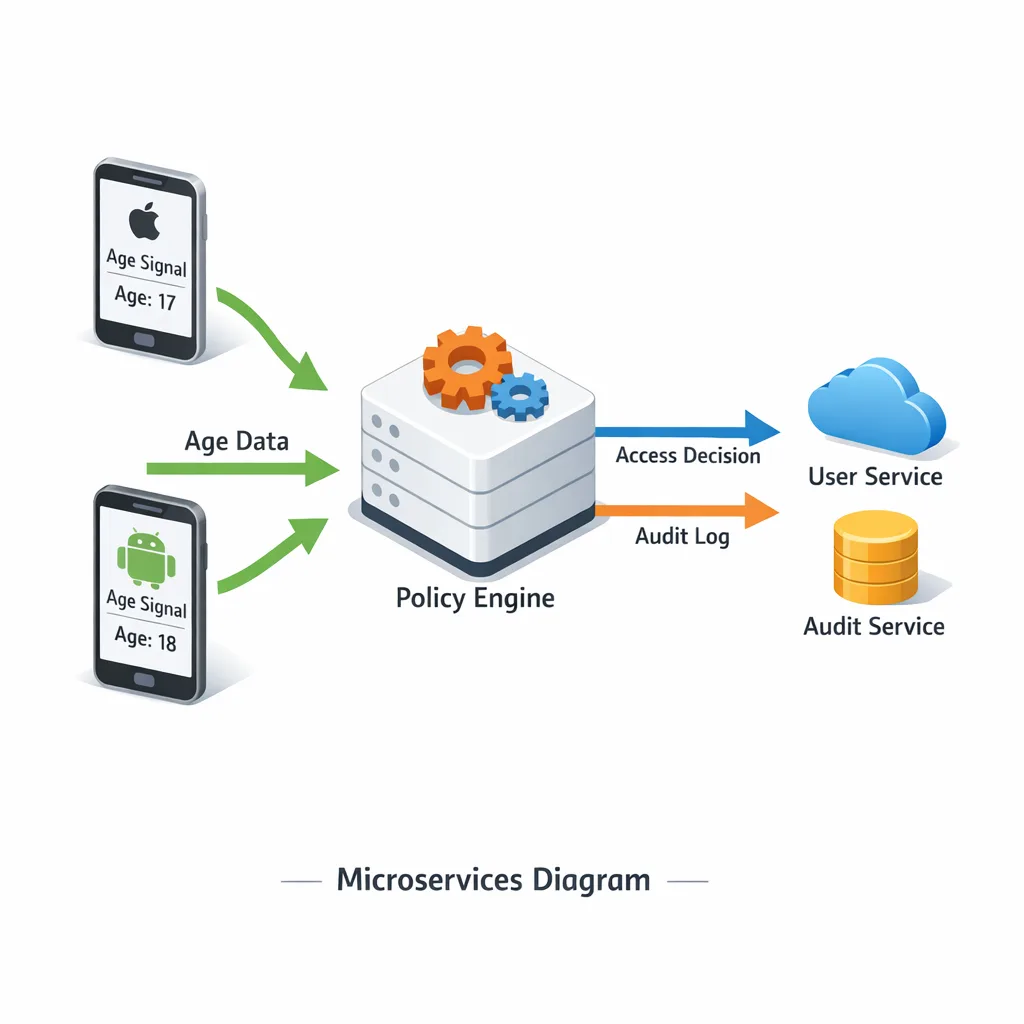
This separation means your business rules evolve without re‑shipping apps. It also localizes sensitive logic (e.g., jurisdictional quirks) to one service and audit log.
People also ask: Do I need Play Age Signals if I don’t have adult content?
If you have payments, UGC, social graphs, or ads, you’ll encounter age‑specific expectations—even if your content is “clean.” Signals let you disable targeted ads for supervised teens, convert open chat to read‑only, or require guardian approval for purchases. It’s not strictly “mandatory” by Play policy today, but it’s fast becoming the easiest way to align with state requirements and store review expectations. (developer.android.com)
What if Apple reassigns my rating?
It happens. Use product‑page disclosures for UGC/messaging/ads, add in‑app controls, and resubmit with precise questionnaire answers. You’ll often regain the rating you deserve once your controls are verifiable in review. Apple has already signaled that product pages and discovery depend more on those disclosures in 2026. (apple.com)
Let’s get practical: a 30‑day retrofit plan
Here’s a tight, real‑world plan sized for a small platform team shipping bi‑weekly.
Week 1: Inventory and risk map
- Map features by risk: payments, UGC, messaging/DMs, social discoverability, livestream, and ads. For each, decide under‑13, 13–15, 16–17, 18+ behaviors.
- Complete Apple’s new questionnaire if you missed it; block off a resubmission slot. (macrumors.com)
- On Android, add a thin adapter for Play Age Signals; log raw responses and normalize to your capability matrix. (developer.android.com)
Week 2: Build the policy service
- Stand up a simple rules engine (JSON configs in Git, evaluated server‑side) that returns gates per user and region.
- Implement safe defaults when age is unknown or supervised with approval pending.
- Design an auditable consent record (subject ID hash, jurisdiction, method, timestamp, scope).
Week 3: UX and store‑facing work
- Create friction‑light modals: “Ask a parent,” “Read‑only until verified,” or “Reach out to support for supervised upgrade.”
- Update App Store product page to reflect UGC/messaging/ads and any in‑app parental controls you added. (apple.com)
- In Play Console/Pub API, align your regional age rating tiers (13/16/18) with copy and pricing. (developers.google.com)
Week 4: Ship and monitor
- Release iOS with the updated questionnaire responses and in‑app controls, using Xcode 26.3 RC or later. (developer.apple.com)
- Release Android with Play Age Signals integration and server‑side policy gating; enable revocation handling via installID. (developer.android.com)
- Instrument a “policy version” dimension in analytics to observe lifts/drops per gate and tune friction.
Compliance gotchas and edge cases we keep seeing
State‑by‑state drift. Utah’s obligations kick on May 6, 2026; Texas is paused by injunction; other states may follow. Bake jurisdiction into your policy lookup so you can flip on stricter gates per state without a new build. (insideprivacy.com)
Signal staleness. Don’t assume a one‑time check. Cache results for a short window and re‑fetch on high‑risk actions (e.g., first purchase attempt of a session). (developer.android.com)
Discovery cliffs. If your iOS rating rises to 16+ or 18+, expect less exposure in youth contexts. Counter with better category tags, age‑appropriate screenshots, and clear control disclosures. (apple.com)
Privacy overcollection. Avoid collecting raw IDs when possible; store attestations and hashes. Apple and Google have both voiced privacy concerns around broad age‑verification mandates—your design should reflect data minimization. (cnbc.com)
GPAI apps. If you use generative AI for moderation or personalization, EU AI Act transparency kicks in on August 2, 2026. Keep model cards, data sources, and in‑product disclosures ready. (digital-strategy.ec.europa.eu)
A simple decision matrix for product owners
Use this quick rubric before you pick your gates:
- Content risk: Does any feature enable unreviewed UGC, live chat, or adult themes? If yes, cap or remove for 13–15 and consider read‑only for 16–17.
- Transaction risk: Are there real‑money purchases? Require guardian consent for supervised users; add cooling‑off periods and spend limits for teens.
- Social graph risk: If users can DM strangers, disallow for supervised users; require mutual follow or school‑verified communities for teens.
- Data risk: Minimize collection; don’t repurpose age signals for ads or analytics.
- Jurisdiction: Utah (from May 6, 2026) demands more rigorous alignment; Texas is paused; monitor California’s 2027 Digital Age Assurance deadlines for OS‑level age prompts. (stoel.com)
How we’d implement it (yes, quickly)
Start with a flag‑driven rollout so you can test on a subset of states or cohorts. Gate three things first: account creation, UGC posting, and payments. Only after those are safe do you iterate into secondary areas like friend recommendations or live voice. Keep your policy contracts versioned and human‑readable in Git so legal, security, and product can all review diffs.
If you want deeper playbooks, we’ve broken down iOS specifics in our App Store Age Ratings 2026: What to Ship Now, plus Android wiring in our Play Age Signals API: 2026 Compliance Playbook. For shipping cadence tips tied to Apple’s tooling, see February 2026 App Store Connect Update: Ship Smarter. And if your app uses AI in sensitive flows, bookmark our EU AI Act 2026 last‑mile compliance brief.
“What if we serve both kids and adults?”
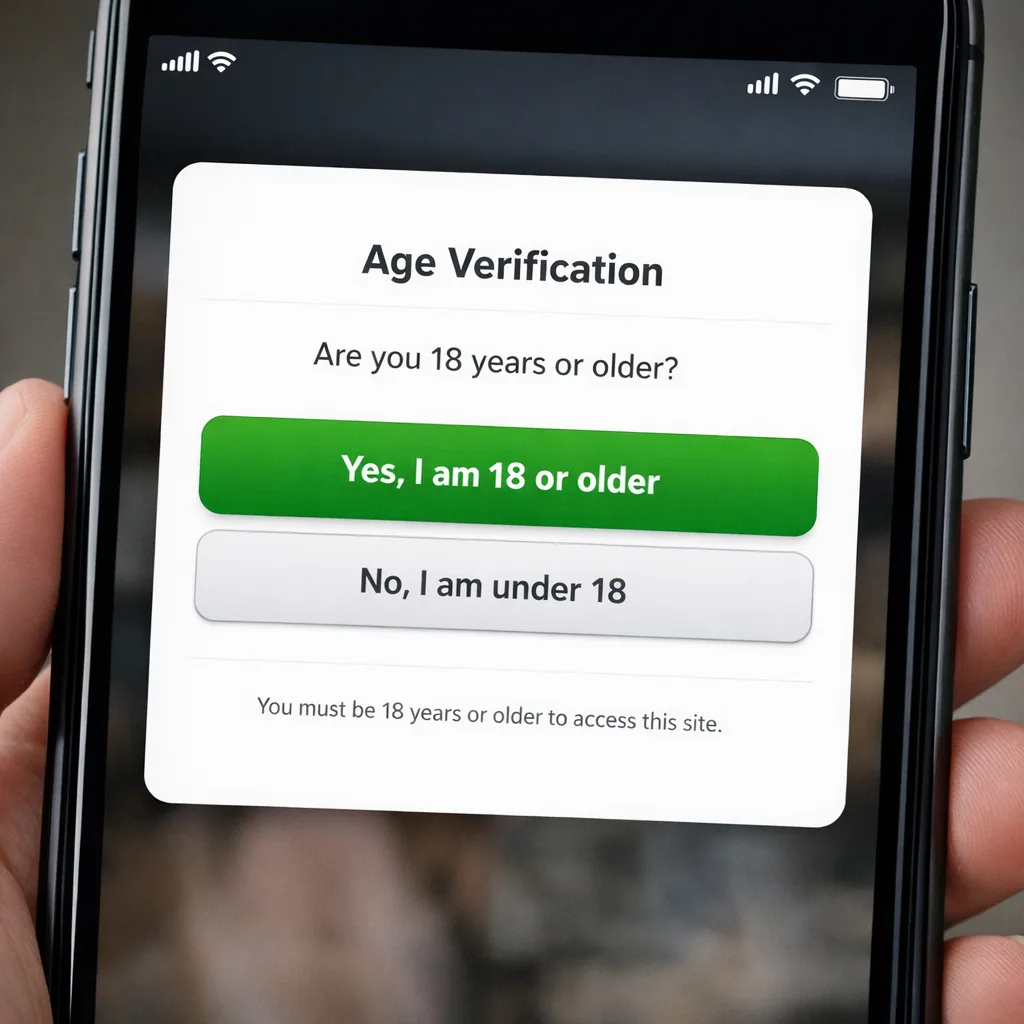
Run a dual‑mode UX. Default to a universal read‑only experience (browsing, tutorials, single‑player, lightweight creation), then unlock posting, social, and purchases once the policy service returns a green light. It’s the safest path for growth while you dial in verification and consent.
Checklist: AGE‑READY 10
Use this quick self‑audit before your next release:
- Inventory risky features (payments, UGC, messaging, live).
- Signals integrated (Apple local controls leveraged; Play Age Signals wired with short TTL). (developer.android.com)
- Policy service returns a capability matrix and logs decisions.
- Consent flow implemented for supervised users with revocation handling. (developer.android.com)
- Copy updated on product pages for UGC/messaging/ads and in‑app controls. (apple.com)
- Analytics tagged with policy version for A/B reads.
- Regionalization for 13/16/18 tiers via Google Publisher API. (developers.google.com)
- Privacy minimization: attestations over raw IDs.
- Docs ready for review teams (screenshots of controls, test accounts, age‑gate flow notes).
- Roadmap accounts for Utah’s May 6, 2026 milestone and EU AI Act August 2, 2026 if relevant. (stoel.com)
What to do next (this week)
- Book a 60‑minute war‑room with product, legal, and engineering to finalize your risk map.
- Stand up the policy service skeleton and ship a hidden build with gates wired but disabled.
- Update App Store Connect answers and screenshots; prepare a “What changed” note for review. (macrumors.com)
- Integrate Play Age Signals behind a feature flag; log responses and attach your capability matrix. (developer.android.com)
Need help pressure‑testing your plan? See how we run these retrofits on fast timelines in our What We Do overview, browse relevant case patterns in our portfolio, or talk to us about a two‑sprint engagement via contact us.
Zooming out, the direction of travel is clear: platforms, regulators, and parents all expect responsible defaults. Ship a flexible policy engine now and you’ll breeze through the review queues while competitors scramble. That’s the difference between a team that dreads compliance and one that turns it into a product advantage.





Comments
Be the first to comment.