Play Age Signals API: 2026 Compliance Playbook
The Play Age Signals API became real on January 1, 2026. If you ship Android apps—whether or not you market to teens—you’re now expected to handle age signals correctly, honor parental consent status, and prove it. Meanwhile, Apple is rolling out its own privacy‑preserving age‑range tooling for iOS. The rules are shifting fast; this guide shows you how to build once, stay compliant, and keep shipping.
What changed—and when
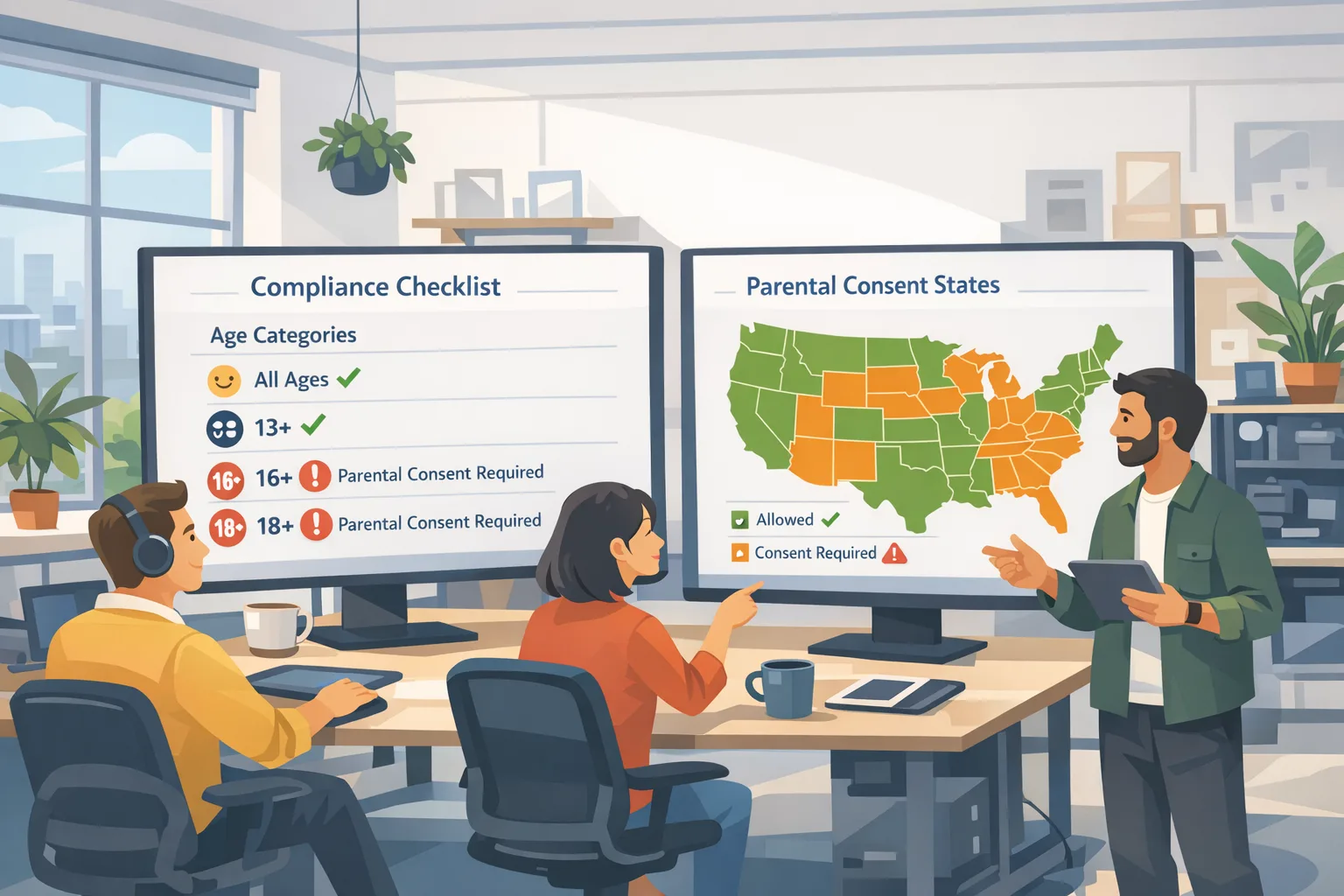
Here’s the thing: the timeline isn’t abstract anymore. On January 1, 2026, Google limited developer use of age data to the Play Age Signals API within the receiving app. January 28, 2026 added new Play Console attestations for certain finance apps. Utah’s app store law begins developer and store obligations on May 6, 2026; Louisiana’s equivalent kicks in on July 1, 2026. Texas’ law was blocked by a federal court on December 23, 2025 and remains in litigation. Alabama’s App Store Accountability bill passed the House 103–0 on January 22, 2026 and cleared the Senate on February 6, 2026—if enacted, it’ll look a lot like Texas and Utah. If you wait for perfect clarity, you’ll miss the window to adapt your stack.
Zooming out: regardless of state politics, both major platforms are converging on the same idea. App stores classify a user by age bracket, attach a parental relationship for minors, and expose that status to your app. Your job is to use those signals to gate risky features, re‑request approval after “significant changes,” and avoid storing more data than you need.
How the Play Age Signals API works (and where teams trip)
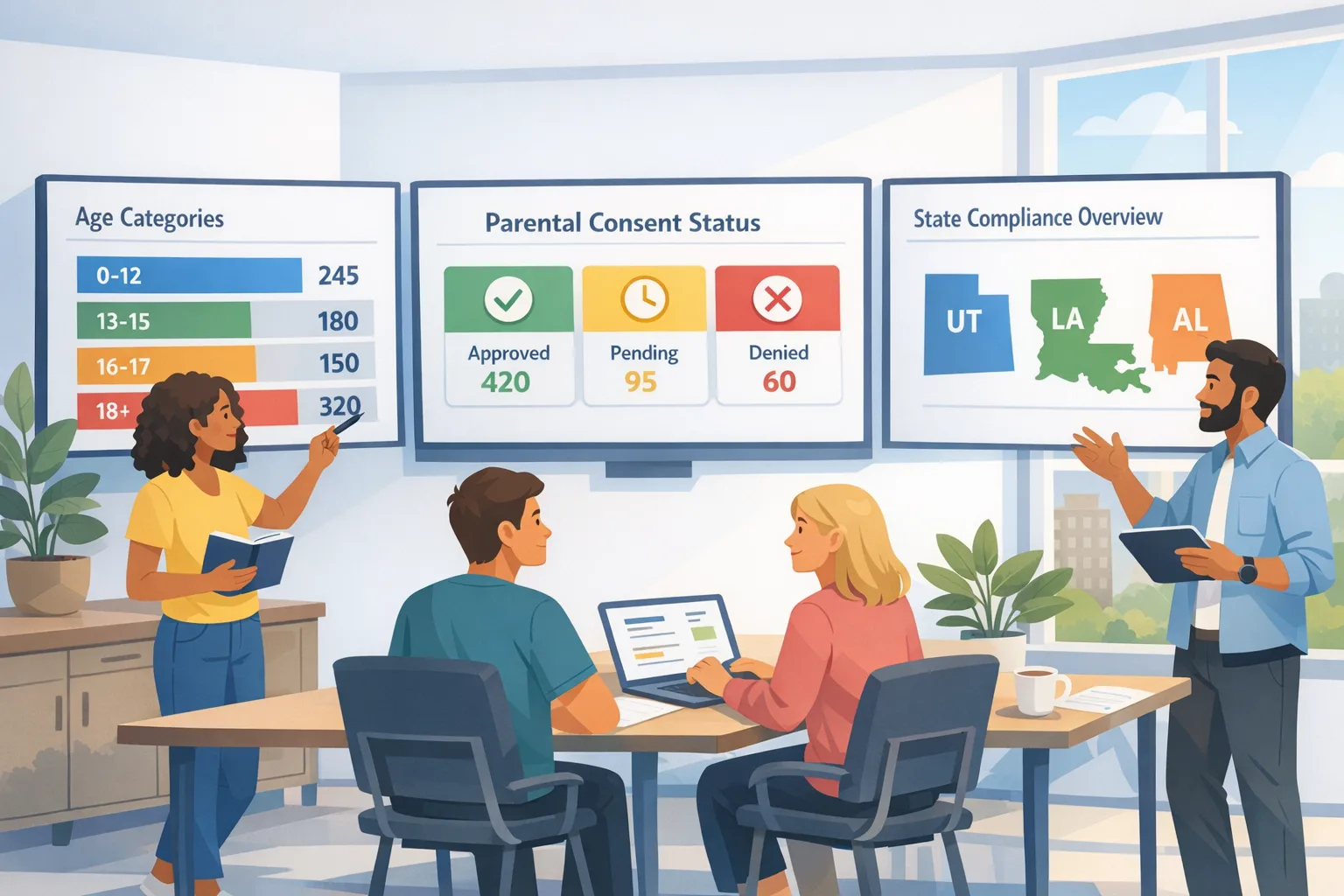
The Play Age Signals API returns an age category and consent state to eligible apps—by default: 0–12, 13–15, 16–17, and 18+. You can define custom ranges in Play Console once a year if your UX needs different brackets (say 10+, 15+, 17+). Google also exposes a “significant changes” mechanism: when you materially change terms, data use, features, or monetization, parents of supervised users must approve again starting from the effective date you set.
Three details that matter in real code and operations:
- Birthday drift is real. Google updates cached age ranges for supervised accounts within 2–8 weeks after a birthday. Don’t hard‑code cutoffs—treat the signal as authoritative and retry periodically.
- Approval states are discrete. Expect supervised, approval‑pending, or approval‑denied. Your purchase flows, chat features, and UGC tools must behave differently in each state.
- Integrity matters. Pair Age Signals with the Play Integrity API so your checks aren’t trivially spoofed on rooted or emulated devices.
What about locales? Age Signals is jurisdiction‑aware, but your app should still geofence edge cases (traveling teens, VPN use) with a server‑side policy check. When in doubt, default to the more protective behavior and present a clear recovery or appeal path.
Android UX acceptance checklist
Before you ship a minor‑safe build, sanity‑check these flows end‑to‑end:
- First‑run: fetch Play Age Signals early (post‑login, pre‑feature unlock). Defer risky features until signals arrive; show a single, patient spinner—not a cascade of toasts.
- Commerce: if the user is under 18 and approval is pending or denied, suppress add‑payment, purchase, and tip‑jar UI. Show a neutral “Ask your parent” CTA that deep‑links to the platform approval surface.
- UGC: throttle reach (comment limits, DM restrictions), default stricter content filters, and turn off link sharing for younger brackets unless a parent explicitly approves.
- Re‑approval: when you schedule a significant change with an effective date, log it server‑side, then switch the client to read the new approval fields after 00:00 UTC on that date.
- Graceful degradation: if the API is temporarily unavailable, keep the user in the last known safe mode and queue a background refresh.
Apple’s path: Declared Age Range, updated ratings, and consent
On iOS, Apple isn’t asking you to collect birthdays. Instead, parents can opt to share a child’s age range with apps using the Declared Age Range API. Apple also expanded its global age ratings to 4+, 9+, 13+, 16+, and 18+ to make teen ranges more actionable. Practically, that means you should plan the same feature tiering on iOS that you’re wiring up on Android—different brackets, different defaults, minimized data, and clear parental controls.
One more nuance: Apple is aligning developer tooling with state‑level rules that require re‑approval after “significant changes.” Expect to notify parents when your app meaningfully shifts content, data use, or monetization. Make that a normal part of your release routine—just like bumping schemas or rotating keys.
People also ask: Do we need this if our app “isn’t for kids”?
Yes. These laws and store policies apply to apps available to the general public, even if your brand targets adults. A 16‑year‑old can still install your marketplace, fitness tracker, or MMO. If your app includes UGC, messaging, matchmaking, real‑money gaming, or in‑app purchases, you’re squarely in the blast radius. Build once; turn features on by age bracket.
People also ask: What happens if we ignore the Play Age Signals API?
At best, you’ll fail review or get flagged in policy enforcement sweeps; at worst, you’ll be delisted in states with active enforcement or face Attorney General actions with per‑violation penalties. You’ll also burn trust with parents and users. It’s not worth the risk—especially because the technical work is straightforward once you organize it.
The AGE framework: a practical blueprint
Here’s a simple framework we’ve used with product teams to ship safely under the new regime.
A — Assess
Inventory every feature that changes risk by age bracket: identity, UGC, location, payments, promotions, analytics, AI chat, photo/video capture, link sharing, external intents. Map each to four tiers: 0–12, 13–15, 16–17, 18+. Decide what’s allowed, what’s off by default, and what requires explicit parental approval.
G — Gate
On Android, read the Play Age Signals API on launch and pre‑purchase. On iOS, request Declared Age Range if appropriate and align with the app’s age rating. Gate feature flags server‑side using policy middleware so you can fix mistakes without shipping a new binary. Require verified parental consent before turning on payments, DMs, or account linking for minors.
E — Evidence
Log decisions minimally and privately: age bracket, approval state, feature toggles, and the “significant change” effective date that triggered a new consent. Keep an audit trail with short retention. Don’t store birthdates you never needed; don’t replicate platform IDs if you can hash or pseudonymize.
Data you should and shouldn’t store
Store: age range category, consent status, consent change timestamps, and the policy version that drove a decision. Maybe: custom age tiers configured in Play Console and the last queried integrity verdict. Never: government IDs, full birthdates, parent payment details, or selfies—leave verification to the platforms unless you’re a regulated service that must do KYC.
“Significant changes” without breaking your roadmap
You’ll need a process. Treat significant changes like schema migrations:
- Propose: Create a one‑pager for the change with risk areas, data flows, and mitigations.
- Schedule: In Play Console, set the effective date; for iOS, prep your parental notification path and App Store metadata.
- Ship: Roll out features behind flags. On the effective date, flip the approval requirement and monitor denials.
- Observe: Watch support queues for false positives and confused parents; adjust copy quickly.
Do this and you’ll avoid last‑minute scrambles that derail sprints.
Engineering gotchas we’ve seen (so you don’t repeat them)
- Assuming birthdays update instantly. They don’t—design for the 2–8 week cache window on Android and surface a friendly info message.
- Mixing platform signals. Keep Android and iOS adapters separate; translate them into a common internal policy object at the edge.
- Letting clients decide everything. Centralize enforcement on your backend so bad clients and forks can’t bypass gates.
- Forgetting to test travel scenarios. A supervised teen flies from Utah to a non‑enforcement state; your app should keep protections applied until signals say otherwise.
- Hard‑coding copy that scares parents. Use plain language and explain what’s enabled, what’s disabled, and why.
Product and growth: what changes
This isn’t just compliance—it’s conversion and retention. Younger brackets will see more friction in payments, messaging, and discovery. Expect lower ARPU for 13–15s and higher support volume at release time when “significant changes” roll out. Offset it with clear onboarding, transparent settings, and thoughtful defaults. One pattern we like: show parents a compact “feature receipt” that lists exactly what you’re turning on for their child—nothing more.
Policy snapshot for February 2026
Let’s anchor key dates so your exec team has a shared calendar:
- January 1, 2026: Google’s Play Age Signals policy effective; use data only in the receiving app; implement significant‑change approvals.
- January 22, 2026: Alabama House passes HB161 (103–0). February 6, 2026: Alabama Senate passes it 32–3; final enactment pending.
- May 6, 2026: Utah developer and store obligations begin.
- July 1, 2026: Louisiana law effective.
- Texas SB 2420: preliminarily enjoined December 23, 2025; watch the docket before assuming it’s dead.
If your organization ships multiple apps, build a shared policy layer now so you can switch state‑by‑state options without duplicating work across teams.
Implementation worksheet you can copy
In practice, teams move faster with a punchy checklist. Use this in sprint planning:
- Threat model: Identify where minors could be targeted (DMs, open groups, public profiles, live audio, invites).
- Feature matrix: Define allow/limit/deny per age bracket for UGC, payments, promos, and data collection.
- Signals adapter: Implement Android (Age Signals + Integrity) and iOS (age range + rating) clients. Normalize to an internal policy object.
- Server policy: Enforce gates server‑side; expose a debugger endpoint for CS and QA (read‑only).
- Parental re‑approval: Wire significant‑change scheduling; on the effective date, respect approval‑pending/denied states.
- Observability: Log minimal evidence; alert on approval‑denied spikes after releases.
- Docs and copy: Write parent‑facing microcopy and an FAQ. Localize first in states with live statutes.
Security and privacy tradeoffs (be candid)
Age assurance always risks over‑collection. Resist the temptation to build your own ID scan unless you’re mandated to. Let app stores carry that liability and focus on least‑privilege design in your app. For analytics, aggregate by bracket instead of storing per‑user ages. Encrypt logs with short retention and build deletion paths parents can find in one tap.
What to do next
- Stand up a cross‑functional tiger team (legal, product, mobile, backend, CX) for 60 days.
- Integrate Play Age Signals API and exercise approval states against your highest‑risk flows.
- Prepare your iOS age‑range adapter and align your App Store rating to the new 4+/9+/13+/16+/18+ model.
- Tag your next two releases as “significant changes” dry runs so your team practices the end‑to‑end workflow.
- Publish a short parent FAQ and link it from onboarding and Help.
Want help from a team that’s shipped this before?
If you need a hand turning policy into product without blowing up your roadmap, our team has done this for marketplaces, social apps, and games. Start with our practical guides on Apple’s new ratings and age flows—the App Store compliance playbook, our deep dive on building age verification right, and a side‑by‑side take on App Store vs. Play Age Signals. Or talk to us about an implementation sprint via our services or contact us.

Bottom line
The platforms are finally standardizing on age brackets and parental consent signals. If you wire your Android app to the Play Age Signals API, adapt your iOS app to Apple’s age‑range model, and treat “significant changes” as a normal release step, you’ll be fine—even as states jockey over the details. The companies that win here won’t just meet the letter of the law; they’ll design experiences that reassure parents, respect teens, and keep the product delightful for adults. Do that, and compliance becomes a feature, not a tax.





Comments
Be the first to comment.