Xcode Cloud IP Ranges Changed: What To Update Now
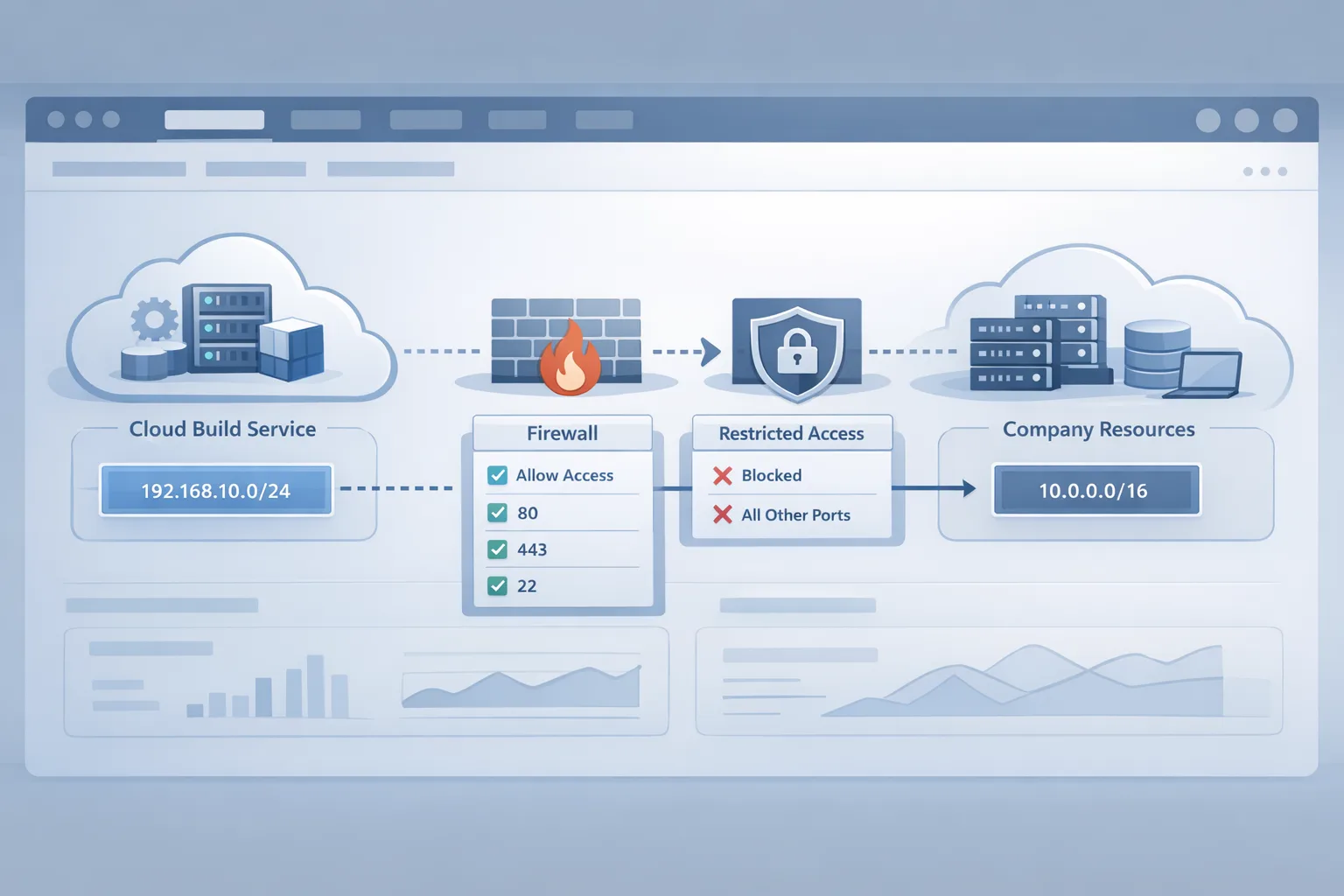
Apple updated the Xcode Cloud IP ranges on February 10, 2026. For most indie teams, that’s a non-event. For enterprises with strict network egress controls, private registries, or IP‑restricted webhooks, it’s a fire drill. Builds that worked yesterday can suddenly time out, fail to fetch dependencies, or bounce on your artifact store with 403s. The fix is straightforward—if you know where to look and how to roll it out safely.
Xcode Cloud IP ranges: what changed on Feb 10, 2026
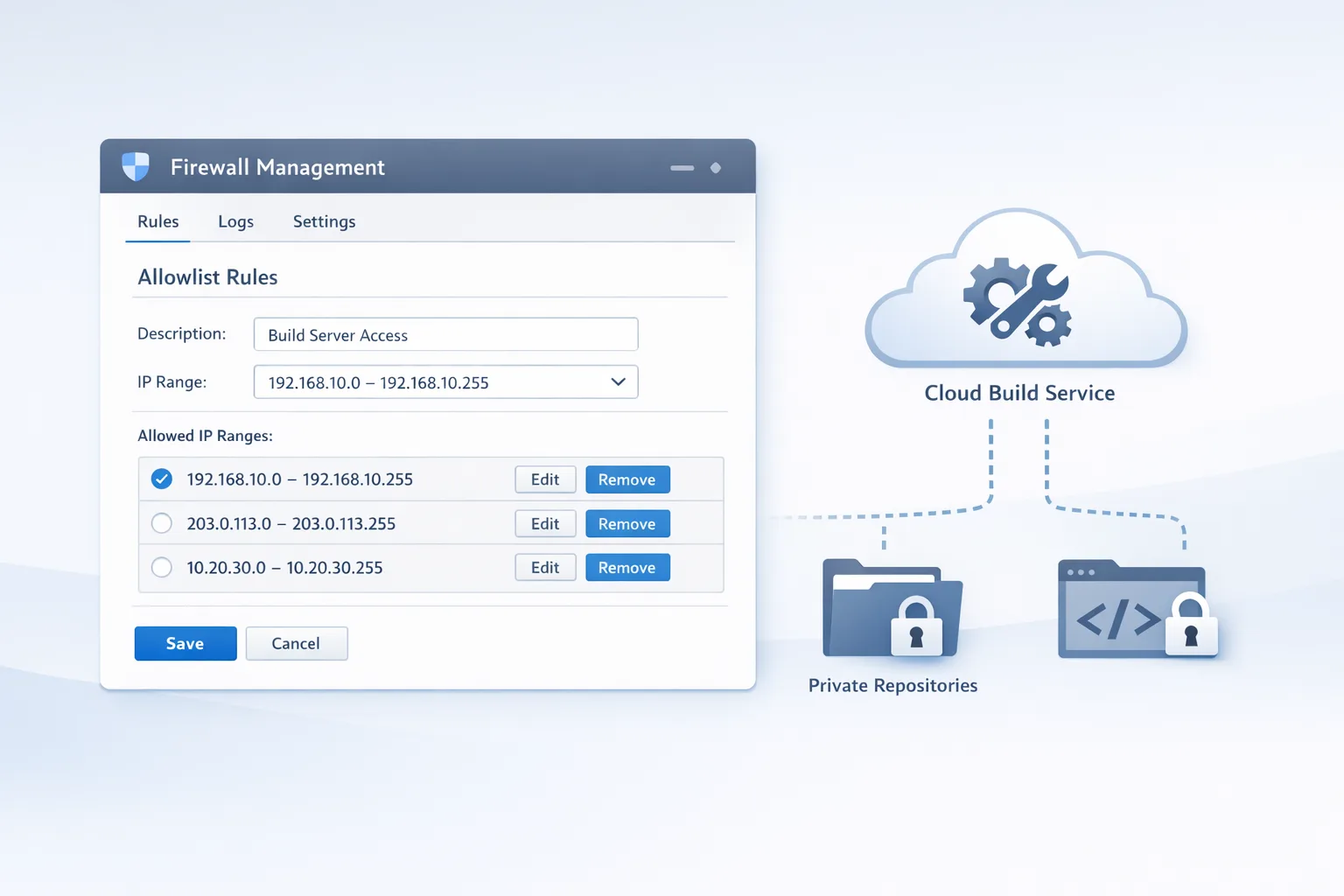
Apple refreshed the egress address blocks that Xcode Cloud uses to reach the public internet and your services. Practically, this means outbound requests from build machines originate from new IPv4 and IPv6 ranges. If you pin access to known CIDRs on your firewall, CDN, artifact registry, or webhook endpoints, you must update those allowlists. Expect at least two new IPv4 ranges and several /56 IPv6 blocks. Even if you’re an IPv4‑only shop, check for any upstream reverse proxies that evaluate IPv6 first.
Why the churn? Cloud infrastructure providers rotate ranges for capacity, availability zones, and routing health. Apple also deprecates older images, moves workloads, and scales regions. The bottom line: treat egress IPs as living infrastructure, not constants baked into a README. Put the ranges in code and config the same way you treat secrets and environment variables.
Who’s at risk—and what breaks first
Here’s the thing: most Xcode Cloud failures after an IP rotation look like generic network flakiness. But the pattern is consistent. These are the first dominoes to fall when your allowlist is out of date:
- Package fetches stall: “couldn’t resolve host” for SwiftPM, or 403s from private GitLab/GitHub Enterprise/Bitbucket Server when IP‑gated.
- Container pulls fail: private registries (ECR/GCR/ACR) return unauthorized or network unreachable if your inbound rules don’t include new egress CIDRs.
- Webhook callbacks bounce: IP‑restricted build status endpoints, Slack/Teams relays, or change‑management gates reject requests.
- Artifact uploads drop: S3/Blob Storage presigned URLs or on‑prem object storage time out on PUT.
- License servers and test data APIs reject requests: your compliance team often pins these tighter than you realize.
If you saw an uptick in flaky builds around February 10–12 with no code changes, suspect egress allowlists first.
Let’s get practical: a 60‑minute allowlist update checklist
Use this as a runbook. One person can do it in an hour; a small team can do it in 30 minutes.
- Inventory touchpoints (10 min). List every external service Xcode Cloud reaches:
- Git hosts (GitHub/GitLab/Bitbucket, cloud or self‑hosted)
- Package registries (SwiftPM mirrors, Artifactory, Nexus, GitHub Packages)
- Artifact/object storage (S3, GCS, Azure Blob, MinIO/on‑prem)
- Webhooks and gates (CI status endpoints, Slack relays, change‑control bots)
- License servers and internal APIs behind VPN/reverse proxies
- Locate the network controls (10 min). For each touchpoint, find where IPs are enforced: security groups, WAF rules, nginx/Envoy allow directives, Cloudflare IP Access, GitHub Enterprise trusted networks, or custom ACLs.
- Add the new ranges (15 min). Insert Apple’s updated CIDRs. Keep the old ones for 24–48 hours to let in‑flight builds pass. Document a sunset date in the rule description.
- Test on a canary workflow (10 min). Trigger a full build that fetches packages, hits your private APIs, and publishes an artifact. Confirm IPv4 and IPv6 paths if dual‑stack is enabled.
- Roll to prod (10 min). Merge rules to production firewalls and WAFs. Monitor error codes (4xx/5xx) and build durations for an hour.
- Remove stale ranges (5 min). After successful runs over a typical peak window, prune the deprecated blocks. Tight rules are safer rules.
Capture the change in your runbooks. If you have compliance audits, log the ticket IDs, approvers, and timestamps.
“Do I really need to update my firewall for Xcode Cloud?”
If you never restricted by source IP, you’re fine. If you did—whether at the perimeter, on a service WAF, or via app‑level allowlists—you must update. A quick test: temporarily add a permissive rule for the affected endpoint and re‑run your build. If it suddenly succeeds, your allowlist is the culprit. Don’t leave that permissive rule in place—use it only to confirm the diagnosis.
“What happens if I ignore the change for a week?”
Best case, some builds keep passing because traffic falls back to legacy ranges or cached dependencies. Worst case, releases stall, automation retries pile up, and you burn your Xcode Cloud minutes on failures. You’ll also create confusing, intermittent flakes that waste engineer time. In regulated environments, broken license checks can halt testing entirely.
“Where exactly do I put the new ranges?”
Put them everywhere traffic is evaluated: upstream CDNs/WAFs, origin ingress, service meshes, and app‑layer checks. If you pin IPs inside a Git server or package registry UI, update those too. For cloud storage, check bucket policies and VPC endpoints, not just the firewall. If you front internal APIs with Cloudflare or Fastly, add the ranges to origin allowlists—edge rules alone aren’t enough.
Enterprise gotchas I keep seeing
IPv6 surprise. Your network team may think you’re IPv4‑only, but a dual‑stack WAF or CDN could still do IPv6 first hop. If your allowlist ignores v6 but your upstream prefers it, you’ll get sporadic timeouts. Add both families where supported.
NAT64/DNS64 in the path. If mobile test rigs hit NAT64 but Xcode Cloud egress is pure v4, name resolution can mask the real failure. Validate with curl from a debug step that prints both A and AAAA resolution, then traces the route.
Webhook IPs cached in app logic. I’ve seen teams hardcode IPs in small “quick” services. Rip those out; move allowlists to config or infra as code. If you must hardcode, ship a patch today and schedule refactor work.
Overly narrow masks. Some orgs shrink vendor ranges to single hosts to “be safer.” When the vendor scales instances, you’ll block legitimate traffic. Use the published CIDRs.
Rate limiting that looks like blocking. After you update IPs, bursty parallel builds from a new range can trip WAF thresholds. Tune per‑IP limits or raise concurrency windows for the migration window.
A lightweight architecture pattern that survives IP churn
Two patterns reduce pain when vendors rotate addresses:
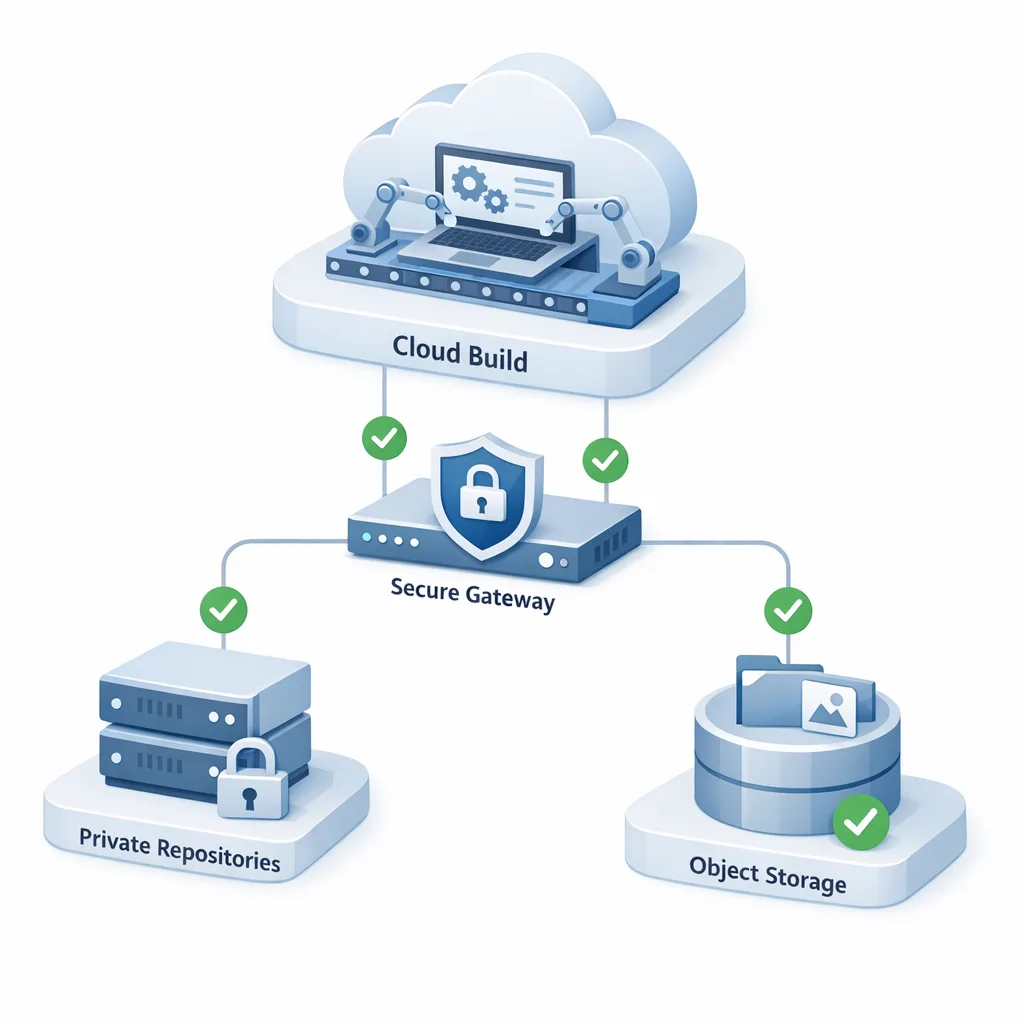
- Brokered ingress. Terminate all third‑party traffic at a single reverse proxy (nginx/Envoy) inside your DMZ. That proxy is the only place you manage IP allowlists. Downstream services trust mTLS from the proxy.
- OIDC + token‑based auth. Prefer identity‑driven gates over source IP. Git and registries already support granular tokens; combine with short TTLs and scopes. Keep IP allowlists as a second factor, not the only factor.
Both patterns fit into compliance frameworks and dramatically cut the number of places you touch during a rotation like this one.
The 3R rollout plan (Reachability, Risk, Rollout)
Reachability. Validate that Xcode Cloud can reach each dependency end‑to‑end with a simple scripted health check in your pipeline. Hit registry login, list a package, read a small object, and post to your webhook test endpoint.
Risk. Decide what happens if a dependency is unreachable. Can you serve cached SwiftPM mirrors? Can you skip Slack notifications? Define degraded modes and timeouts so builds fail fast with clear errors.
Rollout. Stage the update the same way you ship code: PRs to firewall-as‑code, approvals, canary, metrics, then broad rollout. Bake a rollback plan (re‑enable old ranges for 48 hours) while you stabilize.
What about Xcode 26.3 and agentic coding?
Yes, Apple’s been busy. Xcode 26.3 adds “agentic” assistants that can read your project, run tests, and modify code with your approval. That’s great for flow and productivity—but it won’t fix a blocked egress rule. If your team is adopting these assistants, pair that investment with a quick audit of your CI/CD networking so you’re not debugging false negatives caused by allowlists while evaluating new tools.
Release train realities for iOS teams in February–April 2026
Between IP rotations, tooling updates, and App Store policy shifts, release trains get crowded. If you’re targeting spring features, pencil in time for the April SDK changes and any App Store Connect workflow updates. Our practical guide to upcoming dates is here: read the Dev Playbook for February 2026 App Store Connect update, and plan ahead for the April 28 SDK cutover. If you’re still standardizing toolchains, our Xcode 26 60‑day ship plan covers the high‑confidence path to a stable release.
Security and compliance: document the intent
Auditors love intent and evidence. In your change ticket, capture the vendor name, the new CIDRs (by family), why the change was required (vendor update dated February 10, 2026), the services impacted, test results, and the sunset for old ranges. If your org enforces policy‑as‑code, add a unit test that fails when the configured ranges drift from your source of truth.
Runbook snippet you can paste into your repo
Title: Refresh Xcode Cloud egress allowlists
Trigger: Vendor update on 2026‑02‑10
Owners: iOS Lead (workflow), DevOps (infra), NetSec (firewall/WAF)
Steps: Update CIDRs in WAF/security groups; apply to staging; run canary build; verify package fetch, webhook, artifact upload; promote to prod; monitor; prune deprecated ranges in 48 hours.
Rollback: Re‑enable previous ranges for 48 hours; pin critical builds to cached dependencies; reopen incident.
Testing tips that catch edge cases
Don’t just run unit tests. Add a pipeline step that:
- Resolves both A and AAAA records for each dependency and prints the selection order.
- Performs a tiny authenticated operation against each service (login + HEAD on a known object).
- Captures HTTP status and latency to a time‑series metric for baseline comparison.
This turns “it feels slower” into “artifact upload p95 increased from 1.2s to 2.8s after the IP change.” If numbers look off, check rate limits and WAF behavior for the new source IPs.
People also ask
Can I allow by ASN instead of specific IP ranges?
Tempting, but risky. Cloud ASNs are massive and include unrelated tenants. Most compliance teams won’t accept ASN‑wide policies. Stick to published CIDRs for vendor services and layer identity‑based controls on top.
Do I need to whitelist for both build and test runners?
If your UI tests run against internal QA endpoints, yes. Treat any runner that calls your private services as a client you must authorize by IP (and ideally by identity).
Should I open a temporary wide range to unblock releases?
If you must ship a hotfix today, create a time‑boxed exception with loud alerts and an auto‑expire window (24–48 hours). Track it like you would a production incident. Then replace it with precise ranges as soon as possible.
What to do next
- Update allowlists today for all endpoints your Xcode Cloud jobs touch. Keep old ranges for 48 hours, then prune.
- Add a canary network check to your pipeline to validate reachability on every run.
- Centralize enforcement behind a reverse proxy and prefer token‑based auth over pure IP controls.
- Bookmark your spring calendar for Apple platform cutovers and App Store timelines—start with our February Dev Playbook and the April 28 SDK cutover guide.
- Need a second set of eyes? Our team has shipped and secured these pipelines at scale—see our services or reach out on contacts.
Zooming out
Vendor IP changes aren’t going away. The teams that treat these updates like any other dependency upgrade—planned, versioned, tested—avoid surprises and ship on time. Treat Xcode Cloud IP ranges as configuration that belongs in code, not tribal knowledge. Decide now where that configuration lives, who owns it, how it’s tested, and when it’s reviewed. You’ll thank yourself the next time the ranges rotate on a Friday at 5 p.m.
If you’re building your own internal guardrails or prepping for the next platform shift, our broader views on App Store operations and release strategy are always current on the ByBowu blog. Meanwhile, make today the day you future‑proof your pipelines so your iOS team can focus on product, not packets.





Comments
Be the first to comment.