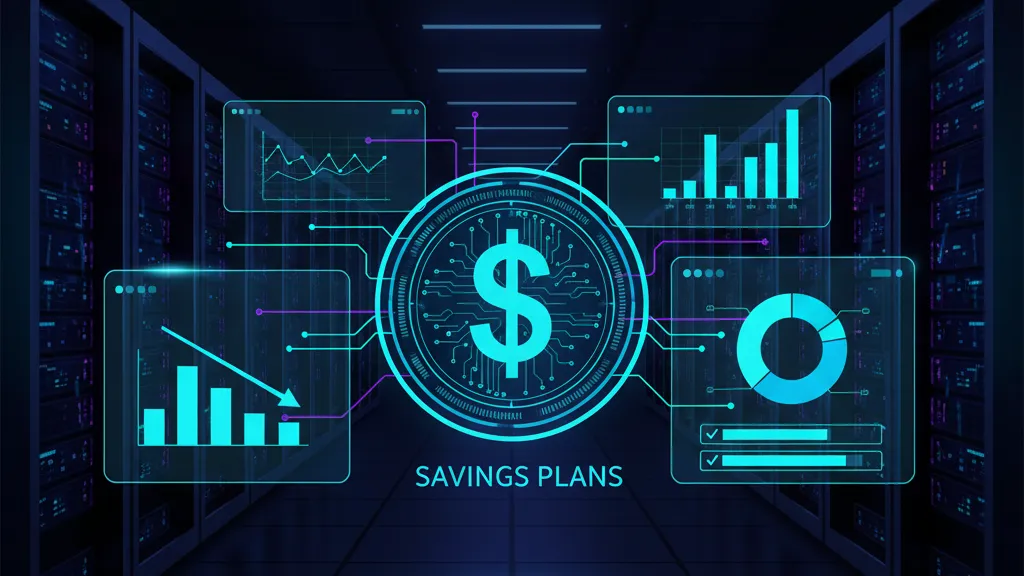
AWS Database Savings Plans are here—and they’re worth your attention. Announced on December 2, 2025, they offer up to 35% off in exchange for a one‑year commitment to a consistent $/hour of eligible database usage. Coverage spans Amazon Aurora, Amazon RDS, DynamoDB, ElastiCache, DocumentDB, Neptune, Keyspaces, Timestream, and even AWS DMS, and applies across Regions (except China). If you manage production data at any scale, this is a rare chance to lock in savings without locking down architecture.

What exactly is an AWS Database Savings Plan?
It’s a flexible pricing contract. You commit to, say, $20/hour of eligible database spend for 12 months. Each hour, AWS applies discounted rates up to that $20. If your actual eligible usage is $18 that hour, you still pay $20 (you’ve pre‑committed). If your usage is $27, the first $20 is discounted, and the remaining $7 bills at on‑demand.
The headline numbers matter: up to 35% off for serverless deployments (think Aurora Serverless v2 and DynamoDB On‑Demand), and generally up to ~20% on provisioned database instances, with DynamoDB’s on‑demand throughput and provisioned capacity tiers falling in the mid‑teens. It’s a one‑year term, no upfront required, and it’s available now in all commercial Regions except China.
Do Database Savings Plans replace RDS Reserved Instances?
No—and that’s the catch many teams will miss. Database Savings Plans cannot combine on the same workload with RDS Reserved Instances or DynamoDB reserved capacity. You can absolutely run them side‑by‑side across different workloads or tiers; the billing engine will apply the best match automatically. But you can’t stack a Database Savings Plan on top of an existing RI for the same instance and expect extra discounts.
When should I use Database Savings Plans vs RIs?
Use Database Savings Plans when you value flexibility across engines, instance families, deployment options, and Regions—especially if you intend to modernize in‑place (e.g., Oracle to Aurora PostgreSQL) or ride new instance generations over the next year. Keep or buy RIs when a long‑lived workload sits on a fixed instance type and you want the highest possible discount from 1‑ or 3‑year RI options. In practice, most shops will maintain a blend: RIs for steady, long‑lived clusters, and Database Savings Plans to cover growth, serverless, new services, and modernization paths.
Primary keyword: AWS Database Savings Plans in practice
Let’s get practical. Here’s how I’ve been evaluating Database Savings Plans with teams this week.
1) Confirm eligible usage
List all database services in scope: Aurora, RDS engines (PostgreSQL, MySQL, SQL Server, Oracle, Db2), DynamoDB, ElastiCache (Redis/Valkey or Memcached), DocumentDB, Neptune, Keyspaces, Timestream, DMS. Pull 30–60 days of hourly usage and cost in Cost Explorer, including bursts and weekend troughs. If you already operate serverless (Aurora Serverless v2 or DynamoDB On‑Demand), flag those as high‑yield candidates for up to 35% discounts.
2) Separate what’s already covered
Partition workloads currently covered by RDS RIs or DynamoDB reserved capacity. These keep their economics until expiration. Avoid double‑counting. The plan should target your uncovered baseline plus reasonable growth.
3) Model a safe commitment band
Take the lowest weekly hour in your last four weeks (not the average). That’s your resilient floor. Commit at 70–85% of that floor unless you know seasonal demand will dip further (holiday freezes, fiscal blackout periods, summer seasonality). The goal is high utilization without paying for empty commitment.
Example: If your eligible usage bottoms at $26.50/hour, 80% puts a first purchase around $21/hour. If the savings blended rate is 18%, your expected annual benefit is roughly $21 × 0.18 × 8,760 = $33,100 before taxes and FX effects.
4) Use the tools AWS just shipped
In the Billing and Cost Management console, use Savings Plans Recommendations to get a first pass, then run the Savings Plans Purchase Analyzer for “what‑if” scenarios. These show forecast coverage and utilization so you can tune the $/hour commitment and split it into multiple purchases if needed (e.g., $14/hour now, $7/hour queued for February 1 after a migration cutover).
5) Decide who owns the commitment in multi‑account orgs
By default, Savings Plans benefits flow across your AWS Organization. That’s great—until business units want autonomy. If you need isolation, use Cost Categories to group accounts and restrict benefit application, or buy at the BU payer level. Document the policy so finance won’t be surprised when discounts shift across accounts during a busy hour.
What’s actually new versus Compute Savings Plans?
Three things, all good for database teams: scope, simplification, and modernization headroom. First, scope—Database Savings Plans apply across database services rather than EC2/Lambda/Fargate. Second, simplification—you don’t have to micro‑manage RIs across instance families and Regions when workloads ebb and flow between Aurora, RDS, and DynamoDB. Third, headroom—if you plan to migrate from db.r7g to db.r8g in 2026, or from RDS to Aurora Serverless v2, your discount follows you. That’s a big deal when paired with new hardware generations.
Planning to test Graviton5‑backed database instances in 2026? Our migration notes in the Graviton5 90‑day migration playbook dovetail nicely with using a flexible database savings layer.
The 48‑Hour Rollout Plan
Here’s a concrete plan that balances speed with safety.
Day 1 (four hours, shared FinOps + eng session)
1) Pull last 60 days of hourly costs for eligible services. 2) Exclude RI/DynamoDB‑reserved coverage. 3) Identify the resilient floor and seasonal events. 4) Draft a commitment band (70–85% of the floor). 5) Run AWS Recommendations and Purchase Analyzer to validate. 6) Decide ownership scope (payer vs BU), and whether to restrict benefits using Cost Categories. 7) Draft a guardrail: initial commitment utilization must remain ≥90% on a 7‑day rolling basis, or we pause new purchases.
Day 2 (two hours, decision and purchase)
1) Split the commitment into two tranches (e.g., 60% now, 40% queued at month‑end or tied to a scheduled migration). 2) Purchase the first tranche. 3) Enable Savings Plans alerts for queued purchases and expirations. 4) Add dashboards for coverage, utilization, and effective rate versus on‑demand. 5) Document the rollback: AWS permits a return within seven days for plans ≤$100/hour purchased this calendar month; use it only if utilization is trending below guardrails.
People also ask: detailed answers
Do Database Savings Plans work with Aurora Serverless v2 auto‑scaling?
Yes. They’re hour‑by‑hour discounts applied to your eligible spend, so if Aurora Serverless v2 scales down overnight, you still pay your commitment, but any serverless spikes during the day are discounted first. Because serverless tiers can hit the higher end of the savings range, a moderate commitment often produces strong ROI even with variable loads.
Can I stack a Database Savings Plan with ElastiCache reservations?
No for the same workload. As with RDS RIs, you can’t combine discounts on the same usage. You can, however, keep an ElastiCache reservation on a legacy cluster and buy a Database Savings Plan to cover growth or a new tier.
What about data migrations—does AWS DMS qualify?
It does. If you’re planning database modernization or cross‑Region moves in early 2026, including DMS usage inside your commitment can materially improve project economics. Just model the peak DMS hours so you don’t oversubscribe once the migration ends.
Can I cancel if I guessed wrong?
There’s a limited safety net. Savings Plans ≤$100/hour can be returned within seven days of purchase in the same calendar month. After that, you can’t cancel or downsize; you can only add new plans. This is why tranching commitments and watching utilization for the first week is smart.
Common pitfalls (and how to avoid them)
• Overcommitting to averages: hourly averages hide troughs. Always commit to a percentage of the lowest week’s hour. • Ignoring cross‑Region drift: if you regularly fail over Aurora or RDS between Regions, a Database Savings Plan is ideal, but confirm that non‑eligible services (e.g., self‑managed databases on EC2) won’t dilute your expected coverage. • RI overlap: if an RI renewal hits mid‑term, you can end up double‑covered for months. Track RI expirations and queue purchases to avoid overlaps. • BU fights: unrestricted org‑wide benefits can distort unit economics. Either document the policy or restrict application with Cost Categories.
The math you should run before you buy
Run three scenarios: conservative, expected, and growth‑plus. For each, estimate covered hourly spend, assumed discount rate (use a blended 15–25% unless you have serverless‑heavy profiles), and utilization (your commitment used ÷ commitment purchased). Your effective savings is roughly discount × utilization × committed $/hour × 8,760. If utilization dips below 90% over a month, stop buying more and revisit the commitment band.
One more angle: modernization arbitrage. If you’re migrating from legacy RDS instances to Aurora or to Graviton‑based db.r8g families, Database Savings Plans let you keep discounts while you switch. RI‑only shops often hesitate to modernize mid‑term because they’re trapped by instance specificity; this removes that excuse.

Security, reliability, and compliance implications
Discounts shouldn’t dictate architecture, but they can fund it. Use the savings to back important reliability work: Multi‑AZ for RDS, global tables for DynamoDB, read replica promotions, and backup hardening. If you operate in regulated environments, confirm that any cross‑Region cost shifts don’t conflict with data residency policies. The plan itself doesn’t move data; it just moves discounts, but auditors appreciate clarity.
How this affects 2026 budgets
A one‑year term makes Database Savings Plans a perfect bridge into 2026. If you plan to replatform mid‑year, or to pilot new engines (e.g., DocumentDB to reduce self‑managed MongoDB toil), you can still maintain a discount line. Pair this with instance modernization in compute tiers—see our guide to Graviton5 migration economics—and you’ll compound savings without sacrificing velocity.
Implementation checklist (print this)
• Data: Pull 60 days of hourly cost for Aurora, RDS, DynamoDB, ElastiCache, DocumentDB, Neptune, Keyspaces, Timestream, DMS. • Exclusions: Subtract RI and DynamoDB reserved capacity coverage. • Floor: Find the lowest hour in the last four weeks; target 70–85% of that for the first commitment. • Scenarios: Model conservative/expected/growth with utilization ≥90%. • Governance: Decide org‑wide vs BU‑restricted application; document it. • Purchase: Split into tranches; buy first; queue the second. • Alerts: Enable Savings Plans expiration and queued purchase alerts. • Dashboards: Track coverage, utilization, blended discount, and effective $/hour. • Guardrails: If utilization <90% for seven days, pause new purchases and review.
What to do next
1) Book a one‑hour working session with engineering and finance this week to run the Analyzer and agree a first tranche. 2) Identify a single modernization candidate (e.g., Aurora Serverless v2 or ElastiCache node refresh) whose spend will be covered by the plan. 3) Queue tranche two to match that cutover date. 4) Set alerts and a utilization guardrail. 5) Revisit in 30 days to tune the commitment level.
Where we can help
We’ve implemented cost and reliability plans like this for startups and mid‑market teams under real production pressure. If you want a joint session to model your commitment safely and tie it to a modernization roadmap, our cloud cost optimization services and the overview on what we do with engineering teams are a good starting point. You can also browse recent hands‑on pieces on the Bowu blog to stay ahead of pricing and security changes that actually affect sprints.
Here’s the thing: AWS will keep shipping new instance families and features—Graviton5, new Aurora generations, serverless improvements. Database Savings Plans give you room to adopt them without tearing up your discount strategy every quarter. Used well, they’re not just a line item—they’re a lever for faster, safer modernization.



Comments
Be the first to comment.