Amazon S3 Vectors just graduated to general availability and it’s not a footnote—it’s a new primitive. With Amazon S3 Vectors, AWS added native vector storage and similarity search to S3, promising billion‑scale indexes, sub‑second queries, and serious cost reduction for AI search and RAG workloads. For engineering leaders, the question isn’t “what is it?” but “when should we use it instead of a vector database—and how do we deploy safely?” (aws.amazon.com)
Here’s the thing: storage and inference budgets are colliding. Teams need a durable, elastic place to park huge embeddings without babysitting clusters, but they also want fast, filtered k‑NN search. S3 Vectors aims to be that middle path. Let’s unpack what actually changed and how to make a call you won’t regret in 90 days.
What just changed with S3 Vectors (and why it matters)
AWS made S3 Vectors generally available on December 2, 2025, with scale and performance bumps well beyond the July preview. The headline capabilities now include:
- Up to 2 billion vectors per index (40× more than preview) and elastic scaling to 10,000 indexes per vector bucket.
- Query latencies around ~100 ms for frequent queries and sub‑second for infrequent ones (top‑k up to 100).
- Integration points for Amazon Bedrock Knowledge Bases and Amazon OpenSearch Service.
- Security features: SSE‑S3 by default, optional SSE‑KMS with a customer‑managed key per index, plus tagging for ABAC and cost tracking.
- Availability in 14 Regions at GA, up from five in preview.
Those aren’t marketing bullets—they directly affect architecture. Bigger indexes reduce sharding complexity. Per‑index KMS keys are a clean fit for SaaS multi‑tenancy. And OpenSearch integration means you can keep a high‑performance tier for hot hybrid search while offloading cold vectors to S3 to cut spend. (aws.amazon.com)
There’s more at the S3 platform layer: AWS is raising the maximum S3 object size from 5 TB to 50 TB. For data platforms that keep raw documents and embeddings side‑by‑side in S3, this simplifies ingest and lifecycle policies—no more awkward chunking for giant media or dataset blobs. (aboutamazon.com)
Is Amazon S3 Vectors a vector database?
Short answer: it’s vector storage with a similarity search API, not a general‑purpose database. You get vector buckets, vector indexes, write throughput targets (e.g., streaming ~1,000 vectors/sec), metadata filters, and top‑k retrieval—without provisioning servers. But you don’t get full query languages, joins, or the broader ecosystem ergonomics of purpose‑built vector DBs. That’s fine—this is object storage with opinions, designed to make RAG and semantic search financially sane at scale. (aws.amazon.com)
Primary use cases where S3 Vectors shines
After testing prototypes with enterprise teams, here’s where S3 Vectors tends to win.
1) Massive, mostly read‑heavy catalogs
Think tens to hundreds of millions of product SKUs, long‑tail knowledge bases, or media libraries where write rates are controlled and reads concentrate on a small slice. Cold vectors live cost‑efficiently in S3; your app fans into additional stores only when needed. The GA scale (2B/index, 20T/bucket) shrinks your shard map and makes index management boring—in a good way. (aws.amazon.com)
2) RAG stacks that already live on AWS
If you’re using Bedrock Knowledge Bases or building agents that need long‑term memory across business content, the native integration is valuable. You can create or attach indexes directly from Bedrock and avoid extra glue code or ETL. For hybrid search, OpenSearch can keep the hot tier, while S3 Vectors anchors the cold tier. (aws.amazon.com)
3) Multi‑tenant SaaS with strict data boundaries
Per‑index KMS keys and ABAC tags help separate tenants and streamline audits. If your customer contracts insist on customer‑managed keys, S3 Vectors lets you scope those at the index level—without building custom crypto plumbing. (aws.amazon.com)
4) Cost pressure where “good enough” latency is OK
If your UX can tolerate ~100–300 ms vector retrieval, you may drop cluster bills by moving the long tail of embeddings to S3. Infrequent queries still return sub‑second, and frequent ones can hit ~100 ms with the GA optimizations. Frontload your cache strategy and you’ll keep most interactions snappy. (aws.amazon.com)
When a vector database still wins
Let’s be candid: S3 Vectors isn’t a silver bullet. Stick with a dedicated vector DB (or OpenSearch with a tuned cluster) if you need:
- Ultra‑low latency (<50 ms P95) for highly interactive UI, especially at high read QPS with heavy filters.
- Advanced ranking like hybrid BM25+ANN with custom scorers, MMR re‑ranking, or semantic + vector blends beyond simple filters.
- Complex update patterns (frequent upserts/deletes with strict freshness SLAs) and transactional semantics across related entities.
- Cross‑index joins, aggregations, and rich query DSLs that behave more like an analytics engine than an object store.
The practical middle ground is tiered: keep hot, complex queries in OpenSearch or your favorite vector DB; offload bulk storage and long‑tail search to S3 Vectors, syncing only the embeddings you truly need in the hot tier. (aws.amazon.com)
Amazon S3 Vectors pricing—real math, not vibes
Three knobs determine your bill: storage, PUTs, and queries (which have a per‑million API fee plus a “data processed” component tied to your average vector size × vectors scanned). AWS publishes clear examples; use them to sanity‑check your model.
For a 1,024‑dimension vector (float32) with modest metadata, the logical storage per vector in AWS’s example is ~6.17 KB. At 250K vectors × 40 indexes (10M vectors total), that’s ~59 GB and about $3.54/month in storage at $0.06/GB in us‑east‑1. PUTs are modeled as $0.20/GB; if you refresh the full corpus every six months, it’s ~$1.97/month. Queries cost $2.50 per million calls plus data processed tiers; in the example, 1M queries is ~$5.87 total across API + data processed. Scale that 10× and you’re at ~$1,217/month for 400M vectors with 10M queries. Always check your Region’s price card. (aws.amazon.com)
Two practical takeaways:
- End‑to‑end cost hinges on average vector size. Dimensionality reduction saves real money.
- Judicious metadata filtering reduces the number of vectors scanned per query, cutting your “data processed” charge.
People also ask
Does Amazon S3 Vectors replace my vector DB?
Not necessarily. It can replace it for large, mostly read‑heavy catalogs with straightforward top‑k + filters; otherwise, pair it with OpenSearch or a vector DB for hot hybrid search and advanced ranking. (aws.amazon.com)
How fast is S3 Vectors really?
AWS reports sub‑second for infrequent queries and ~100 ms for frequent ones at GA. Your observed latency will depend on filter complexity, payload size, and client‑side network. Instrument and cache aggressively near your app. (aws.amazon.com)
Is it available in my Region?
At GA, S3 Vectors expanded to 14 Regions. Verify the latest list in AWS docs before committing to timelines across multi‑Region rollouts. (aws.amazon.com)
What about giant training files and raw data?
AWS is increasing maximum S3 object size to 50 TB (from 5 TB), which simplifies storing raw datasets and long‑form media adjacent to your embeddings and metadata pipelines. (aboutamazon.com)
The quick framework: Should you adopt Amazon S3 Vectors?
Use this blunt, five‑question test with your team:
- Latency target: Is P95 ≥100–250 ms acceptable for vector retrieval? If you need <50 ms, keep a hot tier.
- Query shape: Are most queries simple top‑k + filters (≤50 metadata keys), not complex reranking/joins?
- Write pattern: Are writes batched or streaming at ≤~1,000 vectors/sec per index, without tight cross‑entity transaction needs? (aws.amazon.com)
- Scale: Will fewer, larger indexes (up to 2B vectors each) materially reduce your shard and ops burden? (aws.amazon.com)
- Cost pressure: Do your embeddings dominate storage costs today? If yes, run the S3 price model using your actual vector sizes.
If you answered “yes” to 4–5, pilot S3 Vectors now. If it’s 2–3, adopt a tiered design (S3 cold, OpenSearch/vector DB hot). One or zero? Revisit later.
Designing a pragmatic architecture
Here’s a pattern that’s working in the field:
- Ingest: Keep your raw documents in standard S3 buckets. Generate embeddings in batch (SageMaker, Lambda, or containers) and write to a vector bucket with index‑level metadata keys aligned to business filters (e.g., tenant, locale, product type).
- Search service: A thin service (Lambda, Fargate, or EC2) owns query orchestration: cache keys, fan‑out to S3 Vectors for long‑tail, and optionally to OpenSearch/vector DB for hot tier.
- Bedrock integration: For RAG, attach Bedrock Knowledge Bases directly to the S3 vector index. Keep prompts and re‑ranking lightweight; reserve expensive LLM passes for post‑filtering on small candidate sets. (aws.amazon.com)
- Security: Default to SSE‑KMS; assign a CMK per index for multi‑tenant isolation. Use ABAC tags for IAM policies and cost allocation. (aws.amazon.com)
- Ops: Track cardinality, average vector size, and scanned‑per‑query metrics to predict the “data processed” line item before it surprises Finance. (aws.amazon.com)
Performance playbook: hit your SLOs without heroics
Let’s get practical. To keep P95s honest and bills reasonable:
- Tune your embeddings first. Dimensionality drives costs and payload size. Prefer modern 512–1,024‑dim encoders that match your domain. Test cosine vs. dot product at the model level before locking in.
- Design metadata filters for pruning. Choose ≤10 high‑selectivity keys that mirror your business filters. Low‑cardinality tags won’t prune scans and can inflate data processed.
- Cache aggressively at two layers: (1) Near your app (Redis/ElastiCache) for repeat queries; (2) CDN edge for read‑only semantic experiences (FAQs, catalogs) where results change slowly.
- Right‑size top‑k. Start at k=20–50, then re‑rank client‑side. k=100 should be reserved for recall‑sensitive flows; it increases payloads and time. (aws.amazon.com)
- Batch writes when you can. If your pipeline’s streaming rate exceeds ~1,000 vectors/sec per index, shard indexes deliberately to keep ingestion smooth. (aws.amazon.com)
Migrations: a 30‑60‑90 day plan you can actually run
We’ve helped teams de‑risk launches by chunking the work. Here’s a simple version you can adopt tomorrow.
Days 0–30: Pilot on a narrow slice
- Pick one domain (e.g., support articles for US English only).
- Stand up a vector bucket and a single index with clear metadata keys (tenant, locale, content type). Encrypt with a customer‑managed KMS key per index. (aws.amazon.com)
- Wire a thin search microservice; expose a feature flag in your app to route a small cohort (5–10%) to S3 Vectors.
- Instrument: cache hit rate, P50/P95 latency, vectors scanned, average vector size, API error rate, and cost per 1K queries (modeled via pricing card). (aws.amazon.com)
Days 31–60: Hybridize and harden
- Enable OpenSearch/vector DB hot tier for the top 10% most‑queried content; keep everything else solely in S3 Vectors. (aws.amazon.com)
- Introduce automatic backfill from S3 to the hot tier as items cross a popularity threshold.
- Run load tests to confirm headroom and check throttling behavior during spikes.
- Review IAM with ABAC—ensure environment, tenant, and data‑class tags flow end‑to‑end for least privilege. (aws.amazon.com)
Days 61–90: Scale and optimize
- Consolidate small indexes into larger ones (target millions to billions per index, depending on write patterns) to simplify ops. (aws.amazon.com)
- Dial in k, metadata keys, and cache windows to hit your SLO at the lowest data processed rate.
- Turn on cost anomaly alerts keyed to S3 Vectors API and data processed dimensions. (aws.amazon.com)
Risks, limits, and the fine print
A few caveats you should brief to stakeholders:
- Feature scope: S3 Vectors is optimized for durable vector storage plus similarity search. If you need complex query semantics, keep a hot tier.
- Region planning: Double‑check Region coverage for regulated workloads or data residency needs (GA spans 14 Regions; verify yours). (aws.amazon.com)
- Throughput expectations: Streaming writes target ~1,000 vectors/sec per index; plan sharding if you exceed that. (aws.amazon.com)
- Budgeting: Query cost includes a per‑million API fee and a “data processed” component—don’t model one without the other. (aws.amazon.com)
Example architecture (visualize the flow)
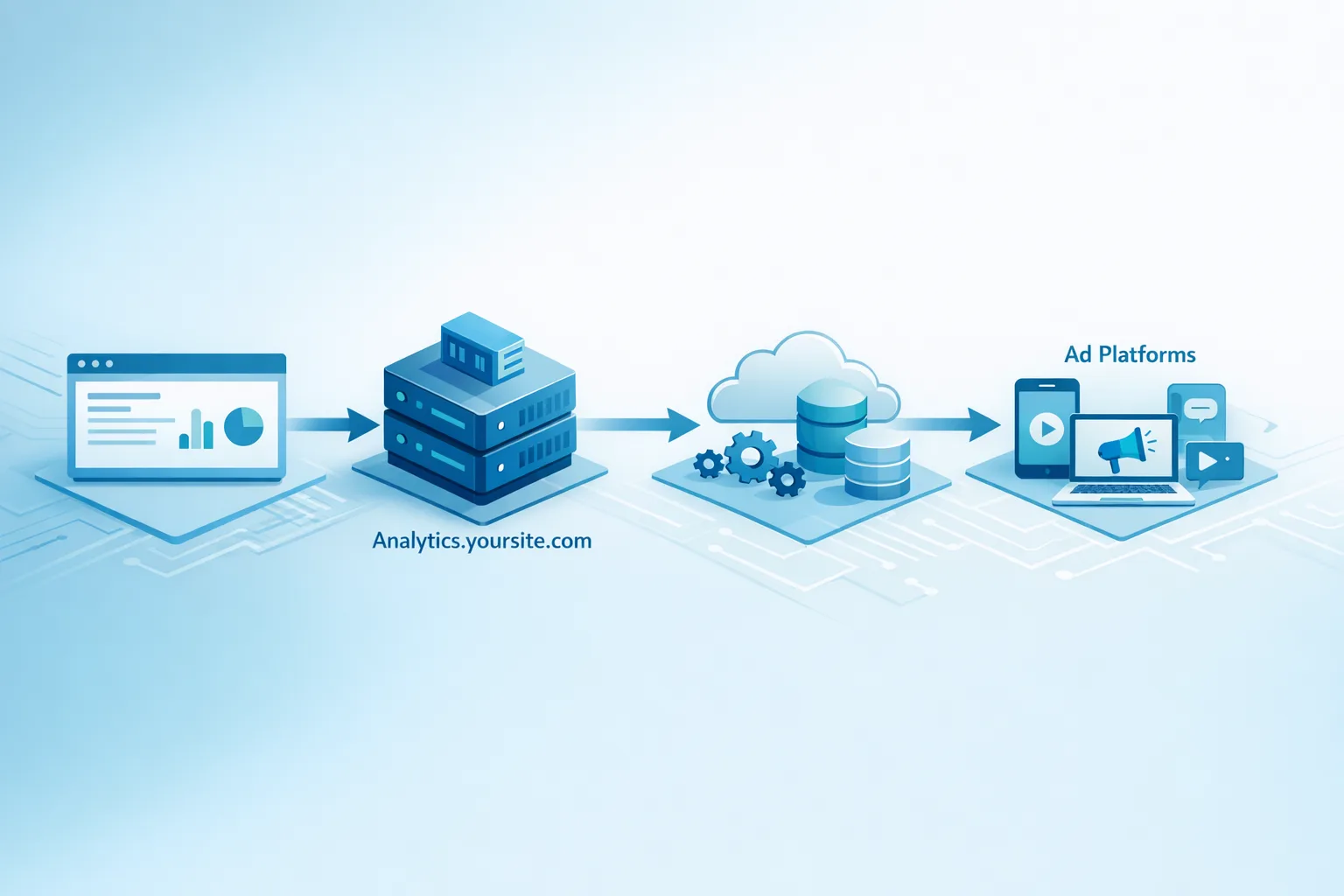
Picture a two‑tier search path: the app calls a search service. That service first checks Redis. On a miss, it queries S3 Vectors with tenant and product filters. If the query lands on a head entity (say, a top seller), the service also queries OpenSearch to blend BM25 and vector scores for better ranking. Results are cached and—if popularity thresholds are met—backfilled into the hot tier.
What to do next
- Read our pragmatic build guide for S3 Vectors to get hands‑on steps and API examples.
- Planning agents or RAG on AWS? Compare options in our take on agents on AWS.
- Need a scoped pilot? See what we do for data and AI platforms and contact us for a 2‑week sprint to land a measurable win.
- Curious how we deliver? Browse a few wins in our portfolio.
FAQ‑ish operational details
How do I size vectors and indexes?
Start by measuring your embedding size—4 bytes × dimensions (float32) plus metadata overhead. Then estimate average vectors scanned per query under your real filters. Plug both into the S3 pricing model to forecast the “data processed” line; it’s as important as the per‑million API fee. (aws.amazon.com)
Can I encrypt per tenant?
Yes. Use SSE‑KMS with a customer‑managed key per index, and tag indexes for ABAC to keep policies clean and auditable. (aws.amazon.com)
How does this affect data lakes?
With S3 pushing the 50 TB object limit, you can co‑locate very large source files, derived features, and embeddings without awkward multipart choreography. It’s simpler governance and fewer moving parts in your pipelines. (aboutamazon.com)
Zooming out
S3 Vectors won’t replace every vector database. It will, however, become the default cold store for embeddings on AWS—and for many teams, the default store full stop. The biggest win isn’t speed; it’s simplification: fewer clusters to feed, less capacity planning, and predictable bills tied to data volume, not VM uptime. Pair it with a hot tier when you need to, and you’ll keep both your latency and your CFO happy.
If you want help making that buy‑or‑build call—or just want a second set of eyes on your numbers—reach out. We’ve done this before, we’ll tell you where the traps are, and we’ll ship something you can actually run in production.