
Google Play External Links: Ship by Jan 28
Google Play external links are now formalized policy in the United States—and there’s a clock on compliance. By January 28, 2026, any Android app that links users to buy digital content on the web or to download an APK outside Play needs to enroll and integrate Google’s new programs. If you’re already using deep links to a webshop or installer, you either do the work or turn those links off. Here’s the plan I’m handing my teams and clients this week.
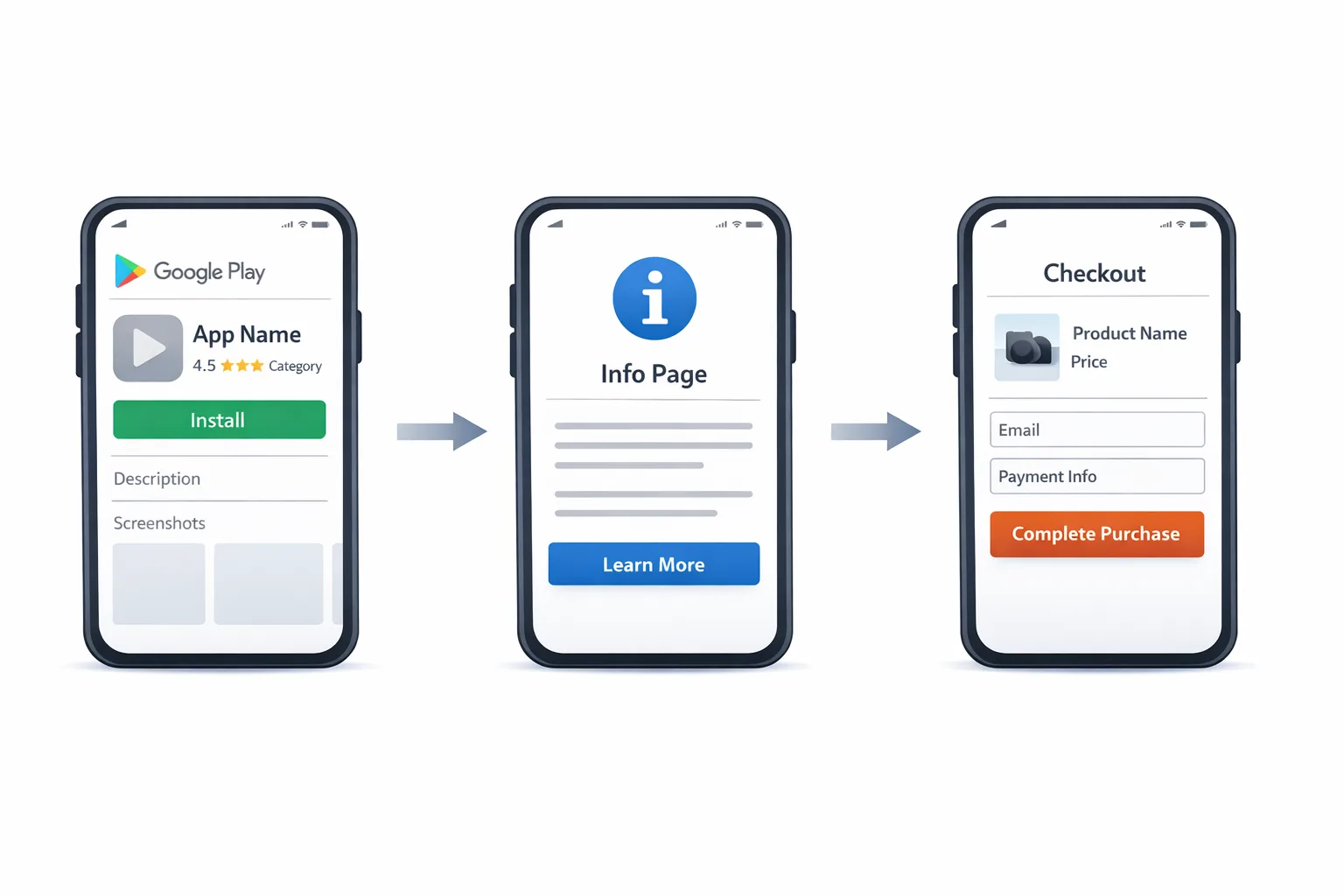
What actually changed on Google Play—and what hasn’t
On December 9, 2025, Google updated its policy and Play Console announcements for U.S. users: two formal paths now govern outbound commerce and app downloads from Play-distributed apps—External Content Links and Alternative Billing. The key is enrollment plus API integration, not just policy text. You must register links, show Google’s information screens, integrate tokens, and report external transactions. The deadline to be in compliance is January 28, 2026.
External Content Links covers two use cases: linking to web purchases of digital items and linking to app downloads outside Play. Alternative Billing lets you process in-app payments using a third‑party processor presented within your app, instead of (or alongside) Play Billing. Both tracks require specific UX flows and reporting. No, you can’t “just add a button.”
Will there be new fees for external links or alt billing?
Short answer: likely—some are proposed, some exist elsewhere, and the exact U.S. structure is still being finalized in court. Google has outlined intent to charge program fees on external transactions and installs attributed to Play-originated links (for example, per‑install fees within 24 hours of a Play-origin click and commissions like 20% for most purchases, 10% for subscriptions). A settlement hearing on January 22, 2026, will decide what sticks. Ship your integration now, but model your unit economics with those numbers so you’re not surprised if they land in Q1.
Practically: build the plumbing and the UX today; keep your pricing toggles and revenue‑share logic behind feature flags that you can adjust the moment a fee schedule is finalized.
Developers’ briefing: the minimum you must implement
Here’s what Google expects technically if you use external links for U.S. users:
• Play Billing Library 8.2.1+ for External Content Links APIs. That gives you the standardized information screen and the external transaction token. Integrations on older billing libraries won’t pass review.
• Register external URLs in Play Console. You’ll list the domains for digital offers and for app downloads. If you drive to an app download landing page with multiple apps, those app packages also need approval.
• Information screen. Before your user leaves your app, Play shows a standardized interstitial that explains they’re heading outside Play and what that means for refunds/support. You trigger this via the billing library, not a custom modal.
• Tokenized reporting. When the user completes a qualifying purchase or install off‑Play, you post back the external transaction token (and your own external transaction ID) to Google so the event can be attributed to the Play journey. This is not optional.
• Ongoing compliance. You need clear support flows, published refund policies, and to keep Google Play Billing accessible if you offer it side by side.
The 10‑step shipping checklist for Google Play external links
If you’re racing the clock, assign an owner to each step and run this as a time‑boxed sprint:
1) Scope your use cases. Are you linking to web checkout, to a cross‑platform webshop, or to an APK/app store landing page? List every destination URL you plan to use.
2) Enroll in the right program(s). In Play Console, complete enrollment for External Content Links and/or Alternative Billing for each eligible app that serves U.S. users.
3) Upgrade the client. Bump to Play Billing Library 8.2.1+ in your Android app. Run a quick smoke test of existing in‑app purchases to avoid regressions.
4) Implement the information screen flow. Replace any custom “You’re leaving the app” modals with the official APIs. Validate that the interstitial appears only on the first run and behaves correctly across locales and cache clears.
5) Wire external transaction tokens. On successful purchase or install, call your backend to report the token and your external transaction ID. Build idempotency. Log and alert on failures.
6) Register and verify all URLs. In Play Console, submit domains and package names. Create a staging entry for pre‑prod testing with a limit‑scoped allowlist.
7) Add price and refund parity hooks. If you’ll offer different prices off‑Play (common), ensure disclosures and refund terms meet the policy language. Turn on price parity where required.
8) QA the out‑of‑app landing pages. They must be mobile‑friendly, performant, and signed with your merchant of record. Avoid auto‑redirects that could break attribution.
9) Update your support content. Link users to your refund process and customer support in‑app and on the landing pages. Train CX to handle “I bought on the website” cases.
10) Capture analytics and run an A/B. Create a cohort of users routed to external links versus Play Billing to measure conversion, ARPPU, churn, chargebacks, and support load.
People also ask: Do I need to enroll if I only show prices and a non‑clickable URL?
For U.S. users, once you provide functional links to web purchases or off‑Play downloads, you’re in scope. Some platforms have historically distinguished static text from live links in other regions, but that’s not a safe loophole in the Play programs you’re about to use. If the user can tap and complete the journey, enroll and integrate.
People also ask: Are games treated differently?
Yes, sometimes. Google’s historic pilots varied by category and country. Today’s U.S. programs allow both gaming and non‑gaming apps to participate, but fee structures can differ for games (for example, proposed per‑install fees distinct from apps). If you publish games, assume the same integration workload with potentially different economics. Keep your SKUs by category so you can re‑price quickly if the court locks in category‑specific fees.
People also ask: What about EU or Japan rules—do those help me in the U.S.?
Not directly. Prior frameworks like User Choice Billing in the U.K. or external payment programs in Japan prove out technical patterns, but the U.S. programs have their own enrollment, UX, and reporting. Don’t copy‑paste a past integration and assume it passes review in the States.
Build once, vary economics: feature‑flag your pricing logic
Because part of the U.S. fee picture is pending a January 22, 2026 hearing, design for change. Put your fee assumptions behind server‑controlled flags: per‑install costs for external downloads attributed to Play, commission rates for web purchases, and any subscription renewal carve‑outs. That way you can roll forward from “no fees yet” to “fees live” without an emergency client update. Also create dashboards that show net revenue per order path—Play Billing vs. Alt Billing vs. External Link—so Finance can see impact by channel in real time.
Cross‑platform watch: iOS in Brazil is opening in early 2026
Here’s the thing: while you’re wiring external links on Android for U.S. users, Apple is preparing to open iOS in Brazil following a late‑December settlement with CADE. Apple must allow external payment links, third‑party processors inside the app, and third‑party app stores—with a 105‑day implementation window and specific fee structures under discussion. Expect neutrally worded interstitials and distinct commissions for links, in‑app alternatives, and third‑party stores. If you monetize in Brazil, plan to reuse your Android reporting, receipts, and refund playbooks for iOS there. Don’t wait for the final iOS build to design the flows.
Risk ledger: the failure modes I’ve seen up close
• Broken attribution: the external transaction completes, but tokens aren’t posted back reliably. Outcome: lost visibility, possible policy issues, and you can’t reconcile fees if/when they land.
• UX friction: stacking your own warning on top of Google’s information screen. Outcome: drop‑offs. Use the official interstitial and keep your extra copy minimal.
• URL drift: marketing swaps landing pages, but the new domain isn’t registered in Play Console. Outcome: rejection at review or silent breakage in production.
• Refund whiplash: support teams treat web and Play purchases the same. Outcome: double refunds or chargebacks. Train and tool for path‑specific resolution.
Decision framework: when to route to Play vs. the web
Make this a product decision, not a philosophical one. Here’s a simple rubric we use:
• If the purchase is impulse‑driven and under $20, Play Billing often converts better (stored credentials, fewer hops).
• If the purchase is a high‑AOV bundle or a multi‑seat plan, route to the web for richer upsell and tax logic—even if commissions land, your attach rate and cross‑sell typically win.
• If it’s a first‑time install for a paid app or a game with heavy post‑install monetization, test both: Play‑native install plus later web upsell, versus external download with direct web checkout. Let CAC and LTV settle the debate.
Compliance cliff notes for product and engineering
• Use the APIs, not custom modals.
• Keep Google Play Billing accessible if you’re offering a side‑by‑side alternative.
• Publish clear refund policies and customer support paths.
• Register all external domains and keep them in sync with marketing.
• Log every token, transaction ID, and response; reconcile daily.
Data points and dates you can plan around
• December 9, 2025: Google publishes the U.S. program updates and the January 28, 2026 compliance date.
• January 22, 2026: hearing expected to finalize parts of the U.S. fee framework.
• January 28, 2026: deadline to enroll and integrate if you continue to link externally or use alternative billing in the U.S.
• Early Q2 2026 (estimate): Apple’s Brazil changes go live within a 105‑day window from settlement approval, with neutral interstitials and new fee mechanics.
Implementation notes and gotchas (dev‑level)
• Play Billing Library: test on 8.2.1+ with proguard/obfuscation settings verified; observe the information screen lifecycle across process deaths and cached flows.
• Backend: implement idempotent token consumption endpoints; include backoff/retry on transient errors and add alerts when success rates dip.
• Security: validate return URLs and enforce strict allowlists to avoid open‑redirect exploits from your landing pages.
• Analytics: tag external journeys with a unique channel key; pipe to your CDP so lifecycle and LTV cohorts don’t blur with Play‑native flows.
What to do next (this week)
• Enroll affected apps in External Content Links and/or Alternative Billing.
• Upgrade to Play Billing Library 8.2.1+ and scaffold the information screen flow.
• Ship token plumbing to staging; verify end‑to‑end attribution with test cards and a mock installer flow.
• Register production domains in Play Console; add CI checks to block unregistered URLs.
• Draft pricing toggles for potential fees; put them behind server flags.
• Brief support on refunds and receipts for web vs. Play journeys.
• Schedule a post‑hearing go/no‑go on fee activation logic for January 23–24.
Need a deeper blueprint or a second set of eyes?
If you’re juggling Android, iOS, and revenue targets, we can help you ship fast without surprises. Start with our field guide to Q1 2026 app store policy changes, then review our breakdown of Google Play external links and the January 28 deadline and the companion analysis on link fees and iOS Brazil. If you want tailored guidance, our mobile growth and platform compliance services are built for exactly this moment.
FAQ for execs: does this lower our take rate?
Maybe. In the short term, route high‑AOV and multi‑SKU purchases to the web to improve basket size and ownership. If new program fees land, your net take rate may still improve versus Play‑native in some categories. In the long term, owning billing data, churn prevention, and cross‑sell mechanics is worth the integration cost—even if a platform takes a smaller slice of external revenue.
Scenario math: your CFO’s sanity check
Assume 100,000 monthly purchase intents start in your Android app. Today, 60% complete via Play at a $15 AOV, netting your business roughly $1.05M after typical store fees. If you route half of that traffic to the web with the official program and your conversion drops 8% due to the extra hop but your AOV rises to $19 (bundles, add‑ons), you’re at ~$1.044M before any program fees—almost flat. Add proposed 20% commission on external web purchases and you’re at ~$835k for that half—so you’d respond by steering only high‑AOV SKUs or subscriptions (where lower proposed rates apply) to the web. The point: don’t guess—measure with real cohorts and be ready to rebalance after January 22.
Zooming out
For years, teams waited on Big Announcements about cookies, billing, and platform control. In 2026, the tactical work is here: implement the sanctioned flows, keep your data and pricing flexible, and move revenue to the channel that wins in your own funnel math. If you need a partner who has shipped this across consumer, SaaS, and games, reach out. We’ve done the migrations, survived the audits, and kept growth moving while the rules shifted underfoot.
Questions or want a quick review of your integration? Send us a note via our contact form. We’ll sanity‑check the policy boxes and help you optimize the journey without leaving money on the table.





Comments
Be the first to comment.