
Google Play Age Signals API: 2026 Ship Guide
If you build consumer apps, you can’t ignore the Google Play Age Signals API in 2026. Starting January 1, 2026, Google requires developers in applicable regions to rely on Age Signals data to deliver age‑appropriate experiences, and additional Play policies land on January 28. Meanwhile, Apple’s Declared Age Range and related parental consent flows are available—and even after Texas paused enforcement in late December, the APIs remain the smartest way to future‑proof your stack. Here’s the practical guide to ship this now.
What changed on January 1 and January 28, 2026?
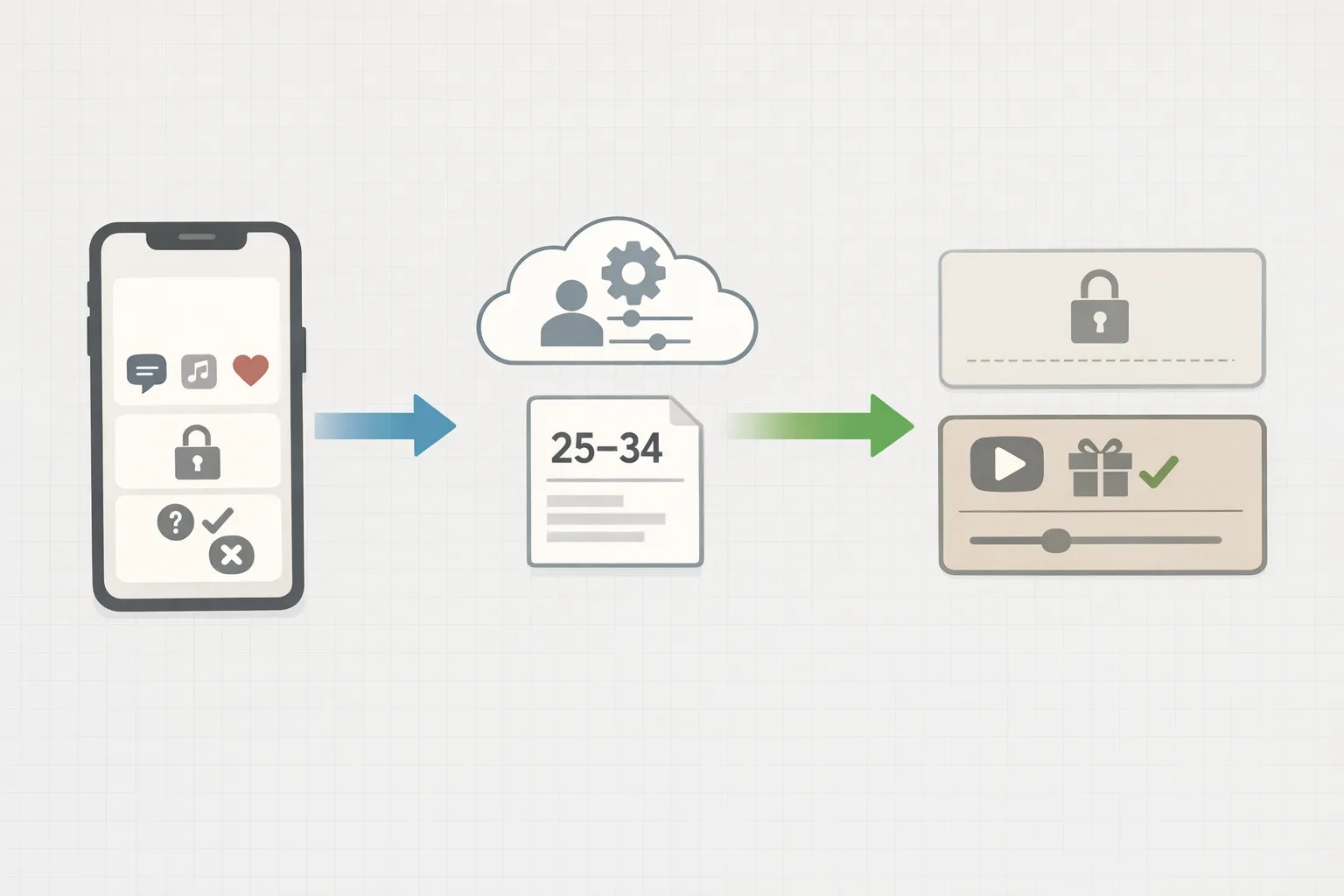
Two policy clocks are ticking. On January 1, 2026, Google Play began enforcing a simple but consequential idea: if you’re using age data to tailor content or features, you should use Play’s Age Signals API for that purpose in the app receiving the data—not your own shadow profiling, not an ad SDK’s heuristic. On January 28, 2026, additional Play program requirements kick in, affecting external links and several age‑restricted categories (think dating, gambling, and certain matchmaking features) that must actively block minors via Play Console settings and in‑app enforcement.
On Apple’s side, you’ll see three building blocks worth adopting now: Declared Age Range (so your app knows a coarse category like 13–15 or 16–17), Significant Change prompts (to re‑obtain parent approval when your app meaningfully changes), and server notifications for consent revocations. Texas’s law was paused on December 23, 2025, but Apple kept the tooling available. That’s a signal: ship with age‑range and consent flows because these requirements are trending, state by state and country by country.
Implement the Google Play Age Signals API in a week
Let’s get practical. Here’s a focused, one‑week plan that’s worked for Android teams shipping on tight deadlines.
Day 1–2: Wire the client and decide your policy matrix
Add the dependency and a thin wrapper so you can swap implementations for testing.
Gradle: implementation 'com.google.android.play:age-signals:0.0.2'
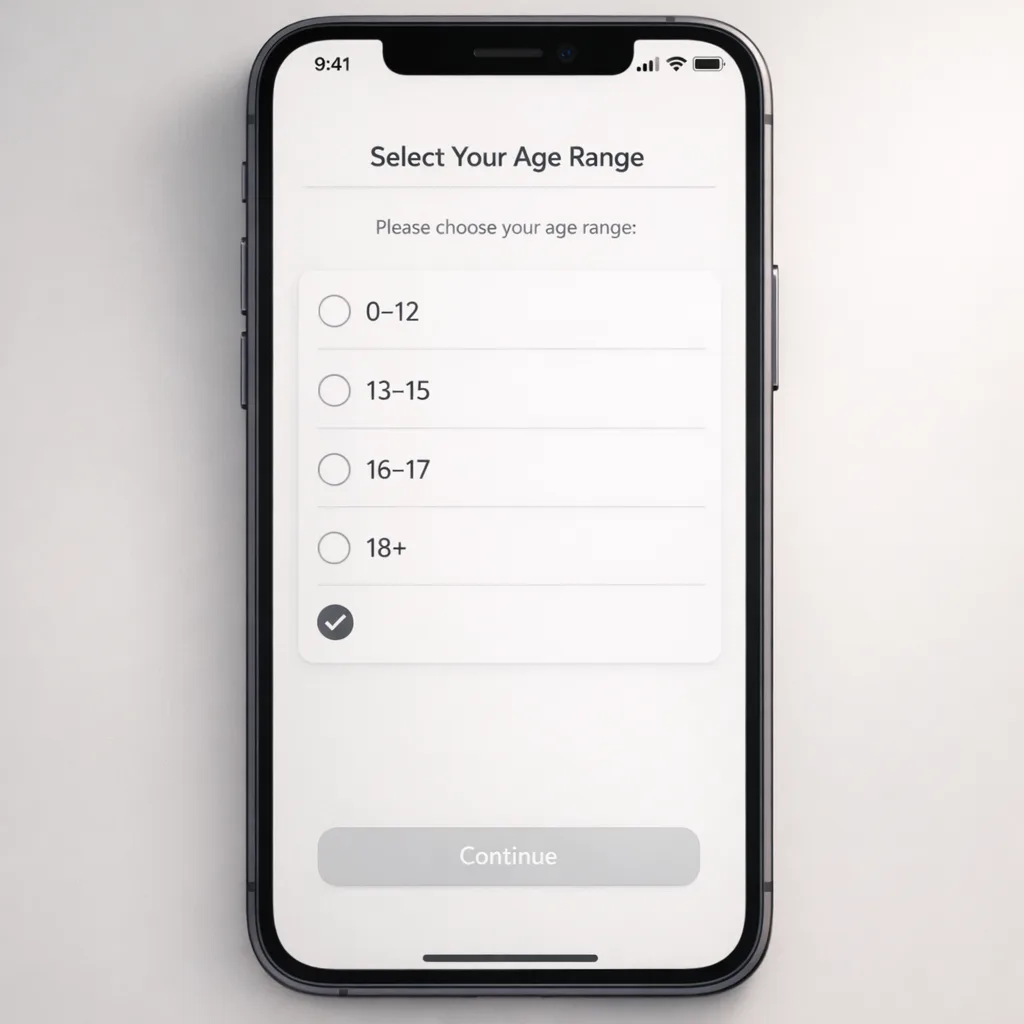
At runtime, request an age signal and treat it as ephemeral policy input. Plan for these buckets (defaults used by Play today in applicable regions): 0–12, 13–15, 16–17, 18+.
Create a simple matrix that maps each age band to feature states. Examples:
- 0–12: disable social discovery, disable UGC sharing, strict messaging restrictions, disable ads with personalized tracking.
- 13–15: allow limited messaging with parental approval; disable dating/matchmaking; disable credit‑based purchases.
- 16–17: allow messaging with safety prompts; require re‑consent on significant changes; disable gambling and real‑money contests.
- 18+: full access within your normal policy and local law.
Key principle: don’t store a precise age. Treat age range as a policy flag that changes your UI and backend permissions in real time.
Day 3: Handle statuses and edge cases
The API returns more than a band. You’ll see a userStatus that can indicate supervised accounts and whether a parent’s approval is pending or denied. Build a tiny state machine:
- SUPERVISED_APPROVAL_PENDING → show a gentle “ask your parent” screen and restrict risky features until the status flips.
- SUPERVISED_APPROVAL_DENIED → block the affected features, offer a retry workflow, and avoid dark patterns.
- VERIFIED or 18+ range → proceed with your normal path but keep safety toggles visible.
- UNKNOWN or null (not in an applicable region) → fall back to your default experience while still honoring platform policies.
Cache the result in memory for a single session, and only persist a coarse boolean (minor vs. adult) if absolutely necessary for offline gating. Never log raw payloads in analytics.
Day 4: Test flows and false positives
Use the testing helpers provided by the library and your own dependency injection to simulate status changes, including revocation. Verify that:
- Restricted features stay off when the app is resumed from background.
- Purchase screens and paywalls respond to status changes before completing a transaction.
- Deep links and notifications don’t unlock restricted flows for minors.
Pro tip: treat age gating like a feature flag. Put your risky surfaces behind a single guard function that reads the latest signal before rendering.
Day 5–6: Connect Play Console and policy switches
In Play Console, set any required age‑restricted flags for your app category. If you offer dating, matchmaking, or real‑money features, configure minor blocking and country‑specific restrictions. Align your in‑app switches with Console settings so enforcement is consistent across client and server.
If your product spans web and app, mirror the policy on your backend capabilities. Example: your matchmaker API shouldn’t return suggestions to a user flagged as a minor by the last known trusted signal.
Day 7: Ship guardrails
Launch with a “paranoid mode” toggle you can enable remotely if regulators or stores ask for fast remediation. Paranoid mode turns off ambiguous features for minors and prompts adults for an in‑app recheck. Document who can flip this switch and under what conditions.
“Is the Google Play Age Signals API mandatory?”
If you tailor experiences by age in covered regions, yes—Play expects you to use its signal for the app receiving the data. You control how strictly to gate features, but the data source should be Play’s, not a data broker or ad SDK profile. Outside covered regions, the API may return unknown or null; build graceful fallbacks.
Designing age gating that doesn’t tank retention
Here’s the thing: blunt, modal‑heavy gating causes churn. Instead, integrate gating into the flow naturally.
- Shift riskier features behind progressive disclosure. For minors, show the feature shell but with clear “Unavailable for your account” copy and a helpful learn‑more screen—no dead ends.
- Avoid punishing the entire app. Keep core read‑only experiences accessible when safe (e.g., browsing content with sensitive filters on).
- Streamline re‑consent and appeals. If status flips from pending to approved, the app should unlock without a cold restart.
- Instrument satisfaction, not just taps. Track time‑to‑task and drop‑offs at gating moments; iterate copy and visuals, not just rules.
For teams also shipping external purchase links or billing changes this month, pair your UX updates with our focused guidance in the Jan 28 external links plan and the tactical checklist in the Jan 28 Playbook.
Where Apple fits in 2026
Apple’s toolkit—Declared Age Range, Significant Change prompts, and consent revocation notifications—solves the same product problems from a different angle. Even with Texas’s enforcement paused on December 23, 2025, the APIs exist, sandboxing works, and more jurisdictions are evaluating similar rules. Ship the flows so you’re not scrambling when the next state or country flips the switch.
Practical Apple patterns:
- Gate social discovery, friending, and UGC upload by age range when available. Prefer coarse categories over birthdays.
- On major releases (new chat, payments, or competitive play), treat it as a Significant Change: trigger the system prompt to re‑obtain parental consent.
- Subscribe to server notifications and immediately disable gated features when consent is revoked. Don’t wait for the next app launch.
If you’re revamping your compliance roadmap alongside other marketplace shifts, bookmark our App Store 60‑day plan for sequencing and risk triage.
Security and data governance: treat age as policy, not identity
You don’t want a new PII liability. Keep your storage model lean:
- Store the smallest necessary decision artifacts (e.g., minor=true/false and a timestamp) rather than raw payloads.
- Attach a short TTL. If the platform updates the user’s status, you want your app to refresh quickly.
- Protect calls with device and app integrity checks where possible. On Android, pair your Age Signals call with your existing integrity posture.
- Scope analytics to experience quality, not sensitive attributes. For example, log “screen_shown=gated_feature” without the specific age band.
For enterprise clients, add an internal audit page that shows the current policy state for a test account, a redacted last‑update reason, and a kill switch for risky modules. It saves you during reviews.
A lightweight engineering framework to implement now
Use this four‑layer framework to keep the work focused:
1) Signals
One module per platform responsible for fetching, validating, and exposing a normalized shape: { isMinor, range, status, updatedAt }.
2) Policy
A pure configuration layer that maps ranges and statuses to feature flags. This lives in code with a remote override for emergencies.
3) Enforcement
Thin guards at the entry of risky features (navigation, component mounts, and server endpoints). Centralize a “canAccess(feature)” function so you don’t scatter conditionals everywhere.
4) UX
Copy, visuals, and recovery flows that explain restrictions without shaming the user. Put the help link and feedback button right there.
Common pitfalls and how to avoid them
- Over‑persisting signals: if you write the raw response to disk or logs, you increase risk without benefit. Persist only what you need.
- Assuming one device per user: supervised accounts move across devices. Treat the signal as request‑time truth; don’t assume continuity.
- Ignoring deep links: a push to a gated chat or store can bypass your navbar checks. Add guards at screen entry, not just the menu.
- Not syncing with Console: if Play Console says “block minors” but your client allows access, you’re out of compliance even if your intentions were good.
How do Apple’s and Google’s approaches differ?
Both want you to tailor experiences by age without collecting exact birthdates. Google centralizes the age source via Play and expects you to use it within the receiving app. Apple gives you coarse categories plus a platform‑native consent lifecycle (significant change prompts, parental revocation). In practice, you’ll build the same three things on both: a signal adapter, a policy table, and a consent‑driven unlock path.
Does this replace your existing youth safety work?
No. Think of platform age signals as authoritative inputs, not a complete policy. You still need content moderation, reporting, rate limits, anti‑harassment controls, and safe defaults for minors. If you run ads, coordinate with your monetization partners to ensure targeting and tracking rules match your in‑app gating.
Checklist: your 7‑day MVP for 2026 compliance
- Add the Age Signals dependency and a wrapper; implement retrieval with session‑scoped caching.
- Define a four‑band policy table and wire a single guard function across risky features.
- Build pending/denied UX and test revocation with simulated statuses.
- Mirror gating on server endpoints; block minors server‑side for sensitive APIs.
- Set related flags in Play Console; configure minor blocking if you operate in restricted categories.
- Adopt Apple’s Declared Age Range and Significant Change prompts; subscribe to consent revocation notifications.
- Stand up a “paranoid mode” remote switch and document who can activate it.
What to do next (this month)
For product leaders and founders:
- Prioritize this work ahead of cosmetic features. You’re reducing regulatory and store review risk with a small, containable project.
- Schedule a security review of logging and data retention for age‑related fields.
- If you’re also updating billing or off‑store links, align the work with our Jan 28 deadline explainer and loop your payments lead in early.
For engineering managers:
- Staff two devs and one designer for one sprint. Assign one owner to the policy table and enforcement guards.
- Write a short runbook: statuses, expected UX, emergency switch, and who to page if store review flags the app.
- Add integration tests that prove minors can’t reach restricted endpoints.
For QA and support:
- Build test matrices for each status (pending, denied, approved, unknown) across login, purchase, messaging, and deep links.
- Prepare saved replies and help‑center entries that explain why some features aren’t available to certain accounts.
If you need a partner to accelerate the work—from policy design to code reviews and sandbox validation—our team can help. See our services, browse relevant case studies, or reach out via contact.





Comments
Be the first to comment.