
App Store Age Rating 2026: What Changed, What Now
The App Store age rating 2026 change is more than a label shuffle. Apple introduced new 13+/16+/18+ tiers, automatically re-rated existing titles, and required developers to answer expanded questions about user-generated content (UGC), in-app ads, parental controls, and sensitive themes. The operational deadline was January 31, 2026, and many teams are realizing post-deadline that their submission pipeline is blocked or their “safe for teens” claims don’t match what the app actually does.
Here’s the thing: this update sits at the intersection of product truth, platform policy, and regional regulation. If you work on a social, gaming, marketplace, education, wellness, or AI chat experience, the new ratings and disclosures change how you design, market, and ship.
What exactly changed—and why it matters
Apple added three new tiers (13+, 16+, 18+) alongside 4+ and 9+. The older 12+ and 17+ labels are being sunset, and apps were auto-mapped based on prior questionnaire answers. Developers had to provide responses to new questions by January 31, 2026; if you didn’t, App Store Connect can block updates until you do. The new labels also drive discovery: kids won’t see out-of-range apps in editorial placements, and Ask to Buy decisions now inherit more precise age bands.
Beyond optics, this affects conversion. If your real content profile fits 16+ but you marketed yourself as 13+, your family funnel will stall. If you run ads SDKs with behavioral targeting and no effective controls for teens, your 13+ claim may not hold. And if your UGC tools can’t keep harmful content behind controls, you’re inching toward 18+ whether you planned it or not.
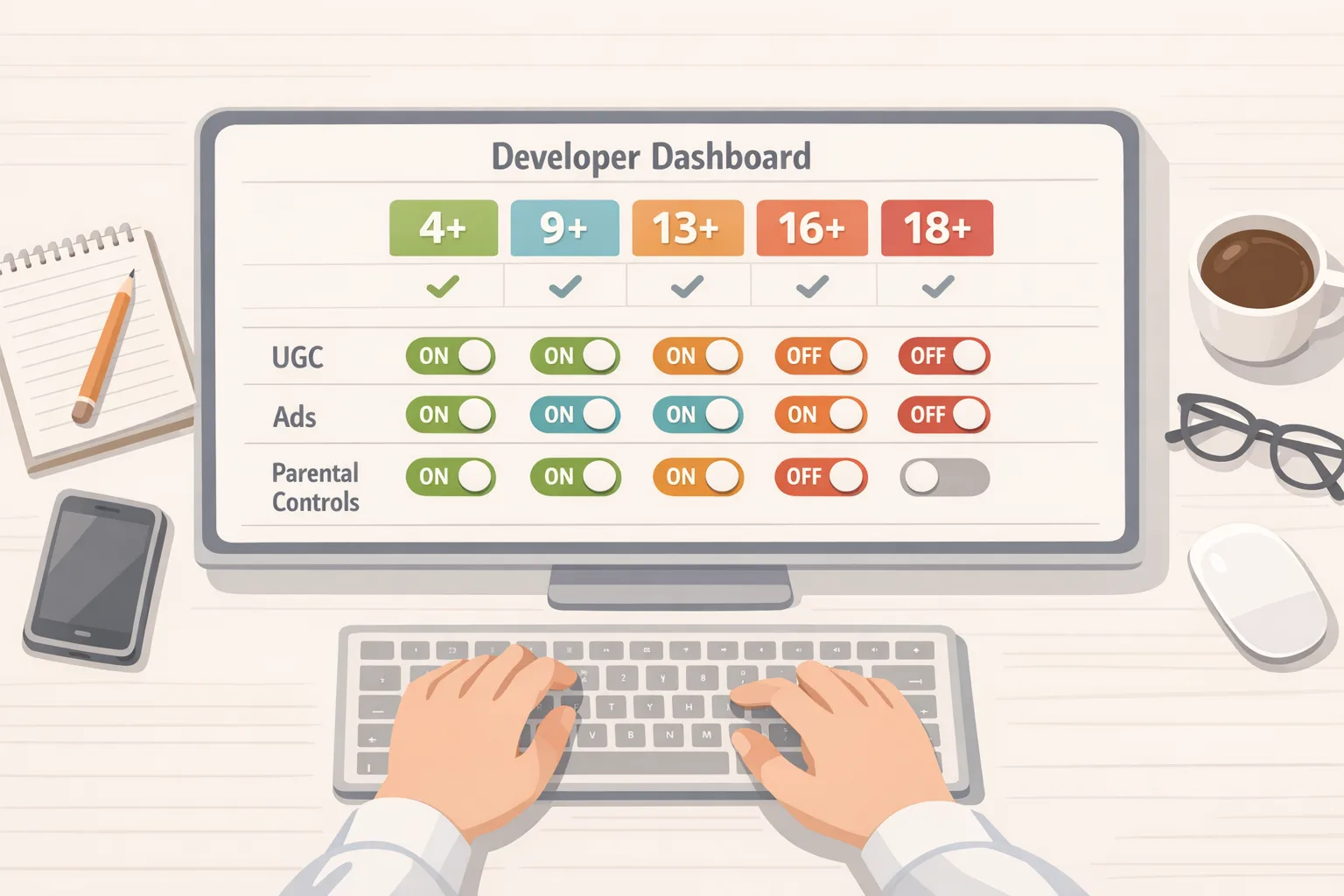
The App Store age rating 2026 checklist
Let’s get practical. If you need to get unblocked—or want to ensure you’re aligned—work this list in order:
-
Re-run the content audit. Inventory features by surface area: feeds, DMs, comments, groups, live streams, avatars, AI assistants, webviews, promotions, and mini-games. For each, document the worst realistic user outcome, not the median case.
-
Map to Apple’s updated questionnaire. Answer the new sections candidly: UGC presence, messaging, advertising, medical/wellness content, and violent themes. Don’t downplay capabilities you plan to “tighten later.” Ratings must reflect shipped—and shipped-soon—behavior.
-
Declare controls users actually have. If you state parental controls or in-app content filters exist, they must be reachable in under three taps, persist across sessions, and be obvious during onboarding. Hidden toggles don’t count.
-
Document your ads posture. If you run ad SDKs, confirm teen-appropriate targeting modes, disable sensitive categories by default, and surface an opt-out that works. Update your privacy disclosures to match.
-
Set a guardrail SLA. For UGC, define review SLAs (e.g., 15 minutes for live video flags, 24 hours for image/clip reports), escalation paths, and automated filters tuned for teen safety. Keep a metrics dashboard: time-to-action, percent auto-removed, appeals rate.
-
Align your copy. Marketing must reflect the new rating. Screenshots and descriptions should not entice out-of-scope audiences. If you’re 16+, avoid “for kids” phrasing.
-
Re-test Family Sharing flows. With finer age bands, Ask to Buy journeys surface more often. Verify the purchase and re-authorization experiences on child accounts; timeouts and silent failures crush retention.
Where state laws and platform APIs meet
Starting January 2026, Apple rolled out account-level age assurance changes in select U.S. states, adding developer-facing tooling in iOS 26.2 to help apps handle parental consent and revocation for minors. Practically, you’ll see a declared age range available to your app and flows that let parents approve a child’s access and later revoke it. Expect stricter auditing around “material changes” in app capabilities that should trigger renewed consent.
Treat this as a design problem, not just legal. A clean parental re-consent path, clear notices when features change, and graceful account degradation on revocation make the difference between a support nightmare and a compliant, trustworthy app.
How this interacts with Google Play’s Age Signals
On Android, Google’s Age Signals requires developers to consume Play-provided age signals to tailor experiences for minors. As of January 1, 2026, you should use those signals only for age-appropriate experiences within the receiving app. If you maintain parity across stores, this is your moment to consolidate logic: a single policy engine that interprets Apple’s declared age range and Play’s signals, then gates features consistently.
Do you really need different teen experiences by platform? Not if you can avoid it. Users—and parents—notice when the rules change from phone to phone.
A simple framework: RISK-U
When we help clients ship family-ready experiences, we run RISK-U: Rating, Intent, Surfaces, Kill-switches, UX.
Rating
Start with the rating you actually qualify for today. If you’re straddling 13+ and 16+, assume 16+ until you can prove otherwise with enforceable controls and monitoring.
Intent
Clarify why a teen would use your app. Education? Community? Creation? Entertainment? Intent informs what content is allowed and which recommenders are dialed back.
Surfaces
List every place content appears or is created. Feeds, search, profiles, explore tabs, live rooms, AR lenses, and chatbots each have unique risk patterns. Don’t forget imported web content inside webviews.
Kill-switches
Build reversible controls. You’ll need instant shutdowns for problematic features (e.g., disabling DMs under 16, muting live comments) and targeted rollbacks (feature flags per cohort). Wire these into an on-call playbook with owners and blast-radius estimates.
UX
Design for clarity. Surface safety settings in onboarding, provide inline explanations when features are limited for minors, and offer a straightforward path for parents to view and adjust controls.
People also ask
What happens if I missed the January 31, 2026 deadline?
Updates may be blocked in App Store Connect until you complete the new questionnaire. In practice, you’ll submit answers, adjust your rating if needed, and resubmit. If you’re already out-of-compliance in production, prioritize a fast-follow update that adds the controls you claimed to have.
Do I need full age verification for a 13+ app?
Age rating and age verification are distinct. A 13+ rating doesn’t automatically require hard identity checks, but if your app targets or significantly serves minors, you need to tailor features and controls accordingly. Where state laws mandate stronger checks, rely on platform-provided flows and keep your own data collection minimal.
How do I test the new consent and revocation flows?
Use sandbox environments in the latest OS versions. Create parent/child accounts, simulate feature changes that trigger re-consent, and verify revocation cleans up tokens, sessions, and notifications without orphaning data.
Data points and dates to track
-
New tiers: 13+, 16+, 18+ added alongside 4+ and 9+.
-
Operational deadline: January 31, 2026 to answer the updated questionnaire or face blocked updates.
-
State-level changes: iOS 26.2 introduced APIs to support parental consent and revocation in jurisdictions with new laws.
-
Google Play: As of January 1, 2026, use Age Signals only to provide age-appropriate experiences in the receiving app.
Risky edge cases most teams miss
AI chat and image generation. If your assistant can produce suggestive or violent content, you need filters tuned for teens and a visible way to report problematic outputs. “We block prompts” isn’t enough; you need output moderation and rate limits.
Webviews that bypass app controls. Embedded content can reintroduce disallowed themes or ads. Apply the same filters to in-app browsers and gate external links for minors.
Live voice and video. Real-time features demand faster SLAs, enhanced nudity/violence detection, and the ability to slow-mode or freeze chats instantly.
Third-party SDK drift. Ads, analytics, or social SDKs may enable targeting or content types your team doesn’t intend. Lock versions, audit permissions, and maintain a blocklist for sensitive categories.
“Teen-in-name-only” parental controls. If controls exist but are buried, inconsistent, or non-persistent, they won’t count toward a lower rating. Put them within three taps, explain them in plain English, and default to safer settings for minors.
Designing a compliant flow that doesn’t kill growth
There’s a balance. Parents want confidence, teens want agency, and product teams want conversion. We’ve seen success with a few patterns:
-
Age-aware onboarding. Use platform age signals to pre-select safety defaults for minors, then let parents or adult users customize. Keep the path symmetric so the UI doesn’t feel punitive.
-
Transparent limitations. When a feature is limited for a minor (e.g., DMs disabled under 13), say why and what could change with parental consent—don’t just gray it out.
-
Contextual prompts. Ask for permissions or consent at the moment of need, not a giant consent wall. Conversion goes up, and you only collect what you truly use.
-
Incident rehearsals. Run quarterly red-team drills on UGC abuse, consent revocation, and SDK misconfiguration. Track MTTR like you track crash-free sessions.

Cross-store parity: one policy engine, two inputs
Unify the logic. Create a policy layer that ingests Apple’s declared age range and Google’s Age Signals, maps them to your internal “user safety stance,” and toggles features, recommendations, and ads eligibility. Ship configuration via your feature flag system so you can hot-fix policy without resubmitting binaries.
Model three base profiles—child, teen, adult—then apply regional overlays where required. Your auditors and support team will thank you.
Compliance, yes—and a better product
Safety work isn’t just about avoiding blocks. Clear guardrails improve trust, and clear trust improves conversion. We’ve seen family onboarding NPS rise when apps explain limits in approachable language and offer easy ways to adjust settings later. That’s the win: legal, platform, and growth pointing the same direction.
Quick triage if you’re blocked today
-
Get accurate answers in App Store Connect. Complete the questionnaire honestly and align your rating with reality.
-
Ship the minimum safety baseline. Visible UGC filters, teen-safe ads defaults, and a working report-abuse flow.
-
Patch the copy. Update marketing assets to match the new rating and remove “for kids” claims unless they’re true.
-
Prepare the consent path. Implement parental consent and revocation flows where the platform exposes them; rehearse failure states.
What to do next
-
Run the RISK-U audit and close the gaps tied to your target rating.
-
Centralize platform age inputs behind one policy engine and feature flag changes.
-
Stand up dashboards for UGC SLAs, parental consent events, and policy toggles.
-
Schedule a red-team drill on live features within 30 days.
-
Plan parity work for Google Play’s Age Signals to avoid platform inconsistency.
Resources and deeper dives
If you need a heads-down blueprint for shipping fixes after the deadline, start with our post‑deadline playbook for App Store age ratings. Building Android parity? See our App Store vs. Play Age Signals comparison. If your product has to change UX to match your declared rating, our compliant UX guide covers practical patterns to keep conversion healthy.
Need an experienced partner to audit, architect, and implement quickly? Explore our services for mobile teams or get in touch on the contact page. We’ve shipped safety-critical releases for social, education, and creator apps—and we’ll help you do it without derailing your roadmap.
Zooming out, regulators in multiple regions are pushing for stricter protections for minors online, and platforms are aligning their tools accordingly. Whether or not your audience is primarily teens, your app will be judged by how responsibly it handles them. Build for that reality, and the rest gets easier.





Comments
Be the first to comment.