Android TV App Requirements 2026: Ship Smart
If you build for the living room, Android TV app requirements just tightened—and the timelines are very real. Google’s TV quality guidelines now call out 64‑bit support and 16KB page sizes, while Play policies and age‑gating obligations kick in across January. Add a fresh Jetpack PiP library and stricter target API rules, and you’ve got both a performance opportunity and a compliance cliff. This guide explains what changed, why it matters, and a concrete plan to ship without surprises.
What changed for Android TV—recent and near‑term
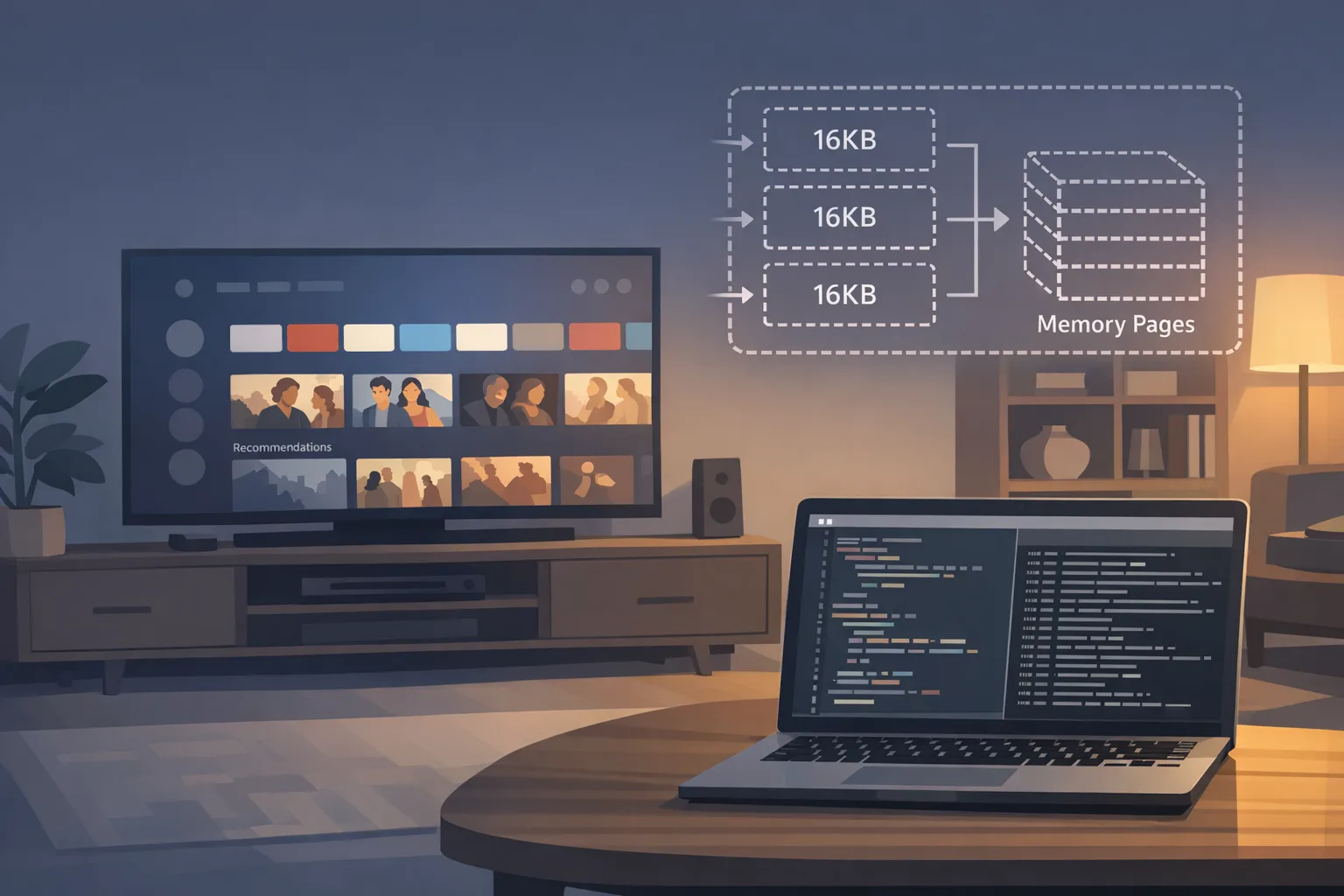
Google updated the TV app quality guidelines with two new criteria: from August 1, 2026, TV apps must support 64‑bit architectures (TV‑G6) and 16KB page sizes (TV‑G7). That’s the first time TV has these called out explicitly in this checklist. (developer.android.com)
Google Play continues enforcing higher target API levels. Since August 31, 2025, new apps and updates must target Android 15 (API 35) or higher, with specific exceptions for TV/Wear/Automotive targeting Android 14 (API 34) or higher. Out‑of‑date targets affect availability for new users on newer devices. (developer.android.com)
Instant Apps are done: Google Play Instant is no longer available, and the associated APIs are deprecated. Plan deeplinks to bring users into your full APK/AAB flows. (developer.android.com)
There’s new help for TV UX, too: Jetpack’s core‑pip debuted on January 14, 2026 to unify Picture‑in‑Picture behavior across OS versions with better callbacks and setup. (developer.android.com)
Android TV app requirements in 2026: the big four
Here’s the thing: most production issues this year will come from four areas—64‑bit, 16KB pages, target API, and age‑gating. Nail these and you’ll glide through review.
1) 64‑bit everywhere (TV included)
64‑bit has been norm on phones for years; now TV’s quality bar formalizes it. Audit every ABI you ship (at minimum arm64‑v8a; some vendors also want x86_64 for emulation/labs). If you still ship armeabi‑v7a only on TV, you’re carrying compliance debt into August 2026. (developer.android.com)
2) 16KB page sizes (this trips real apps)
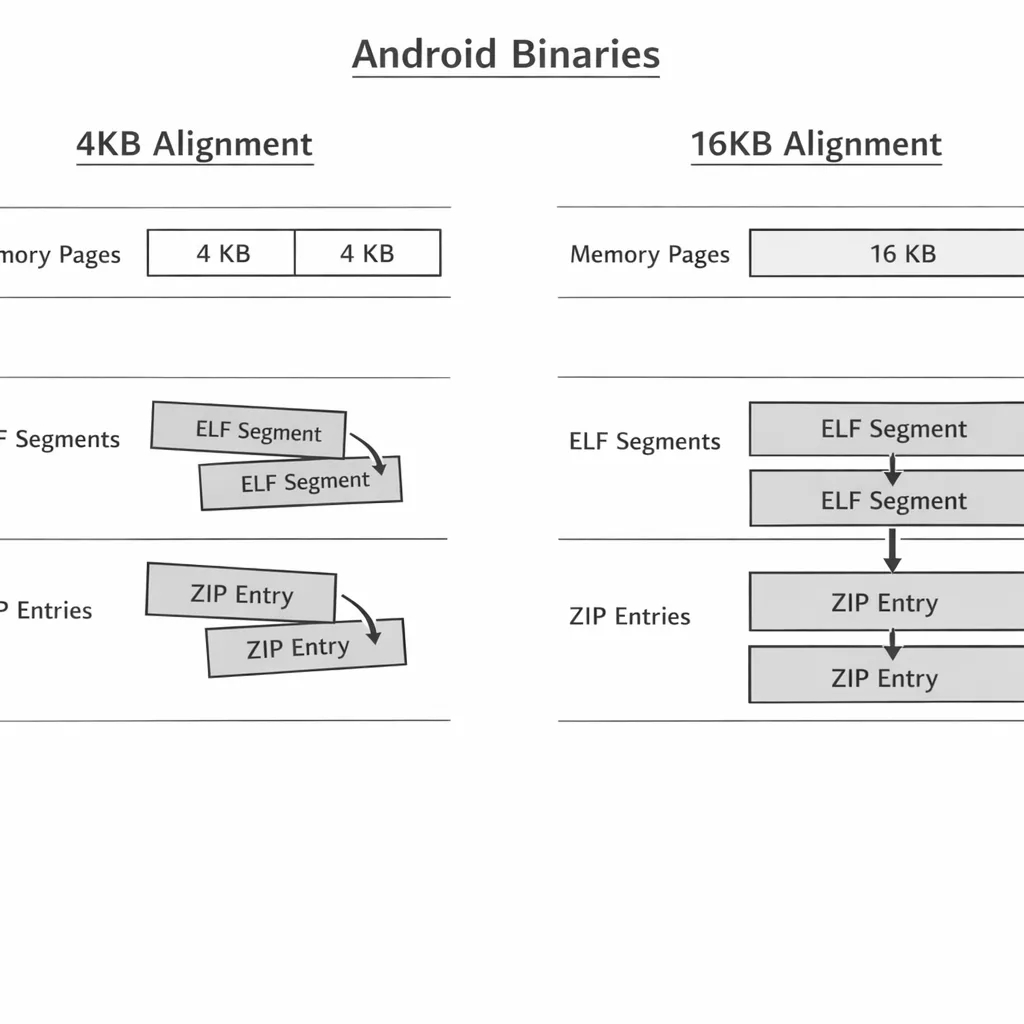
Android 15 added OS support for 16KB memory pages. Google Play requires support for apps targeting API 35+; on TV, the guideline pins an explicit August 2026 expectation. The headline: if your APK includes native code (yours or an SDK’s), you must rebuild with 16KB‑aligned ELF segments and ensure 16KB ZIP alignment when uncompressed. Otherwise, installs or runtime can fail on future 16KB devices. (developer.android.com)
Good news: a single 16KB‑compatible binary runs on both 4KB and 16KB devices—no need to ship dual variants. The Android NDK team says so explicitly. (android.googlesource.com)
3) Target API levels (and availability)
Target API 35 (Android 15) for phones/tablets, API 34 for TV/Wear/Auto—otherwise new installs on newer devices can be blocked. If you’re riding an extension, schedule the catch‑up now; it’s easy to miss that TV artifacts can block store listing updates for other form factors. (developer.android.com)
4) Age‑gating is live policy, not a memo
From January 1, 2026, Play restricts usage of the Age Signals API data to creating age‑appropriate experiences—no ads, marketing, profiling, or analytics. More enforcement has been rolling out this month, with Play newsletters flagging January 28, 2026 tasks for certain categories (crypto exchanges/wallets and apps with age‑restricted features). On the Apple side, updated App Store age rating questions must be answered by January 31, 2026 or you risk submission interruptions. (support.google.com)
16KB page sizes: practical guide for TV apps and SDK stacks
Let’s get practical. Most TV apps embed native code (media engines, DRM, analytics, ad SDKs, codecs). That means your build needs to emit 16KB‑aligned shared libraries, and your packaging mustn’t undo the alignment.
The tooling versions that just work
Use Android Gradle Plugin (AGP) 8.5.1+ and NDK r28+ and you’ll be 16KB‑aligned by default for new builds. Earlier toolchains need extra flags, and some combinations can appear to work locally but fail after Play rebuilds your bundle into device‑specific APKs. (developer.android.com)
If you’re stuck on NDK r27, set -Wl,-z,max-page-size=16384 (or ANDROID_SUPPORT_FLEXIBLE_PAGE_SIZES in CMake) and hide PAGE_SIZE assumptions (-D__BIONIC_NO_PAGE_SIZE_MACRO). For r26 or lower, it’s time to upgrade; workarounds exist but aren’t guaranteed. (developer.android.com)
Minimal 16KB readiness checklist (works for CI)
Copy this into your release checklist and assign owners:
- Upgrade to AGP 8.5.1+ and NDK r28+; rebuild all
.solibs (yours and third‑party prebuilts). (developer.android.com) - For any r27 builds, link with
-Wl,-z,max-page-size=16384and removePAGE_SIZEconstants—usegetpagesize()instead. (developer.android.com) - Ensure 16KB ZIP alignment for uncompressed libraries; verify with
bundletool dump configand fix if it showsPAGE_ALIGNMENT_4K. (developer.android.com) - Run
llvm-objdump -pon each.so; check thatLOADsegments arealign 2**14. (developer.android.com) - Test on an Android 15 16KB emulator system image and enable/disable back‑compat mode to expose bugs. (developer.android.com)
- Re‑vet every SDK (ads, analytics, DRM, codecs, player) for 16KB‑aligned prebuilts; update or replace stragglers. (developer.android.com)
If you’re on .NET MAUI or similar cross‑platform stacks, check your toolchain guidance—recent versions support 16KB out of the box, but dependencies must be audited. (devblogs.microsoft.com)
Picture‑in‑Picture that behaves on every OS version
TV users expect smooth PiP transitions, not janky animations or state glitches. The new Jetpack core‑pip library consolidates the platform differences (for example, enterPictureInPictureMode before S vs. isAutoEnterEnabled after) and unifies callbacks for mode and UI state. If you’ve built custom shims, consider migrating to shed maintenance baggage. (developer.android.com)
My rule: treat PiP like any other critical navigation path—instrument it. Log entry/exit, source rect hints, and resume success. On TV remotes, users bounce contexts constantly; regressions here spike churn.
Age‑gating on TV: what’s required this month
Stateside regulation is pushing hard on age and parental controls, and Play/Apple reacted with concrete processes.
On Google Play, the Age Signals API is the sanctioned way to get a user’s age band where required by law. Since January 1, 2026, you can only use this data to deliver age‑appropriate experiences inside the requesting app—no ad targeting or analytics. Expect age verification at download time for certain categories and stricter gating for dating, gambling, or matchmaking features. (developer.android.com)
Google’s newsletters also call out January 28, 2026 console tasks for crypto exchanges/wallets and apps with age‑restricted features—don’t let those forms sit. Coordinate with legal and your country managers. (developer.android.com)
On Apple’s side, complete the updated App Store age‑rating questionnaire by January 31, 2026 to avoid interruptions in App Store Connect. If you ship to tvOS, this still applies. (developer.apple.com)
For deeper implementation guidance on both stores, bookmark our walkthrough on shipping age ratings without blockers and our take on Play Age Signals in production.
People also ask
Do I need separate APKs for 4KB and 16KB devices?
No. Build 16KB‑compatible binaries and they’ll also work on 4KB devices; one artifact set is enough. (android.googlesource.com)
Will 16KB support bloat my APK?
ELF alignment can grow library size slightly, and uncompressed libs change packaging size dynamics. Android 15 package‑manager optimizations offset runtime costs; measure, but don’t panic. (developer.android.com)
What actually breaks most often?
Third‑party SDKs that haven’t been rebuilt; zip alignment regressions when Play repackages; code paths that assume PAGE_SIZE == 4096; and native memory code using mmap without properly rounding to page size. (developer.android.com)
TV launch hardening: a pragmatic test matrix
Here’s how I’d harden a TV release over two sprints:
- Devices: one Android 14 TV (4KB), one Android 15 emulator configured for 16KB, and a vendor lab box with aggressive memory policies.
- Scenarios: cold start to playback; channel zapping; PiP entry/exit; DRM session rotation; ad pod insertion; fast user switching; deep link from notification; network drop/recover.
- Instrumentation:
StrictModefor the player activity; memory counters aroundmmapusers; ANR/slow frame markers for PiP transitions. - Store‑facing: verify bundle alignment via
bundletool; scan release notes for the SDKs that changed; capture screenshots for TV content rating displays and parental gates.
The TV compliance scorecard (use this in standup)
Print this and tick boxes before cut:
- 64‑bit ABIs shipped for TV build variants. (developer.android.com)
- All native libs rebuilt with NDK r28+ (or r27 with flags) and verified 2**14 alignment. (developer.android.com)
- Uncompressed
.sofiles are 16KB zip‑aligned in AAB; Play build pipeline verified. (developer.android.com) - Target API level set per form factor (API 34 TV, API 35 phones/tablets) and listing updates unblocked. (developer.android.com)
- PiP migrated (or evaluated) to
androidx.core:core‑pipwith unified callbacks. (developer.android.com) - Age Signals integrated where relevant; usage limited to in‑app safety; January console forms completed; Apple age‑rating questions answered. (developer.android.com)
A note on strategy: performance is your moat
It’s tempting to view 16KB and 64‑bit as paperwork. But the shift can shave launch times and reduce translation overhead at the system layer. Android’s docs tie the change to upcoming devices with bigger RAM footprints—and TV OEMs will follow that curve. Developers who modernize early get smoother playback, quicker PiP transitions, and fewer ANRs, which translate to better retention on big screens. (source.android.com)
What to do next (developers)
- Upgrade toolchains (AGP 8.5.1+, NDK r28+) and rebuild; add CI checks for 16KB alignment and bundle zip alignment. (developer.android.com)
- Migrate or evaluate
core‑pip; add metrics around PiP transitions. (developer.android.com) - Set form‑factor target APIs correctly; confirm TV artifacts won’t block your phone/tablet listing updates. (developer.android.com)
- Integrate Age Signals where required; gate risky features for <18 or UNKNOWN; log audit trails. (developer.android.com)
What to do next (product and business owners)
- Time‑box modernization work in the roadmap now; August 1, 2026 isn’t far in TV roadmap terms. (developer.android.com)
- Coordinate with legal for January 28 Play Console submissions (if applicable) and January 31 Apple updates. (developer.android.com)
- Dedicate a budget line to SDK upgrades and potential replacements; 16KB stragglers are the usual blocker. (developer.android.com)
- Review your external link and purchase flows on TV; policy friction is different on the couch. Our guide to Play external links in 2026 is a good companion read.
Common pitfalls and how to avoid them
“It worked on my device.” Great—until Play rebuilds the AAB and your uncompressed .so alignment regresses. Always verify alignment in the bundle and in a Play‑generated APK. (developer.android.com)
“We don’t use native code.” Double‑check your transitive dependencies. Ad SDKs, analytics, DRM, and media engines often ship .so files. Audit the final app. (developer.android.com)
“We’ll add age‑gating later.” Some categories need it now, and Apple’s form is a hard deadline this week. Build the gates while you’re touching flows. (developer.android.com)
Need a hand?
If you’d like help with a fast audit or migration plan, our team does this every week. See what we do for mobile teams, browse the portfolio, or start a conversation. We’ll get you compliant, faster—and improve your TV UX along the way.





Comments
Be the first to comment.