Google Play External Links in 2026: Fees, APIs, Plan
Google Play external links are finally real in the U.S.—and there’s a compliance clock. By January 28, 2026, apps that steer users to pay on the web or to download an APK outside Play must enroll in Google’s programs and wire in new APIs. The upshot: you can point people off‑Play, but you’ll owe new service fees and, for external installs within a short window, a fixed per‑install charge. Teams that treat this as a pure win or a pure loss are going to misprice growth. Let’s get precise about what’s changing and how to ship a compliant, profitable flow.
What changed—and by when?
A U.S. court order requires Google to open up Android distribution and payment steering. In response, Google introduced programmatic paths for alternative billing and for external links to purchases and downloads, with developers expected to integrate by January 28, 2026. Fortnite returning to Google Play in December underscored that these injunction‑driven reforms are real, not theoretical. A further hearing later in January could tweak details, but the enrollment and API work are live requirements today. (reuters.com)
Here’s the thing: while Google’s program framework is official, a few U.S. fee numbers surfaced via public reporting and may still be finalized around the court timeline. So you should model conservatively, ship the integration, and be ready to adjust rate cards after the hearing. (support.google.com)
Google Play external links: the fee model at a glance
Google’s External Offers program introduces an acquisition/ongoing services model for transactions steered off‑Play and a separate fixed fee for external installs after a Play‑originating link. The Play Console Help center spells out the structure (but not U.S. dollar amounts) as:
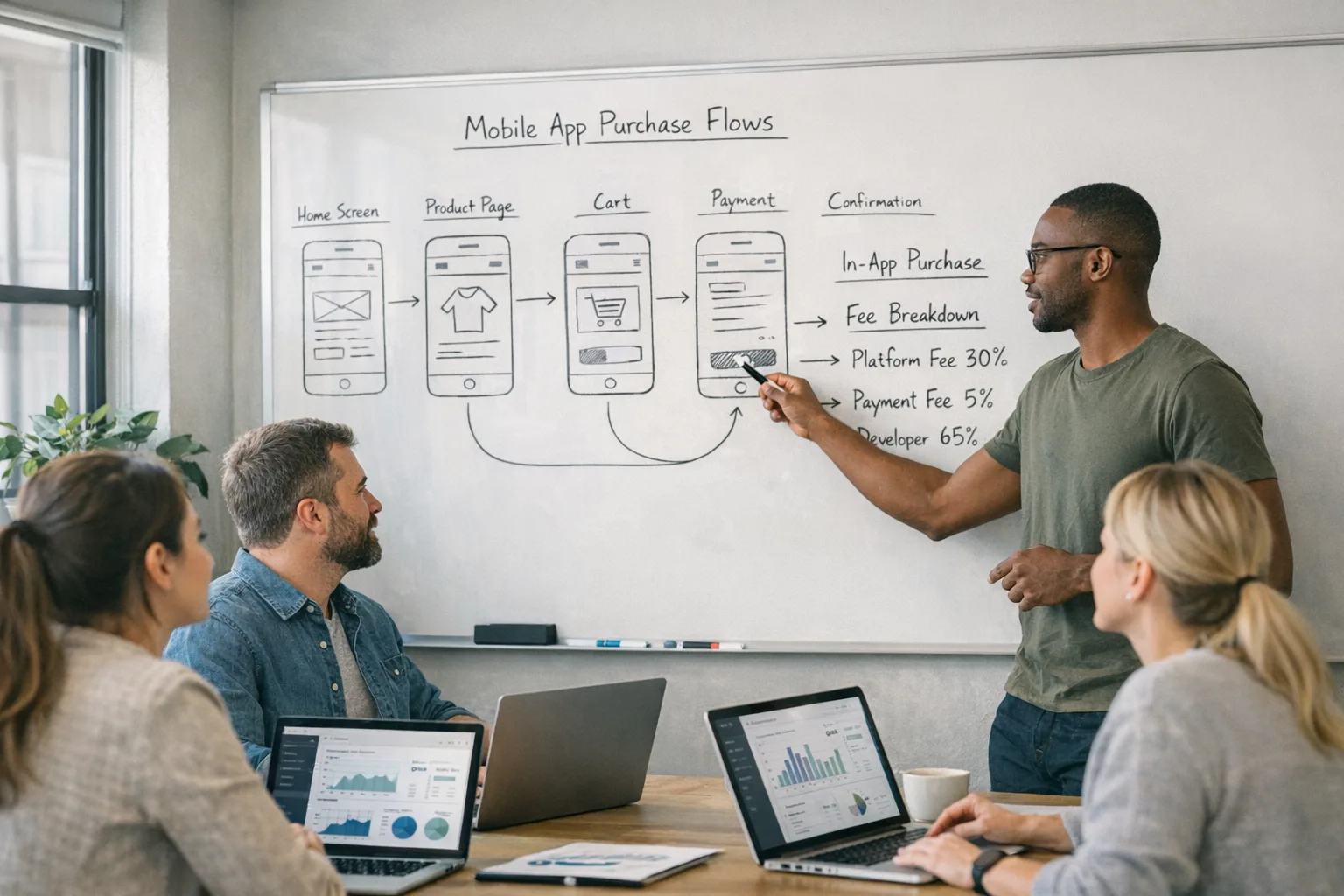
• Initial acquisition fee: 3% on qualifying transactions for users within six months of their Play‑managed install, then 0% after six months.
• Ongoing services fee (Tier 1, required): 10% on qualifying off‑Play transactions while your app still benefits from Play services (security scanning, parental controls, etc.).
• Optional Tier 2 services: +10% (transactions) or +3% (subscriptions) for extra services.
• External download installs: a fixed, per‑install rate by country and app category. (support.google.com)
For the U.S., reported proposed figures indicate a fixed charge if the user installs within roughly 24 hours of tapping your in‑app link: $2.85 per app install and $3.65 per game install. Treat those as planning inputs until U.S. rate cards are formally posted. (theverge.com)
Alternative billing (processing inside the app via your own PSP) retains a service fee as well—commonly framed around 20% for most one‑time digital items and 10% for auto‑renewing subscriptions in U.S. reporting—plus a discounted tier for eligible small‑developer revenues. The practicality for you: off‑Play ≠ fee‑free; it’s a different stack of costs with more control over payment UX and processors. (engadget.com)
How the APIs actually work
You’ll integrate using Play Billing Library 8.2.1+ and External Offers APIs. In practice, the app generates or receives an external transaction token when the user chooses a web checkout, you pass that through your backend, and you notify Google of conversion. The same flow conceptually applies to tracking external installs tied to your in‑app link. Build this reporting as idempotent server logic so outages don’t cause reconciliation headaches. (developer.android.com)
Program eligibility and onboarding live in Play Console. Expect to attest to security baselines—if you handle card data, meet PCI‑DSS—and to provide user support for the alternate billing path. Google’s help and legal status filings point to these as prerequisites by January 28, 2026. (law360.com)
Designing the in‑app link
Don’t bury the lead or mislead users. The policies anticipate clear, user‑understandable linking with disclosures and API‑driven attribution. Some implementations require Google‑defined warnings and user confirmation before opening a browser, which adds friction; plan the copy and placement so your value prop offsets the extra tap. (webpronews.com)
Will Google charge for external links?
Yes, but the mechanics differ by use case. For external purchases, plan for 3% initial acquisition (first six months) + 10% ongoing services for most transactions, with optional higher‑tier services. For external downloads, plan for a fixed per‑install fee if the install happens within a short window after the in‑app link click; recent reporting pegs that at about $2.85 (apps) and $3.65 (games) in the U.S. until the official rate cards are finalized. (support.google.com)
Do I still need Google Play Billing?
If you offer an in‑app alternative payment method or external links to purchases, you still integrate Play Billing Library 8.2.1+ because that’s how you get and report tokens for the External Offers programs. Also, even with external links, your app must pass review and follow all policy rules. Think of it as “bring your own PSP and UX, but wire Google’s compliance telemetry.” (developer.android.com)
Are these U.S.-only?
The January 28, 2026 deadline and the fee structure discussed here are U.S. program specifics tied to a U.S. court injunction. Other regions have different timelines and rate cards—some already list per‑install fees by country and category. Verify your user mix before projecting costs globally. (support.google.com)
A practical framework: build, price, decide
Let’s get practical. Use this three‑part framework so product, finance, and engineering march in lockstep.
1) Build the compliant backbone
• Upgrade to Play Billing Library 8.2.1+ and enable External Offers in Play Console.
• Implement server‑side token generation, event logging, and conversion reporting. Store every response and retry gracefully.
• Add a privacy‑review pass: if your app targets kids or sensitive categories, route links accordingly and align with parental controls and data handling.
• QA the browser handoff across Chrome Custom Tabs and default browsers; hunt for flaky referrers.
• Instrument funnel analytics from link tap to completed checkout/install.
For step‑by‑step flow details, see our hands‑on implementation guide in Ship the flow and model the fees, and our deadline‑driven checklist in Ship for Jan 28.
2) Price the economics with real math
Scenario A: a productivity app links to a $49 web checkout.
• Payment processor: ~2.9% + $0.30 (assume U.S. card).
• Google services: 3% (first six months after Play install) + 10% ongoing services = 13% on the external transaction.
• Effective take after fees (payment + Google): roughly 15.9% + $0.30. That’s still materially below a classic 30% store cut, but you must account for web fraud loss and refund policy alignment.
Scenario B: a midcore game links to its own APK download page and to a web shop.
• 10,000 taps → 2,000 installs within the attribution window → per‑install charges around 2,000 × $3.65 ≈ $7,300 (U.S., reported).
• 1,000 buyers purchase a $9.99 starter pack on the web → 20% external billing services ≈ $1,998 to Google (reported cap structure).
• Compare to Play IAP at 30% on the same revenue and your processor’s cost—it can still pencil out, but only if your conversion and LTV lift from owning the checkout outweigh the install and services fees. (theverge.com)
If finance doesn’t have a sheet yet, start with cohorts by acquisition source (Play IAP vs external link), by SKU, by country. Use sensitivity bands for the per‑install rate because the U.S. numbers, while reported, may settle after the late‑January hearing.
3) Decide the routing
Not every user should see the same path. For high‑value repeat buyers, send them to the web for bundles and account‑tied perks. For one‑off micro‑transactions, Play IAP may still convert better. Use feature flags so you can dial up or down traffic to external links per cohort and track the margin delta.
The integration path: step‑by‑step
Week 1: unblock compliance
• Enroll in External Offers and complete declarations.
• Upgrade to Play Billing Library 8.2.1+.
• Create the server endpoints for token issuance and conversion reporting.
• Draft UX copy for link disclosures and consent. (developer.android.com)
Week 2: wire and verify
• Implement the in‑app link with attribution parameters.
• Build signed web checkout sessions that echo the token and your external transaction ID.
• Reconcile events end‑to‑end in a staging environment; simulate retries, timeouts, and user cancels.
• Add automated tests for “no report received” and “duplicate report” edge cases.
Week 3: measure and tune
• Ship to a 5–10% U.S. audience slice.
• Run A/B on pricing, bundles, and post‑purchase onboarding.
• Monitor review feedback; adjust copy and placement if users feel surprised by the handoff.
Want more detailed checklists? Our deeper fee modeling guide is here: External links fees: your 2026 plan.
Design risks and edge cases
• Attribution window mismatch: If your analytics window doesn’t match Google’s install window for per‑install fees, you’ll struggle to audit invoices. Mirror the window in your own data pipeline.
• Refunds and chargebacks: Align web PSP refunds with Google’s service fee rules; not every refund will auto‑credit on the Google side. Build a dispute queue.
• Child‑directed apps: Be extremely cautious with external links. Review family policies and disclosures before you ship.
• Browser choice: Some devices default to browsers with aggressive tracker protections that may strip parameters. Favor Custom Tabs when possible and test re‑open behavior.
• Security posture: Keep dependencies current—January 2026 Android patches shipped this month; make sure you’re not dangling known vulnerabilities while you add new link surfaces. (source.android.com)
People also ask: quick answers
Do I have to use external links?
No. You can continue using Play IAP exclusively. External links are useful when you can raise AOV with bundles or memberships or you want tighter control over checkout UX, but you’ll still owe service fees if the transaction is tied to your Play‑listed app. (support.google.com)
What about alternative billing inside the app?
Allowed under the program, subject to review and a service fee (often framed around 20% for most purchases and 10% for auto‑renew subscriptions in U.S. reporting). You’ll integrate Google’s APIs to track and report these transactions, even if you’re using your own PSP. (engadget.com)
Will the per‑install fee kill my unit economics?
Not if you route traffic intelligently. Many apps will still see better payback when they own the checkout and reduce the effective take below classic 30%. The danger is ignoring the per‑install cost for games or the 3% initial acquisition for recent Play installs; model both before you shift spend. (theverge.com)
What to ship this week
• Decide your default: Play IAP or external link, by cohort.
• Get PBL 8.2.1+ into your app and stand up the external transaction token service.
• Write your disclosure copy and QA it for clarity.
• Build the unit‑economics sheet with scenarios (baseline, conservative, aggressive).
• Run a 10% U.S. rollout and compare margin per user between routes.
Zooming out: strategy for 2026
The court‑driven opening of Android isn’t a blank check; it’s a new set of rules where you own more of the checkout UX and data—and take on more responsibility for reporting and support. The winners will be teams that do the unglamorous work: clean server‑side reporting, airtight reconciliation, sharp experimentation on bundles and price anchoring, and respectful, transparent copy.
If you want a partner who can move fast without getting your app flagged, see our mobile services and browse relevant work in the portfolio. And if your Android roadmap also includes security hardening, our take on the January 2026 Android Security Bulletin shows what to patch now.
Bottom line
Google Play external links expand your options, not your shortcuts. Do the API work, model the fees honestly, and route traffic where the margin is highest. Build discipline now and you’ll enter Q2 with a compliant flow, a cleaner growth model, and fewer surprises when the final rate cards—and any court‑driven tweaks—land. (support.google.com)








Comments
Be the first to comment.