
Google Play Fee Changes: What Devs Must Do Now
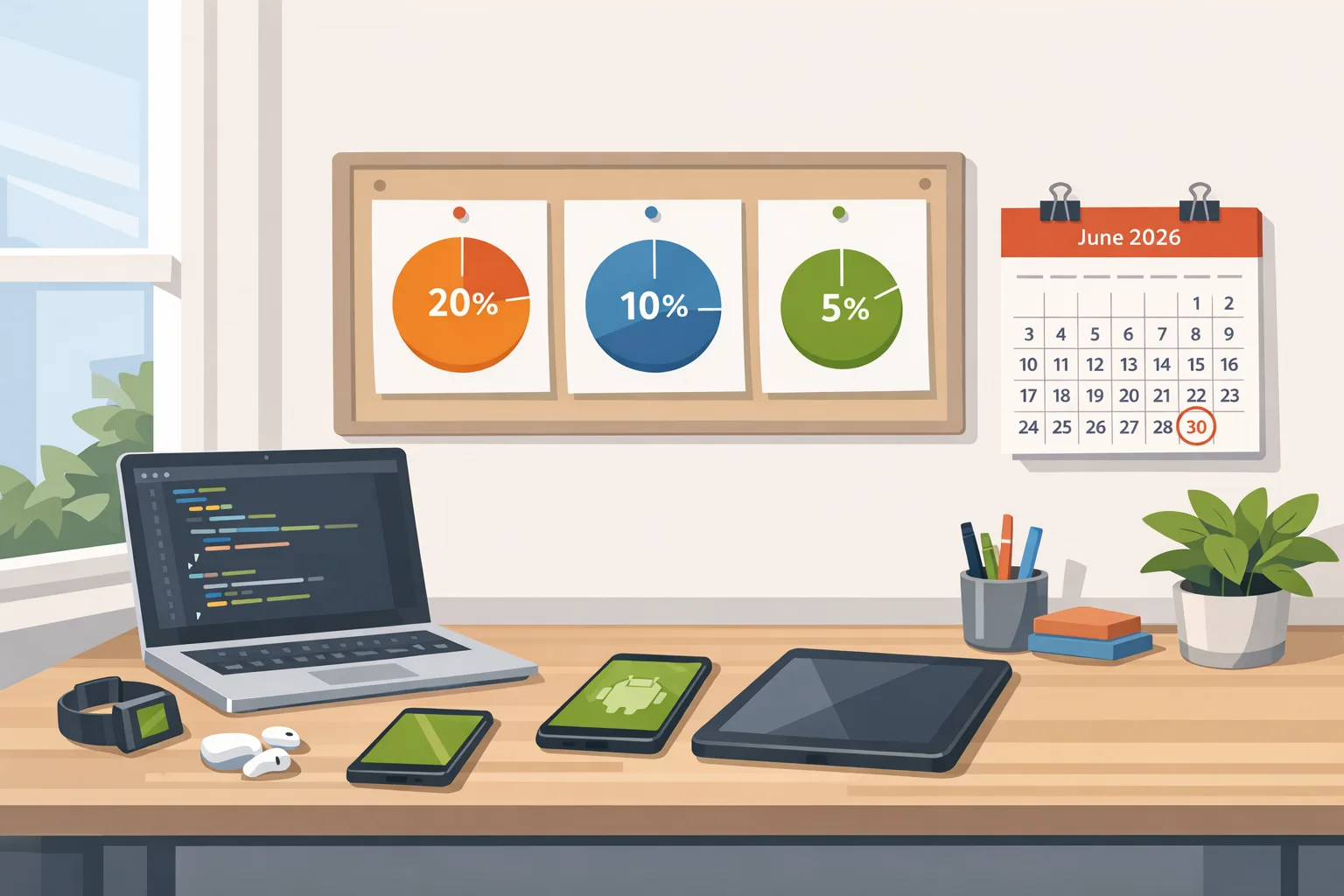
Google’s settlement-driven overhaul finally lands real relief for developers. The headline: Google Play fee changes set a new 20% baseline service fee for in‑app purchases, 10% for recurring subscriptions, and an optional 5% payment processing charge if you stick with Google’s billing. A new Registered App Stores program will also streamline installation flows for vetted third‑party stores. The first wave goes live by June 30, 2026 in the U.S., U.K., and EEA, with additional regions following later this year and into 2027. Let’s translate the policy into product, pricing, and engineering work you can start today.
What exactly changed—and when?
Google has decoupled the distribution service fee from payment processing. Think of it as two levers:
• Service fee: 20% on in‑app purchases for new installs after the change launches in your region. Subscription transactions carry a 10% service fee.
• Payment processing: If you choose Google Play Billing, there’s a separate 5% processing charge in the U.S., U.K., and EEA. Use your own billing or link users to the web, and you avoid that 5%—but the service fee still applies.
There’s also a performance lane: developers who enroll in Google’s revamped quality programs can drop even lower—20% on existing installs and 15% on new installs for eligible IAPs—once the programs open in supported regions.
Rollout dates to circle on your roadmap:
• By June 30, 2026: EEA, U.K., U.S.
• By September 30, 2026: Australia (plus new quality programs there)
• By December 31, 2026: Korea and Japan
• By September 30, 2027: Remaining regions
The Registered App Stores program begins outside the U.S. first and is intended to reach the U.S. later, pending court approval. Google says it plans to ship the program with a major Android release before year‑end, so you should expect compatibility and UX changes to surface in canary/beta builds.
Google Play fee changes: who wins, who waits
Here’s the thing: the savings aren’t uniform. They depend on how you monetize and whether you opt into Google billing.
• Games and consumer apps heavy on one‑time IAPs: Expect a headroom boost where you previously modeled 30%. At 20% service fee, a $10 purchase nets you $8 before payment costs. If you keep Google billing, subtract 5% processing (another $0.50), netting ~$7.50. If you move users to your own billing or the web, the 5% drops, but you’ll still owe the 20% service fee for distribution.
• Subscription apps: A 10% service fee meaningfully changes CAC/LTV math. You can afford longer payback or richer first‑month incentives without crushing gross margin. Watch downgrade/upgrade flows and pausing behavior as you test prices.
• Existing installs: If you don’t enroll in Google’s new quality programs, the 20% service fee reduction applies to transactions from new installs after launch. Participating developers can extend benefits to existing installs (20%), and even cut new installs to 15% once eligible. Read that again—program enrollment isn’t just a badge; it moves the revenue needle.
Show me the money: quick math by scenario
Consider a game with 70% revenue from IAP, 30% from ads, $10 ARPPU on IAP buyers, and 1 million monthly payers:
• Old model (assume 30% fee, in‑app): $10 × 70% = $7 IAP per payer; after 30% → $4.90 net; total ~$4.9M/month from IAP cohort.
• New model (20% service fee + 5% Google billing processing): $10 × 70% = $7; minus 25% → $5.25 net; total ~$5.25M/month. That’s +$350K/month.
• If you move web‑pay (no 5% processing) for, say, 20% of transactions: weighted effective fee ≈ 23% → net ≈ $5.39M (+$490K/month). Now multiply by seasonality.
For subscriptions at $12/month:
• Old 30% → $8.40 net
• New 10% service fee (own billing): $10.80 net
• New 15% (if you qualify for program on new installs) → $10.20 net
• New 10% + 5% (if you keep Google billing in the U.S./U.K./EEA) → $10.20 net
Translation: Subscriptions benefit most. For IAP businesses, the big lever is whether you keep Google billing or carve out a clean web/payments path without wrecking UX.
Timelines, regions, and a likely Android tie‑in
Between now and June 30, 2026, the practical work is scoping, pricing experiments, and store‑listing updates ready to publish as soon as the switch flips in your region. Expect the Registered App Stores program to ride alongside a major Android release late this year. If you’re already living in canary builds, you’ll want to keep an eye on install and permissions flows for alternative stores.
Want a refresher on canary hygiene? Our take on stabilizing fast Android release trains is here: navigating Android 17 canary builds.
What about sideloading and developer verification?
Separate from fees, Google is tightening developer identity for apps distributed outside Play. Verification opened broadly in March 2026, with enforcement beginning September 2026 in select markets (Brazil, Indonesia, Singapore, Thailand) and expanding globally into 2027. If you rely on direct APK distribution or operate your own store, incorporate verification work in parallel with your fee strategy. Your legal and security teams will thank you.
Two implications:
• Your off‑Play distribution won’t vanish—but it will be more formal. Plan to maintain verified developer records, key custody hygiene, and faster incident response.
• Expect platform UX and warnings to be more nuanced: registered/verified sources will face less friction; unverified will feel rougher.
Should you join the Registered App Stores program?
Short answer: if you operate a store or plan to, yes—evaluate it. The program promises a simpler sideload flow for stores that meet quality and safety benchmarks, initially outside the U.S. with U.S. coverage pending court approval. For a publisher that only ships one app, the calculus is different: you benefit indirectly because competing stores get easier to install, which pressures Play to keep fees and discovery support healthy.
Pros
• Lower install friction for your store means higher conversion and better update compliance.
• A more predictable security posture (attestation, review scopes) can reduce false‑positive warnings.
Cons
• You’ll inherit store‑level responsibilities: abuse handling, signature verification, rollback safety, and reliable CDNs.
• You’ll need to budget for store QA on new Android releases—treat it like a product, not a weekend sidecar.
A 90‑day playbook to capture the upside
Days 0–30: Inventory, modeling, and technical spikes
• Build a Billing Choice Matrix: for each SKU (IAP and subs), mark where payment happens (Play vs. web), renewal handling, refund logic, and cancellation UX.
• Instrument revenue experiments: add server‑side toggles to test price, bundles, and web‑pay nudges by country/installer source.
• Prototype web‑pay: build PCI‑compliant flows or integrate a PSP; confirm Android intents/deeplinks, and design a clean return‑to‑app path.
• Prepare store assets: draft updated pricing notes and explanations that comply with Play policies when linking out.
• Line up security: key rotation plan, package verification, and signing service guardrails if you distribute outside Play.
Days 31–60: UX, compliance, and rollout prep
• Ship A/B tests on offer presentation—especially the first‑purchase funnel. Measure attach rates and churn risk.
• Decide on your billing split: keep Google billing where conversion >2–3 points better; push web‑pay where LTV justifies the extra work.
• Enroll in Google’s quality programs (when open in your region) to unlock 15% for new installs and extend 20% to existing installs.
• Write a verification checklist if you distribute off‑Play: account identity, signing keys, crash reporting, and incident escalation.
• Update your CI/CD: add build variants for channel‑specific assets and flags. If you’re moving more of your release train to self‑hosted build capacity, consider our GitHub Actions self‑hosted runner guide.
Days 61–90: Launch, observe, optimize
• Stage rollouts by country and installer source; watch purchase conversion, refund rates, and support tickets daily for two weeks.
• Iterate on price tests—subscriptions respond differently than consumables; don’t generalize too quickly.
• Push for program eligibility: align with quality benchmarks that reduce fees on new and existing installs.
• Build a quarterly review: compare effective fee rates, PSP costs, fraud loss, and lifetime margin by channel.
People also ask
Will my fees drop automatically?
Partly. When your region flips on, the 20% service fee applies to transactions from new installs. To extend benefits to existing installs—and potentially cut to 15% on new installs—join the qualifying Google programs as they open in your region.
Does external billing mean I pay nothing to Google?
No. You’ll still owe the Play service fee for distribution. The optional 5% only applies if you choose Google’s billing in supported markets. Using your own billing avoids that processing fee but not the service fee.
Should I steer everyone to web‑pay?
Not blindly. Google billing may still convert better in certain flows or regions, offsetting fee savings. Model it: if web‑pay costs you 2–3 percentage points in conversion on high‑volume SKUs, your net could be lower than sticking with Google billing for that path.
What happens to my current alternative store or direct APK installs?
They’ll continue to work, but verification requirements are ramping up through 2026–2027. Plan to formalize developer identity, key custody, and update mechanisms. If you run a store, consider the Registered App Stores program to reduce install friction once it’s available in your markets.
Pricing and packaging: practical tests worth running
• Offer mix: trial + first‑month discount vs. longer trials. With a 10% subscription service fee, your payback window can expand without tanking margin.
• Bundles: include a consumable starter pack for new subs to lift early ARPU; test cross‑sell timing in the first 72 hours.
• Web‑pay offers: modest price deltas (for example, 3–5%) can shift buyers without confusing users; keep parity on core value to avoid policy issues.
• Regional nuance: prioritize U.S., U.K., EEA for June 30, 2026; backfill Australia by September, then Korea/Japan by year‑end.
Engineering details teams trip on
• Deep linking and return flows: after web checkout, return users to the exact in‑app context; instrument for drop‑offs and retries.
• Subscription lifecycle parity: ensure upgrade/downgrade, pauses, and refunds behave consistently across billing paths.
• Fraud and chargebacks: external billing can change your fraud profile; align risk thresholds with PSP tools and set weekly anomaly reviews.
• Server entitlement checks: move entitlement enforcement server‑side; don’t trust only client receipts, especially if you add alternative stores.
• QA matrices: test purchases across installer sources (Play, your store, partner store). Treat each channel like a separate surface.
Cross‑platform reality check
You’ll likely coordinate policy work across Android and iOS. If your team is untangling Apple’s questionnaire and age gates, this primer will help: the 2026 App Store age‑verification playbook. And if you’re juggling rapid mobile platform changes alongside other stack upgrades, bookmark our Node.js 2026 EOL upgrade playbook to keep backend drift from blocking mobile releases.
A simple governance checklist
Use this lightweight framework with product, finance, and legal in the same room:
• Monetization map: document service fee, processing fee, PSP costs, and realized take rate by SKU and country.
• Policy compliance: confirm link‑out text, price display parity, refund rights, and data safety disclosures.
• Security posture: verify developer identity status, signing key storage, and breach runbooks for each channel.
• Reporting: segment revenue by installer source; add dashboards for fee deltas, PSP failure codes, and refund velocity.
• Review cadence: monthly during rollout; quarterly afterward.
What to do next
• Identify the 3–5 SKUs that drive 80% of purchase volume and run fee‑sensitive experiments first.
• Decide where to keep Google billing vs. push web‑pay based on measured conversion, not hunches.
• Enroll in Google’s quality programs as they open in your region to unlock lower rates on new and existing installs.
• If you distribute outside Play, start (or finish) developer verification and plan for Registered App Stores participation.
• Align your release train and automation; if you need a sanity check on CI capacity, our team can help—see what we do or reach out via contact.
Change like this is rare and valuable. Teams that move first—clean billing paths, clear pricing logic, airtight compliance—will buy themselves margin they can reinvest in growth. If you want a second pair of eyes on your plan, we’ve done this before. Start a thread with us and we’ll get practical fast.









Comments
Be the first to comment.