
Xcode 26 Requirement: The Senior Engineer’s Playbook
The Xcode 26 requirement isn’t theoretical anymore—it’s the gate you’ll hit on April 28, 2026. If your build isn’t produced with Xcode 26 and the 26‑series SDKs, App Store Connect will block the upload. This article is the no‑drama path through that change: what actually shifts at build time, the risks that blindside teams, and a step‑by‑step migration plan that gets you shipping on schedule. If you’ve been waiting for “one more sprint,” this is that sprint.
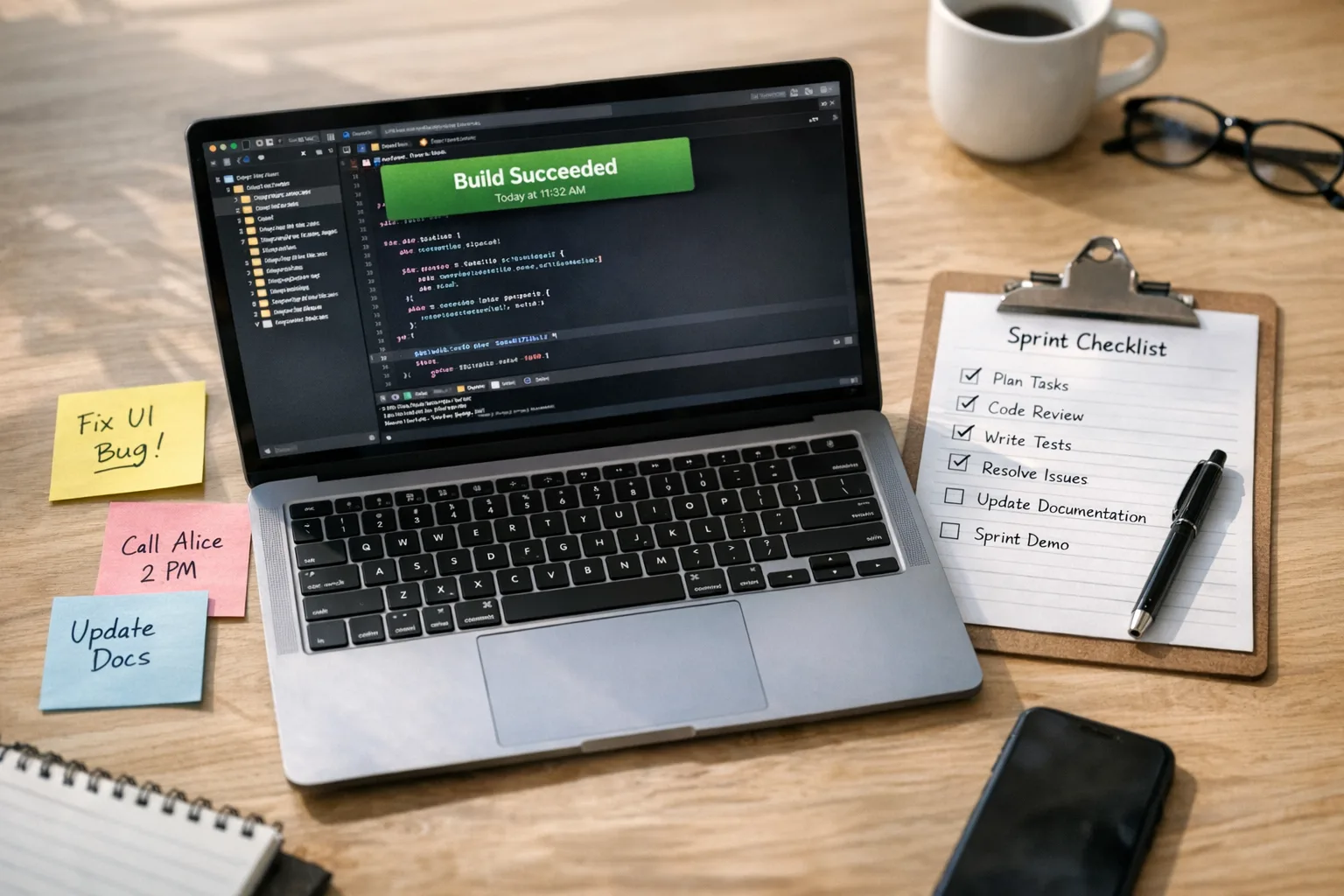
What actually changes on April 28, 2026?
Here’s the thing: the Xcode 26 requirement is a build‑time rule, not a demand to drop older OS versions. You can still run on earlier iOS releases if your app supports them; the cutoff governs the SDK you compile against and the toolchain that signs your binary. That single constraint ripples into CI images, codesigning, dependency compatibility, and subtle behavior shifts from new SDK defaults. Treat it like a platform migration, not a checkbox.
Expect impact in five places:
- Build hosts: macOS version, Xcode 26 installation, CLI tools, codesigning identities, and Rosetta assumptions for tools.
- CI/CD: runner images, caching keys, and artifact formats (XCFrameworks, dSYMs, symbol maps) touched by new build settings.
- Dependencies: native SDKs, Swift language modes, and transitive pods/plugins that haven’t been validated on 26.
- Permissions and privacy: updated templates and Info.plist keys that might change prompts or default behaviors.
- UI and layout: updated component defaults that subtly alter spacing, typography, or animation behavior.
Who’s likely to miss the Xcode 26 requirement?
Patterns repeat. Teams at risk usually share one or more of these traits:
- They pin Xcode to a CI image that nobody touches because “it still works.”
- They ship multiple white‑label apps and assume one migration will cover them all.
- They rely on a critical SDK delivered via binary (XCFramework) with slow upgrade cadence.
- They maintain a cross‑platform stack (Flutter or React Native) but forget that iOS builds still depend on Xcode compatibility.
- They have fragile signing setups that break when the toolchain or keychain entries move.
If that’s you, don’t panic. You just need a crisp sequence that burns down risk early and keeps your release train moving.
Primary keyword: Xcode 26 requirement—what changes and what doesn’t
Let’s make it explicit. The Xcode 26 requirement affects the SDK you compile against and the toolchain used to produce your binary. It does not force you to raise your minimum deployment target or drop older devices. It also doesn’t automatically change your app’s design system, but new defaults can nudge layout and control behavior. Plan for targeted verifications rather than a full re‑design cycle.
A no‑drama migration plan you can run in two sprints
You don’t need a 12‑week project. You need two focused sprints with clear exit criteria. Here’s the sequence we run for clients who need to hit a hard date without thrash.
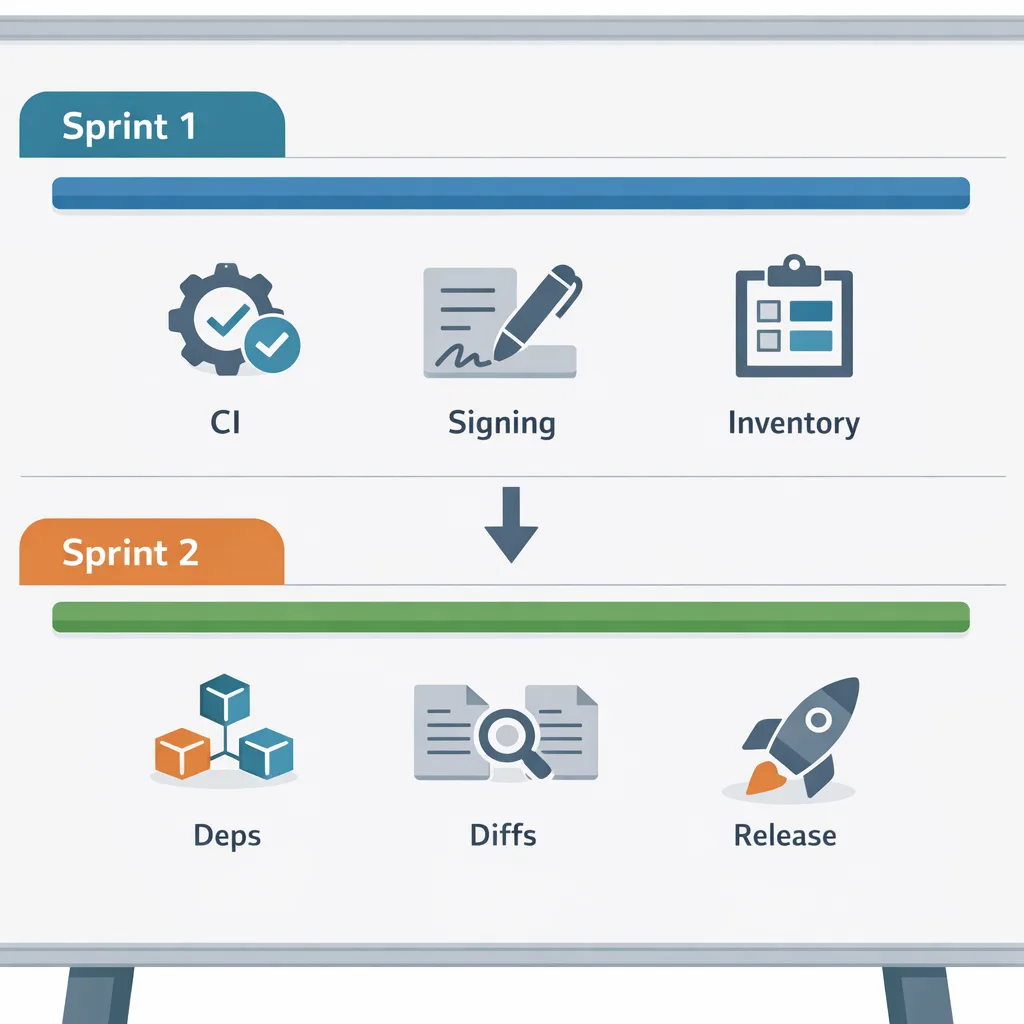
Sprint 1 (Days 1–10): Baseline, unblockers, and CI parity
Goal: produce a reproducible, signed build with Xcode 26 on a developer machine and a CI runner, without feature work. You’re proving the pipeline, not the product.
- Environment lockfile: capture macOS version, Xcode 26 build number, and CLI toolchain path. Save as docs and a bootstrap script.
- Codesigning sanity: refresh certificates and provisioning profiles, then run a clean archive and export locally and on CI. Fix keychain/agent prompts early.
- CI image upgrade: move to an image with Xcode 26. Rebuild all caches (CocoaPods/SwiftPM) to avoid stale module artifacts.
- Third‑party SDK inventory: enumerate pods/plugins/XCFrameworks. Mark any binary‑only frameworks for vendor verification.
- Swift language mode: confirm the compiler mode your project uses today. If you’re enabling stricter checks, do it intentionally and in stages.
Exit criteria: a test build that installs on a real device, launches, talks to your backend, and passes basic smoke checks—built entirely on Xcode 26 in CI.
Sprint 2 (Days 11–20): Dependency upgrades, behavior diffs, and release prep
Goal: reduce risk to acceptable levels with targeted validation, then cut a release candidate.
- Upgrade critical dependencies: analytics, auth, payments, networking, crash reporting. Prefer minor version bumps over sweeping rewrites.
- Behavior diff tests: compare key flows on the previous toolchain vs. Xcode 26—login, purchase, push registration, deep links, background tasks.
- UI diffs: snapshot tests or side‑by‑side device checks for top 20 screens. Look for spacing, typography, and safe‑area differences.
- Binary size and startup: record app size changes and cold‑start deltas. Investigate large swings before they hit users.
- Dry‑run submission: export with your real signing, validate in Transporter, and push to TestFlight to flush any metadata or entitlement surprises.
Exit criteria: a signed release candidate, validated in TestFlight, with documented diffs and a rollback plan.
The SDK‑Delta Risk Grid (copy/paste this into your tracker)
Use this grid to triage where to spend your attention under the Xcode 26 requirement. Assign an owner and a due date for each row.
- Permissions and prompts: verify notification, camera, photos, location, Bluetooth. Confirm Info.plist keys and ensure prompts still match UX copy.
- Networking: check ATS settings, HTTP/2 or HTTP/3 behavior, certificate pinning, and background transfer tasks.
- Background execution: alarms, location updates, VOIP, and audio playback—confirm that tasks still schedule and resume as expected.
- StoreKit and payments: test purchase flows on sandbox with the new build; review subscription proration and restore flows.
- Push and device tokens: validate token registration and auth keys; confirm environment (sandbox vs. production) matches your stage.
- Launch and lifecycle: cold/warm start, scene/session state, and deep‑link routing across fresh installs and updates.
- Accessibility: Dynamic Type, VoiceOver labels, contrast modes. New control defaults often surface untested states.
CI/CD realities: hosted runners, self‑hosted, and image drift
Most failures we see aren’t “Xcode bugs”—they’re image drift and caching. If you’re on hosted runners, track when the provider flips the default Xcode. If you self‑host, schedule image refreshes and pin your setup with a bootstrap script that installs Xcode 26, Command Line Tools, and any runtimes your build relies on. When in doubt, rebuild caches after an SDK bump. For a deeper dive on keeping Actions stable during toolchain flips, see our March 2026 GitHub Actions runner plan.
Two small but mighty tactics:
- Artifact compatibility check: confirm that dSYMs and symbol maps from Xcode 26 are still processed by your crash pipeline before the release cut.
- Repro script: a single shell script that cleans, resolves packages, sets the toolchain, and archives to a known location. When a step breaks, you’ll know exactly where.
People also ask: will I need to drop old iOS versions?
No. The requirement is about the build SDK and toolchain, not the minimum OS your app supports. You might choose to raise your minimum if new dependencies demand it, but that’s your call. If stakeholders conflate the two, show them a device matrix proving you still run on older versions.
People also ask: do Flutter and React Native apps have to comply?
Yes. Cross‑platform stacks still produce iOS binaries through Xcode. You’ll upgrade the underlying iOS tooling, test native modules/plugins, and cut a new app build from Xcode 26. Treat your cross‑platform tooling upgrade and your iOS SDK migration as parallel streams that converge in QA.
People also ask: do we need new Macs for Xcode 26?
Sometimes. If your current macOS version can’t install or run Xcode 26 comfortably, moving up saves time versus nursing an under‑spec’d host. Measure by build time and simulator stability; if your CI queue backs up or simulators flake, the hidden cost exceeds new hardware quickly.
A lean QA checklist for SDK cutovers
Ship fast, but test smart. This is the short list we insist on before any SDK‑driven release:
- Smoke: install, launch, login, navigate your top 10 screens on two OS versions and two device sizes.
- Payments: at least one sandbox purchase and one restore path.
- Push: register, receive in foreground and background, open deep link.
- Deep links: cold start and warm resume into two high‑value flows.
- Background: one long‑running task (upload/download) and one scheduled task.
- Analytics: confirm session starts, key events, and user properties reach your warehouse.
- Size and startup: record binary size and cold‑start time vs. previous release; investigate any regressions above 10%.
Governance and comms: keep stakeholders aligned
SDK migrations trigger questions from product, security, and legal. Preempt the churn with one pager answers: what’s changing (build toolchain), what isn’t (runtime support), the risk grid you’re covering, and the exact date you’ll cut the release candidate. Include rollback conditions: if crash‑free rate drops by a threshold or purchase failures spike, roll back in hours, not days.
Templates you can steal
Make your life easier by standardizing the boring parts. We recommend:
- “Platform Flip” Jira template with tasks for environment capture, CI image upgrade, dependency inventory, QA scenarios, and dry‑run submission.
- Releasable branch policy: code freeze window, hotfix rules, and a gate that blocks merging if the CI job isn’t building with Xcode 26.
- Slack change announcement: who, what, when, impact, and where to escalate. Pin it in the release channel.
Real‑world traps we keep seeing (and how to dodge them)
Three that bite even solid teams:
- Binary‑only SDKs lagging behind: vendors who ship only XCFrameworks can take days to publish 26‑compatible builds. Flag them early, ask for pre‑release builds, and consider isolating the SDK behind a thin adapter so you can swap without cascading changes.
- Derived data ghosts: builds succeed locally but fail on CI because stale Swift module caches stick around. As part of your upgrade PR, nuke
DerivedDataand rebuild all caches once. - Signing prompts on headless CI: keychain access dialogs block background agents. Import signing materials to a dedicated keychain with
securityCLI and pre‑authorize access forxcodebuild.
Where this fits in your wider 2026 roadmap
The Xcode 26 requirement is one of those platform pivots you can’t defer. Use it to pay down targeted tech debt: get your CI image story under control, prune dead dependencies, and document a repeatable SDK cutover process. The payoff is not just an on‑time submission in April; it’s fewer surprises next time Apple flips the switch.
Want deeper, tool‑ready plans?
If you want to go beyond this overview, we’ve published cutover‑ready breakdowns: our field guide on what teams must do now, a focused plan to ship confidently by April 28, and a tactical 60‑day plan if your org needs more runway. Pair those with the March 2026 GitHub Actions self‑hosted runner guide if you control your own macOS fleet.
What to do next
Here’s a tight action list you can start today and finish this week:
- Create a clean platform‑flip branch and pin Xcode 26 for CI and local builds.
- Run Sprint 1: sign a clean archive locally and in CI, inventory dependencies, and rebuild caches.
- Kick vendors: ask for 26‑compatible binaries or timelines; capture responses in your tracker.
- Start Sprint 2’s behavior diffs: payments, push, deep links, and background tasks.
- Perform a dry‑run TestFlight submission to flush entitlement or metadata issues early.
- Publish your rollback criteria and alert thresholds before you cut the release candidate.
FAQ for engineering managers
How do I track readiness without micromanaging?
Ask for three artifacts, nothing more: (1) a reproducible archive log from CI on Xcode 26, (2) a filled‑in SDK‑Delta Risk Grid with owners and due dates, and (3) a TestFlight build number that’s been through the lean QA checklist. If you have those, you’re on track.
What’s a reasonable buffer before April 28?
Two weeks. That gives you time to cut at least one RC, validate crash‑free rates on a staged rollout, and respond to anything you missed without burning weekends.
Should we flip Swift language modes right now?
Only if you’ve budgeted time for it. Lock the toolchain first, then schedule language mode changes as a separate epic with explicit owners and tests. Don’t conflate risk categories.
Zooming out: build once, document forever
Every year or two, Apple raises the floor. The orgs that stay calm are the ones with a written playbook: a repeatable CI bootstrap, a standard QA checklist for SDK flips, and a clear governance path for risk and rollback. Use April 28 as a forcing function to write yours. Future‑you—and next year’s platform flip—will thank you.








Comments
Be the first to comment.