Google Play External Links: What to Ship by Jan 28
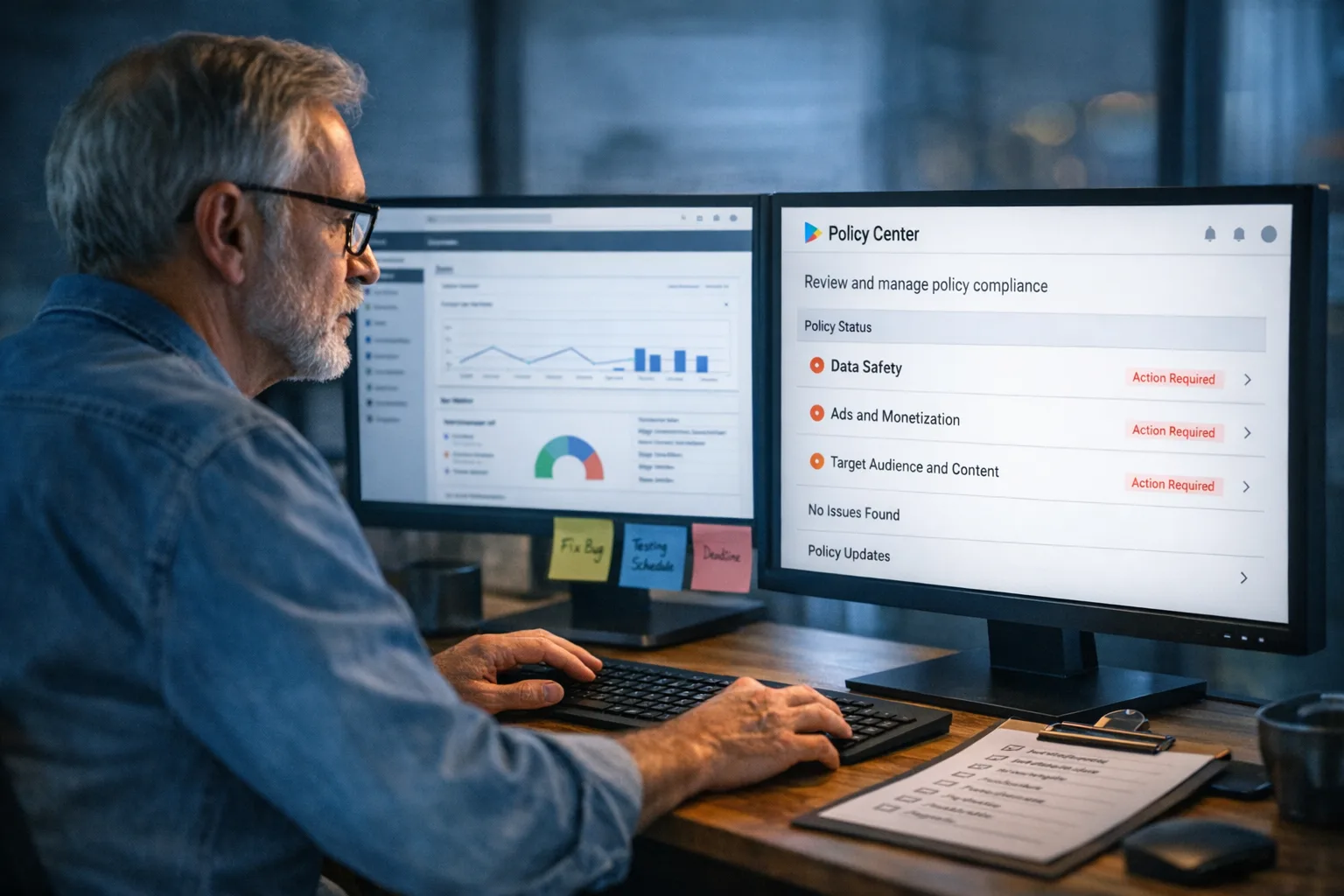
Google Play external links and alternative billing are now formal programs in the U.S., with a compliance date set for January 28, 2026. If your app will link to a web checkout for digital goods, steer users to install outside Play, or process payments with a non‑Google processor inside the app, you must enroll and implement the required UX and APIs. This isn’t a memo to file—this is a shipping checklist with real fee math and deadlines.
What changed—and the dates that matter
On October 29, 2025, U.S. Play Store rules loosened under a court order: apps can use non‑Google billing and link users to external purchase options or downloads. Google followed with formal U.S. programs: External Content Links (to web purchases or downloads) and Alternative Billing (payment inside your app with your processor). The practical U.S. compliance date for apps that choose either path is January 28, 2026. A settlement hearing scheduled for January 22, 2026 may refine fee schedules, but the operational enrollment and integration steps remain.
Two more timeline anchors for your roadmap: the current U.S. order is slated to run through November 1, 2027, and Google has signaled it may update program terms to “preserve trust and safety.” Translation: ship for Jan 28 with feature flags for pricing and fees so you can adapt quickly without another app update.
Google Play external links: the fee math you actually need
Here’s the current shape of the U.S. program, distilled for finance and product leads. External links to purchases and downloads live under the External Offers program; non‑Play payments inside your app live under Alternative Billing.
External Offers (links):
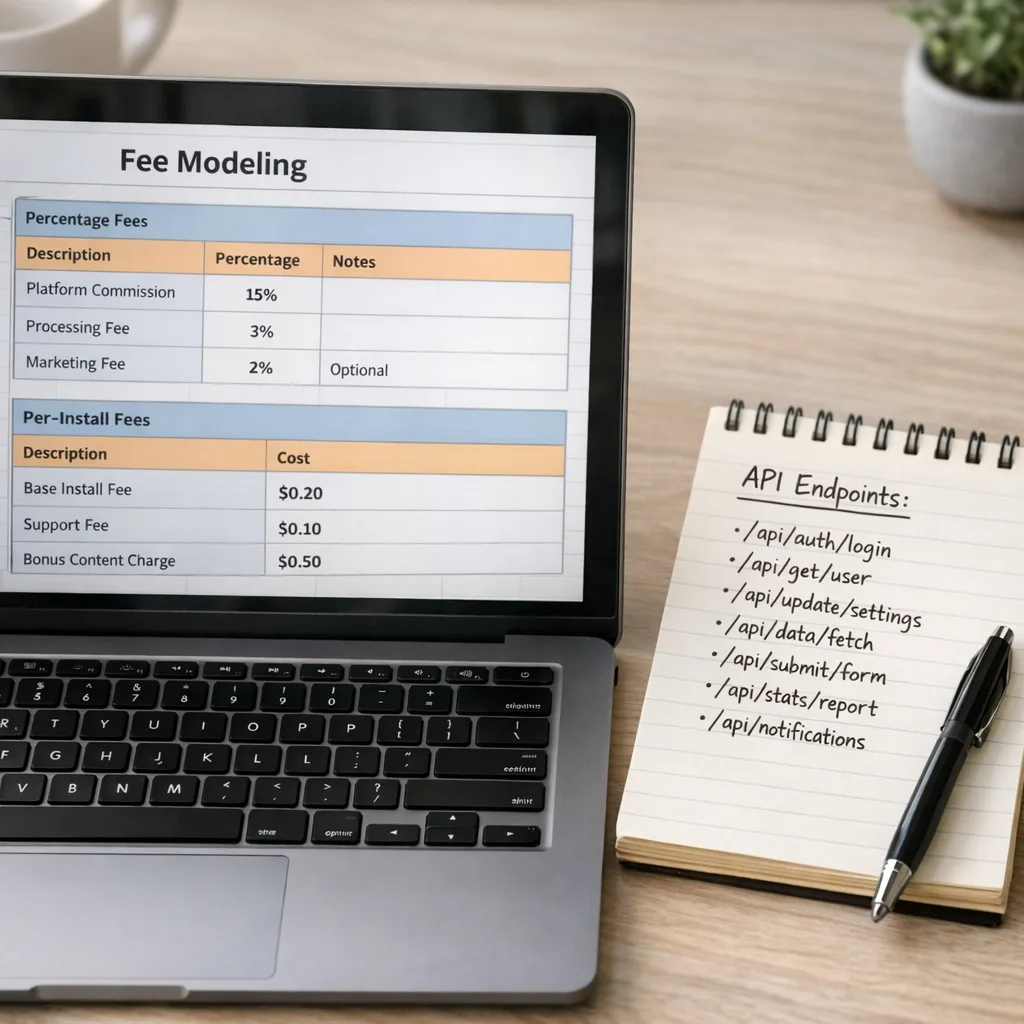
• Initial acquisition fee: 3% on qualifying transactions for users within six months of their Play‑managed install; 0% after six months.
• Ongoing services fee: 10% on qualifying off‑Play transactions while your Play‑listed app still benefits from Play services (security scanning, parental controls, etc.).
• External downloads: a fixed, per‑install fee when a user installs an app within a short window after tapping your in‑app link. Public rate cards abroad list amounts by country and category; in U.S. reporting, figures under discussion are roughly $2.85 per app install and $3.65 per game install if the install happens within 24 hours of the link. Treat those as modeling inputs until final U.S. rate cards post.
Alternative Billing (inside the app):
• Google reduces its standard service fee when users choose your processor. Historically this has meant roughly a 4–5% reduction off the list rate. In practical terms, many teams model 25% for most digital goods and 10% for auto‑renewing subscriptions, aligning with prior communications about “user choice” discounts versus the 30% and 15% baselines.
Why both models? Because region and purchase type matter—and court‑approved terms might alter specifics. Your job is to model a conservative range and flag breakevens for leadership now.
Tiered services and the hidden lever
Google’s documentation also describes an optional “higher tier” of ongoing services. The low tier keeps the basics (delivery, trust and safety), while the higher tier adds capabilities and, in some cases, increases the effective rate for transactions or subscriptions. If you don’t need the extras, don’t opt into the higher tier by default—this is one of the easiest ways to protect margin.
Do you actually need to enroll?
Think in funnels, not policies. You need External Offers if your in‑app experience will: a) link to a web checkout for digital goods (courses, coins, pro features), or b) push a user to download an app outside Play (your own store, a partner store, or your website). You need Alternative Billing if you’ll accept payments inside the app without Google Play Billing. If you’re staying Play‑only—no links out, no off‑Play payments—do nothing.
There’s a strong financial case for many consumer apps to keep Google Play Billing for low average order value (AOV) consumables where conversion is king, while steering higher AOV subscriptions and bundles to the web via owned channels like email or community. Remember: fees tied to “Play‑originated” links don’t apply to purchases that start entirely off‑app.
The nine‑day sprint: DECIDE → BUILD → SHIP
Here’s a realistic plan you can run starting today.
Day 1: Decision memo and scope
• Choose your path: External Offers, Alternative Billing, both, or neither. Define regions and SKUs.
• Write a one‑page memo: objectives, offer rules, fee assumptions (low/likely/high), success metrics, and a rollback plan.
• Approve design principles: no dark patterns; clear pricing; fail‑safe fallbacks to Play Billing where required.
Days 2–3: UX and compliance foundations
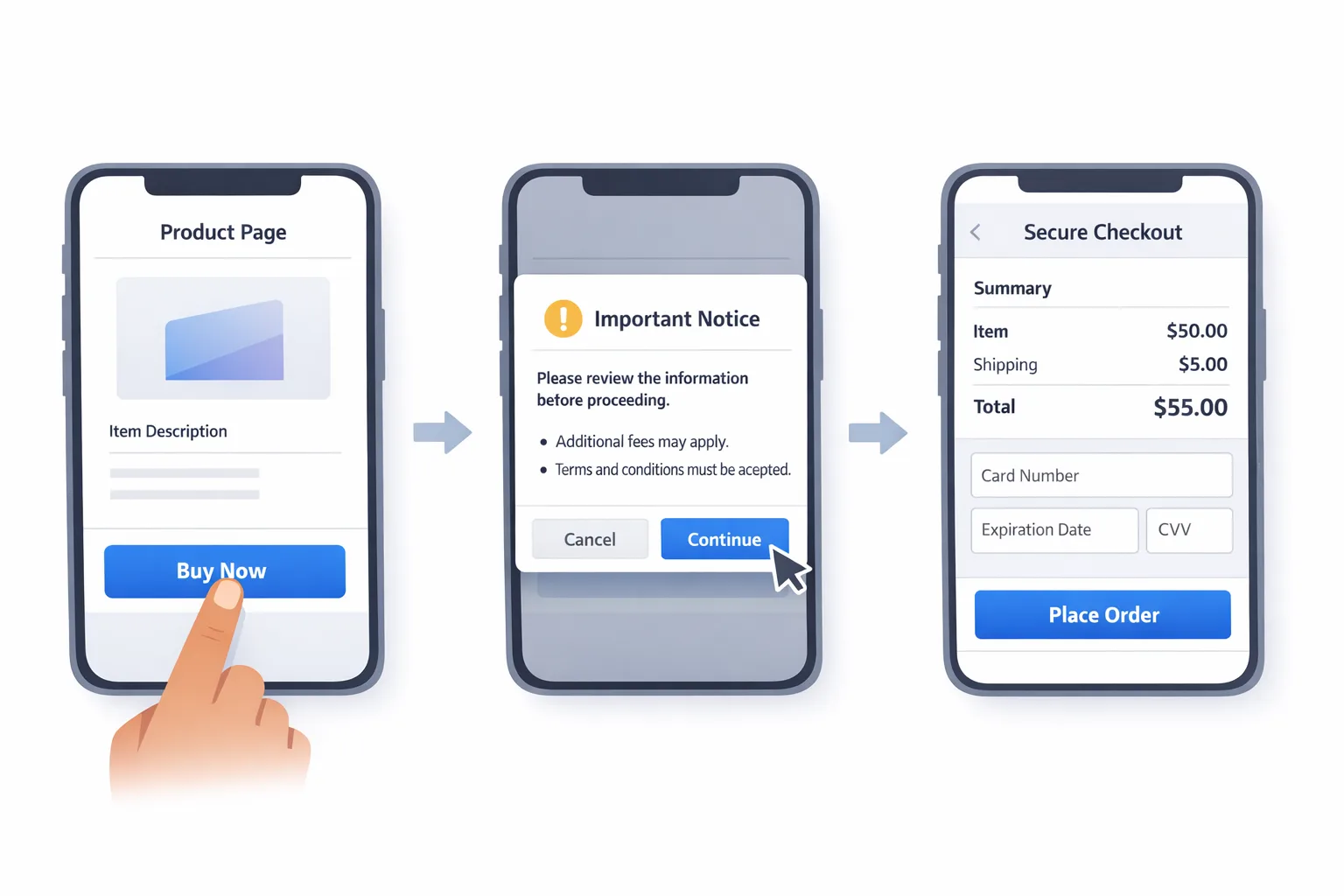
• Design the mandatory information screen before any off‑Play flow. Match Google’s copy requirements and ensure accessibility.
• Map full user journeys: in‑app link to browser checkout (External Offers) and in‑app alternative billing sheet (Alternative Billing). Include “cancel,” “timeout,” and “payment rejected” states.
• Gate by geography and storefront. Many rules are U.S.‑only; you’ll need feature flags.
Days 3–5: API integration
• External Offers: register destination URLs in Play Console, integrate link tokens, and implement transaction reporting within 24 hours of conversion. Pass a durable external ID so you can de‑duplicate retries.
• Alternative Billing: integrate the Alternative Billing APIs and upgrade to Play Billing Library 6.2.1 or higher for compatibility. Present user choice flows where required.
• Add an attribution parameter to external download links so you can reconcile per‑install charges. Persist the parameter through the installer or your first‑run experience.
Day 6: Backend and finance hooks
• Build a small reconciliation service that ingests Play program events and your payments data. Emit daily aggregates for finance (gross, fees, net, by SKU and channel).
• Implement idempotent reporting calls and alerting if reports fail. The SLA to report external transactions is short; treat it like uptime.
• Wire a pricing/fee feature flag so you can change fees without shipping a new binary.
Day 7: QA the hard stuff
Test like a pessimist: intermittent network, expired tokens, mismatched regions, seven‑day trial that converts after the window, and refunds/chargebacks. Verify that a user can always complete a purchase path (Play or alternative) and that your audit logs capture which route they took.
Day 8: Security and fraud controls
• Enforce HTTPS and HSTS on your checkout domain, strict CSP, and CSRF protection. If your processor requires PCI‑DSS scope, confirm you’re out‑of‑scope with a hosted fields or redirect model—or document your controls if you’re in scope.
• Rate‑limit link tokens and payment attempts. Add bot checks where appropriate.
Day 9: Rollout and comms
• Stage rollout to 5% then 25% before 100%, with cohort tracking. Freeze changes three days before Jan 28.
• Publish help‑center updates and a support macro. If a regulator, partner, or platform reviewer asks, you want screenshots and flow diagrams on file.
People also ask
Do I have to show Google’s billing option next to mine?
In many U.S. configurations, yes—“user choice” means presenting Google Play Billing as an option. Programs that allow alternative‑only experiences exist but are gated by eligibility and region. Check your Play Console program terms before you code your UI.
What happens if I miss January 28, 2026?
Your app can remain Play‑only. But if you link out or run non‑Play payments without enrollment and the required UX and reporting, you risk review failure or removal. The rules are written; the grace period is over.
Are games treated differently?
Games often face higher per‑install fees for external downloads and may see distinct commission treatments for purchase types. Model with a conservative assumption for games until U.S. rate cards finalize.
Does this kill the case for webshops?
No. The costs discussed here apply to purchases or installs that originate from your Play‑distributed app. Direct‑to‑consumer channels that start entirely off‑app remain powerful for subscriptions, bundles, and high‑AOV items.
Implementation gotchas that sink launches
• Reporting window: External transactions need timely reporting. Build retries with exponential backoff and visibility for finance.
• Region drift: Don’t present links or alternative billing where your enrollment doesn’t apply. The safest approach is a central “policy gate” utility your app queries on every paywall render.
• Library versions: Alternative Billing requires Play Billing Library 6.2.1+. Pin versions and test against Google’s latest.
• Token handling: Treat link tokens and purchase IDs as secrets—short TTLs, server‑side validation, and signature checks.
• Refunds and trials: Make sure your reporting correctly reflects refund reversals and trial conversions that happen days later.
• Accessibility and localization: The information screen must be readable, keyboard navigable, and translated for your supported locales. Don’t ship an English‑only disclosure in a multilingual app.
How the Play rules compare to Apple right now
In the EU, Apple has reworked external linking and fee structures under DMA pressure, introducing split tiers for App Store services and a commission on external purchases, with a shift toward a unified model in 2026. The headline for U.S. teams: the mechanics differ, but the theme is the same—platforms allow link‑outs and non‑store billing while retaining service fees and reporting. If you operate in both ecosystems, standardize your UX: one disclosure pattern, one reporting pipeline, and per‑platform fee logic behind flags. For a deeper Apple timeline and build plan, see our App Store policy changes 2026 guide.
Two realistic financial scenarios
Scenario A (web checkout from an in‑app link): $50 one‑time digital item, user within six months of their Play install. Model 3% initial acquisition (1.50) + 10% ongoing services (5.00) = $6.50 to Google, plus your processor (~$1.50–$2.00). Net to you ≈ $41.50–$42.00 before tax and fraud. If the user is older than six months, drop the 3% initial fee.
Scenario B (alternative billing inside the app): $12.99/month subscription. Many developers assume 10% to Google for subscriptions under “user choice,” plus 2.9%–3.5% to the processor. Net ≈ $11.05–$11.35 before tax and fraud, which can beat in‑app Play Billing on subs—but only if your churn doesn’t rise due to UX friction. Run an A/B that measures conversion and churn, not just fees.
A simple prioritization framework
Use this to decide where to invest first:
• High AOV, low frequency (annual plans, premium bundles): prioritize External Offers to the web.
• Medium AOV subscriptions: test Alternative Billing versus Play Billing; keep user choice visible.
• Micro‑transactions in games: unless U.S. fees land unusually low, keep Play Billing and push bundles to a webshop via off‑app channels.
• External downloads: only link out if you truly need an external install (store independence, enterprise distribution) and can absorb potential per‑install fees.
What to do next
1) Decide your program(s), regions, and SKUs by end of day.
2) Enroll in the relevant programs in Play Console and register your link destinations.
3) Implement the information screen and gating logic; upgrade to Play Billing Library 6.2.1+ if using Alternative Billing.
4) Build reporting and reconciliation with idempotent calls and daily finance exports.
5) Add fee and service‑tier toggles to your config so you can adjust without a binary update.
6) Run a controlled rollout with a measurable success metric: paid conversion, refund rate, and net take per order.
Need a second set of hands?
If you want working code, not just policy slides, we can help with design, integration, and the unglamorous reconciliation plumbing. Start with our concise playbooks—the Jan 28 Playbook for Play external links and the ship‑by‑Jan‑28 integration guide—then tap our services or reach out via contacts when you’re ready to execute.
Here’s the thing: the biggest risk in January isn’t picking the “wrong” fee schedule—it’s missing the operational pieces that keep you compliant and measurable on day one. Decide fast, design clearly, ship carefully, and keep your pricing and fees behind flags. You’ll be ready for January 28, and you won’t have to scramble again when the next update lands.





Comments
Be the first to comment.