
App Store Age Ratings 2026: Ship the Right Gates Now
Apple’s shift to more granular age tiers and stricter disclosures means App Store age ratings 2026 isn’t a checkbox refresh—it’s a product decision. As of February 3, 2026, App Store Connect accepts builds from Xcode 26.3 RC targeting iOS 26.2 and friends, and review teams are actively reconciling your questionnaire answers with live features. On Android, Google Play’s Age Signals API stepped up with policy limits that now shape what you can do with age data. If you maintain social, UGC, dating, wellness, or simulated gambling mechanics, you have real deadlines and real exposure.
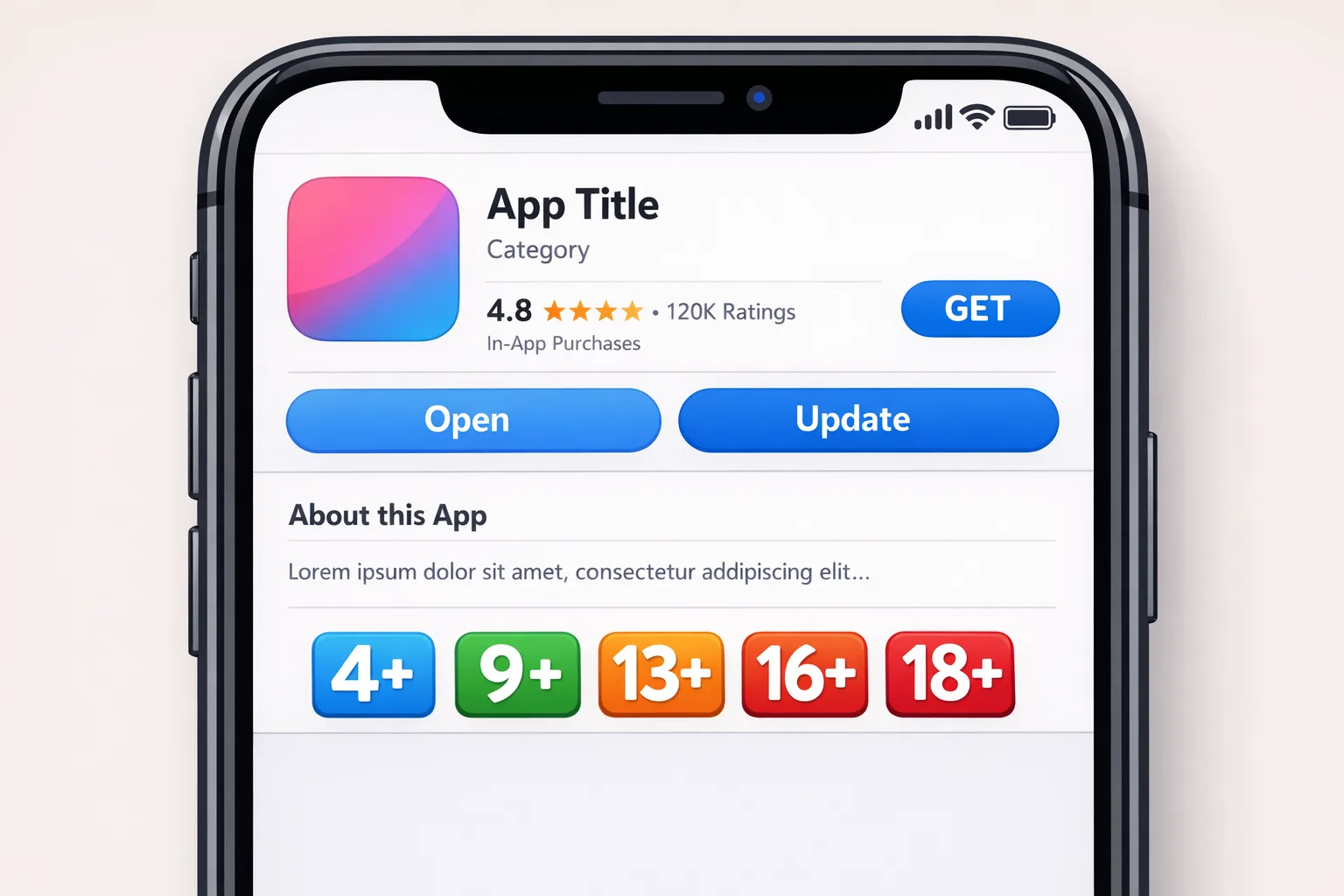
What changed in App Store age ratings 2026?
Apple replaced the blunt 12+/17+ divide with three teen‑focused tiers—13+, 16+, and 18+—alongside 4+ and 9+. The practical outcome is tighter alignment between the content you actually ship and the visibility and restrictions a user sees across the App Store and Screen Time. Apple also expanded the App Store Connect questionnaire: you must disclose things like user‑generated content, messaging, advertising, content controls, medical or wellness topics, simulated gambling, and how those experiences are moderated.
Here’s the thing: Apple already reassigned many apps automatically based on your historical answers, then asked teams to confirm or adjust. If you haven’t reconciled your rating with today’s feature set (especially if you’ve added community, AI chat, or new commerce flows), expect friction in review and merchandising—less editorial exposure and, in some regions, harder discovery for teens.
The flow-on effect touches monetization and onboarding. For example, if your true audience is 16+ but your product page and in‑app controls aren’t aligned, you’ll see inconsistent access patterns: requests blocked by family settings, lower conversion from under‑age devices, and even returns or refunds triggered by parental approvals being denied.
How Apple’s February 3, 2026 App Store Connect update affects your release train
The early‑February App Store Connect release matters for two reasons. First, it formalized build acceptance for Xcode 26.3 RC (SDKs at the 26.2 line), which is what review teams are testing against right now. Second, the Connect backend—and corresponding review checklists—now highlight your answers in age‑rating and content‑control fields during human review. Translation: the metadata you declare is no longer passive paperwork; it’s a review input developers are held to.
If you haven’t iterated on internal SOPs since December, update your pre‑submission checklist to include a hard pass through the age questionnaire. In practice, we’ve found it fastest to pair a PM with a QA lead to map each questionnaire item to an app surface, a code toggle, and a test case. For multi‑region products, keep a row for regional switches (e.g., age‑restricted placement in certain storefronts) so the answers and your feature flags stay in lockstep.
One more quiet but strategic change from late 2025: Connect’s support for OS data transfer and, in some markets, alternative distribution and payments. If you run cross‑platform account flows, that data transfer mapping and your age‑aware state machine need to agree. Otherwise, you risk inconsistent gating when users migrate devices.
Do I need an age gate if my app is 13+?
Usually, yes—if you have any surfaces that could expose teens to adult‑leaning content (open DMs, creator tips, live audio, ads, or links out). A 13+ rating doesn’t absolve you from runtime segmentation. Apple expects your in‑app controls to reflect the rating you claim. On Play, a 13–15 user will often be supervised; you’re expected to honor that at runtime. Minimal gating can be as simple as muting mature UGC filters or disabling invite‑only chat until verified consent exists. Robust gating might include different default feeds, limited sharing, and opt‑in parental prompts for specific features.
Android in 2026: the Play Age Signals API and policy limits
Play’s Age Signals API (currently in beta but broadly referenced in 2026 policy) lets you query a verified user status or an age range by band, especially in regions where law mandates it. Ranges typically include 0–12, 13–15, 16–17, and 18+, with supervised vs. verified distinctions. There’s nuance: a VERIFIED 18+ user often short‑circuits the rest of the fields, while SUPERVISED users return an ageLower/ageUpper band and an approval timestamp that you can use to determine if a “significant change” requires parental re‑approval.
As of January 1, 2026, policy restricts using Age Signals data to age‑appropriate experiences in the requesting app—no ad targeting, analytics joins, or cross‑app profiling. If you enable dating, simulated gambling, or money‑like contests, expect additional obligations starting late January: enforce minor blocks and stand up parent‑approval flows where applicable. The API is designed to be called at runtime, but you should cache it sparingly and never log raw values to analytics.
On the engineering side, keep Play Services and the Play Store version checks in your error handling, and pair calls with Play Integrity to reduce spoofing. We’ve seen failures in the field from outdated Play Services on low‑end devices; your retry strategy and UX copy should guide users to update without breaking activation.
The AGE‑GATE framework teams can adopt this week
Here’s a practical model we use on client projects to move fast without regressing privacy or conversion. Think of it as a 2‑sprint plan you can repeat feature‑by‑feature.
A — Align
Map each feature to a rating tier and region. Create a single page that lists: declared App Store rating, Play Console settings, UGC controls on/off, messaging on/off, external links policies, and ad surfaces. If any row conflicts with your declared tier, fix the product, not the paperwork.
G — Gate
Implement runtime segmentation with device‑level signals first. On iOS, respect Screen Time restrictions and the system account’s age range; on Android, prefer the Play Age Signals API where available. Fallbacks should default to safety, not openness. Feature flags should isolate gates per surface so product can A/B the least intrusive version.
E — Educate
Explain the “why” once, briefly, and let parents or verified adults override where allowed. Use a single, reusable component for consent prompts and parental handoff so the copy and telemetry stay consistent across the app.
G — Govern
Document who can change thresholds and messages, and require a two‑person review for any change that affects minors. Wire this into your release checklist so changes can’t slip in via hotfix or remote config without review.
A — Audit
Before every submission, run a 30‑minute audit: toggle all gates with test accounts (under 13, 13–15, 16–17, 18+), verify ads and UGC filters respond correctly, and confirm your App Store Connect answers still match what you ship. Keep a screenshot trail; it speeds up appeal if review flags you.
T — Telemetry
Track only what you need: age band, gate triggered, path unblocked. Never store birthdates. Aggregate daily and bucket by feature surface to watch for activation cliffs after gating changes, then iterate.
Implementation patterns that work on iOS and Android
On iOS, build a single “Eligibility” service consumed by SwiftUI views and your network layer. Inputs: system account age band (when available), user‑declared controls, and server‑side risk flags. Outputs: eligibility decisions per feature—e.g., canOpenDMs, canJoinLiveAudio, showTipping. Wire eligibility changes to on‑appear checks, not just on sign‑up; parental approvals or account changes can land mid‑session.
On Android, isolate your Age Signals integration behind a repository with a small sealed result model: VerifiedAdult, Supervised(ageLower, ageUpper, mostRecentApprovalDate), Unknown, or NotApplicable. Add Play Integrity attestation on the same code path. For supervised users, snapshot the mostRecentApprovalDate and watch for SUPERVISED_APPROVAL_PENDING to gracefully lock features until re‑approved.
For both platforms, make gates idempotent and cache‑aware. If the call fails, the safe default should be the more restrictive experience, with clear copy and a retry affordance. Avoid “fail open.” That small choice often decides whether a review note becomes a reject.
Designing the UX so it doesn’t crater activation
Explanations beat roadblocks. Instead of a full‑screen stop, consider lightweight inline notices: “Live chat is off for your account right now.” Offer a single‑tap “Request Parent Approval” when it’s supported by the platform. Keep copy to two short sentences; walls of text push users to churn or to try again in weird states.
Also, decouple account creation from adult‑feature unlocks. Let users start with a safe core and progressively disclose restricted features as status improves. It lifts day‑one activation while staying compliant.
Data handling and privacy: minimum viable data, maximum trust
Don’t ask for birthdates unless you must. On iOS, rely on device‑level protections and the App Store’s own visibility rules; on Play, rely on Age Signals. If you must store a band, persist only the band and the source, not raw values. Log gating decisions but strip identifiers after seven days unless you need them for a specific abuse case. Security teams should treat age signals like authentication context—subject to tampering, worth protecting in transit and at rest.
Review‑proof your submission
Bundle a short reviewer note explaining how your gates map to features, and reference the questionnaire fields you answered. Include one screenshot per gated surface at a teen tier and at 18+. If your app links out (for example, to follow a creator on the web), clarify how those links are controlled for teens. This turns a potential multi‑day back‑and‑forth into a pass on first review more often than not.
Cross‑platform gotcha: migrations and device transfers
If your app supports device migration (iOS⇄Android), your eligibility state machine needs to adapt when a user lands in a different app store ecosystem with a different age assertion. Treat age status as a derived runtime signal, not a permanent profile field. On first open after transfer, run a “fresh age context” check and re‑derive gates. Without this, you’ll ship weird states where a teen who was allowed to see certain UGC on one platform suddenly has broader access on the other.
People also ask: how do ads and UGC moderation interact with ratings?
Ad networks rarely know a user’s verified age status from the store. That’s your gap to close. If you carry ads, configure creative‑level filters by default for teen bands. For UGC, treat “unreviewed content” as adult until proven otherwise, or switch to a pre‑moderation model for under‑16 accounts. You’ll likely lose some immediate engagement, but you’ll save review pain and reputational risk.
What changed, with dates and versions that matter
Here’s the short, factual timeline to anchor roadmaps this quarter. On February 3, 2026, App Store Connect began accepting builds from Xcode 26.3 RC targeting SDK 26.2 lines; this is the environment reviewers are using today. Through late 2025, Apple expanded its rating tiers and reinforced disclosures around UGC, messaging, and content controls. On Android, the Play Age Signals API remains in beta but underpins 2026 policies that limit usage of returned data to in‑app age‑appropriate experiences. Starting January 1, 2026, that usage limitation hardened; late January introduced stricter rules for age‑restricted features like dating or simulated gambling.
Zooming out, these aren’t one‑off news items—they’re signs that runtime age context is now a first‑class input to product design. Expect more visible surfaces in both stores to reflect what you declare in consoles and what you enforce in code.
What to do next (this week and this quarter)
Here’s a pragmatic action list we’ve implemented across client teams to land clean reviews and stable metrics.
- This week: Reconcile your App Store Connect questionnaire answers with shipped features. Pair a PM and QA lead; screenshot each gated surface at 13+, 16+, and 18+ states.
- This week: Add a single “Eligibility” service in iOS and a Play Age Signals repository on Android. Ship with restrictive defaults and graceful retries.
- This week: Update telemetry: log band, gate triggered, and unlock path only. Strip PII and stop storing birthdays.
- This month: Document your significant‑change plan on Play. If your roadmap includes dating, live audio, or payouts, schedule parental approval windows and set the effective‑from dates in Console.
- This quarter: Run a UX pass to replace hard roadblocks with inline notices and a one‑tap parental handoff where supported.
Need a partner to get this over the line?
If you want a deeper dive into the Connect changes, we broke them down in our App Store Connect update briefing. For Android specifics, see our Play Age Signals API compliance playbook. If you’re planning a larger re‑architecture to make age gating a first‑class concern, our services overview explains how we approach cross‑platform rollout without derailing velocity. And if you’re still wrestling with Apple’s new tiers, this primer on what devs must change now can jump‑start your checklist.
Risks and edge cases to watch
Two pitfalls show up repeatedly. First, developers cache age state too long and forget to re‑evaluate after a parental approval or on device time changes. Solve that by re‑checking on app foreground and on sensitive navigation. Second, teams treat webviews as “outside” the app. They’re not—if the experience is in your app, you own it. For web embeds, send the band as a context header and enforce the same gates server‑side.
A final edge case: cross‑border travel. If your user’s store region or legal regime changes, your app may start receiving different signals or none at all. Build a “region drift” handler that gracefully reverts to the safest defaults and re‑requests signals later.
Bottom line
App Store age ratings 2026 makes age a runtime variable, not a line on your product page. Apple’s February 3 App Store Connect update tightened the loop between what you claim and what you ship, while Google Play’s age signals and policies push you to enforce appropriate experiences in code. Teams that treat this as a gating refactor—not a paperwork task—will move faster, pass review more reliably, and protect their brand.
If you’d like help standing this up in your stack, get in touch via our contact page. We’ve done this across social, fintech, edtech, and wellness—and we’ll help you ship age‑smart features without sinking growth.





Comments
Be the first to comment.