
App Store Age Rating 2026: What Devs Must Ship Now
Apple’s App Store age rating 2026 update is live, and it has teeth. As of January 31, 2026, ratings for all apps were auto‑migrated to Apple’s new tiers, but you still have to complete the updated questionnaire in App Store Connect or risk blocked submissions. At the same time, developers face state‑level age‑assurance rules, while Google Play is rolling out its own signals and parent‑approval flows. Here’s the pragmatic blueprint to get your release out the door without compliance surprises.
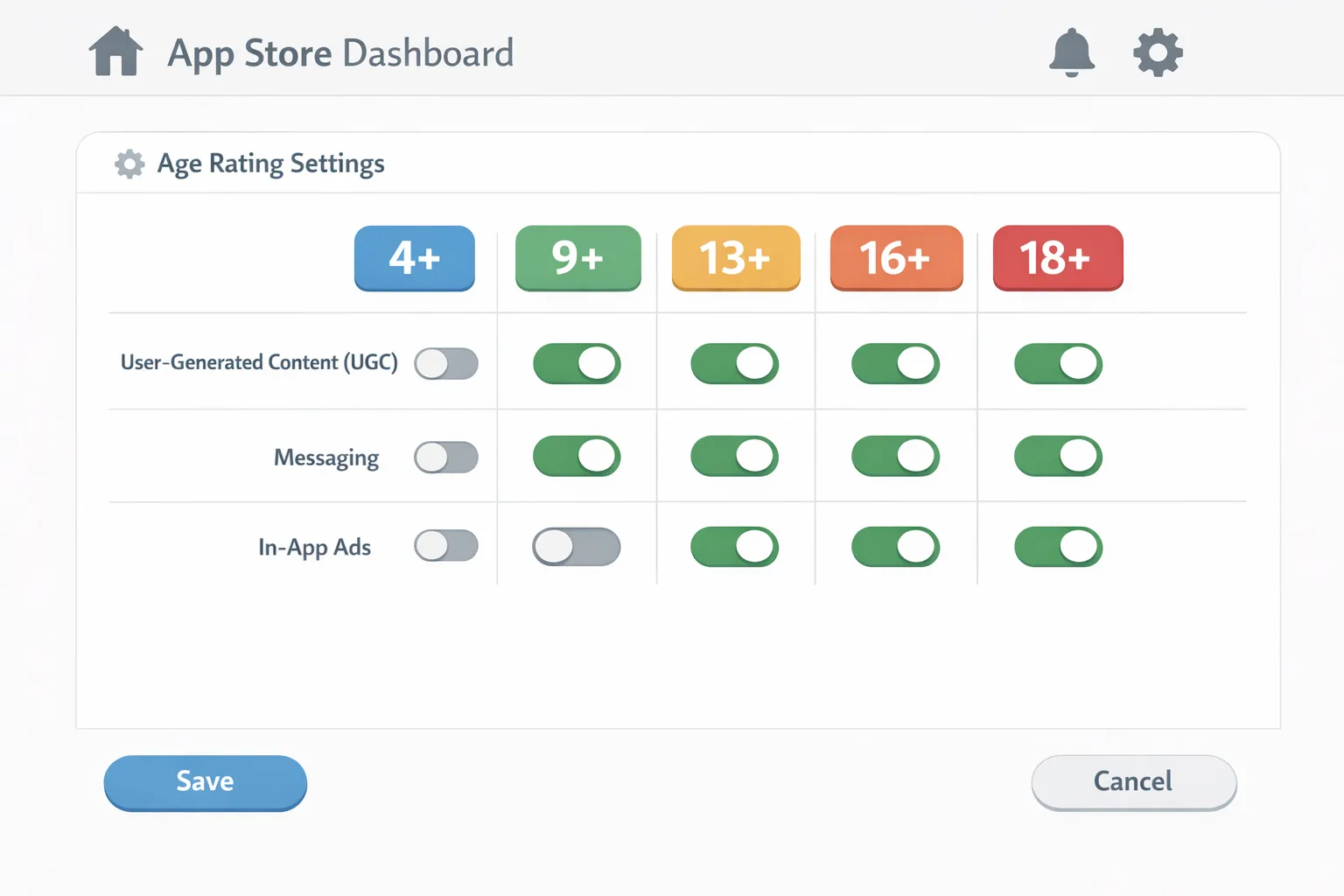
App Store age rating 2026: the new ground rules
Apple’s age ratings now use five tiers—4+, 9+, 13+, 16+, and 18+—replacing the older 12+ and 17+ buckets. The new framework combines your content disclosures (violence, sexuality, gambling, medical content) with capabilities and controls (UGC, messaging, unrestricted web access, parental controls). Two dates matter right now: January 31, 2026 (ratings auto‑migration and developer questionnaire deadline) and January 1, 2026 (additional age‑assurance measures for specific U.S. jurisdictions such as Texas).
What’s different in practice? Apple will now reflect your declared capabilities on the product page and hide age‑restricted apps from placements like Today, Games, and Apps when parental content restrictions are set. Parents can grant one‑off exceptions with Ask to Buy, and revoke them later. For teams, the net effect is that your rating and capability answers influence discovery, installability for child accounts, and whether your next update clears review.
How the new tiers map to real product decisions
Here’s how we’ve coached teams to think about the tiers when writing App Store Connect answers (examples are indicative, not exhaustive):
- 4+: No objectionable content. Typical utilities, basic productivity, or kids’ learning content with no UGC or external web access.
- 9+: Mild cartoon or fantasy violence, crude humor, or fear themes. Think casual games or entertainment with light references.
- 13+: May include realistic violence, simulated gambling, sexual content or nudity references, or frequent cartoon violence. Common for social apps with user profiles, basic chat, or links out to the broader web.
- 16+: Introduces unrestricted web access, frequent mature or suggestive themes, or frequent medical/treatment info. Any in‑app browser without filtering typically pushes you here.
- 18+: Frequent simulated gambling, explicit sexual content, realistic violence, or pervasive alcohol/tobacco/drug references.
Gotcha to watch: “unrestricted web access” and “user‑generated content” often bump apps into higher tiers, even if your core content is tame. If you embed a webview that can reach the open internet, document the guardrails—domain allowlists, SafeSearch parameters, word filters—and expose parental controls if you want to lower risk.
What changed on iOS and at account creation
For users in certain states, new account flows now ask whether the user is 18+. Under‑18 accounts must join a Family Sharing group, and parent approvals can gate App Store downloads and in‑app transactions. Apple’s privacy‑preserving Declared Age Range APIs let developers request an age range rather than collecting a birthdate directly, and Apple added system experiences to re‑request parental consent when “significant changes” occur.
Translation for developers: plan for an age‑aware UX. If a user is under 16 or 18 based on platform signals, you may need to withhold features (DMs, UGC posting, risky ad placements), defer data collection, or show a parent‑approval interstitial before unlocking access. Build that behavior behind a feature flag so you can iterate without resubmission.
Google Play’s Age Signals: same goal, different mechanics
On Android, the Play Age Signals API exposes an age range (for supervised users) with defaults like 0–12, 13–15, 16–17, and 18+, and introduces a robust concept of “significant changes.” If your app materially alters data practices or sensitive capabilities, you notify Play with an effective date in Play Console. Parents of supervised users receive an approval request; until approval, your app must restrict those changes for that user.
Two policy levers to internalize: as of January 1, 2026, Play restricts how you can use Age Signals data—it’s for providing age‑appropriate experiences in the receiving app only, not for analytics warehousing or ad targeting. Second, Google is tightening requirements for apps with age‑restricted features (for example, dating, gambling, or real‑money contests) and expects developers to actively block minors across regions where those restrictions apply.
Why this matters even if you’re iOS‑first: many product orgs mirror compliance logic across platforms. If you architect capabilities centrally and gate them with per‑platform signals (Apple age range, Play Age Signals, your own KYC where legally required), you minimize edge‑case regressions and reduce code drift.
People also ask: fast answers you can share with your PM
Do we need to add age verification inside the app?
Usually no. Apple’s approach is to keep birthdates out of your app and provide age ranges via system APIs and family settings. On Android, rely on Play Age Signals for supervised users. If you operate in highly regulated verticals (real‑money gaming, adult content, certain health scenarios), you may need your own checks—implemented narrowly with regional toggles and clear data retention limits.
What happens if we ignore the App Store questionnaire?
Your next submission can be interrupted. Apple auto‑migrated existing ratings, but the new questions are mandatory. Teams have reported delays until they complete the answers; treat it like a build break.
Can we use Play Age Signals in our warehouse?
No. Play prohibits using Age Signals for cross‑app profiling, ads, or analytics outside the receiving app. Keep it in app memory or a scoped store, and don’t forward to your pipelines.
How should we handle unknown or unsignaled users?
Design for a conservative default: restrict sensitive features until you have a reliable signal. On Android, encourage the user to resolve status in Play. On iOS, lean on Family Sharing, Screen Time, and your own parental controls or content filters.
Let’s get practical: a 10‑day shipping playbook
If you’re trying to close this in a sprint, here’s a sequence that won’t wreck your roadmap.
- Inventory your “sensitive” surface area. Tag UGC (text, images, audio), messaging/DMs, live streams, webviews, advertising placements, and any medical/treatment information. Note where a feature may change a user’s risk profile (e.g., enabling DMs).
- Answer Apple’s updated questionnaire with engineering present. Misclassifications are common when only marketing responds. Document rationale inline so you can defend the rating in future reviews.
- Implement age‑aware gating. On iOS, create a policy layer that maps Apple’s age ranges to feature flags: under‑13 (off: UGC posting; on: read‑only feed), under‑16 (off: unrestricted webview, “mature” ad placements), under‑18 (off: simulated gambling, 18+ communities). On Android, read Play Age Signals and gate similarly.
- Parent‑approval flows. Build a graceful “Ask a parent” path: save intent, explain the change, and resume post‑approval. For Android supervised users, listen for “approval pending/denied” statuses and recheck periodically.
- Ad and analytics hygiene. Remove Age Signals and Apple age ranges from any outbound tracking. Segment monetization stacks so high‑risk ad networks only serve to adult cohorts with verified eligibility.
- Test with sandbox tools. Use Apple’s and Google’s test modes to simulate under‑13, under‑16, and under‑18 users; validate that locked features truly stay locked and that your copy is understandable to parents.
- Ship, measure, and iterate. Monitor drop‑offs at gated steps, and A/B test clearer explanations. Keep your compliance logic behind remote config so you can respond to policy tweaks without waiting for review.
Data you can put on the wall
Dates to anchor:
- January 1, 2026: State‑level age‑assurance measures started impacting Apple account creation in certain jurisdictions; supervised accounts and parental consent flows are now in play.
- January 1, 2026: On Google Play, developers may only use Age Signals data to provide age‑appropriate experiences inside the receiving app.
- January 31, 2026: Apple auto‑migrated ratings and expects developers to complete the updated age rating questions to avoid submission interruptions.
Version cues and taxonomy:
- Apple age tiers: 4+, 9+, 13+, 16+, 18+.
- Play Age Signals default ranges: 0–12, 13–15, 16–17, 18+ (subject to regional changes).
- Common “significant changes” that may require parent approval on Play: enabling DMs, introducing UGC posting, expanding data collection, launching a marketplace or tipping, or turning on webviews that reach the open internet.
A simple compliance framework you can reuse
Use this two‑layer model to keep your app shippable as policies evolve.
Layer 1: Policy matrix
Create a matrix with rows for Apple age ranges and Play user statuses, and columns for your high‑risk capabilities. Each cell defines the default state (on/off/ask‑parent) and copy variant. Store the matrix in remote config so you can switch combinations on the fly.
Layer 2: Evidence and audit
Maintain a living doc (or repo YAML) that shows: your App Store Connect answers and justifications; the Play Console “significant changes” you’ve submitted with effective dates; and a changelog of age‑gating logic adjustments. If reviewers ask, you have receipts.
Edge cases and gotchas teams keep stumbling on
AI assistants inside your app count. If your chatbot can produce mature content or route to the open web, that affects both your Apple classification and your gating logic. Moderate prompts and outputs, and restrict “open link” actions for minors.
Webviews bite more often than you think. A “help center” link to an external site can still be deemed unrestricted web access. Consider an embedded, sanitized help experience or an allowlist, and disclose accurately.
UGC in disguise. Profile photos, usernames, and bios are UGC. If minors can upload images, you need content filters, reporting, and a fast takedown path documented in your review notes.
Parent revocation. Both ecosystems contemplate parents changing their minds. Handle revocation gracefully: cache the user’s prior state, show a friendly explanation, and provide a “notify me if this changes” option.
Cross‑region behavior. Don’t assume one global rule. Keep regional flags for states or countries that add new consent or gating rules. Your release notes should reflect what changed for whom and when.
What to do next (this week)
- Complete the App Store Connect age rating questions for every SKU in your portfolio. If you manage dozens, assign owners and track to closure.
- Add an age‑aware policy layer to your app and wire it to feature flags. Prove you can flip behaviors by cohort without shipping a new binary.
- Integrate Play Age Signals on Android and build the “significant change” parent‑approval loop.
- Sanitize ad placements and analytics. Remove age signals from outbound events and limit risky placements to eligible cohorts.
- Run a supervised‑user test plan in sandbox and record video. Keep it ready for review inquiries.
Want help shipping this cleanly?
If you’d rather not string this together alone, our team ships compliance‑grade mobile UX for a living. See how we structure engagements on our mobile and platform services page, browse relevant work in our portfolio, and skim our recent guides on Apple’s 2026 rules: a tactical developer blueprint and an Apple‑vs‑Google comparison of App Store Age Rating vs. Play Age Signals. When you’re ready, get in touch and we’ll help you ship a compliant build on schedule.
Zooming out
None of this is a one‑and‑done. Expect more platform APIs that reveal just enough age context for developers to do the right thing while minimizing data collection. The best teams will treat compliance like performance: a discipline with dashboards, budgets, and regression tests. Do that, and your roadmap stays yours—policy changes become a routine release task, not a fire drill.





Comments
Be the first to comment.