App Store Age Verification: Your March 2026 Build Plan
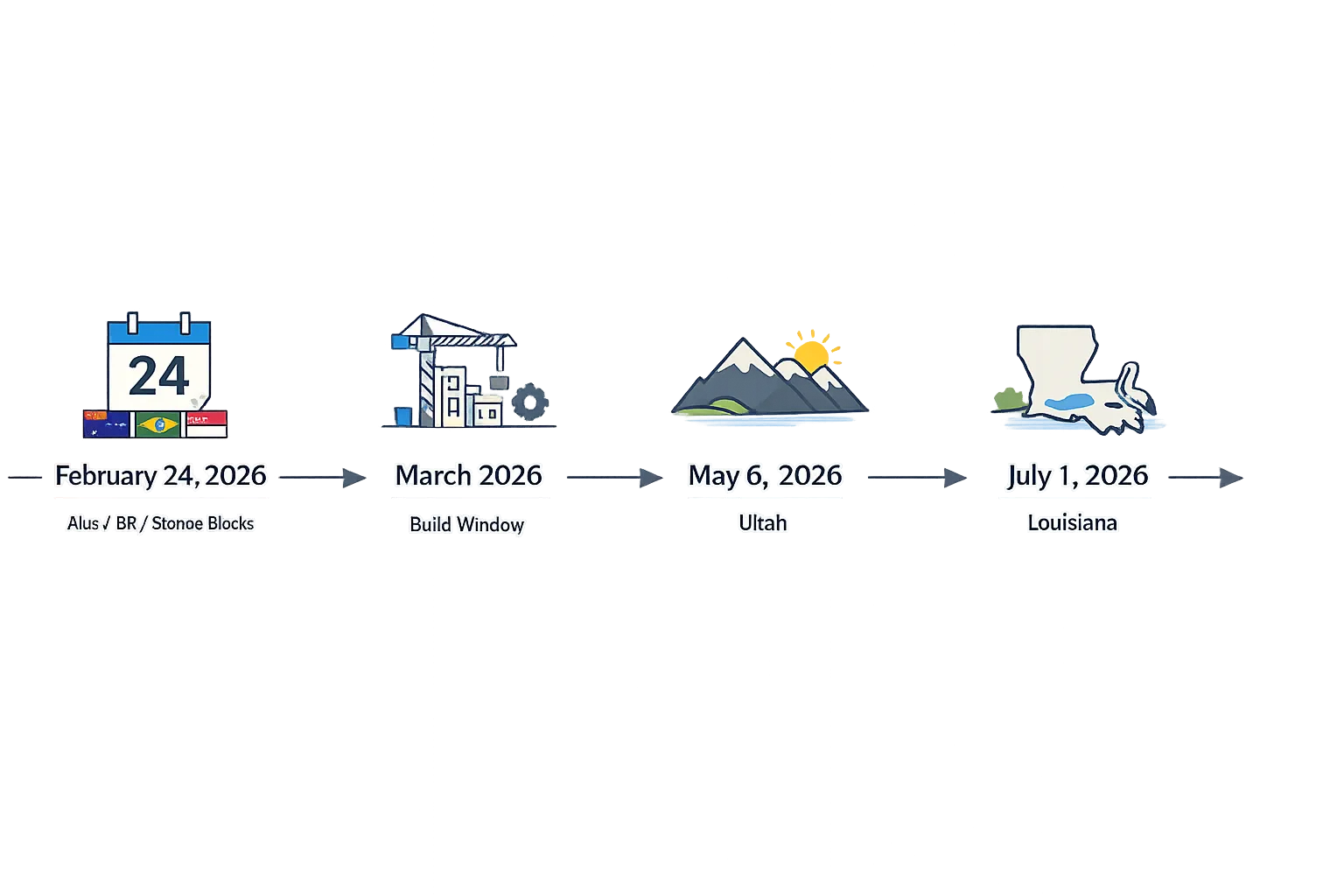
App Store age verification is here, and it’s changing how mobile teams ship in 2026. As of February 24, 2026, 18+ app downloads are blocked in Australia, Brazil, and Singapore unless the person is confirmed to be an adult. Texas requires age checks for new Apple Accounts created on or after January 1, 2026. And more is on deck: Utah on May 6, 2026 and Louisiana on July 1, 2026 will share new age signals with apps. If you’ve been waiting for clarity, you’ve got it—now you need an implementation plan.
Here’s the thing: age gating is no longer just a “content rating” checkbox in App Store Connect. Compliance now lives at three layers—platform, app, and backend—and Apple’s toolset (Declared Age Range API, PermissionKit, Significant Update flows, and new age rating mechanics) expects you to wire them together thoughtfully. This guide lays out what’s live as of March 3, 2026, what’s next, and a concrete sprint plan to get your app compliant without derailing feature work.
App Store age verification: what’s live now (and what’s next)
As of late February 2026, Apple is actively enforcing adult confirmation for 18+ downloads in Australia, Brazil, and Singapore. For Brazil, if your game uses loot boxes and you declared this in App Store Connect, expect the storefront rating to be elevated to 18+ there. In the United States, Texas already requires age checks for new accounts created on or after January 1, 2026. Meanwhile, Utah (May 6, 2026) and Louisiana (July 1, 2026) will share age categories for new accounts with apps upon request through Apple’s APIs, enabling app-level gating and parental consent workflows.
Apple also modernized ratings globally. Since January 31, 2026, apps have updated age rating categories and questionnaire responses in App Store Connect, which flow through to devices on iOS 26, iPadOS 26, macOS Tahoe 26, tvOS 26, visionOS 26, and watchOS 26. On the tooling side, Apple’s current guidance is to build against the iOS 26.2 SDK and Xcode 26.2 (build 17C52) or later to access the latest age assurance features; additional capabilities, like system-presented acknowledgements for significant updates, land as you adopt newer 26.x SDKs.
Zooming out, the direction is obvious: more regions, more platform-level enforcement, and more expectations for apps to check, respect, and log age-related signals.
The architecture that actually works
To ship quickly without repainting it twice, implement a three-layer model:
1) Platform layer (OS + App Store): Let Apple handle what it handles—download blocks for 18+ apps in regulated storefronts; new-account age checks where required. Your job here is to keep SDKs current and declare your app’s sensitive capabilities and gameplay mechanics accurately in App Store Connect so storefront behavior and ratings are correct per region.
2) App layer (Declared Age Range + UX): Use the Declared Age Range API to retrieve a privacy-preserving age range or category and the signals about how it was confirmed (for example, payment method or government ID confirmation performed at account level). This is where you gate in-app experiences, toggle features, and show system-standard or custom UI that explains why an action is restricted.
3) Backend layer (policy + logging): Mirror critical checks server-side for purchases, UGC, and multiplayer. Persist a minimal, non-identifying record of the age band, region, gating decision, and timestamp for auditability. You don’t want to store birthdates; you want durable, revocable decisions bound to the app account.
What SDKs and versions should we actually target?
Build and test with Xcode 26.2 (17C52) or later against the iOS 26.2 SDK to access the Declared Age Range and PermissionKit updates widely referenced in Apple’s guidance. If your device lab includes 26.4 by the time you ship, validate the new significant update acknowledgement flows there too. The point isn’t to chase betas; it’s to ensure your gating works on the SDKs Apple is aligning to regulatory rollouts.
Implementation checklist you can follow this week
Use this sequence to avoid rework:
-
Inventory your risk surface. List features impacted by age rules: messaging, UGC, livestreaming, loot boxes, IAP bundles with randomized rewards, external links, and data-sharing screens. Map each to regional obligations (AUS/BR/SG 18+ download blocks; Texas new-account flows; Utah/Louisiana sharing to apps for new accounts).
-
Update ratings and declarations in App Store Connect. Complete the updated age-rating questionnaire. In Brazil, declare loot boxes if you have them. Keep your storefront rating aligned with what your app actually does—don’t dodge this; the store already has stronger levers.
-
Target the right SDKs in Xcode. Adopt iOS 26.2 SDK with Xcode 26.2+ for Declared Age Range and PermissionKit. Add entitlement keys and capability flags per Apple’s docs.
-
Implement gating with Declared Age Range. On first entry to sensitive flows (create account, open chat, buy randomized rewards), request age range. Cache a short-lived decision token tied to the app user, not the device. Fall back gracefully when people decline to share—show a limited experience, not a hard crash.
-
Wire parental consent using PermissionKit. For child accounts where a significant update or capability requires consent, trigger the parent approval sheet and block access until consent arrives. Keep the UX consistent and explain why the gate exists in plain language.
-
Handle revocation and “significant updates.” When a parent revokes consent or when your release contains a function that’s materially new for a child (voice chat, DMs, gifting), block access and present the acknowledgement sheet or a clear local interstitial.
-
Server enforcement and logging. For payments and UGC endpoints, re-check the cached age decision and the user’s region on the server. Log the decision (band, jurisdiction, feature gate, timestamp, app version) for at least 12 months. Don’t log PII that you don’t need.
-
Test regulated storefronts and accounts. Use sandbox/testflight accounts representing new Apple Accounts in Texas/Utah/Louisiana and adult vs. child states. Validate that AUS/BR/SG storefronts block 18+ downloads and that your app behavior still makes sense on first run.
-
Localize your copy. Ship short, honest explanations for gates in English, Portuguese (Brazil), and the dialects you support in Australia and Singapore. Avoid legalese in-product; link to your policy page for details.
-
Update your privacy and support pages. Document what you store (age band, not birthdate), retention windows, and parental contact flows. If you need a template for rollout comms, adapt your standard release notes and FAQ.
Code-level gotchas I’ve seen teams trip over
Don’t assume country from locale. Use storefront or account region for gating. Locale en-AU is not proof of an Australian storefront.
Cache with intent. Cache age decisions per sensitive action and expire them. “Once adult, always adult” is not a safe assumption when regulations or family settings change.
Guard your bypasses. QA and support overrides should be time-limited, dual-approved, and logged. A forgotten debug flag is how auditors find you.
Treat “declined to share” as its own state. For some flows, “no share” should become “limited mode,” not “full allow.” Define the matrix up front.
People also ask: quick answers you can ship against
Do I need the Declared Age Range API if my app is already rated 18+?
Yes in regulated regions. The store handles 18+ download blocks, but your app still needs to check age when laws require in-app gating, parental acknowledgements for significant updates, or proof of adult status to access certain features.
How does Apple confirm age—do I have to collect IDs?
Apple performs confirmation at the account and store level using methods permitted by local law (which may include signals like payment validation or government ID). Your app gets an age range or category via API, plus a signal about the method. You don’t need to collect or store IDs yourself—and you shouldn’t.
What about users outside these regions?
Use the same code path but expect the API to provide an age range only when the person (or a parent) opts to share it. You can still tailor experiences and keep your logic consistent worldwide.
How do loot boxes affect my Brazil rating?
If you declare loot boxes in App Store Connect, your game’s rating in the Brazil storefront can be set to 18+. Combine that storefront reality with in-app gates for purchases and crate openings to avoid confusion.
The practical rollout plan (two sprints)
Sprint 1 (This week + next): lock SDK targets (iOS 26.2, Xcode 26.2+), complete App Store Connect questionnaire updates, stub Declared Age Range requests on sensitive flows, implement fallback UX, add server enforcement checks and minimal logs, and localize strings. Ship to TestFlight with test accounts spanning regulated regions.
Sprint 2 (Weeks 3–4): integrate PermissionKit parental consent for significant updates, add revocation handling, expand telemetry (decision outcomes by jurisdiction), polish copy, and put support playbooks in place. Then roll to phased release by market, validating AUS/BR/SG storefront behavior and Texas/Utah/Louisiana account flows.
UX patterns that convert without feeling creepy
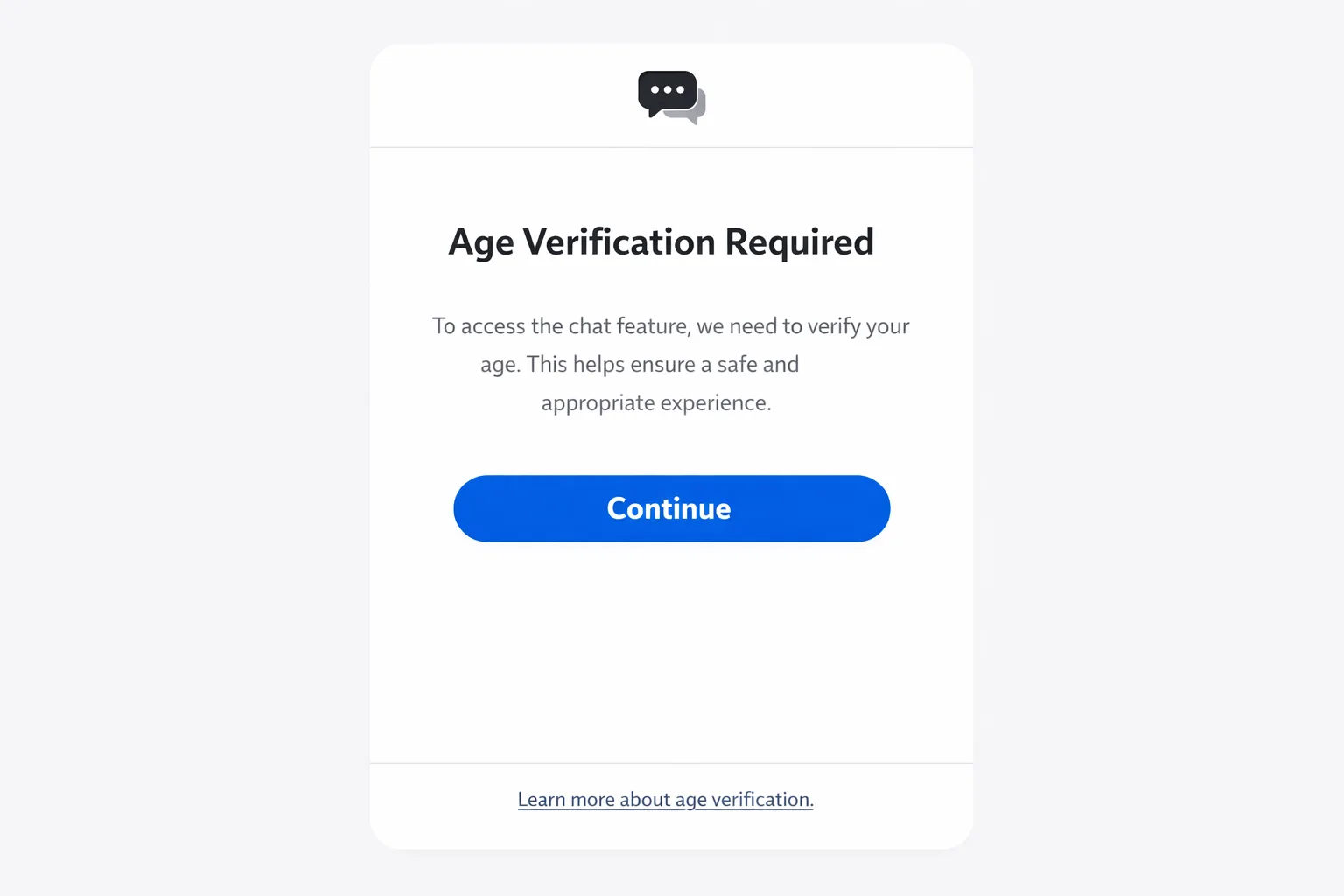
Start with a lightweight interstitial that explains what’s about to happen and why (“We need to confirm you’re eligible for this feature in your region”). Keep your primary action “Continue,” not “Verify.” Show a single screen after the system sheet returns, with a clear status and what’s allowed now. Avoid walls of text; if you need to explain more, link to your help page rather than embedding legal copy in modals.
Risk, tradeoffs, and where teams overdo it
Over-collection: Don’t add your own ID checks “just in case.” It creates breach risk and contradicts Apple’s privacy posture. Use the provided signals.
Over-blocking: Not every screen needs confirmation. Gate purchases, creation, and discovery of mature content, not passive read-only surfaces.
Under-logging: If you can’t answer “what did we allow and why?” for a given user and date, you’re exposed. Log the decision, not the PII.
SDK drift: If you lag on SDK adoption, you’ll end up patching with custom flows that you’ll rip out later. Budget the upgrade time now.
Dates and deliverables you can pin to your wall
-
Now (March 3, 2026): 18+ download blocks active in Australia, Brazil, Singapore; updated global rating system in effect.
-
Texas: New Apple Accounts created on or after January 1, 2026 must confirm age during account creation; developers will receive age signals via API when shared.
-
Utah: May 6, 2026—age categories for new accounts can be shared with apps; test parental acknowledgement flows.
-
Louisiana: July 1, 2026—same sharing model as Utah for new accounts.
-
April 28, 2026: Apple’s SDK minimums step up for new submissions. If you haven’t already, plan your Xcode 26 upgrade now.
What to do next
-
Decide this week which experiences you’ll gate and which you’ll leave open.
-
Adopt iOS 26.2 SDK in your mainline and wire Declared Age Range on the top two sensitive flows.
-
Finish the updated App Store Connect questionnaire and correct any rating mismatches.
-
Set up server-side enforcement and logging for purchases and UGC.
-
Schedule a phased rollout to AUS/BR/SG storefronts first and verify the edge cases.
Need a hand or a second set of eyes?
If you want a deeper dive into the mechanics, our earlier write-up on building these flows still holds up—see this 2026 developer playbook. If you’re also racing Apple’s toolchain deadlines, our April 28 Xcode 26 deadline guide is a good companion. For teams who want this handled end-to-end—requirements mapping, SDK adoption, UX, and server controls—start with what we do for mobile teams, browse a few case studies, or just reach out.
Compliance isn’t glamorous, but it’s shippable. Build once with the right layers, treat age decisions like any other policy input, and keep moving. If your app touches communication, UGC, or paid randomness, March is the month to lock this down.









Comments
Be the first to comment.