
Android 17 Beta: What Teams Must Fix by March
Android 17 beta lands with real changes—not just cosmetics. Between the new ACCESS_LOCAL_NETWORK runtime permission, stricter large‑screen behavior, cross‑device handoff, and media/camera upgrades, there’s plenty that can quietly break flows you depend on. With Platform Stability targeted for March 2026 and general availability in Q2, the window to adapt is short. If Android revenue matters to your business, treat the next two weeks like a release sprint.

What actually shipped in the last two weeks
Google pushed Android 17 Beta 1 on February 11, 2026, and followed with Beta 2 on February 26, 2026. Google’s schedule pegs Platform Stability for March 2026—when final SDK/NDK APIs settle and you can safely target SDK 37—and a Q2 2026 public release. There’s also a minor SDK release planned in Q4 2026, but Q2 is the one with intentional app‑affecting behavior shifts. Translation: most teams have days, not months, to validate critical paths and fix permission, resizing, and media regressions.
Under the hood, the platform adds the EyeDropper API for pixel‑accurate color selection, a privacy‑preserving Contacts Picker, cross‑device handoff APIs, advanced ranging (UWB and new Wi‑Fi proximity), carrier data‑rate hints for streaming, and the new ACCESS_LOCAL_NETWORK runtime permission grouped under NEARBY_DEVICES. You’ll also see performance work—less GC thrash and fewer missed frames—in the beta trains.
Android 17 beta: the two deadlines that matter
Mark two dates on the war room board. First, March 2026: Platform Stability. That’s your go/no‑go to merge “targetSdk=37” branches and open staged rollouts. Second, Q2 2026: public release with the only intentionally app‑breaking changes of the year. If you’re holding back risky changes, aim to ship before Q2 or after the first post‑GA bugfix wave.
Why this beta is different
Google is tightening the screws on large‑screen quality, cross‑device continuity, and local network privacy. The big shift is cultural: instead of letting apps opt out of resizability or force a single orientation, Android 17 expects apps to behave in multi‑window, on foldables, and across external displays. Meanwhile, the local network permission finally puts LAN discovery and casting behind a runtime gate. Your app might not show a new dialog—because it’s grouped under NEARBY_DEVICES and the user may have already granted that group—but you still must declare and request it correctly or see silent failures.
The March Readiness Checklist (use this verbatim)
Here’s a pragmatic, dependency‑light plan my teams use to get from “we build” to “we ship” in two weeks.
1) Set the floor
Spin a dedicated “android17-beta” branch. Update compileSdk to 37 in CI and pull the latest Android Studio + build tools. Do not flip targetSdk to 37 on main yet; keep it in a feature branch until Platform Stability.
2) Permissions and privacy sweeps
Search the codebase for any local network usage: mDNS/SSDP discovery, SMB, Chromecast, camera‑over‑LAN, smart‑home bridges. Add the ACCESS_LOCAL_NETWORK permission, request it at runtime where discovery or connections start, and implement graceful degradation when it’s denied. Test both first‑run and upgrade paths. Also validate the new Contacts Picker flow if you read contacts; confirm your app works when contacts permission is refused.
3) Large‑screen and desktop windowing
Turn on resizable emulators and test on a foldable. Kill any manifest settings that hard‑force orientation in core flows. Validate split‑screen and freeform window sizes, including minWidth/minHeight. Make primary layouts responsive with constraint guidelines, lazy lists that adapt to span counts, and tablet‑first navigation (pane patterns). If you ship to enterprise, test on devices with external displays and keyboard/mouse.
4) Cross‑device handoff
Implement a minimal handoff experiment on a feature with obvious state: a draft note, a paused video, or a cart. Use the new handoff APIs to serialize “resume state,” then pick up on a second device logged into the same account. Measure time‑to‑handoff and verify fallback to web works when the destination app isn’t installed.
5) Media and camera audits
If you render or record video, validate VVC (H.266) negotiation and loudness consistency across apps. Smoke test camera transitions between lenses and modes; ensure your camera controller doesn’t tear down and re‑initiate more than needed as users switch. Watch for background audio restrictions biting long‑running services.
6) Performance regression guardrails
Record frame times, GC pauses, and cold/warm start on Android 16 vs. Android 17 beta on the same device. Lock in budget thresholds in CI (e.g., p95 frame time under 24 ms on main flows). Fail the build if you regress more than 10%.
7) Shipping plan
When Platform Stability lands in March, flip targetSdk to 37 on your beta track for 5–10% of active devices, watch crash‑free users and ANRs for 72 hours, then ramp. Document user‑visible changes in release notes, especially networking and background behavior shifts.
People also ask: quick answers for PMs and execs
Do we need to target SDK 37 before March?
No. Use March’s Platform Stability as your green light. Test with compileSdk 37 now, merge targetSdk 37 when APIs are final, then stage rollout. Rushing targetSdk flips before March creates churn and noisy crash signals.
What changes in Android 17 affect privacy?
ACCESS_LOCAL_NETWORK becomes a runtime permission for LAN discovery and connections, grouped under NEARBY_DEVICES. There’s also a new privacy‑preserving Contacts Picker. If your app touches local devices—or reads contacts—expect new user journeys and add denial‑resilient flows.
How strict is the large‑screen posture?
Stricter than previous years. Apps are expected to resize without breaking layouts, behave in multi‑window, and stop hard‑locking orientation in key paths. If you haven’t invested in adaptive layouts for foldables and tablets, do it now.
Hands‑on: implementing ACCESS_LOCAL_NETWORK without surprises
Here’s how teams trip: they update their manifest but forget runtime requests because they “already ask for nearby devices.” Remember: discovery may silently fail if the runtime state isn’t authorized. Add an explicit request at the moment you start scanning or connecting. Provide a clear rationale string that explains a real benefit: “Find and connect to your camera on this Wi‑Fi network.” Cache the granted state, and when denied, show a non‑blocking CTA to retry later. Finally, cover both upgrade and fresh‑install: upgrades should detect the new permission and prompt the first time LAN features are used.
On QA, test four scenarios: fresh install with other NEARBY_DEVICES permissions already granted, fresh install with none granted, upgrade from Android 16 with features already in use, and a user who denies once then re‑enables in Settings. For media casting, add explicit error handling for discovery‑only vs. connection‑attempt failures to keep support tickets readable.
Large‑screen done right: a 90‑minute retrofit
You don’t need a full redesign to pass the Android 17 smell test. In a single working session, you can fix the top offenders:
• Replace hardcoded dp widths with constraint layout guidelines or responsive columns.
• Use window size classes to gate two‑pane layouts on tablets and book‑style foldables.
• Ensure minWidth/minHeight are set so the system doesn’t squash components in multi‑window.
• Remove forced portrait on checkout, compose, or camera flows; let the window manager adapt.
• Verify keyboard/mouse affordances: focus rings, tab order, and hover states on external displays.
This isn’t polish. It’s table stakes for retention on foldables and tablets that your competitors already respect.
Cross‑device handoff: design the “one more step” moment
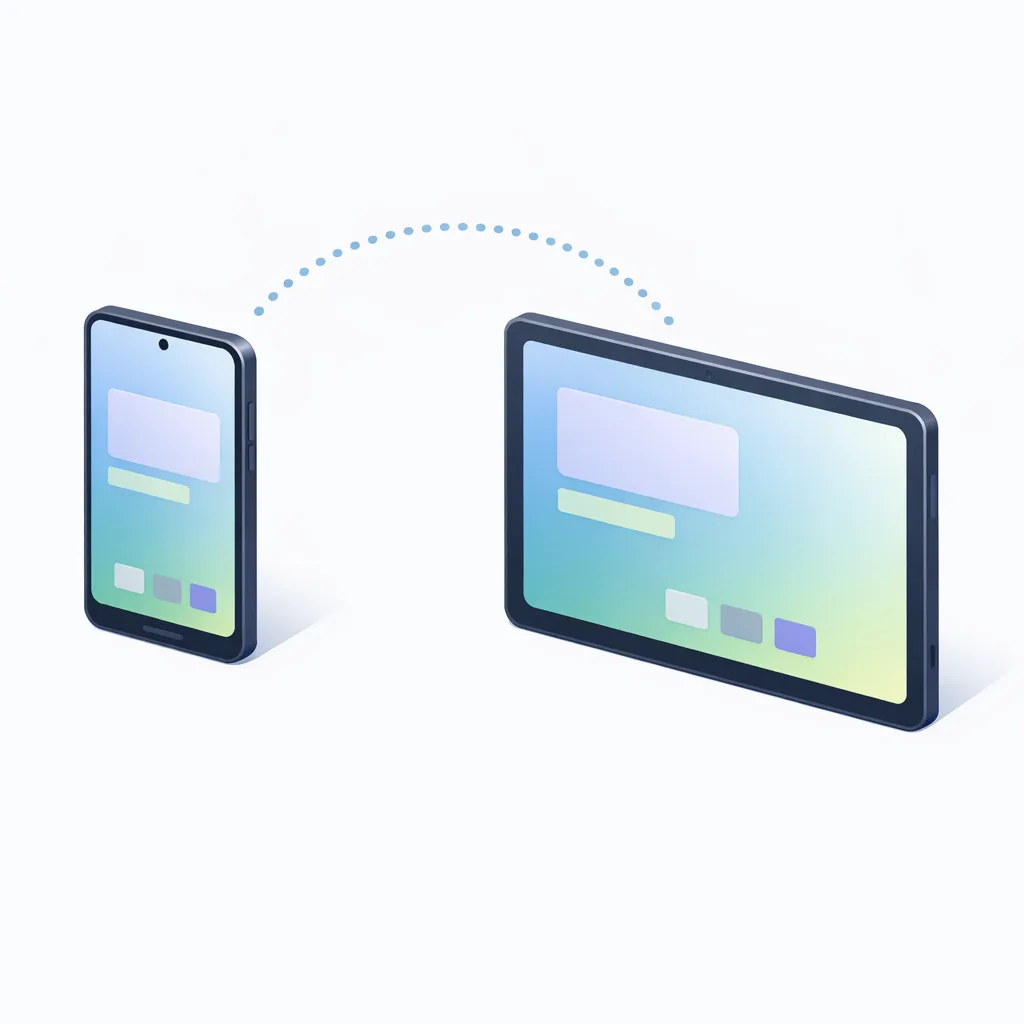
The handoff APIs are simple; the design is not. Users need to trust that state follows them and won’t get weird. Aim for three rules: show a subtle affordance that a handoff is available; never surprise users by popping the destination open without consent; and always provide a web fallback when the destination app isn’t installed. For consumer apps, draft/watch lists and media playback are perfect pilots. For SaaS, think draft tickets, incident timelines, or whiteboard canvases moving from phone to tablet.
Media and camera: the hidden footguns
VVC (H.266) and loudness normalization tweaks are wins, but they can expose broken assumptions. Common failure modes I’ve seen in beta labs: devices negotiating VVC when your pipeline only expects AVC/HEVC; background audio getting throttled because your service isn’t the right foreground type; or camera transitions dropping frames because the controller rebuilds pipelines on every lens switch. Guard against all three: detect codec support at runtime and fall back cleanly, re‑audit service types for long‑running audio, and cache camera graphs across transitions so you don’t reinitialize the world every time the user taps 1× → 3×.
Release train strategy that won’t wreck your quarter
Here’s the thing: you can be both aggressive and safe. Keep main on Android 16 targets to preserve velocity. Run a parallel beta track built with compileSdk 37, flipping targetSdk to 37 only after the Platform Stability milestone in March. Use a staged rollout with failure budgets: if crash‑free users drop below 99.3% or ANR rate jumps above 0.25%, halt and hotfix. Merge back once p95 performance looks equal or better than Android 16 on the same hardware.
Data points your leadership will ask for
• Dates: Beta 1 on February 11, 2026; Beta 2 on February 26, 2026; Platform Stability targeted for March 2026; public release targeted for Q2 2026; minor SDK release planned for Q4 2026.
• Targets: compileSdk 37 now; targetSdk 37 after Platform Stability.
• Risk areas: local network permission flows, large‑screen/windowing behavior, media/audio normalization, camera transitions, background services.
• Success metrics: crash‑free users ≥ 99.3%, ANR ≤ 0.25%, p95 frame time ≤ 24 ms on primary flows, time‑to‑handoff ≤ 3 seconds on a clean LAN.
When to escalate beyond in‑house bandwidth
If your team is small, the fastest path is a focused engagement to harden the app for SDK 37 while you keep shipping roadmap features. Our mobile engineering services include two‑week readiness sprints designed for moments like this. If you need proof we move the needle quickly, browse client launches we’ve supported and how we stabilized releases under tight timelines.
Want a deeper risk breakdown of the new release cadence? Read our take on the Canary‑era betas and pair it with the tactical rules, risks, and a plan we published for engineering leads.
Edge cases that deserve explicit tests
• Hotels, conferences, and public Wi‑Fi: captive portals can intercept LAN discovery; ensure your app communicates that limitation to users and retries after sign‑in.
• Multi‑user tablets: verify handoff and local network permission behavior across profiles and work profiles; don’t assume main user context.
• Accessibility + large screens: confirm TalkBack, focus order, and font scaling at 1.3× and 1.5× in multi‑window. It’s easy to miss cut‑off labels on panes.
• Upgrades in motion: simulate a user mid‑cast or mid‑recording while the app updates; confirm reconnection logic and state restoration.
A lightweight test matrix you can run this week
You don’t need every Pixel plus every foldable to be confident. Choose three device shapes: a mainstream phone, a book‑style foldable, and a 10–11" tablet. Test on Android 16 stable and Android 17 beta for each. Run six scenarios: first‑run with denied permissions; upgrade from 16 with LAN features in use; multi‑window resize stress; handoff from phone→tablet and back; 30‑minute background audio playback; and camera lens switching under motion. That’s 36 runs you can parallelize in a day.
What to do next
• Create the “android17-beta” branch and update compileSdk to 37.
• Add ACCESS_LOCAL_NETWORK and wire a runtime request where you discover/connect.
• Remove forced orientation in core flows; verify resizable layouts on foldables/tablets.
• Prototype a cross‑device handoff on one high‑value flow.
• Run the six‑scenario test matrix on Android 16 stable vs. Android 17 beta.
• Prep staged rollout and dashboards for the March Platform Stability switch to targetSdk 37.
Zooming out
Android 17 beta isn’t a flashy theme update—it’s a quality bar for how modern Android apps should behave: permission‑respectful on local networks, comfortable on large screens, and ready to follow users across devices. Teams that do the unglamorous work now will ship smoother this spring and spend summer building features instead of triaging betas. That’s the real competitive advantage.
If you want a sanity check on your plan, reach out—our team’s happy to review a branch, flag the top three risks, and help you hit March with confidence.









Comments
Be the first to comment.