
Xcode 26 Requirement: Your 10‑Week Ship Plan
The Xcode 26 requirement is now the line in the sand: beginning April 28, 2026, App Store Connect will require apps to be built with Xcode 26 or later against current platform SDKs. Today is February 15, 2026—so you’ve got roughly 10 weeks. That’s enough time to migrate, test, and ship with confidence if you work a plan instead of fighting fires the week before cutoff.
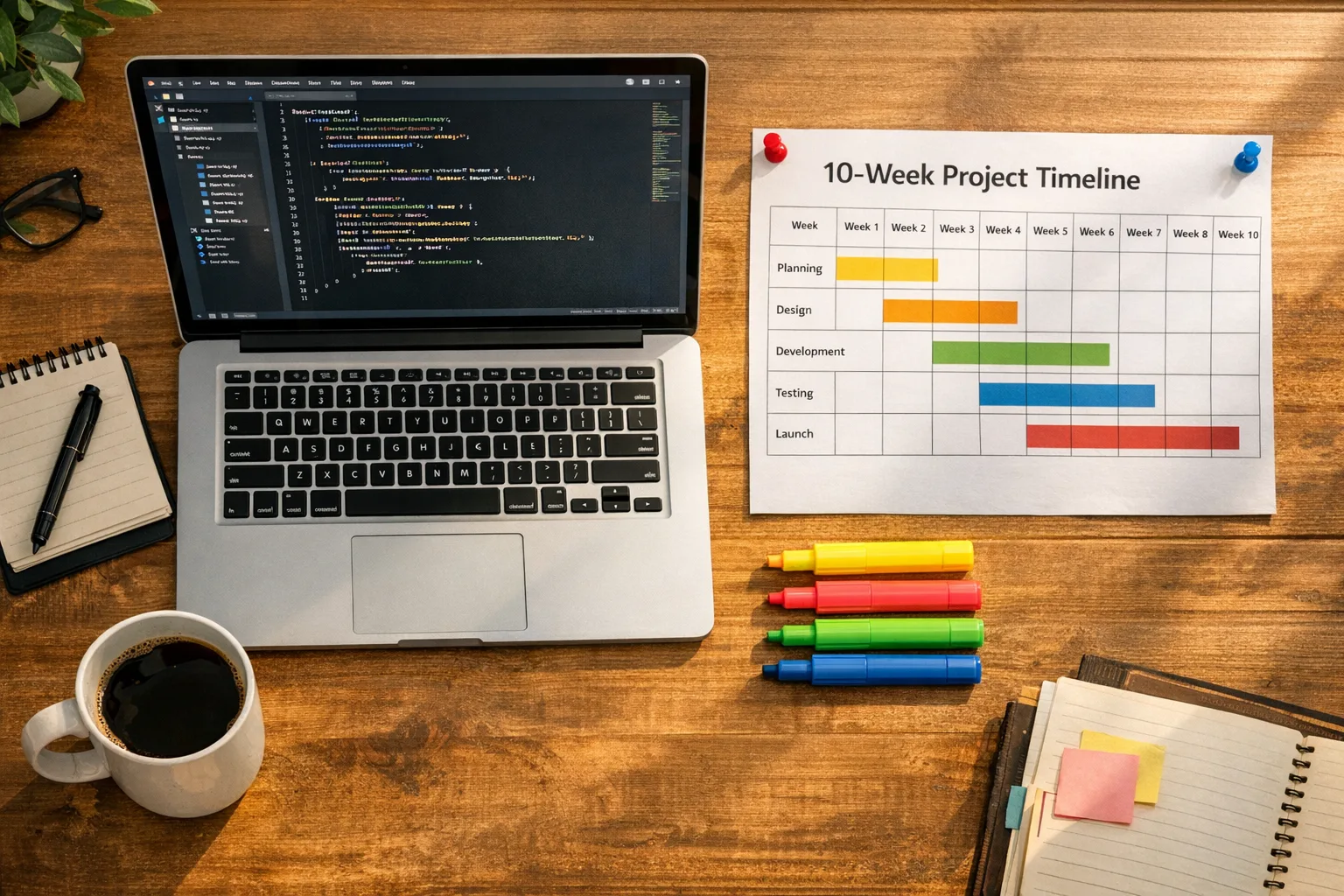
What exactly changes on April 28? (Xcode 26 requirement)
After April 28, 2026, new uploads must be compiled with Xcode 26 or later using current SDKs (iOS 26, iPadOS 26, tvOS 26, visionOS 26, watchOS 26). Practically, that means your CI/CD, local builds, and any automation that still point at older Xcodes need to be upgraded. If you ignore this and push a hotfix from an older toolchain, App Store Connect will block the upload.
Two more dates matter. On January 31, 2026, Apple’s updated age rating system went live; teams that didn’t answer the new questions saw submission friction. And in the UK, the CMA’s new commitments process kicks in on April 1, 2026, with monitoring of app review metrics and interoperability requests—so UK-facing teams should tidy their processes before April.
If you want a deeper dive into the cutoff mechanics, read our take on the April 28 SDK cutover guide and our companion roadmap for shipping under the Xcode 26 requirement.
The 10‑Week Ship Plan
This plan assumes a mature app with a modest surface area (one iOS codebase with extensions, a watch companion, and a small server component). If you run a larger portfolio, apply the same cadence but stagger per app to keep your QA lab flowing.
Week 1–2: Toolchain and build system upgrade
Install Xcode 26 on clean machines and your CI images. Lock versions in your build scripts so teammates can’t “accidentally” compile with old toolchains. Update Swift and compiler settings as recommended by the project migrator, then run a full clean build for every target—main app, extensions, widgets, and watch.
Here’s the thing: most migration pain comes from small, silent breakages—Info.plist keys changing defaults, entitlement checks getting stricter, or deprecated APIs that were merely warnings last year now failing the build. Tackle those first while the change set is still small.
Week 3: SDK surface audit and API swaps
Scan for APIs marked deprecated or “soft removed” in the new SDKs. Prioritize replacement in areas that gate shipping (authentication, networking, background tasks, notifications). If you depend on third-party SDKs, bump them early; compatibility releases often land late, and you don’t want your schedule tied to someone else’s backlog.
Run your privacy manifest and “required reason” API checks now. Migrations sometimes trigger new API touches through dependencies, and you’ll need accurate disclosures to avoid review slowdowns.
Week 4: CI/CD hardening and parallel TestFlight lanes
Freeze your CI images and cache prebuilt dependencies to cut flakiness. Spin up a parallel TestFlight lane specifically tagged “Xcode26-candidate.” Keep your current prod lane alive for emergencies, but don’t merge features that can’t clear the Xcode 26 bar.
Add a preflight gate: refuse to create a release build unless the toolchain version equals 26.x and the minimum target matches your support policy. Guardrails beat war rooms.
Week 5: Functional QA on critical journeys
Focus on the top five revenue or retention journeys end to end: onboarding, sign‑in, purchase/subscription, content consumption, and notifications. Include watch and widget surfaces if they drive engagement. Track pass/fail by device and OS version; SDK bumps can nudge lifecycles and background behavior in surprising ways.
Week 6: Performance and power checks
Measure cold start, scroll jank in your heaviest feed, and the battery hit of your background refresh or live activities. Xcode updates regularly shift default optimization passes. If your A/B infra is available, run an on‑device perf experiment with 1–2% of active users via TestFlight links and a public beta cohort.
Week 7: Compliance sweep (age ratings, privacy, in‑app events)
Finish the updated age rating questionnaire for every SKU in App Store Connect. Confirm that your Privacy Nutrition Label still reflects real data flows after the SDK bump and dependency updates. If you publish in‑app events, revalidate assets and copy; teams often forget these during tooling migrations and ship out‑of‑date promos.
If you need a refresher on the rating changes and workable gating, start with our age‑rating playbook that actually ships.
Week 8–9: Release candidate, phased rollout, and crash budget
Create an RC build and run a 10–20% phased release with crash‑free session SLOs defined in advance. Keep a preapproved hotfix branch ready—signed, notarized, and ready to bump build numbers without code churn. If your analytics or attribution SDKs behave differently under the new compiler, look for double‑counting or session anomalies now, not after a global rollout.
Week 10: Submission buffer and freeze
Target final submission by April 17, 2026. That gives you an 11‑day buffer before April 28 for any last‑minute rejections, binary re‑signs, or review clarifications. You can still ship earlier; the point is to never discover a tooling cutoff inside a Friday deploy window.
Known migration snags and how to dodge them
Every major Xcode jump has a few familiar potholes. These are the ones I’ve seen teams trip over during big‑bang compiler and SDK upgrades:
First, silently tightened entitlements. Push, background fetch, CarPlay, HomeKit, Wallet—the “happy path” can pass internal QA yet stall in review if your capability flags or usage descriptions aren’t perfectly aligned. Do a one‑time diff of your entitlements and Info.plist against a golden baseline.
Second, embedded frameworks and Swift module stability. Clear derived data on both local and CI builds after dependency upgrades and validate module interfaces across targets. If you ship binary frameworks, rebuild them under Xcode 26 to avoid subtle ABI mismatches.
Third, UI snapshot tests. Text rendering or layout engines can shift just enough to fail snapshots everywhere. Fix by tightening your test selectors and adopting semantic assertions where possible. Reserve pixel‑perfect snapshots for truly visual components.
Fourth, notification payloads. Server‑side templates that lean on older keys or silent push behaviors can under‑deliver after SDK shifts. Stage a server preview environment and fire real payloads to devices running your RC. Don’t rely on simulators for push.
Age ratings 2026: avoid the submission trap
As of January 31, 2026, Apple’s age‑rating model and questions were updated. If you didn’t complete the new questionnaire per app, you likely saw a submission blocker or unexpected rating changes reflected on devices running current OS versions. Don’t guess here; ratings drive distribution, discoverability, and eligibility for certain ad placements and in‑app events.
My quick flow: open App Store Connect → App Information → Age Rating. Re‑answer the new questions precisely (don’t round down “intense” content), confirm region‑specific notes, and log a short rationale internally in case review asks for clarity later. Then validate on device by downloading the live build and confirming the storefront rating shows what you expect across regions.
For a deeper walkthrough—including gating UX that doesn’t tank conversion—see our hands‑on guide to age verification and gating in 2026.
UK CMA commitments: what devs must operationalize now
On February 10, 2026, the UK’s regulator set out commitments from Apple and Google around app review fairness, ranking transparency, safeguarding developer data gathered during review, and a process to request more interoperable access to iOS features. A public consultation runs until March 3, with monitoring expected from April 1. Why does this matter to your roadmap in February?
Because process is now product. If you serve UK users, you’ll want a tidy paper trail that shows when you submit, how often you’re rejected or appealed, and how long reviews take. You’ll want a clean interface to request interoperable access for OS features if your product genuinely needs them. And you’ll want your support and legal teams aligned on how to escalate if review outcomes look inconsistent.
Start with three simple artifacts:
- An app review log that captures submission date, binary version, rejection reason, time to resolution, and whether the issue was content, metadata, or binary.
- An internal “interoperability request” template—what feature you need, why user value justifies it, the security and privacy controls you’ll ship, and success criteria. Even if you never file it, thinking through this improves your product’s system design.
- A monthly fairness check: search ranking snapshots for your brand and category terms before and after updates, and a quick audit of whether competitor apps appear to be treated similarly for equivalent features.
If you want a focused rundown of the UK details, we unpack them in CMA App Store Commitments: What Devs Must Do Now.
People also ask
Do I need to rebuild if I’m only shipping a small bug fix?
Yes. After April 28, 2026, even a one‑line hotfix must be compiled with Xcode 26 or later. Keep an “Xcode26” branch warm to avoid scrambling when a minor fix suddenly becomes a tooling migration.
Will Apple reject builds compiled with Xcode 25 before the deadline?
No—pre‑deadline uploads continue to be accepted if they meet current policies. But if you’re submitting close to April 28, give yourself a buffer in case review cycles spill past the cutoff and you need to resubmit.
What if my third‑party SDKs aren’t ready for Xcode 26?
Escalate with the vendor for a compatibility ETA and test an isolation build without that SDK to gauge user impact. If the dependency isn’t mission‑critical, ship a temporary feature flag to disable it and proceed with the migration.
How should I document “fairness” issues for the CMA?
Stick to facts: timestamps, rejection codes, screenshots, and diffs. Separate content policy disputes from technical issues. Keep a simple spreadsheet—dates, actions, outcomes. Consistency wins over volume.
A pragmatic QA matrix for an SDK cutoff
When timelines compress, you need a smaller test plan that still finds the real regressions. Here’s the matrix I give teams under an SDK deadline:
- Devices: at least one current flagship, one 2–3‑year‑old device, and the smallest RAM device you still support.
- OS: latest stable, one prior minor, and your minimum supported version.
- Journeys: sign‑in, purchase/subscription, push open rate path, and your highest‑traffic feed or detail view.
- Failure traps: first‑launch permissions, logout/login loop, deep link from email/SMS, and offline/poor network behavior.
- Observability: crash‑free sessions, ANR/hangs, and client error rates for network calls—tracked daily during rollout.
You can execute this matrix in two days if you prep the data and scripts. It’s not exhaustive; it’s designed to catch the 80/20 issues that break revenue and retention.
Engineering playbook: the lightweight migration checklist
Use this as your stand‑up driver for the next 10 weeks:
- Lock Xcode 26 in CI and local builds; block older compilers for release targets.
- Replace deprecated APIs in auth, networking, background tasks, and notifications.
- Re‑generate signing assets and verify entitlements post‑migration.
- Refresh third‑party SDKs; remove those that don’t have a compatible build in time.
- Re‑answer age rating questions for each app; confirm storefront display on device.
- Run a focused performance pass: cold start, scroll jank, battery on background jobs.
- Stage a 10–20% phased rollout with preapproved hotfix capacity.
- For UK: start the review log, prepare an interoperability request template, and snapshot rankings monthly.
Zooming out: product velocity without policy surprises
Migrations like this one are part of the job. The teams that keep shipping aren’t superhuman—they’re predictable. They front‑load the hard parts (tooling, API swaps), keep CI boring, and test only what matters most. They also align with policy early: age ratings, privacy manifests, and now, fairness documentation for the UK.
If you’d like a partner to run point on the migration while your PMs focus on roadmap, our team can help—from quick build‑system triage to a full compliance and rollout program. Explore what we do for mobile teams or tap us to co‑own the release.
What to do next
Here’s a short sequence you can finish this week:
- Install Xcode 26 locally and on CI; lock versions.
- Kick off a dependency audit and replace any blockers.
- Create an “Xcode26-candidate” TestFlight lane and tag builds.
- Complete age rating updates across all SKUs.
- Start the UK review log and prepare an interoperability request template.
If you need a condensed field manual tailored to your codebase, grab our step‑by‑step guide to February 2026 App Store Connect realities. And when you’re ready to move from plan to shipped release, our mobile engineering services are built for deadline work.
You’ve got 10 weeks. Make the next two count, and the last two will be calm.





Comments
Be the first to comment.