Offline‑First Mobile Apps: Lessons from Verizon’s Outage
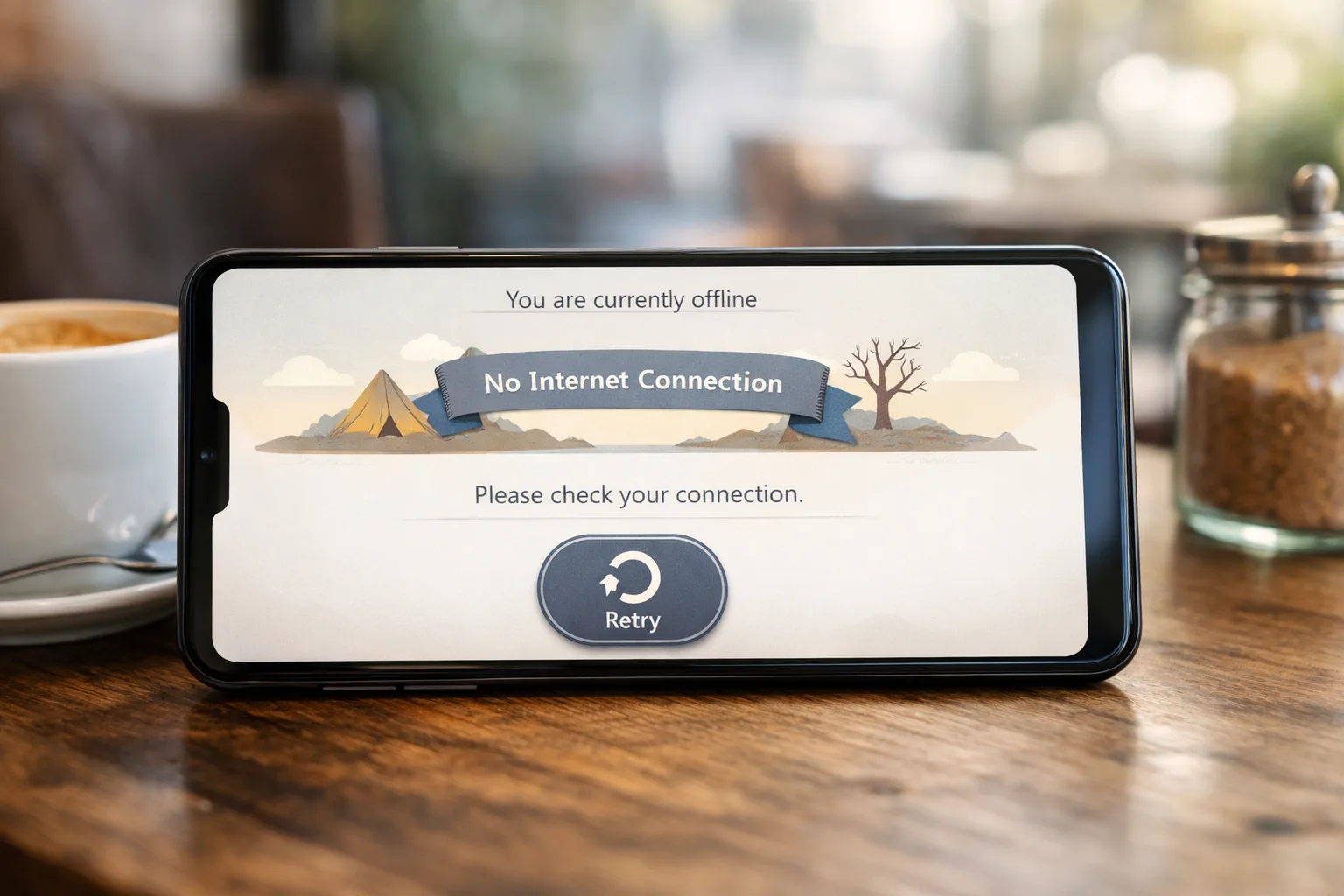
On January 14, 2026, a multi‑hour Verizon outage knocked voice and data offline for customers across the U.S., leaving phones stuck in “SOS” mode and city agencies warning about 911 disruptions. Verizon later said service was restored that night and attributed the incident to a software issue, offering affected users a $20 credit. Regardless of carrier, events like this aren’t rare—and they punish fragile apps. It’s time to treat offline‑first mobile apps as table stakes. (apnews.com)
What actually happened on January 14, 2026?
Outage reports spiked around midday Eastern, with tracking sites logging well over 150,000 reports at the peak. Verizon confirmed the problem, said engineers were working the issue, and resolved service later that evening. Newsrooms tallied hours of degraded voice and data, while the company emphasized there was no indication of a cyberattack. The following day, a spokesperson attributed the incident to a software issue and reiterated credits for affected users. (theverge.com)
For developers, the plot twist wasn’t the cause—it was the cascade. Cellular goes dark, Wi‑Fi is patchy in transit, and suddenly your login flow hard‑fails, carts can’t submit, and background sync corrupts local state. That’s not a network bug; it’s a resilience gap.
Here’s the thing: outages are normal
Networks are a chain of dependencies: radios, towers, backhaul, DNS, auth, routing, CDNs, upstream APIs, and the OS’s own networking stack. Any link can wobble. The practical question isn’t “How do we prevent outages?” It’s “How do we keep the app useful when the network lies?”
Zooming out, platform risk isn’t just connectivity. January’s Android Security Bulletin shows how quickly components like media codecs can become critical vulnerabilities that vendors must patch. Shipping resilience means you’re prepared for both availability blips and urgent security updates—often in the same sprint. (source.android.com)
Offline‑first mobile apps: the core model
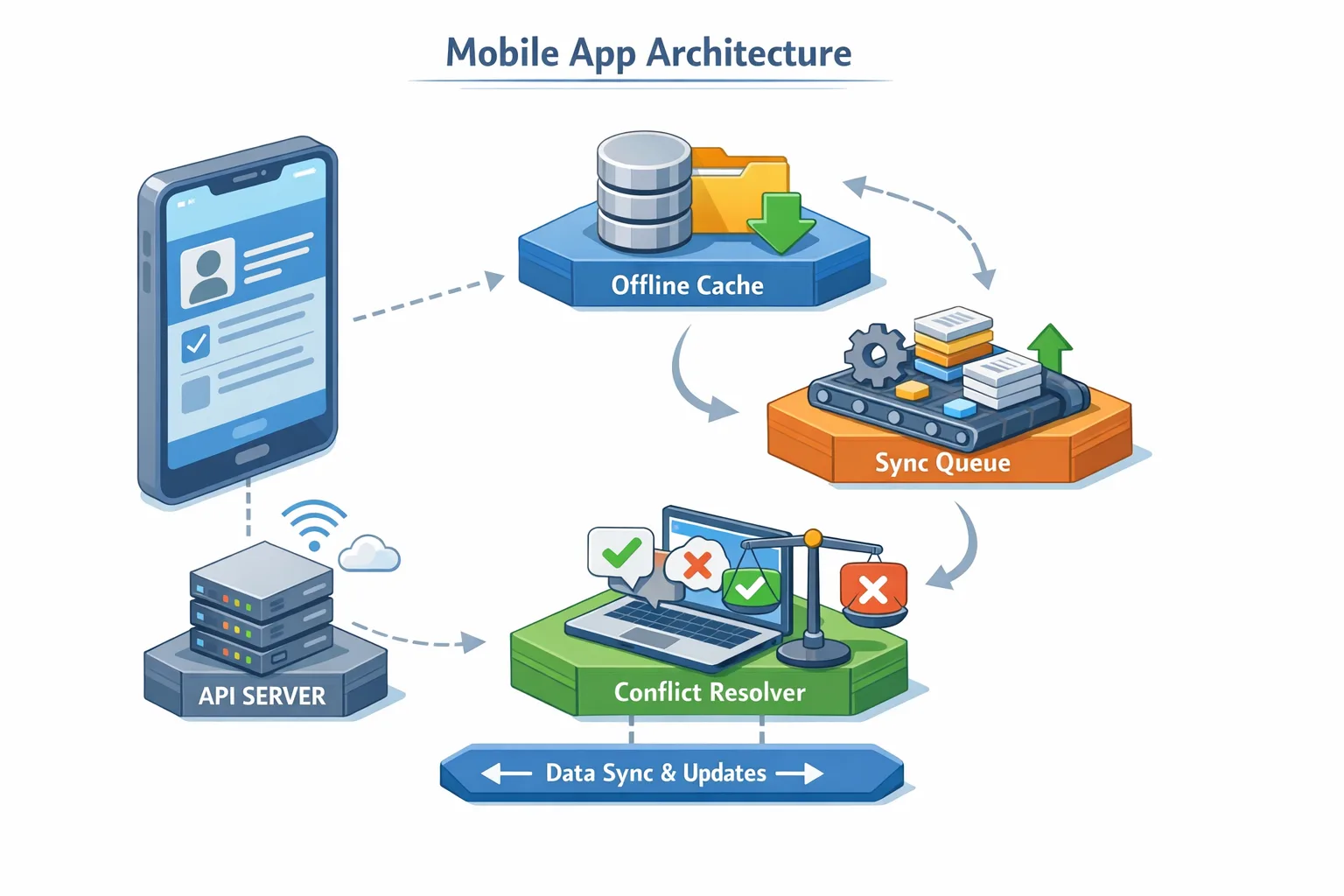
Think of offline‑first as a contract with the user: the app stays responsive, queues intent, and reconciles state when connectivity returns. The pieces are straightforward; the rigor is in how they fit together.
The Four Layers of Resilience
Use this layered model to avoid brittle quick‑fixes:
1) UX Layer — Graceful degradation: Every network touchpoint needs predictable UI states: “cached,” “queued,” “syncing,” “conflict,” and “failed.” Disable only the exact control that can’t function; keep the rest of the screen useful. Provide an offline action bar with a retry toggle and a lightweight diagnostics drawer (network type, last sync time).
2) Data Layer — Read caches: Cache the last known good snapshot for each critical screen. Set TTLs per domain (e.g., 10 minutes for catalog, 24 hours for static legal copy). Surface staleness visibly but don’t block reads. On sign‑in, preload “home” and “account” caches before fetching fresh.
3) Command Layer — Write‑ahead queue: Queue user intent (orders, messages, form submits) as atomic commands with idempotency keys and dependency graphs. Persist the queue locally and replay with exponential backoff + jitter. Mark commands durable only after server ack; otherwise, keep them visible in an “Outbox.”
4) Sync Layer — Reconciliation: Implement last‑write‑wins only for truly commutative updates. For mutable business data (carts, inventory, care tickets), use server‑authored merges with per‑field vector clocks or revision IDs. When merges fail, return a structured problem response and let the client prompt a human choice.
Implement the Retry Queue (without waking the paging team)
Practical defaults that survive rough networks:
- Backoff: 1s, 2s, 4s, 8s, cap at 60s; add ±20% jitter.
- Connectivity gates: replay on network‑available events, foreground transitions, and periodic timers; never spin tight loops.
- Idempotency: include a stable client request ID; servers store a short‑lived dedupe window (e.g., 24 hours).
- Timeouts: 5–10s connect, 15–30s overall; don’t let OS‑level retries double your attempts.
- Cancellation: let users cancel queued commands individually; keep an audit trail.
On iOS, watch for background execution caps; on Android, use WorkManager with a unique work chain per resource group. For payment, queue the intent, not the charge; only charge when a server‑side session confirms stock, tax, and risk checks.
Designing the UI for failure (without feeling like failure)
Stalled spinners make users angry. Replace them with clear states: “Showing saved data from 2:14 PM,” “Order queued—will send when you’re back online,” or “Conflict on Address—tap to choose.” Provide a single tap to retry all on the screen. For long forms, save every field change to local draft. If the user force‑quits, their draft should be there.
Pro tip: When read cache is stale and the write queue has pending commands for the same entity, badge the screen as “Unsynced changes.” Explain what that means the first time; after that, keep it subtle.
“Will push notifications work during a carrier outage?”
Sometimes. If Wi‑Fi is available, FCM/APNs can still deliver. Over cellular outages, delivery is hit‑or‑miss until connectivity returns. That’s why mission‑critical signals should never live only in push: they must also pull on app focus and on a scheduled backoff timer. After the January 14 event, many teams learned that “we’ll tell users via push” isn’t a plan—it’s a hope. (theverge.com)
Data integrity: conflicts, clocks, and human‑safe merges
Conflicts aren’t a failure; they’re physics. Treat them as first‑class citizens:
- Revision IDs over timestamps: Have the server assign monotonically increasing revisions. Reject outdated writes with a structured error, return the current representation, and tag conflicted fields.
- Field‑level merges: Only auto‑merge when fields don’t overlap. If two devices edit the shipping address, surface a compare view that preserves both values until the user chooses.
- CRDTs for collaborative text: If you truly need real‑time multi‑editor notes, use CRDTs; otherwise, they’re overkill.
Build a “Conflict Center” screen that lists unresolved entities. If you sell in multiple regions, localize conflict explanations—this is part of UX, not just error handling.
Security still matters when the network doesn’t
Don’t ship a robust offline experience and ignore patch hygiene. The January 2026 Android Security Bulletin includes dozens of fixes, with partners encouraged to move to 2026‑01‑05 or later. If your app embeds native libraries or relies on media stacks (e.g., Dolby components), track OEM updates and verify playback paths. Resilience is holistic: availability and security share the same on‑call. For a practical release playbook, see our analysis of January’s bulletin. (source.android.com)
We also recommend planning your ship windows around upstream platform cadence changes so you’re not cutting production during a bulletin week. Our guidance on the AOSP release rhythm can help your PMs and EMs set safer dates for hotfix trains.
Related reads from our team: January 2026 Android security patch playbook and how to plan around AOSP schedule changes.
The Outage Readiness Checklist (copy, paste, ship)
Run this every quarter, and especially before peak traffic:
- Model: Map every network call to an offline behavior (cache, queue, degrade).
- Cache: Define TTL, invalidation, and staleness UI per screen.
- Queue: Implement idempotent commands with exponential backoff + jitter.
- Conflicts: Decide which resources are last‑write‑wins vs. manual merge.
- Observability: Emit metrics for queue depth, replay latency, success rate, and conflict count.
- Kill switch: Feature‑flag live regions (e.g., disable non‑essential sync during an outage).
- Comms: Prewrite status copy for in‑app banners and support macros.
- Drills: Chaos test: drop connectivity and DNS for 30 minutes in staging; verify UX and data integrity.
People also ask
Do I need SMS fallback?
Maybe. If your app’s core value is time‑sensitive messaging and your users are frequently mobile, SMS fallback can be a safety net. But treat it as a last resort—respect opt‑in, keep it transactional, and ensure messages reflect server‑truth to avoid double‑actions. In a carrier outage SMS may also fail; don’t over‑promise.
How do I test offline at scale?
Automate “bad network” profiles in CI: packet loss (5–15%), jitter (50–150ms), bandwidth caps (256–512 Kbps), and hard cut‑offs. On Android, script with adb’s network delay/loss and cmd network toggles; on iOS, use Network Link Conditioner. Build synthetic endpoints that respond with 200/409/5xx on a schedule to exercise retry and conflict paths.
Are Progressive Web Apps good enough?
PWAs with Service Workers can deliver excellent offline reads and queued writes. The catch is background execution limits and OS‑specific push reliability. For line‑of‑business scenarios, native + PWA hybrid can be ideal: native shell for durable background work and OS hooks, web views for content velocity.
A simple system design you can ship this sprint
When teams ask where to start, I suggest three slices that cut maximum risk:
Slice A — Read Cache: Ship a normalized local store for Home, Product, and Account. On app start, hydrate from disk, fetch fresh in the background, and diff for minimal UI updates.
Slice B — Outbox for Orders: Wrap “Place Order” into a command object with an idempotency key. Persist to SQLite/Room/Core Data, show it in an Outbox with cancel/retry, and replay on connectivity return.
Slice C — Conflict‑Aware Profile: Move Profile edits behind a revision ID. When the server returns a 409 with the latest version, present a compare view and let users choose field‑by‑field.
Do those three well and the next outage becomes a support blip, not an incident.
Operations: when the internet sneezes, your status page shouldn’t
Publish a living status URL and show a slim in‑app banner within 10 minutes of detection. Keep the copy calm and useful: “Connectivity issues with one U.S. carrier are affecting sign‑ins and checkouts. Your existing data is safe. Orders placed today will process automatically once we’re back online.” After resolution, close the loop with a brief postmortem and a list of permanent fixes (e.g., queued checkout, cached catalog).
If your user base skews U.S., build escalation playbooks for carrier‑level disruptions. The January 14 outage triggered official statements from carriers and attention from regulators—a reminder that even “not our fault” events are your customer’s problem unless your app absorbs the hit. (apnews.com)

Platform notes that matter right now
Android. If you support a wide device range, align your hotfix cadence with Google’s monthly patch levels (e.g., 2026‑01‑05). Test media playback paths and security‑sensitive components after OEM updates; some partner fixes arrive out‑of‑band. We maintain a running checklist for Android patch weeks that pairs nicely with an offline‑first regression suite. (source.android.com)
iOS. Background execution and push delivery are finely tuned—great when available, strict when the network drags. If you link out to web for payments or content, be explicit about re‑entry flows when the user returns offline. Keep your restore‑purchase and receipt refresh logic resilient to transient failures.
What to do next
- Pick three critical flows (sign‑in, checkout, message send). Define offline behavior for each and ship it behind flags.
- Add an Outbox with idempotent commands and visible status.
- Instrument queue depth, conflict counts, and cache hit rate; alert on regressions.
- Run a 30‑minute chaos drill with radio off + DNS blackhole; fix every UI dead end you hit.
- Plan your next patch window around platform bulletins so you don’t ship resilience on Friday and scramble on Monday. (source.android.com)
If you want a partner who’s shipped this pattern in commerce, fintech, and field ops, our team can help. See what we build, how we price, and how we work—or just reach out and we’ll review your current architecture with you.
Start here: mobile architecture and delivery services, a few recent case studies, and our contact form. For ongoing strategy and release planning, our blog tracks the changes that matter, minus the noise.





Comments
Be the first to comment.