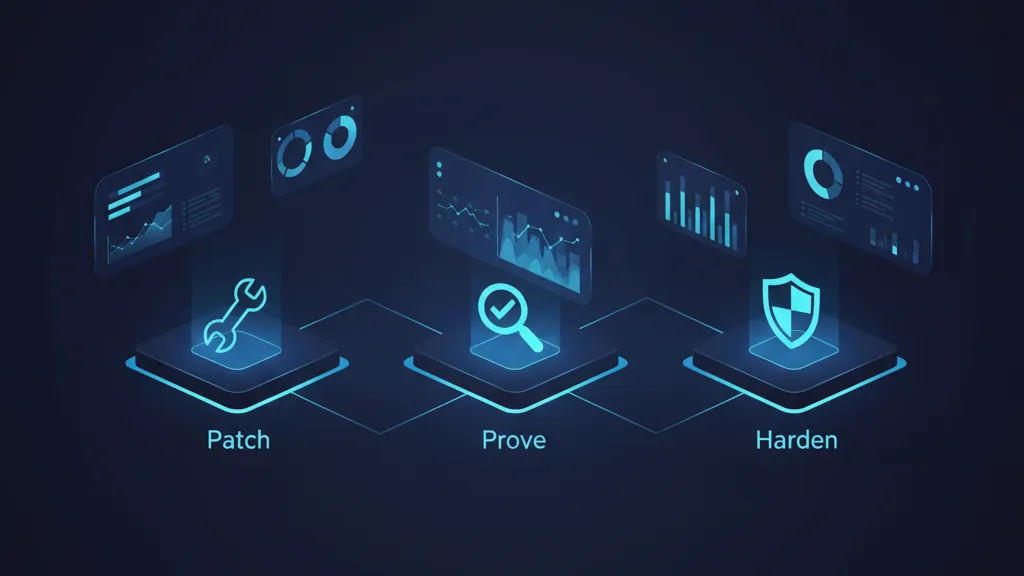
On December 3, 2025, the Next.js team disclosed Next.js CVE-2025-66478, a critical remote code execution issue in the React Server Components (RSC) protocol. The upstream root cause is React’s CVE-2025-55182, and the downstream impact hits App Router apps across Next.js 15.x and 16.x. Fixed Next.js releases shipped the same day, but attacks followed quickly in the wild over the next week. If you run App Router in production, treat this as an incident: patch, prove the patch, then harden.

What changed on December 3, 2025?
The disclosure sequence matters for your audit trail. React’s RSC protocol had a deserialization flaw that let attacker-controlled payloads influence server execution. Next.js tracked the downstream exposure as CVE-2025-66478 and released patched lines the same day. The advisory explicitly calls out affected and fixed versions, plus one important nuance about canary releases.
Affected Next.js versions
Apps using React Server Components with the App Router are affected when running:
• Next.js 15.x
• Next.js 16.x
• Next.js 14.3.0-canary.77 and later canary builds
Not affected: Next.js 13.x, stable 14.x (non-canary), Pages Router applications, and the Edge Runtime.
Fixed Next.js versions (ship these exact lines)
• 15.0.5
• 15.1.9
• 15.2.6
• 15.3.6
• 15.4.8
• 15.5.7
• 16.0.7
For React itself, patched versions are 19.0.1, 19.1.2, and 19.2.1. In practice, you want both the Next.js patch line and the React patch to resolve the end‑to‑end exposure.
Is this another Log4Shell? What’s different?
There’s a superficial rhyme—CVSS 10.0, broad ecosystem impact, pre‑auth RCE potential. But there are key differences. The vulnerable surface here is the RSC protocol path, not generic string logging. That narrows the blast radius to stacks that enabled App Router’s RSC features, which many mature teams piloted gradually. Translation: the fix is surgical if you keep dependencies current, and validation is straightforward if you know where to look.
Still, the speed from disclosure to exploitation was measured in days, not weeks. As of December 11, multiple reports indicated active use in the wild. If you’re reading this on December 12, assume scanning is ongoing and focus on patching before you chase secondary mitigations.
Next.js CVE-2025-66478: how to verify you’re actually safe
Upgrading is step one; proving the upgrade landed everywhere is step two. Here’s a simple verification flow you can hand to any engineer on the team.
1) Confirm the intended version in source
Open your package.json:
• next should be one of: 15.0.5, 15.1.9, 15.2.6, 15.3.6, 15.4.8, 15.5.7, or 16.0.7
• react and react-dom should be 19.0.1, 19.1.2, or 19.2.1
If you pinned via ranges (e.g., ^15.1.0), explicitly set the patched exact version during this window. Ranges can drift in CI mirrors and create mismatches between laptops and production images.
2) Lockfile reality check
Search your lockfile (pnpm-lock.yaml, yarn.lock, or package-lock.json) for next@ and react@. You should see a single resolved version for each. If you find multiple minors of Next.js or conflicting React versions, clean the cache and re‑install with a fresh lock. Container builds should purge prior layer caches to avoid stale artifacts.
3) Runtime fingerprint
At runtime, dump versions on boot and log them. A quick Express snippet or a custom Next.js middleware can emit process.env.NEXT_RUNTIME, Next.js version, and React versions into a one‑line JSON. Capture that in your centralized logs and export a report. This is the only way to catch stragglers lurking in blue/green pools, long‑lived canaries, or regional stacks that deploy on different cadences.
4) External verification
From a staging or disposable environment, run an integration test that attempts a known RSC protocol misuse (a harmless negative test). You’re not exploiting production—you’re asserting that the patched decoder rejects malformed inputs with a clear error rather than executing anything. Gate promotion on that check for the next two weeks.
Executive-ready 72‑hour plan (updated for week two)
Use this with your incident channel and your weekly risk brief. Adjust the timing to your org, but don’t skip the proof steps.
Day 0–1: Patch and isolate
• Upgrade to a fixed Next.js line and a patched React version.
• Rebuild containers and invalidate all caches (CDN, ISR, RSC payload caches).
• Force redeploy across all regions and autoscaling groups. As a sanity check, scale to zero then back up for any lingering pools.
• Rotate credentials reachable from your app runtime (least privilege first: build tokens, artifact registry keys).
• Enable WAF rules that block suspicious RSC payload shapes if your provider supports request body inspection.
Day 2: Prove and prune
• Produce an inventory of every running service with Next.js or RSC features. Include background workers that render emails or PDFs with the same runtime.
• Remove canary and nightly builds (14.3.0-canary.77+ are explicitly in scope). Standardize on a patched stable line.
• Review SSR/edge caching layers to ensure they don’t re‑serve untrusted serialized payloads saved prior to patch day.
Day 3: Harden and monitor
• Add version logging at process start and expose it via a lightweight health endpoint (internal only).
• Turn on anomaly alerts for spikes in 400/422 status codes on RSC endpoints—successful hardening will often increase rejects.
• Establish a two‑tier dependency policy: security hotfixes can bypass normal feature freezes; everything else batches.
If you want a step‑by‑step emergency playbook, keep our focused guides handy: patch, verify, prevent for Next.js CVE‑2025‑66478 and this React2Shell pragmatic patch playbook.
Hardening checklist for RSC apps
RSC is powerful, but it changes trust boundaries. After you patch, raise the floor with these controls.
• Disable or restrict experimental RSC features in non‑essential paths until your next quarterly review.
• Validate and sanitize all inputs that eventually influence server component props—even if they originate from internal APIs.
• Put RSC endpoints behind rate‑limiting that keys on user, token, and IP. Bursty malformed requests are your early warning signal.
• Turn on request body size caps specific to RSC routes; large serialized payloads are rarely legitimate.
• For build systems, ban wildcards in dependency ranges for next, react, and react‑dom. Use exact versions plus Renovate/Dependabot PRs for visibility.
• Record the exact hashes (SLSA‑style) of production artifacts; promote from a single, signed build to every region.
• Run e2e smoke tests that include at least one server component render per critical page, asserting expected HTTP status and headers.
• Keep a one‑pager in your runbook that maps RSC code paths to ownership (which team, repo, pager). On patch days, you need a single call, not a scavenger hunt.
People also ask: quick answers you can share
Are Pages Router apps affected?
No. The advisory explicitly says Pages Router apps are not affected. The exposure is tied to the RSC protocol used with the App Router.
What about React 18?
The upstream issue targets React 19’s RSC flow. If you’re on pure React 18 without RSC, this specific CVE line doesn’t apply. If you backported RSC features or mixed RSC‑style payloads, validate assumptions and test anyway.
Are canary builds safe?
Not during this window. Next.js 14.3.0‑canary.77 and later canaries are listed as affected. Move to a patched stable version; don’t wait for a canary to catch up.
Is the Edge Runtime impacted?
No, it’s called out as not affected. Still verify your deployment doesn’t route RSC paths through a Node runtime by accident.
Operational gotchas we hit in real upgrades
Here’s the thing: the upgrade is simple on paper, but production has corners.
• Monorepos with mixed tooling: One workspace upgraded Next.js, another pinned React in a separate lockfile. Result: partial patch and inconsistent builds. Fix: hoist versions and enforce a single lockfile at the root, with CI rejecting divergent locks.
• Stale Docker layers: CI said “Using cache” and shipped yesterday’s unpatched layer. Fix: add --no-cache on emergency rebuilds and include a build‑arg that changes with the patch window to invalidate caches deterministically.
• CDN and ISR ghosts: Statically regenerated pages cached serialized state that referenced vulnerable paths. Fix: invalidate aggressively and consider bumping cache keys via an environment version stamp.
• Observability blind spots: No version logging meant we couldn’t prove the fix in every region. Fix: log versions on start and export to a dashboard; keep it forever as an audit artifact.
A practical framework: P3H for high‑risk dependency events
When a CVSS 10.0 advisory drops on a core dependency, run P3H—Patch, Prove, Harden—as a repeatable play.
• Patch: Upgrade to the vendor’s fixed line the same day. Avoid ranges; pin and re‑build clean.
• Prove: Assert versions in source, lockfile, and runtime logs. Add a negative test that exercises the vulnerable path and fails safely.
• Harden: Add rate limits, size caps, and extra logging around the affected protocol or feature. Set a two‑week monitoring window with focused alerts.
We used the same skeleton in recent incidents and found it significantly reduces time‑to‑confidence. If your org prefers a 7‑day rollout structure, compare against our 7‑day RSC rollout guide.
Why this matters to the business
RCE isn’t just an engineering problem. Legal, finance, and customer success care about timelines and proof. Anchoring your comms to dates helps: disclosure on December 3, fixes shipped the same day, exploitation reported in the wild within the first week, and your remediation finished by a specific date. That’s a clear narrative for customers and auditors. Also note: risk doesn’t disappear after the upgrade—malformed traffic will spike as scanners keep probing. Capacity planning should include WAF and log pipeline headroom.
How this intersects with Node.js patching
You don’t need a new Node version for this specific fix, but incidents are a good moment to close runtime gaps. Check recent Node security releases and align your base images. If you need a concise, ops‑friendly checklist, our December 2025 Node.js patch runbook covers the essentials without slowing your Next.js workstream.
Security debt to schedule after the dust settles
• Dependency policy: move next, react, and react‑dom to exact pins with automated PRs for updates and a weekly “safe to merge” window.
• Environment parity: enforce the same lockfile and Node runtime across dev, CI, and prod. Drift is how “we upgraded” becomes “we thought we upgraded.”
• Protocol awareness: document where RSC is used, why, and the non‑goals. Future vulnerabilities will land faster if you can say, “Only the checkout app uses RSC, not the marketing site.”
• Incident rehearsals: run a 60‑minute game day once a quarter—patch an old CVE in a throwaway branch and practice proving it.
What to do next (developers)
• Update to a patched Next.js line and React 19 patch today; rebuild without cache.
• Validate lockfiles, log runtime versions, and run a negative test before promoting.
• Add RSC‑specific rate limits and request size caps; enable anomaly alerts on 4xx spikes.
• Remove canary builds from prod and standardize on a stable, patched line.
What to do next (engineering leaders)
• Ask for a one‑page proof pack: versions in source, lockfile, and runtime per service and region with timestamps.
• Approve a two‑week “heightened monitoring” window with alert thresholds tuned for noisy reject traffic.
• Fund a dependency policy cleanup: exact pins for critical UI/runtime packages and a Renovate/Dependabot workflow.
Why you shouldn’t wait for new framework features
The fix is in the versions you can ship today. Don’t pause for unrelated upgrades or tech debt projects. Ship the patch; schedule the rest. If you need a broader migration plan (for example, pairing this with a platform move), keep our 72‑hour React2Shell plan in your back pocket and layer in organization‑specific steps.
FAQ you might get from customers
How do we know you’re safe now?
Provide the proof pack: the exact Next.js and React versions, the build SHA, deploy timestamps, WAF rules in place, and the negative test results. That’s what stakeholders actually want to see.
Were any secrets exposed?
If you patched quickly and saw no signs of post‑exploitation, risk is low, but rotate credentials that the runtime could reach. It’s cheap insurance and a tight message.
What monitoring will stay on?
Keep the RSC anomaly alerts for two weeks. If volumes normalize and no indicators surface, roll them into your standard dashboards.
Zooming out
Modern frameworks ship fast and innovate on server‑client boundaries. That’s great for developer experience and performance, but it compresses incident timelines. Your best defense is process: patch fast, prove faster, and make hardening a default outcome of every critical update. Do that consistently and these events become operational bumps, not fire drills.

If you need hands‑on help triaging or building a compliant proof pack for your board, reach out via our contact page. We’ve shipped these upgrades across monorepos, microfrontends, and multi‑region stacks under tight SLAs. No drama—just the receipts.






Comments
Be the first to comment.