
App Store Age Ratings 2026: Last‑Minute Ship Plan
The clock’s ticking. The new App Store age rating system arrives this week, and if you haven’t completed the updated questionnaire in App Store Connect by January 31, your next submission can stall. This guide gives you a practical, last‑minute ship plan for the App Store age ratings 2026 rollout—what changed, what to update, and how to keep your release train moving without surprise rejections.
Why this week matters: what’s changing and when
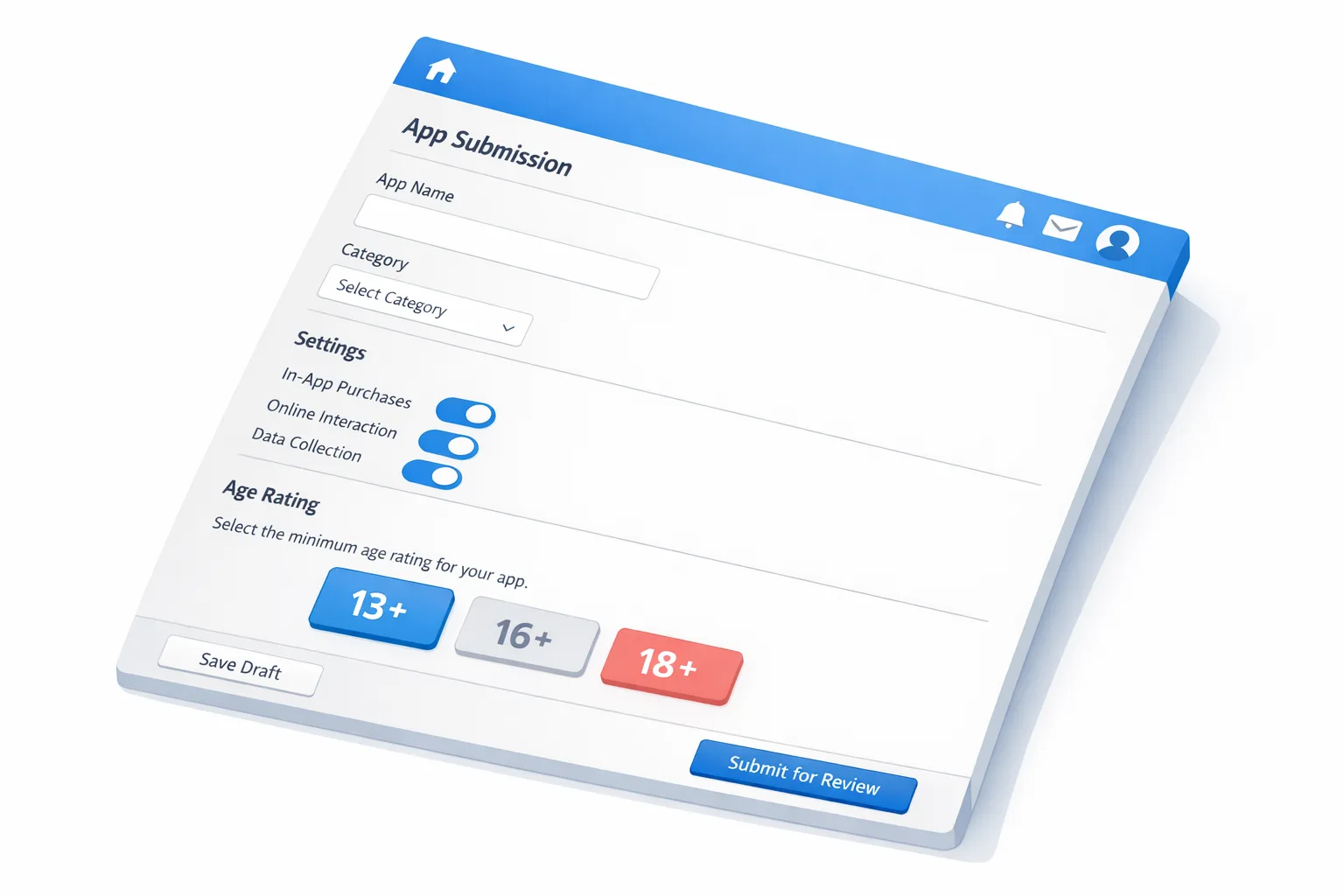
Apple has overhauled age ratings across platforms, consolidating legacy tiers and adding new ones: 13+, 16+, and 18+. Your existing apps were auto-mapped, but Apple also introduced an expanded questionnaire. If you haven’t answered the new questions by January 31, App Store Connect can block updates until you do. The new ratings will be fully visible on devices running the 2026 OS releases (iOS 26, iPadOS 26, macOS Tahoe 26, visionOS 26, tvOS 26, watchOS 26), and they’ll tie into parental controls and on-device content filters. Translation: the number beside your app icon now has real product and growth implications.
Here’s the thing… the questions are simple, but the consequences are not. A single toggle—say, acknowledging user-generated content (UGC) or messaging—can tip your app from 13+ to 16+ or 18+, changing your addressable audience and ad inventory overnight. Marketing, growth, and policy all feel it.
What’s new in App Store age ratings 2026
At a glance, the App Store age ratings 2026 changes revolve around three pillars:
First, more granular tiers: 13+, 16+, and 18+ add clarity for parents and teens. Second, a sharper questionnaire that asks how your app handles UGC, messaging, content controls, advertising, nudity/violence references, and medical or wellness content. Third, tighter integration with platform features—ratings inform Screen Time, Ask to Buy, and the way your app surfaces in editorial placements when content restrictions are enabled.
Don’t treat this as paperwork. Treat it as product design. Review how your app’s features map to these pillars, then decide whether to add in-app controls (e.g., turning off public chats for younger users) to remain in a lower tier without gutting your growth loops.
Quick audit: a 60‑minute checklist before you open App Store Connect
Block one focused hour with product, engineering, and marketing. Pull up your feature list and walk this checklist before you touch the form:
• UGC: Can users post text, images, audio, or video? Is any of it public or discoverable outside a closed group? Do you have reporting, blocking, and moderation? If yes, decide whether to gate UGC for younger users or require invites.
• Messaging: Do users DM, comment, or chat? Are minors able to receive unsolicited messages? Decide if you’ll restrict new contacts, require mutual consent, or provide parental controls.
• Advertising: Do you show personalized ads? Do ad networks or SDKs profile users? Document which SDKs are in use and whether you can disable personalization for teen cohorts.
• Sensitive content: Any nudity, sexual themes, violence, self‑harm, gambling, or substances? Be specific about intensity and frequency. Decide if filters or opt-ins can lower the rating for default experiences.
• Payments and coins: Do you sell loot boxes, randomized rewards, or crypto assets? Identify disclosures and age gating. Consider alternative reward structures for younger users.
• Health and wellness: Do you provide medical content, symptom tracking, or advice? Ensure disclaimers and evidence sources exist, and avoid diagnostic claims unless you’re in a regulated class.
• Controls: What in-app switches exist for parents or users? Can a younger account disable public profiles, comments, or DMs? Add at least one prominent control if you need to stay at 13+.
Once you’ve made decisions, open App Store Connect and answer the new questionnaire without waffle. Your goal is a rating that matches the real product experience on first review.
Five patterns that quietly push you into 16+ or 18+
You might think your app is fine at 13+. Watch for these subtle patterns that escalate ratings:
• Public sharing by default. If new users can post publicly without an invite-only guardrail, reviewers treat it differently from a closed-circle or classroom model.
• Open DMs. Unsolicited messaging—especially across age brackets—can tip you upward. Require mutual follow, block unknown requests by default, or limit DMs to contacts.
• Image/video uploads without filtering. If you don’t run on-device or server-side screening for sexual content or violence, you’re accepting risk that tends to nudge ratings higher.
• Third‑party ad SDKs that profile minors. Even if you never intended it, some SDKs default to personalized ads. You need an obvious off switch tied to age.
• Vague wellness copy. “Track symptoms” plus “advice” with no clinical sourcing gets flagged. Provide citations, disclaimers, and avoid diagnostic framing unless you’re prepared for a higher rating and additional review.
People also ask: the three questions teams debate
Will we be blocked from shipping if we miss January 31?
If you don’t complete the updated questions, submissions can be paused until you respond. Don’t roll the dice—finish the questionnaire now and re-check it whenever you add UGC, messaging, or monetization features that could change your rating.
Do we need on‑device age verification to comply?
Not by default. Age ratings and age verification are related but separate. Ratings govern distribution and parental controls; age verification is about proving a user’s age for access to certain features or content. Depending on your category and jurisdiction, you may need both. If you operate in places with stricter youth protections, design for age‑aware feature sets: newer accounts default to safer modes; older users can unlock more capabilities with explicit confirmation.
Can advertising alone push us to 16+ or 18+?
It can. Personalized ads for teens and any ad creative that depicts mature themes can affect your rating. Review every ad placement and partner. If you serve ads at 13+, either use contextual targeting or provide explicit controls to disable personalization for young users. If that’s impossible with your SDKs, consider swapping networks or limiting ads for younger cohorts.
RATE: a fast decision framework you can use today
When time is short, I use RATE—a simple framework to decide your rating, mitigations, and roadmap.
• Risk: What content or features could expose minors to harm? List UGC, messaging, discovery, and ad risks in plain language. Prioritize by likelihood and impact.
• Adjust: What defaults can we change for 13+ without breaking the product? Common wins: private profiles on first run, mutual-consent DMs, invite-only posting, disabling ad personalization for young users, limiting link sharing.
• Tools: Which in-app controls should we surface? Parents need obvious switches; teens need clear settings with sane defaults. Add report/block, content filters, and visibility toggles.
• Evidence: What proof do we have that the product behaves as declared? Capture screenshots of settings, moderation flows, and age‑aware onboarding. Keep a one‑pager for reviewers and your legal team.
RATE fits into a single page. Use it to answer the questionnaire with confidence—and to justify your rating during review.
Implementation notes that save you a version cycle
• Age‑aware onboarding. Ask for date of birth only when necessary, and give a coherent explanation of what changes based on age. Don’t bury the lead—show which features are disabled or restricted for younger accounts.
• Feature flags per age group. Keep separate flags for UGC posting, UGC viewing, DMs, link sharing, livestreams, and ad personalization. You’ll need to toggle them quickly if your rating changes after review.
• UGC moderation you can describe in one paragraph. If you can’t explain your pipeline (pre‑upload checks, AI screening, human escalation, appeal flow), tighten it. Reviewers understand tradeoffs; they don’t accept ambiguity.
• Ad SDK hygiene. For each network: what’s the default for minors, can you enforce contextual-only, and how do you verify it in production? Add runtime checks and self-tests to confirm the SDK respects your flags.
• Clear copy. Settings should read like safety features, not punishments. “Limit DMs to contacts” is better than “Restrict freedom.”
Edge cases and how to handle them
• Multiplayer games with chat. If you want 13+, make chat opt‑in with strict defaults, or confine chat to party/friends only. Provide robust muting and reporting.
• Education apps with public galleries. Curate galleries via teacher or admin approval, or switch to invite-only sharing for 13+. Public discovery tends to increase your rating unless you have exceptional moderation and filters.
• Fitness apps with community feeds. Feeds imply UGC plus potential medical/wellness claims. Separate tips (editorial, pre‑moderated) from community posts (gated, with filters). Offer a “no feed” mode for younger users.
• Dating or anonymous chat. Expect 18+. If your monetization depends on teens, re-think the concept or spin a teen‑safe mode that strips anonymity and public discovery. Don’t try to thread the needle with a half-measure; it’ll cost you weeks.
Data and timelines you should know
• New ratings include 13+, 16+, and 18+, replacing older tiers. Your apps were mapped automatically, but the new questionnaire responses determine whether the mapping sticks.
• January 31, 2026 is the key date to avoid submission interruptions. Put it on your team calendar and add a recurring reminder to revisit the questionnaire when features change.
• Visibility expands with the 2026 platform releases. Ratings will sync with parental controls, editorial surfaces, and search. Plan campaigns accordingly—some audiences will narrow, others will sharpen.
Let’s get practical: the form, step by step
Open App Store Connect and go to App Information → Age Rating.
Step 1: Confirm your current tier. If the auto-mapped rating is higher than expected, don’t panic. It usually reflects discovered UGC or messaging capabilities. Decide whether to change product defaults (e.g., disable public posting) or accept the higher tier.
Step 2: Work through UGC and messaging. For each capability, specify visibility, controls, and moderation. Where possible, point to in-app switches a parent can toggle. If you don’t have them, create a short update to add basic controls before you resubmit.
Step 3: Advertising and tracking. Declare whether you serve personalized ads to teens. If your SDKs make it hard to disable personalization, treat that as a reason to move up a tier or adjust partners.
Step 4: Sensitive content. Be precise, not optimistic. If your content can depict nudity or violence even rarely, say so and add filters. Under‑declaring usually delays approval.
Step 5: Wellness and medical. If you provide assessments, disclaim or remove diagnostic language unless you’re in a regulated category. Link to reputable sources inside the app where appropriate.
Step 6: Save, then re-read. Cross-check against your onboarding, settings, and help center. Reviewers spot inconsistencies immediately.
How this affects growth, not just compliance
Marketing teams should treat the rating like a lever. A lower tier can broaden reach in family and school contexts, improve editorial eligibility, and expand paid acquisition pools that filter by parental controls. A higher tier can sharpen targeting but narrow distribution. There’s no universal “best” tier; there’s a best tier for your product thesis and unit economics. Make the tradeoffs explicit.
When you need more than a form: age verification tactics
If your app exposes mature content, financial products, or community features that attract minors, you may also need age verification beyond ratings. There are three pragmatic approaches:
• Soft gating: declare age and use risk-based friction (limited chat, private by default) for new or young accounts. Lowest friction, modest assurance.
• Account-linked proof: require an adult-managed account for full capabilities (Family Sharing style). Medium friction, higher assurance.
• Third‑party or document checks: reserve for regulated flows (payments, 18+ communities). Highest friction, strongest assurance. Use sparingly, store minimally, and be transparent about data retention.
Whichever approach you choose, wire it to feature flags so you can change behavior without a new binary.
What to do next (by role)
For product managers: Run the 60‑minute audit, pick your target tier, and decide which defaults to change for 13+. Write the one‑pager that explains your rating and controls.
For engineers: Add feature flags per age cohort, build or surface content controls, and verify ad SDK behavior with runtime checks. Capture evidence (screens, logs) that the app honors settings.
For founders and marketers: Update your store listing to reflect safety features. Adjust UA targeting by age tier, and plan creative for audiences where parental controls limit discovery.
Want a deeper dive?
If you’re threading the needle between growth and safety, start with our 7‑day ship plan for the new age ratings and our age verification playbook for 2026. If you need help making these changes without blowing up your roadmap, see how we ship compliant, revenue‑ready updates and reach out via our contact page.

Bottom line
The new system is fairer and clearer, but only if your app’s defaults match your declarations. Spend an hour today to align features with your target tier, flip a few high‑leverage switches, and submit with confidence. The teams that treat the form as product work—not just compliance—will keep shipping while everyone else scrambles.





Comments
Be the first to comment.