App Store Age Rating Update: Ship by Jan 31
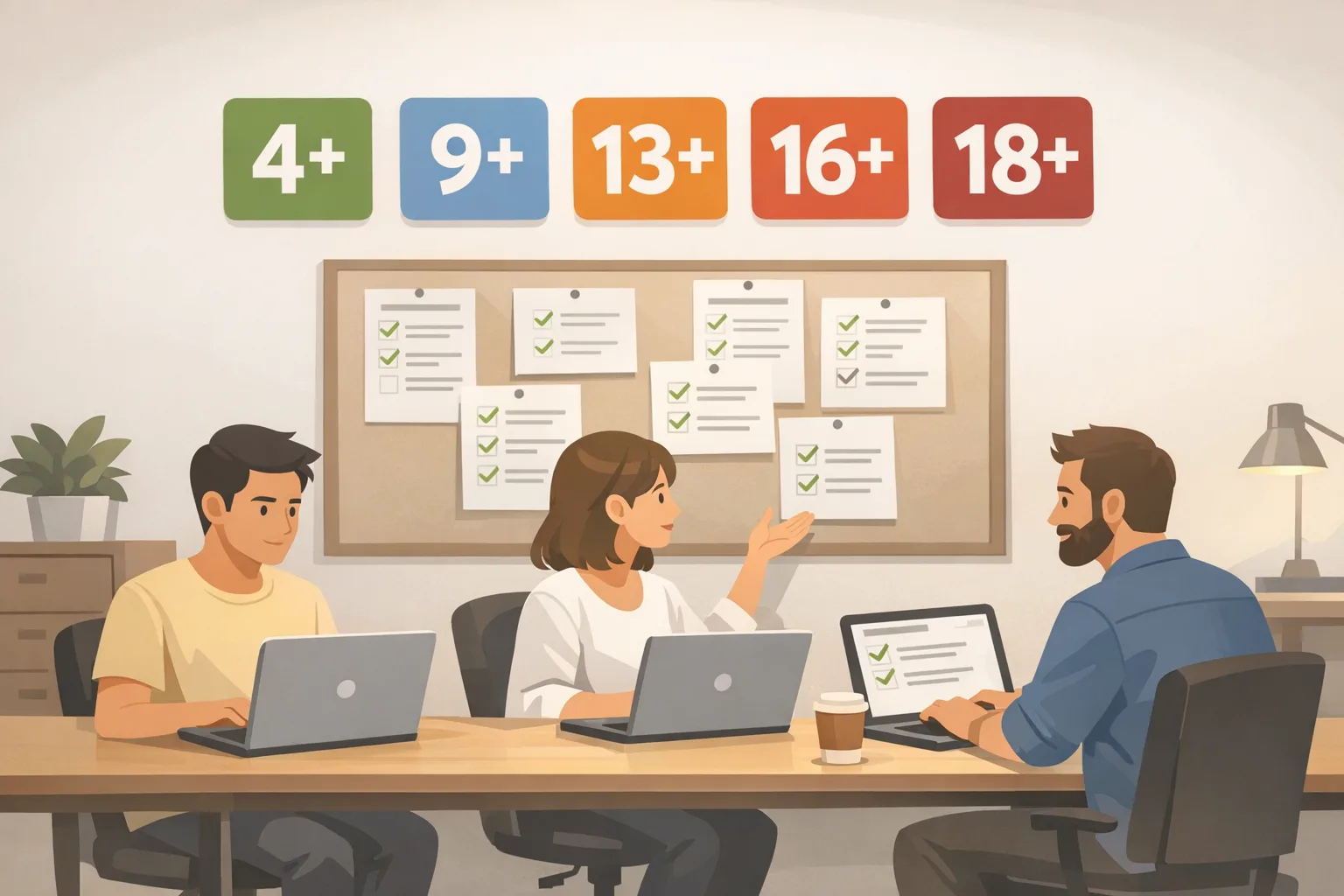
The App Store age rating update is here, and the clock is ticking. Apple has moved to five global ranges—4+, 9+, 13+, 16+, and 18+—and introduced a new set of mandatory questions in App Store Connect that you must complete by January 31, 2026. Miss it and you won’t be able to submit updates. If you build or operate iOS apps, this is a shipping task, not a policy footnote.
What actually changed in App Store age ratings?
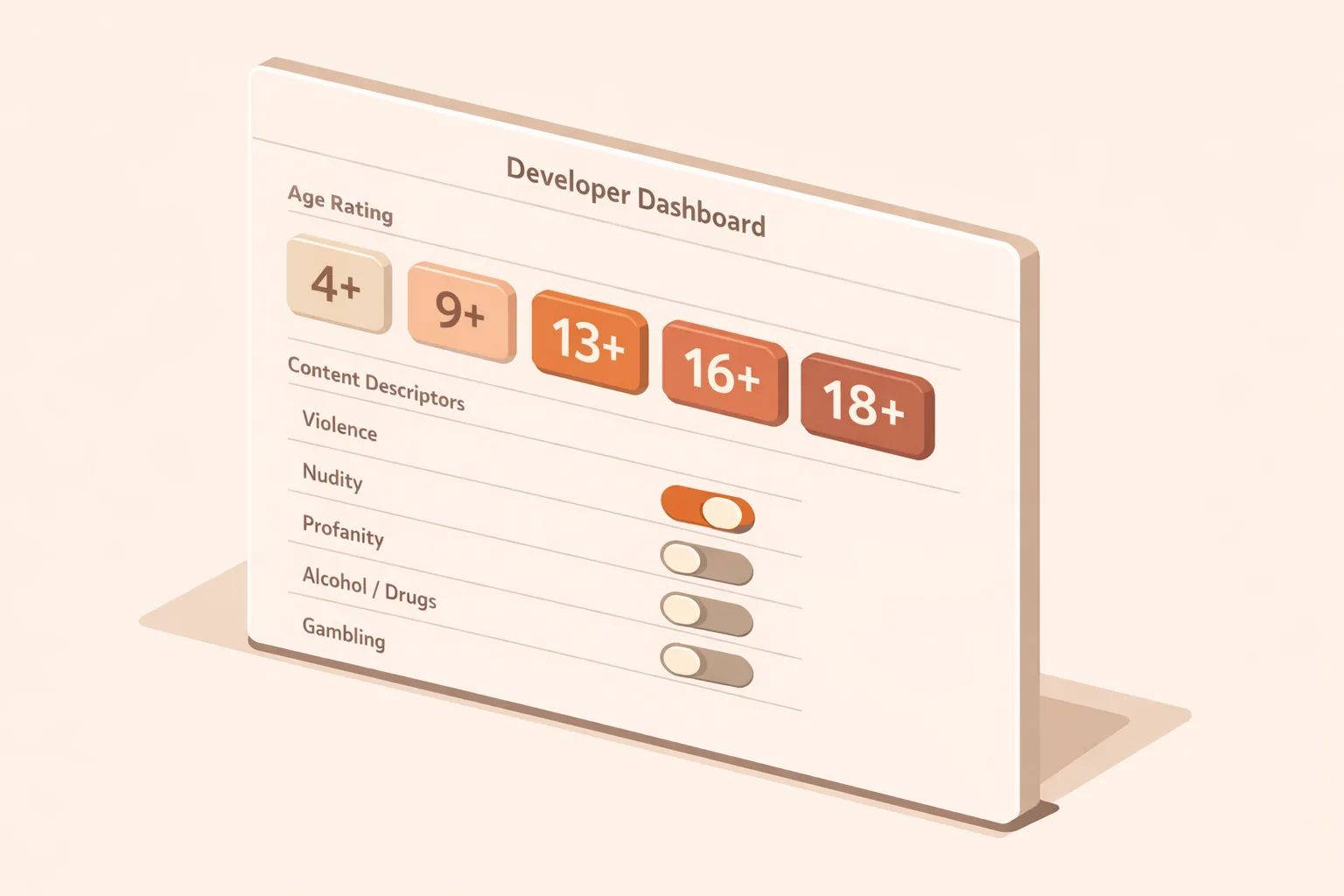
Apple replaced the 12+ and 17+ tiers with 13+, 16+, and 18+. The practical effect: teen content gets a more precise landing zone, and sensitive features that used to automatically push you to a broad “mature” bucket can now map more accurately. These ratings show across Apple platforms when users are on OS versions from the 26 line (iOS 26, iPadOS 26, macOS Tahoe 26, tvOS 26, visionOS 26, and watchOS 26). On earlier OS versions, users may still see legacy labels, but enforcement and submissions follow the new scheme inside App Store Connect.
Here’s the thing: Apple isn’t only looking at explicit content anymore. The questionnaire now probes your in‑app controls and capabilities—think unrestricted web access, messaging and UGC, advertising, simulated gambling, and medical or wellness topics. Your answers generate the rating. You can choose to set stricter limits, but you can’t understate reality.
App Store age rating update: the dates and visibility
Two dates matter:
• January 1, 2026: Texas’ app store age verification law took effect for users located in Texas, requiring age checks and parental consent for minors to download apps or make purchases. Apple prepared OS‑level and App Store changes to support this, including APIs to share a child’s age range rather than a birthdate and flows to re‑request consent when an app undergoes a significant change.
• January 31, 2026: Apple’s deadline to answer the new age‑rating questions in App Store Connect. If you don’t complete them by this date, you won’t be able to submit app updates until you do.
On devices running iOS 26 and other 26‑series OSes, users will see the new 4+, 9+, 13+, 16+, and 18+ labels and the App Store will align editorial placement and visibility with those ratings. That means your growth levers—search visibility, featuring, and category ranking—are tied to your accuracy here.
How to complete the new questionnaire without shooting yourself in the foot
Let’s get practical. The fastest path is a short discovery pass, one owner, and a two‑reviewer check. Here’s the flow we run on client teams.
Step‑by‑step, 90‑minute pass
1) Inventory features and content. List modules that touch on: unrestricted web access (embedded browser or webviews), user‑generated content, messaging or chat, contests/loot boxes, simulated gambling, advertising SDKs, medical/wellness content, and any sexual, violent, or horror themes.
2) Check default settings and in‑app controls. Apple cares not just about what’s possible, but whether users (or parents) can restrict it. Document toggles for UGC reporting, chat request limits, content filters, and spend caps.
3) Map features to age ranges. Use this quick mapping:
• Unrestricted web access: usually 16+ under the new scheme (previously a 17+ trigger).
• Gambling or frequent simulated gambling: 18+.
• Frequent realistic violence or sexual content/nudity: 18+.
• Frequent contests, profanity/crude humor, fear/horror, or cartoon/fantasy violence: often 13+ or above depending on frequency and intensity.
• Medical or treatment‑focused content: can push 13+ or 16+ depending on depth and frequency.
4) Review third‑party SDK behaviors. Advertising SDKs, playable ad formats, cross‑promo modules, and embedded web content can change your effective rating. If ad placements expose unrestricted web content or simulated gambling creatives, assume the higher tier.
5) Fill the questionnaire in App Store Connect. Answer conservatively and match the literal behavior of the current build. Don’t “promise” moderation that isn’t deployed.
6) Cross‑check legal and support. Confirm your parental control disclosures, community guidelines, and reporting tools are discoverable in app and on your support site. If you refer to “Ask to Buy” or parental approvals, make sure your flows and copy are current.
7) Submit and record. Export a PDF or internal doc with each answer, the rationale, and the owner. You’ll need this when policy or product changes trigger re‑evaluation.
Does my app need to be 18+?
Ask three questions before you jump to 18+:
• Is there gambling or frequent simulated gambling? That’s 18+ territory.
• Is there frequent realistic violence or sexual content/nudity? That’s 18+.
• Do you truly need unrestricted web access? If your primary product isn’t a browser, consider restricting embedded webviews or using URL allowlists to avoid an 18+ outcome.
If none of these apply, many social, gaming, creator, or utility apps can live in 13+ or 16+ with the right controls.
Texas age verification: what changes if you have users in Texas?
Starting January 1, 2026, users located in Texas creating a new Apple account must declare if they’re over 18. Under‑18 accounts are required to join a Family Sharing group, and parents must approve downloads, purchases, and in‑app transactions. For developers, Apple offers a privacy‑preserving way to adapt: a Declared Age Range signal (for example: under 13, 13–15, 16–17, 18+), plus APIs to re‑request consent when you make “significant changes” that materially impact the experience or risk profile.
What counts as a significant change? Apple’s guidance points to rating changes, adding or removing features like messaging or UGC, enabling web access, introducing simulated gambling, or meaningfully altering data use or sharing. If your team ships such a change, you must prompt for fresh parental consent and be ready to restrict access until it’s granted for Texas users.
But there’s a catch: these requirements stack with Apple’s global age‑rating rules. If you select an age rating that’s stricter than the age range your app declares via API, your UI should honor the stricter bound. Consistency matters: a mismatch between App Store Connect, in‑app gates, and backend enforcement is a policy review magnet.
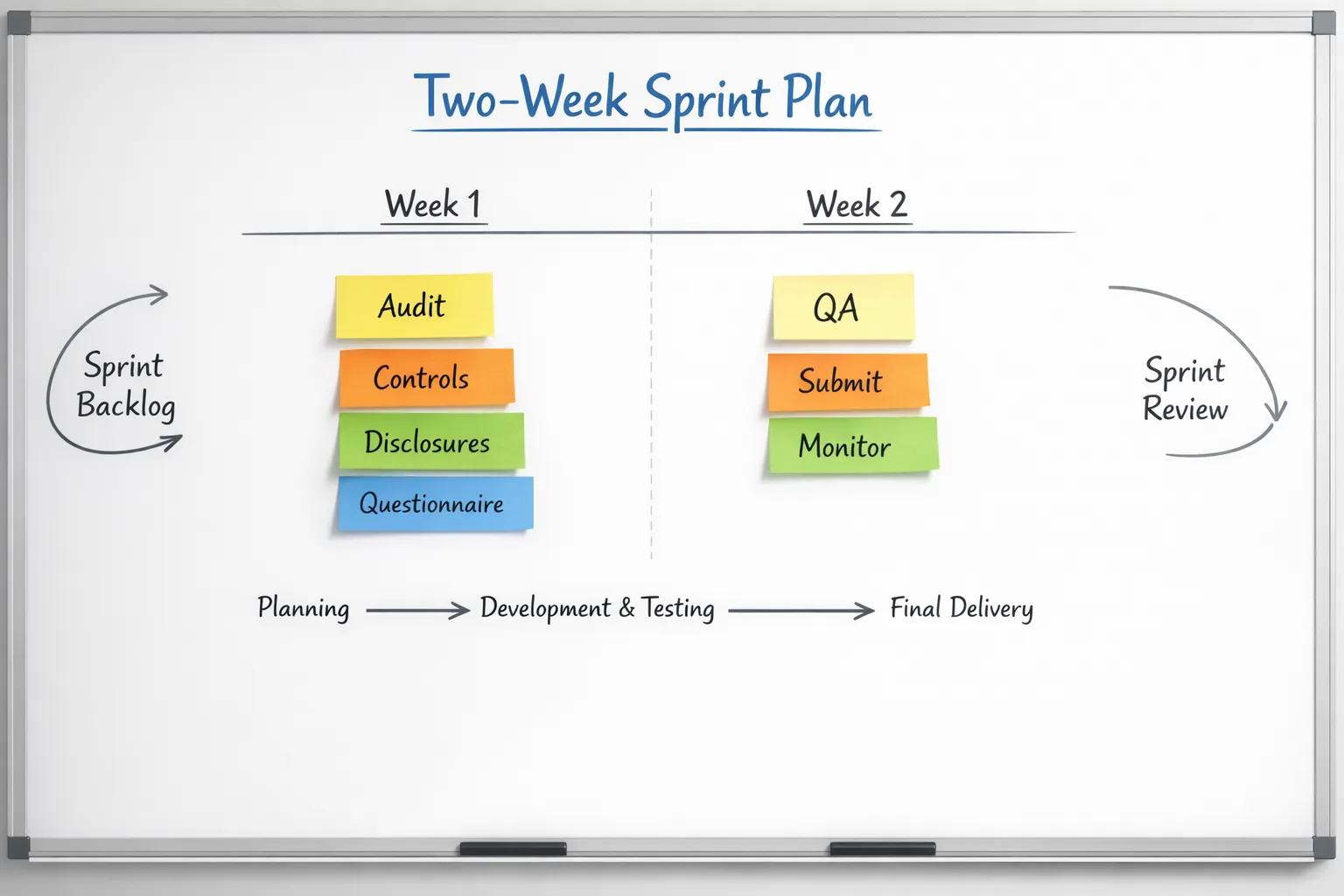
A two‑week sprint plan to hit January 31 without drama
Day 1–2: Build the feature inventory and ad/SDK matrix. Document every path that could expose unrestricted web content, UGC, messaging, contests/loot boxes, simulated gambling, medical/treatment content, and ad placements. Identify default settings and parental controls. Decide your target rating (13+, 16+, or 18+).
Day 3–4: Patch the easy stuff. Disable or gate unrestricted webviews behind allowlists or auth. Turn on UGC reporting and rate limits by default. Add “sensitive content” off-by-default switches, especially in creator or chat experiences.
Day 5: Update disclosures. In the app (settings/help) and on your website, surface community guidelines, reporting tools, and parental controls. Make sure your privacy policy aligns with any new data handling for age assurance signals.
Day 6: Fill the App Store Connect questionnaire. Have product own the content answers and engineering validate the technical ones. Where you’re unsure, choose the stricter option and create a follow‑up task to instrument and measure impact.
Day 7: Internal QA. Test sign‑up and first‑run flows for under‑18 paths, including parental approval, content gating, and purchase restrictions. If you serve Texas users, verify consent revocation behavior: can a teen continue using your app after a parental withdrawal? They shouldn’t.
Day 8–9: SDK clean‑up. Coordinate with ad partners on creative controls and category blocks. Remove any SDKs you can’t configure to honor your rating. Consider an ad‑free SKU or disable ads for under‑16s if your monetization allows it.
Day 10: Submit a point release with any gating/UX changes. Attach your updated answers, and note any in‑app controls you’ve added in the “What’s New” copy to reduce back‑and‑forth with App Review.
Day 11–14: Monitor and tune. Track conversion and retention by age range. If a control meaningfully depresses new user activation without clear safety value, iterate—but keep logs that justify your rating choices.
People also ask
Do I need to resubmit my app if the auto‑assigned rating looks right?
You still need to answer the new questions by January 31, 2026. If Apple’s auto‑assignment already matches your intended audience and you’re confident your answers reflect reality, you don’t need to push a new binary solely for the rating, but you must complete the questionnaire to keep submitting updates.
What if my app feels split—most features are 13+, but one module pushes 16+?
Evaluate whether the outlier is core to your value. If not, gate that module by age, move it behind a parent‑controlled toggle, or ship a variant. Your public rating must map to the highest effective exposure. In practice, that means choosing the stricter label or redesigning the module.
Will users on older OS versions see the new ratings?
Apple states the new rating labels display on 26‑series OS versions. Earlier OS versions may continue to show legacy labels, but your submissions and enforcement logic still follow the updated system. Treat the new labels as the source of truth.
Common pitfalls we’re seeing in reviews
• Unrestricted webviews left on by default. If you embed a browser, default to allowlists or disable external navigation for under‑16.
• Ad networks serving simulated gambling creatives to teen audiences. Align your ad content categories with your rating and remove partners that can’t comply.
• UGC with weak reporting. Add easy reporting, rate limits, and basic word/image filters.
• Medical/treatment claims without guardrails. If you offer treatment guidance, your rating and disclaimers must match the depth of content, and you may need regional notices.
• Messaging features shipping late in the cycle. Chat flips ratings fast—plan policy, reporting, and moderation before you turn it on.
Practical framework: the A‑G‑E gate
Use this lightweight rubric to decide your rating and controls:
• Audience: Who’s the primary user? If you target teens, design first‑run flows and defaults accordingly. Avoid features that would force 18+.
• Gate: What do you gate by age? Put web access, creator monetization, and invites behind age checks and parent toggles.
• Evidence: What proof can you show App Review? Keep a one‑pager with screenshots of controls, links to guidelines, and a summary of your questionnaire answers.
How this affects growth, featuring, and monetization
Ratings influence where you can appear. If you’re 18+, expect lower eligibility for broad editorial featuring and limited reach in family accounts. Ads complicate things: if monetization depends on open web content or casino‑style creatives, plan a teens‑safe version (age‑gated placements, creative filters, or an ad‑free subscription).
On the flip side, a clean 13+ or 16+ rating with obvious parental controls can improve your chances of editorial inclusion and reduce friction in family setups. That’s why this isn’t just compliance—it’s a product strategy decision.
What to do next
• Complete the questionnaire today. It’s the bottleneck for updates after January 31.
• Ship default‑on controls that support your target rating: UGC reporting, chat limits, filtered webviews, ad category blocks.
• If you serve Texas users, implement age‑range handling and significant‑change consent prompts; be ready to block access on consent withdrawal.
• Align marketing and support copy with your rating and controls.
• Review your ad stack and remove partners that can’t enforce your category rules.
Want a second set of eyes?
If you need a fast audit or a hands‑on sprint to hit the deadline, our team helps product, engineering, and growth leaders ship compliant updates without killing momentum. See how we work in our approach, explore recent projects in the portfolio, and read our broader 60‑day plan for App Store policy changes. If you’re also preparing Android builds, our Google Play external links playbook covers common review snags there. When you’re ready, get in touch and we’ll map your path to green.

Risks, edge cases, and how to de‑risk fast
• Region‑specific overlays: Some countries apply additional labels or stricter mappings for games and gambling. If you localize heavily, review your storefronts and be ready to adjust regional metadata.
• Cross‑app links: Linking to external sites or mini‑apps can expose unrestricted web content. Treat outbound links like a feature—gate and filter them.
• AI assistants: If your app includes a chatbot that can generate mature content, you need filters and age‑based guardrails. Be honest in your answers or expect rejections.
• Consent revocation: For Texas users, plan for the parental “off” switch. Your app should stop launching for the minor’s account until consent returns.
• Legacy users: If you raise your rating, message existing users clearly and provide an appeal/support path for mistaken age classifications.
SEO note for product teams
This isn’t just a compliance chore. The App Store age rating update affects content eligibility and distribution. If editorial coverage, family acquisition, and school‑oriented channels matter to your growth model, aim for the lowest accurate rating you can defend with real controls, not wishful thinking. Do the work now; you’ll get flexibility back later.





Comments
Be the first to comment.