Android January 2026 Security Update: Dev Playbook
The Android January 2026 security update shipped on January 5 with patch level 2026‑01‑05 and one headline item: a critical Dolby Digital Plus (DD+) decoder issue tracked as CVE‑2025‑54957. If your app auto-downloads, previews, or transcribes audio, you can’t assume “the OS will handle it” and move on. The reality is that users update on a curve, OEM rollouts vary, and messaging or media apps are exactly where zero‑click risks turn into incidents. This playbook compresses what product, security, and mobile teams should do—this week—to reduce exposure while updates propagate.
What changed in the Android January 2026 security update?
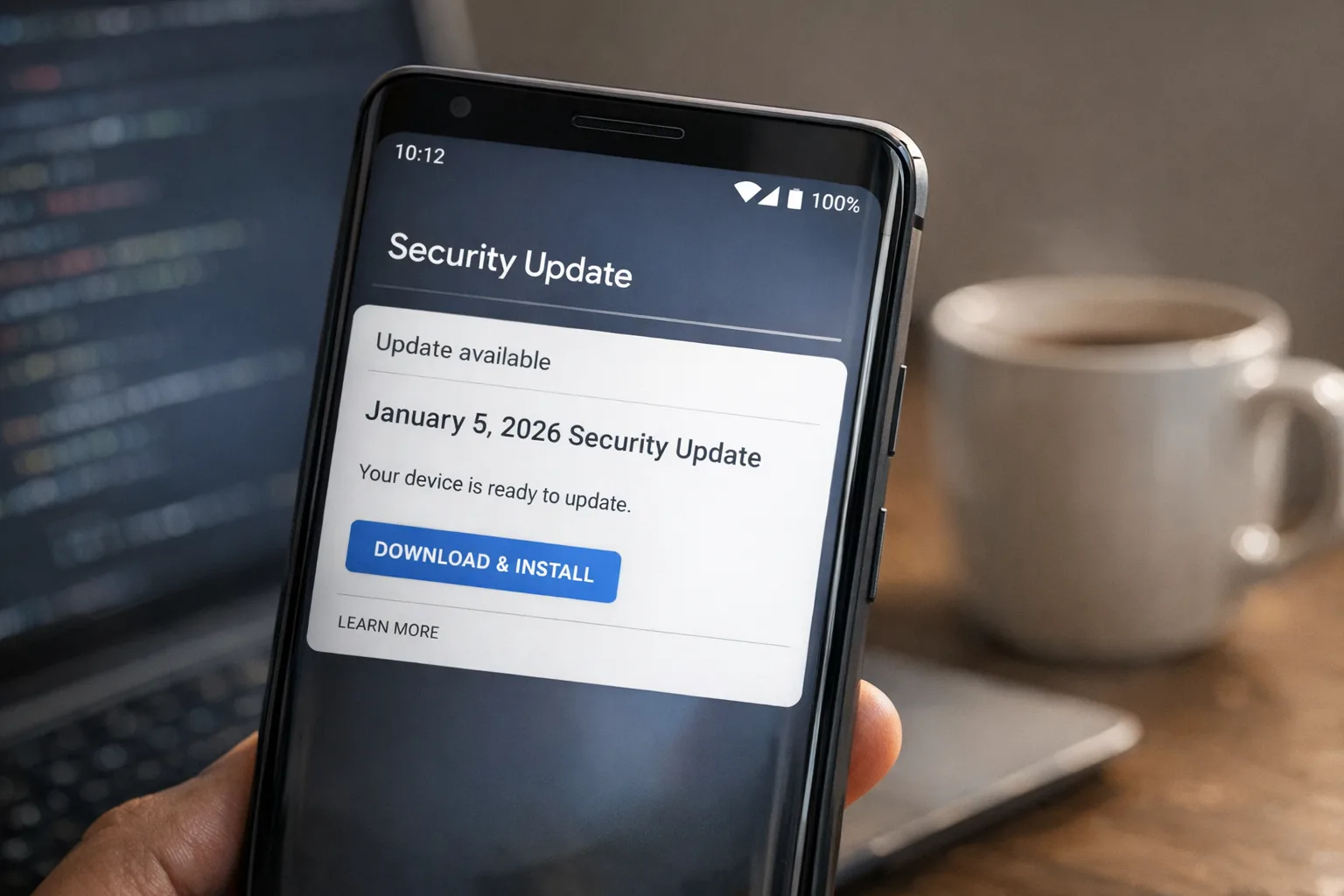
Google’s bulletin dated January 5, 2026 (security patch level 2026‑01‑05) lists a Dolby DD+ decoder vulnerability, CVE‑2025‑54957, which Dolby classifies as critical. The entry ties to an Android bug ID and is included at the platform level. Some OEMs began shipping January builds immediately; others will phase in over the coming days and weeks. If you support international markets, expect a wide distribution of patch levels through late January.
Why this matters: the bug enables an out‑of‑bounds write during DD+ evolution data parsing. In practical terms, a specially crafted but valid DD+ bitstream can corrupt memory in the decoder process. Depending on device configuration and media pipelines, that can escalate beyond a simple crash.
Complicating factor: modern apps increasingly process audio in the background—waveform previews, voice-to-text, or media thumbnailing—sometimes before the user taps play. That background work is convenient, but it widens the path for a zero‑click scenario.
“If the OS is patched, do I need to ship anything?” Yes.
Here’s the thing: you don’t control when every user gets to 2026‑01‑05. You also don’t control OEM cadence or carrier gating. What you do control is how your app handles inbound audio from untrusted sources and what you choose to process automatically. Until a meaningful slice of your active base is on the January patch, you should assume some percentage remains at risk.
Think in layers: transport, storage, feature flags, decode boundaries, and observability. Small changes—like deferring background decoding or requiring an explicit user gesture—can materially cut risk without breaking your UX.
Immediate mitigations you can ship this week
Start with the highest-risk paths: messaging threads, customer support inboxes, media inboxes, and any feature that auto-ingests user files. If you run a hybrid stack (mobile plus server-side processing), apply similar controls to your backend workers and queues.
- Gate background audio work behind a feature flag. Disable silent waveform generation, auto-transcription, or auto-normalization for unknown senders and public channels. Roll the flag forward as your userbase reaches patch level 2026‑01‑05.
- Require a gesture to decode. Make “tap to play” or “tap to transcribe” the default for audio attachments from untrusted sources. Show a lightweight banner on older builds reminding users to update for security fixes.
- Content-type and container checks. Validate MIME types and headers. If you don’t need Enhanced AC‑3 (E‑AC‑3/DD+), don’t accept or render it. Prefer well-vetted containers and constrain codecs you support in uploads.
- Size and duration constraints. Cap max audio duration and bitrates for uploads and message attachments. Reject outliers server-side and short-circuit client-side decode attempts.
- Isolate decoding. Use separate processes or services where feasible. On Android, keep media decoding out of the app’s main process. Even without a full sandbox, process isolation limits blast radius.
- Defer prefetch. For chat lists and media galleries, stop prefetching audio from untrusted threads until device patch level ≥ 2026‑01‑05. Lazy load on user interaction.
- Crash insights and telemetry. Add fine-grained crash keys around audio parsing. Tag by container, codec, and source to detect suspicious clusters rapidly.
If you maintain a desktop or web client, mirror the same principles. Zero-trust media pipelines are portable: validate early, decode late, isolate always.
How to talk to stakeholders without raising alarms
Security communication isn’t theater. It’s clarity. Tell support and marketing teams exactly what changed and why temporary friction is acceptable. For example: “For the next two weeks, audio from unknown contacts requires a tap to play while the Android January patch rolls out.” That line sets expectations and gives your support staff a clean response script.
If you need help formalizing a comms plan alongside risk mitigations, our team’s mobile and product security reviews cover playbooks like this, from feature flags to user messaging.
QA’s job: a focused test matrix that catches regressions
You don’t need a 300‑case test plan. You need a targeted matrix that exercises the media paths most likely to regress when you flip mitigations on.
Device and OS coverage
- Patched Android: at least one Pixel on 2026‑01‑05 and one top OEM build from January.
- Pre‑patch Android: one device on a December 2025 patch or earlier.
- Low‑end hardware: a device with limited memory/CPU to surface timing issues when decoding is deferred.
Scenarios to run
- Inbound audio from unknown contact: ensure “tap to play” appears; no background waveform or transcription is generated.
- Inbound audio from known contact: confirm existing behavior remains intact when flags allow.
- Large attachment near size limit: verify server rejects and client surfaces clear errors.
- Thread with mixed media: ensure images/videos continue to prefetch while audio follows new rules.
- Offline mode: confirm the app doesn’t enqueue background decoding for later execution.
Capture metrics: tap-to-play conversion, audio playback success, crash-free sessions for audio screens. These numbers justify keeping mitigations until you see patch adoption climb.
People also ask
Does the Android January 2026 security update fix a zero‑click exploit?
It addresses a critical decoder bug where a crafted DD+ stream could corrupt memory during parsing. In environments that auto‑process audio, that risk looks a lot like zero‑click. The safest path is to treat it as such until your audience updates.
Which devices get the 2026‑01‑05 patch first?
Pixels and a handful of OEM flagships typically lead, followed by staged rollouts across regions and carriers. Plan on multiple weeks before a majority of your Android users are covered.
Should we block E‑AC‑3/DD+ entirely?
If your product doesn’t need it, yes—temporarily. If you do need it (e.g., premium streaming SKUs), gate decoding to explicit user action and verified senders while monitoring crash telemetry.
Engineering framework: The “Decode Late, Isolate Always” model
Use this lightweight framework to review any media pipeline—not just for this month’s patch.
- Classify trust: internal, verified customer, public/unknown. Your default path should treat audio as untrusted unless proven otherwise.
- Decode late: no background decode for untrusted inputs. Require a tap or an explicit workflow step.
- Constrain inputs: strict MIME allowlists, maximum durations/bitrates, server-side re-mux to a safe subset when feasible.
- Isolate always: separate process for decoding; avoid main-process parsers. Prefer platform codecs over custom native decoders unless you have a patch pipeline.
- Observe and kill switches: ship feature flags, add logging around codec/container, and prepare a remote kill switch for risky formats.
This model works across Android, iOS, and the web. You’ll also find it helps with broader hardening—see our React2Shell production hardening guide for analogous server‑side controls around untrusted inputs.
Risk triage: where product owners should spend time
Not every feature deserves the same urgency. Prioritize surfaces with: (1) public or semi‑public audio submissions, (2) background processing of attachments, and (3) high-value users or sensitive data contexts (fintech, healthcare, enterprise chat). If you run a marketplace or support portal, remember: attachments attached to tickets can be weaponized just like chat messages.
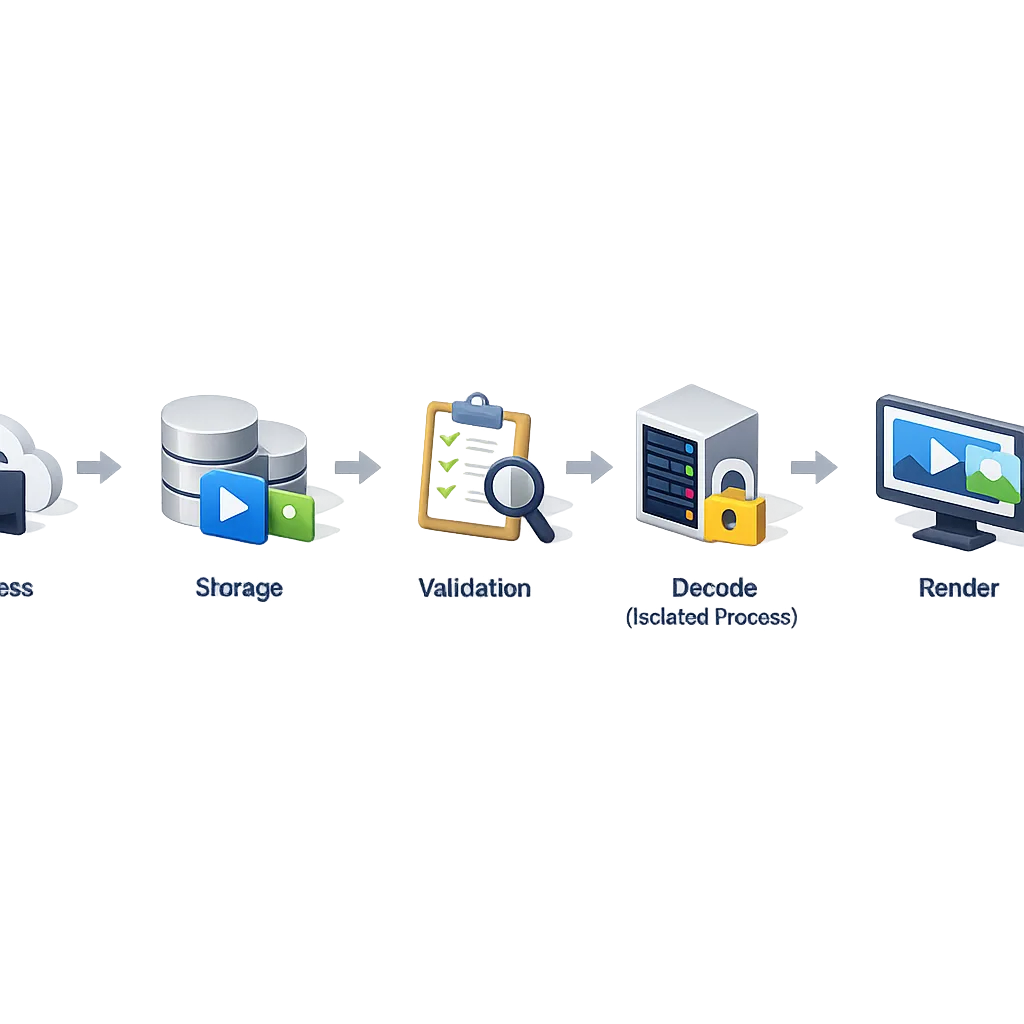
Map the flow: “ingress → storage → scan → decode → render.” Wherever decode happens, that’s where you must be able to pause, isolate, or require interaction.
Data points you can cite to leadership
Be concrete. The bulletin date is January 5, 2026. The relevant security patch string is 2026‑01‑05. The targeted component is the Dolby DD+ decoder associated with CVE‑2025‑54957. As usual, patch distribution will be uneven—expect days to weeks before most users land on January builds. That’s normal and precisely why mitigation in the app layer is prudent.
Operational checklist for mobile leads
- Feature flags live in production to control background audio processing by trust tier.
- Server rejects for disallowed containers/codecs are enabled and logged.
- Crash and ANR alerts specific to audio parse paths are configured with thresholds.
- Telemetry for “tap to play,” codec distribution, and attachment source is visible on a shared dashboard.
- Support macros and status page notes are ready to address temporary friction.
- Roll-back plan exists: if regressions spike, you can revert to last stable flags without a hotfix build.
Edge cases and gotchas
Media relays and proxies: if you proxy files through your CDN or media pipeline, ensure caching doesn’t bypass your server-side validation. Sanitize at the edge and again before decode. Don’t trust a previously cached “known good”—revalidate on every transform.
Third-party SDKs: ad networks, analytics, and support chat SDKs often bundle media viewers. Audit which ones auto-render audio previews and push those vendors to confirm their posture. If they can’t quickly adjust, disable audio preview in their views until your risk window closes.
Enterprise builds: if you ship a managed app, coordinate with IT admins on MDM policies. A simple policy that blocks background audio downloads for unknown senders can carry you until devices reach 2026‑01‑05.
Rollout strategy you can present at the next standup
Phase 1 (today–48 hours): ship server rejects for disallowed containers, flip flags to disable background decoding for untrusted sources, and publish a short release note. Start collecting telemetry and update your on-call runbook.
Phase 2 (days 3–7): expand gating to semitrusted sources where applicable, validate that KPIs are stable, and re‑enable background processing for users confirmed on 2026‑01‑05 or newer. Train support on the “tap to play” script and update in‑app prompts.
Phase 3 (week 2+): as adoption crosses your comfort threshold, begin restoring default behavior for trusted contexts. Keep isolation and observability in place—those are long‑term wins regardless of this month’s patch.
Beyond January: fold this into your 90‑day platform plan
Security work compounds. Bake this episode into your quarterly upgrade charter: “OS patch tracking + app‑layer mitigations + observability.” If your backlog includes runtime upgrades, do them with the same discipline. Our Node.js 20 EOL 90‑day migration playbook shows how to structure a high‑stakes upgrade without derailing delivery.
If you also publish on iOS, stay aware of policy and privacy requirements rolling out early 2026. Our field notes on App Store policy changes for 2026 outline deadlines that are landing the same month you’re managing Android patches. Different risks, same muscle: plan, gate, measure.
What to do next (the short list)
- Flip a feature flag to require a tap before decoding audio from unknown senders.
- Block or re‑mux disallowed containers/codecs server-side; log every reject.
- Add telemetry for codec/container and source so you can make data-driven decisions.
- Ship an on‑device banner prompting users to update to the January 2026 patch.
- Schedule a post‑mortem‑style debrief: what slowed you down, what will you automate next time?
- Need a gut check? Reach out via our contact page—we help teams ship mitigations without blowing up roadmaps.
Security isn’t a side quest you tackle between sprints. It’s a product quality problem with timelines and customers. Treat the Android January 2026 security update as an opportunity to harden your media pipeline, and you’ll come out of this month with better defaults, better telemetry, and fewer sleepless nights.





Comments
Be the first to comment.