
GitHub Copilot Pricing Changes: What to Do by June 1
GitHub Copilot pricing changes land on June 1, 2026, moving from a flat, request-limited model to usage-based billing. If you’ve treated Copilot as a sunk subscription cost, that shifts overnight into a variable cloud-like line item. The good news: with a few simple controls, you can keep velocity high and costs predictable. This guide explains the change, shows how to forecast spend, and lays out a pragmatic plan to optimize before June 1.
What exactly is changing—and why it matters
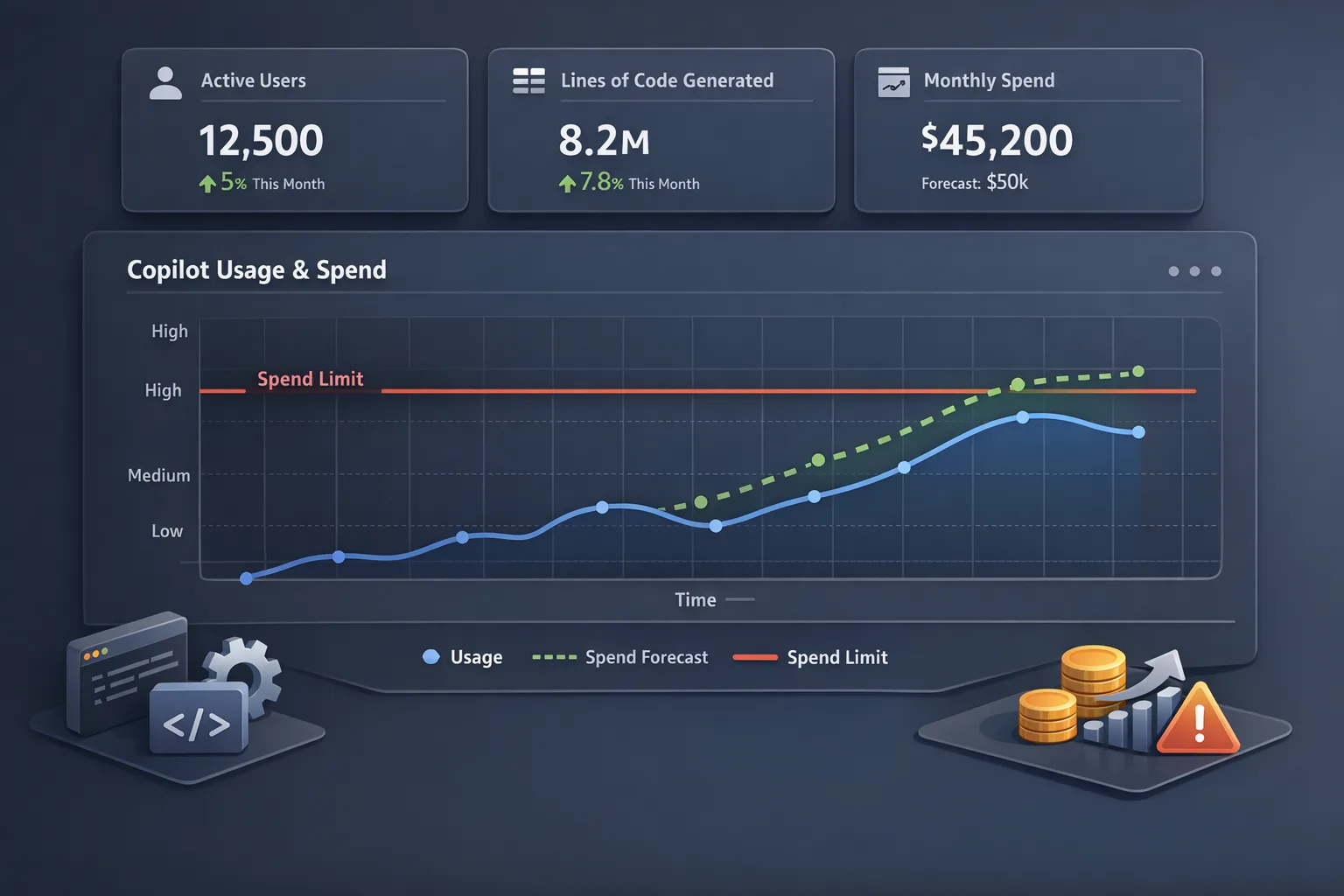
Until now, most teams thought of Copilot as a fixed per-seat line item. With usage-based pricing, your spend will be driven by actual activity: how many coding/chat requests your developers trigger, which models they use, and how often they ask the assistant to iterate. That’s powerful—you pay for real value—but it’s also risky if you haven’t set baselines or quotas.
Two more 2026 realities round out the picture. First, GitHub has been broadening model choices and features across Copilot (CLI, Chat, specialized agents), which can increase request volume as adoption grows across the toolchain. Second, GitHub Actions pricing changed earlier this year—hosted runners got cheaper while self-hosted minutes acquired a platform fee. Even if Copilot and Actions sit on different invoices, finance will look at them together as “the GitHub budget.” Treat them as one optimization problem.
GitHub Copilot pricing changes, line-by-line
Here’s the practical framing I’m using with clients:
- Usage replaces flat assumptions. Request volume (and the models behind those requests) drives cost. The more your team chats, asks for refactors, or runs shell assistance via Copilot CLI, the more you pay.
- Plan tiers still matter. Enterprise-grade controls (org-wide policies, auditability, model access) usually offset their price by reducing waste and risk on larger teams. For small squads, Pro/Pro+ may be sufficient—if you set intelligent limits.
- Expect mix shifts. As developers get comfortable with multi-step tasks and higher-capability models, your average cost per request can drift up unless you define defaults and fallbacks.
Translation: you need a budgeting model, quota guardrails, and a few ergonomics tweaks so devs feel no friction while your finance team gets predictability.
Fast forecasting: a 20‑minute model you can trust
Open a spreadsheet. You need only five inputs per team:
- Active Copilot users (AU): the number of developers who’ll actually use Copilot in a given month.
- Requests per user per workday (RPD): measure with a one-week sample—don’t guess.
- Workdays per month (WD): usually 20–22; use your org’s calendar.
- Model mix (MM): percentage of requests on default/base models vs premium models.
- Optimization factor (OF): savings from prompt hygiene, snippets, and policy defaults (start with 10–20% after week 1 of tuning).
Monthly requests = AU × RPD × WD. Apply the model mix to get two buckets: base-model requests and premium-model requests. Multiply by the per-request rates for each bucket (from your Copilot plan). Then multiply by (1 − OF). That’s your monthly cost. Do a sensitivity analysis by varying RPD ±20% and MM ±10 points to identify your risk envelope.
Sample what-if to sanity check
Say 25 engineers (AU) each trigger 120 requests per workday (RPD) over 21 days (WD). That’s 63,000 monthly requests. If 75% are base-model and 25% premium-model, your blended rate might put you at a mid-five-figure annualized run rate. Introduce basic prompt hygiene and set the default model to “base” with opt‑in escalation, and you’ll typically shave 10–25% off that figure in the first month without reducing throughput.
The point isn’t to chase a perfect number. It’s to expose the sensitivity. Most overruns happen because leaders underestimate RPD in mature teams and forget to model the premium mix.
The PROMPTS framework: practical levers to control spend
Here’s a field-tested checklist we deploy during AI tool rollouts. Use it as a one-week implementation plan.
P — People and permissions
Map users to roles. Core contributors get default access; interns and contractors may start with lower limits. Turn on org-wide policies so project leads, not just IT, can adjust defaults per repo. If you’re on Enterprise, delegate policy administration to a few responsible staff engineers—closer to the work, faster feedback loops.
R — Requests and quotas
Define soft quotas in requests per day, not dollars. Developers think in interactions, not budgets. Set alerting at 80% of quota with a friendly nudge, then review at retro. For spikes (release week, migrations), allow time-boxed overrides approved by tech leads.
O — Optimization of prompts
Most waste comes from chatty, open-ended prompts. Standardize a three-part format for repetitive asks: task, context, constraints. Example: “Refactor the Stripe webhook handler to remove blocking I/O. Context: src/payments/webhook.ts, Node 22, express 5. Constraints: keep function signature, add unit tests.” Teach devs to reuse snippets and let Copilot complete them, rather than re-describing the same context repeatedly.
M — Model selection and fallbacks
Pick conservative defaults. Set the base model as the org-wide default; allow opt‑in premium escalation via a command or quick toggle for heavy tasks (complex refactors, multi-file reasoning). Add a fallback policy: if the premium model is rate-limited or out of allowance, degrade gracefully to base rather than failing the task.
P — Privacy and policy
Decide whether to opt out of using interaction data to improve AI models for non-enterprise users. Some orgs are fine with opt-in for side projects; others keep everything off. Write a short policy in plain English and add it to your engineering handbook so contractors and new hires don’t guess.
T — Telemetry and tagging
Tag Copilot usage by team or cost center. Even a lightweight mapping (repo → team) helps identify hotspots. Build a weekly dashboard: requests by model, requests per active user, top request categories, and overruns. Use rolling four-week windows so trends are visible, not just noisy weekly spikes.
S — Safe sandboxes
Encourage experimentation in sandboxes. Create a “playground” repo and Codespace where developers can try prompts, agents, and CLI tasks without polluting real projects—or your cost baseline. Share successful prompt patterns in a living doc.

Where teams overspend—and how to fix it
After a dozen Copilot rollouts, the same patterns show up. Here’s how to preempt them.
Chat thrash: back‑and‑forth prompts that never converge. Fix by encouraging code-centric prompts. “Write a Jest test for function X in file Y with these edge cases” beats “Help me test this module?”
Premium‑by‑default: every request hitting the most expensive model. Set base as default, then allow an easy, temporary lift to premium for bigger tasks. Most developers don’t need premium for renames, regex, or docstrings.
Model roulette: switching models mid‑task because the answer isn’t perfect. Teach devs to provide better context (“You wrote A; here’s the failing test; update only function Z”) before switching models.
Monorepo ambiguity: massive context without guardrails. Add per‑package READMEs with canonical usage examples and architecture notes; Copilot uses that local context to improve accuracy without more requests.
Hidden CLI usage: Copilot CLI accelerating shell work that never shows up in IDE metrics. Track CLI separately and set its own soft quotas. It’s a great tool—just account for it.
What about GitHub Actions pricing in 2026?
If your finance team is asking why the GitHub bill looks different year to date, it’s because two things changed: hosted runner rates dropped at the start of 2026, and self‑hosted runner usage on the cloud platform started incurring a per‑minute platform fee in early March. For many orgs, the net effect is neutral or positive—but only if you’ve rebalanced workloads. If you once moved to self‑hosted purely for price, it’s time to recalc the breakeven versus GitHub‑hosted runners. Consider:
- Utilization: are your self‑hosted runners consistently busy, or do you pay for idle capacity?
- Maintenance drag: patching, scaling, and image curation versus turnkey hosted images.
- Network/data gravity: runners close to private artifacts can still justify self‑hosted despite platform fees.
The strategic takeaway: treat Copilot and Actions as a portfolio. Savings from one can subsidize investment in the other—so long as you have telemetry.
How to measure ROI without fuzzy math
Don’t chase “percent faster coding” metrics. Instead, tie Copilot to outcomes:
- Lead time: track PR open→merge cycle times before and after Copilot adoption on comparable work.
- Test coverage: measure lines or critical-path functions gaining tests when Copilot is available.
- Defect escape rate: watch post‑merge bug counts in sprints that leaned on Copilot for refactors.
- Onboarding ramp: time from day 1 to first meaningful PR for new hires.
Pick two metrics, set a 60‑day observation period, and decide whether to expand scope, tune prompts, or roll back in specific areas. Binary go/no‑go beats hand‑wavy averages.
Should your org opt out of data use for non‑enterprise seats?
Here’s a quick rubric:
- Strict compliance or regulated data? Opt out by default for non‑enterprise seats; keep work on enterprise accounts with contractual protections.
- Open‑source‑heavy shop? Many teams are comfortable allowing data use on public repos and side projects. Document the boundary and enforce it with separate orgs.
- Vendors and contractors? Require enterprise seats or opt‑out posture; put it in the MSA and your onboarding checklist.
Make the decision explicit, write it down, and automate it where possible. Ambiguity is expensive.
People also ask
Is GitHub Copilot worth it in 2026?
Yes—if you install guardrails. Teams see the biggest gains in test authoring, routine refactors, and unfamiliar APIs. The wins compound when you standardize prompts, set model defaults, and measure outcomes tied to delivery.
How do usage-based limits affect pair programming?
Pairing increases request rate per workstation. Create a “pairing mode” toggle with a higher soft quota for that day and encourage devs to summarize context once, then iterate inside the same thread to avoid prompt duplication.
Can we cap spend automatically?
Use alerting thresholds and weekly reviews rather than hard caps that break workflows mid‑sprint. If you must hard‑cap, do it per team with an approved override path. No one wants a blocked hotfix because the assistant hit zero.
How does Copilot compare to local models?
Local models offer privacy and predictable costs, but usually at the expense of capabilities, maintenance, and integration. Many orgs run a hybrid: Copilot for day‑to‑day code and a local assistant for red‑flag domains.
Let’s get practical: a one‑week rollout plan
Day 1: baseline. Turn on usage telemetry, sample a week of RPD, and map model mix. Create the spreadsheet and share ranges with engineering and finance.
Day 2: defaults. Set base model as default, add premium escalation, and create soft quotas with 80% alerts. Publish a two‑page prompt guide with before/after examples.
Day 3: policy. Document data‑use posture for non‑enterprise seats and contractors. Update onboarding docs and add a checklist to your repo templates.
Day 4: telemetry. Tag usage by team; stand up a simple dashboard with requests, model mix, and top tasks. Add a weekly 10‑minute review to engineering leadership.
Day 5: training. Run a 45‑minute workshop on prompt hygiene and Copilot CLI. Record it. Encourage teams to nominate a “Copilot champion” per group to collect patterns and feedback.
Day 6–7: iterate. Tune quotas, update defaults, and capture two success stories—ideally, test creation and a gnarly refactor. Share them org‑wide.
What to do next
- Build the five‑input forecast and run a ±20% sensitivity analysis.
- Set base‑model defaults, premium escalation, and soft quotas with alerts.
- Publish a two‑page prompt guide; appoint team champions.
- Decide your data‑use posture for non‑enterprise seats and document it.
- Recalculate your 2026 GitHub Actions TCO; adjust hosted vs self‑hosted mix.
If you need a partner to implement this quickly, our team has shipped AI‑augmented delivery across web, mobile, and backend stacks. See how we scope and de‑risk in our web development process, review real budgets in our 2026 web development cost guide, and explore a proven upgrade cadence in our runtime upgrade strategy. If compliance is on your radar, bookmark the EU AI Act last‑mile playbook to align your policies with the new AI stack.
June 1 isn’t far. Set the guardrails, show your team the path, and make GitHub Copilot a measured accelerant—not a mystery cost center.








Comments
Be the first to comment.