
Xcode 26 Requirement: The April 28 Playbook
Apple’s Xcode 26 requirement becomes real on April 28, 2026. Starting that day, new uploads to App Store Connect must be built with Xcode 26 or later using the iOS 26 family of SDKs (including iPadOS, watchOS, tvOS, visionOS, and macOS variants). This isn’t a cosmetic bump. It touches your toolchains, CI, third‑party SDKs, privacy settings, and even age‑rating controls. Below is the practical, no‑drama plan I’m using with teams between now and April 28.

What exactly changes on April 28, 2026?
Three things matter to your schedule. First, App Store Connect will only accept app uploads built with Xcode 26 or later against the iOS 26‑era SDKs. Second, as of February 3, 2026, App Store Connect began accepting builds from the Xcode 26.3 Release Candidate, which means you can validate pipelines now—no need to wait. Third, Apple’s age‑rating overhaul formally rolled over on January 31, 2026; if you didn’t answer the new rating questions, you’ll hit a submission block until you do.
Existing apps on the store aren’t removed if you miss the date, but you won’t be able to submit new binaries that rely on older SDKs. That means hotfixes for crashes, privacy manifest updates, and content changes will be stuck until you move to the new toolchain.
Key dates to pin on your wall calendar: January 31, 2026 (age‑rating questionnaire deadline—now passed), February 3, 2026 (App Store Connect started taking 26.3 RC), and April 28, 2026 (SDK minimum cutover). If you build cross‑platform, align your iOS lane first; Apple’s queue tends to swell before these cutovers.
Xcode 26 requirement: what’s non‑negotiable
Let’s be plain. The Xcode 26 requirement means:
- Your app target(s) must compile with Xcode 26+ using the latest platform SDKs available in that IDE.
- Every extension target—widgets, Share, Siri/Shortcuts, Watch, Live Activities, visionOS scenes—must also meet the same minimums.
- Third‑party frameworks must be compatible with Xcode 26 and the 26‑series SDKs (ideally shipped as XCFrameworks with simulator/device slices).
- Your privacy manifests and usage descriptions must remain accurate post‑SDK bump; mismatches are common causes of rejections during cutovers.
Remember the age‑rating changes. Apple added more granular ratings (including 13+, 16+, 18+) and updated questions about in‑app controls, capabilities, medical/wellness, and violent themes. If those answers aren’t updated, App Store Connect can block your submission. If you ship in the U.S., be aware that several states now enforce stricter age‑assurance norms—Apple built system‑level paths to express declared age, and your app’s gating should respect those signals.
Let’s get practical: a 60‑day ship plan
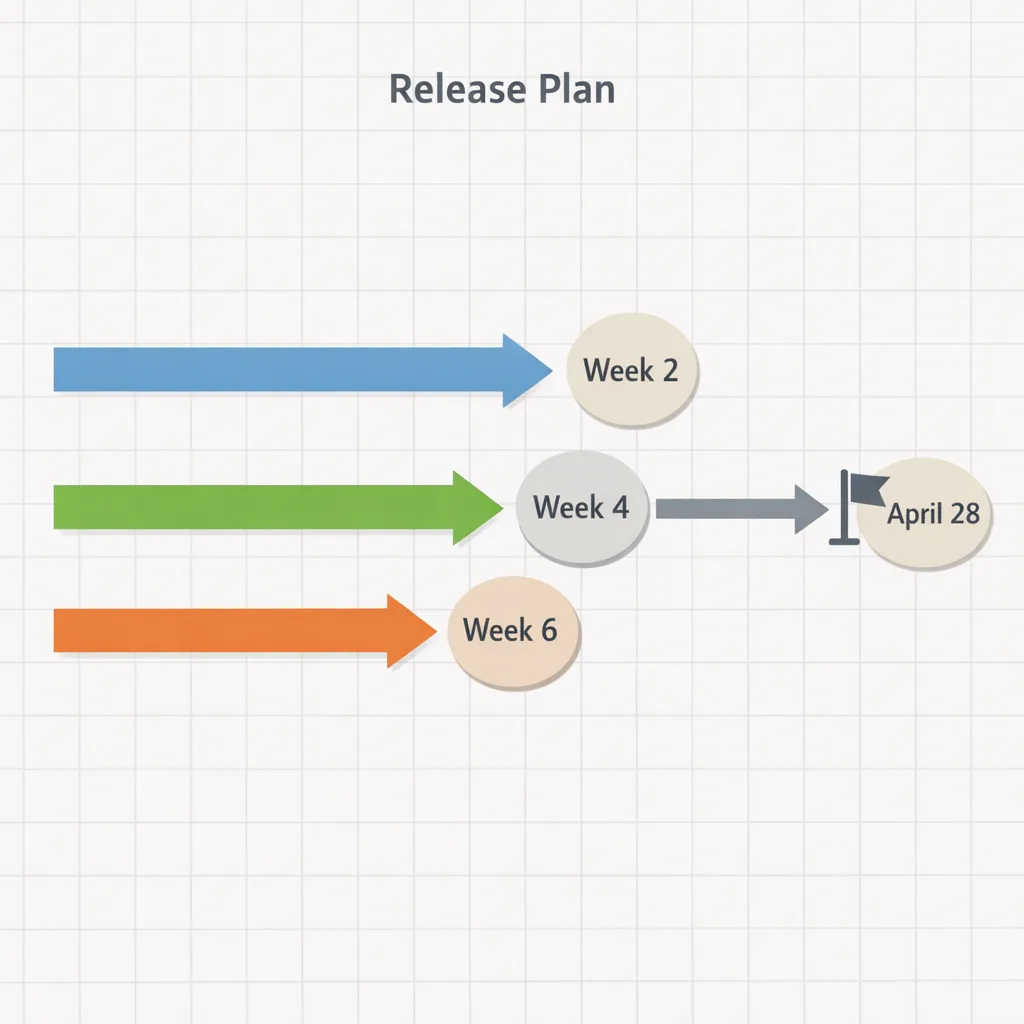
I treat April 28 as a hard cutover and reverse‑plan eight weeks. The goal is a verified build in TestFlight by Week 4, a release candidate by Week 6, and submission by Week 7—leaving one week of margin for review turbulence.
Week 0–1: Environment and risk scan
Install Xcode 26.3 RC (or later) on a dedicated build Mac. Clone the repo clean, remove derived data, and take a baseline compile. Inventory external SDKs and SPM packages; flag anything that hasn’t shipped an update since late 2025. Capture warnings that turned into errors under the new SDKs (entitlements, deprecated symbols, hardened runtime tweaks). Create a short risk register: framework updates, deployment target bumps, signing changes, widget/extension breakage.
Week 1–2: CI/CD migration
Upgrade macOS runners to the image that includes Xcode 26.3 RC or install it side‑by‑side. Hard‑pin Xcode with xcode‑select on runners. Rebuild caches (Carthage/SPM/CocoaPods) to produce new XCFrameworks. Validate code signing identities, provisioning, and app groups for extensions. Smoke‑test the pipeline end‑to‑end: build → unit tests → UI tests (if any) → notarization → TestFlight upload. If you operate multiple schemes, promote one “golden path” scheme to stabilize first.
Week 2–3: Platform deltas and third‑party libraries
Work from the top of your risk register. Replace outdated binary SDKs with SPM variants if possible. Confirm that analytics, attribution, ads, and payments SDKs explicitly support the 26‑series SDKs. For privacy manifests, regenerate or validate reason codes and ensure any optional Bluetooth, local network, or photo access reason strings still match observed behaviors.
Week 3–4: QA on device matrix
Test on a small but representative grid: two recent iPhones (Pro and non‑Pro), an older device still in your support range, one iPad, and whatever secondary platform you ship (Watch, TV, Vision). Focus on push notifications, background refresh, deep links, and extension entry points. If you use Live Activities or widgets, verify rendering on the latest OS patch level.
Week 4–5: Content and compliance
Complete the updated age‑rating questionnaire in App Store Connect. Re‑audit your App Privacy answers and in‑app disclosure screens. If your app targets teens or allows UGC/messaging, confirm you’re honoring system‑level age signals and controls. Update your support docs and in‑app onboarding if anything changed.
Week 5–6: Release candidate
Cut an RC build. Freeze third‑party updates unless they’re security fixes. Run soak tests with your internal dogfood cohort, and watch crash free session rates. Lock down release notes and screenshots (widgets/Live Activities often need fresh captures after SDK bumps).
Week 6–7: Submit
Submit no later than Friday, April 24, 2026. Keep a hotfix branch prepped in case App Review flags metadata or privacy issues. Monitor review turnaround and be ready to respond fast—silence kills momentum this close to a cutover.
Week 8: Contingency
If an SDK issue forces rollback, keep your RC as a TestFlight beta for critical customers and communicate timelines. For subscription apps, consider in‑app messaging so users understand that fixes are pending App Review.
Your migration checklist (copy/paste)
Here’s the crisp list my teams run through. It’s short enough to print.
- Install Xcode 26.3 RC+ on a dedicated build host; pin with xcode‑select.
- Clean build with no stale DerivedData; regenerate SPM/CocoaPods/Carthage artifacts.
- Upgrade or replace third‑party SDKs with 26‑compatible XCFrameworks; prefer SPM.
- Re‑sign and validate all extension targets (widgets, Watch, Share, etc.).
- Verify privacy manifests and Info.plist usage descriptions match runtime behaviors.
- Answer the new age‑rating questionnaire in App Store Connect; verify the displayed rating in each region.
- Run push, deep link, background task, and notification permission tests on‑device.
- Upload a smoke build to TestFlight; confirm symbols ingest and crash reporting.
- Lock CI images; rebuild caches; run the full pipeline twice in a row without flakes.
- Book submission by April 24; keep a hotfix branch warmed.
CI/CD and TestFlight gotchas to expect
Toolchains move faster than hosted macOS images. If your CI vendor lags on Xcode 26.3 RC availability, add a self‑hosted runner or cache the .xip in object storage and install explicitly at job start. Pin simulators and runtime versions; “latest” tags can pull mismatched SDK runtimes and break UI tests.
On caching: purge and rebuild. Old build artifacts compiled against earlier SDKs often trigger linker surprises. Carthage users in particular should nuke DerivedData and prebuilt frameworks and prefer XCFramework outputs. For SPM, delete the workspace’s Package.resolved and let Xcode 26 regenerate the lockfile after updating dependency versions.
Symbols can go missing on first uploads after a major SDK bump. Confirm your dSYMs or Apple’s symbolication pipeline is intact; verify that your crash analytics shows the new build’s symbols within an hour of a TestFlight install.
Finally, watch entitlements. New SDKs can tighten capabilities around background modes, Bluetooth, and network discovery. If you see entitlement or hardened runtime errors, diff your .entitlements file against the capabilities UI and remove legacy keys you no longer need.
People also ask
Will my live app be removed if I miss April 28?
No. Your existing binary stays live. What you lose is the ability to submit new updates built on older SDKs. If you need to push a crash hotfix or security patch after April 28, you must ship with Xcode 26+ and the new SDKs.
Do Flutter, React Native, Unity, and Unreal projects have to change?
Yes—your iOS toolchain still compiles through Xcode. Make sure your framework version officially supports Xcode 26 and iOS 26 SDKs. Expect at least a minor update and plan time to validate plugins (push, in‑app purchase, analytics) that include native code.
What about extensions and widgets?
Treat each target like a mini‑app. Bump deployment targets if required, review entitlements, and test entry points (widget reloads, Live Activities updates, Watch complications). Extensions are where most “it built on my machine” surprises happen.
Will App Review be tougher around privacy?
Historically, yes during cutovers. Apple often tightens checks that your declared usage strings and manifests match runtime behaviors. If your app reads photos, tracks location, scans local networks, or touches Bluetooth, triple‑check your reasons and user flows.
Risks and edge cases to watch
Third‑party ad and analytics SDKs can lag platform transitions. If an ad network hasn’t posted 26‑series compatibility by mid‑March, plan a temporary disable or switch; revenue beats a failed submission. For payments, confirm that your StoreKit flows build cleanly and that sandbox transactions complete on devices running the latest OS patches.
Regional policies can collide with app flows during cutovers—especially apps aimed at teens or apps with UGC/messaging. Make sure your gating and content controls reflect Apple’s new age bands. If you operate in the UK or EU, keep an eye on competition and marketplace commitments; defaults around linking‑out or alternative payments can change how you message users even if your binary compiles fine.
What to do next (this week)
- Install Xcode 26.3 RC+ on one dev Mac and one CI runner; compile a clean build.
- Upload a smoke build to TestFlight to validate symbols and entitlements.
- Finish the new age‑rating questionnaire and verify ratings per region.
- Lock your third‑party SDK list; chase vendors for 26‑series support notes.
- Put April 24 on the calendar as your latest safe submission date.
Want a deeper, role‑by‑role runbook? We published an April 28 SDK cutover explainer and a tactical February 2026 App Store Connect playbook with templates your team can copy. If your app targets teens, pair this plan with our guide to App Store age gating that actually works.
And if you’d rather ship than babysit CI, our team at Bybowu can own the migration, stabilize your build lanes, and get your RC through review. See our mobile app services and ping us through Contacts—we’ll get you over the line with time to spare.





Comments
Be the first to comment.