
Windows 11 January 2026 Update: What Dev Teams Should Do
The Windows 11 January 2026 update landed on January 13 and, for many orgs, landed hard. Remote sign-in broke for some environments, apps that touched cloud storage stalled, and a subset of machines reported the dreaded UNMOUNTABLE_BOOT_VOLUME during startup. Microsoft pushed out-of-band fixes on January 17 and January 24, but the disruption made one thing painfully clear: your desktop patching process needs to be as resilient as your backend. Here’s a developer‑centric plan to navigate the fallout and prevent repeat incidents.

Why the Windows 11 January 2026 update matters for engineering
Desktop issues aren’t just IT’s problem. When developer laptops, QA stations, and self-hosted CI runners go sideways, sprint plans derail. In mid‑January, Windows 11 updates created three concrete risks for product teams:
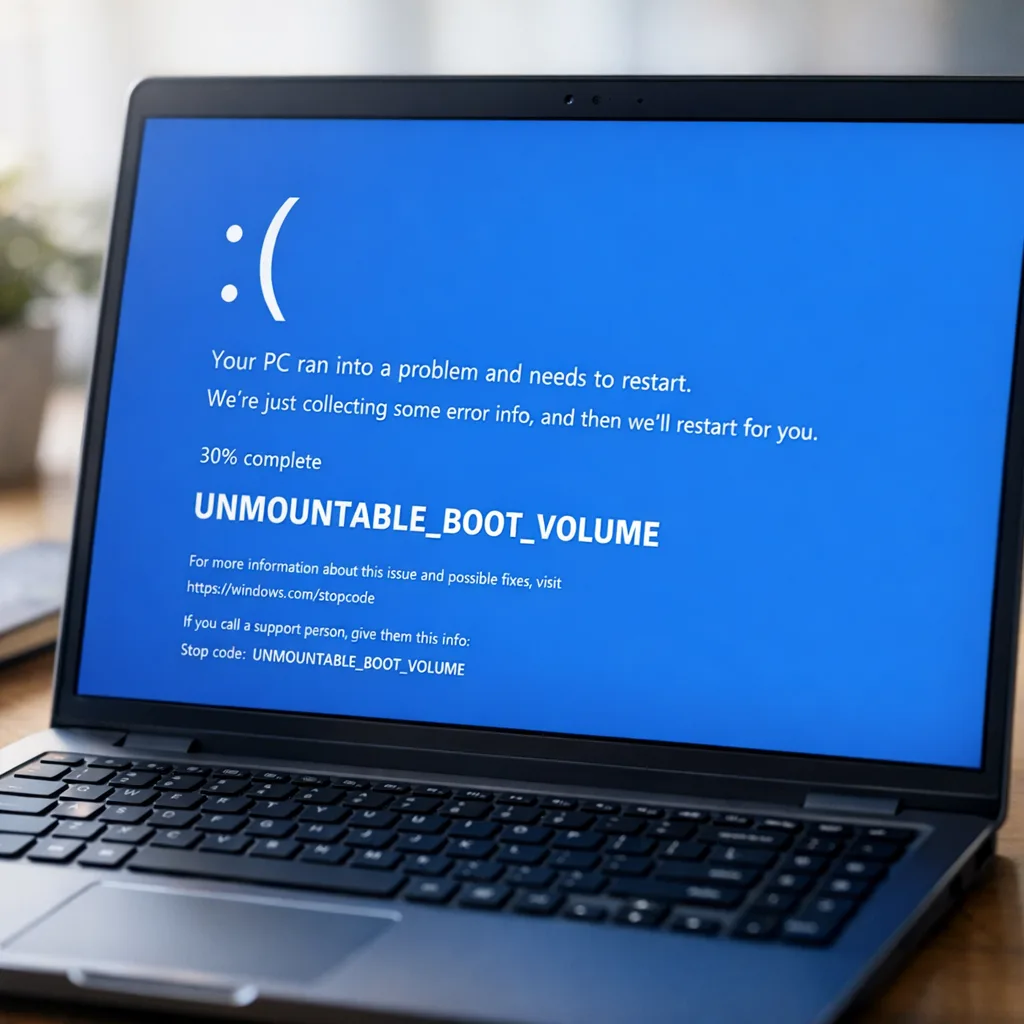
First, authentication to remote environments hiccuped on some builds right after the January 13 patch. Second, a wave of apps that read or write to cloud storage (think OneDrive or Dropbox) became unresponsive until Microsoft shipped a second out‑of‑band patch on January 24. Third, a smaller—but scary—set of devices hit a boot failure with an UNMOUNTABLE_BOOT_VOLUME stop code. Even if your fleet escaped, upstream risk to contractors, vendors, and customers reverberates through release schedules.
What exactly broke—and when
Let’s anchor the timeline with the key patches and symptoms developers actually felt:
• January 13, 2026: The Windows 11 security update (KB5074109 for 24H2/25H2) rolled out. Immediate pain points included sign‑in failures for certain remote connection workflows. Microsoft also removed several legacy modem drivers in this release—intentional, but easy to mistake for a bug if you still rely on dial‑up modems for niche telemetry.
• January 17, 2026: Microsoft shipped out‑of‑band updates (for example, KB5077744 for 24H2/25H2 and KB5077797 for 23H2) to address the sign‑in and power issues. That stabilized some fleets, but introduced a new issue where apps saving to or opening from cloud storage could hang.
• January 24, 2026: A second out‑of‑band update (KB5078127 for 24H2/25H2 and KB5078132 for 23H2) targeted those cloud‑storage app hangs. Outlook profiles with PSTs on OneDrive were a particularly visible failure mode; engineers saw Outlook freeze, then re‑download mail on restart. If you manage mixed versions, note that applicability differs by build—don’t spray the wrong KB everywhere.
Should you install the out‑of‑band update or pause instead?
If your devices are already on the January 13 update or the January 17 out‑of‑band patch, take the January 24 out‑of‑band patch promptly. It’s cumulative and designed to clean up the cloud‑storage and Outlook mess. If you successfully blocked the January updates, assess impact first: do your dev tools or corporate images depend on the fixes? If not, it’s reasonable to keep pausing until your test ring validates January 24 builds on your exact stack (endpoint protection, VPN client, device control, and developer tools like WSL plus Docker Desktop).
Here’s the thing: blanket patch deferrals aren’t a strategy; they’re a stopgap. The goal is controlled velocity—rapid uptake with ringed canaries and fast rollback. Without that muscle, each Patch Tuesday becomes a coin toss.
Primary keyword check: Windows 11 January 2026 update guidance
If you’re skimming for the one‑liner: apply the January 24 out‑of‑band if you already ingested earlier January bits; otherwise, validate first, then roll out via your standard rings. Keep a rollback path ready for boot failures.
How to triage “UNMOUNTABLE_BOOT_VOLUME” on developer machines
Most orgs won’t see this, but if you do, speed matters:
1) Don’t power‑cycle repeatedly. Repeated crashes risk filesystem damage. Instruct affected users to stop after the first failed boot and contact IT.
2) Use WinRE to uninstall the most recent quality update. From the Recovery Environment, head to Troubleshoot → Advanced options → Uninstall Updates → Uninstall latest quality update. If BitLocker protection is enabled, have the recovery key ready.
3) If uninstall isn’t available or fails, boot from installation media, enter the recovery console, and run filesystem checks and boot repair. This is a manual path—document it in your internal runbook with screenshots so your support queue isn’t improvising under pressure.
4) After recovery, pause updates on the affected device and move it to a quarantine group until you validate the January 24 out‑of‑band behavior on that hardware/driver combo.
Gotchas we saw in the field
• Outlook with PSTs on OneDrive: Even after the January 24 out‑of‑band, stale PSTs and partial syncs can kick off a re‑download. Expect heavy I/O for the first session after patching; plan around it before a critical demo or customer call.
• VPN and WSL networking: If you use mirrored networking in WSL plus a corporate VPN, validate that routing still behaves. Engineers will notice when containers can’t touch internal services even though the host appears fine.
• Legacy modems: The January 13 update intentionally removed several old modem drivers. If any labs still use dial‑up or serial‑over‑modem for industrial integrations, you’ll need vendor‑supported drivers or a workaround. Treat this like any other breaking change from a dependency you don’t control.
Let’s get practical: a resilient Windows desktop patch playbook
You wouldn’t roll a major database upgrade straight to production. Treat OS updates the same way. Here’s a five‑layer model we use with customers:
1) Inventory and blast radius
Know exactly which Windows versions, builds, and drivers your developers run—especially GPU drivers, VPN clients, endpoint protection, and USB device control. Tag machines that run build tools, hypervisors, Android/iOS SDKs, WSL, and Docker Desktop. Those are “critical path” boxes with outsized impact.
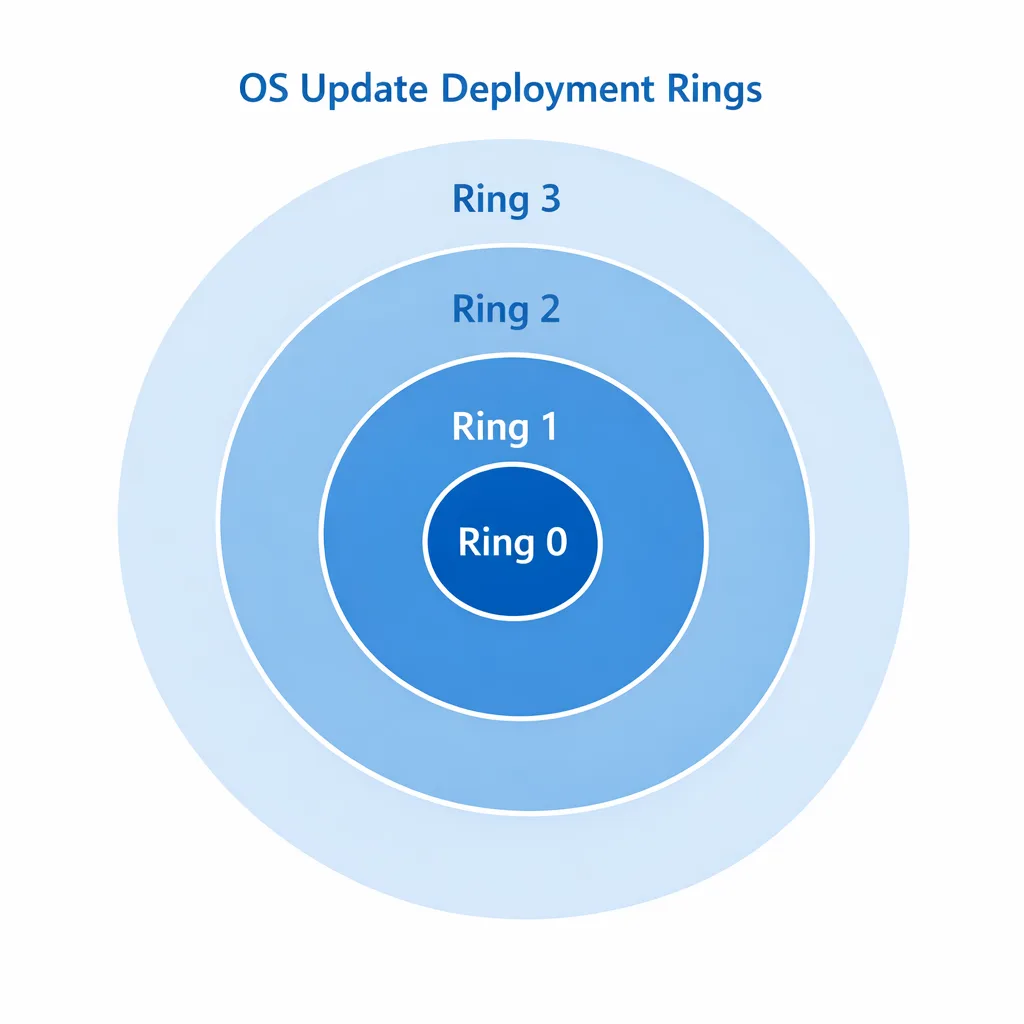
2) Rings that mirror how you ship
• Ring 0: One golden image in a lab VM snapshot. Deploy the monthly update within 24 hours. Validate boot, VPN, disk encryption, endpoint protection, WSL, Docker Desktop, code signing tools, IDEs, browsers, and a representative build/test run.
• Ring 1: Ten volunteer engineers and at least one staff engineer from each platform team. Run for 48–72 hours under normal workload.
• Ring 2: 20–30% of dev endpoints and all QA machines.
• Ring 3: Remainder of engineering laptops, PM/Design, and secondary labs.
Gate promotion with a lightweight checklist: successful boot rates, zero critical app crashes, acceptable compile/test timing, and no VPN/SSO regressions.
3) Expedite the right fix, not every fix
When Microsoft releases an out‑of‑band update for a known‑bad patch, use Intune’s “Expedite quality update” or your RMM’s equivalent to fast‑forward only the specific KB to Ring 0/1. Confirm applicability by OS version/build before broad deployment. This avoids mixing a new variable into a broken system.
4) Rollback muscle memory
Have a documented, tested rollback flow that non‑admins can follow under guidance. That means BitLocker recovery keys are retrievable, WinRE uninstall works, and you have known‑good driver packages cached locally. Practice this quarterly—ideally as part of your DR game days.
5) Telemetry that speaks developer
Collect signals beyond "device healthy." Track failed boots per build, median IDE startup time, WSL/dockerd service health, VPN reconnect counts, and build agent success rates. If your pipeline slows by 10% post‑patch, that’s still an incident in the eyes of a CTO with a release date.
People also ask
Is the Windows 11 January 2026 update safe now?
It depends on your build and what you’ve deployed. If you already installed the January 13 update or the January 17 out‑of‑band, install the January 24 out‑of‑band to stabilize cloud‑storage apps and Outlook. If you haven’t installed any January updates yet, test the January 24 build first in Ring 0/1 on your exact stack.
Which versions are affected?
The headline issues and their fixes spanned Windows 11 versions 23H2, 24H2, and 25H2 via different KBs (January 17 and January 24 out‑of‑band updates). Always confirm the KB applies to your OS build before deployment; piling on the wrong package helps no one.
How do I pause Windows updates for dev workstations without leaving us exposed?
Use policy‑based deferrals and rings, not broad blocks. Defer feature updates longer than quality updates, and enforce rapid uptake for out‑of‑band fixes that address known regressions. Pair that with an expedited path to ship the cleanup patch once it’s validated.
Should CI/CD runners auto‑update?
For hosted runners, you accept the platform’s cadence—design tests to be resilient. For self‑hosted Windows runners, pin images to a validated monthly snapshot and update them on a predictable cycle. Keep at least two healthy images: current and previous. If a patch breaks builds, flip the pool back within minutes.
A 30‑minute validation checklist you can run today
Grab one representative machine per OS version/build and run this quick pass:
• Verify Windows build and installed KBs; confirm whether KB5074109, KB5077744/KB5077797, and KB5078127/KB5078132 are present as applicable.
• Boot twice, cold and warm. Confirm no BitLocker recovery prompts, no disk errors, and normal login time.
• Connect VPN, open your SSO portal, and launch your IDE, terminal, and browser profiles. Ensure extensions load and profiles aren’t reset.
• For WSL/Docker Desktop users: test container networking to an internal service; run a hot rebuild of a medium repo and a unit test suite. Compare timing to your baseline.
• Open Outlook (if used), especially if PSTs or OSTs live on OneDrive. Watch for freezes or re‑downloads. Save and open files in OneDrive and Dropbox clients to validate the cloud‑storage path.
• Run your endpoint protection full scan and confirm no conflicts with dev tools (code signing, local cert stores, or package managers).
How to communicate with engineers without slowing them down
Engineers want two things: clarity and control. Publish a short internal bulletin with three bullets—what happened, what to do, and how to get help. Give them a self‑service path to check installed KBs and a one‑click way to request a rollback or move to a known‑good image. And be explicit about timing: for example, “Ring 2 promotion starts tomorrow at 10 a.m., expected to complete by 4 p.m.; pausing feature deploys that touch our Windows build agents until validation is green.”
Zooming out: treat OS updates like any other breaking dependency
If a major Node.js security release can break your build, you don’t push it straight to prod—you stage, test, and roll. Same for Windows. Make the OS part of your dependency graph with known‑good versions, upgrade windows, and rollback plans. If you’re already formalizing runtime patching—say, after January’s Node.js security release—extend that muscle to the desktop tier so developer productivity isn’t the blast radius every time Patch Tuesday bites.
Need help standardizing how you ship and patch from OS to runtime to framework? Our team does this every week for product orgs. See our services and how we align platform engineering with release velocity, or browse how we work in what we do. If you want a runbook tailored to your stack (Windows + WSL + Docker + VPN + EDR), reach out via contacts.
A developer‑first Windows patching framework
Here’s a practical framework you can adapt this week:
• Policy: Define max deferral for quality updates (e.g., 7 days) and feature updates (e.g., 60–90 days). Document exceptions.
• Rings: Implement at least four rings with explicit promotion gates tied to engineering metrics (boot success, build duration, VPN stability, WSL networking).
• Lab: Keep a snapshot‑capable golden image and an automated validation script that exercises your developer workload: compile, unit tests, container build, package manager ops, and IDE launch.
• Telemetry: Build a lightweight dashboard that tracks post‑update regressions relevant to developers. Correlate with KB rollout to catch patterns fast.
• Rollback: Pre‑stage recovery media and document the WinRE uninstall flow. Store BitLocker keys centrally and test retrieval.
• Comms: Pre‑draft Slack posts/emails for “promote to next ring,” “pause,” and “rollback,” so you’re not writing under pressure.
What to do next
1) If your fleet installed the early January updates, deploy the January 24 out‑of‑band to stabilize cloud‑storage workflows. Validate Outlook and OneDrive behavior first on Ring 0.
2) If you blocked January updates, test the January 24 build on a golden image and Ring 1 volunteers before broad release.
3) Document and rehearse your UNMOUNTABLE_BOOT_VOLUME recovery flow, including BitLocker key retrieval and WinRE uninstall.
4) Stand up a ring‑based cadence with engineering‑aware telemetry this quarter. Your future self will thank you the next time a hotfix drops on a Friday.
5) Align desktop patching to runtime patching. If you’ve just worked through runtime hardening for Node, reuse that discipline. We’ve outlined a fast testing loop in Patch Now, Test Smarter—the pattern maps cleanly to Windows updates too.
Final thought
Software supply chains now include your OS, GPU drivers, VPN client, EDR, browsers, container runtime, SDKs, and the cloud glue in between. The Windows 11 January 2026 update was a reminder that any one of those links can snap. The fix isn’t heroics—it’s repeatable, boring process: small blast radius, fast validation, and instant rollback. Do that well, and updates stop being a roulette wheel and start being a routine Tuesday.





Comments
Be the first to comment.