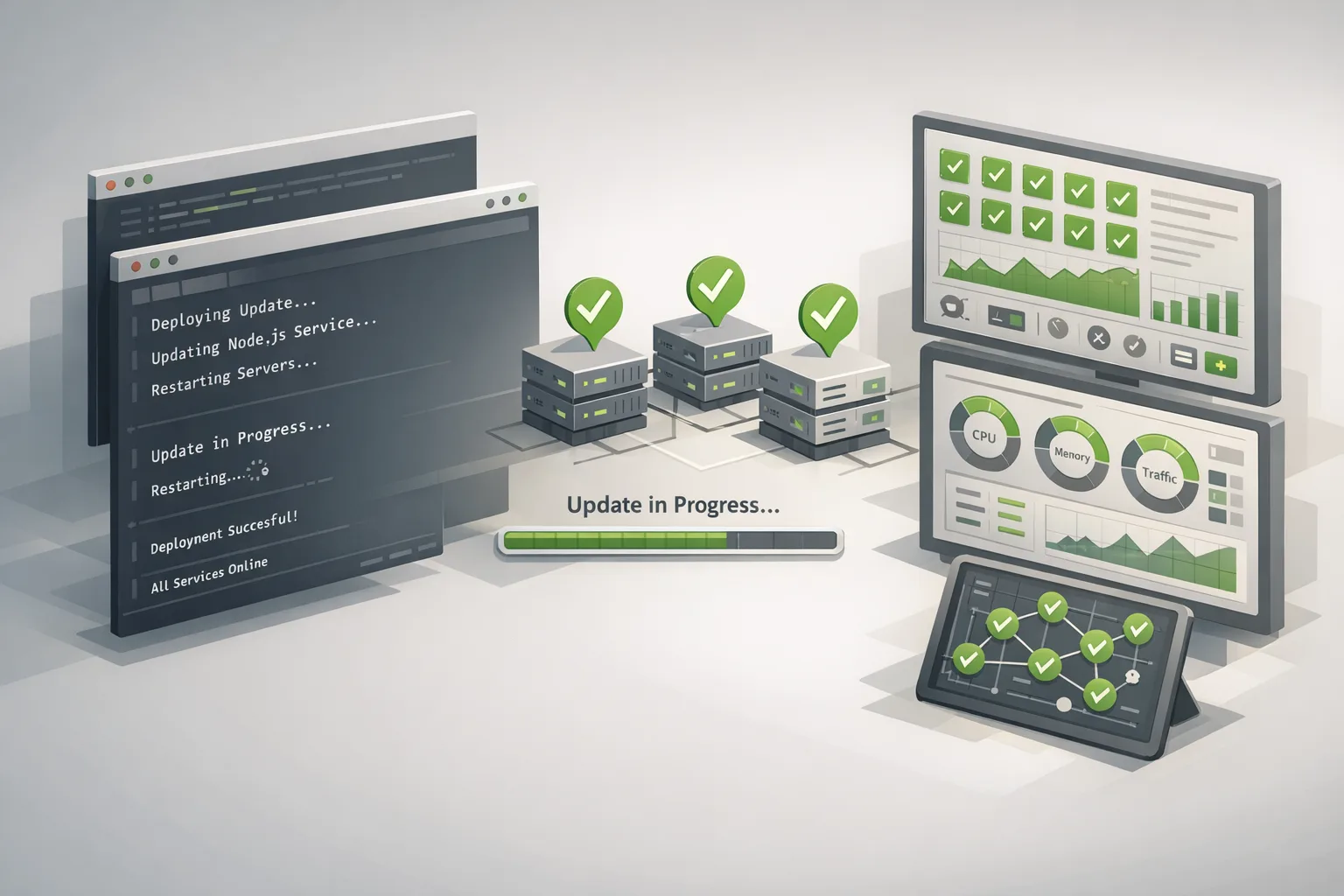
Node.js Security Release: Patch January 2026 Now
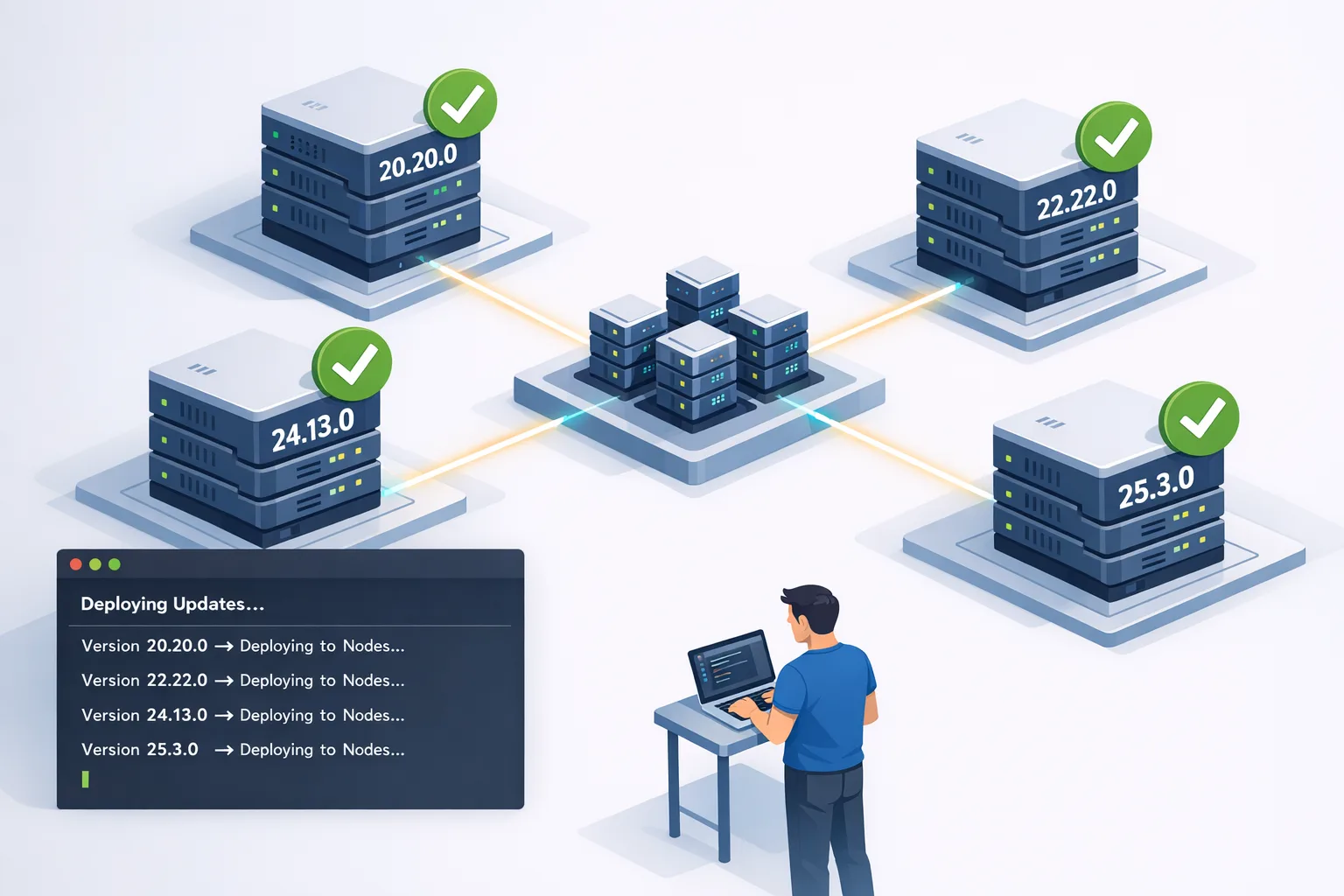
The latest Node.js security release landed on January 13, 2026, and it’s a big one. If you maintain APIs, CLIs, or background workers in Node, treat this Node.js security release as a priority change window. Multiple CVEs hit every active line—20.x, 22.x, 24.x, and 25.x—with fixes shipped in 20.20.0, 22.22.0, 24.13.0, and 25.3.0. Below is a pragmatic rundown of what changed, what actually breaks, and a no‑drama runbook to roll patches safely today.
What shipped on January 13, 2026
This coordinated release addresses three high, four medium, and one low severity issues and updates two core dependencies widely used in production: c-ares (DNS resolution) and undici (HTTP client used by global fetch). The patch set spans all supported majors, which means if you’re on a maintained line and haven’t upgraded since early January, you’re exposed.
- New versions: 20.20.0, 22.22.0, 24.13.0, 25.3.0
- Dependency bumps: c-ares 1.34.6; undici 6.23.0 or 7.18.0 depending on the line
- Highlights: buffer zero‑init race fix, permission model hardening (symlink + timestamp gaps), and network checks applied to Unix domain sockets
If you run estate-wide images, verify every base layer is rebuilt. Production fleets often pin to a node:X.Y.Z-alpine tag and assume CI will catch drift. It won’t—unless you force a rebuild and redeploy.
The big three risks you should actually care about
1) CVE‑2025‑55131: Non‑zero Buffer.alloc() under timing stress
Under precise timing (for instance, code running in a vm context with a timeout), allocated buffers could become observable before memory was fully zeroed. That means secrets from prior allocations could leak to userland and—if you echo, log, or serialize—escape your process.
Who’s most at risk? Apps that create buffers from untrusted input, then return or log those bytes. High‑throughput APIs, parsers, crypto glue code, and any worker that couples vm timeouts with buffer-heavy transforms should patch immediately.
2) CVE‑2025‑55130: Permission Model symlink escape
If you rely on the Permission Model (--experimental-permission, --allow-fs-*), crafted relative symlinks could bypass your declared directory sandbox. A script restricted to ./data might walk out via a chain of symlinks and touch sensitive files. In multi-tenant or sandboxed execution, this is a hard stop until patched.
3) Network checks for Unix domain sockets (UDS)
Network permission enforcement now applies consistently to UDS, closing a gap where processes restricted by --allow-net could still talk to privileged local services over sockets. If you used UDS to side-step outbound controls (intentionally or not), expect failed connections until you declare permissions explicitly.
Node.js security release: a fast, reliable upgrade runbook
Here’s the 60‑minute path we’ve used with client teams to patch without incident. Adjust timings for your estate size.
- Inventory your runtime
Runnode -vacross services. Capture base image tags in CI and Kubernetes manifests. Confirm there’s no shadow runtime in cron jobs, one‑off workers, or serverless functions. - Rebuild images
Bump to 20.20.0, 22.22.0, 24.13.0, or 25.3.0 in Dockerfiles. Force a cold rebuild so you actually pull the fixed layers. - Smoke test buffer behaviors
Add a tiny test that allocates and inspects a buffer under load. For example:
// quick buffer sanity: should print only zeros
const b = Buffer.alloc(1024);
if (b.some(byte => byte !== 0)) {
  throw new Error('Non-zero-initialized buffer observed');
}
console.log('Buffer alloc appears zeroed');
- Permission Model regression checks
If you pass--experimental-permission, assert that your process can still read/write intended paths and can’t traverse symlinks out of bounds. Also verify UDS connections by name; you may need to whitelist them. - Undici and TLS paths
Becausefetch/undicichanged, re-run your idempotency and retry tests. Pay extra attention to HTTP/2 behavior and TLS handshake hooks if you use PSK/ALPN callbacks. - Roll out with a circuit breaker
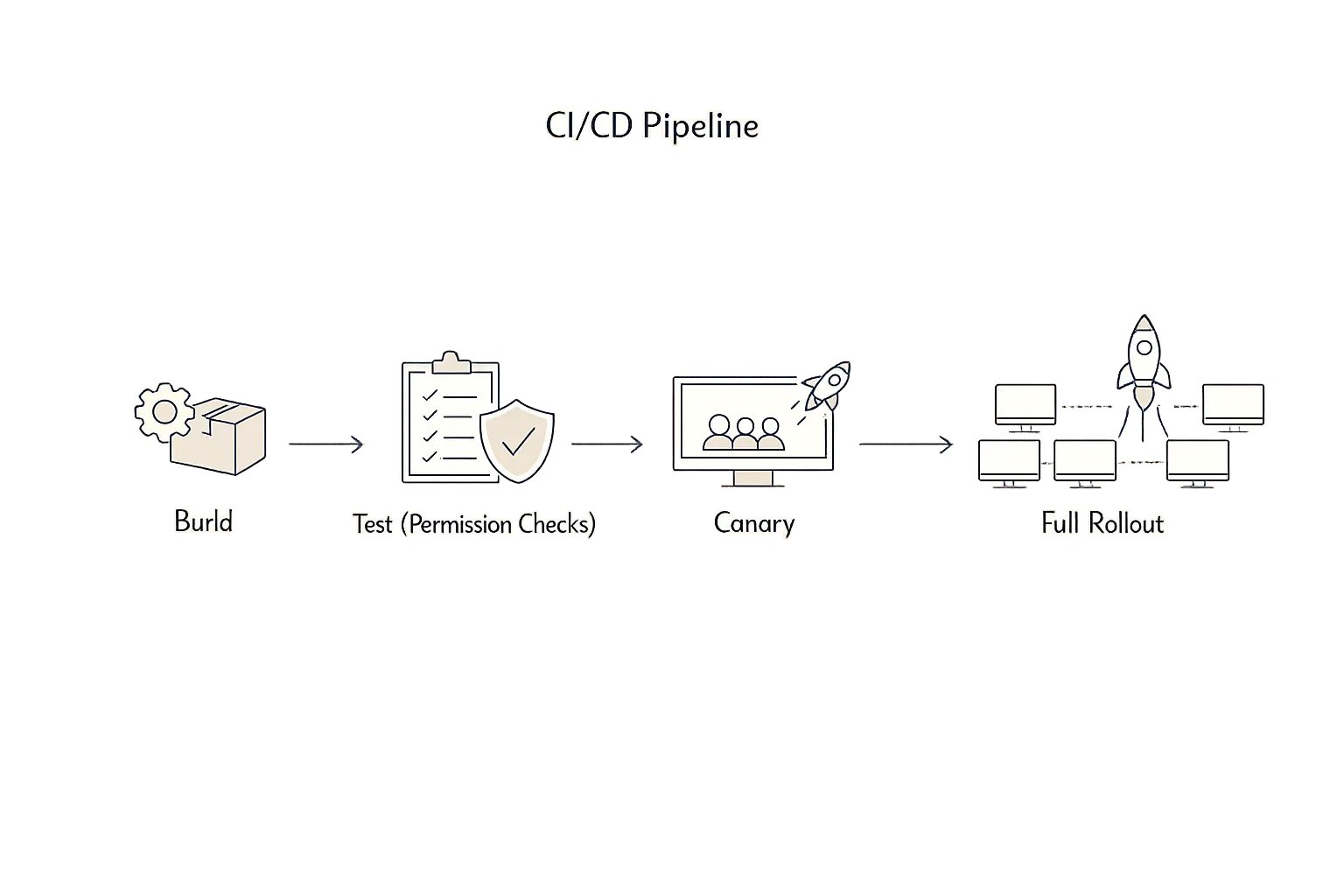
Deploy to 5–10% of traffic behind a feature flag or shard. Watch error rates, memory, and open file descriptors. If steady for 10–15 minutes under peak traffic, proceed to full rollout.
Will this break my API traffic?
Most teams see clean rollouts. The main gotchas we’ve observed this week:
- UDS access denied after upgrade because network permissions are enforced consistently. Fix: declare permissions explicitly or switch to TCP with scoped
--allow-net. - Assumptions about buffer contents in tests. If your tests hard-coded non‑zero garbage from previous allocations, they’ll now fail. That’s a good sign—clean up those tests.
- HTTP client quirks when undici updates land. Watch keep‑alive pools and header casing if you talk to legacy upstreams.
Should you enable the Permission Model in production?
Short answer: yes, if you can commit to maintaining the allowlists and you run untrusted workloads or multi‑tenant scripts. It’s worth the friction. For single‑purpose services in a tight container with seccomp/AppArmor profiles and read‑only filesystems, the incremental value is smaller—but still real if engineers occasionally reach for risky file/network APIs.
Here’s the thing: the Permission Model is only as strong as your tests. Treat it like any other policy—you need fixtures that try to escape. Add symlink mazes to your test data. Validate that read‑only directories actually behave read‑only. Try opening a Unix socket you didn’t allow and assert failure.
People also ask
Which Node versions contain the fixes?
20.20.0, 22.22.0, 24.13.0, and 25.3.0. If you’re on those or newer builds for your line, you’re covered for the January 13 batch.
Do I have to restart everything, or will rolling restarts do?
Rolling restarts are fine. Replace the runtime under each process and drain connections gracefully. For PM2 or systemd users, ensure zero‑downtime reloads actually spawn processes with the new runtime.
We run serverless—does this affect us?
Yes, if your functions package a specific Node binary or depend on a managed runtime. Update runtime versions, re‑deploy, and watch cold starts. Managed platforms lag occasionally; verify their advertised version.
Dependency ripple effects: c‑ares and undici
DNS and HTTP changes rarely make headlines, but they nudge production in subtle ways:
- c‑ares 1.34.6: expect fewer edge‑case resolver failures and better behavior under transient DNS issues. If you run custom DNS timeouts or rely on
ndotsquirks, revalidate. - undici 6.23.0/7.18.0: this underpins global
fetch. Keep‑alive pooling, HTTP/2 negotiation, and header handling continue to tighten. Rerun upstream‑compat test suites, especially for older proxies.
Zooming out, these bumps are healthy. You want the HTTP client and resolver to advance in lockstep with ecosystem security fixes. Just don’t ship them blind—watch pool sizes, connection churn, and TLS handshake failures during rollout.
Production guardrails we recommend
Use this lightweight checklist to reduce outage risk while you patch:
- Runtime SLOs: track error rate, p95/p99 latency, memory RSS, and open FDs per pod. Alerts should trip within two minutes of regressions.
- Canary pressure: push real traffic (not synthetic) through 5–10% canaries for 10–15 minutes before scaling out.
- Fallback plan: keep previous images warm for fast rollback. Document the step in the same PR as the upgrade.
- UDS audit: list every Unix socket your services touch. Post‑upgrade, confirm permitted sockets connect; forbidden ones fail.
- Symlink sentry: run a CI test that tries to read
../../etc/passwdthrough chained symlinks when the Permission Model is enabled. It should fail.
A quick framework for Node patch windows
When security releases hit, teams often ask, “How do we triage across dozens of services?” Use this four‑square to decide the order:
- External + Untrusted Input (Internet‑facing APIs, webhook handlers): patch first.
- Internal + High Privilege (back‑office workers with broad FS access): patch second.
- External + Trusted Input (partner or device traffic with strong auth): patch third.
- Internal + Low Privilege (sandboxed jobs): patch last, but don’t ignore.
Layer in business impact: any service that can leak secrets via buffers or escape permissions via symlinks jumps to the front.
Realistic timelines this week
If you start today, you can close risk fast without heroics:
- Day 0: Rebuild images on 20.20.0/22.22.0/24.13.0/25.3.0. Canary deploy. Validate Permission Model and UDS behavior. Roll to 100% if clean.
- Day 1: Sweep long‑tail services, workers, and cron jobs. Update serverless runtimes.
- Day 2: Harden tests. Add symlink and UDS checks. Ship a buffer‑sanity test.
If you manage a large fleet and want a second set of eyes, our team has done this upgrade pattern repeatedly. See our Node.js patch guide for a tactical checklist and pitfalls to avoid.
How this fits with your wider patch posture
Security releases rarely arrive alone. If you’re juggling OS, browser, and cloud agent updates, organize the work by blast radius and exposure. For Windows and Linux estate owners, we already outlined a prioritization model in January 2026 Patch Tuesday: What to Fix First. Apply the same discipline here: external plus sensitive data equals move now.
If you need a partner to streamline this into CI and policy, our security engineering services include baselining Node runtimes, adding Permission Model tests, and turning patch days into boring change windows. If you want to talk through your specific constraints, contact our team.

Practical examples: tightening the Permission Model
Let’s get practical. Suppose a service should read from ./data, write to ./tmp, talk only to Redis on localhost via UDS, and fetch a single partner API. A locked invocation might look like:
node \
  --experimental-permission \
  --allow-fs-read=./data \
  --allow-fs-write=./tmp \
  --allow-net=partner.example.com:443 \
  --allow-socket=/var/run/redis/redis.sock \
  server.js
Now add tests:
// expect read outside allowed path to fail
const fs = require('fs');
try {
  fs.readFileSync('/etc/shadow');
  throw new Error('Should not read /etc/shadow');
} catch (e) {
  if (!/permission/i.test(String(e))) throw e;
}

// expect UDS without allow-socket to fail
// (run in CI without --allow-socket)
Yes, you’ll spend an hour curating allowlists and writing these checks. You’ll get it back the first time a risky library update tries to wander the filesystem or open a socket it doesn’t need.
Edge cases and caveats
Be candid about where friction hides:
- Build scripts vs runtime: don’t mix permission flags for build steps with flags for the app process. Keep your Docker multi‑stage build clean.
- Global fetch: if you polyfilled or monkey‑patched
fetch, confirm you’re still wrapping the same undici version post‑upgrade. - Serverless cold starts: new runtimes can alter cold‑start timing. Warm key functions during rollout windows.
- Legacy proxies: some older LBs are picky about header casing/ordering. Probe it before flipping all traffic.
What to do next
- Upgrade to 20.20.0, 22.22.0, 24.13.0, or 25.3.0 today. Rebuild images and redeploy.
- Add a buffer‑sanity test and a symlink‑escape test to CI. Keep them permanent.
- Declare explicit
--allow-fs-*,--allow-net, and--allow-socketpermissions in production. - Watch memory, open FDs, and error rate during the first 15 minutes of canary traffic.
- Schedule a quarterly runtime review. Tie it to your patch cadence and CI baselines.
If you need help mapping this to your stack—Docker, Kubernetes, serverless, or on‑prem—reach out. We’ve shipped these upgrades in noisy, real‑world environments, and we can help you do the same with confidence. Explore how we work on our What We Do page.





Comments
Be the first to comment.