January 2026 Patch Tuesday: What to Fix First
January 2026 Patch Tuesday is here, and this one demands focus. On January 13, Microsoft released security updates across Windows client and server, Office/SharePoint, and related components. There’s an actively exploited Windows zero‑day (CVE‑2026‑20805) in Desktop Window Manager, plus a time‑sensitive backdrop: Secure Boot certificates begin expiring in June 2026. And on mobile, the Android Security Bulletin—January 2026 shipped on January 5 with fixes gated by the 2026‑01‑05 patch level. If you own production fleets, there’s no coasting through this one.

Start with the short list: the fixes you prioritize this week
Here’s the thing: you can’t patch everything at once, and you don’t have to. Prioritize changes that shrink risk quickly, unblock dependent remediations, or prevent long‑tail pain later in 2026.
1) The exploited Windows zero‑day (DWM) — patch broadly
CVE‑2026‑20805 is an information disclosure flaw in Desktop Window Manager that attackers are already exploiting in the wild. While the CVSS may look modest, don’t be fooled; memory disclosure bugs are often chained with elevation or sandbox escape primitives. Roll this into your first 48‑hour wave for Windows 10/11 endpoints and VDI hosts.
2) Secure Boot certificate updates — start prep now
Windows Secure Boot certificates from 2011 begin expiring in June 2026, with additional expirations by October 2026. Microsoft is distributing updated 2023 certificates via Windows Update and firmware/UEFI updates, but enterprises are responsible for end‑to‑end assurance. Put certificate validation in your January checklist so you’re not scrambling when a bootloader update requires the new trust chain.
3) Server‑side: SharePoint, Office, RRAS
January includes high‑impact fixes for SharePoint/Office and the Windows Routing and Remote Access Service (RRAS). If you run SharePoint farms or expose RRAS, treat these as near‑term priorities after client waves. Patch management gateways, jump hosts, and RDS/AVD brokers in the same window to limit lateral movement.
4) Android: target the 2026‑01‑05 patch level
The Android bulletin dated January 5, 2026 sets the 2026‑01‑05 security patch level. Device makers will phase updates over days to weeks; your job is to track OEM rollouts for supported models and enforce minimum patch levels in MDM. If you haven’t formalized your mobile fix flow yet, our Android bulletin fix plan shows a practical path from triage to verification.
January 2026 Patch Tuesday: key KBs and where they land
If you manage mixed estates, pin your rings and maintenance windows to real KBs so operators aren’t guessing. Highlights from January 13, 2026 include:
• Windows 11 version 24H2/25H2: cumulative KB5074109.
• Windows 11 version 23H2: cumulative KB5073455.
• Windows 10 version 22H2: cumulative KB5073724.
• Windows Server 2022: cumulative KB5073457.
• Office/SharePoint security updates: shipping on the usual channels (Current Channel and Monthly Enterprise builds updated January 13, 2026).
Expect reboots on most client and server SKUs. In Azure Virtual Desktop and other multi‑session environments, stage updates per host pool and drain connections before restart to avoid session loss. If you operate Co‑Management (Intune + ConfigMgr), define rings in Intune and let ConfigMgr handle distribution point load.
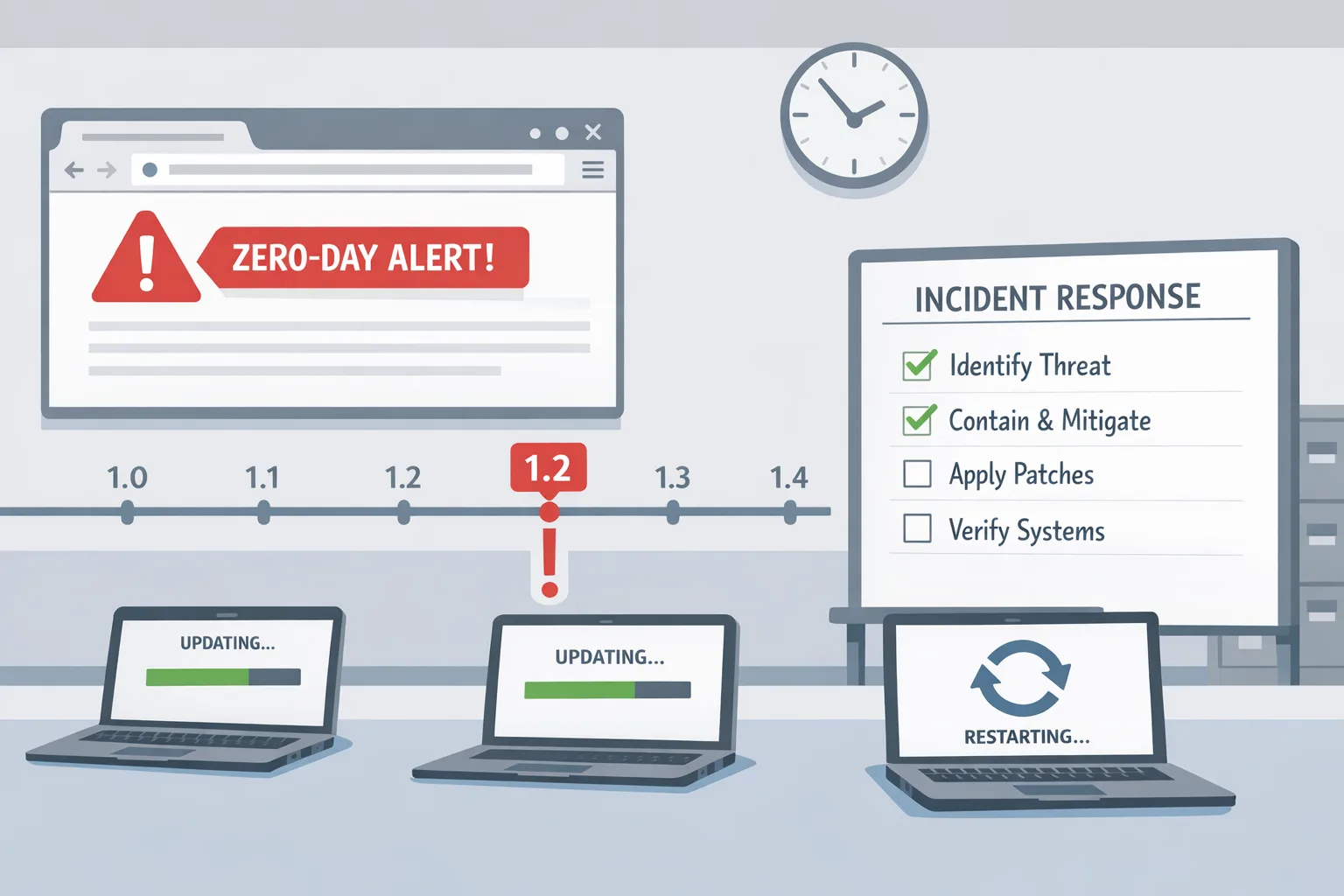
A 48‑hour patch sprint that won’t break production
You need speed without chaos. Use this tested flow for Windows fleets; adapt the timings to your org’s risk tolerance and maintenance windows.
Hour 0–6: Inventory and blast radius
• Inventory systems by role: endpoint, VDI, developer workstations, frontline kiosks, server by tier (internet‑facing, management plane, data, back office).
• Map KB applicability by OS build; verify supersedence in your update catalog.
• Identify change‑control blockers (frozen labs, retail hours, month‑end closes) and pre‑authorize emergency windows for internet‑facing servers.
Hour 6–18: Canary ring and fast feedback
• Ring 0: 1–3% of representative devices across business units, including at least one AVD host, one VPN gateway client cohort, and a handful of power‑users with complex app stacks.
• Validate: login, VPN, SSO, EDR, device compliance, key line‑of‑business apps. Pay specific attention to graphics‑accelerated apps due to the DWM fix.
• Collect telemetry: crash dumps, EDR policy hits, login times, and Defender ATP signals.
Hour 18–36: Expand and protect the perimeter
• Ring 1: 20–30% of endpoints and all internet‑facing Windows servers (reverse proxies, WAF nodes, remote access, ADFS, SharePoint front‑ends). Drain and patch in pairs; keep at least one node clean for rollback.
• Update build images and gold templates (ConfigMgr task sequences, AVD images, VDI snapshots) so new deployments inherit the fixes.
Hour 36–48: Broad rollout and cleanup
• Ring 2/3: remaining endpoints and internal app tiers. Schedule outside peak hours; notify support that reboots are expected.
• After patch: verify Secure Boot update tasks queued; confirm BitLocker and Secure Boot states remain healthy. Re‑enable any temporarily relaxed hardening measures.
Emergency brake: if you hit a regression, isolate by halting the affected ring only, keep the previous cumulative update in cache for rollback, and push an allow‑list for the broken app while a vendor hotfix lands. Don’t stall the entire estate—risk is asymmetrical this month.
Secure Boot certificate expiration: handle it without downtime
This isn’t a “nice to have.” The Microsoft‑provided Secure Boot certificates shipped in 2011 start expiring in June 2026 (with additional expirations by October). When they lapse, you can’t trust new boot components or receive future boot‑level security fixes. Translation: more pain, less protection.
Your January plan
• Confirm scope: list Windows device families (physical, VM Gen2, kiosks, recovery media) and firmware management paths (OEM tools, Windows Update, ConfigMgr/Intune).
• Validate trust: check for 2023‑dated Microsoft KEK/UEFI CA certificates in firmware on a sample set across OEMs. Ensure Secure Boot is enabled where policy permits.
• Update pipeline: schedule firmware/UEFI updates that include the new certificates. For Microsoft‑managed devices, cumulative updates may stage trust; still validate. For IT‑managed fleets, plan a controlled rollout with hardware vendor utilities where needed.
• Golden images: refresh your build images and recovery media so break‑glass paths boot under the 2023 trust chain.
• Track completion: add Secure Boot certificate state to device compliance dashboards and quarterly audit artifacts.
Questions from teams inevitably pop up, so let’s tackle a few head‑on.
People also ask
Is CVE‑2026‑20805 really urgent if it’s “only” information disclosure?
Yes. Attackers chain info‑leak primitives with EoP or sandbox escapes to defeat ASLR and hardening. With active exploitation confirmed, treat it as a high‑priority patch for clients, dev boxes, and multi‑user hosts.
Do we have to reboot servers for these Windows updates?
In practice, yes for most roles. Plan rolling restarts on clustered services, drain RDS/AVD hosts, and keep one node untouched for rollback. Document post‑reboot checks (service health, authentication flows, certificate services, backups) so teams aren’t improvising at 2 a.m.
What Android patch level is “safe” for January 2026?
Target 2026‑01‑05 or later. OEMs stagger releases; enforce minimum patch level in MDM, nudge end users, and verify with spot checks. For device models stuck on older levels, segment access until an update lands or consider end‑of‑life.
We’re still on Windows 10. Are we covered?
Windows 10 version 22H2 received January updates (KB5073724), but mainstream support ended in October 2025. If you’re not in an Extended Security Updates program and can’t migrate this quarter, tighten compensating controls and accelerate your Windows 11 plan.
Let’s get practical: the Windows + Android patchwork checklist
Use this as a one‑pager for your operations channel.
Windows this week:
• Approve and deploy KB5074109 (11 24H2/25H2), KB5073455 (11 23H2), KB5073724 (10 22H2), KB5073457 (Server 2022).
• Stage Office/SharePoint fixes during app maintenance windows; patch web‑facing SharePoint front‑ends early.
• Push to AVD/VDI images and reroll pools after validation.
• Verify EDR/Defender remain healthy post‑patch; watch for unusual memory telemetry around graphics apps.
Secure Boot this month:
• Inventory firmware update paths by OEM; plan certificate updates to the 2023 trust chain.
• Validate on a sample set that new KEK/UEFI CA entries are present.
• Refresh build and recovery images so future machines boot with the correct chain.
Android this month:
• Track OEM releases against the January 5 bulletin; enforce 2026‑01‑05 patch level in MDM.
• Block corporate access for out‑of‑date devices after a grace period.
• Re‑test high‑risk apps (banking, device admin agents, VPN) on updated builds.
Risk, edge cases, and real‑world gotchas
• Graphics‑heavy endpoints: Because the DWM component is in the blast radius, keep a small holdback ring for CAD/video teams and validate GPU drivers post‑update.
• Remote access gateways: Patch RRAS and any third‑party VPN appliances in the same window; don’t leave one side of the tunnel lagging.
• Legacy agents: Some backup and DLP agents react poorly to cumulative updates. Confirm vendor compatibility notes and keep last month’s agent package staged for rollback.
• Mixed policy estates: Co‑managed devices sometimes receive patches twice (once via Intune, once via ConfigMgr). Reconfirm your workload split so rings behave predictably.
Zooming out: make security boring in 2026
January’s load isn’t extraordinary—this is life now. The way to win is to make your patch program predictable. Define rings, automate validation, and wire device compliance into access control. If that infrastructure doesn’t exist yet, build it this quarter. We help teams operationalize this every week; see what that looks like on our security and engineering services page, browse real‑world outcomes in the portfolio, and subscribe to the blog for shipping‑grade playbooks like this one.
What to do next
• Today: Approve January updates in pilot rings; patch internet‑facing servers and a 3% canary set of endpoints. Begin certificate validation for Secure Boot on a sample set.
• Within 48 hours: Roll to ring 1 endpoints and server front‑ends, refresh gold images, and confirm telemetry.
• This week: Close out rings 2/3, update firmware where required, and publish a short internal postmortem with metrics (time‑to‑patch, failure rate, reboot SLOs).
• This month: Add Secure Boot certificate state to your compliance dashboards and codify the Android minimum patch level in MDM.
If you want a second set of eyes on your rollout plan or need help wiring rings and telemetry, talk to our team. We’ll audit your current pipeline and get you to a calm, repeatable patch rhythm.







Comments
Be the first to comment.