AWS Regional NAT Gateway: Cut Cost, Simplify VPCs
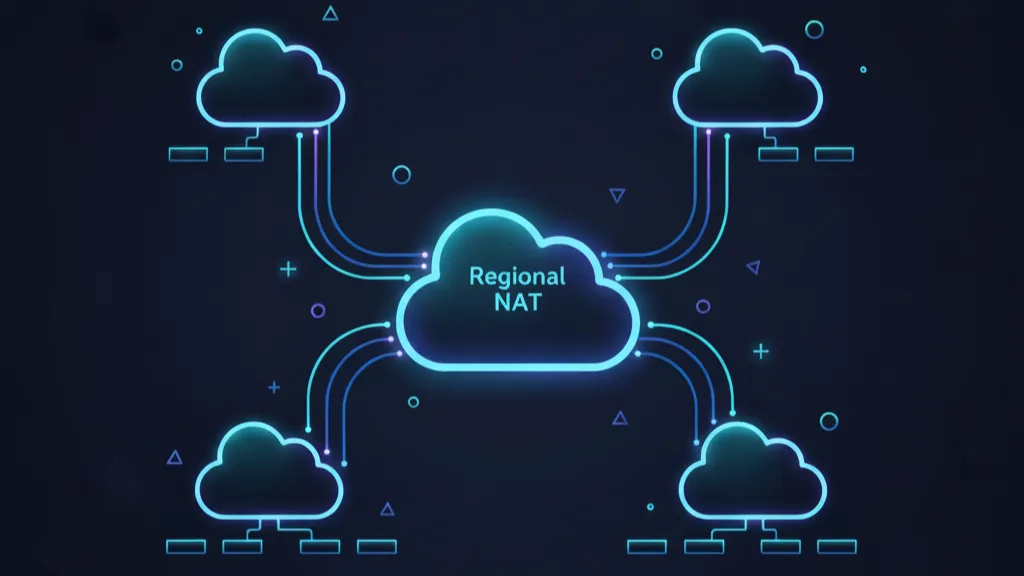
AWS Regional NAT Gateway changes how we design egress for private subnets. Instead of deploying one NAT per Availability Zone, you can run a single, Regional NAT that automatically expands to the zones where your workloads live. That single change removes public subnets dedicated to NAT, trims route table sprawl, and can shave real dollars off monthly bills—without sacrificing high availability.
AWS Regional NAT Gateway: What changed on Nov 19, 2025
On November 19, 2025, AWS introduced a new availability mode for NAT Gateway: Regional. You create a single NAT Gateway at the VPC level, and it automatically expands and contracts across Availability Zones based on workload presence. You no longer need a public subnet to host it, and you no longer replicate NAT Gateways per AZ for high availability. The feature is available across commercial AWS Regions (excluding GovCloud and China at launch).
Under the hood, the Regional NAT maintains zonal affinity for traffic, scales capacity by associating additional IPs as needed, and supports either Amazon-provided IPs or BYOIP. It also raises per‑AZ scalability ceilings—useful for high-fanout or EKS-heavy environments.
Why this matters for real architectures
The classic VPC pattern demanded one NAT per AZ. That meant:
- Public subnets in every AZ even if you never ran internet-facing compute there.
- Separate NAT Gateways and route tables per AZ.
- Operational friction whenever you add a new AZ or scale out a cluster.
Regional NAT Gateway collapses those moving parts. You point private subnets to a single NAT ID in their route table, and when you later expand your EKS node groups or EC2 Auto Scaling groups into a new AZ, the NAT automatically becomes available there as the first ENI appears. Security improves too because you can keep the entire VPC egress-only without standing up any public subnets just to host NAT.
Does Regional NAT Gateway actually reduce your bill?
Often, yes—on the hourly charges. In us-east-1, a NAT Gateway costs $0.045/hour. Running three zonal NATs (one per AZ) is about $98.55/month just in hourly fees. A single Regional NAT cuts that to roughly $32.85/month, saving about $65.70/month on baseline hours. If you run five AZs, the delta is bigger. Those savings grow with the number of VPCs you operate.
But here’s the thing: the data processing portion of NAT charges still applies. If most of your NAT spend is data processing (for example, large egress to third-party APIs or the public internet), switching to Regional NAT won’t change that line item. The big wins show up where you’ve duplicated NATs for HA but don’t push massive data through each one.
There’s also a small, temporary nuance: when you first place workloads in a new AZ, it can take up to an hour for the Regional NAT to expand into that zone. During that window, flows from the new AZ might traverse another AZ’s NAT. In high-throughput systems, that short period could add inter‑AZ data transfer costs. The mitigation is simple—plan AZ expansions during low-traffic windows or pre‑warm the AZ with a tiny ENI before shifting production load.
Key limits and capabilities to know
Architects care about ceilings and behaviors. Regional NAT Gateway brings a few important ones:
- No public subnet required. The Regional NAT is a standalone resource with its own routing.
- Automatic expansion and contraction based on ENI presence in an AZ.
- Port scaling via additional IP associations when saturation approaches; per-IP concurrency limits apply as usual.
- Higher IP scaling headroom in Regional mode compared to per‑AZ NATs.
- Two connectivity types still exist: public NAT for internet egress; private NAT for internal-only connectivity. Regional mode is for the public egress case; if you rely on private NAT patterns, stick to zonal mode for now.
Migration blueprint: move to Regional NAT Gateway in 30–60 minutes
Most teams can migrate a VPC in under an hour with a staged approach. Here’s a pragmatic runbook we’ve used and refined:
1) Readiness checks
Inventory where NAT is used: EKS worker nodes, ECS tasks on private subnets, Lambda functions with VPC access, build runners, and instances that fetch packages or talk to public SaaS endpoints. Confirm you’re using public NAT (not private NAT) and that your security posture doesn’t require public subnets.
2) Create the Regional NAT Gateway
In the VPC console or via IaC (CloudFormation/Terraform), create a NAT Gateway with availability set to Regional. Associate Amazon EIPs or BYOIP; leave auto‑expansion enabled unless you need manual control for audit reasons.
3) Update route tables safely
For each private subnet’s route table, replace the 0.0.0.0/0 target from the zonal NAT to the new Regional NAT ID. Start with non‑critical subnets. Validate egress: curl to a known public endpoint, pull a container image, run an OS update. Watch connection metrics and packet drops.
4) Drain and delete old NATs
After routes switch over, leave the zonal NATs up for a few minutes to let any long‑lived connections drain. Then remove routes to them, and finally delete the old NAT Gateways and any public subnets that only existed to host them. This is where your monthly savings kick in.
5) Monitor and tune
Track NAT connection counts, port utilization, and IP associations. If you expect bursty egress (CI jobs, autoscaling spikes), consider pre‑allocating a few EIPs to cushion port pressure. Document the AZ expansion behavior for your on‑call runbooks so no one is surprised by the up‑to‑60‑minute catch-up when you add a brand‑new AZ.
Where Regional NAT Gateway shines
Three patterns jump to the front of the line:
- EKS/ECS multi‑AZ clusters: Point all private worker subnets to one NAT ID; you don’t need to mirror NAT infra or chase route tables as node groups spread.
- Serverless VPC access: Lambda, Batch, and private Fargate tasks often need package downloads or outbound calls. A single NAT cleans up the routing and trims baseline cost in dev/test VPCs.
- Multi‑account sprawl: If you run dozens of spoke VPCs, each with duplicated NATs, consolidating to Regional NATs removes a backlog of minor resources that clutter governance and inflate bills.
Edge cases and gotchas (read this twice)
Every simplification hides tradeoffs. Here are the ones to consider before you flip the switch:
- Private NAT use cases: If you depend on NAT for private connectivity patterns or specific internal routing, confirm Regional mode meets your requirements; otherwise keep zonal NATs for that VPC.
- AZ expansion window: That up‑to‑one‑hour expansion lag can reroute initial traffic via another AZ’s NAT. Time your AZ turn‑ups or pre‑warm the zone with a tiny ENI so the NAT is ready before production traffic arrives.
- Per‑destination connection limits: NAT concurrency still hinges on the combination of destination IP, port, and protocol per IP address. High fan‑out workloads are fine; high fan‑in to a single endpoint can still exhaust ports. Add EIPs if you see pressure.
- Centralized egress architectures: Some orgs route all outbound through inspection stacks or egress VPCs. Regional NAT can fit, but validate how it interacts with your transit gateway and firewall rules.
Real cost math you can take to finance
Here’s a quick calculator you can adapt. Assume us‑east‑1 pricing for illustration.
- Hourly NAT cost: $0.045 per NAT Gateway hour.
- Monthly baseline (30.5 days): $0.045 × 24 × 30.5 ≈ $32.85 per NAT.
- Three‑AZ VPC (before): 3 × $32.85 ≈ $98.55/month on hours.
- Three‑AZ VPC (after): 1 × $32.85 ≈ $32.85/month.
- Baseline savings: ≈ $65.70/month per VPC, excluding data processing.
Now layer in data processing. Nothing changes there—if your workloads push 10 TB/month through NAT, you’ll see the same data processing charges. But many enterprises run dozens of VPCs with low-to-moderate NAT traffic where the hourly duplication was the dominant cost. Those environments are clear winners.
One more angle: removing purpose‑built public subnets and per‑AZ NAT plumbing trims the “hidden” cost of toil—fewer Terraform modules, fewer route tables to diff in PRs, and fewer edge cases for new hires to learn. That’s not a line item on the AWS bill, but it shows up in delivery speed.
How does Regional NAT Gateway handle failure?
Regional NAT maintains zonal affinity—traffic from an AZ uses the NAT presence in that AZ once expansion has occurred. If a zone has no workloads (or expansion hasn’t finished yet), traffic will be served via another zone’s NAT presence until it is. Capacity scales by associating additional IPs; if you’ve pre‑allocated IPs, scaling can be deterministic. For most teams, that’s better failure behavior than managing a fleet of zonal NATs.
Should Regional NAT be the new default?
For public egress from private subnets, yes. Use it as your default unless you have a strong reason to keep zonal NATs (private NAT routing, niche inspection topologies, or compliance guardrails anchored to per‑AZ resources). For greenfield VPCs, start Regional. For brownfield, migrate VPC by VPC, starting with dev/test to validate tooling and alarms.
Monitoring and observability tips
NAT Gateways expose connection counts, bytes processed, and error metrics that map well to SLOs. Track:
- ActiveConnections and ConnectionAttempts to spot port pressure.
- BytesIn/BytesOut for cost awareness and trend baselining.
- ErrorPortAllocation spikes as a signal to add EIPs.
- AZ‑level expansion events so on‑call knows when Regional NAT is still catching up in a new zone.
If you’re consolidating dozens of NATs, standardize dashboards and alarms across accounts, and document the new single‑NAT routing so runbooks and diagrams stay in sync.
Related changes that amplify the savings
NAT savings compound with smart edge and delivery choices. If you haven’t re‑evaluated your CDN and egress strategy lately, this is the moment. Our analysis of CloudFront flat‑rate pricing shows how predictable delivery costs can offset NAT egress patterns for web apps. Paired with Regional NAT, you can reduce both infrastructure complexity and monthly variance.
We also covered the wave of “quiet but meaningful” networking updates in our briefing on AWS Kiro GA + six quiet launches. Regional NAT Gateway fits that mold: not flashy, but instantly useful for every VPC you own.
Quick decision framework for teams
Use this checklist to decide in five minutes:
- Workload type: Public egress only from private subnets? Choose Regional NAT.
- Throughput profile: High, bursty outbound to many endpoints? Regional is fine; pre‑allocate extra EIPs.
- Routing requirements: Need private NAT behaviors or special inspection paths? Keep zonal NATs.
- AZ growth plan: Expect to add AZs later? Regional simplifies that day two.
- Cost mix: Hourly NAT charges dominate? You’ll save. Data processing dominates? Savings are modest.
Step‑by‑step: one VPC migration example
Here’s a concrete sequence for a three‑AZ EKS cluster:
- Create Regional NAT in the cluster VPC; attach 2–4 EIPs depending on expected peak connections.
- Update the shared private route table used by worker subnets to target the Regional NAT ID.
- Run a rolling kubectl restart of a non‑critical Deployment to verify outbound to container registries.
- Watch NAT metrics for 10–15 minutes; ensure no port allocation errors.
- Delete the old per‑AZ NATs and any NAT‑only public subnets.
- Document the new topology in your runbooks and diagrams.
People also ask
Can I convert a zonal NAT to Regional NAT?
Not in place. Create a Regional NAT and swing routes to it. The cutover is quick and reversible if you stage route changes carefully.
What about BYOIP and elastic IP limits?
Regional NAT supports both. Plan EIP allocations in advance in large accounts, and request limit increases if you’ll pre‑allocate many addresses for steady high throughput.
Will Regional NAT break my centralized egress VPC?
No, but you should validate routing with your transit gateway and firewalls. Many teams will find Regional NAT simplifies, not complicates, these designs.
What to do next
Here’s a punch list you can execute this week:
- Pick a low‑risk VPC and migrate it to a Regional NAT using the runbook above.
- Baseline NAT metrics and data processing to quantify savings in your context.
- Update your Terraform/CloudFormation modules so Regional is the default for new VPCs.
- Schedule a controlled AZ expansion rehearsal to observe the auto‑expansion behavior and any short‑lived cross‑AZ traffic.
- Revisit CDN and egress choices; our CloudFront flat‑rate guide has practical decision criteria.
- If you want help redesigning VPCs or rolling this change out across accounts, see our cloud architecture services and get in touch via our contact page.
Zooming out, Regional NAT Gateway is the kind of improvement that compounds: simpler patterns, fewer places to make mistakes, and fewer undifferentiated resources to babysit. If your team owns more than a handful of VPCs, this is low-effort, low-risk, and pays back quickly. Ship it.








Comments
Be the first to comment.