
Node.js 20 EOL: What Breaks and How to Upgrade Fast
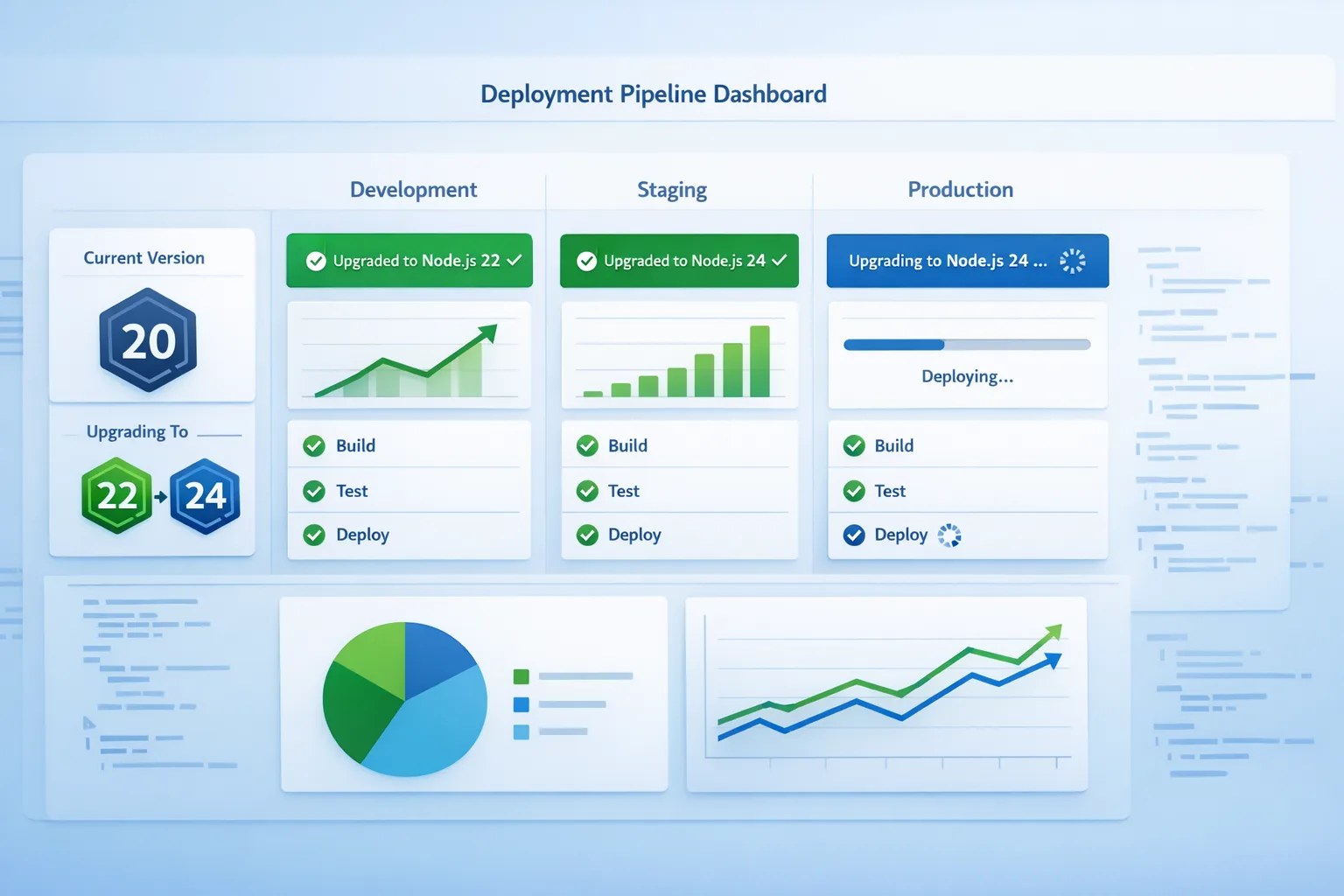
Node.js 20 EOL lands on April 30, 2026. If your apps, Lambdas, Cloud Functions, containers, or CI images still target 20.x, you have weeks—not quarters—to move. This guide explains what Node.js 20 EOL actually means in practice, which cloud deadlines matter, and how to ship Node 22 with minimal risk.

Dates you can’t ignore (and why they matter)
Here’s the thing: EOL is less about ceremony and more about consequences. After April 30, 2026, Node 20 stops receiving security fixes. That’s the inflection point when vulnerability scanners light up and many providers begin nudging—or forcing—runtime changes.
Key dates and timelines you should anchor to:
- Node 20 lifecycle: released April 18, 2023; entered maintenance October 2024; last minor release line includes 20.20.0 (January 13, 2026); EOL April 30, 2026.
- AWS Lambda: Node.js 20 deprecates on April 30, 2026; creation of new functions on 20 blocks on June 1, 2026; updates to existing 20.x functions block on July 1, 2026. Node.js 22 is available and carries a later deprecation window.
- Google Cloud Run functions (formerly Cloud Functions): Node.js 20 enters deprecated status on April 30, 2026, with end-of-support on October 30, 2026. Node.js 22 is GA with support into 2027.
- Azure Functions: Node.js 22 is supported (alongside 20) on current plans; check your plan (Consumption vs. Dedicated) and the Functions runtime version for exact combinations before deploying.
If your organization follows compliance frameworks that require supported software (common in finance, healthcare, SaaS with enterprise customers), running EOL runtimes can trigger audit findings even if the code “still works.”
What actually breaks on May 1?
Most apps won’t explode at midnight, but operational friction starts piling up quickly:
- Security coverage ends. No upstream CVE patches for Node 20 after April 30. Your SCA/DevSecOps tools will start flagging the runtime itself.
- Cloud friction increases. On AWS Lambda, you’ll be blocked from creating or, later, updating Node 20 functions. On Google’s side, you’ll be on a deprecated runtime with a public sunset clock. Managed platforms and PaaS vendors follow similar patterns.
- Container base images go stale. Popular images (node:20, node:20-alpine) stop receiving runtime fixes. Build scanners will escalate severity.
- SDKs and agents move on. Observability, security, and database drivers periodically drop support for EOL Node versions. You’ll get stuck on old agents or untested paths.
- Tooling surprises. GitHub Actions, buildpacks, or serverless frameworks may pin newer features to Node 22+. CI caches built around Node 20 start to drift.
Node.js 20 EOL checklist for app and infra
Use this short list to assess your blast radius and prioritize the upgrade. It’s intentionally pragmatic.
- Inventory everything running Node. Apps, CLIs, build scripts, workers, cron, CDK/TF local tools, and serverless functions.
- Classify by risk. Customer-facing endpoints, payment flows, auth, and data pipelines go first. Internal tooling and low-risk jobs can follow.
- Map providers. For each workload, record where it runs: Lambda, Cloud Run functions, VMs, K8s, containers, or on-prem.
- Pin a target. Standardize on Node 22 LTS across the board. Note any exceptions that must stay on 20 temporarily (and why).
- Check native modules. If you use native addons (sharp, bcrypt, grpc, canvas), confirm prebuilt binaries exist for Node 22 or budget time to rebuild.
- Update engines and tooling. Bump
engines.node, enable Corepack, and align npm/pnpm/yarn versions in CI. - Run your test matrix locally and in CI. Add Node 22.x to the matrix now; keep 20.x until rollout completes for early detection.
- Stage, canary, then flip traffic. Blue/green or canary on critical services. Watch error budgets and p95 latencies before widening.
A pragmatic three‑week upgrade sprint (start today)
You don’t need a quarter; you need a focused sprint. Here’s a realistic cadence teams have used successfully.
Week 1 — Make Node 22 real in dev and CI
- Local: install Node 22 (nvm, asdf) and enable Corepack. Ensure the team can switch quickly without breaking local workflows.
- Repo: set
"engines": { "node": ">=22 <23" }. Commit lockfile updates under Node 22. - CI: update your matrix to include
22.x. Example using GitHub Actions:actions/setup-node@v4withnode-version: 22.x. - Linters/tests: fix runtime-specific warnings. The built-in test runner in Node works fine; keep using your current test framework if it’s stable.
- Native modules: rebuild locally and in CI; cache
node-gypartifacts where practical.
Week 2 — Lift staging and serverless
- Containers: switch base images to
node:22-alpine(or the Debian variant you standardize on). AddRUN corepack enablefor reliable package managers. - Serverless: deploy staging functions on Node 22. On AWS, update runtimes to
nodejs22.x; on Google, set--runtime nodejs22. Keep prod on 20 for now. - Perf sanity: compare cold starts and p95 latencies between Node 20 and 22. Check memory headroom; adjust Lambda/Cloud Functions memory if needed.
- Observability: upgrade APM/metrics agents to versions that officially support Node 22. Confirm error collection and traces look normal.
Week 3 — Roll out to prod with a net
- Canary: start with 5–10% traffic to Node 22 services. Watch error rates, GC pauses, and throughput for 24–48 hours.
- Full cutover: promote to 100% if the canary is clean. Keep rollback artifacts for at least two weeks.
- Retire Node 20 paths: remove 20.x from CI matrices, delete old images, and lock new deployments to 22.x.
Serverless and containers: the exact changes to make
Let’s get practical. These are the edits that move the needle right now.
GitHub Actions
Many pipelines still pin Node 20 implicitly. Make it explicit—and then bump it:
jobs:
  test:
    runs-on: ubuntu-latest
    strategy:
      matrix:
        node: [22.x]
    steps:
      - uses: actions/checkout@v4
      - uses: actions/setup-node@v4
        with:
          node-version: ${{ matrix.node }}
          cache: 'npm' # or 'pnpm'/'yarn'
      - run: corepack enable
      - run: npm ci && npm test
If you run your own infra for CI, our GitHub Actions self‑hosted runner plan for March 2026 covers hardening and caching patterns that make Node version transitions less painful.
Docker images
Switch your base images with intent. Alpine is small and fast; Debian variants have broader package compatibility. Keep them consistent across services.
FROM node:22-alpine
ENV NODE_ENV=production
RUN corepack enable
WORKDIR /app
COPY package.json pnpm-lock.yaml ./
RUN pnpm install --frozen-lockfile --prod
COPY . .
CMD ["node", "server.js"]
AWS Lambda
For each function, bump the runtime and redeploy:
aws lambda update-function-configuration \
  --function-name my-fn \
  --runtime nodejs22.x
Then publish a new version or alias, canary with weighted routing, and watch metrics (Init Duration, Duration, Errors, Throttles). Remember the Node 20 creation/update blocks coming in June/July 2026.
Google Cloud Run functions
Set the Node 22 runtime at deploy time:
gcloud functions deploy my-fn \
  --runtime nodejs22 \
  --trigger-http \
  --region=us-central1
Review concurrency, memory, and min instances to keep cold starts predictable.
People also ask
Is Node 22 safe for production?
Yes. Node 22 is LTS and widely supported by cloud providers and major libraries. Treat it as the default target for all new services in 2026 unless you have a specific, validated blocker.
Do I need to rebuild native modules?
Usually. If you depend on packages with native bindings, make sure they publish prebuilt binaries for Node 22 on your OS/arch. Otherwise, your CI needs a compiler toolchain to build from source. Look for packages using Node‑API (N‑API), which decouples builds from Node version churn.
Will my Node 20 Docker images stop working?
No—they’ll still start. The problem is they’ll stop getting runtime security updates, and scanners will flag them. Most orgs treat that as a release blocker for new builds.
What’s the risk if I miss the Node.js 20 EOL date?
You’ll accumulate security risk, face creation/update blocks in some serverless platforms, and encounter a growing gap as vendors drop Node 20 testing. The longer you wait, the harder it gets to do a clean, low‑drama cutover.
Compatibility notes and gotchas
A few places teams trip during this upgrade:
- Engines and tooling drift: If you lock
engines.nodewithout aligning Corepack and your package manager, fresh clones may install with the wrong toolchain. Bakecorepack enableinto Docker builds and CI. - ESM/CommonJS edges: Node 22 continues the ESM story—if you’re mid‑migration, confirm import paths,
type: moduleconfigs, and test runner settings match your expectations. - OpenSSL behavior: Crypto defaults and ciphers evolve over LTS cycles. If you terminate TLS in Node, re‑run compatibility tests against older clients and custom PKI.
- Observability agents: Upgrade to releases that explicitly support Node 22 to avoid silent gaps in traces or metrics.
Security posture: use the upgrade to harden
EOL windows are the perfect time to remove attack surface:
- Drop dev dependencies from production images (
npm ci --omit=devor equivalent in pnpm/yarn). - Adopt distroless or minimal images where possible.
- Set
--disable-networkor outbound allowlists in build steps; for runtime agents, consider egress control. If you’re designing AI‑assisted systems, our playbook on egress firewalls for AI agents shows how to prevent data exfiltration and SSRF in automation flows. - Pin image digests and verify SBOMs in CI; fail builds on EOL base images.
Rollback strategy (because things happen)
You’ll sleep better with a real escape hatch. Keep Node 20 artifacts available for a short window after cutover, but only as a controlled rollback target:
- Blue/green: Keep the blue environment on Node 20, green on 22. Flip DNS or the load balancer, then freeze releases to blue within hours of a clean cutover.
- Traffic splits: Use weighted routing (Lambda aliases, Cloud Run traffic splits, or service mesh) to dial traffic up/down without redeploying.
- Data safety: For stateful services, confirm that Node 22 doesn’t change serialization, hashing, or crypto in ways that break cross‑version communication.
Proof your pipeline against the next EOL
Don’t repeat this scramble a year from now. Build EOL awareness into day‑to‑day engineering:
- Add runtime EOL checks to your SRE calendar and backlog grooming.
- Keep a rolling CI matrix:
[current-LTS, next-LTS]. Fail PRs that break on the next LTS, even if prod isn’t there yet. - Standardize base images and Node patch cadence. Monthly patch weeks reduce upgrade shock.
- Track vendor‑specific deprecation dates (Lambda, Cloud Run functions, Azure Functions) alongside upstream Node schedules.
If you want a deep, time‑boxed plan, our Node.js EOL 2026: Your 45‑Day Upgrade Playbook breaks this down further for larger portfolios.
What to do next
- Today: Add Node 22.x to your CI matrix and rebuild native modules. Open an upgrade epic and tag critical services.
- This week: Switch containers to
node:22-*, deploy a staging cut on 22, and collect baseline perf metrics. - Next two weeks: Canary and roll Node 22 to production, then remove Node 20 from builds.
- Ask for help: If you’re juggling many services, our engineering services team can lead the cutover, harden CI/CD, and train your developers on a repeatable process. See how we’ve shipped similar migrations in our recent client work.

Why this matters for the business (not just the build)
Running EOL software isn’t a theoretical risk. It shows up in enterprise security reviews, SOC 2 audits, vendor questionnaires, and customer RFPs. The sooner you treat runtime lifecycles as a product quality concern—not just an ops chore—the less you’ll spend on emergency upgrades and fire drills.
If you need a partner to make this painless, start a conversation through our contact page, or keep reading our engineering blog where we publish playbooks you can run the same day.








Comments
Be the first to comment.