
App Store Connect Update 2026: Ship Without Surprises
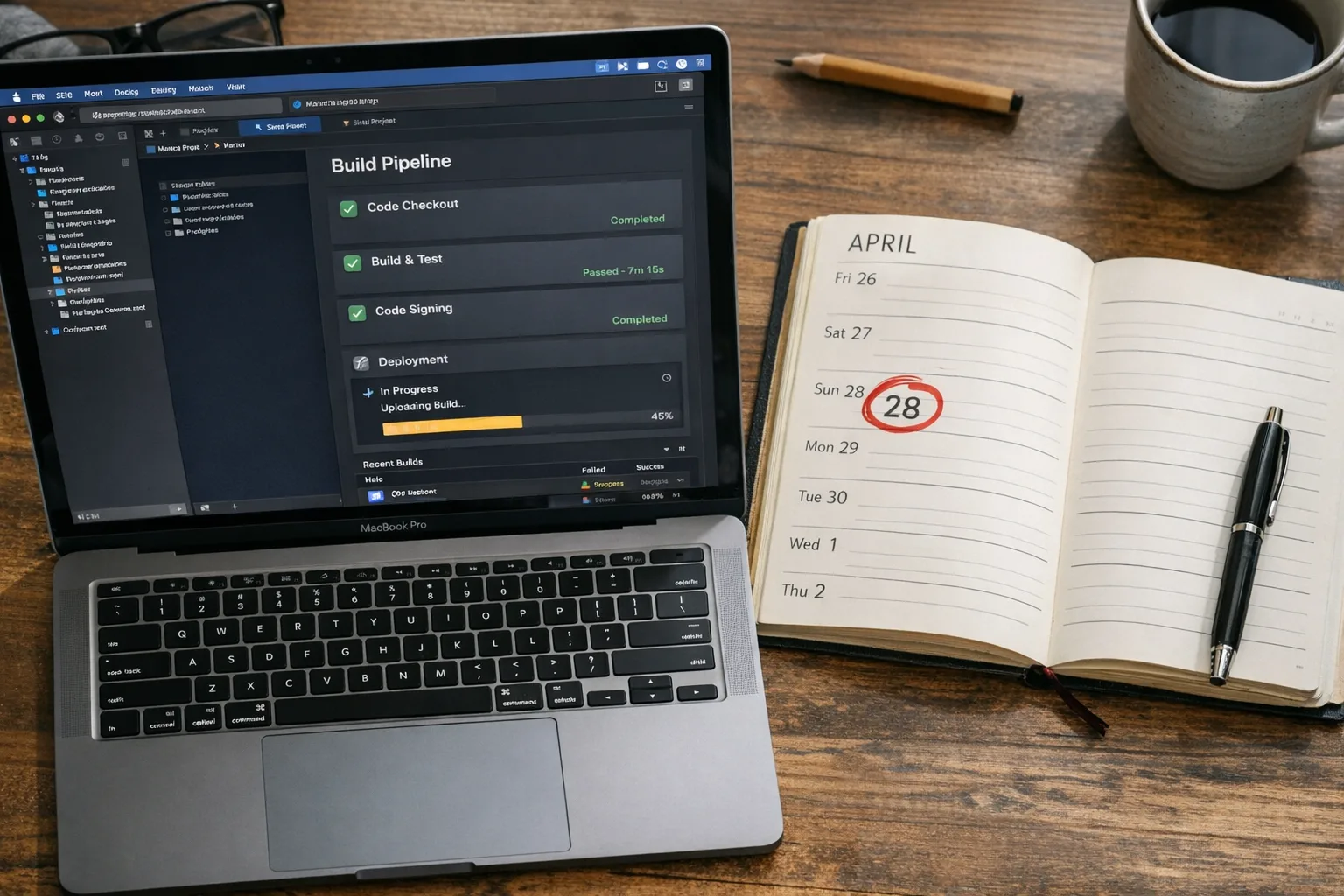
The App Store Connect update 2026 isn’t just another policy tweak—it’s a release blocker if you’re not ready. Apple set a hard date for the Xcode 26 toolchain, tightened the age rating workflow, and is sunsetting old promo mechanics. If you plan to ship in Q1–Q2, you need to line up engineering, QA, marketing, and DevOps now so the April deadline doesn’t roll your launch. Starting April 28, 2026, apps uploaded to App Store Connect must be built with Xcode 26 or later using the latest platform SDKs. (developer.apple.com)
What actually changed—and when
Here’s the thing: two timelines matter if you want to keep shipping without friction.
1) SDK cutover on April 28, 2026. After this date, every new app and update must be built with Xcode 26+ targeting the iOS/iPadOS 26, tvOS 26, visionOS 26, and watchOS 26 SDKs. If you’re still on an older toolchain, submissions will fail. (developer.apple.com)
2) Age ratings reset as of January 31, 2026. Apple auto-updated ratings across the store and expects you to answer new, required questions in App Store Connect. If you didn’t finish that questionnaire by January 31, you may be blocked from submitting updates until it’s complete. (developer.apple.com)
Bonus change worth noting for your marketing team: promo codes for IAPs are being replaced by offer codes, and you won’t be able to create new IAP promo codes after March 26, 2026. Also, you can now maintain up to 70 custom product pages—a big deal for paid UA and ASO testing. (macrumors.com)
Why the Xcode 26 requirement matters beyond “just upgrade”
“Just upgrade Xcode” sounds simple until a CI image change ripples through your build graph. Xcode 26 comes with new SDK shims, updated compilers, and subtle behavior differences. That affects code generation, Swift package resolution, and even archive signatures. If your pipeline pins older tools, watch for breakage in post‑archive steps (symbol processing, dSYM uploads, notarization for macOS apps, and store asset generation).
Practically, plan for three buckets of work:
- Tooling: Refresh build agents with Xcode 26, update xcodebuild flags, and re‑cache Swift Package Manager dependencies. Validate that your CI runners have compatible simulators and device runtimes installed.
- Source: Rebuild third‑party SDKs (especially static frameworks), fix deprecations called out by the new SDKs, and reconcile any privacy or entitlement changes in Info.plist and entitlement files.
- Release ops: Re‑export your signing certificates if you rotate keys annually, confirm App Store Connect API keys still work in your release scripts, and re‑generate screenshots if SF Symbols or UI metrics shifted under the new SDK.
Does the App Store Connect update 2026 force you to drop old OS support?
No. Building with the latest SDK doesn’t require a high minimum deployment target. You can keep supporting older OS versions within reason while compiling against the newest SDK. The real constraint is whether changed APIs (e.g., privacy, health, or background task policies) now enforce runtime checks that affect your legacy code paths. Feature‑gate with #available and audit fallbacks carefully.
Age ratings in 2026: what changed and how to pass quickly
Apple introduced new age tiers (13+, 16+, 18+) and expanded the questionnaire to include in‑app controls, capabilities, health content, and violence. If Apple’s automatic reassignment doesn’t reflect your real content, you must correct it in App Information before your next submission. Missed the January 31 date? Expect your next update to be blocked until you answer the new questions; it’s not punitive, it’s just enforced gating. (macrumors.com)
Teams trip when they evaluate “content” too narrowly. Don’t forget emergent behaviors: user‑generated content, generative AI features, and cross‑links to web views can change your effective rating. Moderation tools, content filters, and parental controls strengthen your case—and may unlock a lower age tier when justified.
Fast‑track checklist for age ratings
Use this one‑sitting checklist to get unblocked:
- Open App Information → Age Rating in App Store Connect and complete every new question; document your rationale per answer for auditability.
- Map each sensitive feature (UGC, chatbots, avatars, gambling‑like mechanics, health claims) to your in‑app controls and reporting flows.
- Capture evidence: screenshots of settings, content filters, and default states; link them in your internal wiki.
- If your age tier shifts upward, update store copy, screenshots, and ad campaigns to align with the new audience.
Offer codes replace IAP promo codes: marketing implications
With promo codes for IAPs sunsetting on March 26, your pre‑launch and influencer flows should pivot to offer codes. Offer codes support more purchase types (consumable, non‑consumable, non‑renewing subs, and auto‑renewing subs) and let you design time‑boxed discounts without retooling your paywall. If you’ve automated promo code distribution, refactor those tools to generate offer codes and measure redemption cohorts. (macrumors.com)
A 60‑day ship plan you can run starting today
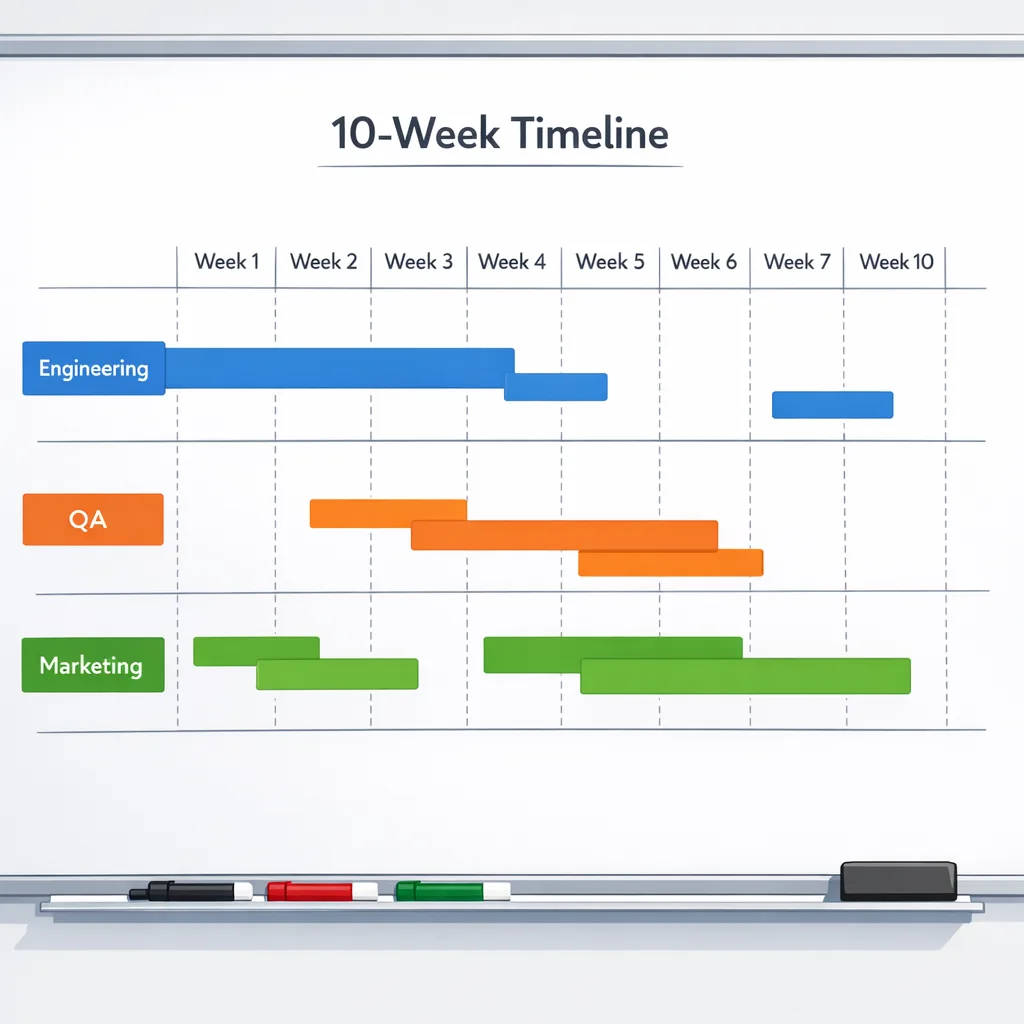
From February 13 to April 28 is roughly ten weeks. Here’s a pragmatic plan that assumes a weekly cadence. Compress it if you must, but don’t reorder the risk‑reduction steps.
Weeks 1–2: unblock the pipeline
- Upgrade local dev boxes and one non‑critical CI runner to Xcode 26. Archive a canary build for each app target.
- Refresh SPM caches and rebuild third‑party SDKs. Resolve compiler warnings; promote warnings to errors in CI for new code.
- Complete the age rating questionnaire for every bundle ID. If you manage dozens, script App Store Connect API fetches to track completion.
Weeks 3–4: fix breakage and stabilize
- Run full regression on your primary devices and iOS 26 family simulators. Prioritize crashes and permission regressions.
- Audit entitlements and Info.plist keys against the latest docs; remove legacy keys that cause review flags.
- Switch a second CI lane to Xcode 26 and measure build times; update cache keys and artifact retention.
Weeks 5–6: marketing alignment and App Store assets
- Transition any IAP promo flows to offer codes; update CRM and attribution playbooks. (macrumors.com)
- Spin up or reorganize up to 70 custom product pages for your core audiences; align keywords and creative tests. (macrumors.com)
- Refresh screenshots or videos if UI shifted under SDK 26; ensure text and imagery match your new age tier.
Weeks 7–8: harden for review
- Enable “strict” analyzer passes; run static analysis and privacy scans.
- Stage release candidates signed with production certs; verify dSYMs upload and crash symbolication.
- Dry‑run the submission with metadata checks: age rating answers, app privacy details, and export compliance.
Weeks 9–10: rollouts and contingencies
- Submit with phased release turned on; monitor crash‑free sessions and purchase funnels.
- Keep an emergency bugfix branch ready; your pipeline is on Xcode 26, so hotfixes won’t be blocked by the cutover.
- Document everything. Make the 2027 upgrade effortless by keeping a living checklist.
If you like structured runbooks, we’ve published deep dives on the cutover and shipping rhythm. See our guides on the April 28 SDK switch and our 60‑day ship plan for iOS teams. Plan for the April 28 SDK cutover and Xcode 26: the 60‑day ship plan.
Technical gotchas I keep seeing
CI images and simulators: Cloud runners often lag on preinstalled simulators. Pre‑cache the iOS 26 device runtimes you actually test, or your UI test suite will spend half the build downloading images.
SPM vs. binary frameworks: When rebuilding binary SDKs for the new toolchain, confirm they’re not hard‑pinned to older Swift ABIs. If you must bridge, isolate them in a module with fewer touchpoints and document their minimum OS support.
Entitlements drift: Old entitlements can cause review friction. Keep com.apple.developer.networking.networkextension profiles tight, remove obsolete background modes, and double‑check app groups across targets.
Info.plist and privacy: New SDKs tend to enforce stricter permission copy. Audit NSCameraUsageDescription, NSMicrophoneUsageDescription, and any health‑adjacent strings. Make them human, not placeholders.
Symbols and archives: If your dSYMs disappear in a multi‑stage build, ensure your post‑archive step runs before any container cleanup and that your CI preserves the .xcarchive for symbol extraction.
People also ask
Can I keep shipping with Xcode 25 until April 28, 2026?
Yes—but only until April 28. After that, submissions must be built with Xcode 26 or later targeting the 26 SDKs. Ship earlier if you’re on the fence; don’t schedule a risky launch week during the cutover. (developer.apple.com)
Will my update be rejected if I missed the age questionnaire?
Your update may be blocked from submission until you complete the new questions. Log into App Store Connect → App Information and finish the flow before you prep your next build. (developer.apple.com)
Do I need to re‑write my app for SDK 26?
No. Most apps compile cleanly after dependency updates. The pain usually lives in third‑party SDKs, privacy strings, and brittle UI tests. Budget time for dependency upgrades and a full smoke test matrix.
Strategy: use the cutover to lower your total cost of ownership
Deadlines are leverage. Use the required Xcode 26 migration to kill flaky tests, modernize your SPM structure, and prune dead flags. If you’ve been delaying your move to shared UI libraries or a better design token system, now’s the moment—before you add more surface area in 2026.
Marketing gets a win, too. With up to 70 custom product pages, you can align creative with cohorts (e.g., enterprise vs. prosumers) and run smarter, SKU‑level offers via offer codes—while reserving Tier‑1 pages for evergreen messaging. (macrumors.com)
Let’s get practical: a one‑page migration scorecard
Grab a whiteboard and score each row 0–3 (0 = unseen, 1 = in progress, 2 = verified locally, 3 = verified in CI/release).
- Xcode 26 installed on dev and CI; canary archive succeeds
- SPM and binary SDKs rebuilt; deprecations triaged
- Automated tests green on iOS 26 device runtimes
- Age rating questionnaire complete; screenshots and copy aligned
- Offer codes configured; custom product pages mapped
- Signing, dSYM upload, and submission API keys verified
- Release notes, privacy strings, and support docs updated
Anything below 2 by the end of Week 6 deserves an escalation plan.
Where we can help
If your roadmap is tight and you need a pit crew, we’ve helped teams ship through platform changes since iOS 7. Explore how we work on complex delivery and CI modernization on our What We Do page, review recent outcomes in our portfolio, and reach out via Contacts to schedule a quick triage.

What to do next (today, not tomorrow)
- Install Xcode 26 locally and on one CI runner; archive a canary build.
- Finish the age rating questionnaire for every app in your account.
- Upgrade or replace any SDK that doesn’t cleanly build under SDK 26.
- Switch promo workflows to offer codes and outline your 3–5 custom product page experiments.
- Schedule a cutover freeze window the week of April 28; ship earlier if possible. (developer.apple.com)





Comments
Be the first to comment.