Webflow development for teams that own revenue, not page builder settings
If you are responsible for pipeline, demos, or bookings, you do not have time to fight a messy Webflow build. You need pages your team can update without breaking layouts, clean data flowing into your CRM and analytics, and performance that does not fall apart when you turn on paid traffic.
BYBOWU is a web and app development agency based in Phoenix, AZ, working with B2B, SaaS, ecommerce, and services companies across the US and worldwide. We use Webflow when you want speed to market and easy in-house editing, without sacrificing structure, performance, or tracking quality.
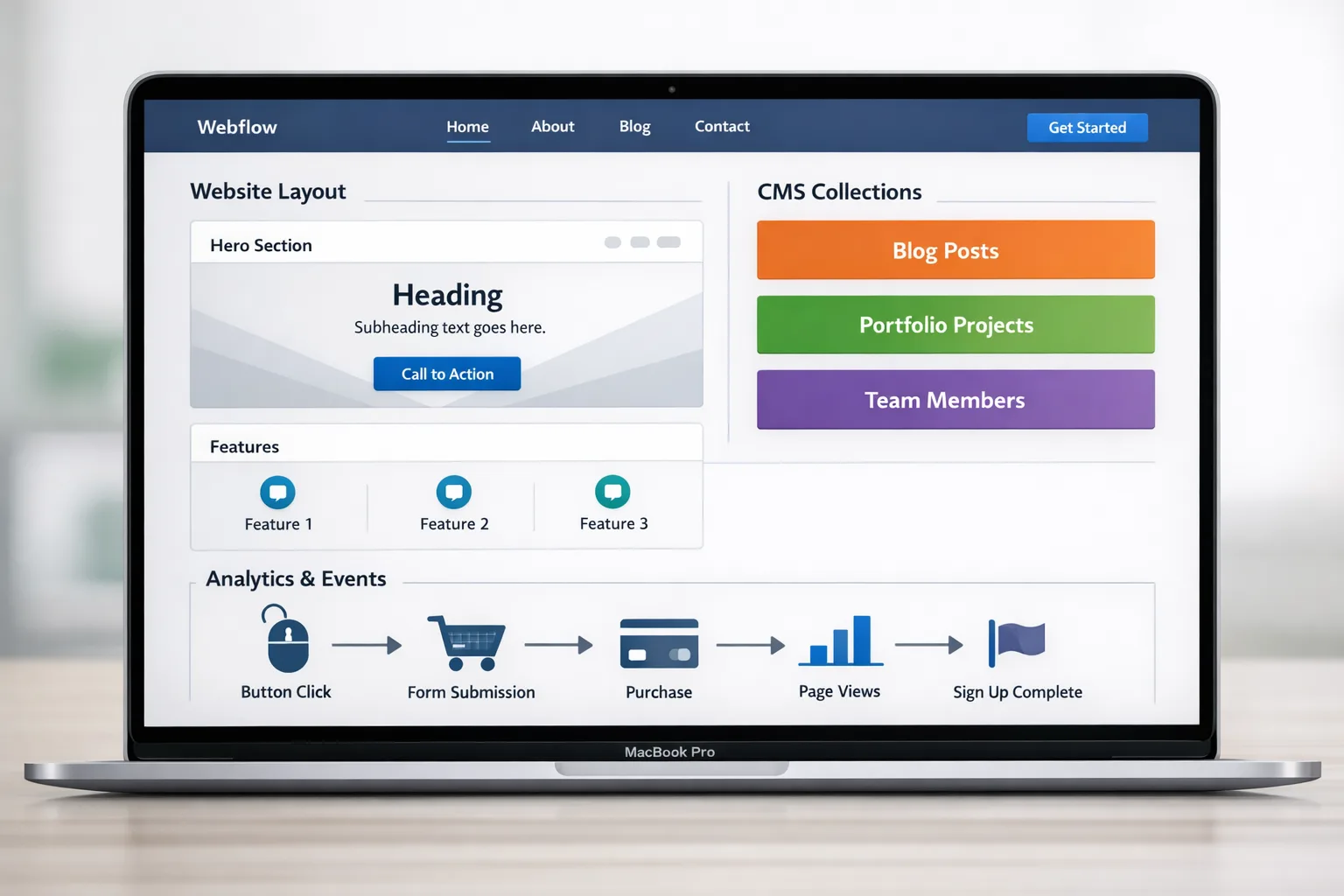
Common Webflow headaches we are brought in to fix
Most teams come to us with Webflow already in place, but held together with guesswork and hacks. The usual symptoms:
- Pages that look fine in a screenshot but load slowly, fail Core Web Vitals, or miss technical SEO basics.
- Messy class naming and global styles, so a tiny text change unexpectedly shifts layouts across the site.
- Landing pages that are painful to duplicate, which slows down campaigns and A/B tests.
- Forms, CRM, and analytics wired through brittle zaps that nobody on the team fully understands.
- A half-finished Webflow build from a freelancer or agency that disappeared, and now everyone is afraid to touch it.
- Stakeholders worried that Webflow will not scale with more content, more languages, or the next product launch.
Our job is to turn that fragile setup into a clean Webflow system that marketing, sales, and ops can actually rely on.
How we approach your Webflow project
We treat your Webflow site as part of your product and marketing stack, not a one-off brochure. That means clear goals, a realistic scope, and honest conversations about what should live inside Webflow and what should be handled by your backend or external tools.
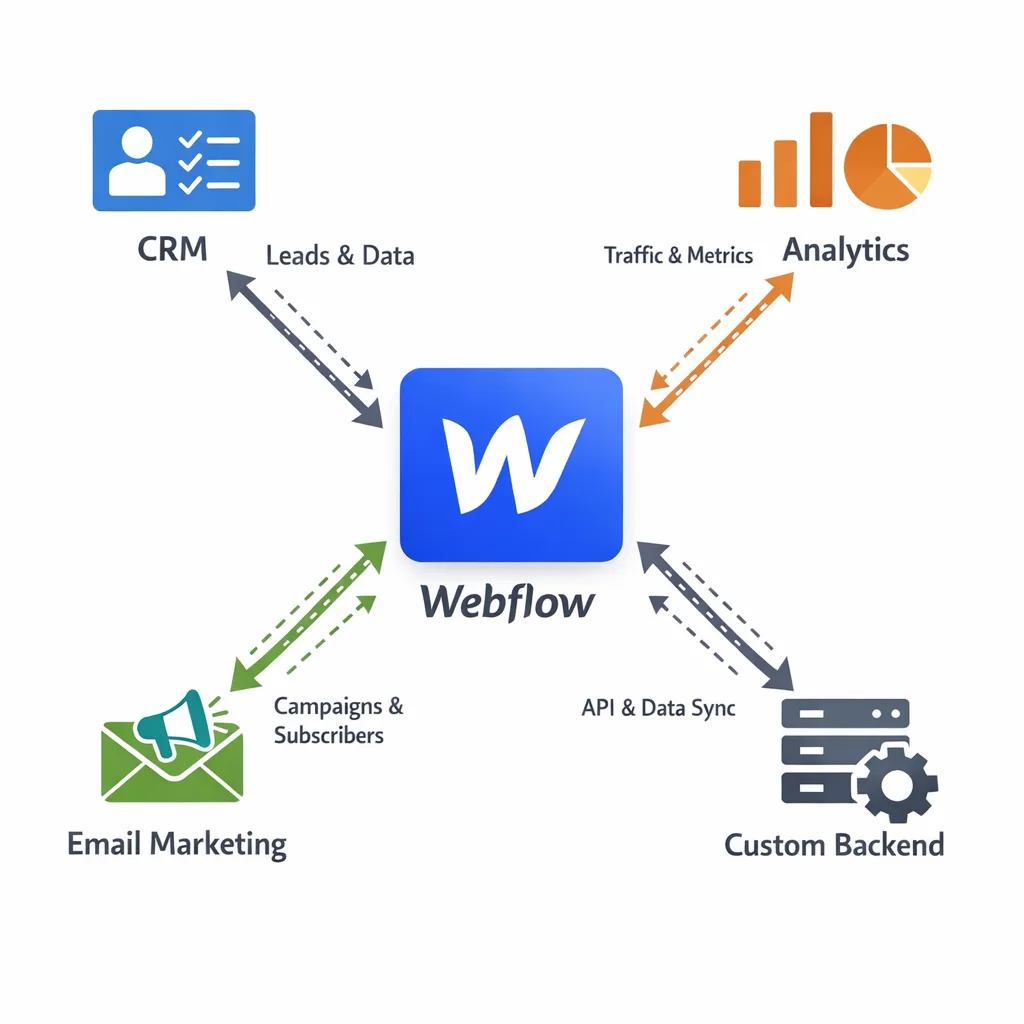
- Discovery and priorities. We start with a focused call about your model, audience, and funnel. Together we define what success looks like, which journeys matter most, and what Webflow should own. If you need custom logic or apps behind the scenes, we can combine Webflow with Laravel Development or other Web Development options.
- UX, content model, and design. Before touching Webflow, we map user journeys, key CTAs, and your content model. We design page flows and define CMS collections, fields, and naming conventions so editors have a safe, predictable system. When needed, we involve our Website UX Audit & Optimization and Website Design teams to tighten copy, hierarchy, and conversion paths.
- Clean Webflow build. We build in Webflow with a logical class system, reusable components, and CMS-driven sections. That makes it easy for your team to spin up new pages, swap content, and stay on-brand without needing a developer for every change. If you need functionality Webflow should not own, we connect APIs or external services via our Integrations & API Development specialists.
- Integrations, performance, and QA. We wire up CRM, marketing automation, analytics, and pixels, then verify that key events fire correctly for demos, trials, signups, or purchases. We tune layouts for responsiveness, pay attention to accessibility basics, and cover technical SEO fundamentals. For deeper checks, we can bring in Web Performance Optimization, Technical SEO, or QA & Testing support.
- Launch and handover or ongoing support. We handle staging, DNS, redirects, and go-live. After launch, we either train your team to own the system or stay involved under a structured Support & Maintenance plan for continuous improvements and new campaigns.
What you get as concrete deliverables
At the end of a Webflow engagement you are not left with a black box. You get a set of assets your team can actually run.
- A production-ready Webflow project with a documented class naming system and reusable components for headers, footers, sections, and CTAs.
- Thought-through CMS collections for content types like blog posts, case studies, resources, FAQs, team members, or product catalogs.
- Responsive layouts tuned for mobile, tablet, and desktop, with clear forms, CTAs, and readability for longer content.
- Integrated tracking: analytics, tag manager, pixels, and custom events aligned with your funnel, so you can trust your data.
- Connections to your existing stack, including CRMs, email marketing, booking tools, and payments, via CRM Integrations, Payment Integrations, and broader Third-Party Integrations when needed.
- Short documentation and optional live training so marketing, content, or ops can update the site without waiting on developers.
What you can order
- Webflow launch landing page — A tightly scoped, conversion-focused landing page for one offer or campaign, with UX, layout, copy structure, and tracking events configured. Often paired with Landing Page Development & CRO and GTM Conversion Tracking Setup.
- Webflow marketing website — A multi-page B2B, SaaS, or services site with clear navigation, SEO-friendly structure, and CMS-driven blog or resources. Built so your team can launch new pages weekly without submitting dev tickets.
- Webflow content hub or resource center — A structured CMS hub for articles, guides, and case studies with categories, filters, and reusable templates. Can be combined with Content SEO Services or SEO Content Briefs to fuel organic growth.
- Webflow + ecommerce or booking front-end — A polished marketing and catalog layer in Webflow, connected to Shopify, a custom store, or booking system via APIs. Often used together with E-commerce Development, Shopify Development, or Booking & Delivery Platform Development.
- Webflow migration and cleanup — A structured migration of your current site into Webflow or a deep cleanup of an existing Webflow project. Includes class refactor, CMS restructuring, redirect mapping, and analytics continuity. Builds on our dedicated Webflow Migration services.
- Webflow CMS setup and governance — Planning and implementation of a sane CMS architecture, editor roles, and workflows, ideal if you already have designs but need content operations to run smoothly. Closely aligned with our Webflow CMS Setup and SEO-Optimized Web Development offers.
Why choose BYBOWU for Webflow development
- Outcome-first, not template-first. We start from your funnel and sales process, then design how Webflow supports that. No quick template reskins that crumble under real traffic or complex content.
- Design, content, and engineering under one roof. Our UI/UX, development, SEO, and integrations teams work together from day one. You get a site that looks sharp, loads quickly, and sends clean, usable data to your CRM and analytics tools.
- Honest tradeoffs and senior attention. You work with people who can talk CAC, MQLs, and technical constraints in the same conversation. We are direct about where Webflow shines, where it struggles, and when you should consider custom web development or WordPress instead.
- Solid foundations for growth. Clean structure, accessibility basics, and technical SEO fundamentals are baked into our Webflow process. For deeper needs, we involve Accessibility & WCAG Compliance, SEO & Digital Marketing, or DevOps & Cloud Engineering specialists.
- A partner beyond launch. Many clients start with a Webflow marketing site, then stay with us for SaaS Product Development, Mobile App Development, or targeted AI & Automation once the first site is proving its value.
Proof it works in the real world
Fashion marketplace presence
For a modern apparel marketplace, we delivered a web experience with clear catalog navigation and smooth browsing tied into their commerce platform, giving the team a front-end they can extend as new brands are added. See project details.
Tactical ecommerce storefront
A tactical clothing retailer needed a storefront that could handle detailed product data without overwhelming shoppers. We built a clear structure and front-end that makes it easier for visitors to find, compare, and buy. See project details.
Roommate finder platform
We built a web platform that connects people searching for housemates, with profiles, matching flows, and onboarding that reduce friction for new users and cut down on support requests. See project details.
B2B dropshipping portal
For a wholesaler and dropshipping business, we implemented a portal that streamlines catalog management and ordering between suppliers and resellers, reducing manual coordination and errors. See project details.
Questions founders usually ask
Is Webflow the right choice for my project?
Webflow is a strong fit for marketing sites, content hubs, and launch pages where you care about speed, editing ease, and solid performance. If you need heavy application logic, user accounts, or complex workflows, we often pair Webflow with a custom backend or recommend our SaaS Development or Custom Software Development services instead. We will walk through the tradeoffs before you decide.
What budgets do you typically work with for Webflow?
Single, focused landing pages sit at the lower end. Full marketing sites with UX, design, CMS, and integrations land in the middle. Complex multi-language or integration-heavy builds are higher. If you share a budget range, we can usually shape a phase 1 that makes sense. You can also review typical ranges on our Prices page.
How long does a Webflow site take to launch?
As a rough guide, a single landing page often takes 1–3 weeks, a standard marketing site 3–6 weeks, and a larger integration-heavy build 6–10 weeks. Timelines depend on content readiness, feedback speed, and integration complexity. We agree milestones and launch windows with you before we start.
Will my Webflow site be SEO-friendly and fast?
Yes. We handle technical SEO basics like clean HTML, metadata, sitemaps, and redirects, and we pay close attention to performance and Core Web Vitals. If you need deeper SEO strategy, content, or link work, our SEO & Digital Marketing team can support you, or we can run a focused Technical SEO Audit.
Can you migrate my existing site into Webflow without hurting traffic?
In most cases, yes. We plan URL structure, redirects, and content migration carefully, then validate everything on staging before changing DNS. For complex or SEO-heavy sites, we often recommend a phased migration and can pair it with an SEO Audit & Website Analysis to protect important rankings.
What happens after launch if we need help?
You can keep us on as your Webflow and product partner under our Support & Maintenance services, or we can hand over fully with training and documentation. Many clients choose a light retainer so they can move quickly on new pages, tests, and campaigns without rebuilding their internal team.
Talk through your Webflow site or migration
If you already have a brief or rough sitemap, we can usually come back with an initial plan, budget range, and timeline within one business day once we understand your goals and constraints.
If you are still deciding between Webflow and other options, we can review your current site and stack, highlight quick wins, and outline a realistic path forward.
Contact us for a 24-hour Webflow estimate or request a web development review.